
Garden TVs are no longer a luxury reserved for warm climates or summer months. As outdoor living spaces become year-round extensions of our homes, the demand for durable, weather-resistant televisions that can withstand cold temperatures has surged. Whether you’re sipping hot cocoa on a covered patio in Minnesota, enjoying a winter barbecue in Colorado, or simply want to catch the game while shoveling snow in Michigan, having a television built to endure frigid conditions is essential. But not all outdoor TVs are created equal—especially when it comes to performance in cold weather.
This comprehensive buying guide is designed to help you navigate the often-confusing world of garden TVs built for cold climates. We’ll break down what truly matters when selecting a television for outdoor use in low temperatures, from build materials and temperature ratings to display technology and smart features. You’ll learn how to distinguish marketing hype from real-world performance, avoid costly mistakes, and ultimately choose a TV that delivers reliable picture quality, longevity, and value—even when the mercury dips below freezing. Whether you’re a first-time buyer or upgrading from an older model, this guide will equip you with the knowledge to make a confident, informed decision.
The market for outdoor televisions has evolved significantly over the past decade. What began as niche products with limited availability has blossomed into a competitive segment featuring models from established electronics brands, specialized outdoor tech companies, and even custom integrators. Today’s garden TVs come in various sizes, price points, and configurations—from fully sealed, all-weather models to convertible indoor-outdoor units with enhanced cold-weather tolerances. However, this variety also means more complexity. Without proper guidance, it’s easy to overspend on unnecessary features or end up with a TV that fails after one harsh winter. Our goal is to cut through the noise and deliver actionable insights tailored specifically to cold-weather performance.
What to Look for When Buying Buying Guide
1. Cold Weather Operating Temperature Rating
The single most critical factor when choosing a garden TV for cold climates is its official operating temperature range. Most standard indoor TVs are only rated to function reliably between 32°F (0°C) and 95°F (35°C). Below freezing, internal components—especially LCD panels and capacitors—can suffer from slowed response times, image lag, color distortion, or complete failure to power on. In extreme cases, repeated exposure to sub-zero temperatures can cause permanent damage.
Look for outdoor TVs explicitly rated for operation in temperatures as low as -22°F (-30°C) or lower. Reputable manufacturers will publish these specs clearly in their technical documentation. For example, SunBriteTV’s Veranda series is rated for -22°F to 122°F, while Seura’s Outdoor TVs can operate down to -40°F. These ratings aren’t just marketing fluff—they reflect rigorous testing under controlled conditions. Always verify the spec sheet rather than relying solely on product descriptions.
2. Display Technology: LED vs. OLED vs. QLED
Not all display types perform equally in the cold. Traditional LED-LCD screens dominate the outdoor TV market due to their brightness, durability, and cost-effectiveness. However, OLED panels—while offering superior contrast and deeper blacks—are notoriously sensitive to low temperatures. Many OLED TVs will either refuse to turn on or exhibit severe image retention and color shifts when cold. For this reason, OLED is generally not recommended for unheated outdoor installations in cold climates.
QLED (Quantum Dot LED) technology strikes a good balance. It offers brighter images than standard LED-LCDs and better color accuracy, making it ideal for snowy or overcast environments where ambient light is diffuse but still present. Brands like Samsung and LG have adapted QLED for outdoor use in select models, though availability remains limited compared to traditional LED options.
For most cold-weather applications, a high-brightness LED-LCD with anti-reflective coating and local dimming is the safest bet. Aim for a minimum brightness of 700 nits, but 1,000+ nits is preferable for snowy backyards where glare can be intense even in winter.
3. Build Quality & Weather Resistance
A garden TV must withstand more than just cold—it needs to resist moisture, ice, snow accumulation, UV degradation, and temperature cycling (repeated freezing and thawing). Look for enclosures made from powder-coated aluminum or marine-grade stainless steel, which resist rust and corrosion far better than plastic or standard steel.
The TV should also carry an IP (Ingress Protection) rating. While there’s no universal standard for outdoor TVs, many manufacturers use IP55 or IP65 ratings to indicate resistance to dust and water jets. IP55 means the unit is protected against limited dust ingress and low-pressure water spray from any direction—sufficient for covered patios. IP65 offers full dust protection and protection against water projected by a nozzle, ideal for partially exposed areas.
Pay special attention to the back panel and ventilation design. Some outdoor TVs use passive cooling with sealed vents that prevent moisture entry while allowing heat dissipation. Others include internal heaters that gently warm the panel during startup in cold conditions—a feature worth paying extra for if you experience frequent sub-freezing starts.
4. Screen Size & Viewing Distance
Choosing the right screen size isn’t just about preference—it’s about visibility in outdoor lighting conditions. In winter, shorter days and overcast skies mean you’ll often be watching in low-light or twilight conditions, which can reduce perceived screen size. A larger screen helps maintain immersion and readability.
As a rule of thumb, multiply your viewing distance (in feet) by 0.84 to get the ideal diagonal screen size in inches. So, if you’re sitting 10 feet away, aim for an 84-inch TV. However, in snowy or bright winter environments, you may want to go even larger to compensate for ambient glare.
That said, don’t oversize. A 98-inch TV might look impressive, but if your seating area is only 8 feet away, the image will appear pixelated and overwhelming. Most experts recommend staying within 75–85 inches for typical backyard setups. Also consider the physical dimensions: ensure your mounting structure or enclosure can support the weight and depth of larger models.
5. Smart Features & Connectivity
Modern garden TVs increasingly include smart platforms like Android TV, webOS, or Roku built-in. These allow streaming directly from apps like Netflix, YouTube, or Disney+ without needing an external device. However, in cold weather, Wi-Fi signal strength can degrade due to ice buildup on antennas or reduced battery performance in wireless remotes.
Ensure the TV has dual-band Wi-Fi (2.4 GHz and 5 GHz) and consider hardwiring via Ethernet if possible—many outdoor TVs include weatherproof Ethernet ports. Bluetooth connectivity is also useful for pairing wireless speakers or headphones, especially if you’re watching late at night and don’t want to disturb neighbors.
Check the number and type of HDMI ports. At least two HDMI 2.0 or 2.1 ports are recommended—one for a streaming stick or game console, and another for a soundbar or AV receiver. Look for HDMI ARC (Audio Return Channel) to simplify audio routing. USB ports are handy for playing local media files, but ensure they’re sealed or covered to prevent moisture ingress.
6. Mounting & Installation Flexibility
How you mount your garden TV significantly impacts its longevity and performance in cold weather. Fixed wall mounts are simple but limit adjustability. Full-motion articulating mounts allow you to angle the screen away from snowdrifts or direct sunlight, but they add complexity and potential failure points.
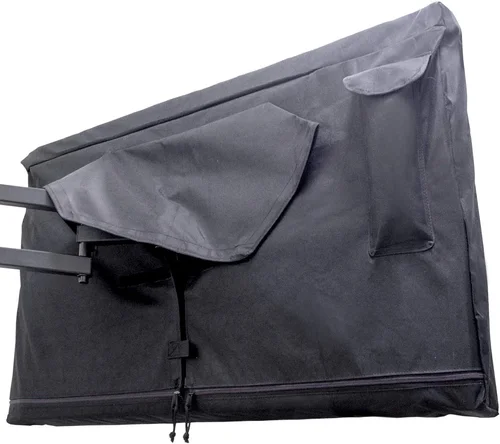
For cold climates, consider a tilt-and-swivel mount with a protective cover or hood to shield the TV from snow accumulation on the top edge. Some premium outdoor TVs come with integrated mounting systems designed to channel water away from the screen and prevent ice buildup around the frame.
If you plan to install the TV under a pergola or open gazebo, ensure there’s adequate airflow to prevent condensation when the TV heats up after being cold. Avoid enclosing the TV in a fully sealed box unless it’s specifically designed for that purpose—trapped moisture can lead to mold or electrical shorts.
7. Brand Reputation & Specialization
Not all TV brands are equally committed to outdoor performance. While mainstream manufacturers like Samsung and LG offer some outdoor-capable models, they often lack the specialized engineering found in companies that focus exclusively on outdoor displays.
Brands like SunBriteTV, Seura, and Avid Power have built their reputations on all-weather durability. They invest heavily in R&D for cold-weather resilience, including proprietary heating elements, reinforced seals, and UV-resistant coatings. Their customer support teams are also more likely to understand the unique challenges of outdoor installations.
That doesn’t mean you should avoid mainstream brands entirely—some, like Samsung’s The Terrace, are excellent hybrids. But if cold weather is your top concern, lean toward specialists. Read professional reviews from integrators and AV forums, not just consumer sites, to gauge real-world reliability.
8. Warranty & Support
Outdoor TVs are expensive investments, often costing two to three times more than comparable indoor models. A strong warranty is non-negotiable. Look for at least a 2-year comprehensive warranty that covers both parts and labor, including damage from environmental factors like freezing or condensation.
Some manufacturers offer extended warranties or service plans specifically for outdoor use. SunBriteTV, for instance, provides a 3-year warranty with optional on-site service in major metro areas. Seura includes a 2-year warranty with free replacement for manufacturing defects.
Before purchasing, verify whether the warranty is voided by DIY installation. Many brands require professional installation by a certified technician to maintain coverage. Also check if the company offers firmware updates—critical for fixing bugs or improving cold-start performance over time.
Different Types of Buying Guide

Common Buying Mistakes to Avoid
❌ Mistake: Assuming All “Outdoor” TVs Are Created Equal
Why it’s bad: The term “outdoor TV” is not regulated. Some manufacturers label standard TVs as “suitable for covered patios,” which may not withstand prolonged cold exposure or moisture. Using an under-specified TV in harsh conditions can lead to premature failure, safety hazards, or voided warranties.
What to do instead: Always check the operating temperature range, IP rating, and whether the TV includes features like internal heaters or sealed ports. When in doubt, contact the manufacturer directly with your specific climate details.
❌ Mistake: Ignoring Power Requirements in Cold Weather
Why it’s bad: Cold temperatures increase electrical resistance, which can strain power supplies and cause startup issues. Some TVs draw significantly more current when cold, potentially tripping circuit breakers or damaging power adapters.
What to do instead: Use a dedicated outdoor-rated GFCI (Ground Fault Circuit Interrupter) outlet with surge protection. Ensure your electrical circuit can handle the TV’s peak draw—especially if it includes a built-in heater. Consult an electrician if unsure.
❌ Mistake: Overlooking Condensation Risks
Why it’s bad: Bringing a cold TV into a warm environment (or vice versa) causes condensation to form inside the panel, leading to short circuits, fogging, or permanent damage. This is especially common when storing a TV indoors during summer and reinstalling it in winter.
What to do instead: Allow the TV to acclimate slowly—bring it indoors 24–48 hours before use if stored outside. Never wipe the screen immediately after moving it; let it reach room temperature first. Consider a dehumidifier in enclosed spaces.
❌ Mistake: Choosing Based Solely on Price
Why it’s bad: The cheapest outdoor TV may save you money upfront but cost more in repairs, replacements, or frustration. Low-cost models often use inferior seals, weaker materials, or lack cold-weather certifications.
What to do instead: Treat your garden TV as a long-term investment. Allocate at least 60–70% of your budget to the TV itself, and the rest to professional installation, mounting hardware, and accessories. A $3,000 TV that lasts 8 years is better value than a $1,500 model that fails in 2.
❌ Mistake: Neglecting Audio Solutions
Why it’s bad: Most outdoor TVs have weak built-in speakers due to space and sealing constraints. In open, windy, or snowy environments, audio gets drowned out quickly, ruining the viewing experience.
What to do instead: Plan for external audio from day one. Invest in weatherproof outdoor speakers, a soundbar with wireless subwoofer, or even Bluetooth headphones for private listening. Many outdoor TVs support optical audio output for clean signal transmission.
❌ Mistake: Skipping Professional Installation
Why it’s bad: Improper mounting can lead to water ingress, structural stress, or electrical faults. DIY installations often miss critical details like proper grounding, cable management, or ventilation.
What to do instead: Hire a certified outdoor AV installer, especially if your TV is large, exposed, or connected to complex systems. Many manufacturers require professional installation to honor warranties—don’t risk it.
❌ Mistake: Forgetting About Future Upgrades
Why it’s bad: Technology evolves rapidly. A TV bought today may lack support for next-gen streaming standards, gaming features (like HDMI 2.1), or smart home integration in a few years.
What to do instead: Choose a model with upgradable firmware, multiple HDMI ports, and compatibility with popular ecosystems (Google Assistant, Alexa, Apple AirPlay). Avoid proprietary systems that lock you into one brand.
Budget Guidelines: How Much Should You Spend?
Entry-Level ($1,200 – $2,500): This tier includes convertible indoor/outdoor TVs and basic covered patio models. Expect smaller screen sizes (55–65 inches), limited smart features, and minimal cold-weather enhancements. Brands like TCL and Hisense offer budget-friendly options, but verify cold tolerance carefully. Ideal for mild winters or seasonal use.
Mid-Range ($2,500 – $4,500): The sweet spot for most buyers. These TVs offer robust weather resistance, 700–1,000+ nits brightness, reliable cold-start performance, and full smart platforms. Models like SunBriteTV’s Veranda series or Samsung’s The Terrace fall here. Expect 2-year warranties and solid build quality.
Premium ($4,500 – $7,000): Designed for enthusiasts and professionals. Features include ultra-bright QLED or Mini-LED displays, internal heating systems, IP65 ratings, and commercial-grade durability. Seura and Avid Power dominate this space. Perfect for extreme climates or high-end outdoor entertainment zones.
Luxury ($7,000+): Top-tier models with bespoke designs, 8K resolution, advanced thermal management, and custom integration support. Often used in luxury homes, resorts, or smart outdoor theaters. Expect concierge-level service and multi-year warranties.
Expert Tips for Getting the Best Deal
- Buy in Spring or Early Summer: Demand peaks in late summer, so retailers often discount older inventory in spring. You’ll find better deals on previous-year models without sacrificing performance.
- Check Manufacturer Refurbished Programs: SunBriteTV and Seura offer certified refurbished units with full warranties at 20–30% off retail. These are thoroughly tested and ideal for budget-conscious buyers.
- Bundle with Installation: Many integrators offer package deals when you purchase the TV and installation together. This can save $300–$800 compared to separate quotes.
- Negotiate Extended Warranties: If buying from a local dealer, ask for a free or discounted extended warranty. They often have flexibility to sweeten the deal.
- Use Price Tracking Tools: Set alerts on sites like CamelCamelCamel (for Amazon) or Google Shopping to catch flash sales or price drops.
- Consider Financing: Some manufacturers offer 0% APR financing for 12–24 months. This spreads the cost without interest if paid on time.
- Test Before Finalizing: If possible, visit a showroom or dealer to see the TV in person. Check brightness, color accuracy, and menu responsiveness in dim lighting.
- Read Professional Reviews: Consumer reviews can be biased or uninformed. Look for in-depth analyses from AV forums like AVS Forum or professional integrators who’ve tested units in real winter conditions.

Frequently Asked Questions
Q: Can I use a regular indoor TV outside in the winter if it’s under a covered porch?
A: Technically yes, but it’s not recommended for anything beyond occasional, mild use. Indoor TVs lack proper sealing, cold-weather components, and UV protection. Even under cover, temperature swings, humidity, and condensation can cause failure within one season. For anything more than a few weeks of winter use, invest in a proper outdoor model.
Q: Do outdoor TVs need to be turned off in extreme cold?
A: Not if they’re rated for your climate. High-quality outdoor TVs are designed to operate continuously in sub-zero temperatures. However, if you expect prolonged periods below the TV’s rated minimum (e.g., -40°F when the TV is rated to -22°F), it’s wise to power it down and cover it.
Q: Will snow damage my garden TV?
A: Accumulated snow can block vents, reduce brightness, or add weight to the screen. Most outdoor TVs are angled to shed snow, but heavy wet snow may require gentle removal with a soft brush. Never use sharp tools or hot water, as thermal shock can crack the panel.
Q: How do I clean the screen in winter?
A: Use a microfiber cloth slightly dampened with distilled water. Avoid ammonia-based cleaners, which can degrade anti-reflective coatings. Wipe gently in one direction. Never spray liquid directly onto the screen.
Q: Can I leave my outdoor TV plugged in all winter?
A: Yes, and it’s actually beneficial. Keeping it plugged in allows internal heaters (if equipped) to maintain optimal operating temperature and prevents capacitor degradation. Just ensure you have surge protection.
Q: Are outdoor TVs energy efficient in cold weather?
A: Modern LED-based outdoor TVs are quite efficient, typically drawing 100–250 watts depending on size and brightness. Models with internal heaters use slightly more power during startup but stabilize quickly. Look for ENERGY STAR certification where available.
Q: What happens if my TV gets wet?
A: If it’s a properly rated outdoor TV with an IP55 or higher enclosure, light rain or snow melt won’t harm it. However, prolonged submersion or high-pressure water jets can breach seals. If water enters, unplug immediately and contact the manufacturer—do not attempt to power it on.
Q: Can I mount my outdoor TV on a pole instead of a wall?
A: Yes, but ensure the pole mount is rated for outdoor use and can handle wind loads. Use a reinforced pole with concrete footing, and route cables through waterproof conduit. Avoid flimsy tripods or temporary stands.
Q: Do I need a special remote for cold weather?
A: Standard IR remotes work fine, but cold can reduce battery life. Consider a Bluetooth remote (like those from Logitech) or a smartphone app for better reliability. Keep spare batteries in a warm location.
Q: How long do outdoor TVs typically last?
A: With proper installation and maintenance, expect 7–10 years of reliable service. LED backlights degrade slowly, and sealed designs prevent internal corrosion. Premium models often outlast their indoor counterparts due to superior build quality.
Our Final Recommendations
Best for Budget-Conscious Buyers: SunBriteTV Veranda 55-inch – At around $2,800, it offers excellent cold-weather performance, 700-nit brightness, and a 3-year warranty. Perfect for covered patios in moderate climates.
Best Overall Value: Samsung The Terrace 75-inch – Combines QLED brilliance, smart features, and reliable cold-start capability. Priced around $4,200, it’s a versatile choice for most homeowners.
Best Premium Option: Seura 85-inch Outdoor TV – Rated for -40°F, IP65 sealed, and featuring a stunning 4K QLED display. Ideal for luxury outdoor theaters or extreme northern climates.
Best for Beginners: Avid Power 65-inch Covered Patio TV – User-friendly interface, straightforward installation, and solid 2-year warranty. Great entry point at $3,100.
Best for Advanced Users: Custom-Built Enclosure with LG OLED (for heated spaces only) – For tech enthusiasts willing to build a climate-controlled enclosure, this setup delivers unparalleled picture quality—but only if you can maintain above-freezing temps around the TV.
Conclusion: Making the Right Choice
Choosing the best garden TV for cold weather isn’t just about picking the shiniest screen or the biggest brand name. It’s about understanding your environment, prioritizing durability and performance, and aligning your investment with your lifestyle. From verifying cold-weather ratings to selecting the right display technology and mounting solution, every decision shapes how well your TV will perform through snowstorms, freezing nights, and long winter evenings.
Remember: a garden TV is more than a screen—it’s the centerpiece of your outdoor living space, a companion for family gatherings, and a source of comfort during the darkest months of the year. Don’t compromise on quality. Take the time to research, consult professionals, and choose a model that’s built to last.
Now that you’re armed with expert knowledge, it’s time to make your purchase with confidence. Whether you’re watching the Super Bowl under string lights or streaming a holiday movie in your snow-covered backyard, your perfect cold-weather garden TV is out there—waiting to bring warmth to your winter nights.

