
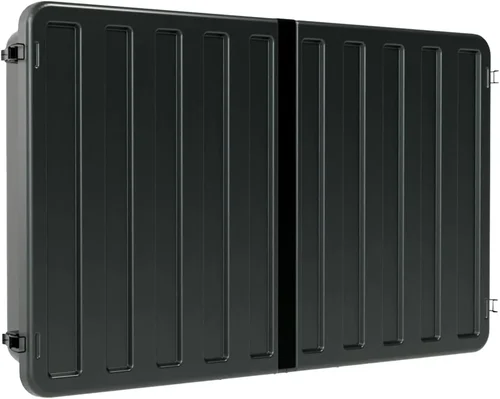
Outdoor sports watching has evolved dramatically over the past decade. What once meant huddling around a small, weather-beaten TV on the back porch has transformed into a full-blown entertainment experience—complete with crystal-clear visuals, immersive sound, and smart connectivity—all enjoyed from the comfort of your deck, patio, or backyard. Whether you’re hosting a Super Bowl party, cheering on your favorite soccer team during the World Cup, or catching every play of the NBA Finals under the stars, having the right deck TV can make all the difference.
But choosing the perfect outdoor TV isn’t as simple as picking the biggest screen or the most expensive model. The unique challenges of outdoor environments—direct sunlight, humidity, temperature swings, dust, and even pests—demand specialized technology and thoughtful design. A standard indoor TV simply won’t cut it when exposed to the elements. That’s why this comprehensive buying guide exists: to arm you with expert-level knowledge so you can confidently select a deck TV that delivers exceptional performance, durability, and value for years to come.
In this guide, you’ll learn everything you need to know about buying a high-quality outdoor TV for sports viewing. We’ll break down the key factors that matter most—from brightness and weather resistance to smart features and installation requirements. You’ll discover the different types of outdoor TVs available, avoid common purchasing pitfalls, understand how much you should realistically spend, and get insider tips from industry professionals. By the end, you’ll be equipped to make an informed decision that matches your lifestyle, budget, and entertainment goals.
The outdoor TV market has matured significantly in recent years. Once dominated by a handful of niche brands, it now includes offerings from major electronics manufacturers and specialized outdoor tech companies alike. Models range from affordable weather-resistant displays to premium, full-weatherproof systems with built-in heaters, anti-glare screens, and ultra-bright panels capable of cutting through midday sun. With options spanning every price point and feature set, there’s never been a better time to upgrade your outdoor viewing setup—but navigating the choices requires clarity and expertise.
Whether you’re a casual fan who watches games a few times a year or a die-hard sports enthusiast who turns every match into a full-blown event, this guide will help you find the ideal deck TV. We’ll focus specifically on performance in outdoor conditions, durability, ease of use, and value—because when you’re watching the final minutes of a championship game with friends and family, you don’t want to worry about glare, lag, or a sudden downpour ruining your screen.
—

What to Look for When Buying a Deck TV
1. Brightness & Anti-Glare Performance
When it comes to outdoor TVs, brightness isn’t just a nice-to-have—it’s essential. Standard indoor TVs typically deliver between 300 and 500 nits of brightness, which is fine for dimly lit living rooms but completely inadequate under direct sunlight. On a sunny deck, even the brightest indoor screens can appear washed out or nearly invisible.
Outdoor TVs designed for sports viewing should deliver a minimum of 700 nits, with premium models reaching 1,500 to 2,500 nits or more. This high luminance ensures that colors remain vibrant and details stay sharp, even at noon on a cloudless day. Look for terms like “high-brightness LED,” “sunlight-readable,” or “outdoor-optimized display” in product descriptions.
But brightness alone isn’t enough. Glare from reflections off the screen can ruin the viewing experience just as effectively as low brightness. That’s why top-tier outdoor TVs incorporate advanced anti-reflective coatings and matte-finish screens that diffuse ambient light rather than reflecting it. Some models also feature optically bonded glass, which reduces internal reflections and improves contrast in bright conditions.
2. Weather Resistance & Durability
Outdoor TVs must withstand far more than just rain. They’re exposed to UV radiation, extreme heat, freezing temperatures, humidity, dust, pollen, and even insects. A truly outdoor-rated TV isn’t just “weather-resistant”—it’s built from the ground up to operate reliably in these conditions.
Look for TVs with an IP55 or higher rating. IP (Ingress Protection) ratings indicate how well a device resists dust and water. IP55 means the TV is protected against dust (limited ingress) and low-pressure water jets from any direction—perfect for most deck environments. For coastal areas or regions with heavy rainfall, consider IP65 or IP66 models, which offer even greater protection.
Beyond the IP rating, examine the materials used. High-quality outdoor TVs feature powder-coated aluminum chassis, stainless steel hardware, and sealed ports to prevent moisture intrusion. Internal components are often conformal-coated to resist corrosion from humidity. Some premium models even include built-in thermal management systems—like passive cooling fans or heating elements—to prevent overheating in summer or freezing in winter.
Avoid TVs labeled merely “outdoor-use compatible” or “weather-resistant covers sold separately.” These are often indoor TVs marketed for outdoor use with add-on enclosures, which can trap heat, reduce airflow, and compromise long-term reliability.
3. Screen Size & Viewing Distance
Choosing the right screen size depends on your deck layout, seating arrangement, and typical viewing distance. A TV that’s too small will strain viewers’ eyes, especially in bright conditions where details matter. One that’s too large may overwhelm the space or require uncomfortably close seating.
As a general rule:
– For viewing distances of 6 to 8 feet, a 55-inch screen is ideal.
– At 8 to 10 feet, go for 65 inches.
– For larger decks or group gatherings (10+ feet), consider 75 inches or larger.
However, outdoor environments often have more ambient light and wider seating angles, so erring on the larger side is usually beneficial. A 65-inch TV that looks perfect indoors might feel modest on a spacious deck with multiple seating zones.
Also consider the TV’s bezel design. Slim bezels maximize screen real estate and create a more immersive experience, especially during fast-paced sports action. Some outdoor TVs feature near-borderless designs that blend seamlessly into your outdoor decor.
4. Smart Features & Connectivity
Modern sports fans expect more than just cable or antenna input. Streaming services like ESPN+, NFL Game Pass, YouTube TV, and Hulu Live are now staples of the viewing experience. That’s why smart functionality is non-negotiable for most buyers.
Look for outdoor TVs running established platforms like webOS (LG), Tizen (Samsung), or Android TV. These systems offer intuitive interfaces, regular software updates, and access to thousands of apps—including live sports streaming, sports news, and fantasy league trackers.
Ensure the TV supports Wi-Fi 5 (802.11ac) or Wi-Fi 6 for stable streaming, even at a distance from your router. Ethernet ports are a plus for hardwired connections, which reduce buffering during high-bandwidth events like 4K broadcasts.
HDMI ports are equally important. Aim for at least three HDMI 2.0 or 2.1 ports to connect devices like gaming consoles, streaming sticks, soundbars, or cable boxes. HDMI 2.1 supports higher refresh rates (up to 120Hz), which is crucial for smooth motion during fast sports action like hockey or football.
Don’t overlook audio. While many outdoor TVs have decent built-in speakers, they’re often limited by size and weatherproofing constraints. Consider models with optical audio output or Bluetooth connectivity so you can pair external weather-resistant speakers or a soundbar for richer, louder sound that carries across your deck.
5. Installation & Mounting Options
Even the best outdoor TV is useless if it’s not properly installed. Deck mounting presents unique challenges: you need secure anchoring, cable management, and protection from wind, vibration, and accidental bumps.
Most outdoor TVs are VESA-compatible, meaning they can be mounted on standard wall or ceiling brackets. However, outdoor mounts must be rated for exterior use—look for powder-coated steel or aluminum mounts with rust-resistant hardware.
Consider whether you want a fixed mount (best for permanent setups) or a full-motion articulating arm (ideal if you want to adjust the angle based on sun position or seating). Some premium outdoor TVs come with proprietary mounting systems that integrate cable channels and weatherproof enclosures for a clean, professional look.
Cable management is critical. Exposed wires are not only unsightly but also vulnerable to weather damage and tripping hazards. Choose a TV with rear cable channels or a built-in raceway system. For a truly seamless installation, run cables through conduit or use in-wall rated wiring (if permitted by local codes).
6. Energy Efficiency & Operating Costs
Outdoor TVs, especially high-brightness models, can consume significantly more power than their indoor counterparts. While this may not be a dealbreaker for occasional use, frequent sports watching—especially during long tournaments or playoff seasons—can add up on your electricity bill.
Look for TVs with Energy Star certification or those that advertise low power consumption in standby and active modes. Many modern LED-backlit outdoor TVs are surprisingly efficient, drawing between 100–200 watts during normal use. Compare specs carefully; a 75-inch model with adaptive brightness (which dims in low light) can save substantial energy over time.
Also consider sleep timers, auto-off features, and motion sensors (on some premium models) that turn the TV off when no one is present. These small conveniences reduce wasted energy and extend the TV’s lifespan.
7. Brand Reputation & Ecosystem Compatibility
Not all outdoor TV brands are created equal. Some specialize exclusively in outdoor displays, while others adapt indoor models for exterior use. Research the manufacturer’s track record for reliability, customer service, and innovation in outdoor tech.
Established names like SunBriteTV, Samsung (The Terrace), LG (OLED Flex for outdoor use), and Seura have proven themselves in the outdoor market. They offer dedicated outdoor models with comprehensive weatherproofing, extended warranties, and responsive support.
Compatibility with your existing ecosystem matters too. If you already use Apple devices, an AirPlay 2-enabled TV lets you stream content directly from your iPhone or iPad. Google Cast support is essential for Android users. Integration with smart home systems (like Alexa or Google Assistant) allows voice control of volume, channels, or inputs—handy when your hands are full with snacks and drinks.
8. Warranty & Long-Term Support
Outdoor electronics face harsher conditions than indoor gear, so warranty coverage is crucial. Standard indoor TVs often come with 1-year warranties, but outdoor models should offer at least 2–3 years of coverage, with some premium brands providing up to 5 years.
Read the fine print: does the warranty cover weather-related damage? What about power surges from lightning? Is on-site service available, or do you have to ship the unit back? Brands with strong reputations typically offer better support, including remote diagnostics and expedited replacements.
Also check for software update policies. A TV that stops receiving firmware updates after a year may lose app compatibility or security patches, leaving it vulnerable or outdated.
—
Different Types of Deck TVs
—
Common Buying Mistakes to Avoid
❌ Mistake: Buying an Indoor TV for Outdoor Use
Why it’s bad: Indoor TVs lack the brightness, weatherproofing, and thermal management needed for outdoor environments. Even with a cover, they can overheat, suffer moisture damage, or become unreadable in sunlight—leading to premature failure and potential safety hazards.
What to do instead: Invest in a TV specifically engineered for outdoor use. These models are built with sealed casings, UV-resistant materials, and high-nit displays that perform reliably in real-world conditions.
❌ Mistake: Ignoring Viewing Angles and Sun Position
Why it’s bad: Placing your TV where it faces direct afternoon sun or is viewed from sharp angles can render the screen unusable, no matter how bright it is. Glare and color shift ruin the experience for guests seated off-axis.
What to do instead: Survey your deck at different times of day. Choose a mounting location that avoids direct sun exposure during peak viewing hours. Use a TV with wide viewing angles (178°) and consider installing an awning or shade sail if needed.
❌ Mistake: Overlooking Audio Needs
Why it’s bad: Outdoor acoustics are challenging—sound dissipates quickly, and background noise (traffic, wind, chatter) can drown out commentary. Relying solely on built-in TV speakers often results in muffled, quiet audio.
What to do instead: Pair your TV with weather-resistant outdoor speakers or a soundbar. Look for models with optical or Bluetooth output, and position speakers strategically around your seating area for even coverage.
❌ Mistake: Skimping on Mounting Hardware
Why it’s bad: Using indoor mounts or flimsy brackets outdoors risks collapse, especially in high winds. Poorly secured TVs can fall, causing injury or property damage.
What to do instead: Purchase mounts rated for outdoor use with corrosion-resistant coatings and robust weight capacity. Anchor them securely to structural elements (not just siding or railings), and use cable management to prevent tripping.
❌ Mistake: Not Planning for Cable Management
Why it’s bad: Exposed cables are ugly, unsafe, and vulnerable to weather damage. They can also interfere with signal quality if not properly shielded.
What to do instead: Run cables through conduit, use in-wall rated wiring (if allowed), or choose a TV with integrated cable channels. Label connections for easy troubleshooting later.
❌ Mistake: Forgetting About Power Protection
Why it’s bad: Outdoor electronics are more susceptible to power surges from lightning or grid fluctuations, which can fry internal components.
What to do instead: Use a high-quality outdoor surge protector or install a whole-house surge suppressor. Unplug the TV during thunderstorms if possible.
❌ Mistake: Choosing Based Solely on Price
Why it’s bad: The cheapest option often lacks critical features like adequate brightness, proper sealing, or smart functionality—leading to frustration and early replacement.
What to do instead: Balance cost with long-term value. A mid-range outdoor TV with strong reviews and a solid warranty often outperforms a bargain model over time.
—
Budget Guidelines: How Much Should You Spend?
Entry-Level ($800 – $1,500):
This tier includes partial-shade outdoor TVs or indoor models in weatherproof enclosures. Expect brightness around 700–1,000 nits, basic smart features, and IP54/IP55 ratings. Ideal for covered patios or occasional use. Brands like Sylvane and some Samsung The Terrace Lite models fall here.
Mid-Range ($1,500 – $3,500):
The sweet spot for most homeowners. These TVs offer 1,000–1,800 nits brightness, full smart platforms, robust weatherproofing (IP55/IP65), and better audio. Models from SunBriteTV (Veranda series) and LG’s outdoor lineup deliver excellent value and reliability for regular sports viewing.
Premium ($3,500 – $6,000):
For enthusiasts who want top-tier performance. Expect 2,000+ nits, heated/cooled internals, ultra-slim bezels, premium sound, and advanced features like local dimming or HDR10+. Perfect for full-sun decks and year-round use. SunBriteTV Pro and Seura Outdoor TVs dominate this space.
Luxury ($6,000+):
Commercial-grade systems with modular designs, 24/7 operation capability, and custom installation support. These are overkill for most homes but ideal for large estates, sports bars, or venues hosting frequent events.
—

Expert Tips for Getting the Best Deal
– Buy during off-seasons: Prices drop significantly in late winter (February–March) and early fall (September–October), after summer demand fades and before holiday sales begin.
– Check manufacturer refurbished programs: SunBriteTV and Samsung often sell certified refurbished outdoor TVs at 20–30% off with full warranties.
– Bundle with installation: Some retailers offer free or discounted professional mounting when you purchase the TV—worth it for complex setups.
– Read real user reviews: Look beyond star ratings. Search for comments about brightness in sun, Wi-Fi stability, and long-term durability.
– Negotiate extended warranties: If the standard warranty is short, ask if they’ll include an extra year at no cost—especially during sales events.
– Test before committing: If possible, visit a showroom or friend’s setup to see how the TV performs in daylight.
– Consider trade-ins: Some brands accept old TVs (even indoor ones) for credit toward outdoor models.
– Watch for bundle deals: Packages that include mounts, speakers, or streaming devices can save hundreds versus buying separately.
—

Frequently Asked Questions
Q: Can I use a regular TV outdoors if I cover it?
A: Technically yes, but it’s not recommended for long-term use. Covers can trap heat, reduce ventilation, and don’t protect against humidity or UV damage. For reliable, safe outdoor viewing, choose a purpose-built outdoor TV.
Q: Do outdoor TVs work in winter?
A: Yes—most are rated for temperatures as low as -22°F (-30°C). Premium models include internal heaters to prevent freezing and ensure quick startup in cold weather.
Q: How do I clean an outdoor TV screen?
A: Use a microfiber cloth and a mild solution of water and isopropyl alcohol (50/50). Avoid ammonia-based cleaners or abrasive materials that can scratch anti-glare coatings.
Q: Will an outdoor TV attract insects?
A: High-quality models are sealed to prevent insect ingress. However, lights near the TV can attract bugs—consider using yellow bug lights or positioning the TV away from primary lighting.
Q: Can I stream 4K sports outdoors?
A: Absolutely. Many outdoor TVs support 4K HDR streaming via apps like YouTube TV, FuboTV, or ESPN+. Ensure your internet speed is at least 25 Mbps for smooth playback.
Q: Do I need a special antenna for outdoor TV?
A: Not necessarily. Most outdoor TVs have standard ATSC tuners. If you’re far from broadcast towers, a high-gain outdoor antenna may improve reception.
Q: How long do outdoor TVs last?
A: With proper care, 7–10 years is typical. Premium models with better components and thermal management often exceed this.
Q: Are outdoor TVs energy hogs?
A: Not as much as you’d think. Modern LED outdoor TVs are quite efficient. A 65-inch model might use 150 watts—similar to a high-end indoor TV.
Q: Can I mount an outdoor TV on a pole?
A: Yes, with a compatible outdoor pole mount. Ensure the pole is anchored securely into concrete or a deck footing to prevent swaying.
Q: What if my deck gets snow?
A: Most outdoor TVs are snow-resistant. Just avoid piling snow against the unit or covering it, which can block ventilation or cause moisture buildup.
—
Our Final Recommendations
– Best for Budget-Conscious Buyers: Samsung The Terrace Partial-Shade – Excellent brightness (1,500 nits), Tizen OS, and solid build quality under $2,500.
– Best Overall Value: SunBriteTV Veranda Series – Perfect balance of price, performance, and durability. Ideal for most decks and sports fans.
– Best Premium Option: SunBriteTV Pro Series – Built for full sun, includes heating/cooling, 2,500+ nits, and commercial-grade reliability.
– Best for Beginners: LG Outdoor Smart TV (OLED Flex compatible) – User-friendly webOS, great picture quality, and strong brand support.
– Best for Advanced Users: Seura Outdoor TV with Integrated Sound – Sleek design, built-in weatherproof speakers, and customizable mounting for tech-savvy homeowners.
—
Conclusion: Making the Right Choice
Choosing the right deck TV for outdoor sports watching is about more than just screen size or price—it’s about creating a reliable, enjoyable experience that stands up to the elements and enhances every game day. From brightness and weather resistance to smart features and installation, every detail matters when you’re investing in long-term outdoor entertainment.
Remember: prioritize your specific needs. If you watch games mostly at night under a covered patio, a partial-shade model may suffice. But if you’re hosting summer barbecues with the sun blazing overhead, don’t compromise on brightness and full weatherproofing. Read reviews, compare specs, and don’t hesitate to invest in quality mounting and audio solutions.
Your deck is an extension of your home—a place for connection, celebration, and shared passion. With the right TV, every touchdown, goal, and buzzer-beater becomes an event to remember. Use this guide as your roadmap, and you’ll be cheering in crystal-clear clarity for seasons to come.

