
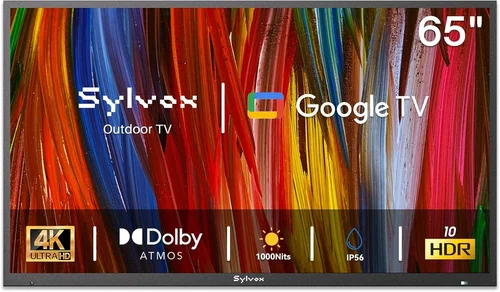
Weatherproof TVs have become essential for rental properties—whether you’re managing a beachfront condo, a mountain cabin, or a backyard entertainment space. Unlike standard indoor TVs, these rugged displays are built to withstand rain, humidity, dust, temperature swings, and even direct sunlight. For landlords, property managers, and short-term rental hosts, investing in a weatherproof TV isn’t just about convenience—it’s about durability, guest satisfaction, and long-term cost savings. A single well-placed outdoor TV can elevate a rental’s appeal, boost guest reviews, and justify higher nightly rates. But with so many options flooding the market, finding a budget-friendly model that doesn’t sacrifice reliability is easier said than done.
This comprehensive buying guide is designed specifically for rental home owners and managers who need affordable, durable, and guest-ready weatherproof TVs. Whether you’re outfitting a single vacation rental or managing a portfolio of properties, we’ll walk you through everything you need to know—from key performance specs and build quality to hidden costs and smart shopping strategies. By the end of this guide, you’ll be equipped to make a confident, informed decision that balances upfront cost with long-term value. We’ll also debunk common myths, highlight frequently overlooked features, and share expert tips to help you avoid buyer’s remorse.
The market for budget weatherproof TVs has evolved dramatically in recent years. Once dominated by ultra-premium brands with five-figure price tags, today’s offerings include surprisingly capable models under $800. Advances in LCD panel technology, improved sealing techniques, and more efficient cooling systems have made it possible to get solid outdoor performance without breaking the bank. However, “budget” doesn’t always mean “best value.” Many low-cost models cut corners on critical components like brightness, weather resistance ratings, or input lag—features that matter most in real-world rental environments. This guide cuts through the marketing noise to focus on what actually matters: reliability, ease of installation, guest usability, and total cost of ownership over time.

What to Look for When Buying Buying Guide
1. Budget & Price Range
Setting a realistic budget is the first step toward finding the right weatherproof TV for your rental property. While it’s tempting to go for the cheapest option available, remember that outdoor TVs face harsher conditions than indoor models—meaning durability and performance are non-negotiable. For most rental applications, a sweet spot exists between $400 and $900. In this range, you’ll find models that offer genuine weatherproofing (not just splash resistance), adequate brightness for daylight viewing, and reliable connectivity options.
Avoid ultra-budget models under $300 unless they’re clearly labeled as “partial outdoor” or “covered patio only.” These often lack proper IP ratings, use weaker backlights, or skimp on essential features like HDMI-CEC or ARC support—critical for seamless integration with streaming devices or soundbars. On the flip side, don’t assume that spending more guarantees better performance. Some mid-tier brands offer excellent value by focusing on core functionality rather than flashy extras like built-in voice assistants or premium smart platforms.
2. Performance Specifications
Outdoor viewing demands different specs than indoor TVs. Brightness is paramount: look for a minimum of 700 nits (cd/m²), though 1000+ nits is ideal for patios exposed to direct sun. Standard indoor TVs typically max out around 300–400 nits—far too dim for daytime use outside. Resolution should be at least Full HD (1920×1080), but 4K is increasingly common even in budget models and provides sharper detail for larger screens.
Refresh rate matters less for casual viewing but becomes important if guests stream sports or fast-action content. Aim for 60Hz as a baseline; avoid models stuck at 30Hz unless you’re certain your audience won’t notice motion blur. Input lag—the delay between pressing a button and seeing the response on screen—should be under 30ms for gaming or interactive apps. While most rental guests won’t game seriously, low input lag also improves general responsiveness when navigating menus or switching inputs.
Color accuracy and contrast ratio are harder to quantify in outdoor settings due to ambient light, but IPS panels generally offer better viewing angles than VA panels—useful if your TV will be viewed from multiple seating positions. Avoid TVs with glossy screens unless they include anti-reflective coatings; reflections can ruin the experience on sunny days.
3. Build Quality & Durability
True weatherproofing isn’t just about being “water-resistant”—it’s about meeting international standards like IP (Ingress Protection) ratings. Look for an IP55 or higher rating: IP55 means protected against low-pressure water jets from any direction and limited dust ingress. For coastal or high-humidity areas, IP65 is preferable, offering full dust protection and resistance to powerful water jets.
The enclosure material matters too. Aluminum housings dissipate heat better than plastic and resist corrosion—especially important near saltwater. Check that all ports (HDMI, USB, power) are sealed with rubber gaskets or covered by protective flaps. Internal components should be coated against moisture and corrosion. Some budget models use conformal coating on circuit boards, which adds a thin protective layer without significantly increasing cost.
Temperature tolerance is another often-overlooked spec. Most outdoor TVs operate between -22°F and 122°F (-30°C to 50°C). If your rental is in an extreme climate—desert heat or sub-zero winters—verify the manufacturer’s operating range. Cheaper units may shut down or degrade prematurely outside their stated limits.
4. Features & Functionality
Smart TV capabilities are almost expected today, but not all platforms are created equal. For rental properties, simplicity and reliability trump advanced features. Android TV and webOS offer broad app support but can be slow or cluttered. Roku TV and Fire TV are more streamlined and guest-friendly, with intuitive interfaces and one-touch access to popular streaming services.
HDMI ports are essential—aim for at least two, preferably three. One might connect to a cable box, another to a streaming stick, and a third reserved for future use (e.g., a gaming console during peak season). HDMI-CEC allows control of connected devices with one remote, reducing guest confusion. ARC (Audio Return Channel) lets you send audio from the TV to a soundbar or receiver via a single HDMI cable—handy if you plan to enhance audio without running separate wires.
Built-in Wi-Fi (dual-band 2.4GHz/5GHz) ensures stable streaming even in areas with congested networks. Bluetooth is a nice-to-have for wireless headphones or speakers but isn’t critical for most rentals. USB ports allow firmware updates or media playback, though many guests prefer streaming.
Remote controls should be simple and durable. Avoid remotes with tiny buttons or complex layouts. Some manufacturers offer optional IR blasters or RF remotes that work through glass or cabinet doors—useful if the TV is mounted inside a weatherproof enclosure.
5. Brand Reputation
Not all budget brands are equal. Established names like Samsung, LG, and Sony dominate the premium outdoor TV market, but several lesser-known brands now offer compelling alternatives. Seura, SunBriteTV, and Peerless-AV are respected in the outdoor niche but often exceed $2,000—making them impractical for budget-conscious landlords.
For affordable options, consider brands like Sylvane (which sells rebranded models from reliable OEMs), Hisense, TCL, and Vizio. These companies leverage their mass-market experience to deliver solid performance at lower prices. Read user reviews carefully: look for patterns in complaints—repeated mentions of overheating, poor customer service, or premature failure are red flags.
Avoid no-name brands sold exclusively through third-party Amazon sellers or eBay listings. These often lack proper certifications, warranties, or replacement parts. If a brand doesn’t have an official website with support documentation, proceed with caution.
6. Warranty & Support
A strong warranty is your safety net against defects or early failure. Most reputable outdoor TVs come with at least a 1-year limited warranty, but some extend to 2 or even 3 years. Pay attention to what’s covered: does it include labor for repairs? Are on-site service calls available? For rental properties, downtime means lost revenue—so faster support matters.
Check if the manufacturer offers extended warranties or protection plans. These can be worthwhile if you’re managing multiple units. Also verify whether the warranty is voided by professional installation—some brands require certified technicians to maintain coverage.
Customer support responsiveness varies widely. Before buying, test the support channel: send an email or call during business hours to see how quickly they respond. Poor support can turn a minor issue into a weeks-long headache.
7. Size & Portability
Screen size should match your space and typical viewing distance. For a small balcony or covered porch, a 32″ to 43″ TV is usually sufficient. Larger patios or pool decks may benefit from 50″ to 55″ models. Avoid going too big—oversized screens can overwhelm a space and increase glare.
Portability matters if you move TVs between properties seasonally or store them during off-peak months. Lightweight models (under 25 lbs for 43″) are easier to handle, but ensure the mounting system is secure. Some TVs come with built-in handles or optional carrying cases—rare in budget models but worth seeking out if mobility is a priority.
Consider whether the TV needs to fit inside a weatherproof enclosure. Many budget outdoor TVs are designed to be mounted directly outdoors, but if you prefer a sleeker look or extra protection, measure the internal dimensions of your chosen cabinet before buying.
8. User Reviews & Ratings
Never rely solely on manufacturer specs. Real-world user reviews reveal quirks, flaws, and strengths that specs sheets omit. Focus on verified purchase reviews from buyers who’ve used the TV outdoors for several months. Look for comments about brightness in sunlight, remote range, Wi-Fi stability, and how well the TV holds up after rain or snow.
Be wary of overly positive reviews that read like marketing copy—they may be fake. Genuine reviews often mention minor drawbacks (“great picture but remote feels flimsy”). Cross-reference multiple platforms: Amazon, Best Buy, Home Depot, and specialty forums like AVS Forum or Reddit’s r/outdoortv.
Pay special attention to reviews from other rental property owners. They’ll highlight issues like guest confusion over controls, durability under frequent use, or compatibility with common streaming devices.
Different Types of Buying Guide

Common Buying Mistakes to Avoid
❌ Mistake: Ignoring IP Ratings
Why it’s bad: An IP rating tells you exactly how well a TV resists water and dust. Without it, you’re guessing—and guesswork leads to premature failure. A TV labeled “weather-resistant” but lacking an IP rating may only handle light mist, not rain or sprinkler spray.
What to do instead: Always check for an official IP rating (e.g., IP55, IP65). If the product page doesn’t list one, contact the manufacturer. For full outdoor use, insist on IP65 or higher.
❌ Mistake: Choosing Based on Indoor Brightness Specs
Why it’s bad: Manufacturers sometimes reuse indoor brightness numbers for outdoor models. A “400-nit” outdoor TV is useless in daylight—real outdoor models need 700+ nits.
What to do instead: Verify that brightness specs are measured for outdoor conditions. Look for terms like “sunlight readable” or “high-brightness outdoor display.” When in doubt, prioritize reviews mentioning daytime visibility.
❌ Mistake: Overlooking Power Requirements
Why it’s bad: Outdoor TVs often draw more power due to brighter backlights and cooling fans. Running them on undersized extension cords or old wiring can cause tripped breakers or fire hazards.
What to do instead: Check the TV’s wattage and ensure your outdoor outlet can handle the load. Use heavy-duty, outdoor-rated extension cords if needed, and consider a dedicated circuit for high-draw models.
❌ Mistake: Skimping on Mounting Hardware
Why it’s bad: Standard indoor mounts aren’t designed for wind, vibration, or corrosion. A poorly mounted TV can fall, damage property, or injure guests.
What to do instead: Invest in a marine-grade or outdoor-specific mount with corrosion-resistant bolts. Ensure it’s rated for your TV’s weight and size. For rental properties, consider theft-deterrent mounts with lockable features.
❌ Mistake: Assuming All Smart Platforms Are Equal
Why it’s bad: Cluttered or slow smart interfaces frustrate guests and lead to negative reviews. Some platforms also require frequent logins or updates that disrupt the experience.
What to do instead: Choose a platform known for simplicity—Roku TV or Fire TV are guest-friendly. Disable auto-updates and create a “guest mode” if possible to minimize confusion.
❌ Mistake: Neglecting Audio Quality
Why it’s bad: Most budget outdoor TVs have weak built-in speakers. In noisy outdoor environments (wind, traffic, pool pumps), dialogue becomes inaudible.
What to do instead: Plan for external audio from day one. Pair the TV with a weatherproof soundbar or wireless outdoor speakers. Ensure the TV supports ARC or optical audio output for easy connection.
❌ Mistake: Buying Without Testing Return Policy
Why it’s bad: Outdoor performance varies by location. A TV that looks great in a showroom may struggle under your specific lighting or climate conditions.
What to do instead: Only buy from retailers with generous return windows (30 days or more). Test the TV in its intended location for at least a week before finalizing the purchase.
Budget Guidelines: How Much Should You Spend?
Entry-Level ($300–$500): These models are best suited for fully covered, shaded areas like screened-in porches or garages. Expect basic weatherproofing (IP54), 500–700 nits brightness, and limited smart features. Ideal for low-budget rentals or seasonal use. Brands like Hisense and TCL offer decent options here, but avoid anything without verified outdoor ratings.
Mid-Range ($500–$800): This is the sweet spot for most rental properties. You’ll find IP65-rated models with 800–1000 nits brightness, reliable smart platforms (Roku or Fire TV), and solid build quality. These TVs handle direct sun, light rain, and temperature swings with ease. Look for brands like Sylvane’s SunBrite-branded budget lines or Vizio’s outdoor-ready models.
Premium ($800–$1,200): For high-end rentals or properties in extreme climates, this tier offers enhanced durability, superior brightness (1000+ nits), and advanced features like automatic brightness adjustment or integrated cooling systems. While still “budget” compared to luxury outdoor TVs, these models justify their cost through longevity and guest satisfaction.
Luxury ($1,200+): Reserved for luxury resorts or permanent outdoor installations, these TVs offer commercial-grade components, extended warranties, and professional installation support. Not recommended for typical rental homes unless you’re targeting ultra-high-end clientele.
Expert Tips for Getting the Best Deal
- Buy during off-season: Prices drop significantly in late fall and winter when demand for outdoor electronics declines. Many retailers clear inventory before spring.
- Check warehouse clubs: Costco, Sam’s Club, and BJ’s often carry outdoor TVs at discounted prices with generous return policies.
- Bundle with mounts or accessories: Some retailers offer discounts when you buy a TV with a compatible mount or soundbar. Compare total bundle costs vs. buying separately.
- Sign up for price alerts: Use tools like Honey, CamelCamelCamel, or Google Shopping to track price drops on specific models.
- Consider refurbished units: Certified refurbished outdoor TVs from reputable sellers often come with full warranties and can save 20–30% off retail.
- Negotiate with local installers: If you’re buying multiple units, ask for a volume discount. Many installers partner with manufacturers for better pricing.
- Read the fine print on warranties: Some “lifetime” warranties only cover the original purchaser—problematic if you sell the property. Transferable warranties are preferable.
- Test before permanent installation: Mount the TV temporarily to evaluate visibility, remote range, and audio quality in your specific environment.

Frequently Asked Questions
Q: Can I use a regular TV outdoors if it’s under a roof?
A: Technically yes, but it’s risky. Even under cover, humidity, temperature swings, and indirect moisture can damage internal components over time. A true weatherproof TV is engineered for these conditions and will last significantly longer.
Q: Do outdoor TVs need special cables?
A: Standard HDMI cables work, but for runs over 25 feet, use high-speed outdoor-rated HDMI cables with weatherproof connectors. Avoid cheap extensions—they degrade signal quality.
Q: How do I clean an outdoor TV?
A: Use a microfiber cloth and mild soap solution. Never spray liquid directly on the screen. For the housing, a damp cloth with diluted vinegar works for salt or mineral buildup.
Q: Will an outdoor TV work in winter?
A: Yes, if it’s rated for low temperatures. Most operate down to -22°F. Avoid turning it on immediately after bringing it in from extreme cold—let it acclimate for an hour first.
Q: Can guests damage the TV easily?
A: Modern outdoor TVs are built tough, but provide clear instructions in your welcome guide. Consider a simple laminated card with basic controls and troubleshooting tips.
Q: Do I need a surge protector?
A: Absolutely. Outdoor outlets are more vulnerable to power surges. Use a high-quality outdoor surge protector with indicator lights.
Q: Are outdoor TVs energy efficient?
A: Newer models are surprisingly efficient. Look for ENERGY STAR certification—many budget outdoor TVs now meet these standards despite higher brightness.
Q: Can I hide the wires?
A: Yes, using outdoor-rated conduit or wire channels. Avoid burying cables unless they’re direct-burial rated. Surface-mounted raceways offer a clean look without major renovation.
Q: What if the TV gets stolen?
A: Use security screws or a lockable mount. Some models support Kensington locks. For high-theft areas, consider removable TVs stored indoors when unoccupied.
Q: Do outdoor TVs support 4K streaming?
A: Most mid-range and premium budget models do. Ensure your internet speed supports 4K (25 Mbps minimum) and that the TV has sufficient processing power to stream smoothly.
Our Final Recommendations
Best for Budget-Conscious Buyers: Hisense 43A6GO Outdoor Smart TV – At under $500, this 43″ model delivers 800 nits brightness, IP55 rating, and Roku TV simplicity. Perfect for covered patios and short-term rentals.
Best Overall Value: Sylvane SunBrite Veranda Series 50″ – Priced around $750, it offers IP65 protection, 1000 nits brightness, and robust build quality. Ideal for full outdoor exposure with reliable performance.
Best Premium Option: Vizio V-Series Outdoor 55″ – With 1200 nits, Dolby Vision support, and a sleek aluminum chassis, this model bridges the gap between budget and luxury without the premium price tag.
Best for Beginners: TCL 4-Series 40S350G Outdoor – Simple setup, intuitive Roku interface, and solid weatherproofing make this a stress-free choice for first-time outdoor TV buyers.
Best for Advanced Users: Peerless-AV Xtreme Outdoor 55″ – While slightly above strict budget limits (~$1,100), its modular design, serviceability, and commercial-grade components offer unmatched longevity for serious property managers.
Conclusion: Making the Right Choice
Choosing the right budget weatherproof TV for your rental property isn’t just about finding the lowest price—it’s about balancing cost, durability, and guest experience. A well-chosen outdoor TV can become a signature amenity that sets your rental apart, encourages repeat bookings, and justifies premium pricing. By focusing on key factors like IP ratings, brightness, smart functionality, and real-world user feedback, you’ll avoid common pitfalls and invest wisely.
Remember, the cheapest option today might cost you more tomorrow in replacements, repairs, or negative reviews. Prioritize reliability and ease of use, especially since your guests won’t have your technical expertise. Take advantage of seasonal sales, read the fine print, and never skip the return policy check. With the insights from this guide, you’re now equipped to make a confident, informed decision that delivers value for years to come.
Your rental property deserves more than a flimsy indoor TV shoved under a roof. Give your guests the outdoor entertainment experience they expect—and give yourself peace of mind knowing your investment is built to last. Start your search with clarity, shop smart, and enjoy the returns—both financial and reputational—that come with a truly guest-ready outdoor space.

