
[FEATURED_IMAGE_PLACEGOER]
Outdoor living spaces have evolved dramatically over the past decade. No longer just places for grilling or lounging, modern decks, patios, and backyard entertainment zones are now fully integrated extensions of the home—complete with outdoor kitchens, fire pits, sound systems, and yes, televisions. But unlike indoor TVs, outdoor models face a unique set of challenges: extreme temperatures, humidity, rain, dust, UV exposure, and even wildlife. That’s why choosing the right weatherproof TV isn’t just about picture quality—it’s about durability, reliability, and long-term value.
This comprehensive buying guide is designed to help you navigate the often-confusing world of budget-friendly outdoor TVs in 2026. Whether you’re hosting summer barbecues, watching the big game under the stars, or simply enjoying a quiet evening outdoors, we’ll walk you through everything you need to know before making your purchase. You’ll learn how to balance cost with performance, understand key technical specs, avoid common pitfalls, and ultimately find a TV that delivers great viewing experiences without breaking the bank. The market has matured significantly, with more affordable options than ever that don’t sacrifice essential weatherproofing or core functionality.
From entry-level models under $500 to premium outdoor displays nearing $2,000, there’s a wide spectrum of choices—but not all are created equal. Some brands cut corners on sealing or use indoor panels in weather-resistant enclosures (a risky compromise), while others offer true all-weather engineering at surprisingly accessible prices. Our goal is to arm you with expert knowledge so you can make a confident, informed decision based on your specific needs, climate, and entertainment goals.

What to Look for When Buying Buying Guide
1. Budget & Price Range
Setting a realistic budget is the first and most critical step in your outdoor TV journey. Unlike indoor TVs, where you might upgrade every few years, an outdoor TV is a semi-permanent investment—one that should last 5–10 years with proper care. In 2026, you can find genuinely capable weatherproof TVs starting around $400, but these often come with significant trade-offs in brightness, smart features, or build quality. Mid-range models ($700–$1,200) typically offer the best balance of performance, durability, and value, while premium options ($1,500+) deliver superior brightness, advanced cooling systems, and extended warranties.
When evaluating price, consider total cost of ownership—not just the sticker price. Factor in mounting hardware (outdoor-rated brackets can cost $100–$300), potential installation fees, and whether the TV includes features like built-in Wi-Fi, HDR support, or voice control. A slightly higher upfront cost may save you money long-term if it means fewer repairs, better energy efficiency, or compatibility with existing smart home ecosystems. Also, be wary of “too good to be true” deals; if a TV claims to be fully weatherproof but costs less than a comparable indoor model, it likely uses inferior components or lacks proper certification.
2. Performance Specifications
Outdoor viewing demands different performance metrics than indoor use. Brightness is paramount: while a typical living room TV operates comfortably at 300–500 nits, an outdoor TV should deliver at least 700 nits—and ideally 1,000+ nits—to remain visible in direct sunlight. Look for models explicitly rated for “high brightness” or “sunlight readable.” Resolution matters too; 4K UHD is now standard even in budget outdoor TVs, offering sharp detail for sports, movies, and streaming content. However, don’t overlook refresh rate—60Hz is acceptable for casual viewing, but 120Hz reduces motion blur during fast-paced action, making it ideal for live sports or gaming.
Color accuracy and contrast ratio also play vital roles. While OLEDs offer stunning contrast indoors, they’re rarely used outdoors due to brightness limitations and burn-in risks under constant sun exposure. Instead, most weatherproof TVs use high-brightness IPS or VA LCD panels with enhanced backlighting. HDR support (HDR10, HLG, or Dolby Vision) improves dynamic range, but only if the panel can actually display the required luminance—so verify real-world brightness specs, not just marketing claims. Audio is another consideration: built-in speakers on outdoor TVs are often weak due to weatherproofing constraints, so plan to pair your TV with external weather-resistant speakers or a soundbar.
3. Build Quality & Durability
This is where budget outdoor TVs can diverge dramatically from their indoor counterparts. True weatherproofing isn’t just about a plastic cover—it requires a fully sealed chassis with an IP (Ingress Protection) rating of at least IP55 (protected against dust and water jets). Premium models may reach IP66 or IP67, offering near-total protection against dust and temporary immersion. The enclosure material matters too: aluminum or powder-coated steel resists rust and corrosion far better than thin plastics, especially in coastal or humid climates.
Internal components must also withstand temperature extremes. Quality outdoor TVs include thermal management systems—such as passive heat sinks or active cooling fans—that prevent overheating in summer and allow operation down to -22°F (-30°C) in winter. Check the operating temperature range listed in the specs; anything narrower than -20°F to 120°F may fail in harsh climates. Additionally, look for UV-resistant screens and anti-glare coatings, which prevent yellowing and maintain visibility in bright conditions. Avoid TVs that rely solely on third-party outdoor enclosures—these often trap heat, reduce airflow, and void manufacturer warranties.
4. Features & Functionality
Smart functionality has become essential, even outdoors. Most budget weatherproof TVs now run Android TV, Roku TV, or webOS, giving you access to Netflix, YouTube, Disney+, and other streaming platforms without needing an external device. Ensure the OS is up-to-date and receives regular security patches—outdated software can pose privacy risks and limit app compatibility. Voice control via Google Assistant or Alexa is increasingly common and convenient for hands-free operation while cooking or relaxing.
Connectivity options are equally important. Look for multiple HDMI ports (preferably HDMI 2.0 or higher for 4K/60Hz), USB inputs for media playback, and optical audio out for connecting external sound systems. Wi-Fi 5 (802.11ac) is standard, but Wi-Fi 6 support future-proofs your setup for faster streaming and better performance in crowded networks. Some models include Bluetooth for wireless audio, though range may be limited outdoors. Don’t forget about tuner capabilities: if you plan to watch over-the-air broadcasts, ensure the TV includes an ATSC 3.0 tuner for next-gen digital TV signals.
5. Brand Reputation
Not all brands are created equal when it comes to outdoor electronics. Established names like Samsung, LG, and Sony have ventured into the outdoor space but often at premium prices. However, several specialized brands—such as SunBriteTV, Seura, and Avid Power—have built reputations specifically for weatherproof displays. In the budget segment, companies like TCL, Hisense, and Vizio now offer certified outdoor models that leverage their indoor expertise while meeting rigorous environmental standards.
Research customer service responsiveness and repair networks. A TV that fails after two years is a costly disappointment if the brand doesn’t offer local support or quick replacement parts. Read professional reviews from outlets like CNET, Wirecutter, or RTINGS.com, which often test real-world durability and performance. User forums and Reddit communities (like r/outdoortv) can also reveal long-term reliability insights that specs sheets won’t show. Avoid obscure brands with no track record—saving $200 upfront isn’t worth it if you’re left with a bricked TV after one rainy season.
6. Warranty & Support
A robust warranty is non-negotiable for outdoor electronics. Standard indoor TVs usually come with 1-year limited warranties, but outdoor models should offer at least 2–3 years of coverage, with some premium brands providing up to 5 years. More importantly, the warranty must explicitly cover weather-related damage—many “weather-resistant” indoor TVs void warranties if used outdoors. Look for terms like “full outdoor warranty” or “all-weather protection included.”
Check what the warranty actually covers: does it include labor for on-site repairs? Are replacement parts readily available? Some manufacturers offer expedited shipping for failed units, minimizing downtime during peak entertainment seasons. Also, verify whether the warranty is transferable—this adds resale value if you ever upgrade. Avoid extended warranties sold by third-party retailers; they’re often overpriced and come with restrictive claim processes. Instead, prioritize brands with strong direct support and clear service policies.
7. Size & Viewing Distance
Choosing the right screen size depends heavily on your deck layout and typical seating arrangement. As a rule of thumb, multiply your viewing distance (in inches) by 0.84 to get the ideal diagonal screen size in inches. For example, if viewers sit 8 feet (96 inches) away, a 80-inch TV (96 × 0.84 ≈ 80) provides an immersive experience without overwhelming the space. However, outdoor environments often have more ambient light and wider seating angles, so err on the larger side if budget allows.
Consider physical dimensions, not just screen size. Outdoor TVs are bulkier than indoor models due to protective casings, so ensure your mount or cabinet has enough clearance. Weight is another factor—larger units can exceed 50 pounds, requiring sturdy mounting solutions. If your deck is small or partially shaded, a 55-inch model may suffice. But for open patios or poolside setups where viewers might be 10–15 feet away, 65-inch or 75-inch screens deliver better visibility and engagement. Avoid going too large in confined spaces, as it can create glare or make text hard to read.
8. User Reviews & Ratings
Never rely solely on manufacturer specs or professional reviews—real-world user feedback is invaluable. Scour Amazon, Best Buy, and specialty outdoor electronics sites for verified purchase reviews. Pay attention to recurring themes: do multiple users report overheating in summer? Are there complaints about Wi-Fi dropouts under eaves? Do customers praise the ease of setup or lament poor remote design? Look for photos of the TV installed outdoors—they often reveal details the product shots omit.
Be cautious of fake reviews. Genuine feedback tends to be detailed, mention specific use cases (“watched the World Cup during a thunderstorm—no issues!”), and include both pros and cons. Use tools like Fakespot or ReviewMeta to analyze review authenticity. Also, check return rates and customer service interactions—brands with high return volumes or unresolved complaints may indicate underlying quality issues. Ultimately, a TV with hundreds of 4.5-star reviews from real outdoor users is a stronger bet than one with perfect scores from unverified accounts.
Different Types of Buying Guide
Common Buying Mistakes to Avoid
❌ Mistake: Buying an Indoor TV with a Weatherproof Cover
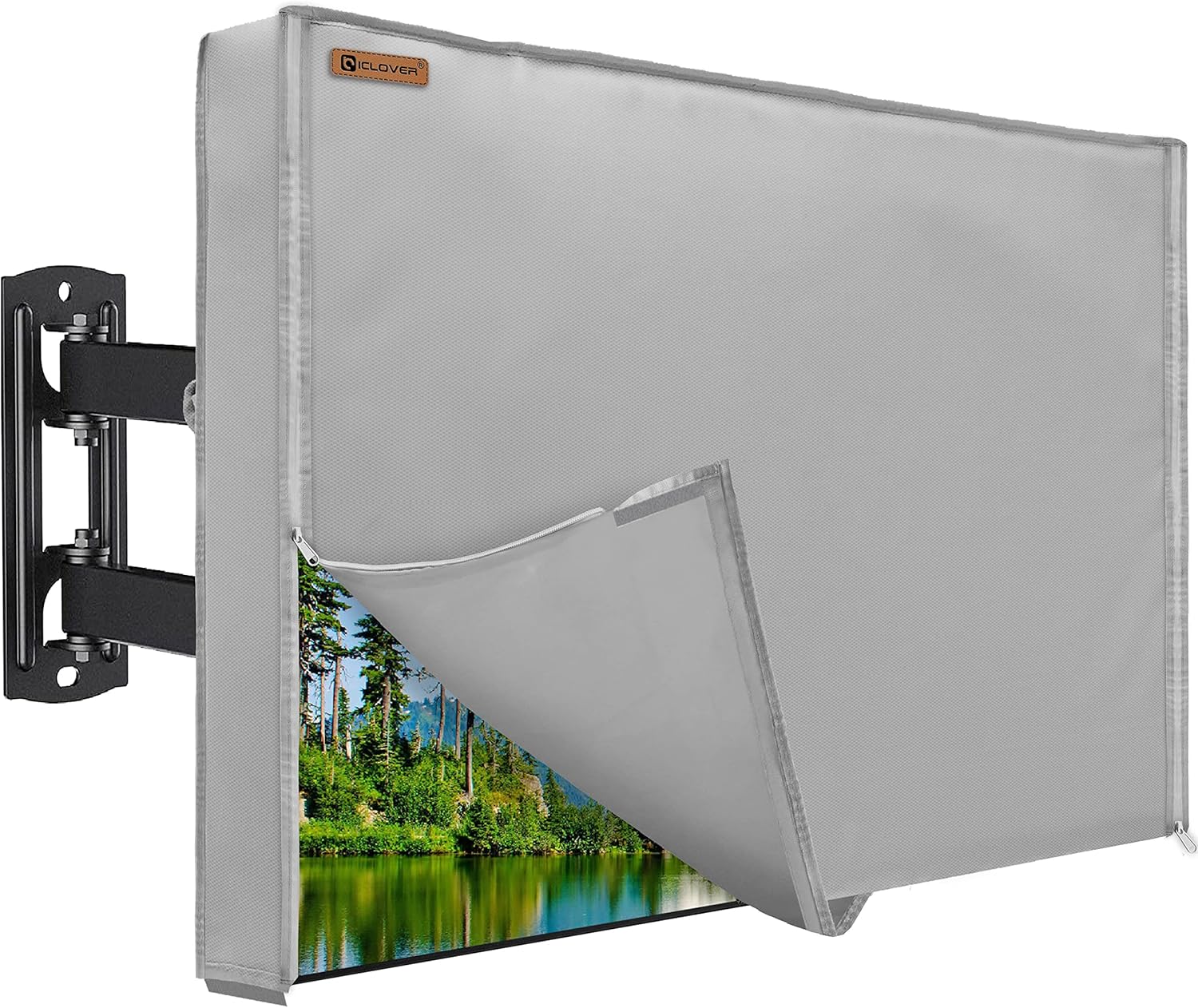
Why it’s bad: Indoor TVs aren’t designed for outdoor conditions. Even with a cover, moisture can seep in through vents, temperature swings cause condensation, and UV exposure damages internal components. Most manufacturers void warranties if used this way, leaving you with a costly paperweight after one season.
What to do instead: Invest in a TV specifically engineered for outdoor use. These units have sealed ports, no ventilation holes, and internal climate control—features no cover can replicate.
❌ Mistake: Ignoring Brightness Requirements
Why it’s bad: A dim screen turns your deck into a guessing game. If your TV can’t hit at least 700 nits, daytime viewing will be frustrating, especially on sunny afternoons.
What to do instead: Prioritize brightness over other specs. Look for “high-brightness” or “sunlight-readable” labels and verify nits ratings in reviews—not just marketing fluff.
❌ Mistake: Overlooking Mounting and Installation Costs
Why it’s bad: Outdoor mounts aren’t cheap, and improper installation can lead to water intrusion or structural failure. Many buyers forget to budget for these essentials.
What to do instead: Factor in a quality outdoor mount ($100–$300) and professional installation if needed. Ensure the mount is rated for your TV’s weight and includes tilt/swivel for optimal viewing angles.
❌ Mistake: Choosing Based Solely on Screen Size
Why it’s bad: A massive screen in a small space creates glare, distorts audio, and overwhelms the environment. Conversely, too small a screen defeats the purpose of outdoor entertainment.
What to do instead: Calculate ideal size using viewing distance (distance in inches × 0.84 = screen size in inches). Test with a tape measure or cardboard mockup before buying.
❌ Mistake: Skipping the Warranty Check
Why it’s bad: Outdoor TVs face harsher conditions than indoor models. Without proper warranty coverage, a single storm or heatwave could cost you hundreds in repairs.
What to do instead: Only buy from brands that offer explicit outdoor warranties (2+ years) covering weather damage. Read the fine print—some exclude lightning strikes or extreme temps.
❌ Mistake: Assuming All “Weatherproof” TVs Are Equal
Why it’s bad: Terms like “weather-resistant” or “outdoor-ready” are loosely regulated. Some models only protect against light rain, not full sun or snow.
What to do instead: Demand IP ratings (IP55 minimum) and verified operating temperature ranges. Cross-reference with third-party testing when possible.
❌ Mistake: Neglecting Audio Solutions
Why it’s bad: Built-in speakers on outdoor TVs are often muffled or underpowered due to sealing requirements. Relying on them results in poor sound quality, especially with ambient noise.
What to do instead: Plan for external audio from day one. Pair your TV with weather-resistant speakers or a wireless soundbar designed for outdoor use.
Budget Guidelines: How Much Should You Spend?
Entry-Level ($400–$700): This tier includes partial-shade models ideal for covered patios or screened porches. Expect 55–65-inch screens, 700–900 nits brightness, basic smart platforms (Roku or Android TV), and IP55 ratings. Brands like TCL and Hisense offer solid value here, though build quality may use more plastic. Perfect for casual viewers who primarily watch at night or in shaded areas.
Mid-Range ($700–$1,200): The sweet spot for most homeowners. These TVs deliver 1,000+ nits brightness, full 4K HDR, robust aluminum enclosures, and reliable thermal management. Models from SunBriteTV’s Veranda series or Avid Power’s outdoor line fit here. You’ll get better Wi-Fi, more HDMI ports, and longer warranties (2–3 years). Ideal for open decks with mixed sun/shade exposure.
Premium ($1,200–$2,000): Designed for full-sun environments and four-season use. Features include IP66 ratings, heated/cooled internals, anti-reflective glass, and advanced cooling systems. Expect superior color accuracy, 120Hz refresh rates, and premium smart features. Brands like Seura and higher-end SunBriteTV models dominate this space. Best for serious entertainers or those in extreme climates.
Luxury ($2,000+): Reserved for commercial applications or ultra-high-end residential setups. These units offer 24/7 operation, vandal-resistant casings, remote monitoring, and custom calibration. While overkill for most decks, they’re worth considering if you run an outdoor venue or demand flawless performance year-round.
Expert Tips for Getting the Best Deal
- Time your purchase: Spring (March–May) is prime season for outdoor electronics sales. Retailers like Costco, Sam’s Club, and specialty outdoor AV stores often run promotions ahead of summer. Black Friday also sees discounts, but selection may be limited.
- Shop certified retailers: Buy directly from manufacturer websites or authorized dealers (e.g., Crutchfield, Abt Electronics). Avoid third-party Amazon sellers with unclear return policies.
- Bundle smartly: Look for packages that include mounts, cables, or soundbars. These can save 15–20% versus buying separately.
- Check return windows: Ensure you have at least 30 days to test the TV in real conditions. Some issues (like overheating) only appear after weeks of use.
- Negotiate installation: Many retailers offer free or discounted installation with purchase—especially during promotional periods.
- Monitor price drops: Use tools like Honey or CamelCamelCamel to track price history and set alerts for your desired model.
- Consider refurbished units: Manufacturer-refurbished outdoor TVs often come with full warranties and can save 20–30%. Just verify they’re certified and include outdoor coverage.
- Read the manual before buying: Some “budget” models require proprietary accessories or have hidden limitations (e.g., no USB recording). The manual reveals these upfront.

Frequently Asked Questions
Q: Can I use a regular TV outdoors if I cover it?
A: Technically yes, but it’s not recommended. Indoor TVs lack proper sealing, thermal management, and UV protection. Even with a cover, condensation, overheating, and component failure are likely. Most warranties are voided for outdoor use, making this a false economy.
Q: Do outdoor TVs need special power outlets?
A: Not necessarily, but they should be connected via a GFCI (Ground Fault Circuit Interrupter) outlet for safety, especially in damp areas. Avoid extension cords; run dedicated wiring if possible.
Q: How do I clean my outdoor TV screen?
A: Use a microfiber cloth and distilled water only. Never spray cleaner directly on the screen—apply it to the cloth first. Avoid ammonia-based cleaners, which can damage anti-glare coatings.
Q: Will an outdoor TV work in winter?
A: Only if it’s rated for low temperatures. Check the spec sheet: quality models operate down to -22°F. Indoor TVs or partial-shade models may fail in freezing conditions.
Q: Can I mount an outdoor TV on a brick wall?
A: Yes, but use masonry anchors rated for the TV’s weight. Consult a professional if unsure—improper mounting can crack bricks or cause the TV to fall.
Q: Do outdoor TVs consume more power?
A: Slightly, due to higher brightness and cooling systems. However, modern LED backlighting keeps energy use reasonable—typically 100–200 watts depending on size and settings.
Q: Are outdoor TVs compatible with streaming devices?
A: Absolutely. Most include HDMI ports for Fire Stick, Roku, Apple TV, etc. However, built-in smart platforms are often sufficient and reduce clutter.
Q: What’s the lifespan of an outdoor TV?
A: With proper care, 7–10 years is typical. Harsh climates or constant sun exposure may shorten this. Regular cleaning and seasonal inspections help maximize longevity.
Q: Can I leave my outdoor TV on all the time?
A: Not advisable. While commercial-grade models support 24/7 use, residential units are designed for intermittent operation. Continuous use accelerates wear on backlights and internal components.
Q: Do I need a surge protector?
A: Yes! Outdoor electronics are vulnerable to lightning-induced power surges. Use a high-quality whole-home surge protector or a UPS (Uninterruptible Power Supply) for added protection.
Our Final Recommendations
Best for Budget-Conscious Buyers: TCL 6-Series 55″ Outdoor Roku TV (Model 55R643-O) – At under $600, this partial-shade model delivers 800 nits brightness, 4K HDR, and Roku’s intuitive interface. IP55-rated with a sturdy metal frame, it’s perfect for covered decks and offers excellent value for the price.
Best Overall Value: SunBriteTV Veranda 65″ 4K UHD Outdoor TV – Priced around $1,100, this full-sun model hits 1,000 nits, includes Android TV, and boasts an IP55 rating with all-weather construction. Its balanced performance, reliability, and 3-year warranty make it the top choice for most homeowners.
Best Premium Option: Seura 75″ Shadow Outdoor TV – At $1,800, this beauty combines 1,200 nits brightness, anti-reflective glass, and a sleek, low-profile design that disappears into your wall when off. Ideal for luxury decks where aesthetics and performance matter equally.
Best for Beginners: Hisense 50″ H4F Outdoor Smart TV – Simple setup, intuitive Google TV interface, and solid 750-nit brightness make this a great entry point. Under $500, it’s ideal for first-time outdoor TV owners testing the waters.
Best for Advanced Users: Avid Power 75″ Pro Series Outdoor Display – With 1,500 nits, IP66 rating, and optional built-in heating/cooling, this unit handles extreme climates with ease. Perfect for tech-savvy users who want maximum control and durability.
Conclusion: Making the Right Choice
Choosing the right budget weatherproof TV for your deck doesn’t have to be overwhelming—but it does require careful consideration of your environment, usage patterns, and long-term goals. Remember, this isn’t just another TV purchase; it’s an investment in your outdoor lifestyle. Prioritize true weatherproofing over flashy features, brightness over sheer size, and warranty coverage over minor price differences. The best outdoor TV is one that disappears into the background when it’s working well—delivering crisp images, reliable performance, and peace of mind through every season.
Take the time to assess your space: Is it fully exposed to sun, partially shaded, or covered? How far will viewers be seated? What’s your typical entertainment style—sports, movies, casual browsing? Answering these questions will guide you toward the right category and specs. And don’t forget the ecosystem: pair your TV with quality audio, smart lighting, and comfortable seating to create a truly inviting outdoor theater.
Ultimately, the goal is enjoyment—not perfection. Even the most affordable outdoor TV can transform your deck into a vibrant social hub, a private retreat, or a front-row seat to summer’s greatest moments. By following this guide, you’re equipped to make a smart, confident decision that balances cost, capability, and durability. So go ahead: fire up that grill, invite some friends, and press play. Your perfect outdoor viewing experience awaits.

