
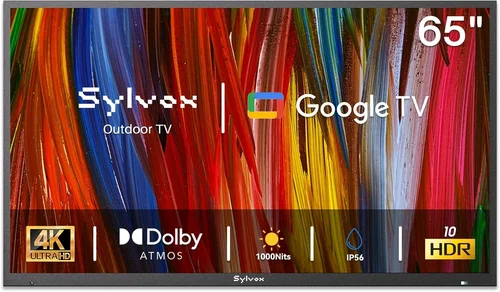
Choosing the right TV for your coastal poolside area isn’t just about picking the biggest screen with the brightest picture. It’s about finding a device that can survive salty air, high humidity, intense sunlight, and constant exposure to moisture—all while staying within a reasonable budget. For homeowners in beachfront communities or lakeside retreats, a standard indoor TV simply won’t cut it. The corrosive nature of coastal environments demands specialized durability, and the outdoor viewing experience requires thoughtful design considerations like glare resistance and weatherproofing.
This comprehensive buying guide is designed to help you navigate the often-confusing world of budget-friendly outdoor TVs tailored specifically for coastal homes. Whether you’re upgrading from an old indoor set or installing your first dedicated poolside entertainment system, we’ll walk you through every critical factor—from build materials and IP ratings to smart features and long-term reliability. By the end, you’ll know exactly what to look for, which brands offer the best value, and how to avoid common pitfalls that could leave you with a fried screen after just one summer.
The market for outdoor TVs has evolved significantly in recent years. Once dominated by ultra-premium models costing thousands of dollars, there’s now a growing segment of affordable, weather-resistant displays that deliver solid performance without breaking the bank. These budget-friendly options are ideal for casual viewers who want to enjoy movies, sports, or streaming content by the pool without investing in commercial-grade equipment. However, “budget” doesn’t mean “low quality”—many of today’s sub-$800 models offer impressive brightness, decent smart platforms, and robust enclosures built to withstand the elements. This guide cuts through the marketing noise to give you honest, expert-backed advice so you can make a smart, informed decision.

What to Look for When Buying Buying Guide
1. Weather Resistance & IP Rating
When it comes to coastal poolside TVs, weather resistance isn’t optional—it’s essential. Salt air, humidity, rain, and even pool splashes can quickly degrade electronics not built for outdoor use. The first thing to check is the TV’s Ingress Protection (IP) rating, which indicates how well the device resists dust and water. For outdoor use, look for at least an IP55 rating, which means the TV is protected against dust (limited ingress) and water jets from any direction. Higher ratings like IP65 or IP66 offer even better protection, making them ideal for areas with heavy rainfall or frequent salt spray.
But don’t stop at the IP rating. Also consider the materials used in the TV’s housing. Look for powder-coated aluminum or marine-grade stainless steel components, which resist corrosion far better than standard plastic or untreated metal. Some budget models use plastic enclosures that may warp or crack under prolonged sun exposure, so always verify the build quality. Additionally, ensure all ports and connectors are sealed or covered—exposed HDMI or power inputs are prime targets for moisture damage.
2. Brightness & Anti-Glare Performance
Outdoor viewing presents a unique challenge: ambient light. Unlike your living room, where you can dim the lights for movie night, your pool area is flooded with sunlight during the day. A TV that looks great indoors will appear washed out and nearly unwatchable outside unless it has sufficient brightness. For coastal poolside use, aim for a minimum of 700 nits of peak brightness—ideally 1,000 nits or more if you plan to watch during peak daylight hours.
Equally important is anti-glare technology. Many budget outdoor TVs now feature matte-finish screens or specialized optical filters that reduce reflections from the sun or water. Look for terms like “anti-reflective coating,” “direct-lit LED,” or “high-brightness panel” in product descriptions. Avoid glossy screens unless you’re mounting the TV under a covered pergola or awning. Also consider the viewing angle: wider angles (178 degrees or more) ensure everyone around the pool can see the screen clearly, even from the side.
3. Durability & Build Quality
Coastal environments are harsh on electronics. Salt corrosion, UV radiation, and temperature swings can degrade components over time. A budget TV might save you money upfront, but if it fails after two seasons, it’s not a good deal. Prioritize models with reinforced chassis, sealed internal compartments, and components rated for extended outdoor use. Check customer reviews for reports of rust, screen fogging, or premature failure—these are red flags.
Pay special attention to the mounting hardware. Even the most durable TV won’t last if the bracket corrodes or loosens. Opt for stainless steel or galvanized mounts, and ensure they’re compatible with your TV’s VESA pattern. Some manufacturers include weatherproof mounting kits, which is a nice bonus. Also, consider whether the TV is designed for permanent installation or if it’s meant to be moved indoors during storms—this affects both durability and cost.
4. Smart Features & Connectivity
Just because you’re buying a budget outdoor TV doesn’t mean you have to sacrifice modern conveniences. Most affordable models now come with built-in smart platforms like Roku TV, Android TV, or webOS, allowing you to stream Netflix, YouTube, or Disney+ directly without an external device. This is especially useful for poolside entertainment, where you might not want to run cables from your indoor setup.
Check the available ports: HDMI 2.0 (or higher), USB, and Ethernet are standard, but some budget models skimp on inputs. If you plan to connect a soundbar, gaming console, or streaming stick, make sure there are enough HDMI ports and that they’re easily accessible. Wi-Fi 5 (802.11ac) is sufficient for most streaming needs, but if your pool area is far from your router, consider a model with strong antenna performance or plan to use a Wi-Fi extender.
5. Size & Viewing Distance
Screen size should match your viewing distance and seating arrangement. For a typical pool deck with seating 8–12 feet away, a 55- to 65-inch TV is ideal. Smaller screens (43–50 inches) work well for intimate settings or covered patios, while larger displays (70+ inches) are better for expansive outdoor spaces. Avoid going too big—oversized screens can look pixelated or overwhelming if viewed too closely.
Use the 1.5x rule as a guideline: multiply your viewing distance (in inches) by 1.5 to get the recommended screen size. For example, at 10 feet (120 inches), a 60-inch TV (120 ÷ 1.5 = 80, but adjust for outdoor brightness) is a sweet spot. Also consider the TV’s bezel size—thinner bezels provide a more immersive experience and take up less wall space.
6. Power Efficiency & Operating Temperature
Outdoor TVs often run longer hours than indoor sets, especially during summer gatherings. Look for models with Energy Star certification or low power consumption ratings (under 150W for a 55-inch screen). This not only reduces your electricity bill but also minimizes heat buildup, which can affect performance in hot coastal climates.
Operating temperature range is another critical spec. Most outdoor TVs are rated for -22°F to 122°F (-30°C to 50°C), which covers most U.S. coastal regions. However, if you live in an area with extreme heat or cold, verify the manufacturer’s specifications. Some budget models may throttle brightness or shut down in high temperatures to prevent damage—check reviews for real-world performance.
7. Brand Reputation & Customer Support
Not all budget outdoor TV brands are created equal. Stick with manufacturers known for reliability and responsive customer service. Brands like SunBriteTV (now part of SnapAV), Seura, and Peerless-AV dominate the premium market, but companies like Sylvane, Outdoor TV, and even mainstream names like Samsung and LG offer more affordable outdoor-ready models.
Research warranty terms: a standard 1-year warranty is common, but some brands offer 2–3 years for outdoor units. Also check if the warranty covers corrosion or moisture damage—many don’t unless explicitly stated. Read user forums and third-party reviews to gauge long-term satisfaction. A brand with a strong support network can save you headaches if something goes wrong.
8. Installation & Maintenance Requirements
Even the best TV won’t perform well if it’s poorly installed. Consider whether you’ll hire a professional or DIY the setup. Professional installation ensures proper sealing, grounding, and cable management, but it adds $200–$500 to your total cost. If you go the DIY route, invest in weatherproof conduit for cables and use silicone sealant around wall penetrations.
Maintenance is often overlooked but crucial. Salt buildup, pollen, and bird droppings can accumulate on the screen and vents. Choose a model with a removable front panel or easy-access filters for cleaning. Some TVs include hydrophobic coatings that repel water and grime—worth the extra cost if you’re in a high-salt area. Schedule quarterly cleanings to maintain optimal performance.
Different Types of Buying Guide

Common Buying Mistakes to Avoid
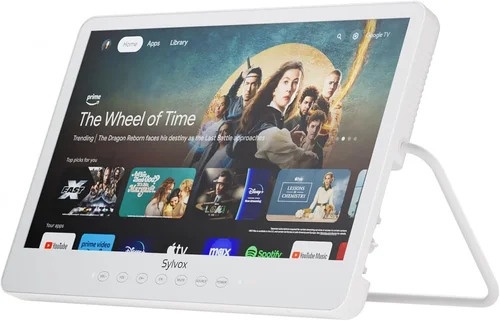
❌ Mistake: Buying a Standard Indoor TV for Outdoor Use
Why it’s bad: Indoor TVs lack weatherproofing, corrosion resistance, and sufficient brightness for outdoor viewing. Salt air and humidity will corrode internal components within months, leading to failure. Glossy screens become unreadable in sunlight.
What to do instead: Always choose a TV specifically rated for outdoor or all-weather use. Even if it costs slightly more, the longevity and performance justify the investment.
❌ Mistake: Ignoring the IP Rating
Why it’s bad: Without a proper IP rating, you have no guarantee the TV can handle rain, splashes, or dust. A TV with no rating or a low rating (like IP44) may fail prematurely in coastal conditions.
What to do instead: Verify the IP rating before purchasing. Aim for IP55 or higher, and confirm it covers both the TV and its power supply.
❌ Mistake: Overlooking Brightness Requirements
Why it’s bad: A dim screen (under 500 nits) will be invisible during the day, forcing you to watch only at night. This defeats the purpose of having a poolside TV.
What to do instead: Prioritize brightness—700+ nits minimum, 1,000+ ideal. Check real-world reviews for brightness performance, not just manufacturer claims.
❌ Mistake: Skimping on Mounting Hardware
Why it’s bad: Cheap plastic or untreated metal mounts will rust quickly in salt air, risking the TV falling and causing injury or damage.
What to do instead: Invest in marine-grade stainless steel or powder-coated aluminum mounts. Ensure they’re rated for outdoor use and compatible with your TV’s weight.
❌ Mistake: Not Planning for Cable Management
Why it’s bad: Exposed cables are vulnerable to moisture, UV damage, and tampering. They also create tripping hazards and look unsightly.
What to do instead: Use weatherproof conduit or in-wall cable channels. Seal all entry points with silicone or rubber grommets.
❌ Mistake: Assuming All “Outdoor” TVs Are Equal
Why it’s bad: Some brands market TVs as “outdoor-ready” but only include minor upgrades like a weatherproof remote. True outdoor TVs have sealed internals and enhanced cooling.
What to do instead: Research the model thoroughly. Look for third-party certifications, user reviews, and detailed specs—not just marketing buzzwords.
❌ Mistake: Neglecting Warranty and Support
Why it’s bad: If your TV fails due to corrosion or moisture, a standard warranty may not cover it. You could be stuck with a costly repair or replacement.
What to do instead: Choose a brand with a clear outdoor warranty and responsive customer service. Read the fine print to ensure environmental damage is covered.
Budget Guidelines: How Much Should You Spend?
- Entry-Level ($300–$500): These are typically indoor/outdoor convertible models or partial-shade TVs. Expect basic smart features, 500–700 nits brightness, and limited weatherproofing. Best for covered patios or seasonal use. Examples include the Sylvane Outdoor TV 50-inch and certain LG UHD models with outdoor enclosures.
- Mid-Range ($500–$800): The sweet spot for most coastal homeowners. These TVs offer IP55+ ratings, 700–1,000 nits brightness, robust build quality, and reliable smart platforms. Ideal for uncovered decks with moderate sun exposure. Models like the Outdoor TV 55-inch All-Weather and Seura Signature Series fall here.
- Premium ($800–$1,200): For those who want top-tier durability and performance without commercial-grade pricing. Features include IP65 ratings, 1,000+ nits brightness, advanced anti-glare coatings, and extended warranties. Perfect for full sun, high-salt environments. SunBriteTV Veranda Series is a standout.
- Luxury ($1,200+): Reserved for enthusiasts or large properties. These include 24/7 operation capability, extreme temperature tolerance, professional installation support, and premium materials. Overkill for most residential pools but ideal for resorts or luxury estates.
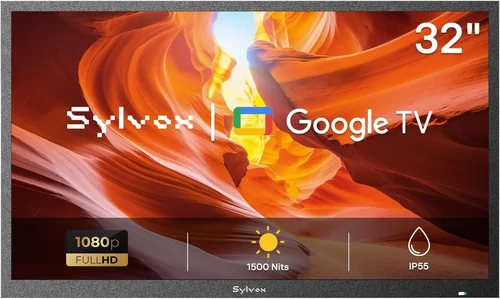
Expert Tips for Getting the Best Deal
- Buy During Off-Season: Prices drop significantly in fall and winter (October–February) when demand is low. Retailers often clear inventory before new models arrive in spring.
- Shop Refurbished or Open-Box: Certified refurbished outdoor TVs from reputable sellers (like Sylvane or Best Buy Outlet) can save 20–30% and often include the same warranty as new units.
- Compare Total Cost of Ownership: Factor in energy use, warranty length, and expected lifespan. A $600 TV that lasts 5 years is better value than a $400 model that fails in 2.
- Check for Bundles: Some retailers offer TV + mount + cable kits at a discount. These can save time and money versus buying separately.
- Read Real User Reviews: Look beyond star ratings. Search for keywords like “salt air,” “humidity,” or “sun glare” to find experiences from users in similar environments.
- Test Before Committing: If possible, visit a local dealer to see the TV in person. Check brightness, color accuracy, and remote responsiveness under bright lighting.
- Negotiate Installation: Some retailers offer free or discounted installation with purchase—especially during promotions. Don’t hesitate to ask.
- Consider Extended Warranties: For coastal use, a 2–3 year extended warranty can be worth it, especially if it covers corrosion or environmental damage.

Frequently Asked Questions
Q: Can I use a regular TV outdoors if I cover it?
A: Technically yes, but it’s not recommended. Even with a cover, indoor TVs lack proper ventilation, corrosion resistance, and brightness. Moisture can still seep in, and the screen will be hard to see in daylight. A dedicated outdoor TV is a safer, longer-lasting investment.
Q: How do I protect my outdoor TV from salt damage?
A: Choose a TV with marine-grade materials, rinse it with fresh water monthly to remove salt buildup, and install it under an eave or awning if possible. Use stainless steel hardware and avoid placing it directly near the pool edge.
Q: Do outdoor TVs need special power outlets?
A: They use standard 120V outlets, but it’s wise to install a GFCI (Ground Fault Circuit Interrupter) outlet for safety, especially near water. Consult an electrician for proper grounding and weatherproof enclosures.
Q: Can I leave my outdoor TV on all the time?
A: Most outdoor TVs are designed for continuous use, but check the manufacturer’s guidelines. Avoid leaving it on during storms or extreme weather. Use a smart plug to schedule on/off times and reduce wear.
Q: What’s the difference between partial-shade and full-sun outdoor TVs?
A: Partial-shade models are for covered areas and have lower brightness (500–700 nits). Full-sun TVs are built for direct sunlight with higher brightness (1,000+ nits), better cooling, and enhanced anti-glare features.
Q: How long do budget outdoor TVs last?
A: With proper care, a quality budget outdoor TV should last 5–7 years in coastal environments. Cheaper models may fail sooner due to corrosion or component wear.
Q: Can I stream 4K content on a budget outdoor TV?
A: Yes, many budget models support 4K resolution and HDR. Ensure the TV has HDMI 2.0 or higher and a fast enough processor to handle streaming without buffering.
Q: Do I need a soundbar for outdoor TV?
A: Built-in speakers on outdoor TVs are often weak due to weatherproofing. A weather-resistant soundbar or outdoor speakers significantly improve audio quality, especially with pool noise.
Q: Are outdoor TVs energy efficient?
A: Modern LED outdoor TVs are relatively efficient, but brightness increases power use. Look for Energy Star ratings and consider using a timer to reduce unnecessary runtime.
Q: What if my TV gets damaged by salt or moisture?
A: Check your warranty—some cover environmental damage, others don’t. If not covered, contact the manufacturer for repair options. In severe cases, replacement may be more cost-effective.
Our Final Recommendations
- Best for Budget-Conscious Buyers: Sylvane Outdoor TV 50-inch – At under $500, it offers solid IP55 protection, 700 nits brightness, and Roku smart platform. Ideal for covered patios or seasonal use.
- Best Overall Value: Outdoor TV 55-inch All-Weather – Priced around $700, it delivers 1,000 nits brightness, full weather sealing, and reliable performance in full sun. Great balance of price and durability.
- Best Premium Option: SunBriteTV Veranda Series 65-inch – At $1,100, it’s the gold standard for coastal homes. IP65 rating, 1,200 nits, and corrosion-resistant construction ensure years of trouble-free use.
- Best for Beginners: LG 55-inch UHD with Outdoor Enclosure – A familiar brand with easy setup. The enclosure adds weather protection while keeping costs under $600. Perfect for first-time outdoor TV owners.
- Best for Advanced Users: Seura Signature Series 75-inch – For those who want the ultimate outdoor experience. Ultra-bright, whisper-quiet cooling, and seamless integration with home automation systems.
Conclusion: Making the Right Choice
Choosing a budget poolside TV for your coastal home is about more than just finding the cheapest option—it’s about balancing affordability with the resilience needed to thrive in a demanding environment. From weather resistance and brightness to smart features and long-term support, every factor plays a role in ensuring your investment lasts through countless summer days and salty breezes. By prioritizing your specific needs—whether that’s full sun exposure, covered seating, or seasonal use—you can find a TV that delivers great performance without overspending.
Remember, the best TV for your pool isn’t necessarily the biggest or most expensive—it’s the one that matches your lifestyle, withstands your local conditions, and fits your budget. Use this guide to compare options, avoid common mistakes, and make a confident decision. And once you’ve installed your new outdoor display, you’ll wonder how you ever enjoyed pool time without it. So go ahead—dive in, relax, and let the entertainment begin.

