
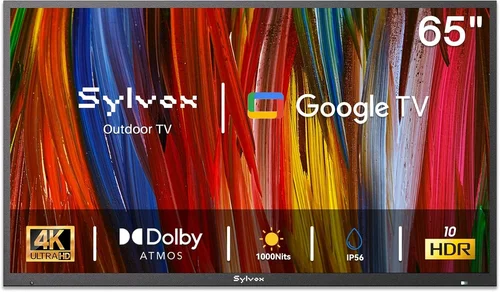
Outdoor living spaces have become extensions of our homes—places where we entertain, relax, and unwind. For rental property owners and tenants alike, adding an outdoor TV can dramatically elevate the experience of patios, decks, pool areas, and backyard lounges. But unlike indoor TVs, outdoor models face unique challenges: harsh weather, intense sunlight, temperature swings, and the need for durability without breaking the bank. That’s why choosing the right budget outdoor TV for a rental home requires careful thought—not just about picture quality or smart features, but about longevity, ease of installation, and value over time.
This comprehensive buying guide is designed specifically for renters, landlords, property managers, and anyone looking to outfit a temporary or shared outdoor space with a reliable, affordable television. Whether you’re furnishing a vacation rental, upgrading a condo balcony, or enhancing a shared community area, we’ll walk you through every critical decision point. You’ll learn how to balance cost with performance, what specs truly matter in outdoor environments, which brands offer the best bang for your buck, and how to avoid common pitfalls that lead to buyer’s remorse. By the end, you’ll have a clear roadmap to select an outdoor TV that delivers great viewing experiences while respecting your budget and rental constraints.
The market for outdoor TVs has evolved significantly in recent years. Once dominated by ultra-expensive commercial-grade models costing thousands of dollars, there’s now a growing segment of “weatherized” or “semi-outdoor” TVs aimed at residential and light-commercial use—including rentals. These budget-friendly options offer many of the same core benefits as their premium counterparts: weather resistance, anti-glare screens, and robust builds—but at a fraction of the price. However, not all “outdoor-ready” TVs are created equal. Some are merely indoor TVs sold with a protective cover, while others are genuinely engineered for outdoor conditions. Our goal is to help you distinguish between marketing hype and real value, so you can make a smart, informed purchase that stands up to sun, rain, dust, and time.

What to Look for When Buying Buying Guide
1. Budget & Price Range
When shopping for a budget outdoor TV—especially for rental properties—price is often the starting point and the biggest constraint. Unlike permanent home installations where you might invest $2,000–$5,000 in a commercial outdoor display, rental applications demand affordability, replaceability, and low risk. Most renters and landlords aim to spend between $300 and $800 for a quality outdoor TV that balances durability and functionality.
The key is understanding what you’re actually paying for. A $300 “outdoor TV” might be little more than an indoor model bundled with a generic weatherproof enclosure—offering minimal real protection. In contrast, a $600–$700 model from a reputable brand often includes genuine weatherization (IP55 or higher rating), UV-resistant coatings, and thermal management systems. For rentals, this middle tier usually offers the best return on investment: it’s durable enough to survive seasonal changes and occasional mishandling, yet affordable enough to replace if damaged or stolen.
Also consider hidden costs: mounting hardware, cables rated for outdoor use, and potential professional installation fees. Some budget models include basic wall mounts, while others require separate purchases. Always factor these into your total cost. And remember—cheaper isn’t always better. A $250 TV that fails after one summer due to moisture damage ends up costing more in replacements and tenant dissatisfaction than a $550 model that lasts three seasons.
2. Performance Specifications
Picture quality outdoors is a different beast than indoors. Brightness, contrast, and glare resistance matter far more than resolution or refresh rate—at least in typical rental scenarios. Most budget outdoor TVs now offer Full HD (1080p) or 4K resolution, but unless you’re placing the screen within 6–8 feet of viewers, 1080p is perfectly adequate and often more cost-effective.
The most critical spec for outdoor viewing is brightness, measured in nits. Indoor TVs typically range from 250–400 nits, but direct sunlight can wash out even 500-nit displays. For shaded patios or covered decks, look for at least 700 nits. For fully exposed areas, aim for 1,000+ nits—though these tend to push into higher price brackets. Many budget outdoor TVs use high-brightness LED backlighting or anti-reflective coatings to boost perceived clarity without maxing out nits.
Contrast ratio also plays a role. While dynamic contrast ratios advertised by manufacturers can be misleading, a TV with good local dimming or an IPS panel will handle bright skies and dark shadows better than a basic TN panel. Refresh rate (60Hz vs. 120Hz) is less important for casual viewing—sports and movies look fine at 60Hz unless you’re a serious gamer.
Audio is another often-overlooked spec. Outdoor acoustics dissipate sound quickly, so built-in speakers on budget TVs are usually weak. Consider pairing your TV with affordable outdoor Bluetooth speakers or a soundbar mounted nearby. Some models include audio outputs for this purpose—check connectivity options before buying.
3. Build Quality & Durability
This is where budget outdoor TVs separate themselves from indoor models masquerading as outdoor-ready. True outdoor TVs are built to withstand temperature extremes (from -22°F to 122°F or wider), humidity, rain, snow, dust, and UV exposure. The first thing to check is the Ingress Protection (IP) rating. Look for at least IP55 (protected against dust and low-pressure water jets) or IP65 (dust-tight and protected against water spray from any direction).
Materials matter too. The chassis should be powder-coated aluminum or marine-grade stainless steel—not plastic, which can crack, warp, or degrade under sun exposure. Sealed ports, corrosion-resistant screws, and gasketed seams are signs of thoughtful engineering. Avoid models with exposed ventilation holes; these invite moisture and pests.
Thermal management is equally important. Electronics generate heat, and enclosing a TV in a weatherproof case without proper airflow can cause overheating. Quality budget outdoor TVs include passive cooling systems (like heat-dissipating fins) or intelligent thermal sensors that throttle performance to prevent damage. Cheaper alternatives may shut down unexpectedly on hot days or suffer shortened lifespans.
For rental properties, durability also means resistance to tampering and theft. Look for VESA-compatible mounts that allow secure bolting to walls or posts. Some models come with Kensington lock slots or optional security brackets—small details that add big peace of mind in shared or high-traffic spaces.
4. Features & Functionality
Smart capabilities are increasingly standard—even on budget outdoor TVs—but their usefulness depends on your setup. If your rental has reliable Wi-Fi coverage outdoors, a built-in smart platform (like Roku TV, Android TV, or webOS) lets tenants stream Netflix, YouTube, or Disney+ without extra devices. However, if connectivity is spotty, you may prefer a non-smart TV paired with a streaming stick (e.g., Roku Streaming Stick+ or Amazon Fire Stick), which is easier to replace and update.
Connectivity ports are crucial. Ensure the TV has enough HDMI inputs (at least two), USB ports for media playback, and possibly an optical audio out. Outdoor-rated HDMI cables are thicker and more expensive, so having accessible ports saves hassle. Some models include cable management channels or rear covers to protect connections from the elements.
Remote control design matters too. Look for remotes with backlighting or large, tactile buttons—they’re easier to use at night or in bright light. Better yet, choose a TV that supports smartphone control via app, reducing reliance on physical remotes that can get lost or damaged.
One feature often missing on budget models is automatic brightness adjustment. Premium outdoor TVs use ambient light sensors to tweak screen brightness throughout the day, saving power and improving visibility. While not essential, it’s a nice-to-have if available within your price range.
5. Brand Reputation
Not all brands claiming “outdoor TV” expertise are equal. Established names like SunBriteTV and Séura dominate the premium market, but several lesser-known brands now offer compelling budget alternatives with solid track records. Research brands that specialize in weatherized electronics—not just repurposed indoor TV makers.
Look for companies that provide detailed technical specs, clear warranty terms, and responsive customer service. Read third-party reviews on sites like Wirecutter, CNET, or specialized forums like AVS Forum. Pay attention to long-term user feedback: how does the TV perform after 12–18 months of outdoor use? Are replacement parts available?
Avoid no-name brands sold exclusively through Amazon marketplace or eBay with vague descriptions like “weatherproof TV cover included.” These are often indoor TVs with third-party enclosures that void warranties and offer no real weather protection. Stick to brands with dedicated outdoor product lines and verifiable certifications (e.g., UL Listed for outdoor use).
Some reliable budget-friendly brands to consider include:
- Element: Known for affordable, durable outdoor TVs with IP55 ratings and good brightness.
- Skyvue: Offers semi-outdoor models designed for covered patios, with strong anti-glare performance.
- Peerless-AV: While known for mounts, they also sell integrated outdoor TV systems at competitive prices.
- Hisense: Their “Outdoor Series” provides 4K HDR models under $700 with decent weather resistance.
6. Warranty & Support
Warranty length and coverage are especially important for rental properties, where wear and tear accelerate. Most budget outdoor TVs come with 1–2 year limited warranties, but read the fine print. Does it cover weather-related damage? What about power surges from lightning storms? Some manufacturers exclude “acts of nature” entirely.
Look for brands that offer extended warranty options or pro-rated replacements. A 2-year warranty with full parts and labor coverage is ideal. Avoid companies that require you to ship the entire unit back at your expense for repairs—this can be cost-prohibitive for a $500 TV.
Customer support responsiveness matters too. Can you reach a human quickly? Is there a dedicated outdoor TV support line? Check online forums for reports of slow response times or denied claims. A good warranty is useless if the company drags its feet.
For landlords managing multiple units, consider purchasing an extended service plan or bundling TVs with property insurance that covers electronics. This spreads risk and simplifies replacements.
7. Size & Portability
Screen size should match your space and viewing distance. For most rental patios or small decks, a 43″ to 55″ TV is ideal. Larger screens (65″+) are impressive but may overwhelm compact areas and exceed budget limits. Use the 1.5x rule: multiply your seating distance (in inches) by 1.5 to get the recommended screen diagonal. So, for an 8-foot (96-inch) viewing distance, a 55″ TV (≈80 inches diagonal) is comfortable.
Portability is a unique concern for rentals. Tenants may want to move the TV seasonally or store it indoors during winter. Look for lightweight models (under 30 lbs for 50″ screens) with integrated handles or easy-release mounting systems. Some TVs come with optional rolling stands—great for poolside use or events.
However, don’t sacrifice stability for portability. A wobbly TV is a safety hazard outdoors. If mobility is key, invest in a sturdy mobile cart with locking wheels rather than relying on the TV’s built-in design.
8. User Reviews & Ratings
Never buy an outdoor TV based solely on specs or marketing claims. Real-world user reviews reveal flaws that spec sheets hide: poor remote range, overheating in direct sun, flimsy mounts, or rapid screen degradation. Focus on reviews from buyers who’ve used the TV outdoors for 6+ months—not just unboxing impressions.
Check multiple sources: Amazon, Best Buy, Home Depot, and specialty AV retailers. Look for patterns: if five reviewers mention the same issue (e.g., “HDMI port rusted after rain”), it’s likely a design flaw. Conversely, consistent praise for brightness or ease of setup is a good sign.
Pay attention to reviewer photos—especially those showing the TV installed outdoors. You’ll spot details like glare levels, mount quality, and cable routing that specs won’t tell you. Also note if the seller responds to negative reviews professionally; this indicates accountability.
Different Types of Buying Guide

Common Buying Mistakes to Avoid
❌ Mistake: Buying an Indoor TV and Assuming It’s “Outdoor-Ready”
Why it’s bad: Indoor TVs lack weather sealing, UV protection, and thermal management. Even under a roof, condensation, humidity, and temperature swings can fry internal components within months. You’ll end up replacing it—and possibly dealing with tenant complaints.
What to do instead: Only purchase TVs explicitly labeled for outdoor or semi-outdoor use with verified IP ratings. If using an indoor TV, pair it with a certified weatherproof enclosure from a reputable brand (not a generic Amazon cover).
❌ Mistake: Ignoring Sun Exposure and Glare
Why it’s bad: A TV that looks great in a showroom may be unwatchable in direct sunlight. Glare ruins the experience and frustrates users, leading to negative reviews or early replacement.
What to do instead: Assess your installation spot honestly. If it gets morning or afternoon sun, prioritize high brightness (700+ nits) and anti-reflective coatings. Consider shade solutions like retractable awnings if the TV itself isn’t bright enough.
❌ Mistake: Overlooking Power and Connectivity Needs
Why it’s bad: Outdoor outlets are often limited or far from the TV location. Running extension cords creates tripping hazards and code violations. Weak Wi-Fi means buffering streams.
What to do instead: Plan your power and network setup before buying. Use outdoor-rated GFCI outlets and buried conduit if possible. For Wi-Fi, install a weatherproof extender or mesh node near the TV. Hardwiring Ethernet is best for reliability.
❌ Mistake: Choosing the Wrong Mount or Installation Method
Why it’s bad: A poorly mounted TV can fall, damage property, or injure someone. Rental agreements often prohibit drilling into walls without permission.
What to do instead: Use renter-friendly mounts like freestanding poles, clamp-on brackets, or removable adhesive systems (for lightweight models). Always get landlord approval and follow local codes. When in doubt, hire a professional.
❌ Mistake: Skipping the Warranty Fine Print
Why it’s bad: Many “outdoor” warranties exclude weather damage, power surges, or accidental breakage—common issues in rental settings. You could pay for repairs out of pocket.
What to do instead: Read the warranty document thoroughly. Look for coverage of environmental factors and clear repair/replacement policies. Consider third-party protection plans if the manufacturer’s isn’t sufficient.
❌ Mistake: Prioritizing Resolution Over Brightness
Why it’s bad: A 4K TV with 400 nits will look worse outdoors than a 1080p model with 800 nits. Resolution matters less when glare washes out details.
What to do instead: Focus on brightness and contrast first. Choose 4K only if you’re seating viewers close and have the budget. Otherwise, 1080p offers excellent value for outdoor use.
❌ Mistake: Not Testing Before Committing
Why it’s bad: Online photos don’t show real-world performance. A TV might have poor viewing angles, weak speakers, or a confusing interface.
What to do instead: If possible, view the TV in person at a retailer with outdoor displays. Test remote range, menu navigation, and brightness in daylight. Many stores allow returns within 30 days—use this window wisely.
Budget Guidelines: How Much Should You Spend?
Setting a realistic budget is the foundation of a smart outdoor TV purchase—especially for rentals where ROI and durability are paramount. Below is a tiered breakdown based on typical use cases and value propositions.
Entry-Level ($300–$450): This range includes basic semi-outdoor TVs or indoor models with third-party enclosures. Expect 1080p resolution, 500–600 nits brightness, and minimal weather sealing (IP43 or lower). Best for fully covered, low-sun areas like screened-in porches. Ideal for short-term rentals or seasonal use. Downsides: shorter lifespan, limited smart features, and potential overheating.
Mid-Range ($450–$700): The sweet spot for most rental properties. These TVs offer true weatherization (IP55+), 700–1,000 nits brightness, Full HD or 4K resolution, and reliable smart platforms. Brands like Element, Skyvue, and Hisense shine here. They’re durable enough for uncovered patios with partial shade and include better thermal management. Most come with 1–2 year warranties and solid user support.
Premium ($700–$1,200): For landlords investing in high-end vacation rentals or luxury condos. These models feature commercial-grade builds, 1,000+ nits brightness, advanced anti-glare tech, and robust connectivity. Some include built-in heaters/coolers for extreme climates. Expect 2–3 year warranties and professional installation support. Overkill for basic rentals but justified for premium guest experiences.
Luxury ($1,200+): Reserved for permanent, high-traffic outdoor installations. Think beachfront villas, resort cabanas, or smart backyard theaters. These are built like appliances—with metal chassis, fanless cooling, and 24/7 operation capability. Not recommended for typical rentals due to cost and complexity.
Expert Tips for Getting the Best Deal
- Shop during off-seasons: Prices drop in late fall and winter when demand for outdoor electronics slows. Look for Black Friday, Cyber Monday, and post-holiday sales.
- Compare retailers: Big-box stores (Best Buy, Home Depot) often price-match, while online specialists (Crutchfield, B&H) may offer better bundles or expert advice.
- Check refurbished options: Certified refurbished outdoor TVs from the manufacturer can save 20–30% and come with full warranties.
- Negotiate with landlords: If you’re a tenant, propose splitting the cost with your landlord as a property upgrade that increases rental value.
- Bundle with accessories: Some sellers offer free outdoor mounts, cables, or speakers with TV purchases—worth hundreds in savings.
- Use cashback and rewards: Credit card points, Rakuten cashback, or retailer loyalty programs can shave 5–10% off your total.
- Verify return policies: Ensure you can return the TV within 30 days if it doesn’t perform as expected outdoors.
- Document everything: Keep receipts, warranty info, and installation photos. This helps with insurance claims or disputes.
Frequently Asked Questions
Q: Can I use a regular indoor TV outdoors if it’s under a roof?
A: Technically yes, but it’s risky. Even covered areas experience humidity, temperature swings, and dust. Without proper sealing, moisture can condense inside the TV and cause corrosion. For rentals, it’s better to invest in a purpose-built outdoor or semi-outdoor model.
Q: How do I protect my outdoor TV from theft?
A: Use a secure VESA mount bolted to a wall or post, add a Kensington lock, and consider a security camera. For high-risk areas, choose a portable model you can store indoors when not in use.
Q: Will an outdoor TV work in winter?
A: Most budget outdoor TVs operate down to -22°F, but performance may degrade in extreme cold. Avoid turning it on immediately after bringing it in from freezing temps—let it acclimate first. For harsh winters, store the TV indoors or use a model with a built-in heater.
Q: Do I need special cables for outdoor TVs?
A: Yes. Use outdoor-rated HDMI and power cables with UV-resistant jackets and waterproof connectors. Standard indoor cables degrade quickly in sunlight and moisture.
Q: Can I mount an outdoor TV on a brick or concrete wall?
A: Absolutely. Use masonry anchors and a compatible outdoor mount. Ensure the wall can support the TV’s weight—typically 2–4 anchor points for a 50″ screen.
Q: How long do budget outdoor TVs last?
A: With proper care, 3–5 years is realistic. Factors like sun exposure, maintenance, and build quality heavily influence lifespan. Clean the screen and vents regularly to prevent overheating.
Q: Are outdoor TVs energy efficient?
A: Most modern LED outdoor TVs are quite efficient, drawing 100–200 watts depending on size and brightness. Look for ENERGY STAR certification if power consumption is a concern.
Q: Can I connect a soundbar to an outdoor TV?
A: Yes, via HDMI ARC, optical audio, or Bluetooth. Just ensure the soundbar is also weather-resistant or placed in a protected area.
Q: What’s the difference between IP55 and IP65?
A: IP55 protects against dust and low-pressure water jets (like rain). IP65 is dust-tight and handles stronger water spray. For most rentals, IP55 is sufficient unless the TV is fully exposed.
Q: Should I buy a curved or flat outdoor TV?
A: Flat screens are better for outdoor use. Curved TVs are designed for close, centered viewing and can cause glare and distortion in bright, wide-angle environments.
Our Final Recommendations
Best for Budget-Conscious Buyers: Element 43″ Outdoor TV (Model EOT4310) – At around $499, it offers IP55 rating, 700 nits brightness, and Roku Smart TV platform. Great for covered patios and light outdoor use.
Best Overall Value: Hisense 50″ Outdoor Series (50O7GQ) – Priced at $649, this 4K HDR model delivers 800 nits, IP54 rating, and excellent color accuracy. Perfect balance of price, performance, and durability.
Best Premium Option: Skyvue 55″ All-Weather Outdoor TV – At $899, it features IP65 rating, 1,000 nits brightness, and a sleek aluminum chassis. Ideal for uncovered decks and high-end rentals.
Best for Beginners: Peerless-AV Solo Outdoor TV System (with 40″ display) – Includes TV, mount, and cables in one kit ($699). Simple setup, reliable performance, and renter-friendly design.
Best for Advanced Users: SunBriteTV Veranda Series (55″) – Though pricier ($1,199), it’s the gold standard for true all-weather performance. Recommended for permanent installations or luxury properties.
Conclusion: Making the Right Choice
Choosing the right budget outdoor TV for a rental home isn’t just about finding the cheapest option—it’s about finding the smartest investment. You need a television that withstands the elements, delivers a great viewing experience, and fits within your financial and logistical constraints. By focusing on key factors like weather resistance, brightness, build quality, and warranty, you can avoid costly mistakes and select a model that enhances your property’s appeal without draining your budget.
Remember, the best outdoor TV is the one that matches your specific environment and use case. A shaded condo balcony has different needs than a sunny pool deck. Take the time to assess your space, read real user reviews, and prioritize durability over flashy features. And don’t forget the hidden costs—mounts, cables, and installation can add up quickly.
Whether you’re a landlord upgrading a vacation rental or a tenant looking to enjoy movie nights under the stars, this guide equips you with the knowledge to make a confident, informed decision. Outdoor entertainment should be effortless, enjoyable, and worry-free. With the right TV, your rental property can offer exactly that—season after season.

