
Hiding cables for a weatherproof TV on a large patio doesn’t have to be complicated. This guide walks you through practical, weather-resistant methods to conceal wires, protect connections, and maintain a clean, professional look. Enjoy a clutter-free outdoor entertainment space with step-by-step instructions and expert tips.
Key Takeaways
- Plan your cable route early: Map out the shortest, safest path from your TV to the power source and media devices to minimize exposure and tripping hazards.
- Use weatherproof cable management products: Invest in UV-resistant conduit, outdoor-rated raceways, and waterproof cable boxes to protect wires from rain, sun, and temperature changes.
- Secure cables with outdoor-rated fasteners: Use stainless steel clips, zip ties, or adhesive mounts designed for exterior use to keep cables in place without damaging surfaces.
- Protect power connections with outdoor enclosures: Use GFCI outlets and waterproof junction boxes to safely house power adapters and splitters.
- Hide cables behind furniture or structures: Strategically place outdoor sofas, planters, or pergolas to conceal wiring while maintaining easy access for maintenance.
- Test and maintain your setup regularly: Check cables and connections every few months for wear, corrosion, or loose fittings to ensure long-term safety and performance.
- Prioritize safety and code compliance: Always follow local electrical codes and use certified outdoor-rated components to prevent fire or shock risks.
How to Hide Cables for a Weatherproof TV on a Large Patio
Imagine stepping onto your spacious patio on a warm summer evening, the sun setting behind the trees, and your favorite show playing on a sleek, weatherproof TV. The only thing ruining the vibe? A tangled mess of cables snaking across the floor, threatening to trip guests or get damaged by rain. You’ve invested in a high-quality outdoor TV and a beautiful outdoor living space—now it’s time to make it look as good as it feels.
This comprehensive guide will show you exactly how to hide cables for a weatherproof TV on a large patio—safely, effectively, and with style. Whether you’re mounting your TV on a wall, under a pergola, or on a freestanding stand, we’ll cover every step from planning to execution. You’ll learn how to protect your cables from the elements, keep them out of sight, and ensure your outdoor entertainment area stays clean, safe, and inviting.
By the end of this guide, you’ll have a professional-looking setup that’s not only functional but also durable enough to withstand sun, rain, wind, and temperature swings. Let’s get started!
Why Cable Management Matters for Outdoor TVs
Before diving into the how-to, it’s important to understand why proper cable management is crucial for outdoor TVs—especially on large patios. Unlike indoor setups, outdoor environments expose cables to harsh conditions that can degrade wires, create safety hazards, and ruin your aesthetic.
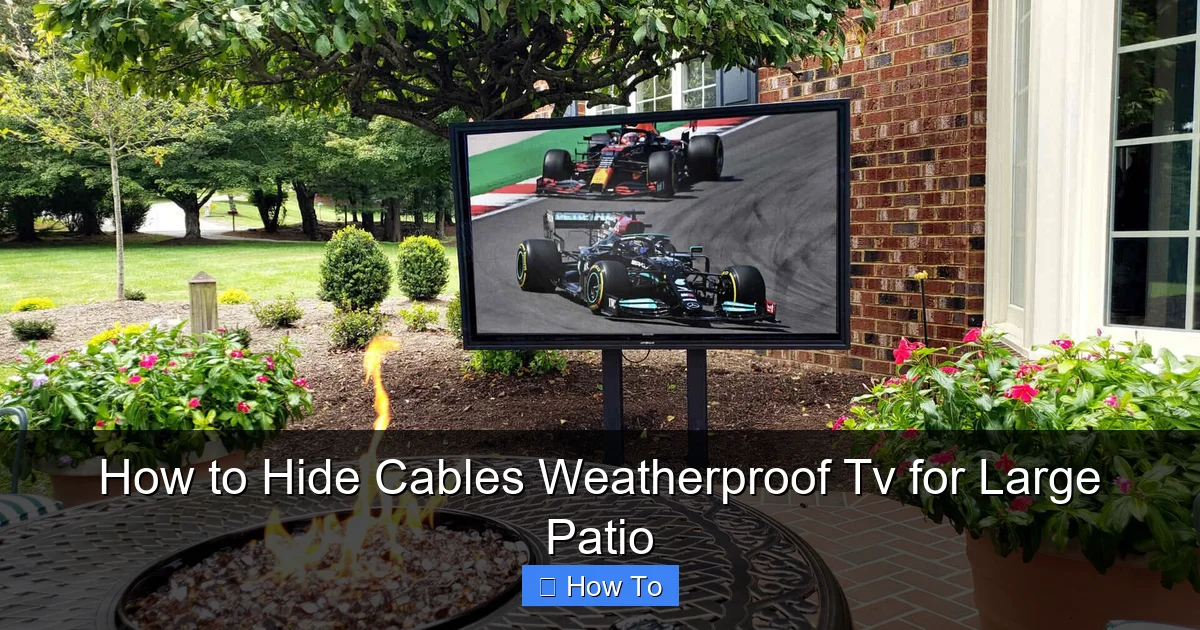
Visual guide about How to Hide Cables Weatherproof Tv for Large Patio
Image source: storables.com
First, weather exposure is a major concern. Rain, snow, humidity, and UV rays can damage standard cables and connectors over time. Water can seep into exposed wires, causing short circuits or corrosion. Sunlight can fade and crack plastic insulation, making cables brittle and unsafe.
Second, safety is paramount. Loose cables on a large patio can become tripping hazards, especially during gatherings or when children and pets are around. Exposed power cords also increase the risk of electrical shock, particularly if they’re near water features or damp areas.
Third, aesthetics matter. A clean, organized space enhances the enjoyment of your outdoor area. Visible cables can make even the most beautiful patio look cluttered and unfinished. Hiding them creates a seamless, professional look that lets your TV and decor shine.
Finally, long-term durability depends on proper cable protection. Investing in weatherproof solutions now saves you from frequent replacements, repairs, and potential damage to your TV or other devices.
In short, hiding and protecting your cables isn’t just about looks—it’s about safety, longevity, and peace of mind.
Step 1: Plan Your Cable Route
The first step in hiding cables for your weatherproof TV is planning. A well-thought-out route ensures minimal exposure, easier installation, and better protection. Rushing this step can lead to messy results or unsafe setups.
Assess Your Patio Layout
Start by walking around your patio and identifying key elements:
- Where is the TV mounted or placed?
- Where are the power source and media devices (like a streaming box, soundbar, or game console)?
- Are there walls, railings, pergolas, or furniture that can help conceal cables?
- Are there any obstacles like plants, grills, or walkways?
Sketch a simple diagram or take photos to visualize the space. This helps you spot the best paths for routing cables.
Choose the Shortest, Safest Path
Aim for the shortest route between your TV and power source. This reduces the amount of cable needed and minimizes exposure. Avoid crossing high-traffic areas or placing cables where people walk.
For example, if your TV is mounted on a wall near a sliding glass door, route cables along the wall and into the house through a pre-drilled hole or existing conduit. If your TV is freestanding, consider running cables behind outdoor furniture or along the edge of a deck.
Consider Future Access
While hiding cables is important, you’ll still need access for maintenance or upgrades. Plan for removable panels, access points, or flexible conduit that allows you to pull new cables later.
For instance, if you’re running cables through a wall, install a junction box with a removable cover. This lets you swap out a damaged HDMI cable without tearing down the entire setup.
Step 2: Gather the Right Tools and Materials
Using the right products is essential for a weatherproof, long-lasting cable management system. Standard indoor solutions won’t hold up outdoors. Here’s what you’ll need:
Weatherproof Cable Conduit
Conduit is a protective tube that shields cables from moisture, UV rays, and physical damage. Look for UV-resistant PVC or metal conduit rated for outdoor use. Flexible conduit is ideal for curved paths, while rigid conduit offers maximum protection for straight runs.
Example: Use 1/2-inch or 3/4-inch flexible PVC conduit for runs along walls or under decking. Secure it with outdoor-rated clamps every 12–18 inches.
Outdoor Cable Raceways
Raceways are flat, channel-like covers that attach to walls or ceilings. They’re perfect for hiding multiple cables while keeping them accessible. Choose weatherproof raceways with adhesive backing or screw mounts.
Tip: Paint the raceway to match your wall color for a seamless look.
Waterproof Junction Boxes
These enclosures protect power adapters, splitters, and connectors from rain and dust. Use a NEMA 3R or 4-rated box with a gasketed lid. Mount it in a shaded, elevated spot to avoid water pooling.
Example: Install a junction box near your outdoor outlet to house your TV’s power adapter and HDMI extenders.
GFCI Outlets and Outdoor Power Strips
Always use a Ground Fault Circuit Interrupter (GFCI) outlet for outdoor power. It cuts off power if it detects a fault, preventing shocks. Pair it with a weatherproof power strip inside a protective cover.
Never use indoor power strips outside—even under a roof. Moisture can still seep in.
Cable Clips, Ties, and Fasteners
Use stainless steel or UV-resistant plastic clips to secure cables to walls, beams, or under decking. Avoid regular zip ties—they become brittle in sunlight. Instead, opt for outdoor-rated zip ties with UV protection.
For adhesive mounts, choose ones rated for exterior use, like 3M VHB tape or outdoor command strips.
Tools You’ll Need
- Drill and drill bits (for mounting)
- Cable puller or fish tape (for threading cables through conduit)
- Wire strippers and crimping tool
- Screwdrivers and level
- Measuring tape and pencil
- Safety goggles and gloves
Step 3: Install Weatherproof Conduit or Raceways
Now it’s time to install your cable protection system. This step ensures your wires stay dry, secure, and hidden.
Mount the Conduit or Raceway
Start at the TV and work toward the power source. Use a level to ensure a straight line. Mark drill points every 12–18 inches.
For walls: Drill pilot holes and secure conduit with outdoor-rated clamps or screws. For wood surfaces, use stainless steel screws. For masonry, use concrete anchors.
For under decking or along beams: Use adhesive mounts or U-brackets to attach raceways. Make sure they’re tight and won’t sag.
Thread the Cables
Before securing the conduit, thread your cables through. Use a cable puller or fish tape to guide them smoothly. Avoid sharp bends—keep the radius gentle to prevent damage.
Tip: Label each cable with tape or tags (e.g., “HDMI,” “Power,” “Audio”) before threading. This makes troubleshooting easier later.
Seal Entry and Exit Points
Use weatherproof silicone sealant or foam gaskets where cables enter or exit the conduit. This prevents water from seeping in.
For example, if the conduit runs into a wall, seal the hole around the cables with outdoor-grade caulk.
Step 4: Protect Power Connections
Power connections are the most vulnerable part of your setup. A single water droplet can cause a short circuit or fire. Protect them with enclosures and proper grounding.
Use a Waterproof Junction Box
Mount a NEMA-rated junction box near your outdoor outlet. Run all power adapters and splitters inside it. Use cable glands or rubber grommets where wires enter the box to maintain the seal.
Example: Plug your TV’s power adapter, streaming device, and soundbar into a weatherproof power strip inside the box. Close the lid securely.
Install a GFCI Outlet
If your outdoor outlet isn’t GFCI-protected, have a licensed electrician install one. It’s a code requirement in most areas and a lifesaving safety feature.
Test the GFCI monthly by pressing the “Test” and “Reset” buttons.
Avoid Daisy-Chaining Power Strips
Never plug one outdoor power strip into another. This can overload the circuit and create a fire hazard. Use a single, high-quality strip with enough outlets.
Step 5: Hide Cables with Furniture and Landscaping
Sometimes the best hiding spot is in plain sight. Use your patio’s existing features to conceal cables without extra hardware.
Route Cables Behind Furniture
Place outdoor sofas, benches, or storage boxes along the cable path. Run wires behind them so they’re out of view. Use furniture with hollow legs or built-in cable channels for a cleaner look.
Example: Position a weatherproof media console behind your TV. Route all cables through the back and into a hidden compartment.
Use Planters and Decorative Covers
Large planters, trellises, or outdoor art can double as cable covers. Place them strategically to block the view of wires. Just ensure they don’t trap moisture or block airflow.
Tip: Choose planters with drainage holes and avoid covering junction boxes completely.
Install a Pergola or Awning with Cable Channels
If you have a pergola, run cables through the beams or attach raceways to the underside. Some pergolas come with built-in cable management systems.
For a DIY solution, drill small holes in the beams and thread cables through, then seal the holes with silicone.
Step 6: Test and Secure Your Setup
Once everything is installed, it’s time to test and finalize your setup.
Power On and Check Connections
Turn on your TV and all connected devices. Make sure the picture and sound work properly. Check for loose cables or interference.
If you’re using an HDMI extender or wireless transmitter, test the signal strength and range.
Tighten All Fasteners
Go over every clip, clamp, and screw. Make sure nothing is loose or rattling in the wind. Reapply sealant if needed.
Label and Document
Take photos of your setup and label key components. Keep a diagram of your cable routes and junction box contents. This helps with future maintenance or upgrades.
Troubleshooting Common Issues
Even the best plans can run into problems. Here’s how to fix common cable management issues:
Cables Are Still Visible
If wires are still peeking out, try repositioning furniture or adding a decorative cover. Use paintable raceways to blend with your wall color.
Water in the Junction Box
Check the seal and gaskets. Ensure the box is mounted with the lid facing down slightly to shed water. Replace any damaged parts.
Signal Loss or Interference
This could be due to long cable runs or poor-quality extenders. Use high-speed HDMI cables and consider a signal booster for runs over 50 feet.
Cables Are Sagging or Loose
Add more support clips or shorten the cable loop. Avoid over-tightening, which can damage the wires.
Adhesive Mounts Falling Off
Clean the surface with rubbing alcohol before reapplying. Use screws for heavy raceways instead of adhesive.
Maintenance Tips for Long-Term Success
To keep your cable management system in top shape, follow these maintenance tips:
- Inspect cables and connections every 3–6 months.
- Clean dust and debris from raceways and junction boxes.
- Check for signs of wear, corrosion, or animal damage.
- Reapply sealant around entry points annually.
- Trim back plants that may be rubbing against cables.
Conclusion
Hiding cables for a weatherproof TV on a large patio is entirely achievable with the right tools, planning, and techniques. By following this guide, you’ve learned how to protect your investment, enhance safety, and create a clean, professional outdoor entertainment space.
Remember: start with a solid plan, use weatherproof materials, and prioritize safety. Whether you’re using conduit, raceways, or clever furniture placement, the goal is the same—a seamless, enjoyable outdoor experience.
Now, sit back, relax, and enjoy your favorite shows under the stars—without the distraction of messy cables. Your patio has never looked better.

