
Hiding cables for a poolside TV doesn’t have to be complicated. This guide walks you through weatherproof cable management, smart routing, and stylish concealment methods to keep your outdoor bar looking clean and safe.
Key Takeaways
- Use weatherproof conduit and raceways: Protect cables from sun, water, and pool chemicals with UV-resistant and waterproof enclosures.
- Route cables underground or along structures: Bury cables in conduit or run them along walls, beams, or deck railings to minimize visibility.
- Choose the right cable types: Use outdoor-rated HDMI, power, and speaker cables designed to withstand moisture and temperature changes.
- Secure connections with waterproof boxes: Prevent shorts and corrosion by housing connections in sealed, outdoor-rated junction boxes.
- Blend cables into the environment: Paint raceways to match surfaces or use natural covers like planters and furniture to hide wires.
- Plan before you install: Map out your TV, sound system, and power sources to avoid last-minute cable runs.
- Prioritize safety and code compliance: Follow local electrical codes and use GFCI outlets to reduce shock risks near water.
How to Hide Cables Poolside TV for Outdoor Bar
Imagine this: You’ve built the perfect outdoor bar by the pool. String lights glow above, music plays softly, and your favorite game is on the big screen. But then you look down—and there they are: a tangled mess of cables snaking across the deck, tripping hazards waiting to happen. Not exactly the sleek, resort-style vibe you were going for.
Don’t worry. You’re not alone. Many homeowners and outdoor entertainers struggle with the same issue: how to hide cables for a poolside TV without sacrificing safety, style, or functionality. The good news? With the right tools and a little planning, you can create a clean, professional setup that keeps your outdoor space looking sharp and your guests safe.
In this guide, we’ll walk you through every step of hiding cables for your poolside TV at an outdoor bar. From choosing the right materials to routing wires discreetly and protecting them from the elements, you’ll learn how to achieve a seamless, clutter-free entertainment zone. Whether you’re a DIY enthusiast or hiring a pro, these tips will help you build a setup that’s both beautiful and built to last.
Let’s dive in.
Why Cable Management Matters for Poolside TVs
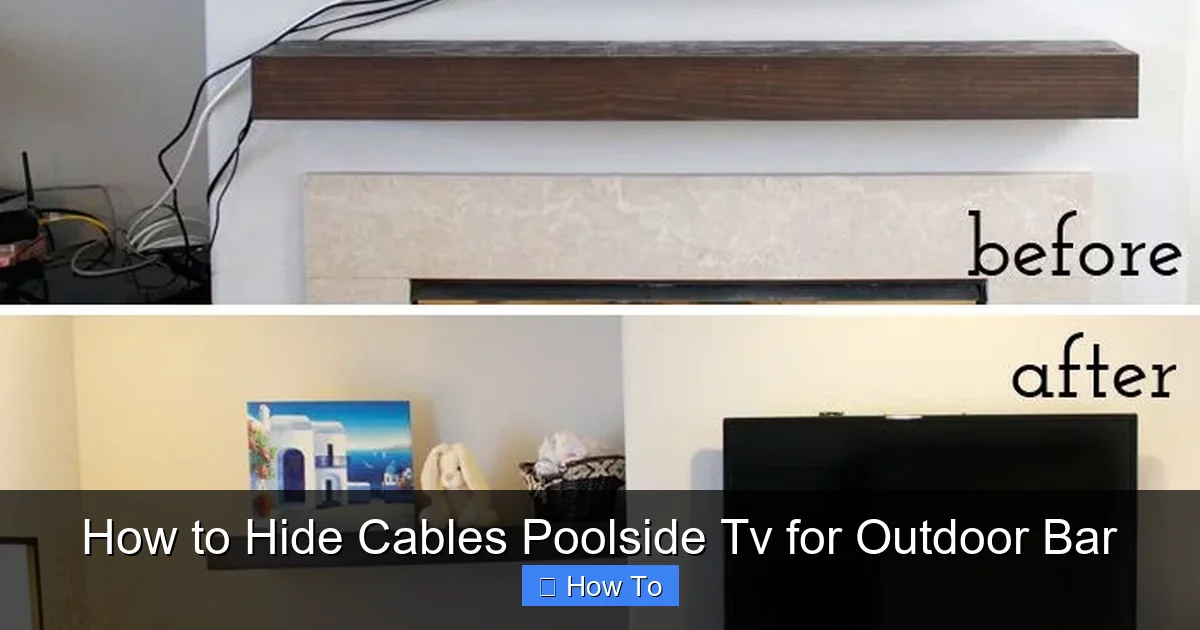
Visual guide about How to Hide Cables Poolside Tv for Outdoor Bar
Image source: i.pinimg.com
Before we get into the how-to, let’s talk about why this matters. Hiding cables isn’t just about aesthetics—though that’s a big part of it. It’s also about safety, durability, and performance.
Safety first: Water and electricity don’t mix. Loose cables near a pool increase the risk of tripping, electrical shorts, or even electrocution. Proper cable management reduces these risks by keeping wires secure, protected, and out of harm’s way.
Weather resistance: Outdoor environments are tough on electronics. Sun, rain, humidity, and pool chemicals can degrade standard cables and connections over time. Using the right materials ensures your setup lasts through seasons of use.
Clean aesthetics: A well-organized outdoor bar looks intentional and inviting. Hidden cables create a polished, high-end feel—like something you’d see at a luxury resort.
Easier maintenance: When cables are neatly routed and labeled, troubleshooting or upgrading your system becomes much simpler. No more digging through a bird’s nest of wires.
In short, good cable management isn’t optional—it’s essential for a functional, safe, and stylish outdoor entertainment space.
Step 1: Plan Your Layout
The best cable setups start with a solid plan. Before you buy a single cable or drill a hole, take time to map out your space.
Identify Key Components
List all the devices that will need power and connections:
– Outdoor TV
– Soundbar or outdoor speakers
– Streaming device (like Roku, Apple TV, or Fire Stick)
– Power source (outlet or GFCI-protected circuit)
– Optional: Lighting, mini-fridge, or outdoor heater
Determine Placement
Decide where each component will go. Consider:
– TV mounting location (wall, post, or freestanding)
– Speaker placement (on walls, under bar, or in planters)
– Proximity to power sources
– Line of sight for remotes and Wi-Fi signals
Pro tip: Keep your streaming device close to the TV to minimize HDMI cable length. Longer cables can lose signal quality, especially outdoors.
Measure Distances
Use a tape measure to calculate how far each cable needs to run. Add a little extra length (about 10–15%) for slack and future adjustments.
Sketch a Diagram
Draw a simple layout of your bar and pool area. Mark where cables will run—along walls, under decking, or through conduit. This visual guide will save you time and prevent mistakes during installation.
Step 2: Choose the Right Cables
Not all cables are created equal—especially for outdoor use. Standard indoor cables can degrade quickly when exposed to moisture, UV rays, and temperature swings.
Use Outdoor-Rated Cables
Look for cables labeled “outdoor,” “direct burial,” or “UV-resistant.” These are designed to withstand harsh conditions.
– HDMI cables: Choose outdoor-rated HDMI with weatherproof connectors. Look for versions with gold-plated contacts and braided shielding to prevent interference.
– Power cables: Use outdoor extension cords or permanent wiring with weatherproof jackets. Avoid cheap indoor cords—they’re not safe near water.
– Speaker wires: Opt for direct burial speaker wire if running underground. It’s thicker and more durable than standard wire.
Consider Wireless Options
Where possible, reduce cable clutter with wireless tech:
– Use a wireless HDMI transmitter to send video from your streaming device to the TV.
– Choose Bluetooth or Wi-Fi-enabled speakers to eliminate speaker wires.
Note: Wireless isn’t always reliable outdoors due to interference or distance. Test your setup before committing.
Label Your Cables
Once you’ve chosen your cables, label each one at both ends with tape or tags. This makes troubleshooting and upgrades much easier later.
Step 3: Protect and Route Power Cables
Power cables are the most critical—and potentially dangerous—part of your setup. Handle them with care.
Use a GFCI Outlet
Always plug your outdoor TV and accessories into a Ground Fault Circuit Interrupter (GFCI) outlet. These shut off power instantly if they detect a fault, reducing shock risk near water.
If you don’t have a GFCI outlet nearby, hire an electrician to install one. It’s a small investment for major peace of mind.
Run Power Through Conduit
For permanent setups, run power cables through rigid or flexible conduit. This protects wires from damage and makes future upgrades easier.
– Rigid PVC conduit: Best for underground runs or exposed areas. It’s durable and weatherproof.
– Flexible conduit: Great for tight spaces or curved paths. Use LFMC (liquidtight flexible metal conduit) for added protection.
Bury Cables Safely
If running cables under decking or landscaping:
– Bury conduit at least 6 inches deep (check local codes—some require 18 inches for direct burial).
– Use a trenching tool or hire a professional for clean, even trenches.
– Mark the path with warning tape so you don’t accidentally dig into it later.
Secure Cables to Structures
For above-ground runs, attach cables to walls, beams, or railings using outdoor-rated cable clips or zip ties. Avoid loose loops or dangling wires.
Pro tip: Use adhesive-backed clips for smooth surfaces like painted wood or metal. For rough surfaces, use screw-in clips.
Step 4: Hide HDMI and Audio Cables
HDMI and audio cables are thinner and more flexible, but they still need protection and concealment.
Use Cable Raceways
Raceways are plastic or metal channels that hide and protect cables along walls or baseboards. They’re easy to install and come in various colors.
– Choose outdoor-rated raceways with UV protection and watertight seals.
– Paint raceways to match your wall or bar color for a seamless look.
– Use corner pieces and connectors for clean turns.
Run Cables Behind Structures
If your bar has a back panel or shelving, route cables behind it. Use cable ties or adhesive clips to keep them in place.
For TVs mounted on posts or beams, drill a small hole and run cables through the center. This keeps them completely hidden.
Use Natural Covers
Get creative with concealment:
– Tuck cables behind potted plants or decorative screens.
– Use outdoor furniture with built-in cable management (like bar stools with hidden compartments).
– Install a false wall or decorative panel to hide wires.
Minimize Cable Length
The shorter the cable, the less you have to hide. Position your streaming device as close to the TV as possible. If needed, use a compact HDMI extender or wireless transmitter.
Step 5: Secure Connections with Waterproof Boxes
Where cables connect—like between your TV and streaming device—moisture can cause corrosion and signal loss.
Use Outdoor Junction Boxes
Install a weatherproof junction box to house connections. Look for NEMA 3R or 4X rated boxes, which are designed for outdoor use.
– Mount the box near the TV or under the bar.
– Seal all entry points with waterproof grommets or silicone caulk.
– Use cable glands to secure wires and prevent water ingress.
Protect Power Connections
If you’re using an outdoor power strip or splitter, place it inside a waterproof enclosure. Never leave power connections exposed to the elements.
Test Before Sealing
Before closing up the box, test all connections to make sure everything works. Once sealed, troubleshooting becomes much harder.
Step 6: Blend Cables into the Environment
The final step is making your setup look intentional—not like an afterthought.
Paint or Camouflage Raceways
Match raceways to your wall, bar, or deck color. Use outdoor paint and a small brush for a professional finish.
Use Decorative Covers
Install cable covers that double as decor:
– Wooden raceways that look like trim
– Stone- or tile-patterned covers
– Fabric sleeves in outdoor-friendly materials
Route Cables Along Natural Lines
Run cables along edges, corners, or existing structures. The human eye follows lines, so cables blend in when they follow architectural features.
Keep It Neat
Even hidden cables should be organized. Use Velcro straps or cable combs to keep wires tidy inside raceways or boxes.
Troubleshooting Common Issues
Even with the best planning, problems can happen. Here’s how to fix the most common issues.
Signal Loss or Interference
If your TV picture flickers or cuts out:
– Check HDMI connections—tighten or reseat cables.
– Replace long HDMI cables with higher-quality, shielded versions.
– Move wireless devices away from power cables to reduce interference.
Water Damage
If cables or connections get wet:
– Turn off power immediately.
– Dry components thoroughly before reconnecting.
– Replace any damaged cables or boxes.
Tripping Hazards
If cables are still visible on the ground:
– Re-route them under decking or through conduit.
– Use low-profile cable covers that lie flat on the surface.
– Add warning signs or lighting if cables must cross walkways.
Overheating
Electronics can overheat in enclosed spaces:
– Ensure junction boxes have ventilation (if not sealed).
– Avoid stacking devices inside small enclosures.
– Use fans or heat-resistant materials if needed.
Safety Tips and Code Compliance
Outdoor electrical work isn’t something to take lightly. Follow these safety guidelines to protect yourself and your guests.
Hire a Licensed Electrician
For any permanent wiring, especially near water, consult a professional. They’ll ensure your setup meets local electrical codes and safety standards.
Use GFCI Protection
All outdoor outlets and circuits should be GFCI-protected. Test them monthly to ensure they’re working.
Avoid Overloading Circuits
Don’t plug too many devices into one outlet. Use a power strip with surge protection, but don’t daisy-chain multiple strips.
Label Everything
Mark cables, boxes, and outlets clearly. This helps with maintenance and prevents accidental disconnections.
Conclusion
Hiding cables for your poolside TV doesn’t have to be a headache. With the right planning, materials, and techniques, you can create a clean, safe, and stylish outdoor bar that’s perfect for entertaining.
Start by mapping out your layout and choosing outdoor-rated cables. Protect power and signal wires with conduit, raceways, and waterproof boxes. Route cables discreetly along structures or underground, and blend them into your decor with paint or natural covers.
Remember: safety comes first. Use GFCI outlets, follow electrical codes, and don’t hesitate to call a pro for complex installations.
Once your cables are hidden, you’ll enjoy a clutter-free space where the focus is on fun, not wires. Whether you’re watching the big game, hosting a party, or just relaxing by the pool, your outdoor bar will look as good as it feels.
So grab your tools, follow this guide, and say goodbye to cable chaos. Your perfect poolside setup is just a few steps away.

