
Hiding cables for your patio TV under a pergola doesn’t have to be complicated. With the right tools and techniques, you can create a clean, safe, and stylish outdoor entertainment area. This guide walks you through every step—from planning to final touches—so your setup looks professional and lasts for years.
Key Takeaways
- Plan your cable route first: Map out the path from your TV to power and signal sources before drilling or installing anything.
- Use weatherproof materials: Choose outdoor-rated conduits, clips, and covers to protect cables from rain, UV rays, and temperature changes.
- Conceal cables within structure: Run wires through pergola beams, under decking, or behind trim for a seamless look.
- Label and organize cables: Keep HDMI, power, and audio cables separated and labeled to simplify troubleshooting and future upgrades.
- Ensure safety and code compliance: Follow local electrical codes, use GFCI outlets, and avoid overloading circuits.
- Test before finalizing: Power up and test all connections before securing cables permanently.
- Maintain access for repairs: Use removable covers or access panels so you can service cables without dismantling your pergola.
How to Hide Cables for Patio TV Under a Pergola
So you’ve installed a sleek outdoor TV under your pergola—great choice! Now you’re staring at a tangled mess of HDMI, power, and audio cables snaking across your beautiful outdoor space. Don’t worry. You’re not alone. Many homeowners face this exact challenge when setting up outdoor entertainment areas.
The good news? Hiding cables for your patio TV under a pergola is totally doable—and with a little planning, it can look clean, professional, and safe. Whether you’re a DIY enthusiast or just want to tidy up your space, this step-by-step guide will show you exactly how to manage and conceal those unsightly wires.
In this guide, you’ll learn:
– How to plan your cable route efficiently
– The best materials for outdoor cable management
– Step-by-step methods to hide cables within or along your pergola
– Safety tips to protect your equipment and family
– How to maintain access for future repairs or upgrades
Let’s get started!
Step 1: Plan Your Cable Route
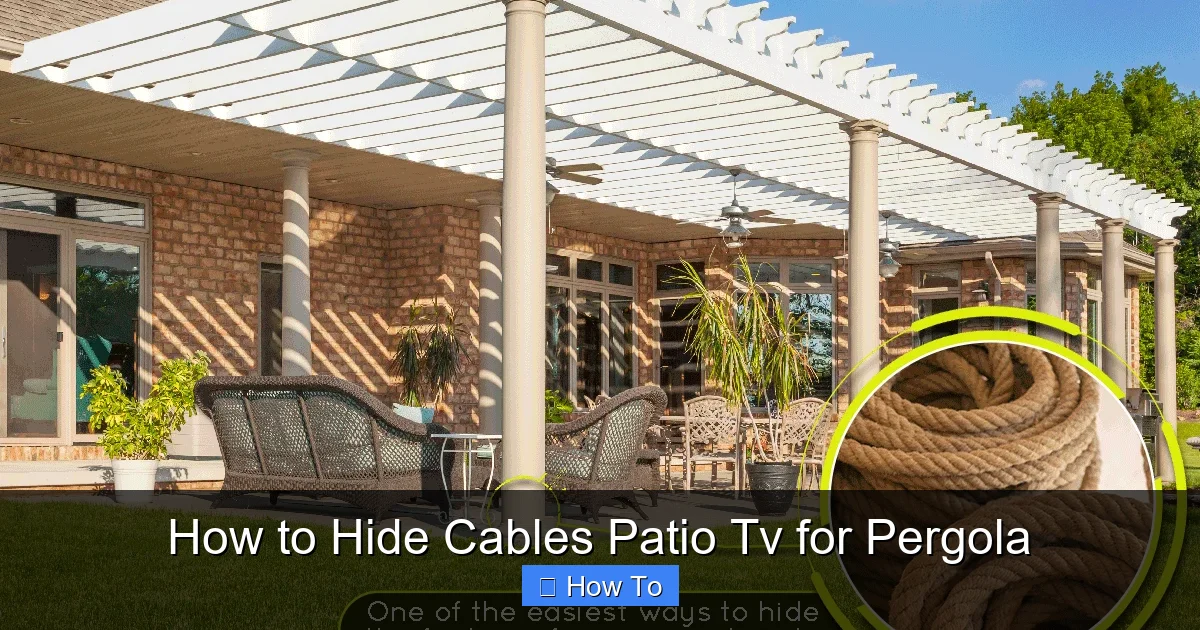
Visual guide about How to Hide Cables Patio Tv for Pergola
Image source: landscapingbase.com
Before you touch a single cable, take time to map out the best path from your TV to the power source, signal source (like a media box or streaming device), and any additional components (soundbar, speakers, etc.).
Assess Your Pergola Layout
Look at your pergola’s structure. Are the beams horizontal or vertical? Is there a ceiling or roof? Can you access the space between beams? These details will determine how you run your cables.
For example:
– If your pergola has open beams, you can run cables along the underside.
– If it has a solid roof or lattice, you may need to route cables through or under it.
– If your TV is mounted on a post, consider running cables inside the post (if hollow) or along its side.
Identify Power and Signal Sources
Where is your power outlet? Is it nearby, or do you need an extension? Is your streaming device (like a Roku, Apple TV, or cable box) close to the TV, or will it be hidden elsewhere?
Tip: Keep your media box as close to the TV as possible to minimize cable length and signal loss. If it must be farther away, use high-quality, long HDMI cables rated for outdoor use.
Sketch a Simple Diagram
Grab a piece of paper or use a free app like SketchUp or even Google Drawings. Sketch your pergola, TV location, power outlet, and media box. Draw arrows showing where each cable will go.
This simple step prevents mistakes, saves time, and helps you buy the right length of conduit or clips.
Step 2: Gather the Right Tools and Materials
Using the wrong materials outdoors can lead to damaged cables, electrical hazards, or a messy look. Here’s what you’ll need:
Essential Materials
- Outdoor-rated cable conduit: Flexible or rigid PVC conduit protects cables from moisture, UV rays, and physical damage. Look for UV-resistant, weatherproof options.
- Cable clips or straps: Use stainless steel or plastic clips designed for outdoor use. Avoid cheap metal ones that rust.
- Weatherproof cable covers: Raceway systems (like Legrand or Wiremold outdoor channels) hide cables along walls or beams.
- Waterproof junction boxes: If you need to splice or connect cables, use sealed boxes rated for outdoor use.
- GFCI outlet: Required by code for outdoor electrical installations. Protects against shocks.
- Outdoor extension cord (if needed): Only use cords rated for outdoor use (look for “SJTW” or “SJTOW” labels).
- Label maker or tape: Label each cable at both ends to avoid confusion later.
Tools You’ll Need
- Drill with masonry bits (if drilling into concrete or stone)
- Measuring tape
- Level
- Screwdriver or impact driver
- Cable puller or fish tape (for tight spaces)
- Utility knife or conduit cutter
- Electrical tape
- Zip ties (outdoor-rated)
Pro Tip: Buy a little extra conduit and clips. It’s better to have spare materials than to run out mid-project.
Step 3: Choose the Best Cable Hiding Method
There’s no one-size-fits-all solution. The best method depends on your pergola’s design and your aesthetic preferences. Here are the most effective options:
Option 1: Run Cables Through Pergola Beams
If your pergola has hollow or drilled beams, this is the cleanest method.
How to Do It
1. Use a drill to create a small hole (just big enough for your cables) at the top or side of a beam.
2. Feed the cables through using a fish tape or flexible rod.
3. Exit the cable at the desired point (near the TV or power source).
4. Seal the entry and exit holes with silicone caulk to prevent water intrusion.
Tip: Group cables together with zip ties before feeding them through to avoid tangling.
Option 2: Use Conduit Along Beams or Posts
If you can’t run cables inside beams, attach conduit to the outside.
How to Do It
1. Measure the length of conduit needed.
2. Cut it to size using a conduit cutter or hacksaw.
3. Attach it to the pergola using outdoor-rated clips or brackets.
4. Run cables through the conduit.
5. Secure the conduit every 12–18 inches to prevent sagging.
Choose a conduit color that matches your pergola (white, black, or brown) for a discreet look.
Option 3: Hide Cables Under Decking or Flooring
If your pergola has a deck or raised floor, run cables underneath.
How to Do It
1. Lift a floorboard near the TV and power source.
2. Run cables under the deck, using clips to secure them to joists.
3. Reinstall the floorboard.
4. Use a small access panel if needed for future maintenance.
This method keeps cables completely out of sight but requires more effort.
Option 4: Use Outdoor Cable Raceway
Raceway is a plastic or metal channel that snaps over cables and mounts to surfaces.
How to Do It
1. Clean the mounting surface (beam, post, or wall).
2. Apply adhesive or screw the raceway in place.
3. Open the cover and lay cables inside.
4. Snap the cover shut.
Raceway is easy to install and remove, making it ideal for renters or temporary setups.
Step 4: Install and Secure the Cables
Now it’s time to put your plan into action.
Step 4.1: Start at the TV
Begin by connecting all cables to your TV—HDMI, power, audio, etc. Leave extra length (about 6–12 inches) for flexibility.
Step 4.2: Route Cables Along the Planned Path
Gently guide cables along your chosen route. Avoid sharp bends, especially with HDMI cables, which can damage internal wires.
Use clips or zip ties to secure cables every 12–18 inches. Don’t overtighten—cables need a little room to expand and contract with temperature changes.
Step 4.3: Protect Connections
If you’re splicing cables or using extension cords, protect the connection with a waterproof junction box.
Example: If your HDMI cable isn’t long enough, use an HDMI extender with a sealed connector box mounted under the pergola.
Step 4.4: Ground and Secure Power Cables
Power cables are heavier and carry more risk. Make sure they’re:
– Connected to a GFCI outlet
– Not pinched or crushed
– Secured away from foot traffic
Never run power cables under rugs or furniture where they can overheat.
Step 5: Test Everything Before Finalizing
Before you seal everything up, test your setup.
Power On and Check
1. Plug in the TV and media box.
2. Turn on the TV and verify the signal.
3. Test audio, video, and remote control functionality.
4. Check for flickering, static, or lag—these could indicate cable damage or interference.
Inspect for Safety Hazards
Look for:
– Exposed wires
– Overheating cables
– Loose connections
– Water pooling near outlets
Fix any issues now. It’s much harder to access cables after they’re hidden.
Step 6: Finalize and Conceal
Once everything works, it’s time to make it look clean.
Trim Excess Cable
Use cable ties or Velcro straps to bundle extra length. Coil it neatly and tuck it behind the TV or inside a junction box.
Install Covers or Panels
Snap on raceway covers, close conduit ends, or install decorative trim to hide hardware.
For a high-end look, paint conduit or raceway to match your pergola.
Add Finishing Touches
– Use cable sleeves to group multiple wires into one neat bundle.
– Install a small outdoor cabinet to hide your media box and power strip.
– Add LED strip lighting under beams—run its cable with your TV wires for a unified look.
Troubleshooting Common Issues
Even with careful planning, problems can arise. Here’s how to fix them:
Problem: Cables Are Too Short
Solution: Use high-quality extension cables rated for outdoor use. Avoid daisy-chaining multiple extensions—this can cause voltage drop or overheating.
Problem: Signal Loss or Interference
Solution: HDMI signals weaken over long distances. Use an HDMI extender with signal boosting, or switch to a wireless HDMI kit.
Problem: Water in Conduit
Solution: Drill small drainage holes at the lowest point of the conduit. Use silicone to seal entry points and prevent future leaks.
Problem: Cables Keep Coming Loose
Solution: Use heavier-duty clips or add more support points. Check for wind vibration—secure cables tightly but not too tight.
Problem: Pets or Wildlife Chewing Cables
Solution: Use metal conduit or armored cable. Install motion-activated deterrents or spray pet-safe repellent around the area.
Safety and Code Compliance
Outdoor electrical work isn’t just about looks—it’s about safety.
Follow Local Electrical Codes
Most areas require:
– GFCI protection for all outdoor outlets
– Conduit for underground or exposed wiring
– Permits for new electrical installations
When in doubt, consult a licensed electrician.
Avoid Overloading Circuits
Your TV, sound system, and lights all draw power. Check your circuit’s capacity (usually 15–20 amps) and don’t exceed 80% of its load.
Example: A 55” TV uses about 100–150 watts. Add a soundbar (50W), lights (100W), and you’re near 300W—well within limits. But add a mini-fridge or heater, and you may need a dedicated circuit.
Use Surge Protection
Outdoor electronics are vulnerable to lightning and power surges. Plug your TV and media box into a high-quality outdoor surge protector.
Maintenance Tips
Keep your setup in top shape with regular checks.
Inspect Every 6 Months
Look for:
– Cracked conduit
– Loose clips
– Frayed cables
– Water damage
Clean Cables and Covers
Wipe down raceway and conduit with a damp cloth to remove dirt and mildew.
Update as Needed
Technology changes fast. Leave room in your conduit for future upgrades—like adding a 4K HDMI cable or smart home device.
Conclusion
Hiding cables for your patio TV under a pergola might seem like a daunting task, but with the right approach, it’s completely manageable. By planning your route, using weatherproof materials, and choosing the best concealment method for your setup, you can create a clean, safe, and stylish outdoor entertainment space.
Remember: A little effort upfront saves headaches later. Test everything, follow safety guidelines, and don’t rush the process. Your future self will thank you when you’re enjoying movie night under the stars—without a single cable in sight.
Whether you go high-tech with conduit or keep it simple with raceway, the result is the same: a beautiful, functional patio that feels like an extension of your home.
Now go enjoy that TV—cable-free and clutter-free!

