
Hiding cables for your patio TV near a pool doesn’t have to be complicated or unsafe. This guide walks you through practical, weather-resistant methods to keep cords out of sight and out of harm’s way—so you can enjoy your outdoor entertainment space without tripping hazards or clutter.
Key Takeaways
- Use weatherproof cable management products: Choose outdoor-rated raceways, conduits, and clips designed to withstand sun, rain, and humidity.
- Route cables away from water and foot traffic: Keep cords elevated or buried safely to prevent slips, electrical hazards, and water damage.
- Plan your TV setup before mounting: Measure distances, identify power sources, and map cable paths to avoid last-minute fixes.
- Combine concealment with style: Use decorative covers, paintable raceways, or integrate cables into furniture or landscape features.
- Ensure electrical safety near water: Always use GFCI outlets and consult an electrician for hardwired installations near pools.
- Regular maintenance prevents issues: Inspect cables and covers seasonally for wear, corrosion, or loose fittings.
- DIY-friendly solutions save time and money: Most cable-hiding methods require basic tools and take under a few hours to complete.
How to Hide Cables Patio TV for Pool Area
Imagine this: you’ve just mounted your sleek patio TV by the pool, the sun is setting, and you’re ready to stream your favorite show under the stars. But then you notice it—the tangled mess of power cords, HDMI cables, and audio wires snaking across the deck, creating an eyesore and a tripping hazard. Not exactly the relaxing oasis you envisioned.
Don’t worry—you’re not alone. Many homeowners face the same challenge when setting up outdoor entertainment spaces. The good news? Hiding cables for your patio TV in a pool area is totally doable, even if you’re not a professional. With the right tools, a bit of planning, and some clever techniques, you can create a clean, safe, and stylish setup that blends seamlessly into your outdoor living space.
In this guide, we’ll walk you through step-by-step methods to hide cables for your patio TV—whether you’re mounting it on a wall, placing it on a stand, or integrating it into a pergola or outdoor kitchen. We’ll cover weatherproof solutions, safety tips, and creative ideas to keep your cords out of sight and out of mind. By the end, you’ll have a clutter-free poolside entertainment zone that’s both functional and beautiful.
Why Cable Management Matters for Poolside TVs
Before diving into the how-to, let’s talk about why proper cable management is so important—especially near a pool.
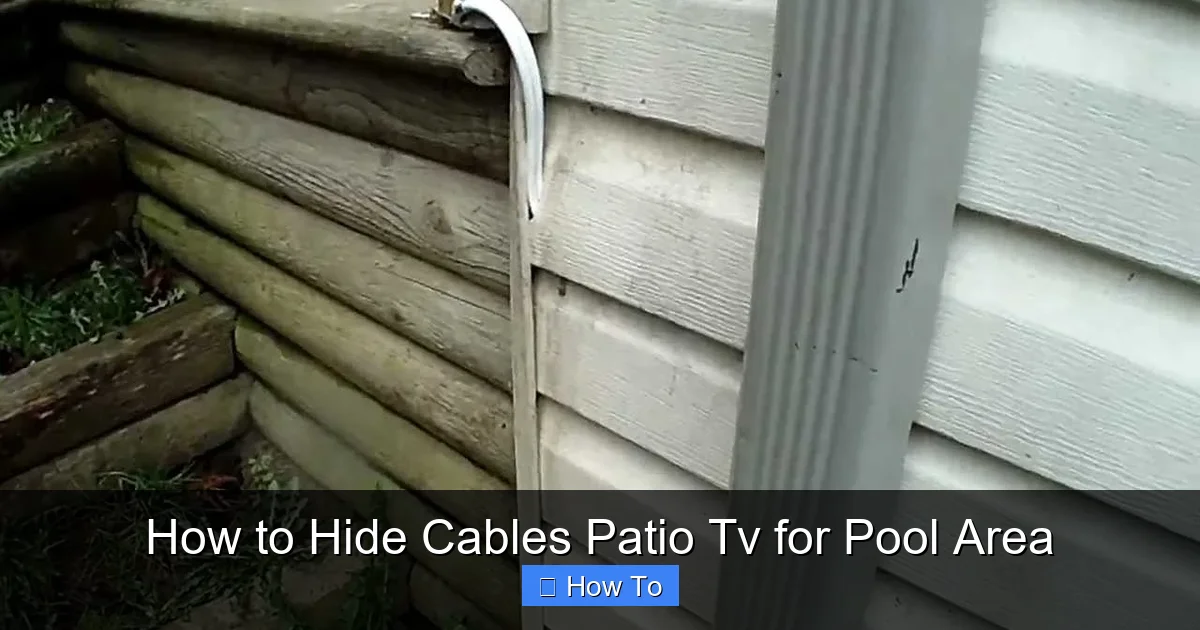
Visual guide about How to Hide Cables Patio Tv for Pool Area
Image source: i.ytimg.com
First, safety is paramount. Water and electricity don’t mix. Exposed cables near a pool increase the risk of electrical shock, especially if cords get wet or damaged. Tripping over loose wires is another common hazard, particularly in areas where people are barefoot or moving quickly.
Second, aesthetics matter. A tangled web of cables ruins the clean, relaxing vibe of your outdoor space. You want your patio to feel like a retreat, not a tech workshop.
Finally, durability is key. Outdoor cables are exposed to UV rays, rain, heat, and humidity. Without proper protection, they can degrade quickly, leading to signal loss, power issues, or even fire risks.
By investing a little time in cable management now, you’ll save yourself headaches later—and enjoy your patio TV setup for years to come.
Step 1: Plan Your TV and Cable Layout
The first step to hiding cables effectively is planning ahead. Rushing into installation without a clear layout often leads to messy, unsafe results.
Assess Your TV Location
Start by deciding where your TV will go. Common spots include:
- Mounted on a wall near the pool deck
- On a weatherproof TV stand or cabinet
- Under a pergola or covered patio
- Integrated into an outdoor kitchen or bar
Once you’ve chosen the spot, consider how far it is from power sources, audio/video equipment (like a soundbar or streaming device), and any other devices you’ll connect.
Map Out Cable Paths
Trace the route each cable will take. For example:
- Power cord from TV to outlet
- HDMI cable from TV to streaming box or receiver
- Audio cables to outdoor speakers
- Ethernet cable for wired internet (optional but recommended for stability)
Measure the distances so you know how much cable and conduit you’ll need. Add a little extra length for flexibility.
Identify Power and Data Sources
Locate the nearest GFCI (Ground Fault Circuit Interrupter) outlet—this is essential for safety near water. If you don’t have one nearby, consult a licensed electrician to install one. Avoid using extension cords long-term; they’re not designed for permanent outdoor use and can pose fire risks.
For internet, consider running an Ethernet cable from your router to the patio area. It’s more reliable than Wi-Fi, especially for 4K streaming. If running a wire isn’t feasible, use a weatherproof Wi-Fi extender.
Step 2: Choose the Right Cable Management Products
Not all cable organizers are created equal—especially for outdoor use. You need products that are weather-resistant, durable, and safe.
Outdoor Cable Raceways
Cable raceways are plastic or metal channels that hide and protect wires along walls or baseboards. Look for models labeled “outdoor” or “UV-resistant.” Popular options include:
- Legrand Surface Mount Raceway: Paintable, easy to install, and available in white or black.
- HellermannTyton Flexible Conduit: Great for curved surfaces or tight spaces.
- D-Line Outdoor Cable Cover: Sleek, low-profile design that blends into walls.
These raceways typically come with adhesive backing or screws for mounting. Make sure to clean the surface before applying adhesive for a strong hold.
Weatherproof Conduit
For longer runs or underground routing, use PVC or flexible metal conduit. This is especially useful if you’re running cables from a house wall to a freestanding TV stand or pergola.
- PVC Conduit: Affordable, easy to cut, and resistant to moisture. Use Schedule 40 for above-ground and Schedule 80 for buried applications.
- Flexible Metal Conduit (FMC): More durable and rodent-resistant, ideal for areas with pests.
Always use conduit connectors and waterproof sealant at entry and exit points to prevent water ingress.
Cable Clips and Ties
For shorter runs or bundling cables together, use outdoor-rated zip ties or adhesive cable clips. Avoid standard plastic ties—they become brittle in sunlight. Instead, opt for:
- UV-resistant zip ties: Made from nylon with added UV inhibitors.
- Stainless steel cable clips: Rust-proof and strong, ideal for mounting to wood or metal.
Decorative Cable Covers
If you want to blend cables into your decor, consider decorative options:
- Painted raceways: Match the color to your wall or fence.
- Fabric cable sleeves: Flexible, colorful covers that bundle multiple wires.
- Wooden cable boxes: Custom-built enclosures that look like outdoor furniture.
Step 3: Install Cable Hiding Solutions
Now that you’ve planned and gathered your materials, it’s time to install. Follow these steps for a clean, professional look.
Mount the TV and Equipment
Start by securely mounting your TV and any devices (like a streaming box or soundbar). Use a weatherproof mount rated for outdoor use. Ensure the TV is level and anchored properly—especially in windy areas.
Run Cables Through Raceways
For wall-mounted TVs, attach the raceway along the wall from the TV down to the outlet or equipment location.
- Use a level to ensure the raceway is straight.
- Cut the raceway to size with a hacksaw or utility knife.
- Insert cables into the channel and snap the cover closed.
- Secure with screws if needed, especially in high-wind areas.
Bury or Elevate Cables for Freestanding Setups
If your TV is on a stand or under a pergola away from the house, you’ll need to run cables across the deck or yard.
- Above ground: Use a flexible conduit or cable cover that sits flat on the deck. Choose a color that matches your flooring.
- Below ground: Dig a shallow trench (6–8 inches deep), lay PVC conduit, run the cables, and cover with soil or gravel. Check local codes—some areas require permits for underground electrical work.
- Along fences or railings: Attach raceways or clips to the side of a fence or deck railing to keep cables off the ground.
Use Furniture to Conceal Cables
Get creative with outdoor furniture. For example:
- Run cables through the legs of a TV stand or cabinet.
- Hide wires behind a planter box or outdoor storage bench.
- Use a cable management box to store excess cord length and power strips.
Just make sure the furniture is stable and won’t trap heat or moisture around the cables.
Step 4: Ensure Electrical Safety Near the Pool
Safety can’t be overstated when dealing with electricity near water. Follow these best practices to protect yourself and your guests.
Use GFCI Protection
All outlets within 6 feet of the pool should be GFCI-protected. These outlets automatically shut off power if they detect a ground fault—like a cord falling into water. Test GFCI outlets monthly by pressing the “Test” and “Reset” buttons.
Avoid Overloading Circuits
Don’t plug too many devices into one outlet. Use a weatherproof power strip with surge protection, but don’t daisy-chain multiple strips together.
Keep Cables Elevated and Dry
Never let cables sit in puddles or pool splash zones. Use conduit, raceways, or clips to keep them at least 6 inches above the ground.
Hire a Professional for Hardwiring
If you’re running new electrical lines or installing underground conduit, hire a licensed electrician. They’ll ensure compliance with the National Electrical Code (NEC) and local regulations.
Step 5: Maintain and Inspect Regularly
Even the best cable management systems need upkeep. Outdoor environments are tough on materials, so regular checks are essential.
Seasonal Inspections
Every 3–6 months, inspect your cables and covers for:
- Cracks or fading in raceways
- Loose clips or adhesives
- Signs of rodent damage
- Corrosion on metal parts
Replace any damaged components immediately.
Clean and Protect
Wipe down raceways and conduits with a damp cloth to remove dirt and mildew. Apply a UV protectant spray to plastic parts to extend their life.
Update as Needed
If you add new devices (like outdoor speakers or a subwoofer), plan the cable routes in advance to avoid a messy retrofit.
Troubleshooting Common Cable Hiding Problems
Even with the best planning, issues can arise. Here’s how to fix common problems.
Problem: Cables Won’t Stay in Raceways
Solution: Use foam inserts or cable ties inside the raceway to keep wires secure. Make sure the raceway is the right size—too big, and cables will flop around.
Problem: Adhesive Clips Keep Falling Off
Solution: Clean the surface with rubbing alcohol before applying. For extra hold, use screws or outdoor-rated double-sided tape.
Problem: Water Gets Into Conduit
Solution: Check all seals and connectors. Use silicone caulk or waterproof tape at entry points. Ensure conduit has a slight downward slope away from the TV to let water drain.
Problem: Signal Loss Over Long HDMI Runs
Solution: Use an active HDMI cable or HDMI over Ethernet extender for runs over 25 feet. Avoid sharp bends in the cable.
Problem: Cables Get Chewed by Animals
Solution: Use metal conduit or armored cable. Install deterrents like motion-activated sprinklers or natural repellents.
Creative Ideas to Enhance Your Setup
Why stop at functional when you can make it fabulous? Here are some stylish ways to hide cables while boosting your patio’s design.
Paintable Raceways
Choose raceways that can be painted to match your wall, fence, or pergola. A quick coat of outdoor paint makes them virtually invisible.
Integrate with Landscaping
Run cables behind shrubs, along garden beds, or under mulch. Just avoid areas with frequent digging or irrigation.
Use Outdoor Art or Decor
Mount a weatherproof painting or sculpture near the TV and route cables behind it. Or use a decorative screen to hide the entire setup.
Build a Cable-Concealing Bench
Construct a simple wooden bench with a hollow base. Run cables through the legs and store the power strip inside. Add cushions for seating.
Conclusion
Hiding cables for your patio TV in a pool area doesn’t have to be a daunting task. With the right planning, tools, and techniques, you can create a safe, clean, and stylish outdoor entertainment space that’s perfect for movie nights, sports games, or just relaxing by the water.
Remember: start with a solid layout, choose weatherproof materials, prioritize electrical safety, and don’t be afraid to get creative. Whether you’re using raceways, conduit, or clever furniture hacks, the goal is the same—enjoy your TV without the clutter.
So grab your tools, follow this guide, and say goodbye to tangled cords. Your dream patio setup is just a few steps away.

