
Hiding cables for your deck TV doesn’t have to be complicated. With simple tools and smart planning, you can create a clean, safe outdoor entertainment area that’s perfect for family gatherings. This guide walks you through practical, budget-friendly methods to conceal wires and keep your deck looking neat and inviting.
Key Takeaways
- Plan your layout first: Measure your deck and TV setup to determine the best cable path and hiding method.
- Use weatherproof cable covers: Outdoor-rated raceways and conduits protect wires from rain, sun, and foot traffic.
- Secure cables under deck boards: Running wires beneath the deck keeps them out of sight and safe from damage.
- Choose wireless alternatives when possible: Reduce cable clutter with Bluetooth speakers, wireless HDMI, or streaming devices.
- Label and organize cables: Use tags or color-coded sleeves to easily identify and manage connections.
- Prioritize safety: Keep cables away from high-traffic areas and use GFCI outlets to prevent electrical hazards.
- Maintain regularly: Check cables and covers seasonally to ensure they’re secure and weatherproof.
How to Hide Cables Deck TV for Family Gatherings
Family gatherings on the deck are one of life’s simple joys—grilling burgers, playing games, and watching the big game or a favorite movie under the stars. But nothing ruins the vibe faster than a tangled mess of cables snaking across your deck floor. Not only do exposed wires look messy, but they’re also a tripping hazard, especially when kids and grandparents are around.
The good news? You don’t need to be a DIY expert or spend a fortune to hide cables for your deck TV. With a few smart strategies, the right tools, and a little planning, you can create a clean, safe, and stylish outdoor entertainment space that’s perfect for hosting. Whether you’re setting up a permanent outdoor TV or just bringing one out for special occasions, this guide will walk you through step-by-step how to hide cables on your deck—so you can focus on what really matters: spending time with family.
In this guide, you’ll learn practical, budget-friendly methods to conceal TV cables, protect them from the elements, and keep your deck looking neat and inviting. From using cable raceways to running wires under the deck, we’ll cover everything you need to know to make your outdoor space both functional and beautiful.
Why Hiding Cables Matters for Deck TVs
Before diving into the how-to, let’s talk about why hiding cables is so important—especially for outdoor setups.
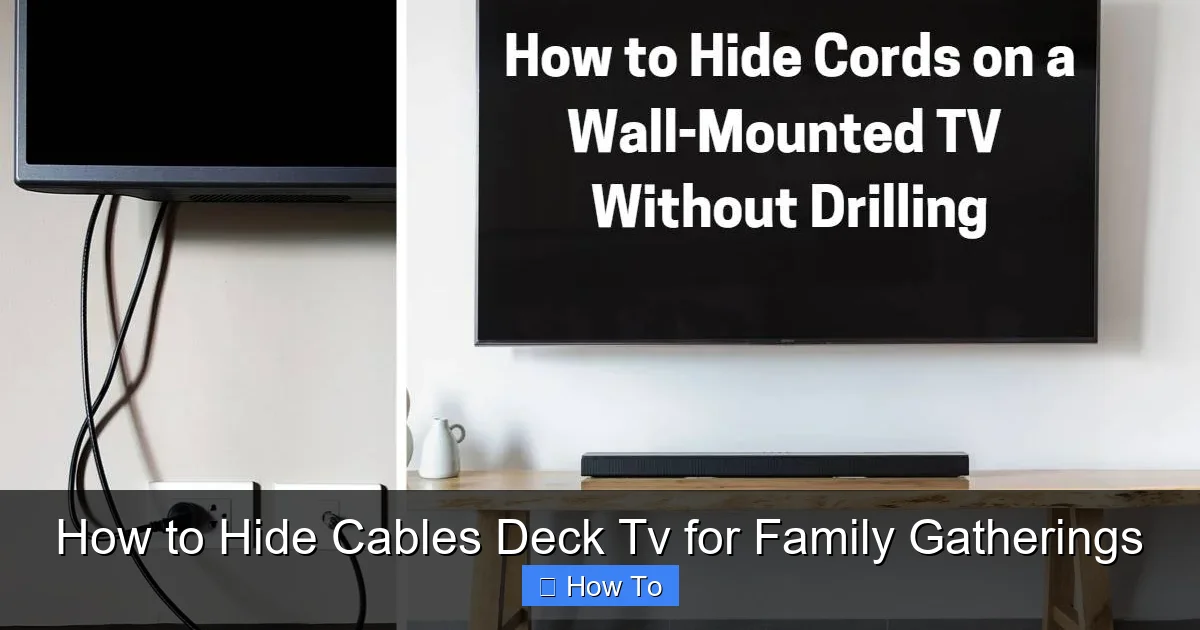
Visual guide about How to Hide Cables Deck Tv for Family Gatherings
Image source: cdn1.homewaresinsider.com
First, safety. Exposed cables are a tripping hazard, particularly on a deck where people are walking, playing, or dancing. A single misstep over a power cord could lead to injury or damage to your equipment. Second, weather protection. Outdoor cables are exposed to rain, snow, UV rays, and temperature swings. Without proper shielding, they can degrade quickly, leading to electrical issues or fire risks.
Then there’s aesthetics. A clean, cable-free deck looks more inviting and professional. It enhances the overall ambiance, making your outdoor space feel like a true extension of your home. And finally, durability. Properly hidden and protected cables last longer, saving you money and hassle in the long run.
Whether you’re hosting a birthday party, a holiday dinner, or just a casual movie night, a well-organized deck TV setup ensures your gatherings go smoothly—without the stress of tangled wires or safety concerns.
Step 1: Plan Your Cable Layout
The first step to hiding cables is planning. Rushing into installation without a clear plan can lead to messy results, damaged cables, or even electrical problems. Take time to map out your setup before you start drilling or taping.
Assess Your Deck and TV Setup
Start by measuring your deck. Note the distance between your TV, power source, and any other devices like speakers, streaming boxes, or gaming consoles. Consider where people will sit, walk, and gather—this helps you avoid running cables through high-traffic zones.
Next, identify where your TV will be mounted. Is it on a wall, a freestanding stand, or a weatherproof enclosure? The location affects how and where you’ll route your cables. For example, a wall-mounted TV near a corner might allow you to run cables behind the wall or along the edge of the deck.
List All Cables You’ll Need
Make a list of every cable required for your setup. Common ones include:
- Power cable for the TV
- HDMI cables (for streaming devices, gaming consoles, etc.)
- Audio cables (if using external speakers)
- Ethernet cable (for wired internet, if needed)
- Extension cords or power strips
Knowing exactly what you’re working with helps you choose the right hiding method and avoid last-minute runs to the hardware store.
Choose the Best Cable Path
Look for the shortest, safest route from your TV to the power source and other devices. Ideally, cables should run along edges, under deck boards, or through existing structures like railings or support beams. Avoid crossing open areas where people walk.
If your deck has a railing, consider running cables behind it. If it’s elevated, running wires underneath is often the cleanest option. For ground-level decks, surface-mounted raceways or decorative covers may be your best bet.
Step 2: Use Weatherproof Cable Raceways
One of the easiest and most effective ways to hide deck TV cables is with weatherproof cable raceways. These are plastic or metal channels designed to hold and protect wires while keeping them out of sight.
Why Raceways Work Great Outdoors
Raceways are ideal for decks because they’re durable, easy to install, and come in colors that blend with wood, composite, or metal surfaces. Most are UV-resistant and waterproof, so they won’t crack or fade in the sun or rain.
They also keep cables organized. Instead of a jumble of wires, you get a neat, single channel that can be painted or stained to match your deck.
How to Install Cable Raceways
Here’s how to install them in a few simple steps:
1. Clean the surface. Wipe down the area where you’ll attach the raceway with soap and water. Let it dry completely.
2. Measure and cut. Use a measuring tape to determine the length needed. Most raceways can be cut with a hacksaw or utility knife.
3. Attach the raceway. Use outdoor-rated adhesive, screws, or mounting clips to secure the raceway to the deck. For wood decks, screws work best. For composite, adhesive or clips are safer to avoid damaging the material.
4. Insert the cables. Open the raceway (most have a snap-on cover), lay the cables inside, and close it securely.
5. Paint or stain (optional). If desired, paint the raceway to match your deck. Use exterior-grade paint for best results.
Pro Tips for Using Raceways
- Choose raceways with a removable cover for easy access to cables.
- Use corner pieces or flexible raceways for turns and curves.
- Don’t overfill the raceway—leave 20–30% space for airflow and future additions.
- Label the ends of the raceway so you know which cables are inside.
Step 3: Run Cables Under the Deck
If your deck is elevated, running cables underneath is one of the cleanest and most professional-looking solutions. It keeps wires completely out of sight and protects them from foot traffic and weather.
Benefits of Under-Deck Routing
Running cables under the deck offers several advantages:
- Maximum concealment: No visible wires on the deck surface.
- Enhanced safety: No tripping hazards.
- Better weather protection: Cables are shielded from rain, snow, and sun.
- Cleaner look: Your deck stays clutter-free and stylish.
How to Run Cables Under the Deck
Follow these steps to safely route cables beneath your deck:
1. Plan the route. Identify where the cables will enter and exit the under-deck space. Common entry points include near the TV mount, along support posts, or through the deck’s rim joist.
2. Use conduit for protection. Don’t just drop cables under the deck—use PVC or flexible conduit to protect them from moisture, pests, and physical damage. Conduit also makes future upgrades easier.
3. Drill access holes. Use a drill with a long bit to create holes in the deck boards or rim joist. Be careful not to weaken structural supports. Seal holes with outdoor caulk to prevent water intrusion.
4. Feed the cables. Attach the cables to a fish tape or pull string and guide them through the conduit. Work slowly to avoid kinks or damage.
5. Secure the cables. Use zip ties or cable clamps to fasten the conduit and cables to the underside of the deck. Keep them away from standing water or low spots where moisture collects.
6. Connect to power. Run the power cable to a GFCI (Ground Fault Circuit Interrupter) outlet located under the deck or nearby. Never use indoor extension cords outdoors.
Safety Tips for Under-Deck Routing
- Always turn off power at the breaker before working with electrical cables.
- Use outdoor-rated, UV-resistant cables and conduit.
- Avoid running power and data cables in the same conduit—this can cause interference.
- Check local building codes—some areas require permits for electrical work under decks.
Step 4: Use Wireless Alternatives to Reduce Cable Clutter
One of the best ways to hide cables is to use fewer of them. Wireless technology has come a long way, and many devices now offer reliable, high-quality wireless connections.
Wireless HDMI for TV Streaming
Instead of running long HDMI cables from your streaming box to the TV, consider a wireless HDMI kit. These systems transmit video and audio signals from a transmitter (connected to your source) to a receiver (connected to your TV) without wires.
Wireless HDMI is great for decks because it eliminates the need for long, visible cables. Just make sure the transmitter and receiver have a clear line of sight and are within range (usually 30–100 feet, depending on the model).
Bluetooth Speakers
If you’re using external speakers, switch to Bluetooth or Wi-Fi-enabled speakers. Many outdoor speakers are weatherproof and designed for deck use. Pair them with your TV or streaming device, and you’ll eliminate audio cables entirely.
For larger gatherings, consider a multi-room system like Sonos or Bose, which lets you stream audio to multiple speakers around your deck and yard.
Streaming Devices with Built-in Wi-Fi
Use streaming devices like Roku, Apple TV, or Amazon Fire Stick that connect directly to your TV via HDMI and stream content over Wi-Fi. This reduces the need for additional cables and keeps your setup simple.
Just make sure your outdoor Wi-Fi signal is strong. If not, consider a Wi-Fi extender or mesh network to boost coverage to your deck.
Wireless Charging and Power Stations
For smaller devices like phones or tablets, use wireless charging pads or portable power stations. This reduces the number of charging cables cluttering your deck.
Step 5: Secure and Organize Cables with Clips and Ties
Even with raceways and wireless tech, some cables may still be visible. Use cable clips, ties, and sleeves to keep them neat and secure.
Cable Clips and Adhesive Mounts
Use outdoor-rated cable clips to attach wires to deck railings, posts, or under tables. These small plastic or metal clips hold cables in place without damaging surfaces.
For a cleaner look, choose clips that match your deck color or paint them to blend in.
Zip Ties and Velcro Straps
Bundling cables together with zip ties or reusable Velcro straps reduces clutter and prevents tangling. Use weatherproof zip ties for outdoor use—regular ones can become brittle in the sun.
For a more polished look, use cable sleeves—flexible fabric or plastic tubes that wrap around multiple cables. They come in various colors and can be cut to size.
Label Your Cables
Use labels or colored tape to mark each cable at both ends. This makes troubleshooting and upgrades much easier. For example, label one HDMI cable “Fire Stick” and another “Gaming Console.”
Step 6: Protect Cables from Weather and Wear
Outdoor cables face harsh conditions. Protect them to ensure safety and longevity.
Use GFCI Outlets
Always plug outdoor TVs and devices into a GFCI outlet. These outlets shut off power automatically if they detect a ground fault, preventing electric shock.
If your deck doesn’t have a GFCI outlet, hire a licensed electrician to install one. Never use indoor outlets for outdoor equipment.
Weatherproof All Connections
Use weatherproof outlet covers and outdoor electrical boxes to protect plugs and connections from rain and dust. For extra protection, apply dielectric grease to connections to prevent corrosion.
Elevate Cables Off the Ground
Never let cables sit directly on wet deck surfaces. Use cable ramps, hooks, or raceways to keep them elevated and dry.
Troubleshooting Common Cable Hiding Problems
Even with the best planning, issues can arise. Here’s how to solve common problems:
Problem: Cables Are Still Visible
Solution: Reassess your layout. Try a different raceway color, run cables under the deck, or switch to wireless options. Sometimes a small adjustment makes a big difference.
Problem: Raceways Are Loose or Falling Off
Solution: Use stronger adhesive or switch to screws. Make sure the surface is clean and dry before attaching.
Problem: Cables Get Damaged in the Rain
Solution: Replace indoor cables with outdoor-rated ones. Use conduit or raceways with tight seals. Check connections regularly for corrosion.
Problem: Wireless Signal Is Weak
Solution: Move the transmitter closer to the receiver, remove obstacles, or upgrade to a stronger wireless system. Consider a Wi-Fi extender for streaming devices.
Maintaining Your Cable Setup
Once your cables are hidden, don’t forget to maintain them. Check your setup at least twice a year—before summer gatherings and after winter.
- Inspect raceways and clips for damage or looseness.
- Look for frayed cables or corroded connections.
- Clean dust and debris from covers and outlets.
- Test all devices to ensure they’re working properly.
Regular maintenance keeps your deck safe and your TV ready for the next family event.
Conclusion
Hiding cables for your deck TV doesn’t have to be a headache. With a little planning and the right tools, you can create a clean, safe, and stylish outdoor entertainment space that’s perfect for family gatherings. Whether you use weatherproof raceways, run cables under the deck, or go wireless, the key is to prioritize safety, durability, and aesthetics.
Remember: a clutter-free deck isn’t just about looks—it’s about creating a welcoming environment where everyone can relax and enjoy the moment. So take the time to hide those cables, protect your equipment, and make your deck the ultimate spot for movies, games, and good times with the people you love.

