
Hiding cables for your backyard TV on a screened porch doesn’t have to be complicated. This guide walks you through simple, effective methods to keep wires out of sight while maintaining safety and aesthetics. Enjoy a clean, trip-free outdoor entertainment space with these practical tips.
Key Takeaways
- Plan your cable route first: Map out the path from your TV to power and signal sources before running any wires to avoid mistakes and rework.
- Use weatherproof conduit for outdoor runs: Protect cables from moisture, UV rays, and pests with UV-resistant, waterproof conduit designed for outdoor use.
- Choose the right cable management products: Select clips, raceways, or trunking that match your porch’s material—wood, vinyl, or screen—for a seamless look.
- Secure cables along structural elements: Run wires along beams, posts, or under flooring to keep them hidden and reduce clutter.
- Label and organize cables: Use labels or color-coded ties to identify power, HDMI, and audio cables for easy troubleshooting later.
- Test everything before final installation: Ensure all connections work before securing cables permanently to avoid frustrating rewiring.
- Prioritize safety and code compliance: Follow local electrical codes and avoid overloading circuits to prevent fire hazards.
How to Hide Cables Backyard TV for Screened Porch
So, you’ve finally set up your backyard TV on the screened porch—perfect for game nights, movie marathons, or just relaxing with a show under the stars. But now you’re staring at a tangled mess of cables snaking across the floor, behind furniture, or dangling from the ceiling. Not only does it look messy, but it’s also a tripping hazard and could damage your equipment over time.
The good news? Hiding cables for your backyard TV on a screened porch is totally doable—even if you’re not a DIY expert. With the right tools, a bit of planning, and some clever cable management techniques, you can create a clean, safe, and stylish outdoor entertainment space.
In this guide, we’ll walk you step by step through the process of hiding your TV cables on a screened porch. Whether you’re dealing with power cords, HDMI cables, speaker wires, or internet connections, we’ve got you covered. You’ll learn how to route cables safely, choose the best hiding methods for your space, and keep everything organized for the long term.
By the end of this guide, your screened porch will look sleek and professional—no more unsightly wires ruining the vibe. Let’s get started!
Step 1: Assess Your Setup and Plan the Cable Route
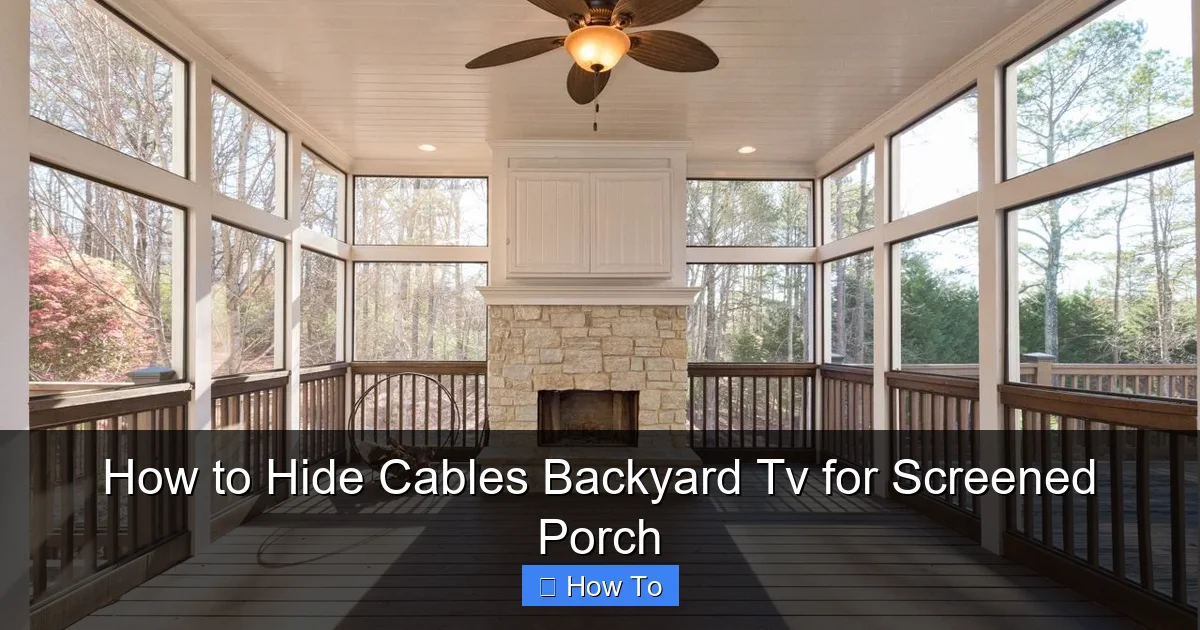
Visual guide about How to Hide Cables Backyard Tv for Screened Porch
Image source: i.pinimg.com
Before you start drilling holes or buying supplies, take a few minutes to evaluate your current setup. This planning phase is crucial—it saves time, prevents mistakes, and ensures your final result looks great.
Identify All Cables You Need to Hide
Start by listing every cable connected to your TV. Common ones include:
– Power cord (for the TV and any streaming devices)
– HDMI cables (for cable boxes, game consoles, or soundbars)
– Ethernet cable (for wired internet, if used)
– Speaker or audio cables (if you have external speakers)
– USB cables (for streaming sticks or external drives)
Lay them out and see how many you’re dealing with. This helps you choose the right management solution—like a single raceway for multiple wires or individual clips for simpler setups.
Map Out the Ideal Cable Path
Next, trace the shortest and most discreet route from your TV to the power outlet and other devices. On a screened porch, you’ll typically run cables:
– Along the wall or ceiling
– Behind furniture
– Under the floor (if accessible)
– Through or along support beams
Avoid crossing high-traffic areas. For example, don’t run cables across the middle of the floor where people walk. Instead, tuck them along the baseboard or under a rug (if safe and weatherproof).
Check for Obstacles and Hazards
Look for potential problems:
– Screened walls may not support heavy conduit
– Moisture from rain or humidity can damage unprotected cables
– Pets or pests might chew on exposed wires
– Electrical codes may require specific installation methods
Take notes on these challenges so you can address them in your plan.
Measure and Note Distances
Use a tape measure to determine how much cable management material you’ll need. For example:
– How far is the TV from the nearest outlet?
– How long is the run to your streaming device or sound system?
– Do you need extra length for slack or future adjustments?
Write these measurements down—they’ll help you buy the right amount of conduit, raceways, or clips.
Step 2: Choose the Right Cable Management Solutions
Now that you’ve planned your route, it’s time to pick the best tools for hiding your cables. The right products make all the difference in both function and appearance.
Weatherproof Conduit for Outdoor Use
Since your screened porch is exposed to the elements, standard indoor cable covers won’t cut it. You need weatherproof conduit made from UV-resistant, waterproof materials like PVC or flexible plastic.
Look for:
– UV-stabilized conduit (won’t crack or fade in sunlight)
– Waterproof seals or grommets
– Flexible options for tight corners
– Pre-slit designs for easy cable insertion
Popular brands include DripStop, Wiremold Outdoor, and Southwire. A 1-inch diameter conduit usually fits multiple cables comfortably.
Cable Raceways and Trunking
Raceways are plastic or metal channels that snap over cables and mount to walls or ceilings. They’re great for straight runs and come in paintable finishes to match your porch.
Choose raceways that are:
– Rated for outdoor use
– Easy to open and close (for future upgrades)
– Available in lengths that match your route
For a seamless look, paint the raceway to blend with your wall or trim.
Cable Clips and Ties
For simpler setups or shorter runs, use adhesive-backed clips or zip ties. These work well for:
– Securing a single power cord along a beam
– Bundling HDMI cables behind the TV
– Keeping wires tidy under furniture
Opt for outdoor-rated adhesive clips that won’t peel off in heat or humidity. For zip ties, use UV-resistant ones to prevent brittleness.
In-Wall Solutions (If Permitted)
If your screened porch has interior walls (not just screens), you might consider in-wall cable management. This involves:
– Cutting a small channel in the wall
– Running cables through the cavity
– Installing wall plates for HDMI or Ethernet
Warning: Only do this if you’re comfortable with basic electrical work and your local building codes allow it. When in doubt, consult a licensed electrician.
Under-Floor or Behind-Furniture Routing
If your porch has a raised floor or space beneath furniture, you can route cables underneath. Use:
– Flexible conduit to guide wires
– Cable ramps to protect them from foot traffic
– Velcro straps to keep bundles neat
This method keeps cables completely out of sight but requires access to the underside of the porch.
Step 3: Prepare the Area and Gather Tools
Before installing anything, make sure your workspace is ready and you have all the tools you need.
Turn Off Power and Unplug Devices
Safety first! Unplug your TV and all connected devices. If you’re working near outlets or wiring, turn off the circuit breaker to prevent shocks.
Gather Your Tools and Materials
Here’s a checklist of what you’ll likely need:
– Weatherproof conduit or raceway
– Cable clips or zip ties
– Drill and drill bits (for mounting)
– Screws and wall anchors
– Measuring tape
– Level (to keep runs straight)
– Utility knife or conduit cutter
– Cable lubricant (for tight pulls)
– Labels or colored tape (for organization)
– Paint and brush (to match raceways)
Having everything on hand prevents frustrating mid-project trips to the hardware store.
Clear the Space
Move furniture, plants, or decor out of the way. This gives you room to work and reduces the risk of damaging your belongings.
Step 4: Run and Secure the Cables
Now comes the fun part—actually hiding those cables!
Start at the TV and Work Backward
Begin at the TV and follow your planned route. This helps you maintain tension and avoid kinks or twists in the cables.
Use Conduit for Long or Exposed Runs
For runs along the wall or ceiling, install weatherproof conduit:
1. Measure and cut the conduit to length.
2. Drill pilot holes for mounting brackets.
3. Secure the conduit with screws and anchors.
4. Feed the cables through using a fish tape or string if needed.
5. Seal any open ends with waterproof caps or silicone.
Tip: Use a cable lubricant to make pulling easier, especially around corners.
Mount Raceways Neatly
For raceways:
1. Clean the surface with rubbing alcohol.
2. Mark the mounting points with a pencil.
3. Drill holes and insert wall anchors.
4. Screw the raceway base in place.
5. Insert cables and snap on the cover.
6. Use a level to ensure it’s straight.
Paint the raceway after installation for a custom look.
Secure Cables with Clips or Ties
For shorter runs or behind furniture:
– Stick adhesive clips every 12–18 inches.
– Use zip ties to bundle cables together.
– Trim excess tie ends to avoid sharp edges.
Avoid over-tightening zip ties—they can damage cable insulation.
Bend Cables Gently
Never force cables into tight bends. Most HDMI and power cables have a minimum bend radius (usually 4–6 times the cable diameter). Sharp bends can break internal wires and cause signal loss.
Leave Slack for Adjustments
Don’t pull cables taut. Leave a little extra length at both ends so you can move the TV or swap devices without straining the connections.
Step 5: Test Everything Before Finalizing
Before you call it done, test all your connections to make sure everything works.
Plug In and Power Up
Reconnect all devices and turn the power back on. Check:
– Does the TV turn on?
– Are all HDMI sources working (cable box, game console, etc.)?
– Is the internet connection stable (if using Ethernet)?
– Do external speakers produce sound?
If something isn’t working, double-check your connections. A loose HDMI cable or damaged wire could be the culprit.
Look for Signal Issues
Long cable runs can sometimes cause signal degradation, especially with HDMI. If you notice flickering, lag, or no picture:
– Use a high-quality, certified HDMI cable (look for “High Speed” or “Ultra High Speed” labels)
– Consider an HDMI extender or signal booster for runs over 25 feet
– Avoid running HDMI cables parallel to power cords (can cause interference)
Make Adjustments if Needed
If a cable is too tight, too loose, or not hidden well, now’s the time to fix it. It’s much easier to adjust before everything is permanently secured.
Step 6: Finalize and Maintain Your Setup
Once everything is working and looking good, it’s time to finish the job and keep it that way.
Label Your Cables
Use labels or colored tape to mark each cable at both ends. For example:
– “HDMI 1 – Cable Box”
– “Power – Soundbar”
– “Ethernet – Router”
This makes future troubleshooting or upgrades much easier.
Secure Loose Ends
Tuck any excess cable into a cable management box or behind the TV. Use Velcro straps to keep bundles neat.
Inspect Regularly
Every few months, check your cables for:
– Signs of wear or fraying
– Loose clips or raceways
– Pest damage (especially in outdoor areas)
– Moisture buildup in conduit
Catching problems early prevents bigger issues down the road.
Upgrade as Needed
As technology evolves, you might add new devices or switch to wireless options (like Bluetooth speakers or Wi-Fi streaming). Keep your cable management flexible so you can adapt without starting over.
Troubleshooting Common Issues
Even with the best planning, problems can happen. Here’s how to fix the most common ones.
Cables Won’t Fit in Conduit
If your cables are too thick or numerous:
– Use a larger diameter conduit
– Split cables into multiple runs
– Switch to flat HDMI cables (they’re more flexible)
Adhesive Clips Keep Falling Off
This usually happens in humid or hot conditions. Fix it by:
– Cleaning the surface thoroughly before applying
– Using outdoor-rated, heavy-duty adhesive
– Switching to screw-mounted clips for permanent holds
Signal Loss Over Long Distances
For HDMI or Ethernet runs over 25 feet:
– Use active cables with built-in signal boosters
– Install a repeater or extender
– Consider wireless alternatives (like a wireless HDMI kit)
Water Getting Into Conduit
If moisture is a problem:
– Use conduit with sealed ends
– Install drip loops (a downward curve before the cable enters the TV)
– Apply silicone sealant around entry points
Pets Chewing on Cables
Protect exposed wires with:
– Conduit or raceways
– Bitter-tasting sprays (pet-safe)
– Cable guards or sleeves
Conclusion
Hiding cables for your backyard TV on a screened porch might seem like a small detail, but it makes a big difference in how your outdoor space looks and feels. A clean, organized setup not only looks more professional but also keeps your equipment safe and reduces tripping hazards.
By following this guide—planning your route, choosing weatherproof solutions, and testing everything—you’ve created a setup that’s both functional and attractive. Whether you used conduit, raceways, or clever behind-the-scenes routing, your screened porch is now ready for years of enjoyable outdoor entertainment.
Remember, the key to success is preparation and patience. Take your time, use the right materials, and don’t skip the testing phase. And if you ever need to upgrade or rearrange, your labeled, organized cables will make the process a breeze.
So grab your favorite blanket, fire up the TV, and enjoy your beautifully cable-free backyard oasis. Your future self will thank you!

