
Hiding cables for your backyard TV near the pool doesn’t have to be messy or unsafe. This guide walks you through practical, weather-resistant methods to keep wires out of sight and out of harm’s way—so you can enjoy movie nights by the water without tripping hazards or exposed cords.
Key Takeaways
- Prioritize safety first: Always use outdoor-rated, waterproof cables and avoid running power near standing water to prevent electrical hazards.
- Plan your cable route carefully: Map out the shortest, safest path from your TV to the power source and other devices before drilling or digging.
- Use weatherproof conduit or raceways: These protect cables from sun, rain, and pool chemicals while keeping them hidden from view.
- Anchor cables securely: Use clips, ties, or adhesive mounts designed for outdoor use to prevent sagging or damage over time.
- Test everything before final installation: Ensure all connections work and signal quality is strong before sealing cables in place.
- Consider wireless alternatives: For non-power cables like HDMI, wireless transmitters can reduce clutter and simplify setup.
- Maintain access for future repairs: Avoid permanently sealing cables; leave access points for troubleshooting or upgrades.
How to Hide Cables Backyard TV for Pool Area
Imagine this: You’ve just set up your dream outdoor entertainment zone—a sleek TV mounted near the pool, perfect for summer movie nights, sports games, or binge-watching your favorite shows under the stars. But there’s one problem: a tangled mess of cables snaking across the patio, dangling down the wall, or worse—lying near the pool deck where someone could trip or water could splash onto them.
Don’t let exposed wires ruin your backyard oasis. Hiding cables for your backyard TV in a pool area isn’t just about aesthetics—it’s about safety, durability, and long-term enjoyment. Whether you’re mounting your TV on a pergola, a wall, or a freestanding post, this complete guide will show you how to hide cables neatly, protect them from the elements, and keep your outdoor space looking clean and inviting.
In this step-by-step how-to guide, you’ll learn:
– How to choose the right outdoor-rated cables and protective materials
– The best routes to run cables safely around your pool area
– DIY methods for concealing wires using conduit, raceways, and natural landscaping
– Tips for securing cables without damaging your home or deck
– How to test and maintain your setup for years of trouble-free use
Let’s dive in—safely and stylishly.
Why Hiding Cables Matters in a Pool Area
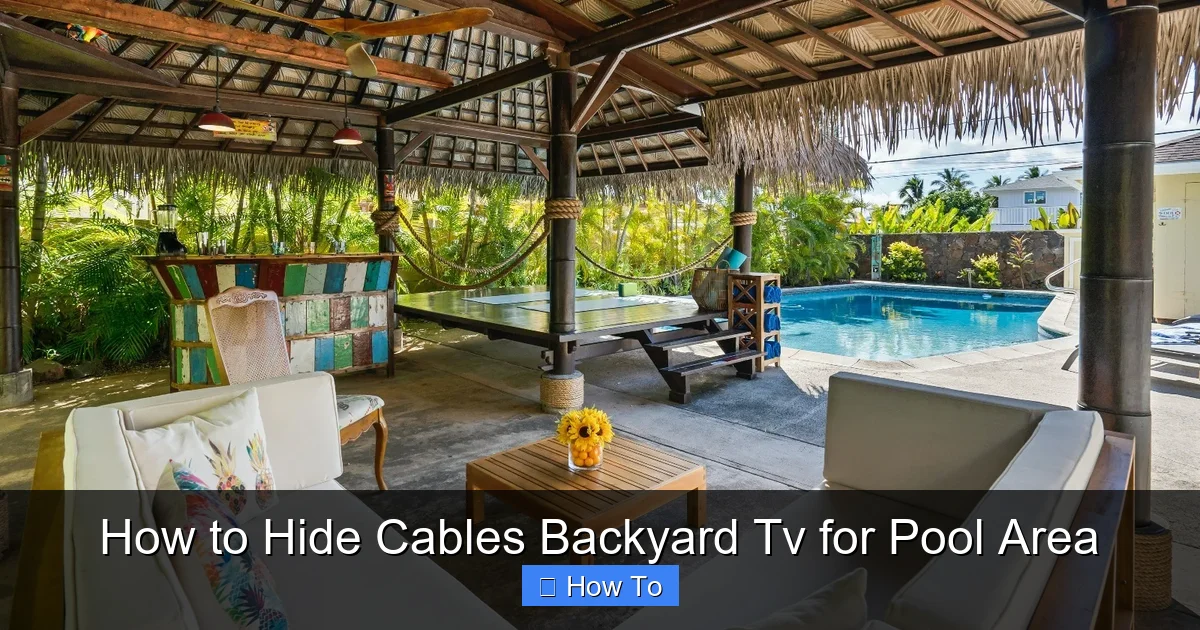
Visual guide about How to Hide Cables Backyard Tv for Pool Area
Image source: housedigest.com
Before we get into the “how,” let’s talk about the “why.” Hiding cables isn’t just about making your space look tidy—it’s essential for safety and functionality, especially near water.
1. Safety First: Water and electricity don’t mix. Exposed power cords near a pool increase the risk of electric shock, especially if cables get wet or damaged. Even low-voltage cables like HDMI can pose risks if frayed or improperly insulated.
2. Prevent Tripping Hazards: Cables running across walkways, decks, or grass can easily become tripping hazards—particularly in low light or when guests are barefoot by the pool.
3. Protect Equipment: Sun, rain, chlorine splashes, and humidity can degrade standard indoor cables over time. Outdoor-rated cables and proper shielding help your TV, soundbar, and streaming devices last longer.
4. Enhance Aesthetics: A clean, wire-free setup makes your outdoor space feel more like a luxurious retreat and less like a DIY project gone wrong.
5. Increase Property Value: A well-designed outdoor entertainment area with hidden wiring looks professional and can boost your home’s appeal if you ever sell.
Now that you know why it’s important, let’s get into the practical steps.
Step 1: Plan Your Cable Route
The first—and most crucial—step is planning. Rushing into installation without a map can lead to messy results, damaged walls, or unsafe cable runs.
Assess Your Setup
Start by identifying:
– Where your TV will be mounted (wall, post, pergola, etc.)
– Where your power source is (outlet location)
– Where other devices are (streaming box, sound system, gaming console)
– The shortest and safest path between them
Avoid running cables through areas where people walk, swim, or lounge. Keep power cables at least 6 feet away from the pool edge, as recommended by the National Electrical Code (NEC).
Sketch a Simple Diagram
Grab a piece of paper or use a free app like SketchUp or even Google Drawings. Sketch your pool area and mark:
– TV location
– Power outlet
– Device locations
– Proposed cable path
This visual helps you spot potential problems early—like needing to cross a doorway or drill through a load-bearing wall.
Measure Cable Lengths
Buy cables that are long enough to reach—but not so long they create excess slack. Extra cable can be coiled and hidden, but too much can look messy or get tangled.
Pro tip: Add 10–15% extra length to your measurements to allow for routing around corners or securing with clips.
Step 2: Choose the Right Outdoor Cables
Not all cables are created equal—especially when it comes to outdoor use. Using indoor cables outside can lead to overheating, signal loss, or even fire hazards.
Use Outdoor-Rated Cables
Look for cables labeled “direct burial,” “outdoor,” or “UV-resistant.” These are designed to withstand:
– Sunlight (UV rays)
– Rain and moisture
– Temperature fluctuations
– Pool chemicals (like chlorine)
Common outdoor-rated cables include:
– Outdoor HDMI cables: Shielded to prevent interference, often with weatherproof connectors.
– Outdoor power extension cords: Heavy-duty, water-resistant, and grounded.
– Ethernet cables (Cat 6 or higher): For wired internet to streaming devices.
Avoid using standard indoor extension cords—they’re not safe for outdoor use.
Consider Wireless Options
For non-power cables, wireless can simplify your setup:
– Wireless HDMI transmitters: Send video/audio from your streaming box to the TV without a physical cable. Great for short distances (up to 30–50 feet).
– Bluetooth speakers: Eliminate audio cables if you’re using a separate sound system.
Note: Wireless isn’t always reliable in areas with interference (like near pool pumps or Wi-Fi routers), so test before committing.
Step 3: Choose a Cable Hiding Method
Now for the fun part—hiding those cables! There are several effective methods, depending on your setup, budget, and DIY skill level.
Option 1: Use Outdoor Conduit
Conduit is a protective tube that houses and shields cables. It’s durable, weatherproof, and perfect for permanent installations.
Types of Conduit:
– PVC Conduit: Affordable, easy to cut, and resistant to moisture. Ideal for underground or surface mounting.
– Metal Conduit (EMT): Stronger and more fire-resistant, but harder to work with and may corrode near saltwater pools.
– Flexible Conduit: Great for tight spaces or curved paths.
How to Install:
1. Measure and cut the conduit to fit your cable route.
2. Use conduit straps or clips to secure it to walls, posts, or under decks.
3. Feed cables through using a fish tape or string.
4. Seal ends with waterproof conduit caps or silicone to keep moisture out.
Tip: Paint PVC conduit to match your wall or deck for a seamless look.
Option 2: Install Cable Raceways
Raceways are plastic or metal channels that snap onto walls or trim. They’re less invasive than conduit and great for straight runs.
Best For:
– Mounting on siding, stucco, or concrete
– Hiding power and HDMI cables along baseboards or under eaves
Installation Steps:
1. Clean the surface where the raceway will go.
2. Mark the route and drill pilot holes if needed.
3. Secure the raceway base with outdoor-rated screws or adhesive.
4. Insert cables, then snap on the cover.
Look for raceways with UV protection and watertight seals.
Option 3: Bury Cables Underground
If your TV is far from the power source, consider burying cables in a trench.
Requirements:
– Use direct burial-rated cables or run them through PVC conduit.
– Bury at least 18 inches deep (per NEC guidelines).
– Avoid areas with tree roots or heavy foot traffic.
Steps:
1. Rent or buy a trenching tool or use a shovel for shallow trenches.
2. Lay conduit or cable in the trench.
3. Cover with soil and mark the path (use landscape stakes or a map).
4. Add a warning tape 6 inches above the conduit to alert future diggers.
Note: Check local codes and call 811 before digging to locate underground utilities.
Option 4: Use Natural Landscaping
Blend cables into your garden or deck for a hidden, organic look.
Ideas:
– Run cables under mulch or gravel along garden beds.
– Tuck wires behind potted plants or outdoor furniture.
– Use vine trellises or climbing plants (like ivy or jasmine) to camouflage wall-mounted cables.
Caution: Don’t bury non-burial cables directly in soil—moisture will damage them.
Option 5: Hide Cables in Decking or Railings
If your TV is near a deck, get creative with built-in hiding spots.
Methods:
– Drill holes through deck posts to run cables vertically.
– Use hollow railings as cable channels (if structurally safe).
– Install a false base or skirt under a deck to conceal wires.
Always use drill bits designed for outdoor wood and seal holes with waterproof caulk.
Step 4: Secure and Organize Cables
Once your cables are routed, they need to stay in place—through wind, rain, and pool parties.
Use Outdoor Cable Clips and Ties
Avoid indoor zip ties—they become brittle in sunlight. Instead, use:
– UV-resistant cable ties: Look for nylon ties rated for outdoor use.
– Adhesive cable clips: Choose ones with strong outdoor adhesive or screw mounts.
– Cable staples: For wood surfaces, use plastic-coated staples to avoid pinching wires.
Bundled Cables Neatly
Group related cables (power, HDMI, Ethernet) together using Velcro straps or cable sleeves. This reduces clutter and makes future troubleshooting easier.
Avoid Sharp Bends
Don’t kink or sharply bend cables—especially HDMI and Ethernet. This can damage internal wires and cause signal loss. Use gentle curves and avoid tight corners.
Step 5: Test Before Final Installation
Don’t seal everything up until you’ve tested the system.
Power On and Check Signals
– Plug in all devices.
– Turn on the TV and test video/audio quality.
– Check internet speed if using a streaming device.
– Ensure all remotes and wireless devices work.
Look for Interference
If you’re using wireless HDMI or Bluetooth, test for dropouts or lag—especially near the pool pump or outdoor lights.
Make Adjustments
If something isn’t working:
– Reposition cables to reduce interference.
– Replace low-quality cables.
– Add signal boosters if needed.
Only proceed to final securing once everything works perfectly.
Step 6: Maintain and Monitor Your Setup
Outdoor setups need regular checkups to stay safe and functional.
Seasonal Inspections
Every few months:
– Check cables for fraying, cracking, or UV damage.
– Ensure conduit and raceways are sealed and secure.
– Clear debris from cable paths (leaves, dirt, etc.).
After Storms or Heavy Use
Inspect for:
– Loose clips or mounts
– Water ingress in conduit
– Corrosion on connectors
Upgrade When Needed
Technology evolves. If you upgrade your TV or add a sound system, revisit your cable plan to ensure it still meets your needs.
Troubleshooting Common Issues
Even with the best planning, problems can arise. Here’s how to fix them:
Problem: Cables Are Visible or Sagging
Solution: Add more clips or use a longer raceway. For long runs, consider a cable tray or overhead wire guide.
Problem: Signal Loss or Poor Picture Quality
Solution: Check for damaged cables, loose connections, or interference. Replace HDMI cables longer than 25 feet with active or fiber-optic versions.
Problem: Water in Conduit
Solution: Drain the conduit and reseal all connections with waterproof silicone. Install drip loops to prevent water from entering.
Problem: Wireless Devices Keep Disconnecting
Solution: Move the transmitter closer to the TV or reduce interference by turning off nearby electronics.
Problem: Cables Overheat
Solution: Ensure cables aren’t bundled too tightly or exposed to direct sunlight without protection. Use heat-resistant conduit if needed.
Final Tips for a Professional Finish
– Label your cables: Use waterproof labels or colored tape to identify power, HDMI, etc.
– Use a surge protector: Plug all outdoor electronics into a weatherproof surge protector to guard against power spikes.
– Keep a spare cable kit: Store extra cables and connectors in a waterproof box for quick repairs.
– Document your setup: Take photos and notes of your cable routes for future reference.
Conclusion
Hiding cables for your backyard TV near the pool might seem like a small detail—but it makes a big difference in safety, functionality, and enjoyment. By planning your route, using outdoor-rated materials, and choosing the right hiding method, you can create a clean, professional-looking setup that stands up to sun, rain, and splashes.
Remember: Safety comes first. Always use proper cables, avoid water hazards, and test your system before finalizing. With a little effort, you’ll have a stunning outdoor entertainment space where the only thing visible is the screen—not the wires behind it.
So grab your tools, follow this guide, and get ready to enjoy movie nights, game days, and sunset shows—all from the comfort of your poolside paradise.

