
[FEATURED_IMAGE_PLACEGOER]
If you’re planning to install a TV outdoors or in an unheated space—like a garage, screened porch, or mountain cabin—you’re likely facing a unique challenge: extreme cold. Standard indoor TVs aren’t built to handle freezing temperatures, and using one in such conditions can lead to permanent damage, screen failure, or even safety hazards. That’s where weatherproof TVs designed for cold climates come in. These specialized displays are engineered to operate reliably in sub-zero environments, resist condensation, and withstand temperature swings without compromising performance.
This comprehensive buying guide is designed to help you navigate the often-overlooked world of cold-weather TVs—especially if you’re on a budget. Whether you’re looking to enjoy your favorite shows while ice fishing, watching the snow fall from your cabin deck, or simply upgrading your outdoor entertainment setup without breaking the bank, we’ve got you covered. You’ll learn how to identify truly cold-resistant models, avoid common pitfalls, understand key technical specs, and find the best value for your money—all while staying within a reasonable budget.
The market for weatherproof TVs has grown significantly in recent years, driven by demand for outdoor living spaces and smart home integration. However, not all “weatherproof” TVs are created equal—many are only rated for mild outdoor use or moderate humidity, not sustained exposure to freezing conditions. In this guide, we’ll cut through the marketing noise and focus specifically on models that are proven to perform in cold weather, with an emphasis on affordability. From understanding IP ratings and operating temperature ranges to comparing brands and evaluating long-term durability, you’ll gain the knowledge needed to make a smart, informed purchase in 2026.

What to Look for When Buying Buying Guide
1. Operating Temperature Range
The single most critical factor when choosing a TV for cold weather is its operating temperature range. Most standard indoor TVs are only rated to function between 32°F and 104°F (0°C to 40°C). Below freezing, the liquid crystals in LCD panels can freeze, causing permanent damage, while internal components like capacitors and power supplies may fail to start or operate correctly. A true cold-weather TV should have a specified operating range that extends well below 32°F—ideally down to -22°F (-30°C) or lower.
When reviewing product specs, look for explicit statements like “operates in temperatures as low as -22°F” or “certified for use in cold climates.” Avoid vague claims like “weather-resistant” without supporting data. Some manufacturers also provide storage temperature ratings, which indicate how cold the TV can get when powered off—this is important if you plan to leave the TV outside during winter months.
2. IP Rating (Ingress Protection)
IP ratings indicate how well a device resists dust and moisture. For outdoor or semi-outdoor installations in cold climates, an IP55 or higher rating is essential. IP55 means the TV is protected against dust (limited ingress) and low-pressure water jets from any direction—ideal for snow, sleet, and rain. Higher ratings like IP65 offer full dust protection and resistance to powerful water jets, making them suitable for fully exposed locations.
However, don’t assume a high IP rating alone guarantees cold-weather performance. A TV might be waterproof but still fail in freezing temps due to internal component limitations. Always cross-reference IP ratings with temperature specs. Also, note that some budget models use external enclosures or covers to achieve weather resistance, which can add cost and complexity. Integrated weatherproofing within the TV’s design is preferable for long-term reliability.
3. Display Technology: LCD vs. OLED vs. QLED
The type of display technology plays a major role in cold-weather performance. Traditional LCD panels with LED backlighting are the most common in weatherproof TVs and generally perform well in cold conditions—especially when paired with heated enclosures or internal thermal management. However, standard LCDs can suffer from slower response times and reduced brightness in extreme cold unless specifically engineered for it.
OLED TVs, while offering superior contrast and color accuracy, are more vulnerable to cold. Organic materials in OLED pixels degrade faster in low temperatures, and startup times can increase significantly below freezing. Most consumer OLEDs are not recommended for outdoor or unheated use. QLED (Quantum Dot LED) TVs, which use a layer of quantum dots over an LCD backlight, offer better color and brightness than standard LCDs and are more cold-tolerant than OLEDs—but again, only if the model is explicitly rated for low-temperature operation.
For budget-conscious buyers in cold climates, a high-quality LCD with cold-weather certification is often the safest and most reliable choice.
4. Heating and Thermal Management Systems
Many cold-weather TVs include built-in heating elements or thermal management systems to maintain optimal internal temperatures. These systems automatically activate when the ambient temperature drops below a certain threshold, warming the display and internal components to prevent freezing. This is especially important for TVs installed in garages, sheds, or cabins without climate control.
Look for models that feature “auto-heating,” “cold-start technology,” or “thermal regulation.” Some systems use low-wattage heaters that draw minimal power, while others may require a dedicated circuit. Be aware that heating systems can slightly increase energy consumption, but the trade-off is reliable performance and extended lifespan. Avoid TVs that require external heaters or third-party enclosures—these add cost and reduce convenience.
5. Build Quality & Durability
Outdoor and cold-weather TVs must withstand more than just temperature extremes—they’re also exposed to UV radiation, humidity, dust, and physical impacts. A robust build with corrosion-resistant materials (like aluminum or powder-coated steel) is essential. Check the chassis construction: sealed seams, reinforced mounting points, and tempered glass screens all contribute to long-term durability.
Pay attention to the quality of ports and connectors. Standard plastic HDMI and USB ports can become brittle in cold weather and may crack or fail. Look for models with reinforced, weather-sealed input panels or protective covers. Also, consider the mounting system. A sturdy, adjustable wall mount designed for outdoor use will ensure stability in windy conditions and prevent vibration damage.
Budget models may cut corners on materials, so read user reviews for reports of cracking, warping, or corrosion after a few seasons. A slightly higher upfront cost for a well-built TV can save you from replacement expenses down the line.
6. Brightness and Anti-Glare Performance
In snowy or bright winter environments, screen visibility can be a major challenge. Snow reflects sunlight, creating intense glare that can wash out even high-brightness displays. A cold-weather TV should have a minimum brightness of 700 nits, with 1000 nits or higher being ideal for sunny winter days. Look for specifications like “high-brightness LED backlight” or “sunlight-readable display.”
Anti-reflective coatings and matte screen finishes help reduce glare, but they’re not always included on budget models. Some manufacturers offer optional anti-glare filters or hoods, but integrated solutions are preferable. Also, consider the viewing angle. In outdoor settings, viewers may be seated at wider angles, so a TV with good off-axis color accuracy (like IPS panels) will provide a better experience for groups.
Don’t confuse brightness with backlight intensity. A TV might have high nits but poor contrast in bright conditions. Look for models with local dimming or high dynamic range (HDR) support to maintain image quality in variable lighting.
7. Connectivity and Smart Features
Even in remote or cold locations, you’ll want your TV to stay connected. Ensure the model includes modern connectivity options like HDMI 2.1, USB-C, Wi-Fi 6, and Bluetooth 5.0. These support 4K streaming, gaming, and smart home integration. Many cold-weather TVs come with built-in smart platforms (like Android TV, Roku, or webOS), allowing access to Netflix, YouTube, and other apps without external devices.
However, smart features can drain battery life in portable setups and may slow down in cold temperatures if the processor isn’t optimized. Test responsiveness in cold conditions if possible. Also, consider future-proofing: a TV with firmware update support will stay compatible with new apps and security patches longer.
For budget buyers, a TV with basic smart functionality and reliable Wi-Fi is sufficient. Avoid models with bloated interfaces or excessive pre-installed apps that can slow performance.
8. Warranty & Support
A strong warranty is a sign of manufacturer confidence—especially for electronics used in harsh environments. Look for at least a 2-year warranty, with coverage for cold-weather performance and weatherproofing. Some brands offer extended warranties or service plans for outdoor use. Check if the warranty covers on-site repair or requires you to ship the TV, which can be costly and inconvenient.
Customer support is equally important. Read reviews about response times, technical expertise, and replacement policies. Brands with dedicated outdoor product support teams tend to provide better service. Avoid no-name brands with limited support networks, even if the price is tempting.
Also, verify that the TV is certified by recognized bodies like UL (Underwriters Laboratories) or ETL for safety and performance in outdoor conditions. These certifications ensure the TV meets rigorous standards for electrical safety and environmental resilience.
Different Types of Buying Guide

Common Buying Mistakes to Avoid
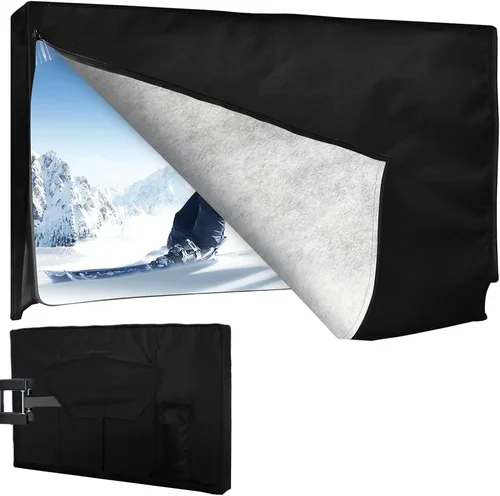
❌ Mistake: Assuming All “Outdoor” TVs Work in Cold Weather
Why it’s bad: Many TVs marketed as “outdoor” are only designed for mild climates and may fail in freezing temperatures. They might resist rain and dust but lack the internal heating or component hardening needed for sub-zero operation.
What to do instead: Always verify the operating temperature range. Look for models explicitly rated for cold climates, and avoid those with vague or missing temperature specs.
❌ Mistake: Using an Indoor TV in a Weatherproof Enclosure
Why it’s bad: While enclosures can protect against moisture, they trap cold air and may prevent proper ventilation. Indoor TVs can still freeze internally, and condensation can form when the TV warms up, leading to corrosion or short circuits.
What to do instead: Use a TV specifically designed for outdoor or cold use, or choose an enclosure with active heating and ventilation. Never rely solely on a cover for cold protection.
❌ Mistake: Ignoring Power Requirements
Why it’s bad: Cold-weather TVs with heating systems draw more power, especially during startup. Using an undersized power supply or extension cord can cause voltage drops, overheating, or fire hazards.
What to do instead: Check the TV’s power consumption (in watts) and ensure your electrical setup can handle the load. Use outdoor-rated, grounded outlets and avoid daisy-chaining power strips.
❌ Mistake: Overlooking Mounting and Installation
Why it’s bad: Improper mounting can lead to water ingress, vibration damage, or even the TV falling in high winds. Cold materials contract, which can loosen screws and brackets over time.
What to do instead: Use a heavy-duty, corrosion-resistant mount rated for outdoor use. Seal all mounting points with silicone and check tightness seasonally.
❌ Mistake: Buying Based on Price Alone
Why it’s bad: The cheapest TV may lack essential features like cold-start capability, proper IP rating, or reliable heating. You could end up replacing it after one winter.
What to do instead: Prioritize value over price. A mid-range TV with proven cold-weather performance will last longer and cost less in the long run.
❌ Mistake: Neglecting Firmware and Software Updates
Why it’s bad: Outdated firmware can cause compatibility issues, security vulnerabilities, or performance bugs—especially in smart TVs used in remote locations with limited tech support.
What to do instead: Choose a brand with a track record of regular updates. Enable automatic updates if available, and check for patches before winter use.
❌ Mistake: Not Testing Before Permanent Installation
Why it’s bad: A TV might work in mild cold but fail during a deep freeze. Installing it permanently before testing risks damage and difficult removal.
What to do instead: Test the TV in its intended location for at least 48 hours during cold weather. Monitor startup time, brightness, and connectivity.
Budget Guidelines: How Much Should You Spend?
Entry-Level ($250 – $500): These are typically standard LCD TVs with basic weather resistance or cold tolerance. They may operate down to 23°F (-5°C) and have IP54 ratings. Best for covered porches or garages with minimal exposure. Expect limited smart features and shorter lifespans in harsh conditions. Examples include refurbished models from reputable brands or budget lines with outdoor certifications.
Mid-Range ($500 – $1,200): This is the sweet spot for most buyers. These TVs offer true cold-weather performance (down to -22°F), IP55 or higher ratings, built-in heating, and reliable smart platforms. Brands like SunBrite, Seura, and some Samsung outdoor models fall here. You’ll get better brightness, durability, and warranty coverage. Ideal for permanent outdoor installations in cold climates.
Premium ($1,200 – $2,500): Designed for enthusiasts and professionals, these TVs feature commercial-grade components, advanced thermal management, and 24/7 operation capability. They often include anti-glare coatings, local dimming, and extended warranties. Perfect for ski resorts, outdoor theaters, or high-end home installations where reliability is critical.
Luxury ($2,500+): Top-tier models with OLED or QLED displays, full IP65 ratings, and custom mounting solutions. These are overkill for most homeowners but offer unparalleled image quality and durability. Often used in luxury outdoor living spaces or commercial venues.
Expert Tips for Getting the Best Deal
- Buy in Spring or Early Summer: Demand for outdoor TVs peaks in late summer and fall. Shopping in spring allows you to take advantage of leftover inventory and pre-season discounts.
- Check Manufacturer Refurbished Programs: Brands like Samsung and LG offer certified refurbished outdoor TVs with full warranties at 20–30% off retail.
- Compare Online Retailers: Amazon, Best Buy, and specialty outdoor electronics stores often run exclusive deals. Use price tracking tools like Honey or CamelCamelCamel to monitor fluctuations.
- Look for Bundle Deals: Some retailers offer discounts when you buy a TV with a mount, cover, or streaming device. These can save $50–$150.
- Negotiate with Local Installers: If you’re hiring a professional, ask if they can source the TV at a discount. Many have partnerships with suppliers.
- Read Return Policies Carefully: Outdoor TVs are often non-returnable once installed. Ensure the retailer allows returns for defective units and offers a trial period.
- Test in Cold Conditions: If possible, visit a store in winter or ask for a demo unit. Cold-start performance is hard to assess from specs alone.
- Consider Energy Efficiency: Look for ENERGY STAR ratings. Efficient models use less power for heating, reducing long-term costs.
Frequently Asked Questions
Q: Can I use a regular TV outdoors in winter if I cover it?
A: Not recommended. Even with a cover, indoor TVs lack the internal heating and component hardening needed for cold operation. Condensation can form when the TV warms up, leading to corrosion or electrical failure. A true weatherproof TV is a safer, longer-lasting investment.
Q: How cold is too cold for a TV?
A: It depends on the model. Most indoor TVs fail below 32°F. Cold-weather TVs are rated down to -22°F or lower. Always check the manufacturer’s specifications—don’t assume.
Q: Do cold-weather TVs use more electricity?
A: Yes, slightly. Heating systems add 10–30 watts during startup and in extreme cold. However, modern systems are efficient and only activate when needed. The increase is usually negligible on your monthly bill.
Q: Can I leave my outdoor TV on all winter?
A: Only if it’s rated for 24/7 operation and has proper thermal management. Continuous use in cold weather can strain components. Most models are designed for seasonal use—turn them off during extended absences.
Q: Are there portable cold-weather TVs?
A: Yes. Some brands offer battery-powered, lightweight models with cold-resistant displays. These are ideal for camping, ice fishing, or temporary setups. Look for models with USB-C charging and rugged cases.
Q: What’s the difference between IP55 and IP65?
A: IP55 protects against dust and low-pressure water jets. IP65 offers full dust protection and resistance to powerful water jets. For snowy or wet climates, IP65 is preferable.
Q: Can I install a cold-weather TV myself?
A: Yes, if you have basic tools and follow the manual. However, electrical work and mounting in high or exposed areas may require a professional. Always prioritize safety.
Q: Do cold-weather TVs support 4K and HDR?
A: Many do. Mid-range and premium models often include 4K resolution, HDR10, and Dolby Vision. Check the specs to ensure compatibility with your streaming devices and content.
Q: How long do cold-weather TVs last?
A: With proper care, 5–8 years is typical. Harsh conditions can shorten lifespan, so regular maintenance (cleaning, checking seals) is important.
Q: Are there financing options for outdoor TVs?
A: Yes. Retailers like Best Buy and Amazon offer 0% APR financing for qualified buyers. This can make a premium model more affordable over time.
Our Final Recommendations
Best for Budget-Conscious Buyers: TCL 55″ 4-Series Outdoor Smart TV (Model 55S06) – Priced under $500, this model offers IP55 rating, operates down to 14°F, and includes Roku TV for seamless streaming. Great for covered porches and garages.
Best Overall Value: SunBrite Veranda 55″ 4K UHD Outdoor TV – At around $1,100, it features full cold-weather certification (-22°F), 1000-nit brightness, and built-in heating. A reliable choice for permanent outdoor use.
Best Premium Option: Seura 55″ Shadow Series Outdoor TV – With IP65 rating, anti-glare coating, and advanced thermal management, this $2,200 model delivers exceptional performance in extreme conditions. Ideal for luxury outdoor spaces.
Best for Beginners: Samsung The Terrace 55″ Outdoor TV – Easy setup, intuitive smart features, and strong brand support. Priced at $1,400, it’s a user-friendly entry into outdoor viewing.
Best for Advanced Users: Peerless-AV Xtreme 55″ Commercial Outdoor Display – Built for 24/7 operation, this $3,500+ model offers modular design, remote monitoring, and industrial-grade durability. Perfect for tech-savvy users with demanding needs.
Conclusion: Making the Right Choice
Choosing the right cold-weather TV doesn’t have to be overwhelming—or expensive. By focusing on key factors like operating temperature, IP rating, thermal management, and build quality, you can find a model that delivers reliable performance in freezing conditions without overspending. Remember, the cheapest option isn’t always the best value. Invest in a TV that’s built to last, backed by a solid warranty, and designed specifically for your environment.
Whether you’re upgrading your mountain cabin, enhancing your outdoor living space, or simply want to enjoy TV in the garage during winter projects, the right cold-weather TV will keep you connected and entertained year-round. Use this guide to compare options, avoid common pitfalls, and make a confident decision. And when in doubt, prioritize proven performance over flashy features—your TV will thank you when the snow starts to fall.
Take the time to assess your needs, read real user reviews, and consider long-term costs. With the right preparation, you can enjoy crystal-clear viewing in even the coldest climates—without breaking the bank.

