
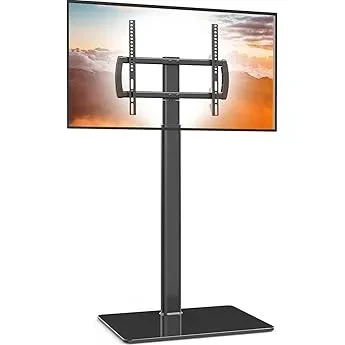
If you’re looking to turn your patio or deck into a year-round entertainment hub, adding a TV might be one of the smartest upgrades you can make. Whether you’re hosting summer barbecues, enjoying quiet evenings under the stars, or catching the big game with friends, having a reliable outdoor TV setup transforms your outdoor space into a true extension of your living room. But here’s the catch: most people assume that getting a TV for outdoor use means spending thousands on specialized weatherproof models. That’s simply not true anymore. Thanks to advances in display technology, improved durability, and competitive pricing, it’s now entirely possible to find a high-quality, affordable TV that performs beautifully in outdoor settings—without breaking the bank.
This guide is designed specifically for budget-conscious homeowners and outdoor entertainment enthusiasts who want the best value without sacrificing performance. We’ll walk you through everything you need to know to make an informed decision, from understanding key technical specs to avoiding common pitfalls. You’ll learn how to balance cost, durability, picture quality, and functionality so you can enjoy crisp, vibrant visuals on your deck or patio—even in bright daylight or light rain. Whether you’re a DIYer mounting a TV yourself or working with a contractor, this guide arms you with practical knowledge and expert insights to help you choose the right TV for your space, your lifestyle, and your wallet.
The market for outdoor-friendly TVs has evolved dramatically in recent years. While fully sealed, commercial-grade outdoor TVs still command premium prices (often $2,000–$5,000+), consumer-grade indoor TVs have become surprisingly capable in semi-protected outdoor environments. With proper mounting, weatherproof enclosures, and smart placement under eaves or pergolas, many affordable indoor models now deliver excellent performance at a fraction of the cost. Brands like TCL, Hisense, Vizio, and Samsung offer feature-rich 4K HDR TVs under $500 that, when paired with basic weather protection, can last several seasons outdoors. This guide will help you navigate that sweet spot between affordability and functionality—so you don’t overspend on over-engineered solutions or end up with a TV that fails after one rainy weekend.

What to Look for When Buying Buying Guide
1. Budget & Price Range
Setting a realistic budget is the first and most important step in your patio TV journey. Unlike indoor TVs, where you might prioritize size or brand alone, outdoor use introduces additional costs like mounting hardware, weatherproofing accessories, and potential installation fees. A common mistake is allocating the entire budget to the TV itself and forgetting about these extras. For most homeowners, a total project cost between $400 and $800 delivers excellent value—this includes a capable 50–65″ 4K TV ($250–$500) plus a sturdy outdoor-rated mount ($80–$150) and optional protective gear like a weatherproof cover or enclosure ($50–$100).
Don’t assume you need to spend $2,000+ on a “true” outdoor TV. Many indoor models perform exceptionally well when shielded from direct rain, snow, and extreme temperature swings. Focus instead on finding a TV with strong brightness (see below) and pairing it with smart placement—like under a covered patio, pergola, or awning. If your deck is fully exposed, consider investing slightly more in a model known for durability or adding a third-party outdoor enclosure. Remember: the goal isn’t perfection in all conditions—it’s reliable performance during typical outdoor viewing times (evenings, weekends, mild weather).
2. Performance Specifications
When it comes to outdoor viewing, not all TV specs are created equal. Brightness is king. Most indoor TVs range from 200 to 400 nits (a unit measuring luminance), but even moderate sunlight can wash out images below 500 nits. For patios with partial shade or evening use, 400–500 nits may suffice. However, if your deck gets direct afternoon sun or you plan to watch during daytime, aim for at least 600–700 nits. Some mid-range models now offer “outdoor mode” or enhanced backlighting that boosts brightness temporarily—look for terms like “high brightness,” “anti-glare coating,” or “sunlight-readable” in product descriptions.
Resolution matters too, but 4K UHD is now standard even in budget TVs and provides sharp, detailed images—especially important when sitting closer to the screen outdoors. HDR (High Dynamic Range) support improves contrast and color depth, making skies bluer and shadows richer. While not essential, HDR10 or Dolby Vision compatibility adds noticeable visual pop. Refresh rate (measured in Hz) affects motion smoothness; 60Hz is fine for movies and sports, but if you’re a gamer or watch fast-action content, consider 120Hz models (though these are rarer in budget tiers). Lastly, check input lag if gaming is part of your plan—under 20ms is ideal, but under 30ms is acceptable for casual play.
3. Build Quality & Durability
Even if you’re using an indoor TV outdoors, build quality directly impacts longevity. Look for TVs with solid chassis construction—avoid flimsy plastic backs or wobbly stands. Metal frames or reinforced corners add rigidity and help resist warping from humidity or temperature changes. Pay attention to port protection: exposed HDMI and USB ports can corrode if moisture seeps in. Some budget models now include rubber grommets or port covers—small details that make a big difference over time.
Thermal management is another often-overlooked factor. Outdoor environments can get hot, especially under direct sun or near grills/fire pits. TVs with efficient heat dissipation (look for ventilation grilles on the back) are less likely to throttle performance or shut down unexpectedly. Avoid ultra-thin “designer” models with minimal airflow—they’re built for climate-controlled living rooms, not variable outdoor conditions. Also, check the operating temperature range in the manual; most consumer TVs handle 32°F to 95°F, which covers most temperate zones—but if you live in an area with harsh winters or scorching summers, verify compatibility.
4. Features & Functionality
Smart TV platforms have become incredibly user-friendly, and even budget models now come with robust operating systems. Roku TV, Google TV, and webOS dominate the low-to-mid range and offer seamless access to Netflix, YouTube, Disney+, and live TV apps. Built-in Wi-Fi (preferably dual-band 2.4GHz/5GHz) ensures stable streaming, while Bluetooth support lets you connect wireless speakers or headphones for private listening. Voice control via Alexa or Google Assistant is increasingly common and handy when your hands are full with drinks or grill tools.
Connectivity is crucial for versatility. Ensure your TV has at least three HDMI ports—one for a streaming stick or console, one for a soundbar, and one spare for future use. An Ethernet port is a bonus for wired internet (more reliable than Wi-Fi outdoors). USB ports allow playback of local media files, and ARC (Audio Return Channel) on HDMI simplifies audio routing to external speakers. If you plan to use cable or antenna TV, confirm the tuner type (ATSC 3.0 is the new standard for over-the-air broadcasts). Lastly, consider screen mirroring (Miracast or AirPlay 2) for sharing phone or tablet content instantly.
5. Brand Reputation
Not all budget brands are equal. While you can find great deals from lesser-known names, sticking with established manufacturers often means better quality control, longer software support, and easier access to replacement parts. TCL and Hisense have earned strong reputations for delivering premium features at aggressive prices—both offer 4K HDR models under $400 with reliable performance. Vizio provides solid mid-tier options with good color accuracy, while Samsung and LG dominate the higher end but occasionally offer discounted previous-year models that still perform well outdoors.
Avoid ultra-cheap, no-name brands sold exclusively through flash-sale websites. These often cut corners on components, use outdated panels, or lack firmware updates—leading to shorter lifespans and compatibility issues. Check warranty terms: reputable brands typically offer at least a one-year limited warranty, sometimes extendable. Also, read professional reviews from trusted sources like RTINGS.com or CNET, which test real-world performance beyond marketing claims. A brand’s customer service responsiveness matters too—if your TV fails after six months, you’ll want timely support.
6. Warranty & Support
Outdoor use inherently increases risk, so warranty coverage becomes more valuable. Standard manufacturer warranties usually cover defects but not damage from environmental exposure—so if rain ruins your TV, you’re likely out of luck unless you purchased extended protection. Consider adding a third-party accidental damage plan (available through retailers like Best Buy or Amazon) that covers spills, drops, and weather-related issues. These plans typically cost $50–$100 and can be worth it if your setup is semi-exposed.
Check what’s included in the box: power cord, remote, manuals, and mounting screws should all be present. Some brands include wall-mount compatibility (VESA standard), which is essential for outdoor installation. If you’re buying online, verify the seller’s return policy—many allow 30-day returns, giving you time to test the TV in your actual outdoor setup. Avoid refurbished units unless they come with a full warranty; open-box deals can be risky for outdoor applications where reliability is critical.
7. Size & Portability
Size affects both viewing experience and installation logistics. For most patios and decks, a 50″ to 65″ TV strikes the perfect balance between immersion and practicality. Smaller screens (40″–43″) feel cramped when viewed from 8–10 feet away, while anything over 70″ requires significant wall space and a heavy-duty mount. Measure your intended location carefully—account for door swings, railings, and furniture placement. Don’t forget viewing angle: if seats are off to the side, choose a TV with wide viewing angles (IPS panels are better than VA for this).
Portability matters if you plan to move the TV seasonally (e.g., bringing it inside during winter). Lightweight models (<30 lbs for 55") are easier to handle, but ensure the stand or mount is secure. If you’re using a rolling cart or mobile stand, verify weight capacity and stability—outdoor surfaces can be uneven. For permanent installations, weight is less of a concern, but always use a mount rated for at least 1.5x the TV’s weight for safety. And remember: larger screens consume more power, which could matter if you’re running extension cords or using solar setups.
8. User Reviews & Ratings
Never rely solely on manufacturer specs—real-world user feedback reveals hidden strengths and weaknesses. Focus on reviews from buyers who’ve used the TV in similar conditions (e.g., “mounted on my covered porch” or “works great in partial shade”). Look for patterns: if multiple users report overheating, poor remote range, or Wi-Fi dropouts, those are red flags. Amazon, Best Buy, and Walmart reviews are particularly useful because they often include photos and detailed experiences.
Pay attention to long-term reviews (6+ months old) to assess durability. A TV that works perfectly for two weeks may develop issues after exposure to humidity or temperature swings. Also, check forums like Reddit’s r/outdoortv or AVS Forum for niche advice. Users often share DIY weatherproofing hacks, mount recommendations, and firmware tips that aren’t in official manuals. Finally, compare ratings across platforms—a 4.8 on one site but 3.9 on another suggests inconsistency in quality or support.
Different Types of Buying Guide
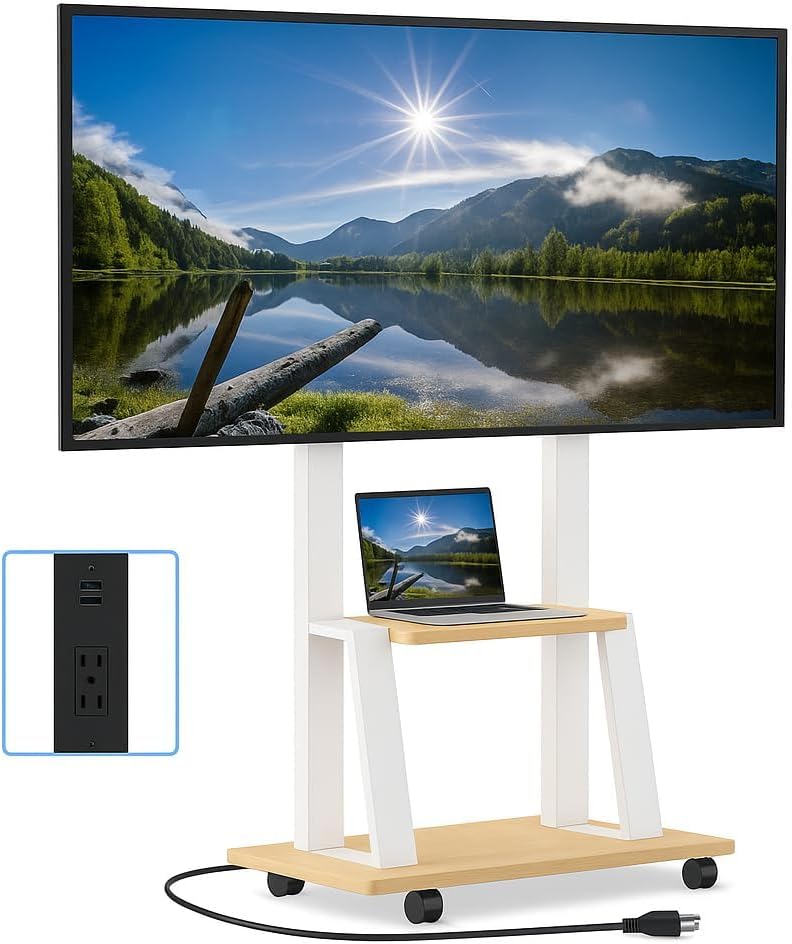
Common Buying Mistakes to Avoid
❌ Mistake: Buying a TV Without Considering Sunlight Exposure
Why it’s bad: A dim TV (under 400 nits) will look washed out and unwatchable in daylight, even under light shade. You’ll strain to see the screen, defeating the purpose of outdoor entertainment.
What to do instead: Assess your patio’s sun patterns. If it gets direct sun, prioritize brightness (600+ nits) or install the TV in a shaded nook. Use anti-reflective screen protectors or position the TV perpendicular to windows to reduce glare.
❌ Mistake: Skimping on the Mount
Why it’s bad: A cheap or indoor-rated mount can rust, loosen, or fail under wind load, risking damage to your TV and safety hazards.
What to do instead: Invest in a powder-coated, outdoor-rated full-motion or tilt mount with stainless steel hardware. Ensure it’s VESA-compatible and rated for your TV’s size and weight.
❌ Mistake: Ignoring Power and Cable Management
Why it’s bad: Exposed cords are tripping hazards and vulnerable to water damage. Improper grounding can also cause electrical issues.
What to do instead: Use outdoor-rated extension cords with GFCI protection. Run cables through conduit or use cable raceways. Keep power sources dry and elevated.
❌ Mistake: Assuming All “Outdoor” TVs Are Equal
Why it’s bad: Some marketed “outdoor” TVs are just indoor models with a sticker. Others lack smart features or have poor brightness.
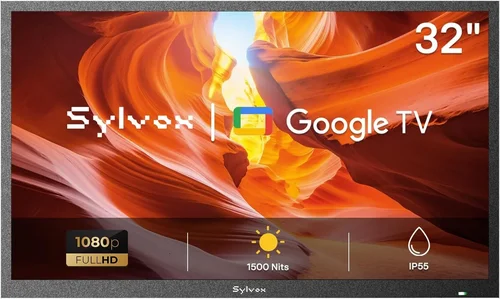
What to do instead: Read specs carefully. True outdoor TVs specify IP ratings (e.g., IP55 for dust/water resistance) and operating temperature ranges. For budget options, stick to proven indoor models with weather protection.
❌ Mistake: Overlooking Audio Needs
Why it’s bad: Built-in TV speakers are often weak and muffled outdoors due to open space and ambient noise (wind, traffic, chatter).
What to do instead: Pair your TV with weather-resistant outdoor speakers or a soundbar. Bluetooth models offer wireless convenience, while wired options provide more power.
❌ Mistake: Not Planning for Seasonal Storage
Why it’s bad: Leaving a non-weatherproof TV outside in winter can cause condensation, freezing, and permanent damage.
What to do instead: If your climate has harsh winters, either invest in a true outdoor TV or plan to bring the TV indoors seasonally. Use a padded storage bag to prevent scratches.
❌ Mistake: Relying Solely on Brand Marketing
Why it’s bad: Flashy terms like “outdoor-ready” or “all-weather” can be misleading. Some brands exaggerate durability claims.
What to do instead: Cross-reference marketing claims with independent reviews and user feedback. Look for real-world testing in similar environments.
Budget Guidelines: How Much Should You Spend?
Entry-Level ($250–$400): This tier includes 50″–55″ 4K smart TVs from TCL, Hisense, or Vizio. Expect 400–500 nits brightness, basic HDR, and solid app support. Perfect for covered patios with minimal sun exposure. Add $80–$120 for a quality mount and cover. Total project cost: ~$400.
Mid-Range ($400–$700): The sweet spot for most buyers. You’ll get 55″–65″ screens with 600+ nits, better color accuracy, and enhanced durability. Models like the TCL 6-Series or Hisense U7K offer excellent value. Include a robust mount and optional enclosure. Total: ~$600–$700.
Premium ($700–$1,500): For those wanting longer lifespan or more exposure tolerance. Look for Samsung QLED or LG OLED models (though OLEDs can suffer in bright light). Includes professional installation and premium weatherproofing. Ideal for semi-exposed decks.
Luxury ($1,500+): Reserved for fully exposed areas or commercial use. True outdoor TVs from SunBrite or Seura offer IP65+ ratings, extreme temp ranges, and built-in heaters/coolers. Overkill for most residential patios but unmatched in durability.
Expert Tips for Getting the Best Deal
- Buy during off-seasons: Prices drop significantly in late winter (February–March) and early fall (September–October) as retailers clear inventory for new models.
- Check warehouse clubs: Costco and Sam’s Club often carry exclusive bundles with mounts or extended warranties at competitive prices.
- Use price tracking tools: Set alerts on CamelCamelCamel (for Amazon) or Honey to catch flash sales on your desired model.
- Consider last year’s model: Previous-generation TVs retain most features but cost 20–30% less. Look for “2024 model” discounts in early 2025.
- Negotiate with local retailers: Small electronics stores may price-match online deals or throw in free installation.
- Bundle with other purchases: Buying a grill, patio furniture, or sound system? Ask for a package discount that includes the TV.
- Verify return windows: Ensure you have at least 30 days to test the TV in your actual outdoor setup before committing.
- Join loyalty programs: Best Buy Totaltech or Amazon Prime members get early access to sales and free shipping on large items.

Frequently Asked Questions
Q: Can I really use a regular indoor TV outside?
A: Yes—if it’s protected from direct rain, snow, and extreme temperatures. Most indoor TVs work perfectly under covered patios, pergolas, or awnings. Just ensure adequate ventilation and use a weatherproof cover when not in use.
Q: What’s the minimum brightness I need for outdoor viewing?
A: For evening or shaded daytime use, 400–500 nits is acceptable. For bright daylight, aim for 600+ nits. Check reviews for real-world brightness tests, as manufacturer specs can be optimistic.
Q: Do I need a special HDMI cable for outdoor use?
A: Standard high-speed HDMI cables work fine if kept dry. For runs over 25 feet, use active optical HDMI cables to prevent signal loss. Always route cables through conduit or raceways.
Q: How do I protect my TV from humidity?
A: Use silica gel packs inside the TV cabinet (if accessible), ensure good airflow, and avoid placing the TV near sprinklers or pools. A dehumidifier in nearby storage areas helps during off-seasons.
Q: Can I leave my outdoor TV on all the time?
A: Not recommended. Continuous operation generates heat and accelerates component wear. Use a smart plug with a timer to turn it on only during use.
Q: Are soundbars safe outdoors?
A: Most indoor soundbars aren’t weatherproof. Use outdoor-rated models like the Polk Audio Atrium or Sonos Move (portable). Mount them under eaves for protection.
Q: What’s the lifespan of an indoor TV used outdoors?
A: With proper protection, 3–5 years is typical. Humidity, UV exposure, and temperature swings reduce longevity compared to indoor use.
Q: Should I get a curved or flat screen for outdoor use?
A: Flat screens are better for outdoor settings. Curved TVs have narrow optimal viewing angles and can reflect more glare in open spaces.
Q: Can I use a TV antenna outdoors?
A: Yes—and it’s often better than indoor antennas. Mount it high on your deck rail or roof for stronger over-the-air signals.
Q: Is it worth buying a used outdoor TV?
A: Generally no. Used TVs may have hidden damage from prior outdoor exposure, and warranties rarely transfer. Stick to new units with full coverage.
Our Final Recommendations
Best for Budget-Conscious Buyers: TCL 55″ 6-Series (R655) – Priced around $350, this TV delivers 800 nits brightness, Dolby Vision, and Roku OS. Pair with a $90 outdoor mount and $40 weather cover for a sub-$500 setup that outperforms pricier alternatives.
Best Overall Value: Hisense 65″ U7K – At ~$500, it offers 1,000 nits peak brightness, quantum dot color, and Google TV. Excellent for partially shaded decks and includes VESA mounting compatibility.
Best Premium Option: Samsung 65″ Q70C QLED – Around $900, this model boasts anti-reflective coating, 700+ nits, and robust build quality. Ideal for semi-exposed areas where you want longevity and vivid colors.
Best for Beginners: Vizio 50″ V-Series – Simple setup, intuitive interface, and reliable performance under $300. Great for first-time outdoor TV users with covered spaces.
Best for Advanced Users: SunBrite Veranda 55″ – If you’re serious about full outdoor exposure, this $2,200+ model is IP55-rated, includes a built-in heater, and handles rain, dust, and temperature extremes. Overkill for most—but unbeatable where needed.
Conclusion: Making the Right Choice
Choosing a cheap TV for your patio doesn’t mean compromising on quality—it means being smart about your priorities. By focusing on brightness, smart placement, and proper protection, you can create an outdoor entertainment system that rivals high-end setups at a fraction of the cost. Remember: the goal isn’t to buy the most expensive TV labeled “outdoor,” but to find the right balance of performance, durability, and affordability for your specific environment.
Start by assessing your space: Is it covered? How much sun does it get? What’s your typical viewing time? Then, set a realistic budget that includes all accessories. Read real user reviews, avoid common pitfalls like cheap mounts or ignored audio needs, and take advantage of seasonal sales. With the insights from this guide, you’re equipped to make a confident, informed decision that will bring years of enjoyment to your deck or patio.
Don’t wait for the perfect weather—start planning your outdoor TV setup today. Whether it’s movie nights under the stars or Sunday football with friends, the right TV transforms your outdoor space into a true gathering place. So grab a cold drink, fire up that grill, and get ready to elevate your backyard experience—all without overspending.

