
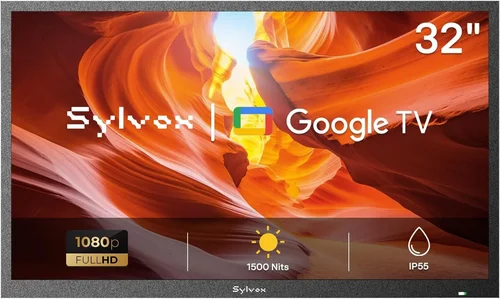
Planning the ultimate summer pool party means more than just inflatables and ice-cold drinks—it’s about creating an immersive, fun, and memorable experience for your guests. One often-overlooked yet game-changing addition to any outdoor gathering is a reliable poolside TV. Whether you’re streaming a live sports match, playing a curated playlist with synchronized visuals, or letting kids watch cartoons while adults relax nearby, having a screen within view transforms your backyard into a true entertainment hub. But here’s the catch: you don’t need to drop thousands on a weatherproof outdoor display to make it happen. With smart shopping, strategic planning, and a clear understanding of what really matters, you can find a high-performing, budget-friendly TV that stands up to summer heat, humidity, and the occasional splash.
This comprehensive buying guide is designed specifically for homeowners, renters, and party planners who want to elevate their outdoor entertainment without breaking the bank. We’ll walk you through every critical factor—from screen brightness and durability to smart features and portability—so you can confidently choose the best cheap poolside TV for your needs. You’ll learn how to avoid common pitfalls, where to score the best deals, and how to set up your system for maximum enjoyment and minimal hassle. The market for affordable outdoor-friendly TVs has exploded in recent years, with brands like TCL, Hisense, Vizio, and even Amazon offering surprisingly capable models under $500. Whether you’re working with a tight budget or just prefer to spend wisely, this guide will help you get the most bang for your buck while ensuring your summer parties are the talk of the neighborhood.

What to Look for When Buying Buying Guide
1. Budget & Price Range
When shopping for a cheap poolside TV, your budget is the foundation of every decision. Fortunately, you don’t need to spend a fortune to get a quality viewing experience outdoors. Most effective poolside TVs fall between $200 and $600, with many excellent options available under $400. The key is knowing what you’re paying for—and what you can safely compromise on. For example, you might skip premium HDR formats like Dolby Vision if your primary use is casual viewing in daylight, but you shouldn’t skimp on brightness or weather resistance.
Start by setting a firm spending limit that includes not just the TV itself but also essential accessories like a weatherproof cover, mounting hardware, or an outdoor-rated soundbar. A common mistake is underestimating these add-ons, which can push a $300 TV closer to $500 once everything’s accounted for. Look for bundle deals during seasonal sales (more on that later), and consider refurbished or open-box models from reputable retailers—they often come with full warranties and significant savings.
2. Screen Brightness & Visibility in Sunlight
This is arguably the most important factor for any outdoor TV setup. Standard indoor TVs typically peak around 300–400 nits of brightness, which is fine for a dim living room but nearly invisible in direct sunlight. For poolside use, you’ll want a minimum of 500 nits, with 700+ nits being ideal. Some budget models now advertise “outdoor visibility” modes or enhanced backlighting specifically for bright environments—look for terms like “high luminance,” “sunlight readable,” or “anti-glare coating.”
Also consider screen finish: matte or anti-reflective coatings reduce glare far better than glossy screens. If your TV will be placed where afternoon sun hits it directly, even a bright panel can become unwatchable without proper glare control. Test visibility during different times of day if possible, or read user reviews that mention real-world outdoor performance. A TV that looks great in a store under soft lighting may disappoint at noon by the pool.
3. Build Quality & Weather Resistance
Even if your TV isn’t permanently installed outdoors, it will still face humidity, heat, dust, and the occasional water splash. While true “outdoor TVs” (like those from SunBrite or Seura) are built with sealed enclosures and corrosion-resistant materials, they’re also prohibitively expensive for most casual users. Instead, look for indoor TVs with robust build quality and pair them with a high-quality weatherproof cover or enclosure.
Check the TV’s operating temperature range—most consumer models are rated for 32°F to 95°F, which should cover typical summer conditions, but extreme heat can shorten lifespan. Avoid placing the TV in direct sunlight for prolonged periods unless it’s specifically designed for it. Also, ensure vents and ports are protected; consider using silicone port covers or a vented outdoor TV cabinet that allows airflow while blocking moisture. Remember: no indoor TV is truly waterproof, so always have a plan for sudden rain or splashing.
4. Smart Features & Connectivity
A smart TV is almost essential for modern poolside entertainment. Built-in Wi-Fi, streaming apps (Netflix, YouTube, Disney+, etc.), and voice control via Alexa or Google Assistant make it easy to switch between content without fumbling with remotes or phones. Look for models with updated operating systems—Roku TV, Google TV, and Fire TV OS are all solid choices with frequent updates and broad app support.
Connectivity matters too. Ensure your TV has enough HDMI ports (at least two) for devices like a streaming stick, gaming console, or soundbar. USB ports are useful for playing media files directly, and Bluetooth support lets you pair wireless headphones or speakers for private listening. If you plan to mount the TV high on a wall or under an awning, check remote ergonomics—some budget remotes are flimsy or hard to read in bright light. Consider buying a universal remote or using a smartphone app as a backup.
5. Size & Viewing Distance
Don’t fall into the “bigger is always better” trap. For poolside setups, a 43-inch to 55-inch screen is usually the sweet spot. Anything larger may overwhelm the space or require a viewing distance that’s impractical for a backyard. As a rule of thumb, sit about 1.5 to 2.5 times the screen’s diagonal measurement away for optimal comfort. So for a 50-inch TV, aim for 6 to 10 feet of distance.
Consider where your seating areas are located. Will guests be lounging on chaise longues, gathered around a fire pit, or floating in the pool? A slightly smaller, brighter TV placed closer to primary viewing zones often delivers a better experience than a massive screen that’s hard to see from certain angles. Also, think about portability—if you’ll move the TV between indoor and outdoor spaces, lighter models (under 25 lbs) are much easier to handle.
6. Audio Quality & Sound Solutions
Most budget TVs have underwhelming built-in speakers—tinny, quiet, and easily drowned out by pool noise, music, or conversation. Don’t rely on them for party audio. Instead, plan to pair your TV with external speakers. Bluetooth portable speakers (like JBL Charge or Ultimate Ears Boom) are great for casual use, while wired outdoor speakers mounted under eaves or on posts provide fuller, room-filling sound.
If you’re using a soundbar, choose one with weather-resistant casing or keep it sheltered. Many affordable soundbars now offer HDMI ARC or optical input, making setup simple. For larger gatherings, consider a multi-room audio system that syncs TV audio with poolside speakers. Just remember: audio is half the experience. Skimping here can ruin an otherwise perfect setup.
7. Brand Reputation & Reliability
Not all budget brands are created equal. Stick with manufacturers known for consistent performance and good customer service. TCL, Hisense, and Vizio dominate the affordable TV market and offer excellent value, especially in the 43–55 inch range. Amazon’s Fire TV Edition sets are also worth considering, though they come with more ads and bloatware.
Avoid obscure brands with no track record or limited warranty support. Read professional reviews (from sources like RTINGS.com or CNET) and real user feedback on retailer sites. Pay attention to comments about long-term reliability, especially in humid or hot climates. A TV that fails after one summer isn’t a bargain—it’s a liability.
8. Warranty & Return Policy
Even the best budget TVs can have defects or fail prematurely, especially when used in non-standard environments like poolside. Always check the warranty terms—most offer one year of coverage, but some brands extend it to two years for certain models. Look for retailers with generous return windows (30–60 days) in case the TV doesn’t perform as expected outdoors.
If you’re buying refurbished, ensure it comes with a warranty from the manufacturer or a certified refurbisher—not just the seller. Also, document your setup with photos in case you need to file a claim later. And never void the warranty by modifying the TV (e.g., drilling holes for mounting) unless explicitly allowed.
Different Types of Buying Guide

Common Buying Mistakes to Avoid
❌ Mistake: Choosing a TV Based Solely on Price
Why it’s bad: The cheapest TVs often lack brightness, smart features, or durability—leading to frustration when you can’t see the screen in daylight or the unit fails after one season.
What to do instead: Set a reasonable budget ($300–$500) and prioritize key features like brightness and weather protection. A slightly more expensive model with better specs will last longer and perform better.
❌ Mistake: Ignoring Sunlight and Glare
Why it’s bad: Even a 600-nit TV can be unusable if placed where sunlight reflects directly off the screen. Guests won’t stay to watch if they’re squinting or see their own reflection.
What to do instead: Test potential locations during peak sun hours. Use a matte screen or anti-glare cover, and consider mounting the TV under an awning or pergola for shade.
❌ Mistake: Assuming All Smart TVs Are Equal
Why it’s bad: Some budget smart platforms are slow, ad-heavy, or lack app support. A clunky interface ruins the party vibe when you’re trying to quickly switch from music videos to a game.
What to do instead: Stick with proven platforms like Roku, Google TV, or Fire TV. Check app availability and read reviews about UI responsiveness before buying.
❌ Mistake: Overlooking Audio Needs
Why it’s bad: Relying on built-in TV speakers means low volume and poor sound quality—especially with pool pumps, splashing, and background music running.
What to do instead: Budget for external speakers from day one. Even a $50 Bluetooth speaker makes a huge difference in clarity and volume.
❌ Mistake: Buying Without Checking Return Policies
Why it’s bad: Outdoor performance can’t always be judged indoors. If the TV disappoints in real-world conditions, you’re stuck with it if returns aren’t allowed.
What to do instead: Only buy from retailers with at least a 30-day return window and clear policies on opened electronics.
❌ Mistake: Mounting Improperly or Without Protection
Why it’s bad: Using indoor mounts outdoors can lead to rust, instability, or water damage. Drilling into the TV casing voids warranties and risks short circuits.
What to do instead: Use a weatherproof outdoor mount rated for your TV’s weight, and always pair it with a protective cover or enclosure.
❌ Mistake: Forgetting About Power and Cables
Why it’s bad: Long, exposed cords are tripping hazards and can degrade in UV light. Running extension cords across wet areas is a safety risk.
What to do instead: Use outdoor-rated extension cords with GFCI protection, and secure cables with clips or conduit. Consider a wireless streaming stick to minimize clutter.
Budget Guidelines: How Much Should You Spend?
- Entry-Level ($150–$250): Best for occasional use in shaded areas. Expect basic smart features, 300–400 nits brightness, and limited durability. Ideal as a secondary screen or for kids’ movie time. Look for refurbished TCL 4-Series or Hisense A4 models.
- Mid-Range ($250–$450): The sweet spot for most poolside setups. You’ll get 500–700 nits brightness, reliable smart platforms, and decent build quality. Models like the TCL 5-Series or Vizio V-Series offer excellent value here.
- Premium ($450–$600): For frequent entertainers who want near-outdoor performance. These TVs often include enhanced cooling, better anti-glare coatings, and faster processors. Consider the Hisense U6H or Amazon Fire TV Omni QLED.
- Luxury ($600+): Only necessary if you want permanent outdoor installation or extreme weather resistance. True outdoor TVs start around $1,500—but for most, a premium indoor model with a cover is sufficient.
Expert Tips for Getting the Best Deal
- Shop During Seasonal Sales: The best deals on TVs happen during Black Friday, Prime Day (July), and post-holiday clearance events (January). Many retailers discount last year’s models just as summer begins.
- Buy Refurbished from Trusted Sources: Certified refurbished TVs from Amazon Renewed, Best Buy Outlet, or manufacturer websites often come with warranties and rigorous testing—saving you up to 40%.
- Check Local Classifieds and Facebook Marketplace: People frequently sell barely-used TVs after upgrading. Inspect in person and test all functions before paying.
- Use Price Tracking Tools: Apps like Honey, CamelCamelCamel, or Keepa alert you when prices drop on specific models. Set alerts for your target TV and pounce when it hits your budget.
- Bundle with Accessories: Some retailers offer discounts when you buy a TV + mount + cover together. Even if the bundle seems pricier, the per-item cost is often lower.
- Read the Fine Print on Warranties: Some warranties are voided if the TV is used outdoors. Confirm coverage terms before purchasing, especially for refurbished units.
- Test Before Committing: If buying in-store, ask to see the TV powered on in a bright area. Check for dead pixels, color accuracy, and remote responsiveness.
- Consider Energy Efficiency: Look for ENERGY STAR ratings—cheaper TVs often consume more power, adding to long-term costs, especially if left on for hours during parties.

Frequently Asked Questions
Q: Can I use a regular indoor TV poolside?
A: Yes—but with caveats. Indoor TVs can work perfectly if protected from direct rain, extreme heat, and humidity. Always use a weatherproof cover or enclosure, and avoid placing them in direct sunlight for long periods. For occasional or covered use, an indoor TV is a cost-effective solution.
Q: How do I protect my TV from water and sun?
A: Invest in a high-quality outdoor TV cover made from UV-resistant, breathable fabric. For permanent setups, use a vented outdoor cabinet that allows airflow while blocking moisture. Never seal the TV in an airtight box—it needs ventilation to prevent overheating.
Q: What’s the minimum brightness needed for outdoor viewing?
A: Aim for at least 500 nits for shaded areas, and 700+ nits if the screen gets direct sunlight. Anything below 400 nits will likely be too dim for comfortable daytime viewing.
Q: Do I need a special mount for outdoor use?
A: Yes. Use an outdoor-rated mount made from rust-proof materials like powder-coated steel or aluminum. Ensure it’s rated for your TV’s size and weight, and follow installation instructions carefully to avoid damage or injury.
Q: Can I leave my TV outside overnight?
A: Not recommended unless it’s in a fully enclosed, climate-controlled outdoor cabinet. Dew, insects, and temperature swings can damage internal components over time. Always bring it inside or cover it securely when not in use.
Q: Are streaming sticks better than built-in smart TVs?
A: Streaming sticks (like Roku or Fire Stick) offer flexibility and easy upgrades, but built-in smart platforms are more convenient for poolside use—no extra device to lose or power. Choose based on your preference for simplicity vs. upgradability.
Q: How far should the TV be from seating areas?
A: For a 50-inch TV, sit 6–10 feet away. Closer distances work for smaller screens (43-inch), while larger screens (55-inch+) may need 8–12 feet for comfortable viewing without neck strain.
Q: Will my Wi-Fi reach the pool area?
A: Possibly not. Test signal strength with your phone before buying. If weak, consider a Wi-Fi extender, mesh network, or powerline adapter to boost connectivity to your outdoor zone.
Q: Can I connect a gaming console to my poolside TV?
A: Absolutely! Most budget smart TVs have HDMI 2.0 ports that support 4K/60Hz gaming. Just ensure low input lag (under 20ms) for responsive play—check RTINGS.com for specific model ratings.
Q: What’s the lifespan of a TV used outdoors?
A: With proper care, an indoor TV used seasonally poolside can last 5–7 years. Exposure to heat, humidity, and UV light accelerates wear, so regular maintenance and storage extend its life significantly.
Our Final Recommendations
- Best for Budget-Conscious Buyers: TCL 43S5400 (43″) – Under $250, Roku TV, 400 nits brightness. Perfect for shaded patios or covered decks. Pair with a $60 weather cover for full protection.
- Best Overall Value: Hisense 50R6E (50″) – Around $350, 600 nits brightness, Google TV, excellent color accuracy. Great for mixed indoor/outdoor use and frequent entertaining.
- Best Premium Option: Vizio V508-J01 (50″) – $450, 700+ nits, Dolby Vision, robust build. Ideal for sunny decks and serious hosts who want top-tier performance without outdoor TV prices.
- Best for Beginners: Amazon Fire TV 43″ 4-Series – $280, simple setup, voice control, integrates seamlessly with Alexa-enabled outdoor speakers. Great for first-time buyers.
- Best for Advanced Users: Refurbished LG 55NANO75 (55″) – Often under $400 refurbished, 800 nits, webOS smart platform, superior motion handling. Best for tech-savvy users who want premium features at a discount.
Conclusion: Making the Right Choice
Choosing the right cheap poolside TV doesn’t have to be overwhelming—or expensive. By focusing on brightness, smart functionality, weather protection, and real-world usability, you can find a model that delivers exceptional value and enhances every summer gathering. Remember, the goal isn’t to replicate a home theater outdoors, but to create a flexible, enjoyable space where friends and family can relax, connect, and be entertained.
Prioritize your specific needs: if you host often, invest a bit more in brightness and audio. If you’re on a tight budget or rent your home, a portable setup with a cover is the smartest move. And always read reviews, compare prices, and protect your investment with proper mounting and storage.
With the insights from this guide, you’re now equipped to make a confident, informed decision. So go ahead—set up that screen, cue up the playlist, and get ready to host the best pool parties of the season. Your backyard deserves it.

