
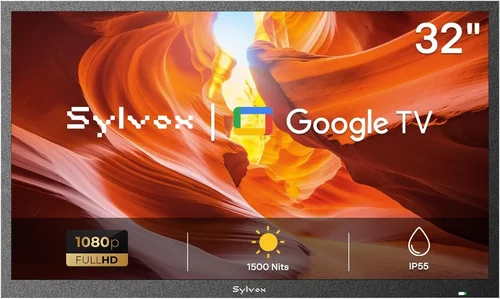
Transforming your backyard into a resort-style oasis isn’t just about loungers and tropical drinks—it’s about creating immersive, all-day entertainment experiences. And nothing elevates poolside relaxation quite like a crisp, vibrant TV that delivers your favorite shows, sports, or movies right beside the water. Whether you’re hosting summer barbecues, enjoying quiet evenings under the stars, or keeping the kids entertained during swim time, a poolside TV adds convenience, comfort, and a touch of luxury to your outdoor living space.
But here’s the catch: not every TV is built to thrive in the humid, sun-drenched, splash-prone environment around your deck or pool. Many indoor models quickly succumb to moisture damage, glare, or overheating when exposed to the elements. That’s why choosing the right budget-friendly outdoor TV requires more than just picking the cheapest screen on the shelf. You need a display that balances affordability with durability, visibility, and smart functionality—without breaking the bank. This guide cuts through the noise to help you make a confident, informed decision.
In this comprehensive buying guide, you’ll learn exactly what to look for when shopping for a cheap poolside TV that delivers real value. We’ll break down the critical factors—from weather resistance and brightness to smart features and installation—that separate a smart investment from a costly mistake. You’ll discover the different types of outdoor TVs available, common pitfalls to avoid, and how to stretch your budget without sacrificing performance. Whether you’re working with $300 or $1,500, we’ll show you how to get the most bang for your buck while ensuring your TV lasts season after season. By the end, you’ll have the expert knowledge to choose a poolside TV that enhances your outdoor lifestyle—rain or shine.

What to Look for When Buying Buying Guide
1. Weather Resistance & IP Rating
When it comes to outdoor electronics, weather resistance isn’t optional—it’s essential. A poolside TV must withstand humidity, splashes, dust, and temperature swings without failing. The first thing to check is the TV’s Ingress Protection (IP) rating, which indicates how well it resists solids and liquids. For poolside use, look for at least an IP55 rating, meaning the TV is protected against dust and low-pressure water jets from any direction. Higher ratings like IP65 or IP66 offer even better protection, ideal for areas with frequent rain or heavy splashing.
But don’t stop at the rating. Examine the TV’s build materials. Look for sealed ports, corrosion-resistant screws, and a fully enclosed back panel. Some budget models claim “outdoor use” but only protect the front screen, leaving internal components vulnerable. Also, consider where you’ll mount the TV—under a covered patio or pergola offers added protection, but if it’s fully exposed, you’ll need a TV with superior sealing and possibly a weatherproof enclosure.
Another often-overlooked factor is temperature tolerance. Outdoor TVs should operate reliably in temperatures ranging from 32°F to 104°F (0°C to 40°C). Cheaper models may overheat in direct sunlight or shut down in cooler evenings. Always check the manufacturer’s operating temperature range before buying.
2. Screen Brightness & Anti-Glare Technology
Sunlight is the enemy of outdoor viewing. Even the best indoor TV will appear washed out under direct sun. For poolside use, you need a display with high brightness—measured in nits—and anti-glare features. Aim for a minimum of 700 nits, but 1,000 nits or more is ideal for bright, sunny decks. Some budget outdoor TVs now offer 1,500+ nits, rivaling premium models.
Equally important is the screen coating. Look for matte or anti-reflective finishes that reduce glare without sacrificing color accuracy. Glossy screens may look sharp indoors but become nearly unusable in daylight. Some manufacturers use specialized optical filters or polarizing layers to enhance visibility. These technologies scatter ambient light, improving contrast and readability.
Also consider the viewing angle. Poolside setups often involve people sitting at various positions—on loungers, at a table, or standing near the water. A TV with wide viewing angles (178° horizontal and vertical) ensures everyone gets a clear picture, even from the side. IPS (In-Plane Switching) panels typically offer better off-angle performance than VA panels, though they may have slightly lower contrast.
3. Build Quality & Durability
A cheap TV might save you money upfront, but poor build quality can lead to early failure—especially in harsh outdoor conditions. Look for a sturdy, all-metal chassis or high-grade polymer housing. Avoid flimsy plastic enclosures that can warp, crack, or degrade under UV exposure. The mounting system should also be robust; a wobbly or poorly secured TV is a safety hazard near water.
Internal components matter too. Outdoor TVs often use sealed cooling systems instead of fans, which can suck in moisture and dust. Passive cooling is quieter and more reliable long-term. Check if the TV has conformal coating on the circuit boards—a protective layer that shields electronics from humidity and corrosion.
Don’t forget about the remote control. Standard remotes aren’t designed for outdoor use and can fail when exposed to moisture. Some budget outdoor TVs include weather-resistant remotes or support app-based control via Wi-Fi. If not, consider investing in a universal remote with a protective case.
4. Smart Features & Connectivity
Even on a budget, you don’t have to sacrifice smart functionality. Most modern outdoor TVs run on platforms like Android TV, Roku, or webOS, giving you access to streaming apps like Netflix, YouTube, and Disney+. This is a game-changer for poolside entertainment—no need for extra devices or messy cables.
Check the available ports: HDMI, USB, Ethernet, and audio outputs are essential. At least two HDMI ports allow you to connect a streaming stick, gaming console, or soundbar. USB ports let you play media files directly from a flash drive. Ethernet ensures a stable internet connection, especially important if your Wi-Fi signal weakens outdoors.
Voice control is another valuable feature. TVs with built-in Google Assistant or Alexa let you change channels, adjust volume, or search content hands-free—perfect when you’re lounging with a drink in hand. Some models even support Bluetooth for wireless headphones or speakers, so you can enjoy late-night movies without disturbing others.
5. Size & Viewing Distance
Choosing the right screen size isn’t just about preference—it’s about visibility and comfort. For poolside use, a 43-inch to 55-inch TV is typically ideal. Smaller screens (32–40 inches) may be too dim or hard to see from a distance, while larger models (65+ inches) can be overkill and more expensive.
Use the 1.5x rule: multiply your viewing distance (in inches) by 1.5 to estimate the ideal screen size. For example, if you’re sitting 8 feet (96 inches) away, a 55-inch TV (96 ÷ 1.5 ≈ 64) is a good fit. But remember, outdoor viewing is often more dynamic—people move around, sit closer, or stand up. A slightly larger screen can enhance the experience without overwhelming the space.
Also consider mounting height. The center of the screen should be at or slightly below eye level when seated. For poolside lounging, this usually means mounting 42–48 inches from the ground. Avoid placing the TV too high, as it forces viewers to crane their necks.
6. Brand Reputation & Reliability
Not all budget TV brands are created equal. While you can find great deals from lesser-known manufacturers, sticking with reputable brands increases your chances of getting a reliable, well-supported product. Look for companies with a track record in outdoor electronics, such as SunBriteTV, Seura, or Samsung’s outdoor line. Even mainstream brands like LG, TCL, and Hisense now offer weather-resistant models.
Research customer service and technical support. A cheap TV is no bargain if you can’t get help when something goes wrong. Check if the brand offers phone, email, or live chat support, and read user reviews about response times and resolution quality.
Also consider firmware updates. Smart TVs receive regular software updates to fix bugs, improve performance, and add features. Brands with a strong update history are more likely to keep your TV running smoothly for years.
7. Warranty & Support
A solid warranty is a sign of confidence in a product’s durability. For outdoor TVs, look for at least a 1-year limited warranty, but 2–3 years is better. Some premium models offer extended coverage for outdoor use, including protection against moisture damage—something rare in standard warranties.
Read the fine print. Many warranties exclude “acts of nature” or “improper installation.” Make sure your setup complies with the manufacturer’s guidelines to avoid voiding coverage. Also, check if the warranty is honored nationwide or only in certain regions.
Support matters beyond the warranty period. A brand with active forums, detailed FAQs, and downloadable manuals makes troubleshooting easier. Some even offer remote diagnostics or on-site repair services for an extra fee.
8. User Reviews & Real-World Performance
Spec sheets tell part of the story, but user reviews reveal the truth. Look for feedback from people who’ve used the TV in similar conditions—poolside, humid climates, or direct sunlight. Pay attention to comments about brightness, durability, and ease of setup.
Watch out for red flags: frequent overheating, poor Wi-Fi connectivity, or remote control issues. Also, note how long users have owned the TV. A review from someone using it for 6+ months is more valuable than a first-week impression.
Use trusted sources like Amazon, Best Buy, or specialized outdoor tech forums. Avoid reviews that seem overly promotional or lack detail. Video reviews on YouTube can also show the TV in action—look for clips filmed outdoors to assess real-world brightness and color.
Different Types of Buying Guide

Common Buying Mistakes to Avoid
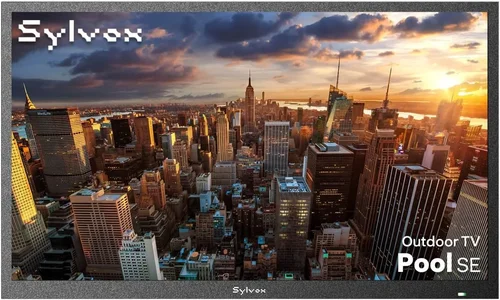
❌ Mistake: Buying a Standard Indoor TV for Outdoor Use
Why it’s bad: Indoor TVs aren’t designed for humidity, temperature changes, or direct sunlight. They lack proper sealing, often overheat, and can suffer permanent damage from moisture. The screen will also appear dim and washed out in daylight.
What to do instead: Invest in a TV specifically rated for outdoor or partial-shade use. If budget is tight, pair an indoor TV with a certified outdoor enclosure that provides weatherproofing and ventilation.
❌ Mistake: Ignoring the IP Rating
Why it’s bad: Without a proper IP rating, you have no guarantee the TV can handle splashes or dust. A TV with no rating or a low one (like IP44) may fail within weeks in a pool environment.
What to do instead: Always check the IP rating. For poolside use, aim for IP55 or higher. Verify the rating applies to the entire unit, not just the screen.
❌ Mistake: Overlooking Screen Brightness
Why it’s bad: A dim screen (under 500 nits) will be nearly invisible in sunlight, making your TV useless during the day—when you’re most likely to use it.
What to do instead: Choose a TV with at least 700 nits, preferably 1,000+. Look for models with anti-glare coatings and high contrast ratios for better visibility.
❌ Mistake: Skimping on Mounting Hardware
Why it’s bad: Using indoor mounts or weak brackets can lead to the TV falling, especially in windy conditions. This is a serious safety risk near water.
What to do instead: Use a heavy-duty, weather-resistant mount rated for outdoor use. Ensure it’s securely anchored to a solid structure like a wall or post.
❌ Mistake: Neglecting Connectivity Needs
Why it’s bad: Running long HDMI cables across your deck is messy and hazardous. Limited ports can restrict your ability to connect devices.
What to do instead: Choose a TV with multiple HDMI ports and consider wireless options like screen mirroring or streaming sticks. Use cable conduits or raceways to protect wires.
❌ Mistake: Forgetting About Audio
Why it’s bad: Built-in TV speakers are often weak and muffled outdoors. You’ll struggle to hear dialogue over pool noise or wind.
What to do instead: Plan for external audio. Connect a weatherproof soundbar or outdoor speakers via Bluetooth or audio output. Some TVs support multi-room audio systems.
❌ Mistake: Not Testing Before Final Installation
Why it’s bad: You might discover glare issues, poor Wi-Fi signal, or mounting problems only after the TV is permanently installed—costing time and money to fix.
What to do instead: Do a temporary setup first. Test brightness, connectivity, and viewing angles. Adjust placement or add shading if needed.
Budget Guidelines: How Much Should You Spend?
Entry-Level ($300–$600): This tier is ideal for renters or those with covered patios. You’ll find indoor TVs paired with outdoor enclosures or basic partial-shade models. Expect 43–50 inch screens, 700–1,000 nits brightness, and limited smart features. Brands like TCL and Hisense offer good value here. While not built for full exposure, they can last 2–3 years with proper care.
Mid-Range ($600–$1,200): The sweet spot for most homeowners. These TVs are designed for partial-shade outdoor use, with IP55 ratings, 1,000+ nits brightness, and full smart platforms. Look for models from SunBriteTV’s Veranda series or Samsung’s outdoor line. You’ll get better build quality, wider viewing angles, and reliable performance in humid conditions. This range offers the best balance of price and durability.
Premium ($1,200–$2,500): For enthusiasts who want a true outdoor experience. These TVs are built for full exposure, with IP65+ ratings, 1,500+ nits brightness, and advanced cooling systems. They often include features like ambient light sensors, voice control, and premium audio. Brands like Seura and SunBriteTV dominate this space. Ideal for uncovered decks or pool areas with direct sun.
Luxury ($2,500+): Top-tier models for resorts, luxury homes, or commercial use. These displays offer 24/7 operation, extreme temperature tolerance, and commercial-grade components. They may include custom mounting, integrated sound systems, and remote monitoring. While overkill for most homeowners, they’re unmatched in reliability and performance.
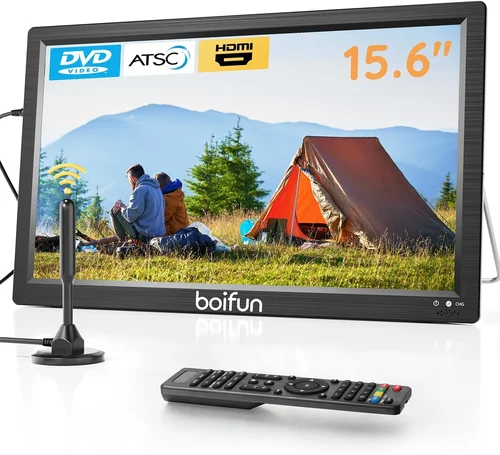
Expert Tips for Getting the Best Deal
- Shop during off-season: Prices drop significantly in fall and winter when demand for outdoor gear declines. Look for sales around Black Friday, Cyber Monday, or post-summer clearances.
- Compare retailers: Check Amazon, Best Buy, Costco, and specialty outdoor electronics stores. Some offer price matching or exclusive bundles.
- Consider refurbished models: Certified refurbished outdoor TVs from reputable sellers can save 20–30% off retail. Ensure they come with a warranty.
- Bundle with accessories: Some retailers offer discounts when you buy a TV with a mount, soundbar, or streaming device. This can be cheaper than buying separately.
- Check return policies: Outdoor TVs can be tricky to test. Choose retailers with generous return windows (30+ days) in case the TV doesn’t perform as expected.
- Read the warranty carefully: Make sure outdoor use is covered. Some warranties void coverage if used in direct rain or extreme temperatures.
- Test Wi-Fi signal strength: Before buying, check your deck’s Wi-Fi coverage. Weak signals can cause buffering. Consider a Wi-Fi extender or Ethernet cable.
- Look for local rebates: Some utility companies offer rebates for energy-efficient outdoor electronics. Check your provider’s website.

Frequently Asked Questions
Q: Can I use a regular TV outdoors if it’s under a cover?
A: Yes, but only with a certified outdoor enclosure that provides weatherproofing, ventilation, and UV protection. The enclosure must be rated for outdoor use and properly installed to prevent moisture buildup.
Q: How do I protect my TV from pool splashes?
A: Mount the TV at least 6–8 feet from the pool edge and under a roof or awning. Use a TV with an IP55 or higher rating. For extra protection, install a splash guard or clear acrylic shield.
Q: Will my TV overheat in the sun?
A: Outdoor TVs are designed with passive cooling and heat-resistant components. However, avoid direct sunlight on the back panel. Ensure adequate airflow around the unit.
Q: Can I leave my outdoor TV on all day?
A: Most outdoor TVs are built for extended use, but check the manufacturer’s guidelines. Continuous operation may reduce lifespan if the TV lacks proper cooling.
Q: Do I need a special mount for outdoor TVs?
A: Yes. Use a heavy-duty, weather-resistant mount rated for outdoor use. Ensure it’s securely anchored and can support the TV’s weight and size.
Q: How do I clean an outdoor TV screen?
A: Use a microfiber cloth and a mild cleaner designed for electronics. Avoid ammonia-based cleaners or abrasive materials. Power off the TV before cleaning.
Q: Can I use streaming apps on an outdoor TV?
A: Yes, most outdoor TVs run full smart platforms like Android TV or Roku, giving you access to Netflix, YouTube, and more. Ensure a stable Wi-Fi connection.
Q: What’s the difference between partial-shade and full-exposure TVs?
A: Partial-shade TVs are for covered areas and offer basic weather resistance. Full-exposure models are built for open skies, with superior sealing, brightness, and durability.
Q: How long do outdoor TVs last?
A: With proper care, a quality outdoor TV can last 5–7 years or more. Cheaper models may need replacement in 2–3 years, especially in harsh climates.
Q: Can I use Bluetooth headphones with an outdoor TV?
A: Yes, if the TV supports Bluetooth audio. This is great for late-night viewing without disturbing others. Check the TV’s audio settings for pairing options.
Our Final Recommendations
Best for Budget-Conscious Buyers: TCL 50S546 50-inch QLED with Outdoor Enclosure – At under $600 total, this combo delivers vibrant colors, 1,000 nits brightness, and Roku smart features. Perfect for covered patios.
Best Overall Value: SunBriteTV Veranda Series 55-inch – Priced around $1,100, it offers IP55 rating, 1,000 nits brightness, and full smart functionality. Ideal for partial-shade decks with reliable performance.
Best Premium Option: Seura 55-inch Outdoor TV – At $2,200, it’s built for full exposure with IP65 rating, 1,500 nits brightness, and premium audio. A top choice for luxury outdoor spaces.
Best for Beginners: Hisense 43A6H with Weatherproof Enclosure – Affordable, easy to set up, and compatible with most streaming devices. Great for first-time outdoor TV users.
Best for Advanced Users: Samsung The Terrace 65-inch – A high-end outdoor TV with 2,000 nits brightness, anti-glare screen, and advanced cooling. Perfect for tech-savvy homeowners who want the best.
Conclusion: Making the Right Choice
Choosing the right poolside TV doesn’t have to be overwhelming—or expensive. By focusing on weather resistance, brightness, smart features, and build quality, you can find a budget-friendly model that delivers exceptional outdoor entertainment. Remember, the cheapest option isn’t always the best value. Invest in a TV that matches your environment, usage, and long-term needs.
Prioritize your must-have features: Do you need full sun visibility? Will the TV be under cover? How important is smart functionality? Answering these questions will guide you to the perfect fit. And don’t forget the extras—mounting, audio, and connectivity—that complete the experience.
With the insights from this guide, you’re equipped to make a smart, confident purchase. Whether you’re watching the big game, streaming a movie, or simply enjoying the ambiance, your poolside TV will become a centerpiece of summer fun. So go ahead—upgrade your deck, relax by the water, and enjoy every moment under the open sky. Your perfect outdoor oasis is just a TV away.

