
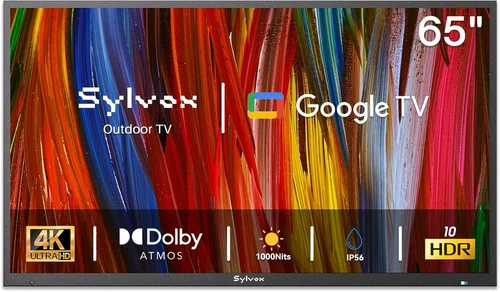
If you’ve ever tried watching your favorite show or streaming a game on your phone while lounging on the screened porch, you know how limiting that can be. The sun glares off the screen, the sound is tinny, and holding a device for hours gets tiring fast. That’s where a dedicated deck TV comes in—a smart, weather-resilient solution that transforms your outdoor living space into a true entertainment zone. But here’s the catch: most people assume outdoor TVs have to cost a fortune. The truth? You can absolutely find a high-performing, durable deck TV without breaking the bank—especially if you know what to look for.
This guide is designed for homeowners, renters, and outdoor enthusiasts who want to enjoy quality screen time on their porch, patio, or deck without overspending. Whether you’re planning summer movie nights, catching the big game with friends, or simply unwinding after a long day, a cheap deck TV can deliver a surprisingly rich viewing experience. We’ll walk you through every critical factor—from brightness and weather resistance to smart features and installation—so you can make a confident, informed decision. By the end of this article, you’ll know exactly how to balance cost, performance, and longevity when shopping for an outdoor TV in 2026.
The market for outdoor TVs has evolved dramatically in recent years. What once required custom-built enclosures or ultra-expensive commercial-grade models now includes a growing range of affordable, consumer-friendly options. Brands like Samsung, LG, TCL, and Vizio now offer models with outdoor-ready features at prices that rival indoor TVs. Meanwhile, specialized outdoor TV manufacturers like SunBriteTV and Seura continue to innovate, but their premium pricing often exceeds what most casual users need. This guide cuts through the noise, focusing on value-driven options that deliver real-world performance in screened porch environments—where full weather exposure is limited but ambient light and temperature fluctuations still pose challenges.

What to Look for When Buying Buying Guide
1. Brightness & Outdoor Visibility
One of the most critical factors for any deck TV is brightness, measured in nits. Indoor TVs typically range from 250 to 500 nits, which is fine for dimly lit rooms but woefully inadequate outdoors. Even on a screened porch—where direct rain and wind are blocked—ambient sunlight can wash out the picture. For comfortable viewing during the day, aim for a minimum of 700 nits, with 1000+ nits being ideal. Some budget models claim “outdoor visibility” but only reach 600 nits—this might work in shaded areas but will struggle on bright afternoons.
Look for TVs with anti-glare or anti-reflective coatings, which reduce screen reflections from windows or nearby surfaces. OLED panels generally offer better contrast and viewing angles than standard LED/LCDs, but they’re rarer in budget outdoor models. If you’re choosing an LED, prioritize full-array local dimming (FALD) if available—it improves black levels and makes dark scenes pop even in daylight. Also consider the screen finish: matte screens handle glare better than glossy ones, though they may slightly reduce color vibrancy.
2. Weather Resistance & Durability
Even though your TV will be under a screened porch, it’s still exposed to temperature swings, humidity, dust, and occasional moisture from sprinklers or morning dew. That means weather resistance isn’t optional—it’s essential. Look for TVs with an IP (Ingress Protection) rating. For screened porches, an IP55 rating is usually sufficient: it protects against limited dust ingress and low-pressure water jets from any direction. Avoid TVs with no IP rating or vague “weather-resistant” claims without certification.
Internal components matter too. Cheap outdoor TVs may use standard indoor electronics housed in a weatherproof shell—this can lead to overheating in summer or condensation issues in humid climates. Opt for models with sealed cooling systems, corrosion-resistant circuit boards, and ventilation designed for passive airflow (not fans, which can suck in moisture). Also check the operating temperature range: a good deck TV should function reliably from 32°F to 104°F (0°C to 40°C). If you live in an area with extreme winters or scorching summers, verify that the model you choose can handle those conditions.
3. Smart Features & Connectivity
In 2026, even budget outdoor TVs come with smart platforms, but not all are created equal. Roku TV, Google TV, and webOS are the most user-friendly and regularly updated ecosystems. Avoid proprietary or outdated systems that limit app availability or receive infrequent software updates. A good smart TV should support popular streaming services like Netflix, YouTube, Disney+, and Amazon Prime Video out of the box—no need for external streaming sticks.
Connectivity is equally important. Ensure the TV has at least three HDMI ports (preferably HDMI 2.0 or higher for 4K/60Hz), USB ports for media playback, and Wi-Fi 5 or Wi-Fi 6 for stable streaming. Bluetooth is a nice bonus for wireless audio to outdoor speakers. If you plan to connect a soundbar or AV receiver, check for optical audio output or ARC (Audio Return Channel) support. Some budget models omit these, forcing you to rely on the TV’s built-in speakers—which are often weak and lack bass.
4. Audio Quality & Sound Output
Outdoor spaces are inherently noisy—birds, wind, distant traffic—and sound dissipates quickly without walls to reflect it. Most budget TVs have underpowered built-in speakers (typically 10W total), which results in tinny, quiet audio that’s hard to hear over ambient noise. While you can always add external speakers, it’s worth checking the TV’s audio specs upfront.
Look for models with at least 20W total output and support for Dolby Audio or DTS:X. These codecs improve clarity and dynamic range, making dialogue easier to hear. Some TVs include “outdoor mode” audio settings that boost mid-range frequencies to cut through background noise. If you’re pairing the TV with a soundbar, ensure it has HDMI ARC or eARC for seamless control via the TV remote. Avoid TVs that only offer 3.5mm audio out—it limits your speaker options and often lacks volume control.
5. Size & Viewing Distance
Choosing the right screen size isn’t just about preference—it’s about geometry. For a typical screened porch (10–15 feet deep), a 50- to 65-inch TV is ideal. Smaller screens (40–49 inches) work for intimate seating areas or smaller porches, while 70+ inches are overkill unless you’re hosting large gatherings.
Use the 1.5x rule as a guideline: your viewing distance (in inches) should be about 1.5 times the screen size (in inches). So for a 55-inch TV, sit roughly 6.9 feet away. Closer than that, and you’ll notice pixelation; farther, and you lose immersion. Also consider mounting height: the center of the screen should be at or slightly below eye level when seated. On a porch with high ceilings, a tiltable wall mount helps angle the screen downward for optimal viewing.
6. Power Efficiency & Operating Costs
Outdoor TVs often run longer hours than indoor ones—think weekend binges, sports marathons, or background music during gatherings. A power-hungry model can spike your electricity bill, especially if left on for extended periods. Check the Energy Star rating and estimated annual energy cost (usually listed in the specs). Most modern LED TVs are efficient, but older or poorly designed models can consume 100–200 watts under load.
Look for features like auto-brightness adjustment (which dims the screen in low light) and sleep timers to reduce unnecessary power use. Some smart TVs also include “eco mode” settings that limit peak brightness and disable non-essential background processes. While these won’t make a huge difference on a single TV, they add up over time—and reflect thoughtful engineering.
7. Installation & Mounting Options
A cheap deck TV isn’t truly affordable if it requires expensive custom mounting. Most outdoor TVs use standard VESA patterns (200×200, 400×400, etc.), so you can use off-the-shelf wall or ceiling mounts. However, verify that the mount is rated for outdoor use—indoor mounts may rust or fail under humidity.
Consider whether you want a fixed, tiltable, or full-motion mount. Fixed mounts are cheapest but offer no adjustability. Tiltable mounts let you angle the screen downward, which is useful if mounting high on a wall. Full-motion (articulating) mounts allow swiveling and extending, ideal for multi-angle viewing but cost more and require stronger anchoring. Always use stainless steel lag bolts and ensure your porch wall or beam can support the weight—most 55-inch TVs weigh 30–40 lbs, plus mount.
8. Brand Reputation & Long-Term Reliability
Not all budget TV brands are equal. Established names like TCL, Hisense, and Vizio offer solid value with decent customer support and firmware updates. Lesser-known brands may cut corners on components or lack service networks. Research warranty terms: a one-year limited warranty is standard, but some brands offer two years or include accidental damage coverage.
Check forums like Reddit’s r/outdoortv or AVS Forum for real-user experiences. Pay attention to reports of premature failures, poor customer service, or discontinued software support. A TV that costs $50 less but fails after 18 months isn’t a bargain—it’s a liability. Stick with brands that have a track record of outdoor or semi-outdoor models, even if they’re not premium-tier.
Different Types of Buying Guide

Common Buying Mistakes to Avoid
❌ Mistake: Buying a Standard Indoor TV Without Protection
Why it’s bad: Indoor TVs aren’t designed for humidity, temperature swings, or dust. Even under a screen, condensation can form inside the panel, leading to fogging, corrosion, or complete failure within months. The cost of replacing a ruined TV far exceeds the savings.
What to do instead: Either invest in a proper outdoor-rated model or use a certified weatherproof enclosure if you must reuse an indoor TV. Never assume “it’s covered, so it’s fine.”
❌ Mistake: Ignoring Brightness Specs
Why it’s bad: A dim TV turns your porch into a guessing game during daylight hours. You’ll strain your eyes, miss details, and end up watching mostly at night—defeating the purpose of an outdoor setup.
What to do instead: Prioritize nits over resolution. A 700-nit 1080p TV will look better in daylight than a 400-nit 4K model. Check real-world reviews that mention outdoor visibility.
❌ Mistake: Overlooking Audio Needs
Why it’s bad: Weak built-in speakers make dialogue unintelligible over wind or distant noise. You’ll constantly reach for the volume knob or miss key moments.
What to do instead: Budget for a soundbar or outdoor speakers from day one. Choose a TV with HDMI ARC to simplify setup and control.
❌ Mistake: Choosing the Wrong Size for the Space
Why it’s bad: A too-small TV feels underwhelming; a too-large one overwhelms the space and forces uncomfortable viewing angles. Both reduce enjoyment.
What to do instead: Measure your seating distance and use the 1.5x rule. Sketch the layout or use painter’s tape to visualize screen size on the wall.
❌ Mistake: Skimping on Mounting Hardware
Why it’s bad: Cheap indoor mounts rust, loosen, or fail under outdoor conditions. A falling TV can cause injury or property damage.
What to do instead: Buy marine-grade or outdoor-rated mounts with stainless steel hardware. Have a professional install it if you’re unsure about wall integrity.
❌ Mistake: Ignoring Return Policies and Warranties
Why it’s bad: Outdoor TVs are harder to test thoroughly before buying. If it fails in week two, you don’t want to be stuck with a lemon.
What to do instead: Only buy from retailers with 30+ day return windows and check if the warranty covers outdoor use. Some brands void warranties if used outside.
❌ Mistake: Falling for “Outdoor” Marketing Without Verification
Why it’s bad: Some brands slap “outdoor-ready” on indoor models with minor tweaks. Without IP ratings or brightness specs, these are risky purchases.
What to do instead: Demand technical specs, not marketing fluff. Cross-reference with independent reviews and user forums.
Budget Guidelines: How Much Should You Spend?
Entry-Level ($300–$500): This tier includes refurbished models, older-gen semi-outdoor TVs, or indoor TVs in basic enclosures. Expect 700–800 nits brightness, limited smart features, and shorter warranties. Best for shaded porches with minimal sun exposure and occasional use. Example: Refurbished TCL 5-Series with third-party outdoor case.
Mid-Range ($500–$800): The sweet spot for most screened porch owners. You’ll find new IP55-rated models from reputable brands with 800–1000 nits, full smart platforms, and decent audio. These offer the best balance of price, performance, and durability. Example: Vizio V-Series Outdoor Edition or Hisense U6H with outdoor certification.
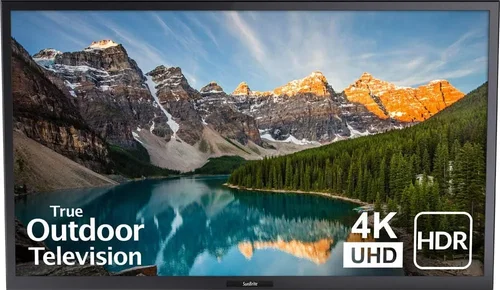
Premium ($800–$1,200): For those who want near-commercial quality without the steep price. Expect 1000+ nits, advanced cooling, robust build materials, and extended warranties. Ideal for larger porches or frequent entertainers. Example: SunBriteTV Veranda Series (on sale) or LG OLED with outdoor kit.
Luxury ($1,200+): Reserved for uncovered decks or professional installations. These are overkill for screened porches but offer unmatched brightness (1500+ nits), all-weather operation, and premium designs. Only consider if you plan to upgrade your entire outdoor AV system.
Expert Tips for Getting the Best Deal
1. Shop During Off-Season Sales: Outdoor TV demand peaks in spring and summer. Buy in late fall or winter (November–February) when retailers clear inventory. Black Friday and Prime Day also offer solid discounts, but selection may be limited.
2. Consider Refurbished or Open-Box Models: Certified refurbished TVs from manufacturers like Samsung or LG often come with full warranties and sell for 20–40% less. Open-box deals at Best Buy or Costco can yield similar savings with return protection.
3. Bundle with Accessories: Some retailers offer discounts when you buy a TV + mount + soundbar together. Even if you don’t need everything, the bundle price may still be lower than buying separately.
4. Check Local Classifieds and Facebook Marketplace: People often sell barely-used outdoor TVs after realizing their porch isn’t ideal for viewing. Verify functionality and warranty transferability before purchasing.
5. Negotiate Extended Warranties: Many stores inflate warranty prices. Ask if they’ll match the manufacturer’s extended plan or waive it if you pay in cash.
6. Test Before Finalizing: If buying in-store, ask to see the TV powered on. Check for dead pixels, color uniformity, and remote responsiveness. For online purchases, choose retailers with hassle-free returns.
7. Monitor Price Tracking Tools: Use CamelCamelCamel (for Amazon) or Honey to track price history and get alerts when your desired model drops.
8. Don’t Forget Tax and Shipping: Some “cheap” TVs have high shipping fees or aren’t available in your state due to tax laws. Factor these into your total cost.
Frequently Asked Questions
Q: Can I use a regular TV on my screened porch?
A: Technically yes, but it’s not recommended long-term. Without weatherproofing, humidity and temperature changes can damage internal components. If you must, use a certified outdoor enclosure and monitor for condensation.
Q: Do I need a special outlet for an outdoor TV?
A: Not necessarily, but you should use a GFCI (Ground Fault Circuit Interrupter) outlet for safety, especially near moisture. Have an electrician install one if your porch lacks it.
Q: How do I hide cables on my porch?
A: Use outdoor-rated cable raceways or conduit painted to match your wall. For a cleaner look, run wires through the wall (if permitted by local codes) or use wireless HDMI kits.
Q: Will a deck TV work in winter?
A: Most semi-outdoor TVs operate down to 32°F. Below that, performance may degrade. If your porch is unheated, consider covering the TV or using a model rated for colder temps.
Q: Can I leave my outdoor TV on all day?
A: Yes, but it’s not energy-efficient. Use sleep timers or smart plugs to automate shutdown. Modern LEDs are durable, but constant use reduces lifespan.
Q: Are outdoor TVs harder to repair?
A: Generally yes—specialized parts and labor cost more. That’s why warranty and brand support matter. Stick with mainstream brands for easier service.
Q: Do I need a streaming device if the TV is smart?
A: Usually not. Built-in platforms like Roku or Google TV handle most apps. Only add a stick if you need niche services or faster performance.
Q: How long do cheap outdoor TVs last?
A: With proper care, 5–7 years is realistic. Avoid direct sun exposure when off, clean the screen gently, and ensure ventilation isn’t blocked.
Q: Can I mount an outdoor TV on a brick or stone wall?
A: Yes, but use masonry anchors and a drill bit rated for concrete. Consider a professional installer to avoid cracking the surface.
Q: Is 4K necessary for a porch TV?
A: Not essential. At typical viewing distances (6–10 feet), 1080p looks sharp on screens under 60 inches. Save 4K for larger screens or if you sit very close.
Our Final Recommendations
Best for Budget-Conscious Buyers: TCL 55S555 (Refurbished with Outdoor Enclosure) – At under $400, this delivers 800 nits, Roku OS, and solid build quality. Pair with a $50 weatherproof case for full protection.
Best Overall Value: Vizio V505-O1 (V-Series Outdoor Edition) – Priced around $650, it offers 900 nits, IP55 rating, Dolby Vision, and excellent color accuracy. A true plug-and-play solution.
Best Premium Option: SunBriteTV Veranda 55-inch (Open-Box) – Usually $1,100+, but open-box units drop to $850. Features 1000+ nits, all-weather design, and a 2-year warranty.
Best for Beginners: Hisense 55U6H with Outdoor Certification – Simple setup, Google TV, and strong brightness (850 nits) make it ideal for first-time outdoor TV owners.
Best for Advanced Users: LG OLED55C2 with SunBrite Outdoor Kit – Combines stunning picture quality with professional-grade protection. Best for cinephiles willing to invest in performance.
Conclusion: Making the Right Choice
Choosing a cheap deck TV doesn’t mean settling for poor quality—it means being smart about your priorities. Focus on brightness, weather resistance, and smart features that match your lifestyle. Avoid the trap of overspending on commercial-grade gear you don’t need, but don’t cut corners on durability or visibility. Remember, your screened porch is an extension of your home, and the right TV can turn it into a year-round retreat for relaxation and connection.
Take the time to measure your space, assess your lighting conditions, and read real-user reviews. Set a realistic budget, shop strategically, and don’t rush the decision. With the insights from this guide, you’re equipped to find a deck TV that delivers great performance without draining your wallet. Now go enjoy those sunset movies, backyard barbecues, and quiet mornings with your favorite shows—under the open sky, but with all the comforts of indoor entertainment.

