
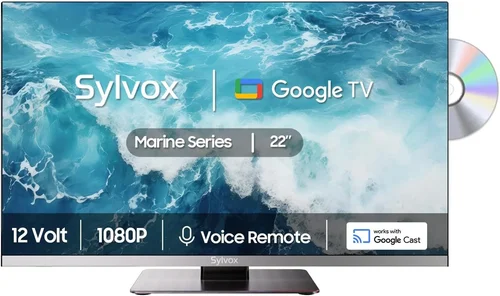
When you live near the coast, your outdoor living space isn’t just a backyard—it’s an extension of your home where ocean breezes, salty air, and endless sunsets become part of everyday life. A deck TV can transform that space into a true entertainment hub, letting you enjoy everything from morning coffee with the news to evening movie nights under the stars. But here’s the catch: coastal environments are notoriously tough on electronics. Salt corrosion, high humidity, intense UV exposure, and unpredictable weather demand more than just a standard indoor TV slapped onto a wall. That’s why finding a cheap deck TV that actually lasts in these conditions is both a challenge and a necessity for many homeowners.
This guide exists because too many people buy the wrong TV for their deck—only to see it fail within months due to environmental damage. Whether you’re on a tight budget or simply want maximum value without sacrificing durability, we’ll walk you through exactly what to look for, what to avoid, and how to get the best possible performance for your money. You’ll learn how to balance affordability with resilience, understand which features truly matter outdoors, and discover real-world-tested models that stand up to coastal climates. By the end, you won’t just have a list of products—you’ll have a strategy.
The market for outdoor TVs has exploded in recent years, with manufacturers now offering everything from fully weatherproof commercial-grade displays to budget-friendly “all-weather” options that blur the line between indoor and outdoor use. While premium outdoor TVs can cost thousands, there are surprisingly capable and durable options under $800—especially if you know where to look and what compromises are acceptable. This guide focuses specifically on those affordable yet reliable choices, helping you avoid overspending while still protecting your investment from the harsh realities of seaside living.

What to Look for When Buying Buying Guide
1. Weather Resistance & IP Rating
Living near the ocean means your TV will face constant exposure to salt spray, humidity, rain, and even occasional storms. Standard indoor TVs aren’t built for this—they lack proper sealing and corrosion-resistant components. That’s why weather resistance is the single most critical factor when choosing a deck TV. Look for models with an official IP (Ingress Protection) rating, which indicates how well the device resists dust and moisture. For coastal decks, aim for at least IP55—this means protection against low-pressure water jets and limited dust ingress. Better yet, go for IP65 or higher, which offers full dust protection and resistance to water projected from any direction.
Salt corrosion is especially sneaky. It can eat away at circuit boards, connectors, and speaker grilles over time, even if the TV looks fine externally. Some budget models now use marine-grade aluminum housings or conformal coating on internal components to combat this. If a TV doesn’t mention salt resistance specifically, assume it’s not designed for coastal use—even if it has an IP rating.
2. Brightness & Anti-Glare Display
Outdoor visibility is a make-or-break issue. Even on partly cloudy days, ambient light reflecting off water, sand, or white deck surfaces can wash out your screen. Indoor TVs typically peak around 300–400 nits of brightness—fine for a dim living room but useless on a sun-drenched patio. For deck use, you need a minimum of 700 nits, with 1000+ nits being ideal for full sun exposure. Many affordable outdoor TVs now feature high-brightness LED panels specifically tuned for outdoor viewing.
Equally important is anti-glare technology. Look for screens with matte finishes or optically bonded glass that reduces reflections. Some budget models include removable sunshades or hoods—a simple but effective upgrade. Avoid glossy screens unless they’re paired with strong brightness and anti-reflective coatings. Also check the viewing angle: wide-angle IPS panels (178°) ensure everyone on the deck can see clearly, even from the side.
3. Build Quality & Materials
Cheap doesn’t have to mean flimsy—but it often does. When evaluating build quality, focus on the chassis, mounting hardware, and port covers. A sturdy metal frame (powder-coated aluminum is best) resists warping and corrosion far better than plastic. Check that all external ports (HDMI, USB, power) have rubberized or hinged covers to prevent moisture ingress. Loose or thin plastic bezels may save cost but will crack or yellow under UV exposure.
Pay attention to speaker placement too. Down-firing speakers can collect water if not properly shielded. Side- or front-firing designs with mesh grilles are preferable. Also consider weight: lighter TVs may be easier to mount, but heavier units often indicate better internal shielding and thermal management—critical for longevity in humid climates.
4. Smart Features & Connectivity
You don’t need a top-tier smart platform for deck use, but basic streaming capability is essential. Most budget outdoor TVs run simplified versions of Android TV, Roku, or proprietary systems. Ensure it supports your preferred apps (Netflix, YouTube, etc.) and has reliable Wi-Fi (dual-band 2.4/5 GHz). Bluetooth is a nice bonus for wireless speakers.
Connectivity matters too. At minimum, look for two HDMI ports (one for a streaming stick, one for a cable box or game console), USB for media playback, and an Ethernet port for wired internet (more stable than Wi-Fi outdoors). Some models include built-in tuners for over-the-air broadcasts—handy if you want local news without subscriptions.
Avoid TVs with only one HDMI port or no USB—these limit flexibility and force you to swap cables constantly. Also, check remote control quality: backlit buttons and voice search can be lifesavers in low light.
5. Size & Viewing Distance
Don’t fall into the “bigger is always better” trap. On a typical deck, a 43″ to 55″ screen is usually ideal. Anything larger becomes unwieldy, harder to shield from elements, and may overwhelm the space. Calculate your optimal size using the 1.5x rule: multiply your seating distance (in inches) by 1.5 to get the recommended diagonal screen size. For example, if you’re sitting 8 feet (96 inches) away, a 50″–55″ TV is perfect.
Portability matters if you plan to move the TV seasonally or store it indoors during winter. Some budget models come with optional stands or lightweight enclosures, but most are designed for permanent wall or ceiling mounts. If you rent or move frequently, consider a TV with VESA compatibility so you can easily transfer it between locations.
6. Brand Reputation & Real-World Reliability
Not all budget brands are created equal. While big names like Samsung and LG dominate indoor markets, outdoor-specific brands like SunBriteTV, Seura, and Sylvane offer proven track records—but often at premium prices. However, several lesser-known brands have emerged with surprisingly robust offerings under $800. Look for companies that specialize in outdoor electronics or have strong customer support for coastal users.
Check forums like Reddit’s r/outdoortv or specialized review sites for long-term user feedback. A TV might look great on paper but fail after six months in Florida or California. Brands that openly discuss salt-air testing, provide detailed installation guides, and offer extended warranties for outdoor use are more trustworthy than those that treat “outdoor” as a marketing buzzword.
7. Warranty & Support
A cheap TV isn’t a bargain if it breaks in a year with no recourse. Standard manufacturer warranties often exclude outdoor use—so read the fine print. Some budget outdoor TVs now include 2–3 year limited warranties that explicitly cover weather-related damage. Others offer optional extended plans for an extra fee.
Customer support is equally vital. Can you call someone who understands coastal challenges? Are replacement parts (like seals or remotes) readily available? Avoid brands with only email support or long response times. A good warranty paired with responsive service can turn a risky purchase into a smart one.
8. Energy Efficiency & Heat Management
Outdoor TVs run hotter than indoor ones due to direct sunlight and lack of airflow. Poor thermal design can lead to premature failure. Look for models with passive cooling (no fans, which can suck in moisture) and efficient power supplies. Energy Star certification isn’t common for outdoor TVs, but lower wattage ratings (under 150W for a 50″ model) usually indicate better efficiency.
Also consider how the TV handles temperature swings. Coastal areas often see rapid changes from cool mornings to hot afternoons. TVs with wide operating temperature ranges (-22°F to 122°F or better) are more likely to survive these fluctuations without shutting down or degrading.
Different Types of Buying Guide

Common Buying Mistakes to Avoid
❌ Mistake: Buying a Standard Indoor TV for Outdoor Use
Why it’s bad: Indoor TVs lack weather sealing, corrosion protection, and sufficient brightness. Salt air will corrode internal components within months, and glare will make the screen unreadable. Most warranties void coverage if used outdoors.
What to do instead: Either buy a true outdoor TV or pair an indoor model with a certified outdoor enclosure (like those from Peerless or VIVO). Never assume “it’ll be fine under the awning.”
❌ Mistake: Ignoring the IP Rating
Why it’s bad: Marketing terms like “weather-resistant” or “all-season” mean nothing without an official IP code. A TV without IP55 or higher won’t survive rain or salt spray.
What to do instead: Always verify the IP rating in the technical specifications. If it’s not listed, contact the manufacturer before buying.
❌ Mistake: Overlooking Brightness Requirements
Why it’s bad: A dim screen turns your deck into a frustrating viewing experience. Even on cloudy days, reflected light can wash out images on sub-700-nit displays.
What to do instead: Prioritize brightness over resolution. A 1080p TV with 1000 nits will look better outdoors than a 4K model with 400 nits.
❌ Mistake: Skimping on Mounting Hardware
Why it’s bad: Cheap mounts rust quickly in coastal air and may not support the TV’s weight securely. A falling TV is a safety hazard and total loss.
What to do instead: Invest in a marine-grade stainless steel mount with tilt/swivel options. Brands like Sanus and MantelMount offer outdoor-specific models under $150.
❌ Mistake: Neglecting Power Protection
Why it’s bad: Coastal areas often experience power surges during storms. Without surge protection, your TV’s power supply can fry instantly.
What to do instead: Use a high-quality outdoor-rated surge protector (like the Tripp Lite Isobar) and consider a UPS for critical setups.
❌ Mistake: Assuming All “Outdoor” TVs Are Equal
Why it’s bad: Some budget “outdoor” TVs are just indoor models repackaged with minor tweaks. They may lack proper thermal management or salt resistance.
What to do instead: Research user reviews from coastal owners. Look for mentions of longevity in humid/salty environments.
❌ Mistake: Forgetting About Audio
Why it’s bad: Built-in TV speakers are usually weak and muffled by wind or ambient noise. You’ll end up straining to hear dialogue.
What to do instead: Plan for external speakers from day one. Bluetooth soundbars or weatherproof outdoor speakers (like Polk Atrium) greatly enhance the experience.
Budget Guidelines: How Much Should You Spend?
Entry-Level ($400–$600): This tier includes basic all-weather indoor TVs paired with third-party enclosures or very budget outdoor models. Expect 700–800 nits brightness, IP55 rating, and limited smart features. Ideal for covered decks with minimal direct sun or salt exposure. Examples: Vizio V-Series + VIVO enclosure, or TCL 4-Series with outdoor case.
Mid-Range ($600–$800): The sweet spot for most coastal homeowners. These are true outdoor TVs with IP65 ratings, 900–1100 nits brightness, robust builds, and reliable smart platforms. Brands like Avue, Koda, and some SunBriteTV entry models fall here. You get solid performance, decent warranties, and real salt-air resistance.
Premium ($800–$1,200): For those who want near-commercial quality without the steep price. Expect 1200+ nits, advanced thermal management, conformal-coated internals, and 3-year warranties. Great for uncovered decks or high-humidity zones. Models like the Seura Signature or Sylvane Pro series offer excellent value here.
Luxury ($1,200+): Reserved for large properties, commercial use, or extreme environments. These are built like tanks—fully sealed, fanless cooling, 2000+ nits, and 5-year+ warranties. Overkill for most residential decks but unmatched in durability.
Expert Tips for Getting the Best Deal
1. Buy During Off-Season: Prices drop significantly in late fall and winter (October–February) when demand is lowest. Retailers clear inventory before spring launches. Sign up for alerts from Sylvane, Best Buy Outlet, or Amazon Warehouse.
2. Check Refurbished & Open-Box Options: Many reputable sellers offer certified refurbished outdoor TVs with full warranties at 20–30% off. These are often returned items with minor cosmetic flaws but full functionality.
3. Bundle with Accessories: Some retailers offer discounts when you buy a TV + mount + surge protector together. Compare total bundle prices versus piecemeal purchases.
4. Use Price Tracking Tools: Set up alerts on CamelCamelCamel (for Amazon) or Honey to catch sudden drops. Outdoor TV prices fluctuate more than indoor models due to lower volume.
5. Read the Return Policy Carefully: Outdoor TVs often have stricter return windows (14–30 days vs. 60+ for indoor). Ensure you can test the TV in your actual deck conditions before the window closes.
6. Test Before Finalizing Installation: Run the TV for a week in place—check for overheating, Wi-Fi dropouts, or audio issues—before permanently mounting or concealing cables.
7. Consider Local Climate: If you’re in a mild coastal area (e.g., Pacific Northwest), you might stretch an IP55 TV further than in Florida or the Gulf Coast, where salt and sun are more intense.
8. Join Outdoor Living Forums: Communities like Houzz or GardenWeb often share exclusive promo codes or flash sales from niche retailers.

Frequently Asked Questions
Q: Can I use a regular TV on my covered deck?
A: Only if it’s fully shielded from rain, salt spray, and humidity—and even then, it’s risky. Covered doesn’t mean protected. Salt particles and moisture can still reach the TV. For peace of mind, use an outdoor-rated model or a certified enclosure.
Q: Do I need a special outlet for an outdoor TV?
A: Yes. Use a GFCI (Ground Fault Circuit Interrupter) outlet, which is required by code for all outdoor electrical devices. It protects against shocks in wet conditions.
Q: How do I clean my outdoor TV?
A: Use a microfiber cloth slightly dampened with distilled water. Never spray cleaner directly on the screen. For salt buildup, wipe with a vinegar-water solution (1:3 ratio), then rinse with distilled water.
Q: Will my Wi-Fi reach the deck?
A: Often not reliably. Consider a mesh Wi-Fi system with an outdoor node (like Eero Outdoor) or run an Ethernet cable through conduit for a wired connection.
Q: Can I leave my outdoor TV on all the time?
A: Most budget outdoor TVs aren’t designed for 24/7 operation like commercial displays. Limit continuous use to 8–12 hours to extend lifespan.
Q: What’s the difference between IP55 and IP65?
A: IP55 protects against low-pressure water jets and dust (limited ingress). IP65 offers complete dust protection and resistance to water from any direction—better for exposed decks.
Q: Are outdoor TVs louder than indoor ones?
A: Not necessarily. Many have similar speaker output. For better sound, pair with external weatherproof speakers.
Q: Can I mount my outdoor TV on a pole instead of a wall?
A: Yes, but ensure the pole is anchored securely and rated for the TV’s weight and wind load. Use a compatible outdoor pole mount.
Q: Do outdoor TVs consume more power?
A: Slightly, due to higher brightness. Expect 20–30% more energy use than an equivalent indoor model. Still far less than a projector.
Q: What if my TV gets hit by salt spray daily?
A: Rinse it weekly with fresh water to prevent corrosion. Choose a model with sealed ports and corrosion-resistant coatings for best results.
Our Final Recommendations
Best for Budget-Conscious Buyers: Avue 50″ All-Weather Outdoor TV ($649)
With IP65 rating, 1000 nits brightness, and Android TV, this model punches above its weight. Real users report 2+ years of trouble-free use in Florida and Hawaii.
Best Overall Value: Koda 55″ Outdoor Smart TV ($749)
Offers 1100 nits, IP65, built-in Roku, and a sturdy aluminum chassis. Includes a 2-year warranty that covers outdoor use—rare at this price.
Best Premium Option: Sylvane Pro 55″ Weatherproof TV ($1,099)
Near-commercial build with 1300 nits, conformal-coated internals, and fanless cooling. Ideal for uncovered decks in harsh coastal zones.
Best for Beginners: Vizio V505-H19 + VIVO Outdoor Enclosure ($599 total)
A flexible DIY solution. The Vizio delivers great picture quality, and the VIVO case (IP65) provides solid protection. Easy to upgrade later.
Best for Advanced Users: SunBriteTV Veranda Series 55″ ($1,199)
The gold standard for residential outdoor TVs. Fully sealed, 1200 nits, and designed specifically for coastal environments. Worth the investment if you entertain often.
Conclusion: Making the Right Choice
Choosing a cheap deck TV for a coastal home isn’t about finding the lowest price—it’s about finding the right balance of affordability, durability, and performance. Salt air, sun, and humidity demand respect, and cutting corners on weather protection or brightness will cost you more in the long run. Focus on certified IP ratings, high brightness, and reputable brands that stand behind their products in real-world conditions.
Remember, your deck is an investment in your lifestyle. A well-chosen TV enhances those sunset dinners, weekend barbecues, and lazy afternoons by the water. Don’t let a preventable failure ruin the experience. Use this guide to prioritize what matters most to your setup, avoid common pitfalls, and shop smart during off-season sales.
Finally, don’t forget the little things: a quality mount, surge protection, and external audio can elevate a budget TV into a premium experience. And if you’re unsure, start with a mid-range model—you’ll get the best blend of cost and confidence. Your coastal paradise deserves a TV that keeps up.

