
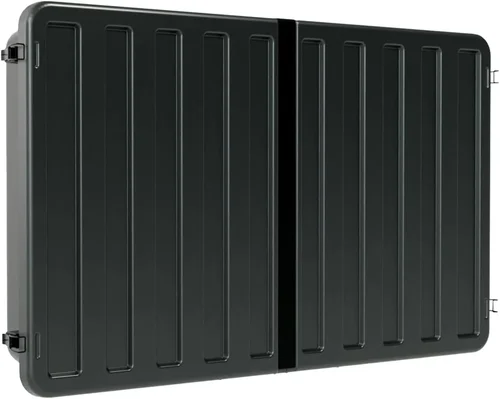
Outdoor living spaces have evolved dramatically over the past decade. What was once limited to a simple patio with a few chairs has now transformed into fully functional outdoor entertainment zones—complete with grills, sound systems, lighting, and yes, televisions. For rental property owners and managers, this shift presents both an opportunity and a challenge. Installing an outdoor TV can significantly boost a property’s appeal, allowing tenants to enjoy movies, sports, or streaming content under the stars. But unlike indoor TVs, outdoor models face unique environmental stressors: extreme temperatures, humidity, UV exposure, rain, dust, and even curious wildlife. Choosing the wrong model could mean frequent replacements, tenant complaints, or costly repairs—none of which align with the low-maintenance ethos of rental properties.
That’s where this comprehensive buying guide comes in. Whether you’re managing a single vacation rental, a portfolio of short-term Airbnb units, or a multi-unit apartment complex with shared outdoor amenities, selecting the right outdoor television requires careful consideration. This guide is designed specifically for landlords, property managers, and real estate investors who need durable, reliable, and tenant-friendly outdoor TVs that enhance guest experience without becoming a maintenance nightmare. You’ll learn how to balance cost, performance, durability, and ease of use—all while avoiding common pitfalls that trip up even experienced buyers.
The outdoor TV market has matured significantly in recent years. Gone are the days when your only option was a bulky, expensive weatherproof enclosure housing a standard indoor TV. Today, manufacturers like Samsung, SunBriteTV (a Sony brand), Seura, and Peerless offer purpose-built outdoor displays engineered from the ground up to withstand the elements. These aren’t just “water-resistant” screens—they’re designed with sealed components, anti-glare coatings, enhanced brightness, and thermal management systems. At the same time, more affordable alternatives—such as weatherproof enclosures paired with high-brightness indoor TVs—have emerged, giving budget-conscious landlords viable options. With so many choices, it’s easy to feel overwhelmed. But by focusing on the right criteria—and understanding what truly matters for rental applications—you can make a smart, long-term investment that pays dividends in tenant satisfaction and property value.

What to Look for When Buying Outdoor Televisions for Rental Homes
1. Weather Resistance & IP Rating
When it comes to outdoor electronics, weather resistance isn’t optional—it’s essential. Unlike indoor TVs, outdoor models must endure rain, snow, dust, humidity, and temperature swings ranging from sub-freezing winters to scorching summer heat. The first thing to check is the TV’s Ingress Protection (IP) rating. This two-digit code indicates how well the device resists solid particles (like dust) and liquids (like rain). For outdoor use, look for a minimum IP55 rating—this means the TV is protected against dust ingress (limited) and water jets from any direction. However, for full four-season durability, especially in regions with heavy rainfall or snow, aim for IP65 or higher. An IP65-rated TV is dust-tight and protected against low-pressure water jets, making it ideal for patios, decks, and covered porches.
But don’t stop at the IP rating. Dig deeper into the manufacturer’s specifications. Ask: Is the TV rated for outdoor use year-round, or only in mild climates? Does it include a built-in heater or cooling fan for extreme temperatures? Some premium models, like the SunBriteTV Veranda series, are certified for operation between -24°F and 122°F (-31°C to 50°C), ensuring reliability even in harsh winters or desert summers. For rental properties in coastal areas, also consider corrosion resistance—salt air can degrade metal components quickly. Look for powder-coated aluminum chassis and stainless-steel hardware. A TV that looks great on day one but fails after six months due to rust or water damage will cost you far more in replacements and tenant dissatisfaction than a slightly pricier, truly weatherproof model.
2. Brightness & Anti-Glare Performance
One of the biggest challenges with outdoor viewing is ambient light. Even under a covered patio, sunlight reflecting off concrete, water, or glass can wash out a standard TV screen. That’s why brightness—measured in nits—is critical. Most indoor TVs range from 250 to 500 nits, which is fine for dim living rooms but inadequate outdoors. For shaded or covered outdoor areas, you’ll want a minimum of 700 nits. For partially shaded or sun-dappled spaces, aim for 1,000 nits or higher. Fully sunlit areas may require 2,000+ nits, though these are typically reserved for commercial installations.
Equally important is anti-glare technology. Many outdoor TVs feature optically bonded glass with anti-reflective coatings that minimize glare without sacrificing color accuracy or contrast. This is especially important for rental properties where tenants may watch TV at various times of day. A TV that’s unwatchable at noon but fine at dusk defeats the purpose. Look for models that specify “direct-sun readable” or “high-brightness direct-lit LED” backlighting. Avoid TVs that rely solely on software-based brightness boosts—these often degrade image quality and consume more power. Also, consider the screen finish: matte finishes reduce glare better than glossy ones, though they may slightly soften image sharpness. For most rental applications, a balance between brightness, glare reduction, and color fidelity is ideal.
3. Build Quality & Durability
Rental properties demand gear that can withstand heavy use, occasional mishandling, and long periods of inactivity. An outdoor TV isn’t just exposed to the elements—it’s also subject to tenant behavior. Will guests accidentally bump it? Could kids throw a ball near it? Is there risk of vandalism or theft? These factors make build quality non-negotiable. Start with the chassis: look for robust, powder-coated aluminum or stainless steel frames. Avoid plastic housings, which can crack, fade, or become brittle over time. The screen itself should be made of tempered glass—not acrylic—which is more scratch-resistant and less prone to yellowing.
Internal components matter too. Outdoor TVs should have sealed circuit boards, conformal coatings on electronics, and no ventilation holes that could allow moisture ingress. Check if the TV includes a built-in surge protector—power fluctuations from lightning storms or grid issues are common outdoors and can fry sensitive electronics. Also, consider mounting hardware. Is it included? Is it corrosion-resistant? Can it be secured to prevent theft? For high-traffic rentals like vacation homes or Airbnbs, a lockable mount or security cable is a smart addition. Finally, think about longevity. A TV with a 50,000-hour lifespan (common in premium outdoor models) will last over 17 years with 8 hours of daily use—far longer than most rental cycles. Investing in durability upfront reduces replacement frequency and downtime.
4. Size & Viewing Distance
Choosing the right screen size isn’t just about aesthetics—it’s about usability. A TV that’s too small will be hard to see from seating areas; one that’s too large may overwhelm the space or require expensive structural support. For outdoor settings, a general rule of thumb is to sit at a distance equal to 1.5 to 2.5 times the screen’s diagonal measurement. So, for a 55-inch TV, optimal viewing distance is 6.9 to 11.5 feet. Measure your patio or deck layout before buying. Consider where seating will be placed and whether the TV will be visible from multiple angles.
For small patios or balconies, a 43- to 50-inch screen is often sufficient. Medium-sized decks or backyard entertainment zones benefit from 55- to 65-inch models. Large outdoor living rooms or shared community spaces may justify 70+ inch displays. But remember: larger screens require more robust mounting solutions and may need professional installation—especially if wall-mounted on exterior surfaces. Also, factor in ambient light. A 55-inch TV with 1,000 nits will outperform a 65-inch model with only 700 nits in bright conditions. Don’t sacrifice brightness for size. And for rental properties, avoid ultra-large screens (75+ inches) unless you’re targeting luxury rentals—they’re more prone to damage, harder to replace, and may not fit standard enclosures.
5. Connectivity & Smart Features
Tenants expect modern conveniences, and that includes smart TV functionality. Most outdoor TVs now come with built-in Wi-Fi, Bluetooth, and streaming platforms like Roku, Android TV, or webOS. This allows guests to log into their Netflix, Disney+, or YouTube accounts without needing external devices. For rental properties, this is a major plus—it reduces the need for additional hardware (like streaming sticks) that can get lost or damaged. However, not all smart features are created equal. Look for models with intuitive interfaces, regular software updates, and compatibility with popular voice assistants (Alexa, Google Assistant).
Connectivity ports are equally important. Ensure the TV has multiple HDMI inputs (at least two), USB ports for media playback, and possibly an optical audio output if you plan to connect external speakers. Some models include built-in speakers, but for outdoor use, external weatherproof soundbars or wireless speakers often deliver better audio. Avoid TVs with proprietary connectors or limited input options—these can frustrate tenants and limit flexibility. Also, consider future-proofing: does the TV support 4K HDR? Is it compatible with emerging standards like HDMI 2.1? While 8K is still niche, 4K is now the baseline for premium viewing. For rental properties, a 4K outdoor TV with smart capabilities offers the best balance of performance and guest satisfaction.
6. Installation & Maintenance Requirements
One of the biggest advantages of purpose-built outdoor TVs is their ease of installation. Unlike DIY enclosures—which require drilling, sealing, and ongoing maintenance—many outdoor models are designed for plug-and-play setup. They often include pre-drilled VESA mounting patterns, compatible with standard wall or ceiling mounts. Some even come with all-weather mounting kits. For rental properties, simplicity is key. You don’t want to spend hours installing a TV every time you turnover a unit.
Consider whether the TV requires professional installation. While most can be mounted by a handy property manager, larger models or those installed in hard-to-reach areas (like under eaves or on tall walls) may need an electrician or technician. Also, think about maintenance. Does the TV need regular cleaning? Are there filters to replace? Some models have self-cleaning vents or hydrophobic coatings that repel water and dirt. Others may require periodic inspection for condensation or debris buildup. Choose a TV with minimal upkeep—especially if you manage multiple properties. And always check if the manufacturer offers installation support or partnerships with local technicians. A little extra help during setup can prevent costly mistakes.
7. Warranty & Support
Outdoor electronics are inherently higher-risk investments. Even the best-built TVs can fail due to lightning strikes, power surges, or manufacturing defects. That’s why warranty coverage is crucial—especially for rental properties where downtime directly impacts revenue. Most reputable outdoor TV brands offer warranties ranging from 1 to 3 years. SunBriteTV, for example, provides a 2-year limited warranty that covers parts and labor, including outdoor-specific issues like seal failure or corrosion. Peerless offers similar coverage, while Seura includes a 3-year warranty on select models.
But don’t just look at the length—read the fine print. Does the warranty cover accidental damage? Is it transferable between tenants or properties? Are there exclusions for “acts of nature” like hail or flooding? Also, consider the availability of customer support. Can you get help via phone, email, or chat? Is there a local service network? For landlords managing multiple units, having reliable support can mean the difference between a quick fix and a week-long outage. Finally, check if the manufacturer offers extended warranty options. Paying an extra $100–$200 for an additional 2–3 years of coverage may be worth it for high-value rentals or properties in extreme climates.
8. Brand Reputation & User Reviews
With so many options on the market, brand reputation can be a reliable shortcut to quality. Established players like SunBriteTV, Seura, and Peerless have spent years refining their outdoor TV technology and have proven track records in both residential and commercial installations. These brands invest heavily in R&D, testing their products in real-world conditions—from Arizona deserts to Alaskan winters. In contrast, lesser-known or generic brands may cut corners on materials, sealing, or brightness, leading to premature failure.
That said, don’t dismiss newer entrants entirely. Some companies, like Sylvane or Outdoor TV Solutions, offer high-quality enclosures and kits that pair well with premium indoor TVs. The key is to read user reviews—especially from other property managers or landlords. Look for feedback on longevity, ease of installation, customer service, and real-world performance. Pay attention to recurring complaints: if multiple users report screen fogging, Wi-Fi dropouts, or mount failures, it’s a red flag. Also, check third-party review sites like CNET, Wirecutter, or specialized outdoor living forums. A TV with consistently high ratings across multiple platforms is more likely to deliver on its promises. Remember: in rental properties, reliability trumps flashy features every time.
Different Types of Outdoor Televisions
Common Buying Mistakes to Avoid
❌ Mistake: Buying a Standard Indoor TV for Outdoor Use
Why it’s bad: Indoor TVs aren’t designed to handle moisture, temperature extremes, or UV exposure. Even under a covered patio, condensation can form inside the screen, leading to fogging, corrosion, or electrical failure. Most indoor models also lack the brightness needed for outdoor viewing, resulting in a washed-out image.
What to do instead: Invest in a purpose-built outdoor TV or use a certified weatherproof enclosure. If budget is tight, pair a high-brightness indoor TV (700+ nits) with a reputable enclosure like the Peerless Outdoor TV Enclosure. Never assume “covered” means “safe.”
❌ Mistake: Ignoring the IP Rating
Why it’s bad: A TV without a proper IP rating may claim to be “weather-resistant” but fail under real-world conditions. Without dust and water protection, internal components can degrade quickly, leading to costly repairs or replacements.
What to do instead: Always check the IP rating. For most outdoor applications, aim for IP55 or higher. Verify the rating with the manufacturer and avoid vague terms like “splash-proof” or “all-weather” without certification.
❌ Mistake: Overlooking Brightness Requirements
Why it’s bad: A dim screen makes outdoor viewing frustrating, especially during daylight hours. Tenants may avoid using the space altogether, reducing the TV’s value and potentially leading to negative reviews.
What to do instead: Match brightness to your environment. Use 700–1,000 nits for shaded areas, 1,000–1,500 nits for partial sun, and 2,000+ nits for direct sunlight. Test the TV in similar lighting conditions if possible.
❌ Mistake: Choosing the Wrong Size
Why it’s bad: A TV that’s too small is hard to see; one that’s too large can dominate the space, require structural reinforcement, or become a theft target. Both scenarios reduce usability and tenant satisfaction.
What to do instead: Measure your space and calculate optimal viewing distance (1.5–2.5x screen diagonal). Consider seating layout and sightlines. When in doubt, go slightly larger—but never sacrifice brightness or durability for size.
❌ Mistake: Skimping on Mounting Hardware
Why it’s bad: Weak or incompatible mounts can lead to TVs falling, especially in windy areas. Cheap mounts may also corrode quickly, creating safety hazards and liability risks.
What to do instead: Use corrosion-resistant, VESA-compatible mounts rated for your TV’s weight. For high-wind areas, consider tilt or full-motion mounts with locking mechanisms. Always secure the mount to a stud or reinforced surface.
❌ Mistake: Neglecting Warranty and Support
Why it’s bad: Outdoor TVs are prone to unique failures. Without proper warranty coverage, you could be stuck with repair costs or full replacement expenses—especially after storms or power surges.
What to do instead: Choose brands with strong outdoor-specific warranties (2+ years). Read the terms carefully and consider extended coverage. Keep contact info for customer support handy for quick troubleshooting.
❌ Mistake: Forgetting About Audio
Why it’s bad: Most outdoor TVs have weak built-in speakers that struggle in open spaces. Poor audio ruins the viewing experience, especially for movies or live sports.
What to do instead: Pair your TV with weatherproof outdoor speakers or a soundbar. Wireless options like the Sonos Move or Bose SoundLink are great for rentals—they’re portable, durable, and easy to set up.
Budget Guidelines: How Much Should You Spend?
Entry-Level ($600 – $1,200): This tier includes portable outdoor TVs or basic enclosures with mid-range indoor TVs. Ideal for small patios, seasonal rentals, or mild climates. Expect limited brightness (500–700 nits), shorter warranties, and basic smart features. Best for landlords who want to test the waters without a major investment.
Mid-Range ($1,200 – $2,500): The sweet spot for most rental properties. Includes purpose-built outdoor TVs like the SunBriteTV Veranda series or high-quality enclosures with 4K indoor TVs. Features 700–1,000 nits brightness, IP55+ rating, smart functionality, and 2-year warranties. Offers the best balance of durability, performance, and cost.
Premium ($2,500 – $4,000): For landlords targeting luxury rentals or high-end vacation homes. Models like the SunBriteTV Pro series or Seura Outdoor TVs offer 1,000+ nits, full weatherproofing, advanced thermal management, and premium audio. Built for year-round use in extreme climates.
Luxury ($4,000+): Reserved for large commercial installations or ultra-high-end properties. Includes commercial-grade displays with 2,000+ nits, 24/7 operation capability, and custom mounting solutions. Overkill for most residential rentals but justified for shared amenities like pool decks or rooftop lounges.

Expert Tips for Getting the Best Deal
1. Buy During Off-Season: Outdoor TV sales peak in spring and summer. Shop in late fall or winter (October–February) for discounts of 15–30%. Retailers often clear inventory before new models arrive.
2. Compare Total Cost of Ownership: A cheaper TV may cost more long-term if it fails prematurely. Factor in warranty length, expected lifespan, and maintenance needs. A $2,000 TV that lasts 10 years is better value than a $1,200 model that needs replacing every 3 years.
3. Bundle with Accessories: Some retailers offer packages including mounts, cables, and speakers at a discount. Check if the bundle includes installation—this can save hundreds.
4. Leverage Property Manager Discounts: Brands like SunBriteTV offer special pricing for property managers and bulk buyers. Contact their sales team directly to inquire about volume discounts or referral programs.
5. Check Return Policies: Ensure the retailer allows returns within 30–60 days. This gives you time to test the TV in your actual environment and confirm it meets expectations.
6. Read the Fine Print on Warranties: Some warranties require professional installation to remain valid. Others exclude certain types of damage. Know what’s covered before you buy.
7. Consider Refurbished or Open-Box Models: Reputable sellers often offer certified refurbished outdoor TVs at 20–40% off. These come with full warranties and are thoroughly tested.
8. Test Before Committing: If possible, visit a showroom or ask for a demo unit. View the TV in similar lighting conditions to your property. Pay attention to brightness, color accuracy, and ease of use.

Frequently Asked Questions
Q: Can I use a regular TV outdoors if it’s under a covered patio?
A: Technically yes, but it’s not recommended. Even covered areas experience humidity, temperature swings, and indirect moisture. Without proper sealing and brightness, indoor TVs will degrade quickly. Use a weatherproof enclosure or invest in a purpose-built outdoor model.
Q: Do outdoor TVs need special power outlets?
A: Most outdoor TVs use standard 120V outlets, but they should be GFCI-protected for safety. Avoid extension cords. For permanent installations, hire an electrician to run a dedicated outdoor-rated circuit.
Q: How do I prevent theft of an outdoor TV?
A: Use lockable mounts, security cables, or install the TV in a locked cabinet. Choose locations that are visible from the main living area but not easily accessible from the ground. Some models include tamper-resistant screws.
Q: Can outdoor TVs be used in winter?
A: Yes, if they’re rated for low temperatures. Look for models with built-in heaters or those certified for operation below freezing (e.g., -24°F). Avoid turning on a cold TV abruptly—let it acclimate first.
Q: Do I need a separate streaming device?
A: Most modern outdoor TVs include built-in smart platforms (Roku, Android TV, etc.). This eliminates the need for external sticks, reducing clutter and potential points of failure.
Q: How often do outdoor TVs need maintenance?
A: Minimal—usually just occasional cleaning with a microfiber cloth and mild cleaner. Check seals and mounts annually. Models with self-cleaning features require even less upkeep.
Q: Are outdoor TVs energy efficient?
A: Yes, especially LED models. Look for ENERGY STAR certification. High brightness doesn’t necessarily mean high power consumption—modern outdoor TVs use efficient backlighting.
Q: Can I mount an outdoor TV on a brick or stucco wall?
A: Yes, but use appropriate anchors and seal all drill holes with silicone to prevent moisture ingress. Consider hiring a professional for masonry installations.
Q: What’s the difference between “all-weather” and “weatherproof”?
A: “All-weather” usually means suitable for year-round outdoor use in various climates. “Weatherproof” is a broader term—always check the IP rating and operating temperature range for clarity.
Q: Do outdoor TVs come with remotes?
A: Yes, most include weather-resistant remotes. Some also support smartphone apps or voice control for added convenience.
Our Final Recommendations
Best for Budget-Conscious Buyers: Peerless Outdoor TV Enclosure + Samsung 55″ Crystal UHD
A cost-effective solution that pairs a durable enclosure with a reliable 4K indoor TV. Great for mild climates and short-term rentals.
Best Overall Value: SunBriteTV Veranda 55″ 4K Outdoor TV
Offers excellent brightness (700 nits), IP55 rating, smart features, and a 2-year warranty. Perfect balance of performance and price for most rental properties.
Best Premium Option: SunBriteTV Pro 65″ 4K Outdoor TV
Built for extreme conditions with 1,000+ nits, full thermal management, and commercial-grade durability. Ideal for luxury rentals or four-season use.
Best for Beginners: Seura 50″ Outdoor TV
User-friendly interface, easy installation, and strong customer support. A great entry point for landlords new to outdoor tech.
Best for Advanced Users: Commercial-Grade LG 75″ Ultra Bright Outdoor Display
Designed for 24/7 operation with 2,500 nits brightness and modular design. Best for large shared spaces or high-end vacation rentals.
Conclusion: Making the Right Choice
Choosing the right outdoor television for your rental property isn’t just about picking the shiniest screen or the lowest price. It’s about understanding the unique demands of outdoor environments, the expectations of your tenants, and the long-term costs of ownership. By prioritizing weather resistance, brightness, build quality, and ease of maintenance, you can select a TV that enhances your property’s appeal without becoming a recurring headache.
Remember, the goal isn’t to impress with specs—it’s to deliver a reliable, enjoyable experience that keeps guests coming back. Whether you’re managing a cozy beach cottage or a sprawling vacation complex, the right outdoor TV can transform underused spaces into vibrant entertainment hubs. Take the time to assess your needs, compare options, and invest wisely. With the insights from this guide, you’re well-equipped to make a decision that pays off in tenant satisfaction, positive reviews, and increased rental income.
Now’s the time to upgrade your outdoor living spaces. Don’t let another season pass with a dull patio—bring the magic of outdoor entertainment to your rental properties today.

