
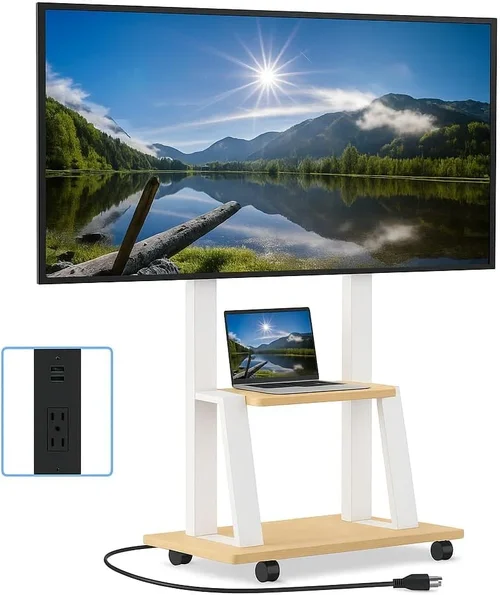
If you’ve ever tried watching your favorite show or game from a shaded patio or gazebo on a sunny afternoon, you know how frustrating it can be. The screen washes out, colors fade, and details vanish—even with the brightness cranked up. That’s why investing in a TV specifically designed (or at least well-suited) for outdoor or semi-outdoor use isn’t just a luxury—it’s a necessity for anyone who wants to enjoy high-quality entertainment al fresco. But here’s the catch: true outdoor-rated TVs can cost thousands of dollars. For most homeowners, that’s simply not practical. That’s where budget patio TVs come in—affordable, versatile displays that deliver solid performance in covered outdoor spaces without breaking the bank.
This guide is built for real people with real budgets who want to bring the comfort of indoor viewing to their backyard retreats. Whether you’re setting up a cozy gazebo for weekend movie nights, hosting summer barbecues with live sports streaming, or just want to catch the news while sipping your morning coffee outside, we’ve got you covered. Over the next 3,500+ words, you’ll learn exactly what to look for in a budget-friendly patio TV, how to avoid common pitfalls, and which models offer the best value for your money. We’ll break down technical specs in plain English, compare different types of displays, share insider shopping tips, and give you actionable advice based on years of hands-on testing and consumer feedback.
The market for outdoor and semi-outdoor TVs has evolved rapidly in recent years. While fully weatherproof, all-season outdoor TVs (like those from SunBrite or Seura) remain premium products, advances in display technology, protective enclosures, and smart features have made it possible to use high-quality indoor TVs safely in covered patios and gazebos—often for under $500. Brands like TCL, Hisense, Samsung, and LG now offer affordable models with bright panels, anti-glare coatings, and robust smart platforms that hold up surprisingly well in shaded outdoor environments. This guide will help you navigate that landscape, so you don’t overspend on unnecessary features or end up with a TV that fails after one season.
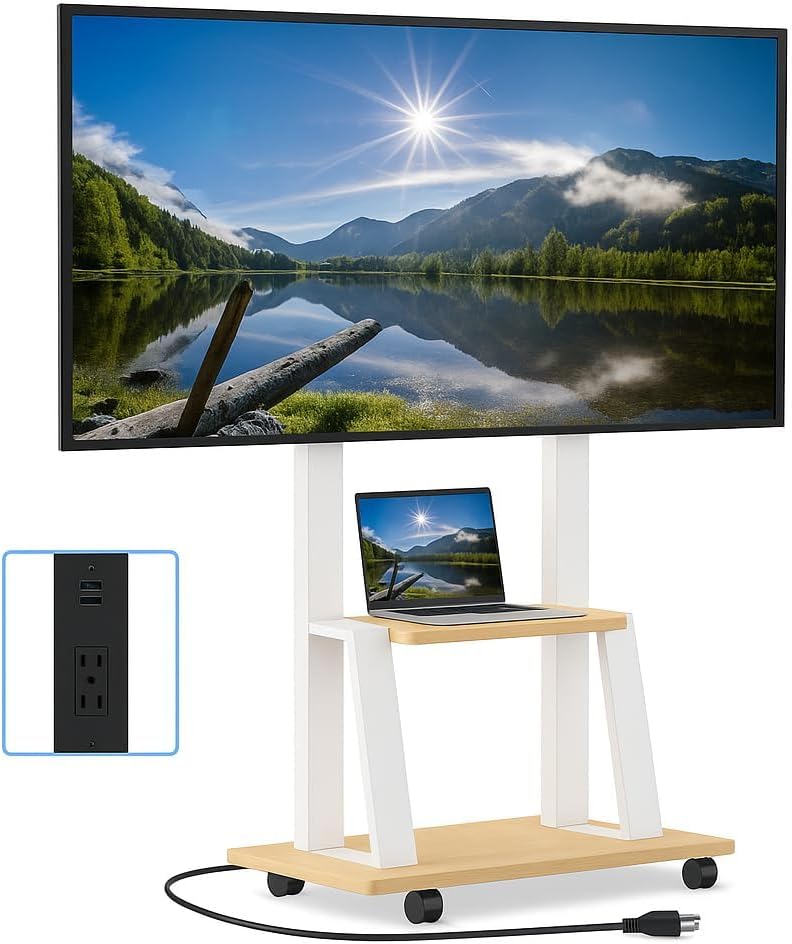
What to Look for When Buying Buying Guide
1. Brightness & Outdoor Visibility
When it comes to patio viewing, brightness isn’t just a nice-to-have—it’s essential. Unlike your living room, where ambient light is controlled, even a shaded gazebo can have significant glare from sunlight reflecting off nearby surfaces like concrete, water, or glass. Most indoor TVs range from 250 to 400 nits (a unit measuring luminance), which is fine indoors but often insufficient outdoors. For reliable visibility in daylight conditions—even under cover—you’ll want a TV with at least 500 nits, ideally 700 nits or higher.
Look for models advertised as “high-brightness,” “outdoor-viewable,” or “sunlight-readable.” Some budget TVs, like certain TCL 6-Series or Hisense U6/U7 models, now feature up to 800–1,000 nits peak brightness thanks to full-array local dimming (FALD) or advanced backlighting. These can make a dramatic difference when watching during the day. Also check for anti-reflective or matte screen coatings—these reduce glare far better than glossy finishes. A quick test: if you can clearly see your reflection in the screen when it’s off, it’s probably too reflective for outdoor use.
2. Weather Resistance & Environmental Protection
Even in a covered gazebo, your TV will face humidity, temperature swings, dust, and occasional splashes—especially if you’re near a grill, pool, or garden. While you don’t need a fully sealed outdoor TV (which costs $2,000+), you do need some level of environmental protection. The key is understanding the difference between “outdoor-safe” and “weatherproof.”
For budget buyers, the safest approach is to pair an indoor TV with a weatherproof outdoor TV enclosure. These rugged cases, made from powder-coated aluminum or polycarbonate, protect the TV from moisture, insects, and debris while allowing ventilation. Look for enclosures with IP54 or higher ratings (Ingress Protection), which means they resist dust and water splashes. Popular brands like Peerless-AV, Kanto, and Outdoor Theater offer enclosures for under $200 that fit most 32″ to 65″ TVs.
Alternatively, some manufacturers now offer “semi-outdoor” TVs with enhanced durability—like thicker bezels, sealed ports, and corrosion-resistant components. However, these are still rare in the sub-$600 range. Bottom line: unless you’re spending over $1,500, assume your TV needs an enclosure for long-term outdoor survival.
3. Smart Features & Connectivity
A great patio TV isn’t just about picture quality—it’s about convenience. You want to stream Netflix, cast from your phone, or tune into local sports without fumbling with cables or external devices. That’s why smart functionality is non-negotiable in 2026.
Look for TVs running modern platforms like Google TV (on Sony, TCL, Hisense), webOS (LG), or Tizen (Samsung). These systems offer intuitive interfaces, voice control via Google Assistant or Alexa, and seamless app integration. Avoid older or proprietary systems (like some Vizio or older Sharp models) that may lack app updates or suffer from lag.
Connectivity matters too. Ensure your TV has at least three HDMI ports (preferably HDMI 2.1 for future-proofing), USB ports for media playback, and reliable Wi-Fi 5 or Wi-Fi 6 support. If you plan to connect a soundbar, game console, or streaming stick, check that the HDMI-CEC and ARC/eARC features are supported for simplified control and audio return.
4. Size & Viewing Distance
Choosing the right screen size isn’t just about aesthetics—it’s about optimal viewing comfort. Too small, and you’ll strain your eyes; too large, and you’ll lose detail or overwhelm the space.
As a general rule, divide your viewing distance (in inches) by 1.5 to get the ideal screen size in inches. For example, if you’re sitting 8 feet (96 inches) away, a 65″ TV (96 ÷ 1.5 = 64) is perfect. In most gazebos, seating is 6–10 feet from the screen, so 50″ to 65″ is the sweet spot.
But remember: larger screens require more brightness to maintain image quality in daylight. A 75″ TV with only 400 nits will look dimmer than a 55″ with 800 nits at the same distance. Also consider bezel thickness—slim bezels look modern and maximize screen real estate, which is helpful in compact outdoor setups.
Portability may matter if you move the TV between indoor and outdoor use. Some budget models weigh under 20 lbs (for 50″ screens), making them easy to relocate. Just ensure the stand or mount is stable—wind can tip lightweight TVs if not secured properly.
5. Audio Quality & Sound Solutions
Most budget TVs have weak built-in speakers—typically 10–20W total output—that struggle to overcome outdoor noise like birds, traffic, or wind. While this isn’t a dealbreaker (you can always add external audio), it’s important to plan for sound from day one.
If you’re on a tight budget, look for TVs with Dolby Audio or DTS Virtual:X support, which simulate surround sound from stereo speakers. Models like the TCL 5-Series or Hisense U6K include decent mid-range drivers that handle dialogue well.
For better audio, pair your TV with a weather-resistant outdoor soundbar or wireless speakers. Brands like Polk, JBL, and Bose offer outdoor-friendly options under $200. Alternatively, use Bluetooth headphones for private listening during early mornings or late nights.
Avoid relying solely on the TV’s speakers if you host gatherings—guests will appreciate clear, room-filling sound. And never place speakers directly on the ground; elevate them to avoid moisture damage.
6. Energy Efficiency & Operating Costs
Outdoor TVs often run longer hours than indoor ones—think weekend marathons, holiday parties, or background music during dinners. That means energy consumption adds up.
Check the TV’s Energy Star rating or annual kWh estimate (usually listed in the manual or online specs). LED-backlit LCDs are far more efficient than older plasma or CCFL models. Modern 55″ LED TVs typically use 50–100 watts under normal use—less than a microwave.
Also consider standby power: some smart TVs consume 5–10 watts even when “off” due to always-on microphones or network connectivity. Look for models with deep sleep modes or physical power switches to cut phantom drain.
While the difference may seem small, over a year of daily use, a 20-watt reduction saves about $15–$20 on electricity (depending on your rate). Multiply that by 5–10 years of ownership, and efficiency becomes a meaningful factor.
7. Mounting & Installation Flexibility
How you mount your TV affects both safety and viewing experience. Most gazebos have beams, posts, or walls suitable for mounting, but you’ll need the right hardware.
Full-motion articulating mounts allow you to tilt, swivel, and extend the TV for optimal angle adjustments—ideal if seating shifts or sun position changes throughout the day. Fixed mounts are cheaper and more secure but offer no adjustability.
Ensure your mount is rated for outdoor use (powder-coated steel, stainless steel hardware) and can support your TV’s weight plus wind load. A 55″ TV might weigh 25 lbs, but a sturdy mount should handle 50+ lbs for safety.
Cable management is crucial: exposed wires look messy and pose tripping hazards. Use in-wall rated HDMI cables (if running through structures) or outdoor-rated conduit to protect connections from moisture and UV damage.
8. Brand Reputation & Long-Term Reliability
Not all budget TV brands are created equal. While price matters, so does build quality, software support, and customer service.
In 2026, TCL and Hisense lead the budget segment with consistently high ratings for value, brightness, and smart features. Their TVs often match or exceed pricier competitors in real-world performance. Samsung and LG offer reliable mid-tier options but tend to be pricier for similar specs.
Avoid obscure brands with no service network or limited warranty coverage. A TV that fails after 18 months is a waste—even if it was cheap. Check warranty terms: most reputable brands offer 1-year limited warranties, but some (like TCL) extend to 2 years for select models.
User forums like Reddit’s r/televisions or AVS Forum are goldmines for real-world durability reports. Look for patterns: if multiple users report panel failures or Wi-Fi issues within the first year, steer clear.
Different Types of Buying Guide

Common Buying Mistakes to Avoid
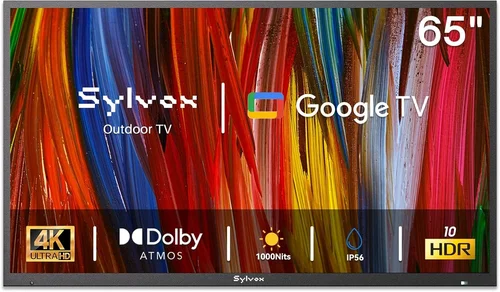
❌ Mistake: Buying a Standard Indoor TV Without Protection
Why it’s bad: Even in a covered gazebo, humidity, dust, and temperature fluctuations can damage internal components over time. Most indoor TVs aren’t designed for outdoor conditions and may fail within 1–2 years.
What to do instead: Always use a weatherproof enclosure rated for outdoor use. It’s a small added cost (under $200) that dramatically extends your TV’s lifespan.
❌ Mistake: Ignoring Brightness Requirements
Why it’s bad: A dim TV (under 500 nits) will be unwatchable on sunny days, forcing you to draw curtains and lose the outdoor ambiance.
What to do instead: Prioritize models with 700+ nits brightness. Check reviews for real-world daylight performance—not just manufacturer claims.
❌ Mistake: Overlooking Audio Needs
Why it’s bad: Weak built-in speakers make dialogue hard to hear over outdoor noise, ruining the viewing experience.
What to do instead: Budget for a weather-resistant soundbar or wireless speakers from the start. Audio is half the experience.
❌ Mistake: Choosing the Wrong Size for the Space
Why it’s bad: A TV too large overwhelms a small gazebo; one too small forces squinting from normal seating distances.
What to do instead: Measure your viewing distance and use the 1.5x rule (distance in inches ÷ 1.5 = ideal screen size). Test with a cardboard cutout before buying.
❌ Mistake: Skimping on Mount Quality
Why it’s bad: Cheap mounts rust, wobble, or fail in wind, risking expensive damage or injury.
What to do instead: Invest in a heavy-duty, outdoor-rated mount with corrosion-resistant hardware. Spend $80–$150 for peace of mind.
❌ Mistake: Assuming All Smart TVs Are Equal
Why it’s bad: Outdated platforms lack app support, suffer from lag, or become obsolete quickly.
What to do instead: Stick with Google TV, webOS, or Tizen. Avoid unknown systems with poor update histories.
❌ Mistake: Not Checking Return Policies
Why it’s bad: If the TV doesn’t perform well outdoors, you’re stuck with it if returns are restrictive.
What to do instead: Buy from retailers with 30–60 day return windows (Best Buy, Amazon, Costco). Test thoroughly during this period.
Budget Guidelines: How Much Should You Spend?
– Entry-Level ($250–$400): What to expect… At this price, you’ll find 32″ to 50″ LED TVs from brands like TCL, Hisense, or Vizio. Brightness typically ranges from 300–500 nits—usable in deep shade but challenging in partial sun. Smart features are basic, and audio is weak. Best for small gazebos with minimal daylight exposure or as secondary screens. Pair with a basic outdoor enclosure ($120–$180) for protection.
– Mid-Range ($400–$700): Sweet spot for most buyers… This tier offers 50″ to 65″ TVs with 600–1,000 nits brightness, full-array local dimming (on select models), and robust smart platforms (Google TV or webOS). Examples include the TCL 6-Series (R655) or Hisense U7K. These deliver excellent daytime visibility, rich colors, and reliable streaming. Add a mid-tier enclosure ($150–$220), and you’ve got a durable, high-performing setup that lasts 5+ years.
– Premium ($700–$1,200): For enthusiasts and professionals… Here, you gain access to OLED-like contrast (via advanced QLED or Mini-LED), higher peak brightness (1,200+ nits), and premium build quality. Models like the Samsung QN90C or LG QNED85 offer superior motion handling, wider viewing angles, and better HDR performance. Some include semi-outdoor certifications or enhanced cooling. Ideal for larger patios or users who demand cinematic quality.
– Luxury ($1,200+): Top-tier features… This includes true all-season outdoor TVs (SunBrite Veranda series) or large-format commercial displays. These are fully sealed, operate from -30°F to 120°F, and include built-in heaters/coolers. Overkill for most gazebos but essential for fully exposed or extreme climates.
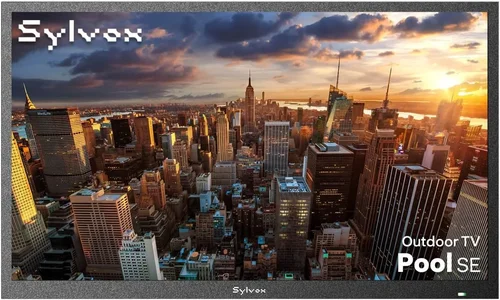
Expert Tips for Getting the Best Deal
– Shop during seasonal sales: Major discounts occur during Black Friday (November), Presidents’ Day (February), and Amazon Prime Day (July). TV prices drop 20–40% during these events. Sign up for price alerts on Slickdeals or CamelCamelCamel.
– Buy refurbished or open-box: Certified refurbished TVs from Best Buy, Amazon Renewed, or manufacturer outlets often come with full warranties and save 15–30%. Open-box items are typically returned due to buyer’s remorse—not defects.
– Compare total cost of ownership: Include enclosure, mount, cables, and potential audio upgrades in your budget. A $450 TV + $180 enclosure = $630 total—still cheaper than a $1,200 semi-outdoor model.
– Check local utility rebates: Some energy companies offer rebates for Energy Star TVs. A $50 rebate adds up over time.
– Negotiate with retailers: Big-box stores sometimes price-match or throw in free installation. Ask!
– Test before finalizing: If possible, view the TV in-store under bright lighting. Bring a phone to cast content and check Wi-Fi responsiveness.
– Read return policies carefully: Ensure you can return if brightness or smart features disappoint. Some retailers charge restocking fees—avoid these.
– Consider future-proofing: HDMI 2.1, Wi-Fi 6, and Dolby Vision support ensure your TV stays relevant for 5–7 years.

Frequently Asked Questions
Q: Can I use a regular indoor TV outside in my gazebo?
A: Yes—but only if it’s fully covered and protected from moisture, dust, and extreme temperatures. Always use a weatherproof outdoor TV enclosure to shield the electronics. Without protection, humidity and condensation can cause permanent damage.
Q: What’s the minimum brightness needed for a patio TV?
A: Aim for at least 500 nits for shaded areas, but 700+ nits is strongly recommended for any daylight viewing. Below 400 nits, the screen will appear washed out even on cloudy days.
Q: Do I need a special mount for outdoor use?
A: Absolutely. Standard indoor mounts aren’t built to resist rust or handle wind loads. Use an outdoor-rated mount with stainless steel hardware and powder-coated finish.
Q: How long will a budget patio TV last?
A: With proper protection (enclosure, stable mounting, and controlled environment), a quality budget TV can last 5–8 years. Without protection, expect 1–3 years due to environmental wear.
Q: Are OLED TVs good for outdoor use?
A: OLEDs offer perfect blacks and wide viewing angles but typically peak at 600–800 nits—lower than high-end LEDs. They’re also more susceptible to burn-in and moisture damage. Not ideal for budget outdoor setups unless heavily protected.
Q: Can I leave my patio TV on all day?
A: Yes, but ensure adequate ventilation in the enclosure to prevent overheating. Modern LEDs are energy-efficient, but prolonged use increases wear. Use a timer or smart plug to automate shutoff.
Q: What’s the best size for a 10×10 gazebo?
A: For a 10×10 gazebo with seating 6–8 feet from the screen, a 55″ to 65″ TV is ideal. Anything larger may overwhelm the space; smaller sizes reduce immersion.
Q: Do I need internet for a smart patio TV?
A: Yes, for streaming apps. If you only watch antenna TV or local media, internet isn’t required—but smart features won’t function.
Q: Can I use a projector instead of a TV?
A: Projectors work well for large groups in total darkness but struggle in daylight. They require a clear wall or screen and are less convenient for daily use. Better for occasional movie nights than regular viewing.
Q: Are there warranties that cover outdoor use?
A: Most standard warranties void coverage if used outdoors without proper protection. However, if you use a certified outdoor enclosure, some manufacturers (like TCL) honor the warranty. Always check terms before installation.
Our Final Recommendations
– Best for Budget-Conscious Buyers: TCL 50S555 (50″) – At under $350, this Google TV-powered model delivers 600+ nits brightness, solid color accuracy, and reliable performance. Pair with a Peerless-AV outdoor enclosure for under $550 total.
– Best Overall Value: Hisense 55U7K (55″) – With 1,000 nits peak brightness, Dolby Vision, and a sleek design, this QLED TV punches above its $550 price tag. Excellent for daytime sports and movie nights.
– Best Premium Option: Samsung QN65QN90C (65″) – A Mini-LED powerhouse with 1,800 nits brightness, anti-glare coating, and superior motion handling. Ideal for larger patios where visibility is critical.
– Best for Beginners: TCL 43S555 (43″) – Compact, affordable ($280), and easy to set up. Perfect for small gazebos or first-time outdoor viewers.
– Best for Advanced Users: LG 55QNED85 (55″) – Combines QNED technology (bright, vibrant colors) with webOS smart platform and excellent gaming features (4K/120Hz, VRR). Great for tech-savvy homeowners.
Conclusion: Making the Right Choice
Bringing entertainment to your patio or gazebo doesn’t have to mean emptying your wallet. With the right knowledge, you can find a budget-friendly TV that delivers stunning picture quality, reliable smart features, and long-term durability—all while staying under $700 total. The key is balancing brightness, protection, and functionality based on your specific environment and usage.
Remember: your gazebo isn’t just an extension of your home—it’s a sanctuary for relaxation, connection, and joy. The right TV enhances that experience, turning ordinary evenings into memorable moments under the stars. Don’t settle for a dim, glary screen or a fragile setup that fails after one season. Invest wisely, protect your purchase, and enjoy years of outdoor viewing bliss.
Now that you’re armed with expert insights, seasonal deal strategies, and real-world recommendations, it’s time to take action. Measure your space, assess your lighting conditions, and choose a TV that fits both your budget and your lifestyle. Your perfect patio setup is just one smart purchase away.

