
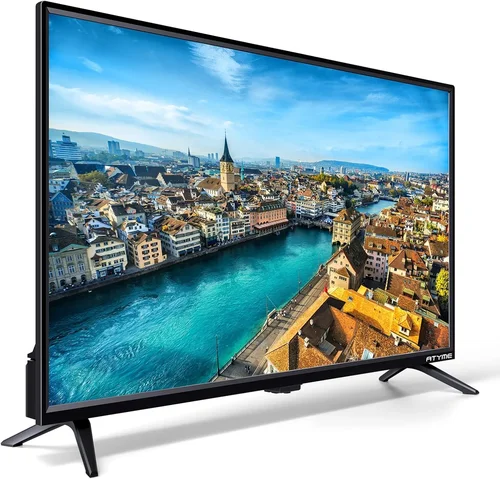
Living in an apartment doesn’t mean you have to sacrifice outdoor entertainment. In fact, with the right deck TV, your balcony, patio, or rooftop space can transform into a cozy, weather-resistant media hub perfect for movie nights under the stars, game-day gatherings, or quiet evenings with your favorite streaming series. But choosing the best deck TV for apartments isn’t as simple as grabbing any old television and mounting it outside. Outdoor environments present unique challenges—sunlight glare, temperature swings, humidity, dust, and even security concerns—that demand specialized technology and thoughtful design.
That’s where this comprehensive buying guide comes in. Whether you’re a city dweller with a small balcony or a suburban renter with a spacious deck, we’ll walk you through everything you need to know to make an informed decision. From understanding key performance specs to comparing different types of outdoor TVs, avoiding common pitfalls, and finding the best value within your budget, this guide is designed to help you pick a deck TV that delivers stunning picture quality, reliable durability, and seamless integration into your apartment lifestyle. We’ve researched the latest models, analyzed expert reviews, and considered real-world usage scenarios so you don’t have to.
The market for outdoor televisions has grown significantly in recent years, driven by advances in display technology and increased demand for flexible living spaces. Today’s deck TVs aren’t just ruggedized versions of indoor sets—they’re purpose-built for outdoor conditions, often featuring enhanced brightness, weatherproof enclosures, anti-reflective coatings, and smart connectivity. However, not all outdoor TVs are created equal, and many apartment-specific factors—like limited space, rental restrictions, noise concerns, and shared building policies—add another layer of complexity. By the end of this guide, you’ll know exactly what to look for, what to avoid, and how to get the most bang for your buck without compromising on quality or functionality.

What to Look for When Buying Buying Guide
1. Weather Resistance & IP Rating
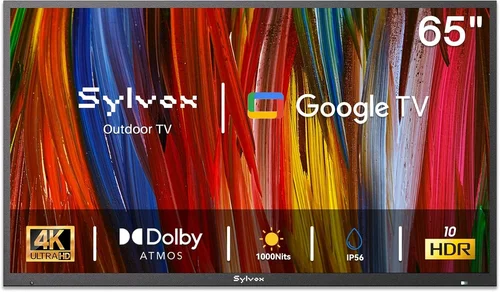
When it comes to deck TVs, weather resistance isn’t optional—it’s essential. Unlike indoor TVs, outdoor models must withstand rain, snow, humidity, dust, and temperature extremes without failing prematurely. The first thing to check is the TV’s Ingress Protection (IP) rating, which indicates how well the unit resists solid particles (like dust) and liquids (like rain). For apartment decks, an IP55 or higher rating is ideal. IP55 means the TV is protected against low-pressure water jets from any direction and limited dust ingress—perfect for covered or semi-covered outdoor spaces.
However, if your deck is fully exposed to the elements, consider an IP65-rated model, which offers complete dust protection and resistance to water projected from a nozzle. Keep in mind that even with a high IP rating, most outdoor TVs are designed for use under some form of cover—like a pergola, awning, or roof overhang—to maximize lifespan. Never install a deck TV in direct, constant exposure to heavy rain or snow unless it’s specifically rated for full outdoor use (often labeled as “all-weather” or “full-shield”). Also, look for corrosion-resistant materials like aluminum or powder-coated steel in the housing, as these will hold up better against rust and oxidation over time.
2. Brightness & Anti-Glare Performance
One of the biggest challenges with outdoor viewing is ambient light. Sunlight reflecting off the screen can wash out colors, reduce contrast, and make it nearly impossible to see details—even on a cloudy day. That’s why brightness, measured in nits, is critical for deck TVs. While most indoor TVs range from 300 to 600 nits, outdoor models typically start at 700 nits and can go as high as 2,500 nits or more. For apartment decks—especially those facing south or west—aim for at least 1,000 nits to ensure a visible, vibrant image during daylight hours.
But brightness alone isn’t enough. Anti-glare technology is equally important. Look for TVs with matte or anti-reflective screen coatings that diffuse sunlight rather than reflecting it directly into your eyes. Some premium models also feature optical bonding, a process where the glass layer is fused directly to the LCD panel, reducing internal reflections and improving clarity in bright conditions. Additionally, consider the TV’s viewing angle. Wide-angle panels (like those using IPS technology) allow multiple people to watch comfortably from different positions on the deck without losing color accuracy or contrast.
3. Size & Placement Flexibility
Apartment decks vary widely in size—from compact 4×6-foot balconies to expansive rooftop terraces—so choosing the right screen size is crucial. A TV that’s too large can overwhelm a small space and make viewing uncomfortable, while one that’s too small may not deliver the immersive experience you’re after. As a general rule, measure the distance from your primary seating area to the proposed TV location and use the 1.5x rule: multiply that distance (in inches) by 1.5 to get the ideal screen diagonal. For example, if you’ll be sitting 6 feet (72 inches) away, a 55-inch TV (72 ÷ 1.5 = 48, rounded up) would be a great fit.
Placement also matters. Unlike indoor TVs, deck models often come with specialized mounting systems designed for outdoor use. Look for VESA-compatible mounts that support tilt, swivel, or full-motion articulation, allowing you to angle the screen away from direct sun or adjust for different seating arrangements. If your apartment has strict rules about drilling into walls or railings, consider a freestanding outdoor TV stand or a clamp-mounted solution that attaches securely without permanent modifications. Always check your lease agreement or building guidelines before installation—some landlords prohibit external fixtures altogether.
4. Smart Features & Connectivity
Modern deck TVs aren’t just about picture quality—they’re also hubs for streaming, gaming, and smart home integration. Most outdoor models now come with built-in Wi-Fi and support for popular platforms like Netflix, YouTube, Disney+, and Amazon Prime Video. Look for TVs running established operating systems such as Android TV, webOS, or Roku TV, which offer intuitive interfaces, regular updates, and access to a wide range of apps. Voice control via Google Assistant or Alexa is also increasingly common and can be a game-changer when your hands are full with drinks or snacks.
Connectivity options are equally important. Ensure the TV has multiple HDMI ports (at least two, preferably three), USB inputs for media playback, and an Ethernet port for a stable wired connection if Wi-Fi is spotty on your deck. Some models even include Bluetooth for wireless audio streaming to outdoor speakers or headphones. If you plan to connect a soundbar, gaming console, or streaming device, verify compatibility and cable management features—many outdoor TVs come with hidden compartments or routing channels to keep wires tidy and protected from the elements.
5. Audio Quality & External Speaker Support
While picture quality often takes center stage, audio is just as vital for an enjoyable outdoor viewing experience. Unfortunately, most built-in TV speakers struggle outdoors due to open spaces, wind, and ambient noise from traffic or neighbors. That said, some deck TVs feature enhanced audio systems with higher wattage outputs, bass reflex designs, or even integrated subwoofers to deliver richer sound. Still, for the best results, we recommend pairing your TV with external outdoor speakers.
Look for TVs with optical audio output, 3.5mm headphone jacks, or Bluetooth connectivity to easily connect weather-resistant speakers. Many manufacturers offer matching outdoor audio systems designed to complement their TVs, ensuring seamless integration and optimal sound staging. If noise ordinances are a concern in your apartment complex, consider using wireless headphones or directional speakers that focus sound toward your seating area without disturbing others.
6. Energy Efficiency & Power Requirements
Outdoor TVs tend to consume more power than their indoor counterparts due to higher brightness levels and additional cooling systems. While this may not be a major issue for occasional use, it can add up if you’re watching daily or leaving the TV on for extended periods. Check the TV’s energy rating—look for ENERGY STAR certification or similar labels indicating efficient operation. LED-backlit LCD panels are generally more efficient than older plasma or CCFL technologies.
Also, consider how you’ll power the TV. Most deck TVs require a standard 120V outlet, but running extension cords across your deck can be unsightly and potentially hazardous. If possible, have an outdoor-rated GFCI (Ground Fault Circuit Interrupter) outlet installed by a licensed electrician—this is especially important for safety in wet conditions. Some premium models offer low-voltage DC power options or even solar-compatible setups, though these are less common and typically more expensive.
7. Security & Theft Deterrence
Apartment decks are more vulnerable to theft than private backyards, making security a legitimate concern. A high-end outdoor TV left unattended on a balcony can be an attractive target for opportunistic thieves. To mitigate this risk, choose a TV with built-in security features such as Kensington lock slots, tamper-resistant mounting hardware, or even GPS tracking (available on some luxury models). Additionally, invest in a heavy-duty security cable or chain that anchors the TV to a structural element like a railing or wall stud.
If your building has surveillance cameras or a security patrol, position the TV within their line of sight. For renters, consider removable or portable outdoor TV solutions that can be brought inside when not in use. Some manufacturers offer quick-release mounting systems that allow you to detach the TV in under a minute—ideal for those who want flexibility without sacrificing security.
8. Warranty & Customer Support
Given the harsh operating conditions, a solid warranty is non-negotiable when buying a deck TV. Most reputable brands offer at least a one-year limited warranty, but premium models may include two to three years of coverage, sometimes with optional extended plans. Pay close attention to what’s covered: does the warranty include labor for on-site repairs? Are consumable parts like bulbs or filters included? Is accidental damage or weather-related failure covered?
Customer support is equally important. Look for brands with responsive service teams, local repair centers, and comprehensive online resources like installation guides, troubleshooting FAQs, and video tutorials. Reading user reviews can give you insight into real-world reliability and how quickly issues are resolved. Avoid no-name brands or imported models with vague warranty terms—these often leave you stranded if something goes wrong.
Different Types of Buying Guide

Common Buying Mistakes to Avoid
❌ Mistake: Buying an Indoor TV for Outdoor Use
Why it’s bad: Indoor TVs lack the necessary weatherproofing, brightness, and thermal management required for outdoor environments. Using one on a deck will likely result in premature failure, fogging, overheating, or even electrical hazards during rain. Many indoor models also void their warranties if used outside.
What to do instead: Always choose a TV specifically designed for outdoor or partial-outdoor use. Look for terms like “weather-resistant,” “outdoor-rated,” or “partial-shield” in the product description. If you’re unsure, contact the manufacturer directly to confirm suitability.
❌ Mistake: Ignoring Sunlight Exposure
Why it’s bad: Even on overcast days, ambient light can drastically reduce visibility on a standard-brightness screen. A TV with only 500 nits will appear dim and washed out, ruining the viewing experience and forcing you to watch only at night.
What to do instead: Assess your deck’s sun exposure throughout the day. If it gets direct sunlight for more than a few hours, opt for a TV with at least 1,000 nits of brightness and an anti-glare coating. Consider installing a retractable awning or shade sail to further reduce glare.
❌ Mistake: Overlooking Installation Requirements
Why it’s bad: Many buyers assume they can mount an outdoor TV just like an indoor one—only to discover their balcony railing isn’t sturdy enough, their wall lacks proper studs, or their lease prohibits drilling. This can lead to frustration, wasted money, or unsafe installations.
What to do instead: Before purchasing, measure your space, review your rental agreement, and consult with your building management if needed. Choose a mounting solution that fits your constraints—freestanding bases, clamp mounts, or removable brackets are great for renters.
❌ Mistake: Skimping on Audio
Why it’s bad: Outdoor acoustics are unforgiving. Built-in TV speakers often sound tinny and get drowned out by wind, traffic, or distant conversations. Relying solely on the TV’s audio can make dialogue hard to hear and diminish immersion.
What to do instead: Budget for a pair of weather-resistant outdoor speakers or a soundbar. Wireless options simplify setup and reduce cable clutter. Test audio quality during daytime and evening hours to ensure clarity in real-world conditions.
❌ Mistake: Neglecting Power and Cable Management
Why it’s bad: Exposed cords are not only unsightly but also pose tripping hazards and can degrade quickly when exposed to moisture. Improper wiring may also violate electrical codes or void insurance coverage.
What to do instead: Use outdoor-rated extension cords with GFCI protection, or better yet, hire an electrician to install a dedicated outdoor outlet. Route cables through conduit or use TVs with built-in cable management systems to keep everything tidy and protected.
❌ Mistake: Choosing Based Solely on Price
Why it’s bad: The cheapest outdoor TVs often cut corners on critical components like brightness, weather sealing, or build quality. You may end up replacing a low-cost model within a year, costing more in the long run.
What to do instead: Focus on value, not just price. A mid-range TV with strong reviews, solid warranty, and proven durability will serve you better than a bargain bin option. Read professional and user reviews to gauge real-world performance.
❌ Mistake: Forgetting About Security
Why it’s bad: Outdoor electronics are prime targets for theft, especially in urban apartments with high foot traffic. An unsecured TV can disappear overnight, leaving you with a significant financial loss.
What to do instead: Invest in a security lock, anchor the TV to a fixed structure, or choose a portable model you can bring inside. Check if your renter’s insurance covers outdoor electronics—and add a rider if necessary.
Budget Guidelines: How Much Should You Spend?
– Entry-Level ($400 – $800): This tier includes basic portable outdoor TVs and partial-shield models suitable for covered balconies with minimal sun exposure. Expect screens around 32–43 inches, brightness levels of 700–1,000 nits, and limited smart features. Build quality may be lighter-duty, and warranties are typically one year. Ideal for occasional use or renters on a tight budget.
– Mid-Range ($800 – $1,800): The sweet spot for most apartment dwellers. These TVs offer 43–55-inch screens, 1,000–1,500 nits of brightness, robust weather resistance (IP55+), and full smart functionality. You’ll find better audio, wider viewing angles, and more reliable cooling systems. Many include advanced mounting options and two-year warranties. Perfect for regular outdoor entertainment under partial cover.
– Premium ($1,800 – $3,500): Designed for enthusiasts and those with larger, more exposed decks. Expect 55–65-inch displays, 1,500–2,500 nits brightness, all-weather construction, and premium materials like aluminum housings. These models often feature optical bonding, enhanced audio, and commercial-grade components. Ideal for south-facing balconies or rooftop terraces with significant sunlight.
– Luxury ($3,500+): Top-tier outdoor displays built for 24/7 operation in extreme conditions. These are overkill for most apartments but may appeal to luxury condo owners or those seeking future-proof technology. Features include ultra-high brightness (2,500+ nits), advanced thermal management, modular designs, and extensive customization options. Often used in high-end hospitality or multi-unit residential projects.
Expert Tips for Getting the Best Deal
– Time your purchase around major sales events. Look for discounts during Black Friday, Cyber Monday, Amazon Prime Day, and end-of-summer clearance sales (August–September). Many retailers discount outdoor electronics as demand shifts indoors.
– Buy directly from manufacturers when possible. Brands like SunBriteTV, Seura, and Samsung often offer exclusive bundles, extended warranties, or free shipping that you won’t find at third-party retailers.
– Consider refurbished or open-box models. Certified pre-owned outdoor TVs from reputable sellers can save you 20–40% while still carrying full warranties. Just ensure they’re inspected and come with return protection.
– Check return and exchange policies carefully. Outdoor TVs are bulky and expensive to ship back. Choose retailers with at least 30-day return windows and free return shipping—especially important if you’re unsure about fit or performance.
– Test brightness in person if you can. If a local store carries outdoor displays, visit during daylight hours to see how they perform in real-world lighting. Online specs don’t always reflect actual visibility.
– Negotiate installation services. Some retailers offer free or discounted professional installation with purchase—valuable for ensuring safe, code-compliant mounting, especially in rental units.
– Join loyalty programs or subscribe to newsletters. Many brands send early access to sales, member-only discounts, or seasonal promo codes to subscribers.
– Read the fine print on warranties. Some cover only parts, not labor. Others exclude “acts of nature” or require annual maintenance. Know what you’re signing up for.

Frequently Asked Questions
Q: Can I use a regular TV on my apartment balcony if it’s covered?
A: Technically yes, but it’s not recommended. Even covered areas experience temperature swings, humidity, and dust that can damage internal components over time. Most indoor TVs aren’t rated for outdoor use, and using one voids the warranty. For reliable, long-term performance, invest in a purpose-built outdoor or partial-shield TV.
Q: Do outdoor TVs need to be plugged in all the time?
A: Yes, they require constant power to operate. However, you can use a smart plug or timer to turn them on/off remotely, saving energy when not in use. Just ensure the outlet is GFCI-protected and weatherproof.
Q: Will an outdoor TV work in winter or cold climates?
A: Most outdoor TVs are rated for temperatures as low as -22°F (-30°C), thanks to built-in heaters and cold-start technology. Check the operating temperature range in the specs—avoid using the TV outside this range to prevent damage.
Q: Can I mount an outdoor TV on a glass balcony railing?
A: Generally no. Glass railings aren’t designed to support heavy loads and may crack under stress. Use a freestanding base or consult a structural engineer before attempting any mounting on non-standard surfaces.
Q: Are outdoor TVs noisy due to cooling fans?
A: Modern outdoor TVs use quiet, variable-speed fans that activate only when needed. In most cases, the noise is minimal and drowned out by ambient outdoor sounds. Look for models with “silent cooling” or “fanless” designs if noise is a major concern.
Q: Do I need special cables for outdoor use?
A: Standard HDMI and power cables work fine if routed through conduit or kept dry. For exposed runs, use outdoor-rated cables with UV-resistant jackets and waterproof connectors to prevent degradation.
Q: Can I stream 4K content on an outdoor TV?
A: Absolutely. Most new outdoor TVs support 4K resolution, HDR, and high refresh rates. Ensure your internet connection is fast enough (at least 25 Mbps for 4K streaming) and that your streaming device (if external) is also 4K-capable.
Q: What if my apartment building prohibits external installations?
A: Consider a portable outdoor TV with a wheeled stand that sits on the deck floor. These require no mounting and can be stored indoors when not in use—perfect for renters with strict rules.
Q: How long do outdoor TVs typically last?
A: With proper care and installation, a quality outdoor TV can last 7–10 years or more. Regular cleaning, seasonal inspections, and avoiding extreme conditions will extend its lifespan significantly.
Q: Are there solar-powered outdoor TV options?
A: While rare, some DIY enthusiasts and eco-conscious buyers have built solar-powered setups using portable solar generators. However, these are not mainstream and require significant planning. Most users rely on grid power for reliability.
Our Final Recommendations
– Best for Budget-Conscious Buyers: TCL 4-Series 43S04 Outdoor – A 43-inch partial-shield TV with 1,000 nits brightness, Roku TV built-in, and IP55 rating. Priced under $700, it’s ideal for covered balconies and offers excellent value for entry-level users.
– Best Overall Value: SunBriteTV Veranda Series 55-inch – Combines all-weather durability, 1,500 nits brightness, Android TV, and a sleek design. At around $1,600, it strikes the perfect balance between performance, features, and price for most apartment decks.
– Best Premium Option: Seura UltraBright 65-inch – With 2,500 nits, optical bonding, and a premium aluminum chassis, this TV delivers cinema-quality visuals even in direct sunlight. Priced near $3,200, it’s for those who refuse to compromise.
– Best for Beginners: LG Outdoor 43UR640S – User-friendly webOS interface, 1,200 nits brightness, and easy setup make this a great first outdoor TV. Includes a two-year warranty and comes with a versatile wall mount.
– Best for Advanced Users: Samsung The Terrace 65-inch – Packed with AI upscaling, Quantum HDR, and professional-grade cooling, this model is built for tech-savvy users who want cutting-edge performance and smart home integration.
Conclusion: Making the Right Choice
Choosing the best deck TV for your apartment is about more than just picking the shiniest screen—it’s about finding a solution that fits your space, lifestyle, and budget while standing up to the unique demands of outdoor living. From weather resistance and brightness to smart features and security, every factor plays a role in ensuring your investment delivers years of reliable, enjoyable entertainment.
Remember, the perfect deck TV isn’t necessarily the biggest or most expensive—it’s the one that aligns with your specific needs. Whether you’re sipping coffee on a morning balcony or hosting friends for a summer BBQ, the right TV can elevate your outdoor experience from ordinary to extraordinary. Take the time to assess your deck’s conditions, read reviews, compare specs, and don’t hesitate to invest in quality accessories. Your future self will thank you every time you press play under the open sky.
Now that you’re equipped with expert knowledge, it’s time to make your move. Browse trusted retailers, compare your top contenders, and get ready to transform your apartment deck into the ultimate outdoor oasis. Happy viewing!

