
Installing a patio TV for your pergola transforms your outdoor space into a cozy entertainment zone. This guide walks you through choosing the right TV, mounting it securely, running cables safely, and protecting it from the elements—all while keeping your setup stylish and functional.
Key Takeaways
- Choose an outdoor-rated TV: Standard indoor TVs aren’t built for weather, so invest in a weatherproof or outdoor-specific model designed for pergola use.
- Use a sturdy, weather-resistant mount: A full-motion or tilt mount made for outdoor use ensures stability and allows optimal viewing angles.
- Plan cable management early: Conceal and protect power and HDMI cables using conduit or cable raceways to prevent tripping and weather damage.
- Ensure proper ventilation and shade: Avoid direct sunlight and overheating by installing the TV under cover and allowing airflow around the unit.
- Hire a licensed electrician for wiring: Running power safely to your pergola requires professional expertise to meet code and prevent hazards.
- Test everything before finalizing: Power on the TV, check signal quality, and adjust the mount before sealing cables or finishing decor.
- Maintain regularly: Clean the screen, check seals, and inspect mounts seasonally to prolong your TV’s life outdoors.
How to Install Patio TV for Pergola: A Complete Step-by-Step Guide
Imagine sipping your morning coffee or hosting a summer barbecue while watching your favorite show under the dappled shade of your pergola. Installing a patio TV for your pergola isn’t just about convenience—it’s about creating a luxurious outdoor living space that blends comfort, technology, and style. Whether you’re a DIY enthusiast or working with a contractor, this guide will walk you through every step of the process, from choosing the right TV to securing it safely and protecting it from the elements.
In this comprehensive how-to guide, you’ll learn how to select the best outdoor TV for your pergola, pick the right mounting hardware, run power and cables safely, and ensure your setup is both functional and weather-resistant. We’ll also cover common pitfalls, troubleshooting tips, and maintenance advice to keep your outdoor entertainment system running smoothly for years to come.
Let’s get started on turning your pergola into the ultimate outdoor lounge.
Step 1: Choose the Right Outdoor TV
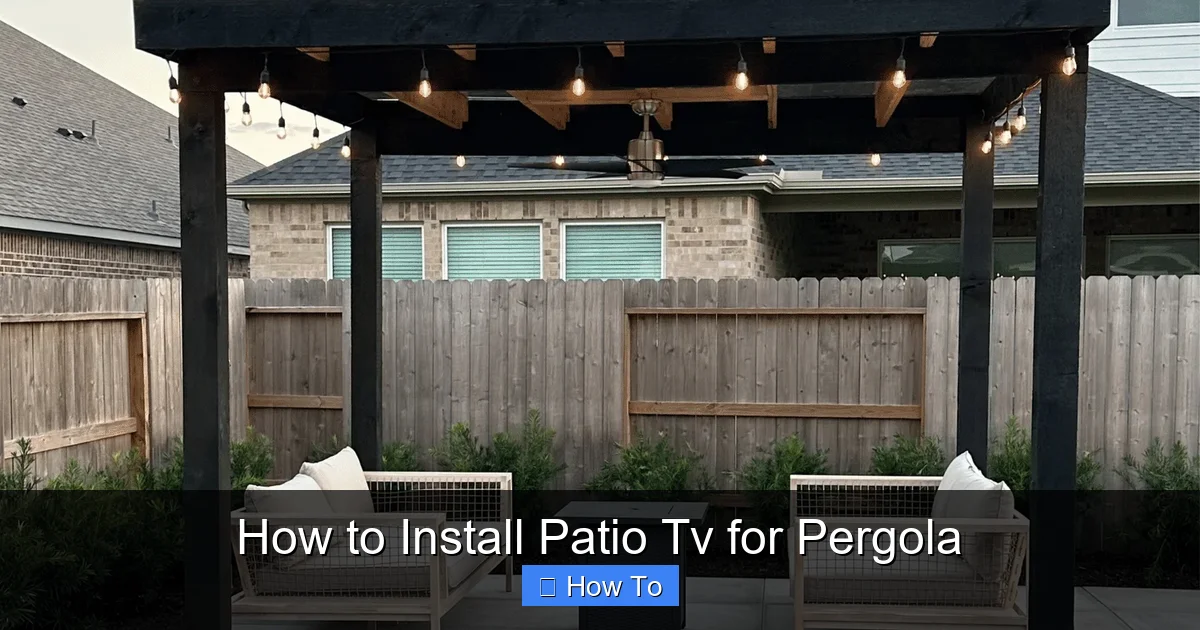
Visual guide about How to Install Patio Tv for Pergola
Image source: houstonlandscapepros.com
Not all TVs are created equal—especially when it comes to outdoor use. Installing a standard indoor TV under a pergola might seem like a cost-saving move, but it’s a risky decision. Indoor TVs aren’t built to handle humidity, temperature swings, dust, or UV exposure. Over time, these factors can cause fogging, overheating, screen damage, or even electrical failure.
Look for Outdoor-Rated TVs
When shopping for a patio TV for pergola use, prioritize models specifically designed for outdoor environments. These TVs come with sealed casings, anti-glare screens, and internal cooling systems to withstand the elements. Brands like SunBrite, Samsung Terrace, and LG Outdoor are popular choices known for their durability and performance.
Outdoor TVs are typically rated as “all-weather” or “partial-sun,” meaning they’re built to operate in covered areas like pergolas, patios, and gazebos. They’re engineered to resist moisture, operate in temperatures from -22°F to 122°F, and reduce glare from ambient light.
Consider Screen Size and Viewing Distance
The size of your TV should match your seating arrangement. For most pergola setups, a 55-inch to 65-inch screen works well. Use this simple rule: your viewing distance (from seat to TV) should be about 1.5 to 2.5 times the screen’s diagonal size. So, for a 60-inch TV, sit 7.5 to 12.5 feet away.
Also, consider the height of your pergola beams. You’ll want the TV mounted at eye level when seated—typically 42 to 48 inches from the ground to the center of the screen.
Smart Features and Connectivity
Most outdoor TVs come with smart capabilities, allowing you to stream content via Wi-Fi. Look for models with built-in apps like Netflix, YouTube, and Amazon Prime. Ensure the TV has multiple HDMI ports for connecting devices like streaming sticks, gaming consoles, or soundbars.
Pro tip: If your pergola is far from your router, consider a Wi-Fi extender or mesh network to ensure strong signal strength.
Step 2: Select the Right Mounting Hardware
A secure mount is critical for safety and performance. A poorly installed mount can lead to a falling TV—damaging property or causing injury. For pergola installations, you’ll need a mount that’s both sturdy and weather-resistant.
Choose an Outdoor-Rated TV Mount
Standard indoor mounts aren’t designed for outdoor conditions. Look for mounts labeled “outdoor,” “weatherproof,” or “all-weather.” These are typically made from powder-coated steel or aluminum to resist rust and corrosion.
There are three main types of mounts to consider:
- Fixed mounts: Hold the TV flush against the wall or beam. Best for permanent, straight-on viewing.
- Tilt mounts: Allow you to angle the TV up or down to reduce glare and improve viewing angles.
- Full-motion (articulating) mounts: Let you swivel, tilt, and extend the TV. Ideal if you want flexibility in viewing direction.
For pergolas, a tilt or full-motion mount is often preferred, especially if your seating area isn’t directly in front of the TV.
Check Weight and VESA Compatibility
Make sure the mount can support your TV’s weight and matches its VESA pattern (the spacing of the mounting holes on the back of the TV). Most outdoor mounts list compatible VESA sizes (e.g., 200×200, 400×400) and weight limits.
Always double-check your TV’s specifications before purchasing a mount.
Mounting Location: Beam vs. Wall
Pergolas typically have vertical posts and horizontal beams. You can mount the TV directly to a sturdy beam or use a wall-mounted bracket if your pergola is attached to a house or structure.
If mounting to a beam:
- Use heavy-duty lag bolts (at least 3/8” diameter) to secure the mount.
- Ensure the beam is structurally sound and capable of supporting the TV’s weight.
- Consider reinforcing the beam with additional support if needed.
If mounting to a wall:
- Use a wall anchor system rated for outdoor use.
- Avoid mounting over doors or windows where condensation or leaks could occur.
Step 3: Plan Power and Cable Routing
Running power and cables safely is one of the most important—and often overlooked—steps in installing a patio TV for pergola. Improper wiring can lead to electrical hazards, signal loss, or water damage.
Hire a Licensed Electrician
This cannot be stressed enough: always hire a licensed electrician to run power to your pergola. Outdoor electrical work must comply with local building codes (like the National Electrical Code in the U.S.) to ensure safety and avoid fire risks.
Your electrician will:
- Run a dedicated circuit from your main panel to the pergola.
- Install a weatherproof outlet near the TV location.
- Use GFCI (Ground Fault Circuit Interrupter) protection to prevent shocks.
- Bury cables underground in conduit if running from a distant source.
Never attempt to DIY electrical work unless you’re certified. The risks far outweigh the savings.
Plan Cable Paths
Once power is in place, plan how you’ll route HDMI, audio, and other cables from the TV to your source devices (like a streaming box or receiver).
Options include:
- In-wall or in-beam conduit: Run cables through hollow beams or install surface-mounted conduit.
- Cable raceways: Use plastic or metal channels to hide and protect cables along beams or walls.
- Wireless alternatives: Use wireless HDMI kits to reduce cable clutter (though signal strength may vary).
Keep cables away from water sources, sharp edges, and high-traffic areas. Use cable clips or zip ties to secure them neatly.
Use Outdoor-Rated Cables
Standard indoor HDMI cables aren’t built for outdoor conditions. Invest in outdoor-rated, weatherproof HDMI cables with UV-resistant jackets and corrosion-proof connectors. These are more expensive but essential for long-term reliability.
Also, consider using a surge protector or outdoor power strip with built-in lightning protection to safeguard your equipment.
Step 4: Install the TV Mount
Now that your power and cables are ready, it’s time to install the mount. This step requires precision and safety precautions.
Gather Your Tools
You’ll need:
- Drill with masonry or wood bits (depending on your mounting surface)
- Level
- Tape measure
- Socket wrench or screwdriver
- Stud finder (if mounting to a wall)
- Safety goggles and gloves
Mark the Mounting Points
Hold the mount in place where you want the TV. Use a level to ensure it’s straight. Mark the screw holes with a pencil.
Double-check the height—remember, the center of the screen should be at eye level when seated.
Drill Pilot Holes
Drill pilot holes at the marked points. This prevents wood from splitting and makes screwing easier. Use a bit slightly smaller than your lag bolts.
If mounting to concrete or brick, use a hammer drill and masonry anchors.
Secure the Mount
Attach the mount using the provided lag bolts or screws. Tighten them firmly, but don’t over-tighten, which can strip the threads or damage the mount.
Once the mount is secure, double-check that it’s level and stable.
Step 5: Mount the TV
With the mount installed, it’s time to attach the TV. This is best done with a helper—TVs can be heavy and awkward to handle alone.
Attach Mounting Brackets to the TV
Most mounts come with brackets that screw into the VESA holes on the back of the TV. Follow the manufacturer’s instructions to attach them securely.
Use a screwdriver or drill with a low torque setting to avoid over-tightening.
Lift and Hang the TV
Carefully lift the TV and hook it onto the mount. Ensure it’s fully seated and locked in place. Most outdoor mounts have safety locks or screws to prevent accidental dislodging.
Adjust the Angle
If using a tilt or full-motion mount, adjust the TV to your preferred viewing angle. Avoid pointing it directly into the sun to reduce glare.
Tighten any adjustment knobs or bolts to lock the position.
Step 6: Connect and Test the System
Now that the TV is mounted, it’s time to connect your devices and test everything.
Connect Power and Cables
Plug the TV into the outdoor outlet. Connect HDMI cables to your streaming device, soundbar, or receiver. If using a sound system, ensure audio is routed correctly.
Power On and Configure
Turn on the TV and follow the on-screen setup guide. Connect to your Wi-Fi network and log into your streaming accounts.
Test all inputs and apps to ensure they’re working properly.
Check for Signal and Picture Quality
Watch a few minutes of content to check for:
- Clear picture with no flickering
- Strong Wi-Fi signal
- Proper audio sync
- No overheating (feel the back of the TV after 30 minutes)
If you notice issues, troubleshoot before finalizing the installation.
Step 7: Protect and Maintain Your Outdoor TV
Even the best outdoor TV needs regular care to perform well in a pergola environment.
Use a Weatherproof Cover
When not in use, especially during rain or snow, cover the TV with a breathable, waterproof cover. Avoid plastic tarps, which can trap moisture and cause condensation.
Clean Regularly
Wipe the screen with a microfiber cloth and mild cleaner designed for electronics. Avoid ammonia-based cleaners, which can damage anti-glare coatings.
Clean the vents and mount periodically to prevent dust buildup.
Inspect Seasonally
Every few months, check:
- Mounting bolts for tightness
- Cable connections for corrosion or wear
- Seals and gaskets for cracks
- Outlets and surge protectors for damage
Address any issues immediately to prevent bigger problems.
Troubleshooting Common Issues
Even with careful planning, problems can arise. Here’s how to handle common issues:
TV Overheats or Shuts Off
This usually means poor ventilation or direct sunlight. Ensure the TV has airflow around it and isn’t enclosed in a tight space. Consider adding a small fan or relocating the TV to a shadier spot.
Poor Wi-Fi Signal
Move your router closer or install a Wi-Fi extender. Alternatively, use a wired Ethernet connection via a weatherproof cable.
Cables Get Damaged
Inspect cables regularly. Replace any that show fraying, cracking, or corrosion. Use conduit or raceways for added protection.
Mount Feels Loose
Tighten all bolts and check the mounting surface for stability. If the beam or wall is compromised, reinforce it before re-mounting.
Screen Fogs Up
This indicates moisture ingress. Check the TV’s seals and ensure it’s rated for your climate. Use a dehumidifier nearby if needed.
Conclusion
Installing a patio TV for your pergola is a rewarding project that enhances your outdoor lifestyle. By choosing the right outdoor-rated TV, using a sturdy weatherproof mount, running power safely, and protecting your investment, you can enjoy movie nights, sports games, and binge-watching under the stars—rain or shine.
Remember, safety comes first. Always consult professionals for electrical work and structural modifications. With proper planning and maintenance, your pergola TV will provide years of entertainment and comfort.
So grab your tools, gather your family, and get ready to transform your backyard into the ultimate outdoor oasis. Your perfect patio TV setup is just a few steps away.

