
Installing a deck TV for your gazebo lets you enjoy movies, sports, and music outdoors in comfort. This guide walks you through choosing the right TV, mounting it securely, running cables safely, and protecting it from weather—so you can relax under the stars with crystal-clear picture and sound.
Key Takeaways
- Choose a weather-resistant outdoor TV: Standard indoor TVs aren’t built for humidity, rain, or temperature swings—opt for a model rated for outdoor use.
- Use a sturdy, weatherproof mount: A proper outdoor TV mount ensures stability and protects against wind, vibration, and corrosion.
- Plan cable routing before installation: Conceal and protect power, HDMI, and antenna cables using conduit or cable channels to prevent tripping and water damage.
- Ensure proper ventilation and sun protection: Avoid direct sunlight on the screen and allow airflow behind the TV to prevent overheating.
- Test everything before finalizing: Power up the TV, check signal strength, and verify all connections work before sealing cables or closing panels.
- Consider professional help for electrical work: If you’re not experienced with wiring, hire a licensed electrician to avoid safety hazards.
- Maintain your setup regularly: Clean the screen, check mounts, and inspect cables seasonally to extend your TV’s lifespan.
How to Install Deck TV for Gazebo
Imagine sipping your morning coffee under the shade of your gazebo, watching the sunrise on a crisp flat-screen TV. Or hosting friends for a summer movie night with the stars twinkling above. Installing a deck TV for your gazebo makes these moments possible—turning your outdoor space into a true entertainment zone.
But it’s not as simple as mounting a TV on the wall and plugging it in. Outdoor environments bring unique challenges: rain, humidity, temperature changes, dust, and even pests. That’s why a successful installation requires planning, the right tools, and weather-smart choices.
In this guide, you’ll learn exactly how to install a deck TV for your gazebo—step by step. We’ll cover everything from choosing the right TV and mount, to running cables safely, protecting against the elements, and troubleshooting common issues. Whether you’re a DIY enthusiast or hiring help, this guide ensures your outdoor TV setup is safe, secure, and built to last.
Let’s get started.
Step 1: Choose the Right Outdoor TV
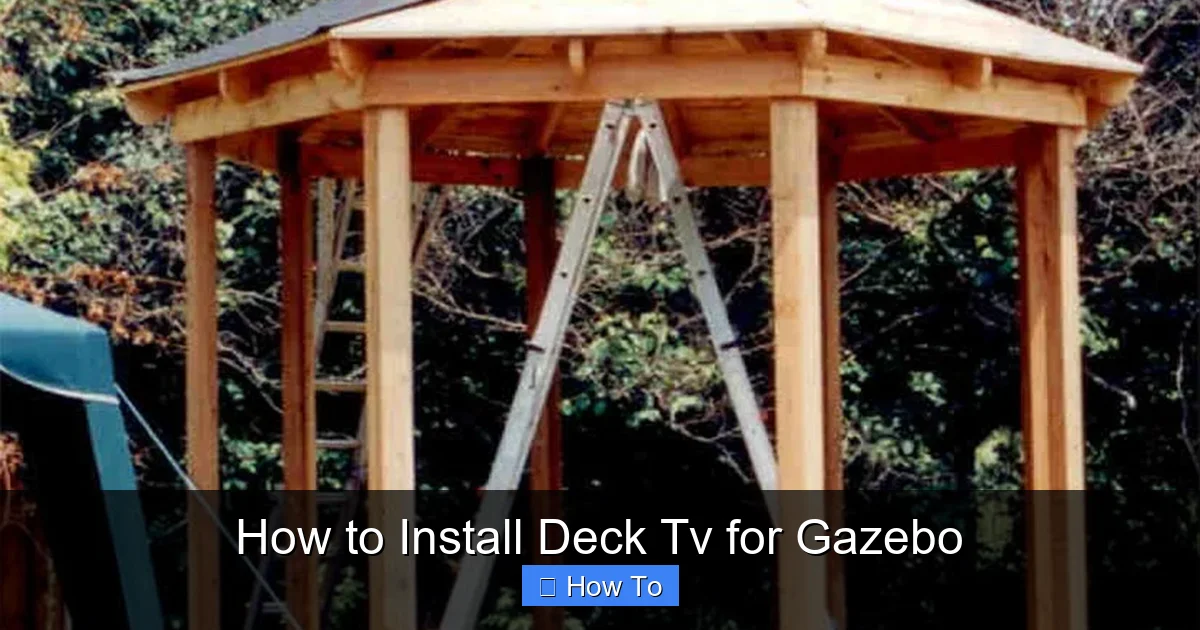
Visual guide about How to Install Deck Tv for Gazebo
Image source: diydeckplans.com
Not all TVs are created equal—especially when it comes to outdoor use. A standard indoor TV might work temporarily, but it won’t survive long in a gazebo exposed to the elements. Here’s what to look for:
Outdoor-Rated TVs vs. Indoor TVs
Outdoor TVs are specifically designed to handle moisture, temperature swings, and UV exposure. They come with sealed casings, anti-glare screens, and internal cooling or heating systems. Indoor TVs lack these protections and can fail quickly—or even become a safety hazard—when used outside.
If you’re on a budget, consider a weatherproof outdoor TV enclosure. These protective cases fit over standard TVs and provide a barrier against rain and dust. However, they can limit airflow and may not offer the same durability as a true outdoor model.
Screen Size and Viewing Distance
Choose a screen size based on how far you’ll be sitting. For most gazebos, a 43-inch to 55-inch TV is ideal. If your seating is 6–8 feet away, a 50-inch screen offers a great balance of visibility and comfort. Use a TV size calculator online to find the perfect fit.
Brightness and Anti-Glare Features
Outdoor lighting can wash out your picture. Look for a TV with high brightness (measured in nits)—at least 700 nits, but 1000+ is better for sunny areas. Anti-reflective coatings and matte screens reduce glare, making it easier to watch during the day.
Smart Features and Connectivity
Most outdoor TVs come with built-in smart platforms like Roku, Android TV, or webOS. This lets you stream Netflix, YouTube, and more without extra devices. Make sure your TV has enough HDMI ports for a soundbar, streaming stick, or gaming console.
Power Requirements
Check the TV’s power consumption and ensure your gazebo’s electrical setup can handle it. Most outdoor TVs use standard 120V outlets, but larger models may need dedicated circuits.
Step 2: Select a Weatherproof TV Mount
A strong, weather-resistant mount is just as important as the TV itself. A flimsy or indoor-only mount can corrode, loosen, or fail in windy conditions.
Types of Outdoor TV Mounts
– Fixed mounts: Hold the TV flat against the wall. Great for permanent setups with a clear viewing angle.
– Tilting mounts: Allow you to angle the TV up or down. Useful if the screen is mounted high.
– Full-motion (articulating) mounts: Let you swivel and extend the TV. Ideal for flexible viewing from different spots in the gazebo.
For most gazebos, a tilting or fixed mount is sufficient. Full-motion mounts offer flexibility but are more complex to install and may be overkill.
Weatherproofing Features
Look for mounts made from powder-coated aluminum or stainless steel. These materials resist rust and corrosion. Avoid mounts with exposed screws or plastic parts that can degrade in sunlight.
Some mounts come with built-in cable management channels—this helps keep wires tidy and protected.
Weight and Size Compatibility
Check the mount’s weight and VESA pattern compatibility. VESA refers to the screw hole pattern on the back of your TV (e.g., 200×200, 400×400). Make sure your mount supports your TV’s size and weight.
Installation Location
Choose a spot on your gazebo’s wall or beam that:
– Is sheltered from direct rain (under a roof or overhang)
– Has a clear line of sight to seating areas
– Allows for easy cable access
– Isn’t in direct sunlight (to reduce glare and heat)
Avoid mounting near sprinklers, gutters, or areas prone to flooding.
Step 3: Prepare the Gazebo Structure
Before drilling any holes, make sure your gazebo can support the TV and mount.
Check Structural Integrity
Most gazebos are made of wood, aluminum, or vinyl. Wooden beams are usually strong enough, but aluminum frames may require reinforcement. If your gazebo has thin walls or flimsy panels, consider adding a backing board (like plywood) behind the mount for extra support.
Locate Studs or Reinforce the Area
Use a stud finder to locate solid beams or joists. Mounting directly into wood provides the strongest hold. If you can’t hit a stud, use heavy-duty toggle bolts or lag anchors designed for outdoor use.
For metal frames, use self-tapping screws with rubber washers to prevent water intrusion.
Plan for Cable Routing
Decide how you’ll run power, HDMI, and antenna cables from the TV to your source devices (like a streaming box or cable box). Options include:
– Running cables through the gazebo wall or beam
– Using surface-mounted cable raceways
– Installing conduit for underground or exposed runs
Keep cables away from foot traffic and protected from water.
Ensure Access to Power
Your TV needs a nearby GFCI (Ground Fault Circuit Interrupter) outlet. This is a safety requirement for outdoor electrical use. If you don’t have one, hire an electrician to install it. Never use extension cords permanently—they’re not weatherproof and can become hazards.
Step 4: Install the TV Mount
Now it’s time to secure the mount. Take your time—this step is critical for safety.
Gather Your Tools
You’ll need:
– Drill and drill bits
– Level
– Tape measure
– Screwdriver or impact driver
– Stud finder
– Pencil
– Safety goggles and gloves
Mark the Mounting Points
Hold the mount against the wall where you want it. Use a level to ensure it’s straight. Mark the screw holes with a pencil.
Double-check the height—your eyes should be level with the center of the screen when seated.
Drill Pilot Holes
Drill pilot holes slightly smaller than your screws. This prevents wood from splitting and makes insertion easier. For metal frames, use a metal drill bit.
Secure the Mount
Attach the mount using the provided screws and anchors. Tighten firmly, but don’t over-tighten—this can strip the holes or damage the mount.
If using lag bolts, pre-drill and use washers to distribute the load.
Test the Mount
Give the mount a firm tug to ensure it’s secure. It shouldn’t wobble or move.
Step 5: Run and Protect Cables
Cables are the lifeline of your TV—but they’re also vulnerable to weather and wear.
Use Outdoor-Rated Cables
Standard indoor cables aren’t built for moisture or UV exposure. Use:
– Outdoor-rated HDMI cables (look for “direct burial” or “UV-resistant” labels)
– Weatherproof power cords
– Coaxial cables with waterproof connectors for antennas
Route Cables Safely
– Through the wall: Drill a small hole from inside to outside, run cables through, and seal with silicone caulk.
– Surface raceways: Use plastic or metal channels that clip to the wall. They’re easy to install and hide cables neatly.
– Conduit: For long runs or underground wiring, use PVC or metal conduit. This offers the best protection.
Protect Connection Points
Use waterproof cable glands or silicone tape to seal where cables enter the TV or wall. For HDMI connections, consider a weatherproof HDMI enclosure or a coupler with a rubber seal.
Label Your Cables
Use labels or colored tape to identify each cable (e.g., “Power,” “HDMI 1,” “Antenna”). This makes troubleshooting and upgrades easier later.
Step 6: Mount the TV
With the mount secure and cables in place, it’s time to hang the TV.
Attach Mounting Brackets to the TV
Most mounts come with brackets that screw into the VESA holes on the back of the TV. Use the correct screws (usually included) and tighten securely.
Lift and Hang the TV
This is a two-person job. One person holds the TV while the other guides it onto the mount. Make sure the brackets lock into place.
Secure the TV
Use the provided locking screws or anti-theft bolts to prevent the TV from being removed. Some mounts have a locking mechanism—engage it now.
Connect the Cables
Plug in power, HDMI, antenna, and any other cables. Route them through the mount’s cable management system if available.
Step 7: Test and Optimize
Before you kick back with a movie, test everything.
Power On and Check Display
Turn on the TV and verify the picture is clear and bright. Adjust picture settings for outdoor viewing—increase brightness and contrast if needed.
Test Audio
If using built-in speakers, check the volume. For better sound, connect a weatherproof outdoor soundbar or wireless speakers.
Check Signal Strength
Test your antenna, streaming device, or cable connection. Weak signals can cause buffering or pixelation.
Adjust Viewing Angle
If using a tilting or articulating mount, adjust the angle for the best view from your seating area.
Secure Loose Cables
Use zip ties or clips to bundle and secure any loose wires. Keep them away from moving parts or foot traffic.
Step 8: Protect Against the Elements
Even with an outdoor TV, regular maintenance and protection extend its life.
Use a Weatherproof Cover
When not in use, cover the TV with a breathable, waterproof cover. Avoid plastic tarps—they trap moisture and cause condensation.
Clean Regularly
Wipe the screen with a microfiber cloth and mild cleaner. Avoid ammonia-based products—they can damage anti-glare coatings.
Inspect Seasonally
Check mounts, cables, and seals every few months. Look for rust, loose screws, or frayed wires.
Winterize if Needed
In cold climates, consider removing the TV during winter or using a heated outdoor enclosure. Extreme cold can damage internal components.
Troubleshooting Common Issues
Even with careful planning, problems can arise. Here’s how to fix the most common ones.
TV Won’t Turn On
– Check the power outlet with another device.
– Ensure the GFCI hasn’t tripped—press the reset button.
– Verify all cables are securely connected.
Poor Picture Quality
– Adjust brightness and contrast settings.
– Check for loose HDMI connections.
– Reposition the antenna for better signal.
Overheating
– Ensure the TV has proper ventilation—don’t block vents.
– Avoid direct sunlight on the back of the TV.
– Use a shaded mount or canopy.
Water Damage
– Inspect seals and covers for gaps.
– Replace damaged cables or connectors.
– Consider moving the TV to a more sheltered spot.
Mount Wobbles or Loosens
– Tighten all screws and bolts.
– Check for structural damage to the gazebo.
– Reinforce with additional anchors if needed.
Conclusion
Installing a deck TV for your gazebo is a rewarding project that transforms your outdoor space into a cozy entertainment hub. With the right TV, a sturdy mount, and careful planning, you can enjoy your favorite shows under the open sky—rain or shine.
Remember: safety and weather protection are key. Choose outdoor-rated equipment, route cables securely, and maintain your setup regularly. And if you’re unsure about electrical work, don’t hesitate to call a professional.
Now grab some popcorn, invite your friends over, and enjoy the show—your gazebo just became the coolest spot in the yard.

