
Want a clean, safe, and stylish outdoor kitchen with a poolside TV? This guide shows you how to hide cables effectively using simple tools and smart planning. Enjoy a clutter-free entertainment space without compromising safety or design.
Key Takeaways
- Plan your layout first: Map out TV placement, power sources, and device locations before running any cables to avoid mistakes and rework.
- Use weatherproof conduit and raceways: Protect cables from sun, rain, and pool chemicals with UV-resistant, waterproof cable management solutions.
- Route cables through walls or under decking: For a seamless look, hide wires inside outdoor cabinetry, under deck boards, or within existing structures.
- Label and organize all connections: Keep track of HDMI, power, and audio cables with labels and zip ties for easy troubleshooting and upgrades.
- Prioritize safety with GFCI outlets and proper grounding: Prevent electrical hazards near water by using ground fault circuit interrupter outlets and following local codes.
- Choose low-profile, outdoor-rated cable covers: Use flat raceways or in-ground channels that blend into your patio or deck design.
- Test everything before finalizing: Power up and check signal quality after installation to ensure all devices work properly.
How to Hide Cables Poolside TV for Outdoor Kitchen
Imagine lounging by the pool, sipping a cold drink, and watching your favorite show on a sleek outdoor TV—no messy wires in sight. That’s the dream, right? But when you add a TV to your outdoor kitchen near the pool, cables can quickly turn that dream into a tangled nightmare. Power cords, HDMI wires, and audio cables not only look messy but can also pose safety risks, especially around water.
The good news? Hiding cables for your poolside TV is totally doable—and doesn’t require a professional electrician or a full renovation. With the right tools, a bit of planning, and some clever cable management tricks, you can create a clean, safe, and stylish outdoor entertainment space.
In this guide, we’ll walk you through every step of hiding cables for your poolside TV in an outdoor kitchen. From planning your layout to choosing the best weatherproof solutions, we’ll cover everything you need to know. Whether you’re mounting your TV on a wall, placing it on a weatherproof stand, or integrating it into a custom outdoor cabinet, these tips will help you achieve a professional, clutter-free look.
By the end of this guide, you’ll know how to route cables safely, protect them from the elements, and keep your outdoor kitchen looking sleek and organized. Let’s dive in!
Step 1: Plan Your TV and Cable Layout
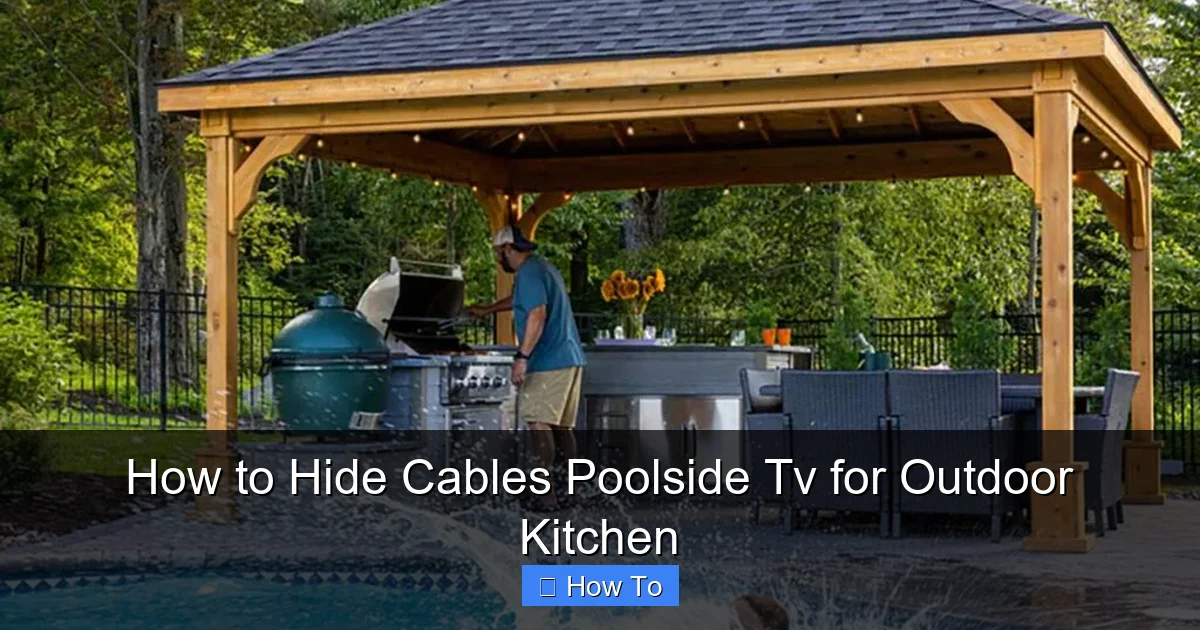
Visual guide about How to Hide Cables Poolside Tv for Outdoor Kitchen
Image source: rtaoutdoorliving.com
Before you run a single wire, take time to plan your setup. A little foresight now saves time, money, and frustration later.
Choose the Right TV Location
Pick a spot that’s visible from your seating area but protected from direct sunlight and splashing water. Ideally, mount the TV under a covered patio, pergola, or outdoor kitchen overhang. Avoid placing it where pool spray or rain can reach the screen or ports.
Consider viewing angle and distance. Most outdoor TVs are designed for 6–10 feet of viewing distance. Make sure the screen is at eye level when seated—typically 42 to 48 inches from the ground to the center of the screen.
Map Power and Signal Sources
Identify where your power outlet, cable/satellite box, streaming device (like a Roku or Apple TV), and sound system will go. Ideally, these should be close to the TV but hidden from view.
If your outdoor kitchen has built-in cabinets, use them to house your devices. If not, consider adding a weatherproof media cabinet or enclosure. Look for models with ventilation, cable passthroughs, and lockable doors.
Measure Cable Lengths
Use a tape measure to determine how long each cable needs to be. Add a few extra inches for slack and routing. Common cables include:
– Power cord (TV and devices)
– HDMI cable (from source to TV)
– Ethernet cable (for streaming stability)
– Audio cable (if using external speakers)
Buy cables that are outdoor-rated or at least UV-resistant. Standard indoor cables can degrade quickly in sun and humidity.
Sketch a Simple Diagram
Draw a rough sketch of your outdoor kitchen layout. Mark the TV location, power source, device placement, and cable paths. This visual guide helps you spot potential issues—like a cable running across a walkway—before you start.
Step 2: Choose the Right Cable Management Solutions
Not all cable covers are created equal—especially outdoors. You need products that can handle sun, rain, pool chemicals, and temperature swings.
Weatherproof Conduit
Flexible or rigid conduit is one of the best ways to protect and hide cables. Look for UV-resistant, waterproof PVC or metal conduit rated for outdoor use.
– **Flexible conduit** is great for tight spaces or curved paths.
– **Rigid conduit** offers maximum protection and is ideal for straight runs along walls or under decking.
Use conduit clips or straps to secure it every 12–18 inches. Paint metal conduit to match your outdoor kitchen color for a seamless look.
Outdoor Cable Raceways
Raceways are flat, plastic channels that stick to walls or run along baseboards. Choose outdoor-rated models with adhesive backing or screw mounts.
Popular brands like Legrand or Wiremold offer raceways designed for patios and decks. Some even come in colors like white, gray, or brown to blend with your decor.
For a hidden look, install raceways behind outdoor cabinets or along the edge of countertops.
In-Ground Cable Channels
If you’re running cables under a deck or patio, consider in-ground cable channels. These are buried shallow trenches lined with protective tubing.
Use a flat-nose spade or edging tool to dig a 2–3 inch deep trench. Lay the cables inside UV-resistant tubing, then cover with soil or sand. Top it off with pavers, deck boards, or turf.
This method is ideal for running power from your house to the outdoor kitchen.
Cable Clips and Zip Ties
For shorter runs or temporary fixes, use outdoor-rated cable clips or zip ties. Look for ones made of nylon or stainless steel that won’t rust or crack in the sun.
Avoid duct tape or regular plastic ties—they degrade quickly outdoors.
Step 3: Run Cables Safely and Efficiently
Now it’s time to route your cables. Safety is key, especially near water.
Use GFCI Outlets
Always plug your TV and devices into a Ground Fault Circuit Interrupter (GFCI) outlet. These shut off power instantly if they detect a fault—critical near pools and wet areas.
If your outdoor kitchen doesn’t have a GFCI outlet, hire a licensed electrician to install one. Never use extension cords as a permanent solution.
Route Cables Away from Water
Keep cables at least 6 feet away from the pool edge. If that’s not possible, run them overhead or underground.
Avoid placing cables where people walk or where pool cleaning equipment might snag them.
Go Through Walls or Under Decking
For the cleanest look, run cables inside walls or under deck boards.
– **Through walls:** Drill a small hole (1–2 inches) through the outdoor kitchen wall or cabinet. Use a grommet to protect the cables. Run them inside to a hidden media cabinet.
– **Under decking:** Remove a few deck boards, lay the cables in protective conduit, then replace the boards. Secure cables with clips to prevent movement.
Bury Cables (If Needed)
For long runs from your house to the outdoor kitchen, bury cables in conduit at least 18 inches deep (check local codes). Use direct-burial-rated cables and conduit.
Label both ends clearly so you know what’s what later.
Step 4: Hide Cables in Outdoor Cabinets
If your outdoor kitchen has cabinets, use them to hide your devices and cables.
Install a Media Cabinet
Choose a weatherproof cabinet with:
– Ventilation holes (to prevent overheating)
– Cable passthrough grommets
– Lockable doors (to keep kids and pests out)
Mount it near the TV but out of direct view—like under the counter or inside a pantry-style cabinet.
Organize with Cable Ties and Labels
Inside the cabinet, use zip ties or Velcro straps to bundle cables. Label each one with a tag or marker:
– “HDMI – Apple TV”
– “Power – Soundbar”
– “Ethernet – Router”
This makes troubleshooting and upgrades much easier.
Use a Power Strip with Surge Protection
Plug all devices into an outdoor-rated surge protector. Look for one with a built-in GFCI and weatherproof cover.
Mount the power strip inside the cabinet to keep it dry and hidden.
Step 5: Mount the TV and Finalize the Setup
With cables routed and devices hidden, it’s time to mount the TV.
Choose a Weatherproof TV
Not all TVs are built for outdoor use. Look for models rated for outdoor or all-weather use, like those from SunBrite or Samsung’s Terrace series.
These TVs have:
– Anti-glare screens
– Weatherproof ports with rubber covers
– Built-in heaters for cold climates
Use a Full-Motion Wall Mount
A full-motion mount lets you tilt and swivel the TV for the best viewing angle. Choose one rated for outdoor use and weight of your TV.
Mount it securely to a stud or concrete wall. Use stainless steel screws to prevent rust.
Connect and Test Everything
Plug in all cables and power on the TV. Check:
– Picture quality
– Sound
– Internet connection (for streaming)
– Remote control function
Adjust settings as needed. If something doesn’t work, double-check connections and labels.
Step 6: Maintain and Upgrade Your Setup
Cable management isn’t a one-time task. Regular maintenance keeps your system running smoothly.
Inspect Cables Seasonally
Every few months, check cables for:
– Cracks or fraying
– Loose connections
– Signs of pests or moisture
Replace damaged cables immediately.
Keep Devices Clean
Dust and pollen can clog vents and ports. Wipe down your TV and devices with a dry cloth monthly.
Use compressed air to clean out cabinet vents.
Plan for Upgrades
Leave extra slack in cables and consider installing a spare conduit for future upgrades—like adding a soundbar or smart home hub.
Troubleshooting Common Issues
Even with careful planning, problems can happen. Here’s how to fix the most common ones.
Signal Loss or Poor Picture Quality
– Check HDMI connections—loose cables are a common culprit.
– Use a high-quality, outdoor-rated HDMI cable (preferably under 25 feet).
– If using a long run, consider an HDMI extender or fiber optic cable.
Cables Overheating
– Ensure devices have proper ventilation.
– Don’t bundle too many cables tightly—this traps heat.
– Use a cabinet with built-in fans if needed.
Water Damage to Cables or Devices
– Make sure all outdoor outlets are GFCI-protected.
– Use weatherproof covers on all ports and connections.
– Avoid running cables where water pools.
Tripped GFCI Outlet
– Press the “Reset” button on the outlet.
– If it trips again, unplug devices one by one to find the faulty one.
– Replace damaged equipment or cables.
Bonus Tips for a Professional Look
Want your setup to look like it was done by a pro? Try these extra tips.
Paint Conduit and Raceways
Match the color of your conduit or raceway to your wall, cabinet, or deck. Use outdoor paint for durability.
Use Cable Sleeves
For a clean, bundled look, wrap multiple cables in a spiral cable sleeve. Choose UV-resistant nylon or braided polyester.
Hide the Power Strip
Mount the surge protector inside a small weatherproof box or behind the TV. Use a remote-controlled power strip to turn devices on/off without opening cabinets.
Add Lighting
Install subtle LED strip lighting inside cabinets to illuminate devices at night. Use warm white for a cozy glow.
Conclusion
Hiding cables for your poolside TV doesn’t have to be complicated or expensive. With smart planning, the right materials, and a focus on safety, you can create a clean, professional-looking outdoor entertainment space that’s both functional and beautiful.
Start by mapping your layout, choose weatherproof cable management solutions, and route wires through walls or under decking. Use outdoor cabinets to hide devices, label everything, and always prioritize safety with GFCI outlets and proper grounding.
Regular maintenance will keep your system running smoothly for years. And with a little creativity—like painting conduit or adding LED lighting—you can make your outdoor kitchen the envy of the neighborhood.
So go ahead, mount that TV, fire up your favorite show, and enjoy your backyard oasis—without a single cable in sight.

