
Hiding cables for your backyard TV in a gazebo ensures a clean, safe, and weather-resistant outdoor entertainment space. This guide walks you through practical, step-by-step methods to conceal wires while protecting them from the elements and tripping hazards.
Key Takeaways
- Plan your cable route first: Map out the shortest, safest path from your TV to power and signal sources to minimize exposure and clutter.
- Use weatherproof conduit or raceways: Protect cables from rain, UV rays, and pests with outdoor-rated plastic or metal channels.
- Anchor cables securely: Prevent sagging or damage by using clips, ties, or adhesive mounts designed for outdoor use.
- Choose the right tools and materials: Invest in UV-resistant, waterproof cable covers and avoid indoor-only products.
- Test connections before final installation: Ensure all devices work properly before hiding cables to avoid rework.
- Maintain access for future repairs: Use removable raceways or access panels so you can troubleshoot or upgrade easily.
- Prioritize safety and code compliance: Keep power and signal cables separated and follow local electrical codes for outdoor wiring.
How to Hide Cables Backyard TV for Gazebo
Setting up a backyard TV in your gazebo is a fantastic way to enjoy movies, sports, or music under the stars. But nothing ruins the vibe faster than a tangle of exposed cables snaking across the floor or dangling from the ceiling. Not only do they look messy, but they also pose tripping hazards and can get damaged by weather, pests, or foot traffic.
The good news? Hiding cables for your backyard TV doesn’t have to be complicated or expensive. With the right tools, a bit of planning, and some clever techniques, you can create a clean, safe, and professional-looking setup that blends seamlessly into your outdoor space. Whether you’re mounting your TV on a post, under a roof, or on a wall, this guide will show you exactly how to hide those unsightly wires—step by step.
In this comprehensive how-to guide, you’ll learn how to route, protect, and conceal cables for your gazebo TV setup. We’ll cover everything from planning your layout to choosing the best materials, installing cable management systems, and maintaining your setup over time. By the end, your backyard oasis will look sleek, organized, and ready for year-round entertainment.
Step 1: Plan Your Cable Route
Before you run a single wire, take time to plan your cable path. A well-thought-out route saves time, reduces material waste, and ensures your setup is both functional and safe.
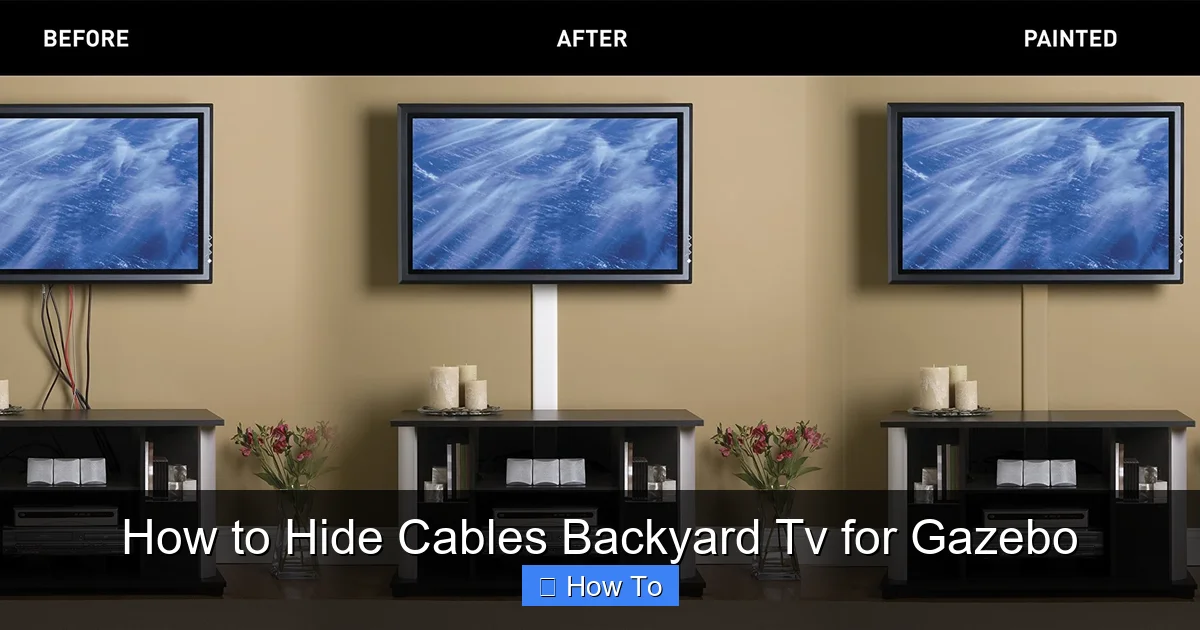
Visual guide about How to Hide Cables Backyard Tv for Gazebo
Image source: images-na.ssl-images-amazon.com
Assess Your Gazebo Layout
Start by examining your gazebo’s structure. Note where the TV will be mounted, where the power source is located, and where your audio/video components (like a streaming box, soundbar, or receiver) will sit. Most gazebos have open sides, so you’ll need to route cables along beams, under the floor, or through the roof.
Ask yourself:
- Where is the nearest outdoor electrical outlet?
- Will the TV be wall-mounted or on a stand?
- Are there existing beams or posts I can use to hide wires?
- Will cables run horizontally or vertically?
Map the Shortest Safe Path
Choose the shortest route that keeps cables out of sight and out of harm’s way. Avoid high-traffic areas where people walk or sit. If possible, run cables along the inside of beams or under the gazebo floor. This not only hides them but also protects them from weather and UV exposure.
Pro Tip: Use a tape measure to calculate how much cable and conduit you’ll need. Add 10–15% extra length to account for bends and connections.
Separate Power and Signal Cables
Never run power cables (like the TV’s power cord) alongside signal cables (HDMI, audio, etc.) in the same conduit. Power cables can cause electromagnetic interference, leading to poor picture or sound quality. Keep them at least 6 inches apart, or use separate channels.
Step 2: Gather the Right Tools and Materials
Using the right materials is crucial for a durable, weather-resistant setup. Indoor cable covers won’t hold up outdoors—rain, sun, and temperature swings will degrade them quickly.
Essential Materials
- Outdoor-rated cable raceways or conduit: Choose UV-resistant PVC or metal conduit designed for exterior use. Flexible raceways work well for curved beams; rigid conduit is better for straight runs.
- Cable clips and ties: Use stainless steel or plastic clips rated for outdoor use. Avoid rubber bands or indoor zip ties—they’ll crack and fail.
- Weatherproof junction boxes: If you need to splice wires, use sealed boxes with gaskets to keep moisture out.
- Waterproof cable glands: These seal the entry and exit points of cables into boxes or conduits.
- Adhesive mounts or screws: For securing raceways to wood, metal, or concrete. Use outdoor-rated adhesives or corrosion-resistant screws.
- Extension cords and surge protectors: Use outdoor-rated, grounded extension cords and weatherproof surge protectors with built-in covers.
Tools You’ll Need
- Drill and drill bits
- Measuring tape
- Level
- Wire strippers (if splicing)
- Screwdrivers
- Cable puller or fish tape (for tight spaces)
- Marker or chalk
Pro Tip: Buy a few extra feet of conduit and cable clips—you’ll likely need them for adjustments or future upgrades.
Step 3: Run and Protect Your Cables
Now it’s time to install your cables safely and securely. This step ensures they’re protected from the elements and hidden from view.
Install Conduit or Raceways
Start by mounting your chosen conduit or raceway along the planned route. For wooden beams, use screws or outdoor adhesive. For metal or concrete, use appropriate anchors.
Cut the conduit to length using a hacksaw or PVC cutter. Use a file to smooth rough edges that could damage cables.
If you’re running cables under the gazebo floor, drill small holes in the floor joists and feed the conduit through. Seal the holes with outdoor caulk to prevent water intrusion.
Feed Cables Through the Conduit
Before sealing the conduit, pull your cables through. Use a cable puller or fish tape if the run is long or has bends. Have a helper feed the cable from the other end to reduce friction.
Label each cable at both ends with tape or tags (e.g., “HDMI 1,” “Power,” “Audio”) to avoid confusion later.
Secure Cables with Clips or Ties
Once cables are in place, secure them with outdoor-rated clips or UV-resistant zip ties. Space clips every 12–18 inches to prevent sagging. Avoid over-tightening, which can damage insulation.
For exposed areas (like under a roof overhang), use adhesive-backed cable channels that stick to wood or metal. These are easy to install and blend well with most gazebo finishes.
Seal Entry and Exit Points
Use waterproof cable glands or silicone sealant to seal where cables enter or exit conduit, boxes, or the TV mount. This prevents water, insects, and debris from getting in.
Pro Tip: Apply a small bead of outdoor silicone around the base of the TV mount and any wall penetrations for extra protection.
Step 4: Hide Cables Behind or Under the Gazebo
If your gazebo has open sides, you’ll need creative ways to hide cables without blocking airflow or views.
Use Decorative Covers
Install decorative cable covers that match your gazebo’s color or material. Some options include:
- Wooden raceways: Paint or stain to match beams.
- Metal cable channels: Choose black or bronze finishes that blend with hardware.
- Fabric sleeves: Use weather-resistant outdoor fabric to wrap cables along beams (less protective but very discreet).
Route Cables Under the Floor
If your gazebo has a raised floor, run cables underneath. Drill access holes in the floor joists and feed conduit through. Cover the holes with removable floor panels or outdoor-rated access hatches.
This method keeps cables completely hidden and protected from foot traffic and weather.
Conceal with Plants or Furniture
Use potted plants, outdoor rugs, or furniture to block the view of cables near the ground. Just make sure cords aren’t pinched or exposed to water from irrigation.
Pro Tip: Train climbing plants like ivy or jasmine along beams to naturally camouflage cable runs over time.
Step 5: Connect and Test Your Setup
Before you finalize everything, make sure all connections work properly.
Plug In and Power Up
Connect your TV, streaming device, sound system, and any other components. Use a weatherproof outdoor surge protector with a cover to protect against power surges and rain.
Test Video and Audio
Play a video to check for signal issues like flickering, lag, or no sound. If you notice problems, double-check HDMI connections and ensure power and signal cables aren’t too close together.
Adjust and Secure Loose Cables
If any cables are loose or vibrating in the wind, secure them with additional clips or ties. Trim excess zip tie ends with wire cutters for a clean look.
Pro Tip: Take a photo of your setup before finalizing—this helps if you need to troubleshoot or upgrade later.
Step 6: Maintain and Upgrade Your System
A well-maintained cable system lasts longer and performs better. Follow these tips to keep your setup in top shape.
Inspect Regularly
Check cables and raceways every few months for signs of wear, corrosion, or animal damage. Look for cracks in conduit, loose clips, or frayed wires.
Clean Gently
Use a damp cloth to wipe down raceways and covers. Avoid harsh chemicals that could degrade plastic or metal.
Plan for Upgrades
Use removable raceways or access panels so you can easily add new cables (like for a soundbar or gaming console) without redoing the entire setup.
Pro Tip: Keep a spare HDMI cable and a few extra clips in a waterproof storage box near the gazebo for quick fixes.
Troubleshooting Common Issues
Even the best setups can run into problems. Here’s how to fix common cable issues.
Signal Loss or Interference
If your picture flickers or audio cuts out, check for:
- Loose HDMI connections
- Power and signal cables running too close
- Damaged or low-quality cables
Solution: Re-seat connections, separate cables, or replace with higher-quality, shielded HDMI cables.
Water in Conduit
Condensation or rain can seep into poorly sealed conduit. Look for dampness or corrosion.
Solution: Drain the conduit, dry cables, and reseal entry points with silicone or cable glands.
Cables Sagging or Coming Loose
Wind or temperature changes can loosen clips over time.
Solution: Add more support clips every 12 inches and use stronger adhesive or screws.
Animals Chewing Cables
Rabbits, squirrels, or rats may chew through plastic conduit.
Solution: Use metal conduit in vulnerable areas or apply animal repellent spray around the perimeter.
Conclusion
Hiding cables for your backyard TV in a gazebo doesn’t have to be a daunting task. With careful planning, the right materials, and a few smart techniques, you can create a clean, safe, and weather-resistant setup that enhances your outdoor living space.
Remember: Start by mapping your cable route, use outdoor-rated conduit and clips, keep power and signal cables separate, and always test your system before finalizing. Regular maintenance will keep everything running smoothly for years to come.
Now that your cables are neatly hidden, you can sit back, relax, and enjoy your favorite shows under the open sky—without the distraction of messy wires. Your gazebo is no longer just a shelter; it’s a full-fledged outdoor entertainment hub.

