
Want a clean, safe outdoor TV setup without messy cables? This guide shows you how to hide cables for your backyard TV on a covered patio using practical, weather-resistant methods. From planning your layout to securing wires and troubleshooting common issues, you’ll get a sleek, professional look that lasts.
Key Takeaways
- Plan your cable route first: Map out the path from your TV to power and signal sources to avoid last-minute surprises.
- Use weatherproof cable covers: Protect wires from rain, sun, and pests with outdoor-rated raceways or conduits.
- Secure cables along beams or trim: Attach wires to structural elements using clips or adhesive mounts for a clean look.
- Label all cables: Make future troubleshooting easier by tagging each wire at both ends.
- Test everything before finalizing: Ensure audio, video, and power work before hiding cables permanently.
- Choose the right tools: Invest in a drill, level, measuring tape, and outdoor-safe adhesives for a professional finish.
- Maintain access for repairs: Use removable covers or access panels so you can fix issues without tearing things down.
How to Hide Cables Backyard TV for Covered Patio
So you’ve set up your backyard TV on the covered patio—great choice! Now you’re staring at a tangled mess of power cords, HDMI cables, and maybe even speaker wires snaking across the floor or dangling from the ceiling. Not only does it look messy, but it’s also a tripping hazard and vulnerable to weather damage. The good news? You can hide those cables neatly, safely, and stylishly with a few smart steps.
In this guide, we’ll walk you through how to hide cables for your backyard TV on a covered patio. Whether you’re mounting your TV on a wall, placing it on a stand, or connecting multiple devices like a soundbar or streaming box, we’ve got you covered. You’ll learn how to plan your setup, choose the right materials, route cables discreetly, and keep everything secure and weather-resistant. By the end, your outdoor entertainment space will look clean, professional, and ready for movie nights under the stars.
Step 1: Plan Your Cable Layout
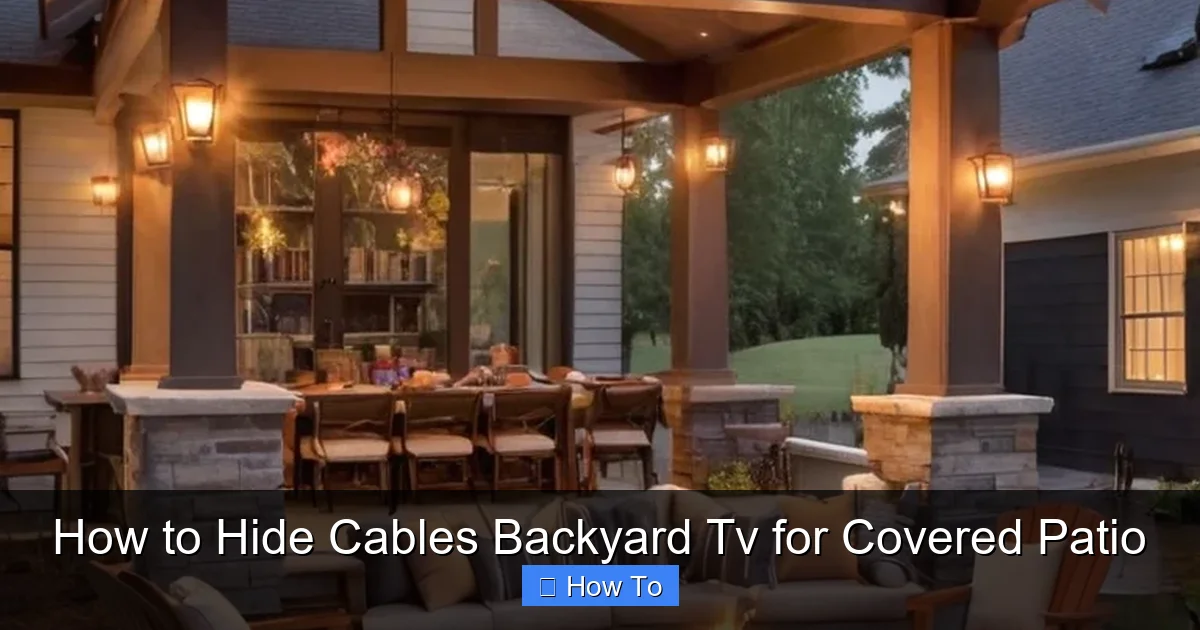
Visual guide about How to Hide Cables Backyard Tv for Covered Patio
Image source: naturecreatures.com
Before you start drilling or taping anything down, take a moment to plan. A little prep work now saves a lot of frustration later.
Identify All Devices and Connections
List every device that needs to connect to your TV. This usually includes:
– The TV itself (power cord)
– Streaming device (like Roku, Apple TV, or Fire Stick)
– Sound system or soundbar
– Cable box or satellite receiver
– Gaming console (if applicable)
– Any external antennas or network extenders
Each of these will have at least one cable—often more. HDMI, power, Ethernet, and audio cables are common. Count them so you know how much space and protection you’ll need.
Map the Shortest, Safest Route
Look at your covered patio layout. Where is the TV? Where are the power outlets? Where will your devices sit? The goal is to find the shortest, least visible path from each device to the TV and power source.
Avoid running cables across walkways or under furniture where they can be stepped on or pinched. Instead, look for natural pathways:
– Along the edge of the ceiling
– Behind or along support beams
– Inside or behind outdoor cabinets
– Under decking (if accessible)
Use a measuring tape to get accurate lengths. Add a few extra inches to each cable to allow for slack—this makes connections easier and reduces strain.
Check for Obstructions and Hazards
Look for things that could interfere with your cable run:
– Moving parts (like ceiling fans or retractable screens)
– Heat sources (grills, heaters)
– Water exposure (near sprinklers or gutters)
– Pest-prone areas (wooden beams that attract insects)
If your patio has a roof, check for vents, lights, or other fixtures that might block your path. Also, make sure your route doesn’t cross high-traffic zones where cables could be tripped over.
Step 2: Choose the Right Cable Management Solutions
Not all cable covers are created equal—especially outdoors. You need products designed to withstand sun, rain, humidity, and temperature changes.
Outdoor-Rated Cable Raceways
These are plastic or metal channels that snap or screw into place along walls or ceilings. They’re perfect for hiding multiple cables in a clean, organized bundle.
Look for raceways labeled “weatherproof” or “UV-resistant.” PVC raceways are affordable and easy to cut, while aluminum ones offer better durability. Brands like D-Line and Legrand make great outdoor options.
Tip: Choose a raceway color that matches your wall or ceiling to make it blend in.
Flexible Conduit (for In-Wall or Under-Deck Runs)
If you’re running cables through walls, under decking, or along structural beams, flexible conduit is your best bet. It’s a protective tube that shields wires from moisture, rodents, and physical damage.
Use liquid-tight flexible conduit (LFMC) for outdoor use. It’s bendable, waterproof, and easy to install with conduit fittings. You can run multiple cables inside one tube, keeping everything tidy.
Cable Clips and Adhesive Mounts
For shorter runs or when you don’t want to install a full raceway, use outdoor-rated cable clips. These small plastic or metal clips attach to walls, beams, or trim and hold individual cables in place.
Choose clips with strong adhesive backing or screw mounts. 3M VHB tape works well for smooth surfaces, while screws are better for wood or concrete.
Avoid cheap plastic clips—they crack in the sun. Look for UV-stabilized materials.
Wireless Alternatives (When Possible)
Sometimes, the best way to hide a cable is to eliminate it altogether. Consider wireless options:
– Use a wireless HDMI transmitter to send video from your streaming device to the TV.
– Opt for a Bluetooth soundbar instead of wired speakers.
– Power devices with battery packs (for low-power gadgets like streaming sticks).
Wireless tech isn’t perfect—latency and range can be issues—but it’s great for reducing clutter.
Step 3: Prepare Your Tools and Materials
Gather everything you’ll need before you start. This keeps the project moving smoothly.
Essential Tools
– Drill and drill bits (for mounting raceways or conduits)
– Screwdriver or impact driver
– Measuring tape
– Level (to keep raceways straight)
– Utility knife or PVC cutter (for trimming raceways)
– Cable ties or Velcro straps (for bundling wires)
– Label maker or tape labels (to identify cables)
Materials Checklist
– Outdoor cable raceway or conduit
– Cable clips or adhesive mounts
– Weatherproof extension cord or outdoor-rated power strip
– Cable labels
– Silicone sealant (for sealing conduit entries)
– Wire lubricant (optional, for pulling cables through conduit)
Safety Gear
– Work gloves
– Safety glasses
– Ladder (if working on ceilings or high walls)
Always turn off power at the breaker before working near electrical outlets. Use a voltage tester to double-check.
Step 4: Install Cable Raceways or Conduit
Now it’s time to hide those cables for real.
Mount the Raceways
Start at the TV and work your way back to the power source or device location.
1. Hold the raceway in place along your planned route.
2. Use a level to ensure it’s straight.
3. Mark screw holes with a pencil.
4. Drill pilot holes (especially in wood or concrete).
5. Screw the raceway base into place. Don’t overtighten—this can crack plastic.
If using adhesive mounts, clean the surface with rubbing alcohol first. Let it dry, then press the raceway firmly for 30 seconds.
Run the Cables
Before snapping the cover on, thread your cables through the raceway.
– Bundle similar cables together with Velcro straps (avoid zip ties—they can cut into wires over time).
– Leave a little slack at each end for easy connection.
– Don’t pull cables too tight—this can damage connectors.
For long runs, have a helper feed the cables from one end while you guide them from the other.
Seal Entry and Exit Points
If cables enter or exit the raceway near the ground or near a roof edge, seal the gaps with outdoor silicone caulk. This prevents water, insects, and debris from getting inside.
Alternative: Use Conduit for Hidden Runs
If you’re running cables under decking or through walls:
1. Drill a hole large enough for the conduit.
2. Feed the conduit through.
3. Use a fish tape or string to pull cables through.
4. Seal both ends with conduit bushings and silicone.
This method is more work but offers maximum protection.
Step 5: Secure Loose Cables with Clips
Not every cable needs a full raceway. For shorter runs—like from a soundbar to the TV—use clips.
Attach Clips Along Beams or Trim
1. Space clips every 12 to 18 inches.
2. Screw or stick them in place.
3. Snap cables into the clips.
This keeps wires tidy and off the floor.
Use Adhesive Mounts for Smooth Surfaces
On painted walls or metal frames, adhesive cable mounts work great. Just make sure the surface is clean and dry.
Tip: For extra hold, use mounts with both adhesive and a small screw hole.
Step 6: Manage Power Safely
Power cords are the trickiest part—they’re thick, heavy, and need to stay dry.
Use an Outdoor Power Strip or GFCI Outlet
Plug all your devices into a weatherproof power strip with a built-in surge protector. Look for one with a locking cover to keep rain out.
Even better: Install a GFCI (Ground Fault Circuit Interrupter) outlet near your TV. These shut off power if they detect a leak—critical for outdoor safety.
Route Power Cords Along the Same Path
Run power cords through the same raceway or conduit as your signal cables. This keeps everything together and reduces clutter.
If your power cord is too short, use an outdoor-rated extension cord. Never use indoor extension cords outside—they’re not safe.
Elevate Cords Off the Ground
If cables must cross a floor area, use cord covers or ramps. These rubber or plastic channels lay flat and protect wires from foot traffic and moisture.
Avoid running power cords under rugs or furniture—this can cause overheating.
Step 7: Label and Test Everything
Before you call it done, make sure it all works.
Label Each Cable
Use a label maker or write on tape to mark each cable at both ends. For example:
– “HDMI 1 – Apple TV”
– “Power – Soundbar”
– “Ethernet – Router”
This saves hours if you ever need to troubleshoot.
Test All Connections
Turn on the TV and each device. Check:
– Picture quality (no flickering or signal loss)
– Sound (clear, no static)
– Internet connection (for streaming)
– Power (all devices turn on)
If something isn’t working, don’t panic. Double-check connections and labels.
Make Final Adjustments
Tighten any loose clips, re-secure raceways, and trim excess cable ties. Wipe down surfaces to remove fingerprints or dust.
Step 8: Maintain and Upgrade Over Time
Your setup won’t stay perfect forever. Plan for maintenance.
Inspect Cables Seasonally
Check for:
– Cracked raceways
– Loose clips
– Frayed wires
– Signs of pests (chewed insulation)
Replace damaged parts right away.
Leave Access Points
If you used conduit or in-wall runs, install access panels or use removable raceway covers. This lets you pull new cables or fix issues without tearing things apart.
Upgrade as Needed
If you add a new device—like a projector or outdoor speakers—plan the cable route in advance. Use the same raceways or install new ones alongside.
Troubleshooting Common Issues
Even with the best planning, problems can happen.
Signal Loss or Interference
If your picture cuts out or sound drops:
– Check HDMI connections—tighten them.
– Avoid running signal cables parallel to power cords (this causes interference).
– Use shielded HDMI cables for long runs.
Cables Pulling Out of Connectors
This happens when cables are too tight or bent sharply.
– Leave slack at both ends.
– Use right-angle adapters to reduce strain.
– Secure cables near the connector with a clip.
Raceways Coming Loose
If adhesive mounts fail:
– Clean the surface again.
– Use screws instead of tape.
– Choose a heavier-duty raceway.
Water Getting Into Conduit
If you see moisture inside:
– Seal all entry points with silicone.
– Slope conduit slightly downward to let water drain.
– Use drip loops—loops in the cable that hang below the entry point to prevent water from traveling inward.
Final Thoughts
Hiding cables for your backyard TV on a covered patio doesn’t have to be complicated. With a little planning, the right tools, and weather-safe materials, you can create a clean, safe, and stylish outdoor entertainment space. Your guests will never guess where all those wires are hiding—and you’ll enjoy your TV without tripping over cords or worrying about rain damage.
Remember: the key is to protect your cables from the elements, keep them organized, and make future repairs easy. Whether you use raceways, conduit, or clips, the result will be a professional-looking setup that enhances your outdoor living area.
So grab your tools, map your route, and get started. Your backyard movie nights are about to look a whole lot better.

