
Tired of messy cables ruining your outdoor TV setup? This guide shows you simple, effective ways to hide and protect cables on your balcony or patio, from DIY raceways to wireless options. Keep your space safe, clean, and stylish.
Key Takeaways
- Plan your cable route first: Map out the shortest, safest path from your TV to power and devices to minimize clutter and tripping hazards.
- Use weather-resistant materials: Always choose outdoor-rated cable covers, conduits, and clips to protect against rain, sun, and temperature changes.
- Conceal cables along walls and railings: Run wires behind or along existing structures using adhesive clips, raceways, or zip ties for a clean look.
- Consider wireless alternatives: Reduce cable needs with wireless HDMI kits or streaming devices to minimize exposed wiring.
- Secure loose ends and connections: Use cable ties, Velcro straps, or junction boxes to keep connections tidy and protected from moisture.
- Test before finalizing: Power on your system and check signal quality after installation to avoid rework.
- Maintain access for repairs: Avoid permanently sealing cables so you can troubleshoot or upgrade later.
How to Hide Cables Backyard TV for Balcony Patio
Setting up a backyard TV on your balcony or patio transforms your outdoor space into a cozy entertainment zone. Whether you’re watching the big game, enjoying a movie night under the stars, or catching up on your favorite shows, a well-placed TV adds comfort and fun. But one common challenge? The tangle of cables snaking across your deck or hanging off railings. Not only are they an eyesore, but exposed wires can also be a tripping hazard or get damaged by weather.
The good news? You don’t have to live with messy cables. With a few smart strategies and the right tools, you can hide your backyard TV cables neatly and safely. This guide walks you through everything you need to know—from planning your setup to choosing the best hiding methods and keeping your system secure year-round.
Whether you’re a DIY beginner or a seasoned home improver, these step-by-step instructions will help you create a clean, professional-looking outdoor entertainment area. Let’s get started!
Why Hiding Cables Matters
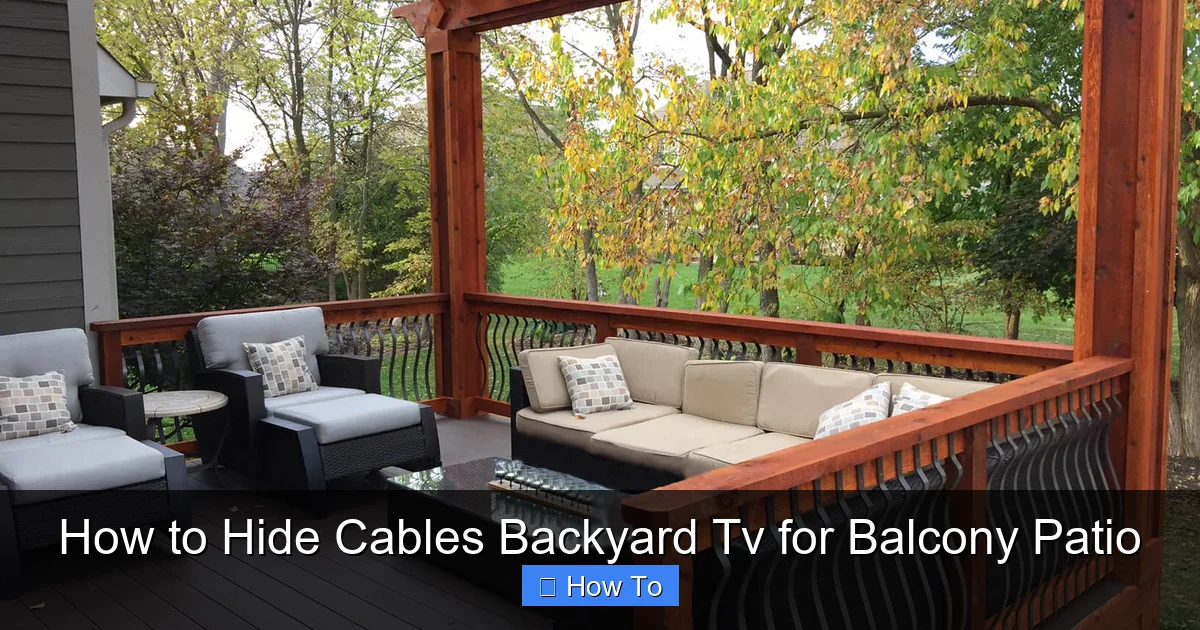
Visual guide about How to Hide Cables Backyard Tv for Balcony Patio
Image source: aspenoutdoordesigns.com
Before diving into the how-to, let’s talk about why hiding cables is so important. It’s not just about aesthetics—though a clean setup definitely looks better. Safety and durability are big factors too.
First, exposed cables are a tripping hazard, especially in dim lighting or when guests are over. A single misstep could lead to injury or damage your equipment. Second, outdoor cables are vulnerable to the elements. Rain, snow, UV rays, and temperature swings can degrade standard indoor cables over time, leading to signal loss or even electrical issues.
Finally, a tidy setup just feels more inviting. When your balcony or patio looks organized, you’re more likely to use it. Hiding cables helps create a relaxing, resort-like atmosphere where you can truly unwind.
Assess Your Setup and Plan the Cable Route
The first step in hiding your backyard TV cables is planning. Take a few minutes to evaluate your space and map out the best path for your wires.
Start by identifying where your TV will go. Is it mounted on a wall, placed on a stand, or attached to a railing? Next, locate your power source—usually an outdoor GFCI outlet—and any other devices like a soundbar, streaming box, or gaming console.
Now, trace the shortest and safest route from each device to the power source and between components. Avoid high-traffic areas, stairs, or spots where people might walk. If possible, run cables along walls, under railings, or behind furniture.
Pro tip: Use painter’s tape to mark the cable path on the floor or wall. This helps you visualize the layout before drilling or attaching anything.
Also, consider future access. You’ll want to be able to unplug or adjust cables if needed, so avoid sealing them in permanently.
Choose the Right Cable Management Tools
Once you’ve planned your route, it’s time to pick the right tools. Not all cable organizers are created equal—especially for outdoor use. You’ll need products that are durable, weather-resistant, and easy to install.
Here are the most effective options:
Outdoor Cable Raceways
These are plastic or metal channels that attach to walls or railings and hold multiple cables inside. They come in various lengths and colors (like white, black, or gray) to blend with your decor. Look for UV-resistant and waterproof models designed for exterior use.
Adhesive Cable Clips and Clamps
These small hooks stick to walls, railings, or under tables and hold individual cables in place. Choose ones with strong outdoor adhesive or screw-in options for extra security.
Zip Ties and Velcro Straps
Great for bundling cables together or attaching them to railings or posts. Use weather-resistant zip ties or reusable Velcro straps to avoid damage from sun and moisture.
Flexible Conduit or Split Loom Tubing
This is a protective sleeve that wraps around your cables, shielding them from cuts, pests, and weather. It’s especially useful for cables running along the ground or exposed areas.
Wireless Alternatives
If you want to reduce cable clutter, consider wireless options. A wireless HDMI transmitter can send video and audio from your source (like a streaming box) to your TV without running long cables. Just make sure both devices have power nearby.
Step-by-Step: Hide Cables Along Walls and Railings
Now that you have your tools, let’s walk through the installation process. This method works great for most balcony and patio setups.
Step 1: Gather Your Supplies
You’ll need:
– Outdoor-rated cable raceway or clips
– Measuring tape
– Level
– Drill and screws (if not using adhesive)
– Cable ties or Velcro straps
– Screwdriver or power drill
– Outdoor extension cord (if needed)
Step 2: Measure and Mark the Route
Use your measuring tape to determine the length of the cable run. Mark where the raceway or clips will go with a pencil or painter’s tape. Use a level to ensure straight lines—crooked raceways look messy.
Step 3: Install the Raceways or Clips
If using a raceway, cut it to size with a hacksaw or utility knife. Attach it to the wall or railing using screws or strong outdoor adhesive. Make sure it’s secure and level.
For adhesive clips, clean the surface first with rubbing alcohol to remove dirt and grease. Press each clip firmly in place and wait 24 hours before loading cables.
Step 4: Thread the Cables
Carefully feed your power, HDMI, and audio cables through the raceway or under the clips. Don’t pull too hard—cables can stretch or break. Leave a little slack at connection points to avoid tension.
Step 5: Secure and Bundle
Use zip ties or Velcro straps to group cables together every few feet. This prevents sagging and keeps everything neat. Trim excess zip tie ends with wire cutters.
Step 6: Test the System
Plug everything in and turn on your TV. Check that all devices are working and the picture and sound are clear. If something’s not working, double-check connections and cable integrity.
Hide Cables Under Furniture or Rugs
If your TV is near outdoor seating or a coffee table, you can route cables under furniture for a hidden look.
Use Furniture with Built-in Cable Management
Some outdoor sofas, benches, and TV stands come with hidden channels or holes for wires. If yours doesn’t, consider adding a cable management box or tray underneath.
Run Cables Under Outdoor Rugs
For ground-level runs, use a flat, low-profile cable protector or run wires under a weather-resistant outdoor rug. Make sure the rug is heavy enough not to shift and the cables aren’t pinched.
Avoid placing heavy furniture directly on cables—this can crush them over time. Instead, use a cable ramp or flat conduit designed for foot traffic.
Protect Cables from Weather and Wear
Outdoor environments are tough on electronics. Sun, rain, wind, and pests can all damage cables if they’re not protected.
Use Weatherproof Conduit
For cables running along the ground or exposed to the elements, wrap them in flexible conduit or split loom tubing. These sleeves shield against moisture, UV rays, and physical damage.
Seal Connections with Electrical Tape or Heat Shrink
If you’re splicing cables or using outdoor extension cords, seal the connections with waterproof electrical tape or heat shrink tubing. This prevents water from seeping in.
Elevate Cables Off the Ground
Whenever possible, keep cables off wet surfaces. Use clips, hooks, or raceways to lift them slightly. This reduces the risk of water damage and makes cleaning easier.
Choose the Right Cables
Not all cables are built for outdoor use. Look for labels like “outdoor-rated,” “UV-resistant,” or “direct burial” (even if you’re not burying them). These are designed to withstand harsh conditions.
Wireless Options to Reduce Cable Clutter
One of the easiest ways to hide cables is to use fewer of them. Wireless technology can help you cut down on the number of wires needed.
Wireless HDMI Kits
These systems transmit video and audio from your source device (like a Roku or Apple TV) to your TV without cables. They typically have a transmitter and receiver, both of which need power. Place the transmitter near your streaming box and the receiver near your TV.
Most kits support 1080p or 4K and work within 30–100 feet, depending on the model. Just make sure there’s a clear line of sight and minimal interference from walls or metal objects.
Bluetooth Audio
If you’re using a soundbar or outdoor speakers, consider a Bluetooth-enabled model. Pair it with your TV or streaming device to eliminate audio cables.
Smart TVs with Built-in Streaming
Many modern TVs come with apps like Netflix, YouTube, and Hulu built in. If your outdoor TV is smart-enabled, you may not need a separate streaming box at all—just a power cable and Wi-Fi.
Troubleshooting Common Issues
Even with the best planning, problems can arise. Here’s how to fix the most common cable issues.
Signal Loss or Interference
If your picture is choppy or audio cuts out, check for loose connections or damaged cables. Also, ensure wireless devices aren’t too far apart or blocked by metal railings or thick walls.
Cables Coming Loose
Adhesive clips can fail in extreme heat or cold. If clips fall off, switch to screw-mounted versions or use outdoor-rated double-sided tape.
Water in Connections
If you notice corrosion or shorts, disconnect power immediately. Dry the area thoroughly and reseal connections with waterproof tape or silicone sealant.
Tripping Hazards Persist
If cables still cross walkways, consider rerouting them or using a cable ramp. These low-profile covers let people walk over wires safely.
Maintenance Tips for Long-Term Success
Keeping your cable setup in good shape requires regular checkups.
Inspect Monthly
Look for frayed wires, loose clips, or signs of wear. Replace damaged components right away.
Clean Around Cables
Dust, dirt, and debris can build up in raceways or under furniture. Use a soft brush or compressed air to keep them clear.
Adjust for Seasons
In winter, check for ice or snow buildup that could damage cables. In summer, ensure raceways aren’t overheating in direct sun.
Label Your Cables
Use colored tape or labels to mark each cable (e.g., “HDMI,” “Power,” “Audio”). This makes troubleshooting much easier.
Conclusion
Hiding cables for your backyard TV doesn’t have to be complicated or expensive. With a little planning and the right tools, you can create a clean, safe, and stylish outdoor entertainment space. Whether you use raceways, clips, wireless tech, or a combination, the key is to protect your cables from the elements and keep them out of sight.
Remember: safety first. Always use outdoor-rated materials, avoid overloading circuits, and keep water away from electrical connections. And don’t forget to test your system after installation.
By following this guide, you’ll enjoy a clutter-free balcony or patio where you can relax and entertain without worrying about tripping over wires. So grab your tools, plan your route, and get ready to enjoy your outdoor TV in peace.

