
Whether you’re transforming your backyard into a cozy winter entertainment hub or simply want to enjoy your favorite shows while sipping hot cocoa on the deck, investing in a reliable outdoor TV is a game-changer. But here’s the catch—standard indoor TVs simply won’t cut it when exposed to cold weather, snow, ice, and fluctuating temperatures. That’s why understanding how to clean and maintain a deck TV specifically designed for cold climates is essential for longevity, performance, and safety. This comprehensive guide isn’t just about buying a TV—it’s about making a smart, long-term investment that stands up to Mother Nature’s harshest conditions.
In this expert-level buying guide, we’ll walk you through everything you need to know about selecting, maintaining, and protecting a deck TV built for cold weather. You’ll learn how to evaluate critical factors like temperature tolerance, weatherproofing, screen visibility in low light, and proper cleaning techniques that prevent damage from moisture, frost, and salt air. We’ll also compare different types of outdoor TVs, highlight common purchasing mistakes, break down budget options, and share pro tips to help you get the best value. Whether you’re a first-time buyer or upgrading from an older model, this guide ensures you make an informed decision that keeps your outdoor viewing experience crisp, clear, and uninterrupted—even when the mercury drops.
The outdoor TV market has evolved dramatically in recent years. No longer limited to bulky, expensive commercial-grade displays, today’s deck TVs offer sleek designs, smart functionality, and advanced climate resilience at increasingly accessible price points. Brands like SunBrite, Samsung Terrace, LG Outdoor, and Seura have pioneered weather-resistant technology that allows homeowners to enjoy high-definition entertainment year-round. However, not all outdoor TVs are created equal—especially when it comes to cold-weather performance. Some models are optimized for hot, sunny climates, while others are engineered to withstand sub-zero temperatures, ice buildup, and prolonged exposure to snow. Understanding these differences is crucial. This guide will help you navigate the options, avoid costly oversights, and choose a TV that not only survives winter but thrives in it.
What to Look for When Buying Buying Guide
1. Temperature Operating Range
One of the most critical factors when selecting a deck TV for cold weather is its official temperature operating range. Unlike indoor TVs, which are typically rated for use between 50°F and 95°F (10°C to 35°C), outdoor TVs must handle extreme fluctuations. Look for models specifically rated for cold climates—ideally those that can operate safely in temperatures as low as -22°F (-30°C) or lower. These TVs are built with specialized components, such as low-temperature capacitors, heated internal circuits, and frost-resistant screens, that prevent damage during freezing conditions.
Manufacturers often specify both operating and storage temperature ranges. The operating range tells you when the TV can safely be turned on and used, while the storage range indicates how cold it can get while powered off. For example, a TV with an operating range of -4°F to 122°F (-20°C to 50°C) and a storage range of -22°F to 140°F (-30°C to 60°C) is well-suited for northern winters. Always check the user manual or product specifications for these details—don’t assume all “outdoor” TVs are cold-weather capable.
2. Weatherproofing & IP Rating
Weatherproofing is non-negotiable for any deck TV, but in cold climates, it becomes even more important due to snowmelt, ice, and freezing rain. The Ingress Protection (IP) rating tells you how well the TV resists dust and moisture. For outdoor use, look for a minimum IP55 rating, which means the TV is protected against dust and low-pressure water jets from any direction. However, for snowy or icy environments, an IP65 or IP66 rating is ideal—these offer full dust protection and resistance to powerful water jets, ensuring snow and slush won’t penetrate the casing.
Beyond the IP rating, examine the TV’s construction. Sealed ports, rubber gaskets, and corrosion-resistant materials (like aluminum or powder-coated steel) are essential. Pay special attention to the back panel and ventilation areas—these are common entry points for moisture. Some premium models feature fully sealed designs with no external vents, eliminating the risk of ice buildup inside the unit. Additionally, check if the TV includes a built-in surge protector, which safeguards against power fluctuations caused by winter storms.
3. Screen Visibility in Low Light & Snow Reflection
Winter days are shorter, and snow-covered decks can reflect sunlight, creating glare that makes standard screens difficult to see. A high-brightness display is essential for outdoor winter viewing. Look for TVs with at least 700 nits of brightness—preferably 1,000 nits or more. For comparison, most indoor TVs range from 300 to 500 nits, which is insufficient for direct sunlight or bright snow reflection.
Anti-reflective coatings and optically bonded screens further enhance visibility. Optically bonded displays eliminate the air gap between the glass and the LCD layer, reducing glare and improving contrast in bright conditions. This technology also helps prevent condensation from forming between layers, a common issue in cold, humid environments. Additionally, consider TVs with adjustable backlighting or ambient light sensors that automatically adjust brightness based on surrounding conditions—this not only improves visibility but also conserves energy.
4. Build Quality & Durability
Outdoor TVs face constant exposure to the elements, so build quality directly impacts longevity. Start by examining the materials used in the chassis and mounting hardware. Aluminum alloy frames are lightweight yet highly resistant to rust and corrosion, making them ideal for snowy regions. Avoid plastic enclosures—they can become brittle in cold weather and are more prone to cracking.
The screen itself should be made of tempered glass or reinforced acrylic to resist impact from ice, hail, or falling branches. Some models feature scratch-resistant coatings that protect against snow shovels or accidental contact. Internally, look for solid-state components and conformal coating on circuit boards, which protect against moisture and temperature swings. High-end models often undergo rigorous testing, including thermal shock tests (rapid temperature changes) and salt spray tests (for coastal areas), to ensure reliability.
5. Smart Features & Connectivity
Modern deck TVs aren’t just about picture quality—they’re also smart hubs for outdoor entertainment. Look for models with built-in Wi-Fi, Bluetooth, and streaming platforms like Roku, Android TV, or webOS. This allows you to access Netflix, YouTube, and other services without needing an external streaming device, reducing cable clutter and potential failure points.
Connectivity options are equally important. Ensure the TV has multiple HDMI ports (preferably HDMI 2.1 for 4K/120Hz content), USB ports for media playback, and audio outputs for external speakers or soundbars. Some models include weatherproof cable glands or pass-through ports that keep connections dry and secure. For cold-weather use, wireless connectivity is a plus—fewer exposed ports mean less risk of ice or moisture damage.
Voice control via Alexa or Google Assistant is another valuable feature, especially when your hands are cold or gloved. Just say “Hey Google, play the game” and enjoy hands-free operation. Additionally, check if the TV supports screen mirroring or casting from smartphones and tablets—perfect for sharing photos or videos during outdoor gatherings.
6. Size & Viewing Distance
Choosing the right screen size depends on your deck layout and typical viewing distance. A common rule of thumb is that the ideal screen size (in inches) should be about one-third to one-half the distance (in feet) from the TV to the seating area. For example, if you’re sitting 8 feet away, a 40- to 50-inch TV is appropriate.
However, outdoor environments require larger screens due to ambient light and potential glare. A 55-inch or 65-inch display often provides a more immersive experience on a medium to large deck. Consider the TV’s bezel size as well—slim bezels maximize screen real estate and look more modern. Also, ensure the TV’s aspect ratio matches your content preferences; most outdoor TVs are 16:9, ideal for movies and sports.
Don’t forget about mounting options. Wall mounts, ceiling mounts, and articulating arms offer flexibility, but in snowy areas, a fixed wall mount is often more reliable—it reduces wind resistance and prevents ice buildup on moving parts. Always use marine-grade or stainless-steel mounting hardware to prevent rust.
7. Power Consumption & Energy Efficiency
Outdoor TVs can consume significantly more power than indoor models, especially those with high brightness and heating systems. Check the Energy Star rating or power consumption specifications (measured in watts) to estimate operating costs. A typical 55-inch outdoor TV may use between 100 and 200 watts during normal operation, but models with active heating can draw up to 300 watts in extreme cold.
Look for energy-saving features like automatic sleep mode, motion sensors, or ambient light-based brightness adjustment. These reduce power usage when the TV isn’t actively being watched. Some models also include solar-compatible power inputs, allowing you to pair the TV with a solar panel system for off-grid use—ideal for remote cabins or eco-conscious homeowners.
For long-term savings, consider the TV’s lifespan. High-quality outdoor TVs are designed to last 7–10 years or more with proper maintenance. While they may cost more upfront, their durability and efficiency often justify the investment.
8. Warranty & Support
A robust warranty is a strong indicator of a manufacturer’s confidence in their product. Most reputable outdoor TV brands offer at least a 2-year warranty, with some extending coverage to 3 or even 5 years. Pay attention to what’s covered—does it include labor, parts, and on-site service? Is the warranty valid only if the TV is installed by a certified technician?
Customer support is equally important. Look for brands with responsive service teams, detailed online resources, and local repair centers. Some companies offer extended service plans or accidental damage coverage, which can be valuable if your TV is exposed to harsh conditions. Reading user reviews about post-purchase support can reveal a lot about a brand’s reliability.
Finally, check if the TV is certified by third-party organizations like UL (Underwriters Laboratories) or ETL, which verify safety and performance standards. These certifications are especially important for electrical devices used in wet or cold environments.
Different Types of Buying Guide

Common Buying Mistakes to Avoid

❌ Mistake: Buying an Indoor TV for Outdoor Use
Why it’s bad: Indoor TVs are not designed to handle moisture, temperature swings, or UV exposure. Using one outside—even under a covered deck—can lead to screen fogging, circuit corrosion, and premature failure. In cold weather, the risk increases as condensation forms inside the unit when temperatures drop.
What to do instead: Always choose a TV specifically rated for outdoor use. Look for weatherproof certifications and cold-weather compatibility. If budget is tight, consider an indoor TV paired with a high-quality outdoor enclosure, but understand the trade-offs in durability and performance.
❌ Mistake: Ignoring the Operating Temperature Range
Why it’s bad: Many buyers assume “outdoor” means “all-weather,” but some models are only rated for mild climates. Using a TV outside its specified range can cause the screen to freeze, the backlight to fail, or internal components to crack.
What to do instead: Check the manufacturer’s specifications for both operating and storage temperature ranges. If you live in a region with winter lows below 20°F (-7°C), choose a model rated for at least -4°F (-20°C) or lower.
❌ Mistake: Overlooking Screen Brightness and Glare
Why it’s bad: A dim screen will be nearly invisible on a snowy deck, even on overcast days. Glare from snow reflection can wash out colors and make text unreadable, ruining the viewing experience.
What to do instead: Prioritize TVs with high brightness (700+ nits) and anti-reflective coatings. Optically bonded screens are a worthwhile upgrade for snowy environments.
❌ Mistake: Skimping on Mounting Hardware
Why it’s bad: Standard indoor mounts aren’t built for outdoor conditions. Rust, wind, and ice can weaken the mount over time, leading to dangerous collapses.
What to do instead: Invest in marine-grade stainless steel or aluminum mounts rated for outdoor use. Ensure the mount is compatible with your TV’s VESA pattern and can support the weight, especially if using an enclosure.
❌ Mistake: Neglecting Cable Management
Why it’s bad: Exposed cables are vulnerable to ice, snow, and animal damage. Water can seep into ports, causing short circuits or corrosion.
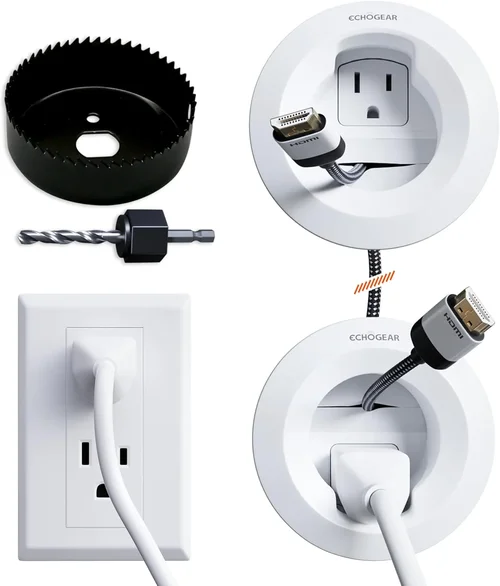
What to do instead: Use weatherproof cable glands, conduit, or pass-through ports. Route cables through the wall or under decking when possible. Label cables for easy maintenance.
❌ Mistake: Forgetting About Cleaning and Maintenance
Why it’s bad: Snow, ice, and salt can accumulate on the screen and casing, leading to scratches, reduced visibility, and long-term damage.
What to do instead: Clean the TV regularly with a soft microfiber cloth and mild cleaner. Avoid abrasive materials or harsh chemicals. Remove snow gently with a soft brush—never use metal tools.
❌ Mistake: Not Planning for Power and Connectivity
Why it’s bad: Running extension cords across a snowy deck is unsafe and unsightly. Poor power planning can lead to tripped breakers or electrical hazards.
What to do instead: Have a licensed electrician install a dedicated outdoor outlet with GFCI protection. Use weatherproof covers and consider a smart plug for remote control.
Budget Guidelines: How Much Should You Spend?
Entry-Level ($800 – $1,500): These are typically partial-cover outdoor TVs or indoor models in basic enclosures. They offer decent weather resistance but may lack cold-weather features like heating or frost protection. Best for covered decks in mild winter climates. Expect shorter lifespans and limited smart features.
Mid-Range ($1,500 – $3,000): This is the sweet spot for most homeowners. These TVs are fully weatherproof, often include heating systems, and offer high brightness and smart functionality. Models like the SunBrite Veranda series or Samsung Terrace fall here. They balance performance, durability, and value.
Premium ($3,000 – $5,000): Designed for harsh climates, these TVs feature advanced heating, ultra-bright displays, and commercial-grade durability. Ideal for snowy regions or year-round outdoor use. Brands like Seura and LG Outdoor dominate this tier.
Luxury ($5,000+): Top-tier models with 4K HDR, voice control, built-in soundbars, and custom finishes. Often used in high-end homes, resorts, or public spaces. These TVs are built to last decades with minimal maintenance.
Expert Tips for Getting the Best Deal
- Buy in Spring or Early Summer: Retailers often discount outdoor TVs before the peak season. Look for Memorial Day, July 4th, or back-to-school sales.
- Compare Online and In-Store Prices: Online retailers like Amazon, Best Buy, and specialty outdoor tech stores often offer better deals and bundles (e.g., free mounting hardware).
- Check for Rebates and Tax Credits: Some energy-efficient models qualify for local utility rebates or federal tax incentives.
- Read User Reviews Carefully: Focus on reviews from buyers in similar climates. Look for mentions of cold-weather performance, durability, and customer service.
- Test Before You Buy (If Possible): Visit a showroom to evaluate screen brightness, sound quality, and remote responsiveness.
- Negotiate Installation Packages: Many retailers offer free or discounted installation with purchase—especially for wall mounts and cable runs.
- Consider Refurbished Models: Certified refurbished outdoor TVs from reputable brands can save 20–30% and often come with full warranties.
- Review Return and Exchange Policies: Ensure you can return the TV if it doesn’t perform as expected in cold weather.

Frequently Asked Questions
Q: Can I use a regular TV outside in winter if it’s under a covered deck?
A: Technically yes, but it’s not recommended. Even under cover, temperature swings, humidity, and condensation can damage internal components. For reliable performance, use an outdoor-rated TV or a high-quality enclosure.
Q: How do I clean snow off my deck TV without damaging the screen?
A: Use a soft, dry microfiber cloth or a foam brush designed for car windshields. Never use metal scrapers, hot water, or abrasive cleaners. Gently wipe in one direction to avoid scratching.
Q: Will my outdoor TV work in -10°F weather?
A: Only if it’s specifically rated for that temperature. Check the operating range in the manual. If it’s not rated for below freezing, the screen may not turn on or could be permanently damaged.
Q: Do outdoor TVs need to be covered in winter?
A: Not if they’re fully weatherproof and rated for cold climates. However, a custom cover can protect against heavy snow buildup and UV damage during long off-seasons.
Q: Can I leave my outdoor TV plugged in all winter?
A: Yes, as long as it’s connected to a GFCI outlet and has surge protection. Unplugging during storms is wise, but daily use is safe with proper setup.
Q: How often should I clean my outdoor TV?
A: Clean the screen and casing monthly, or more often in snowy or salty environments. Remove snow and ice promptly after storms.
Q: Are outdoor TVs energy efficient?
A: They use more power than indoor TVs due to brightness and heating, but many models include energy-saving features. Look for Energy Star ratings.
Q: Can I mount my outdoor TV on a pergola?
A: Yes, but ensure the structure is sturdy and can support the weight. Use weatherproof mounts and seal all connections.
Q: What happens if moisture gets inside the TV?
A: It can cause corrosion, short circuits, or screen fogging. If this happens, power off the TV immediately and contact the manufacturer. Most warranties don’t cover water damage from improper use.
Q: Do outdoor TVs come with warranties that cover cold-weather damage?
A: Most do, but only if the TV is used within its specified temperature range. Always read the warranty terms carefully.
Our Final Recommendations
Best for Budget-Conscious Buyers: SunBrite Veranda Series (55-inch) – Offers solid weatherproofing, 700-nit brightness, and smart features at a mid-range price. Ideal for covered decks in moderate climates.
Best Overall Value: Samsung The Terrace (65-inch) – Combines 1,500-nit brightness, anti-reflective screen, and robust cold-weather performance. Excellent for snowy regions with active heating.
Best Premium Option: Seura Shade Series (75-inch) – Ultra-bright, fully sealed, and designed for extreme conditions. Includes built-in heating and premium audio.
Best for Beginners: LG Outdoor TV (50-inch) – User-friendly interface, strong app support, and reliable performance. Great for first-time outdoor TV owners.
Best for Advanced Users: Peerless-AV Xtreme (65-inch) – Commercial-grade durability, 2,000-nit brightness, and customizable mounting. Perfect for tech-savvy users with large outdoor spaces.
Conclusion: Making the Right Choice
Choosing the right deck TV for cold weather isn’t just about picking the biggest screen or the flashiest features—it’s about matching the TV’s capabilities to your climate, usage, and long-term needs. From understanding temperature ratings and weatherproofing to mastering proper cleaning techniques, every decision you make impacts how well your TV performs through snowstorms, freezing nights, and icy mornings. By prioritizing durability, visibility, and smart functionality, you ensure your outdoor entertainment space remains a welcoming retreat all winter long.
Remember, the best TV is the one that fits your lifestyle. If you host frequent gatherings, invest in a larger, brighter model with strong audio. If you’re a casual viewer, a mid-range option with reliable cold-weather performance may suffice. And always factor in maintenance—regular cleaning and proper mounting go a long way in extending your TV’s life.
Don’t rush the decision. Take time to compare models, read reviews, and consult with experts. Your deck TV is more than a purchase—it’s an investment in comfort, connection, and countless memorable moments under the open sky. With the insights from this guide, you’re now equipped to make a confident, informed choice that keeps the screen glowing, no matter how cold it gets outside.

