
If you’re thinking about adding a television to your outdoor deck, you’re not alone. More homeowners than ever are transforming their patios, decks, and backyards into fully functional outdoor living spaces—complete with weather-resistant entertainment systems. But here’s the catch: standard indoor TVs simply won’t cut it in humid, exposed environments. Moisture, temperature swings, UV exposure, and dust can quickly degrade performance or even destroy an unprotected display. That’s why choosing the right deck TV—specifically designed for humid and outdoor conditions—isn’t just a luxury; it’s a necessity for long-term enjoyment and value.
This comprehensive buyer’s guide is designed to help you navigate the often-confusing world of outdoor and humidity-resistant televisions. Whether you’re installing a TV under a covered pergola, on a screened-in porch, or even in a semi-exposed area with partial sun and high humidity, we’ll walk you through everything you need to know. You’ll learn how to evaluate key features like weatherproof ratings, display technology, build quality, and connectivity options—all tailored to the unique challenges of humid climates. By the end of this guide, you’ll be equipped to make a confident, informed decision that balances performance, durability, and budget.
The market for outdoor TVs has evolved significantly in recent years. What was once a niche category dominated by a handful of premium brands now includes a broader range of options, from budget-friendly semi-outdoor models to fully weatherized 4K HDR displays with built-in heaters and cooling systems. However, not all “outdoor-ready” TVs are created equal—especially when it comes to handling persistent humidity, which can cause corrosion, fogging, and electrical failure over time. This guide cuts through the marketing noise to focus on what truly matters for deck installations in humid regions like the Southeast U.S., coastal areas, or tropical climates.

What to Look for When Buying Buying Guide
1. Weatherproof Rating (IP Rating)
The most critical factor when selecting a deck TV for humid areas is its Ingress Protection (IP) rating. This internationally recognized standard tells you exactly how well a device resists dust and moisture. For outdoor or semi-outdoor use—especially in humid environments—you should look for a minimum IP55 rating, but ideally IP65 or higher.
An IP55 rating means the TV is protected against low-pressure water jets from any direction and limited dust ingress. IP65 offers complete dust protection and resistance to water projected from a nozzle. In humid climates where condensation can form even under cover, a higher IP rating ensures internal components stay dry and functional. Avoid any TV without a clearly stated IP rating—it’s a red flag that the manufacturer hasn’t designed it for real-world outdoor conditions.
Additionally, check if the TV includes a sealed chassis design. Some models use gaskets, conformal coatings on circuit boards, and ventless enclosures to prevent moisture from reaching sensitive electronics. These features are especially important in areas with frequent rain, morning dew, or high ambient humidity levels above 70%.
2. Display Technology & Brightness
Not all screens perform equally in outdoor lighting—even under a covered deck. Sunlight glare, ambient light reflection, and backlighting can wash out images on standard LCD or OLED panels. For deck installations, look for TVs with high brightness levels measured in nits. A minimum of 700 nits is recommended, but 1,000+ nits is ideal for areas with indirect sunlight or bright surroundings.
LED-backlit LCDs with anti-reflective coatings are generally better suited for outdoor use than OLEDs, which can suffer from burn-in and reduced lifespan under constant bright conditions. Some premium outdoor TVs use specialized “sunlight-readable” panels with enhanced contrast ratios and local dimming to maintain image clarity. Also consider screen finish: matte or anti-glare surfaces reduce reflections far better than glossy finishes.
Resolution matters too. While 4K UHD is now standard even in outdoor models, ensure the TV supports HDR (High Dynamic Range) for richer colors and better detail in both shadows and highlights—particularly useful when watching sports or nature documentaries outdoors.
3. Build Quality & Materials
A deck TV must withstand more than just humidity—it also faces temperature extremes, UV radiation, and potential physical impacts. Look for enclosures made from powder-coated aluminum or marine-grade stainless steel, which resist rust and corrosion far better than plastic or standard steel. Avoid models with exposed screws, vents, or unsealed ports, as these create entry points for moisture.
Internal components should also be ruggedized. High-quality outdoor TVs often include conformal-coated PCBs (printed circuit boards), sealed optical engines, and reinforced connectors. Some manufacturers go further by using passive cooling systems instead of fans, eliminating moving parts that can fail in dusty or damp conditions.
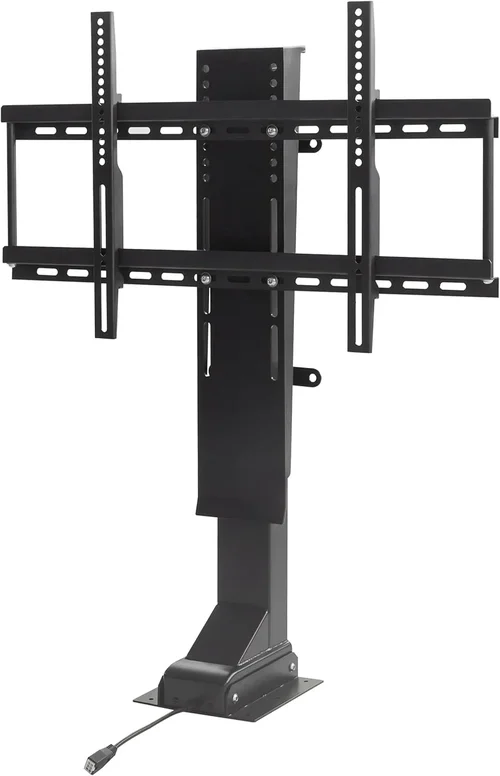
Mounting hardware is equally important. Ensure the TV comes with or is compatible with VESA-standard outdoor mounts rated for wet locations. Many reputable brands include wall brackets designed specifically for their weatherized models, ensuring a secure, gap-free installation that minimizes water infiltration.
4. Thermal Management
Humid environments often come with temperature fluctuations—hot days followed by cool, damp nights. These cycles can cause condensation inside electronic devices, leading to short circuits or component failure. Premium outdoor TVs address this with integrated thermal management systems.
Look for models with built-in heaters and/or cooling fans that activate automatically based on internal temperature sensors. For example, a heater might turn on during cold, humid mornings to prevent internal fogging, while a fan could activate during peak afternoon heat to avoid overheating. Passive heat dissipation through metal chassis designs is also common in fanless models.
Be cautious of TVs that rely solely on ventilation without active thermal control—they may overheat in summer or freeze up in winter, especially in enclosed spaces like pergolas or sunrooms. Always check the operating temperature range specified by the manufacturer; a good deck TV should function reliably between -22°F and 122°F (-30°C to 50°C).
5. Connectivity & Smart Features
Even in outdoor settings, you’ll want seamless access to streaming services, cable, or gaming consoles. Most modern outdoor TVs come with smart platforms like Android TV, webOS, or Roku, allowing direct access to Netflix, YouTube, and other apps without external devices.
However, connectivity ports must be weather-sealed. Look for HDMI, USB, and antenna inputs protected by rubberized covers or located in recessed, gasketed compartments. Some models feature wireless casting via Wi-Fi 6 or Bluetooth 5.0, reducing the need for physical cables that can degrade over time.
Audio is another consideration. Built-in speakers on outdoor TVs are often limited due to space and weatherproofing constraints. If sound quality matters, plan to pair your TV with weather-resistant outdoor speakers or a soundbar designed for exterior use. Optical audio outputs or HDMI ARC can simplify this setup.
6. Brand Reputation & Specialization
Not all TV manufacturers understand the nuances of outdoor deployment. Stick with brands that specialize in or have a proven track record with weatherized displays. Companies like SunBriteTV, Samsung (with its Terrace series), LG (with its Outdoor line), and Seura have dedicated engineering teams focused on outdoor performance.
Research customer reviews specifically from users in humid climates. Look for mentions of longevity, reliability after seasonal changes, and responsiveness of customer support. Avoid generic “outdoor TV” sellers on marketplaces without verifiable certifications or real-world testing data.
Specialized brands often provide detailed installation guides, climate-specific recommendations, and compatibility lists for mounts and accessories—valuable resources that generic retailers rarely offer.
7. Warranty & Support
Outdoor electronics come with higher risks, so warranty coverage is non-negotiable. A standard one-year warranty is insufficient for a deck TV exposed to the elements. Look for at least a three-year comprehensive warranty that covers both parts and labor, including damage from moisture or temperature-related failures.
Check whether the warranty is voided by DIY installation. Some brands require professional setup by certified technicians to maintain coverage. Also verify if on-site service is available in your area—shipping a large outdoor TV for repairs can be costly and time-consuming.
Customer support responsiveness is crucial. Can you reach a human quickly? Do they offer troubleshooting guides for common humidity issues like screen fogging or connectivity drops? Brands with strong post-purchase support tend to have higher customer satisfaction rates in challenging environments.
8. Size & Viewing Distance
Choosing the right screen size isn’t just about aesthetics—it affects usability and immersion. For deck installations, consider your typical seating arrangement and viewing distance. A general rule: divide your viewing distance (in inches) by 1.5 to get the ideal screen diagonal in inches. So, if you’re sitting 10 feet (120 inches) away, a 65–75 inch TV is optimal.
Larger screens enhance the outdoor entertainment experience but require more robust mounting and may need additional structural support. Ensure your deck railing or wall can safely bear the weight—many outdoor TVs exceed 50 lbs, especially with protective casings.
Also think about viewing angles. If your deck has multiple seating zones, choose a TV with wide viewing angles (178° horizontal/vertical) to maintain color accuracy and brightness from the sides. IPS (In-Plane Switching) panels typically offer better off-axis performance than VA panels.
Different Types of Buying Guide
Common Buying Mistakes to Avoid
❌ Mistake: Buying a Standard Indoor TV for Outdoor Use
Why it’s bad: Indoor TVs lack weatherproofing, corrosion-resistant materials, and thermal management. In humid environments, moisture will seep into vents, corrode circuitry, and cause premature failure—often within months.
What to do instead: Invest in a purpose-built outdoor or semi-outdoor TV with an appropriate IP rating. If budget is tight, use a high-quality outdoor enclosure, but never assume an indoor TV is “fine under cover.”
❌ Mistake: Ignoring the IP Rating
Why it’s bad: Without a verified IP rating, you have no guarantee the TV can handle moisture, dust, or condensation. Many cheap “outdoor” TVs claim durability but lack certification.
What to do instead: Always verify the IP rating (e.g., IP65) in the product specifications. Cross-check with independent reviews or manufacturer documentation.
❌ Mistake: Overlooking Thermal Management
Why it’s bad: Humid climates often experience rapid temperature shifts. TVs without heaters or cooling systems may fog internally, overheat, or shut down unexpectedly.
What to do instead: Choose models with active thermal regulation or passive designs rated for your climate’s temperature range.
❌ Mistake: Skimping on Mounting Hardware
Why it’s bad: Using indoor mounts outdoors can lead to rust, loosening, or collapse—especially in windy or rainy conditions. Poor mounting also creates gaps where water can enter.
What to do instead: Use VESA-compatible outdoor mounts rated for wet locations. Consider tilt or full-motion mounts for optimal viewing angles.
❌ Mistake: Neglecting Audio Solutions
Why it’s bad: Built-in outdoor TV speakers are often weak and muffled due to weatherproofing. Relying on them results in poor sound quality, especially with background noise like wind or traffic.
What to do instead: Pair your TV with weather-resistant outdoor speakers or a wireless soundbar. Plan cable routing or use Bluetooth for a clean setup.
❌ Mistake: Assuming All “Outdoor” TVs Are Equal
Why it’s bad: Marketing terms like “all-weather” or “deck-ready” are not standardized. Some models are only suitable for fully enclosed spaces.
What to do instead: Read detailed specs, check operating environment guidelines, and consult user reviews from similar climates.
❌ Mistake: Forgetting About Power and Connectivity
Why it’s bad: Running long, unsealed cables across a deck creates tripping hazards and moisture entry points. Unprotected ports can corrode.
What to do instead: Use in-wall rated cables, conduit, or wireless solutions. Ensure all connections are made in weatherproof junction boxes.
Budget Guidelines: How Much Should You Spend?
Entry-Level ($800 – $1,500): This tier typically includes indoor TVs paired with third-party outdoor enclosures or basic semi-outdoor models with limited weather resistance (IP54 or lower). Best for fully covered, dry decks with minimal humidity exposure. Expect shorter lifespans and fewer smart features. Ideal for occasional use or temporary setups.
Mid-Range ($1,500 – $3,500): The sweet spot for most homeowners. These are true semi-outdoor or all-weather TVs with IP55–IP65 ratings, 700–1,000 nits brightness, and basic thermal management. Brands like SunBriteTV Veranda series or Samsung The Terrace (smaller sizes) fall here. Great for covered decks in humid climates, offering reliable performance and 3–5 year lifespans with proper care.
Premium ($3,500 – $6,000): Designed for serious outdoor entertainment. Features include full IP66/IP67 ratings, 1,000+ nits brightness, advanced HDR, built-in heaters/coolers, and premium materials like marine-grade aluminum. Models from SunBriteTV Pro series or LG Outdoor OLEDs deliver cinema-quality visuals even in challenging conditions. Ideal for partially exposed decks or high-humidity coastal areas.
Luxury ($6,000+): Top-tier commercial-grade displays with 24/7 operation capability, ultra-high brightness (2,000+ nits), vandal-resistant glass, and enterprise-level durability. Used in luxury homes, resorts, or public venues. Overkill for most residential decks but unmatched in performance and longevity.

Expert Tips for Getting the Best Deal
- Buy during off-seasons: Outdoor TVs see peak demand in spring and summer. Shop in late fall or winter (November–February) for discounts of 15–25% as retailers clear inventory.
- Check manufacturer refurbished programs: Brands like SunBriteTV and Samsung offer certified refurbished outdoor TVs with full warranties at 20–30% off retail.
- Bundle with installation: Some specialty retailers include professional mounting and setup in the price—especially valuable for hard-to-reach deck locations.
- Compare total cost of ownership: A cheaper TV may save upfront but cost more in repairs or replacement. Prioritize models with 3+ year warranties and local service support.
- Test before committing: If possible, visit a showroom or dealer to see the TV in person. Check brightness, color accuracy, and menu responsiveness under simulated outdoor lighting.
- Read the fine print on returns: Outdoor TVs often have stricter return policies due to their specialized nature. Ensure you can return within 30 days if the unit doesn’t meet expectations.
- Consider energy efficiency: High-brightness outdoor TVs consume more power. Look for ENERGY STAR certification or low-power modes to reduce long-term electricity costs.
- Join owner forums: Communities like AVS Forum or Reddit’s r/outdoortv share real-world experiences, deal alerts, and troubleshooting tips from users in similar climates.

Frequently Asked Questions
Q: Can I use a regular TV under a covered deck?
A: Technically yes—but only if the area is fully enclosed, dry, and shielded from wind-driven rain and humidity. Even then, condensation from temperature swings can damage internal components over time. For reliable, long-term use in humid areas, a purpose-built outdoor or semi-outdoor TV is strongly recommended.
Q: What’s the difference between IP55 and IP65?
A: Both ratings indicate protection against dust and water, but IP65 offers complete dust-tight sealing (the “6”), while IP55 allows limited dust ingress (the “5”). For humid decks, IP65 is preferable as it prevents fine moisture-laden particles from entering the chassis.
Q: Do outdoor TVs need special power outlets?
A: Not necessarily, but they should be connected via a GFCI (Ground Fault Circuit Interrupter) outlet for safety, especially in damp locations. Avoid extension cords; run dedicated wiring through conduit if needed.
Q: How do I prevent screen fogging?
A: Choose a TV with an internal heater or ensure adequate airflow around the unit. Avoid placing the TV in tightly enclosed cabinets without ventilation. If fogging occurs, turn on the TV—it should clear as internal components warm up.
Q: Are outdoor TVs compatible with streaming devices?
A: Most modern outdoor TVs come with built-in smart platforms (Android TV, webOS, etc.), so external devices aren’t needed. However, if you prefer Roku or Apple TV, ensure the HDMI ports are accessible and weather-sealed.
Q: Can I leave my outdoor TV on all the time?
A: Premium models are designed for 24/7 operation, but most residential outdoor TVs are rated for intermittent use (6–8 hours daily). Continuous operation may reduce lifespan unless specified by the manufacturer.
Q: What happens if my outdoor TV gets rained on?
A: If it’s rated IP65 or higher and properly installed, rain should not cause damage. However, avoid direct hose sprays or submersion. Always follow the manufacturer’s exposure guidelines.
Q: Do I need a permit to install an outdoor TV?
A: Generally no, but if you’re running electrical wiring through walls or modifying your deck structure, local building codes may require permits. Consult your municipality before starting.
Q: How long do outdoor TVs last?
A: With proper installation and maintenance, quality outdoor TVs last 5–10 years. Humidity-resistant models with robust build quality tend to outlast cheaper alternatives by 2–3 years on average.
Q: Can I use solar power for my deck TV?
A: Yes, but you’ll need a sufficiently sized solar array, battery storage, and an inverter capable of handling the TV’s power draw (typically 100–300W). This is more common in off-grid or eco-conscious installations.
Our Final Recommendations
Best for Budget-Conscious Buyers: SunBriteTV Veranda Series (55″–65″) – Offers excellent value with IP55 rating, 700 nits brightness, and reliable performance under covered decks. Priced around $1,800–$2,500, it’s a proven choice for humid climates without breaking the bank.
Best Overall Value: Samsung The Terrace (65″ QLED) – Combines vibrant QLED color, 1,500 nits brightness, IP55 rating, and smart features in a sleek design. Ideal for semi-exposed decks and offers strong brand support. Mid-range pricing (~$3,200) makes it a standout.
Best Premium Option: SunBriteTV Pro Series (75″ 4K HDR) – Built for extreme conditions with IP66 rating, 2,000 nits brightness, integrated thermal management, and military-grade durability. Perfect for partially exposed decks in tropical or coastal regions. Expect to pay $5,500+.
Best for Beginners: Seura Outdoor TV (55″ Full Sun) – User-friendly setup, excellent customer service, and clear installation guides. Great for first-time buyers who want hassle-free outdoor entertainment with minimal technical know-how.
Best for Advanced Users: LG 77″ Outdoor OLED (Model 77G2) – For those who demand perfect blacks and cinematic contrast even outdoors. Requires careful placement (fully covered area) but delivers unparalleled picture quality for discerning viewers.
Conclusion: Making the Right Choice
Choosing the right deck TV for a humid environment is about more than just picking a screen that looks good—it’s about investing in a system built to thrive in challenging conditions. From weatherproof ratings and thermal management to brightness and build quality, every detail matters when your TV faces daily exposure to moisture, heat, and humidity. By prioritizing durability, performance, and long-term support, you’ll enjoy years of reliable outdoor entertainment without constant repairs or replacements.
Remember, the cheapest option isn’t always the most cost-effective. A mid-range outdoor TV with solid weatherproofing and a strong warranty will outperform and outlast a bargain indoor model, even if it costs more upfront. Take the time to assess your specific deck setup, climate, and usage patterns. Are you watching movies under a pergola on summer evenings? Or hosting game-day parties in a breezy, open-air space? Your answers will guide you toward the ideal balance of features and price.
Finally, don’t rush the installation. Proper mounting, sealed connections, and thoughtful cable management are just as important as the TV itself. When in doubt, consult a professional installer familiar with outdoor electronics. With the right preparation and the insights from this guide, your deck will become the ultimate destination for relaxation, entertainment, and unforgettable moments—rain or shine.

