
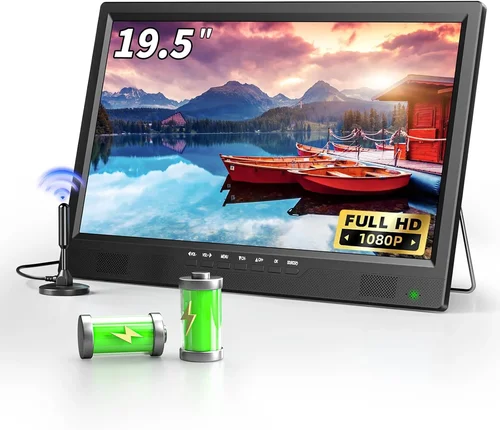
Outdoor living spaces have evolved far beyond simple patios with a table and chairs. Today’s small patios are becoming true extensions of the home—complete with comfortable seating, ambient lighting, and yes, even entertainment systems. A TV on your patio transforms a quiet retreat into a vibrant social hub, perfect for watching the big game, enjoying a movie night under the stars, or simply catching up on your favorite shows while sipping your morning coffee. But finding the right TV for such an environment—especially one that’s both affordable and built to handle the elements—isn’t always straightforward.
That’s exactly why this guide exists. Whether you’re working with a compact balcony, a cozy backyard nook, or a covered porch, choosing a cheap TV for your patio requires more than just picking the lowest price tag. You need a display that balances cost, durability, visibility in daylight, weather resistance, and smart functionality—all within a size that fits your space without overwhelming it. The market is flooded with options, from budget-friendly indoor TVs repurposed for outdoor use to purpose-built outdoor models that can cost thousands. Our goal is to cut through the noise and help you make a smart, informed decision that delivers maximum enjoyment for minimum spend.
In this comprehensive buying guide, we’ll walk you through every critical factor to consider when shopping for a patio TV, especially if you’re on a tight budget. You’ll learn how to evaluate performance specs like brightness and contrast, understand what “weather-resistant” really means, compare different types of outdoor displays, and avoid common pitfalls that lead to buyer’s remorse. We’ll also break down realistic budget tiers, share expert tips for scoring the best deals, and answer frequently asked questions based on real user experiences. By the end, you’ll have everything you need to confidently choose a TV that enhances your outdoor lifestyle—without breaking the bank.

What to Look for When Buying Buying Guide
1. Brightness & Visibility in Sunlight
One of the most overlooked—but absolutely essential—factors when buying a TV for outdoor use is brightness. Indoor TVs typically range from 200 to 400 nits (a unit measuring luminance), which is fine for dimly lit living rooms but completely inadequate for patios exposed to direct sunlight. Even on cloudy days, ambient outdoor light can wash out an indoor screen, making colors look dull and details hard to see.
For small patios—especially those with partial shade or covered areas—you’ll want a TV with at least 500 nits of brightness. If your patio gets direct sun for part of the day, aim for 700 nits or higher. Some premium outdoor TVs boast over 1,000 nits, but these come at a steep price. Fortunately, several affordable indoor models now offer enhanced brightness modes or “outdoor viewing” settings that boost peak luminance without requiring a full outdoor-rated build.
Look for terms like “high brightness,” “sunlight readable,” or “HDR10+” in product descriptions. HDR (High Dynamic Range) content benefits greatly from higher brightness, delivering deeper blacks and more vibrant highlights. Also check if the TV has an anti-glare or matte screen coating—this reduces reflections from windows, water features, or nearby surfaces, improving visibility without cranking up brightness unnecessarily.
2. Weather Resistance & Durability
Even if your small patio is covered, it’s still exposed to humidity, temperature swings, dust, and occasional splashes from rain or sprinklers. Standard indoor TVs aren’t designed for these conditions and can suffer premature failure due to moisture ingress or overheating.
True outdoor TVs are built with sealed casings, corrosion-resistant materials, and internal cooling/heating systems to withstand extreme temperatures (often from -30°F to 120°F). However, these models start around $1,500—well beyond the “cheap” category. So what’s a budget-conscious buyer to do?
The smart compromise is to choose an indoor TV with strong build quality and pair it with a high-quality outdoor TV enclosure. These weatherproof cabinets protect the display from rain, snow, and UV rays while allowing sound and remote signals to pass through. Look for enclosures rated IP54 or higher (Ingress Protection), which means they’re dust-tight and protected against water splashes from any direction.
Additionally, avoid placing any TV directly under open skies unless it’s specifically rated for full outdoor use. Even with an enclosure, ensure there’s adequate ventilation to prevent overheating—especially in summer months. Mounting the TV under an eave, pergola, or retractable awning provides extra protection and extends its lifespan significantly.
3. Screen Size & Viewing Distance
On a small patio, space is precious—and so is optimal viewing distance. A TV that’s too large can overwhelm the area and force you to sit uncomfortably close, while one that’s too small may be hard to see from seating areas.
As a general rule, multiply your viewing distance (in inches) by 0.84 to get the ideal screen diagonal size in inches. For example, if you’ll be sitting 6 feet (72 inches) away, a 60-inch TV (72 × 0.84 ≈ 60) would be perfect. But on a compact patio where seating is only 4–5 feet away, a 43- to 50-inch screen is usually sufficient.
Smaller screens (32–43 inches) work well for intimate setups like a bistro table with two chairs or a single lounge seat. They’re also easier to mount securely and less prone to wind damage. Larger screens (55+ inches) can still fit small patios if mounted high on a wall or under a deep overhang, but they require stronger mounts and may need additional structural support.
Don’t forget about bezel size—modern TVs often have ultra-thin bezels, making the actual screen feel larger than the stated diagonal measurement. Also consider whether the TV will be viewed straight-on or from an angle; if your seating is off-center, look for models with wide viewing angles (IPS panels tend to perform better here than VA panels).
4. Smart Features & Connectivity
A “cheap” TV doesn’t have to mean dumb. In fact, built-in smart platforms are now standard even on budget models, giving you access to streaming apps like Netflix, YouTube, Disney+, and more—no external device required.
Look for TVs running established operating systems such as Google TV (found on many TCL and Hisense models), Roku TV (common in Walmart-exclusive brands), or webOS (LG). These platforms receive regular updates, offer intuitive interfaces, and support voice assistants like Google Assistant or Alexa.
Connectivity is equally important. Ensure the TV has at least three HDMI ports—one for a streaming stick (if not using built-in apps), one for a soundbar or AV receiver, and one spare for future devices like game consoles or Blu-ray players. USB ports are useful for playing media files directly from a flash drive, while Ethernet and dual-band Wi-Fi ensure stable internet connectivity outdoors (where wireless signals can be weaker).
If you plan to use wireless audio (like Bluetooth headphones or speakers), confirm the TV supports Bluetooth 5.0 or higher. Some budget models still use older Bluetooth versions that cause audio lag or dropouts.
5. Audio Quality & External Sound Options
Most budget TVs—indoor or outdoor—have underwhelming built-in speakers. On a patio, ambient noise from traffic, birds, or neighbors can further drown out dialogue, making it hard to follow shows or movies.
While you can’t expect concert-hall sound from a $300 TV, look for models with at least 10W of total audio output and features like Dolby Audio or DTS Virtual:X for virtual surround sound. Better yet, plan to pair your TV with external speakers or a soundbar.
Outdoor-rated wireless speakers (like those from Bose, Sonos, or JBL) are ideal for patios—they’re weather-resistant, easy to place, and deliver rich, room-filling sound. Many connect via Bluetooth or Wi-Fi, eliminating messy cables. Alternatively, a compact soundbar mounted below the TV can significantly improve clarity without taking up floor space.
6. Power Consumption & Energy Efficiency
Outdoor TVs often run longer hours than indoor ones—think weekend barbecues, evening movie nights, or background music during gatherings. This means energy efficiency matters more than you might think.
Check the TV’s Energy Star rating or estimated annual power consumption (usually listed in watts or kWh/year). LED-backlit LCD TVs are inherently more efficient than older plasma or CCFL models, but even among LEDs, there’s variation. OLED TVs offer superior picture quality but consume more power when displaying bright scenes.
For small patios, a 43- to 50-inch LED TV typically uses between 50–80 watts during normal operation. Multiply that by your average daily usage to estimate monthly costs. For example, 4 hours/day at 70 watts = ~8.4 kWh/month—roughly $1–$2 in electricity, depending on your rate.
Also consider standby power: some TVs draw 1–2 watts even when “off,” which adds up over time. Look for models with auto power-off features or low standby modes to minimize phantom loads.
7. Mounting Flexibility & Installation Ease
How you mount your TV affects both safety and viewing comfort. On a small patio, wall mounting is usually the best option—it saves space, keeps the TV secure, and allows precise angle adjustment.
Ensure your chosen TV is VESA-compatible (most are) and check the mounting pattern (e.g., 200x200mm, 400x400mm). Buy a sturdy outdoor-rated wall mount that allows tilt and swivel if your seating isn’t directly in front of the wall. Full-motion mounts let you pull the TV away from the wall and adjust it for different activities—like cooking vs. lounging.
If wall mounting isn’t feasible (e.g., no solid wall or rental restrictions), consider a freestanding outdoor TV cabinet with built-in ventilation and cable management. These units often include wheels for portability and can be locked for security.
Always consult a professional installer if you’re unsure about wall integrity, electrical wiring, or local building codes—especially for heavier TVs or high-wind areas.
8. Brand Reputation & Long-Term Reliability
When shopping cheap, it’s tempting to go with unknown brands offering rock-bottom prices. But reliability and customer support matter—especially for electronics exposed to the elements.
Stick with established manufacturers like TCL, Hisense, Samsung, LG, or Sony. These brands invest in quality control, offer better warranties, and have widespread service networks. TCL and Hisense, in particular, dominate the budget segment with excellent value-for-money models that often outperform pricier competitors in key areas like brightness and smart features.
Read professional reviews from trusted sources (like RTINGS.com or CNET) and scan user feedback on retail sites. Pay attention to comments about long-term durability, customer service responsiveness, and whether the TV holds up after 1–2 years of use.
Avoid “no-name” brands sold exclusively through third-party Amazon sellers or discount liquidators—they rarely provide adequate support or replacement parts.
Different Types of Buying Guide

Common Buying Mistakes to Avoid
❌ Mistake: Buying a Standard Indoor TV Without Protection
Why it’s bad: Indoor TVs lack weather sealing and aren’t built to handle humidity, temperature changes, or dust. Even brief exposure to rain or high humidity can cause internal corrosion, leading to dead pixels, audio failure, or complete shutdown within months.
What to do instead: Always pair an indoor TV with a certified outdoor enclosure (IP54 or higher) or choose a model specifically rated for semi-outdoor use. If your patio is fully exposed, invest in a true outdoor TV—even if it means saving a bit longer.
❌ Mistake: Ignoring Brightness Requirements
Why it’s bad: A dim screen turns your patio into a frustrating viewing experience. You’ll constantly squint, adjust seating, or give up altogether—defeating the purpose of having a TV outdoors.
What to do instead: Prioritize brightness (500+ nits for shaded areas, 700+ for sun exposure) and look for anti-reflective coatings. Check reviews that mention daytime visibility—don’t rely solely on manufacturer specs.
❌ Mistake: Overlooking Audio Needs
Why it’s bad: Tiny built-in speakers can’t compete with outdoor ambient noise. You’ll miss crucial dialogue during movies or sports commentary, making the experience unsatisfying.
What to do instead: Budget for a soundbar or wireless outdoor speakers from day one. Many affordable options (like the TCL Alto series or JBL Charge 5) deliver dramatically better sound for under $150.
❌ Mistake: Choosing the Wrong Screen Size
Why it’s bad: A TV too large for your space feels cramped and forces uncomfortable viewing angles. One too small becomes irrelevant—you might as well use a tablet.
What to do instead: Measure your seating distance and use the 0.84x rule. For small patios (4–6 ft viewing), stick to 43–50 inches. Test with a newspaper cutout of the screen size taped to your wall before buying.
❌ Mistake: Skimping on the Mount or Enclosure
Why it’s bad: A flimsy mount can fail in windy conditions, damaging your TV or causing injury. Cheap enclosures may look fine but lack proper ventilation or water resistance, leading to overheating or moisture buildup.
What to do instead: Invest in a high-quality, outdoor-rated mount (like those from Sanus or Vogel’s) and a ventilated enclosure with cable management. Read installation guides carefully—or hire a pro.
❌ Mistake: Not Checking Return Policies
Why it’s bad: Outdoor TVs are harder to test before purchase. If the brightness isn’t sufficient or the enclosure doesn’t fit, you could be stuck with a useless product.
What to do instead: Buy from retailers with generous return windows (30+ days) and free return shipping. Amazon, Best Buy, and Costco are good options. Avoid final-sale items unless you’re certain.
❌ Mistake: Forgetting About Power and Connectivity
Why it’s bad: Running extension cords across your patio creates tripping hazards and looks messy. Weak Wi-Fi signals outdoors can cause buffering or disconnections.
What to do instead: Plan your power source in advance—consider outdoor-rated GFCI outlets or consult an electrician. Use a Wi-Fi extender or mesh network to boost signal strength to your patio.
Budget Guidelines: How Much Should You Spend?
Entry-Level ($300–$500): This tier is ideal for renters or those testing the waters of outdoor entertainment. You’ll find 43- to 50-inch smart LED TVs from TCL or Hisense with decent brightness (400–500 nits) and basic smart features. Pair with a $100–$150 weatherproof enclosure for basic protection. Expect modest audio and limited viewing angles, but it’s a solid starting point for covered patios.
Mid-Range ($500–$800): The sweet spot for most small patio owners. Here, you get 50- to 55-inch models with 500–700 nits brightness, better HDR support, and improved smart platforms (Google TV or Roku). Many include voice control and multiple HDMI ports. With a quality enclosure and soundbar, this setup delivers excellent value and performance for daily use.
Premium ($800–$1,500): For those willing to invest in longevity and performance. These TVs often feature higher peak brightness (700+ nits), wider color gamuts, and superior motion handling—great for sports and action movies. Some semi-outdoor models in this range include basic weather sealing. Ideal for patios with partial sun exposure.
Luxury ($1,500+): Reserved for true outdoor enthusiasts or fully exposed spaces. Full outdoor TVs from brands like SunBrite or Seura offer 1,000+ nits brightness, all-weather construction, and built-in heating/cooling. While overkill for small covered patios, they’re unmatched in durability and visibility.
Expert Tips for Getting the Best Deal
– Shop during off-seasons: TV prices drop significantly after the Super Bowl (February–March) and during back-to-school sales (July–August). Avoid holiday rushes when demand—and prices—peak.
– Compare total cost of ownership: Factor in the price of an enclosure, mount, soundbar, and potential installation fees. Sometimes a slightly pricier TV with better brightness saves money by eliminating the need for extra accessories.
– Use price-tracking tools: Websites like CamelCamelCamel (for Amazon) or Honey alert you when prices drop on specific models. Set alerts for your shortlisted TVs and enclosures.
– Check refurbished or open-box deals: Retailers like Best Buy and Costco often sell certified refurbished TVs at 20–30% off with full warranties. These are thoroughly tested and perfect for outdoor use.
– Negotiate with local installers: Some AV specialists offer package deals (TV + mount + installation) that beat online prices. They may also have access to commercial-grade enclosures not sold retail.
– Read the fine print on warranties: Most indoor TV warranties void if used outdoors. Confirm coverage terms before purchasing. Some enclosure manufacturers offer extended protection plans.
– Test Wi-Fi strength first: Use a smartphone app like NetSpot to map signal strength on your patio. If it’s weak, buy a mesh extender before the TV arrives.
– Consider energy rebates: Some utility companies offer rebates for Energy Star-certified TVs. Check your provider’s website—you might save $25–$50.

Frequently Asked Questions
Q: Can I use a regular indoor TV on my covered patio?
A: Yes—but only with a proper weatherproof enclosure rated IP54 or higher. The enclosure must allow ventilation to prevent overheating and protect all ports from moisture. Never place an unprotected indoor TV where it can get wet or exposed to high humidity.
Q: How bright should my patio TV be?
A: Aim for at least 500 nits for shaded or covered patios. If your space gets direct sunlight, choose a model with 700+ nits. Brightness is measured in nits (cd/m²)—check spec sheets or trusted review sites for accurate numbers.
Q: Do I need a special mount for outdoor use?
A: Yes. Use a mount specifically rated for outdoor or all-weather use. These are made from corrosion-resistant materials (like powder-coated steel) and often include tilt/swivel for optimal viewing. Indoor mounts may rust or fail in humid conditions.
Q: Will my Wi-Fi reach the patio?
A: It depends on your router’s power and obstacles (walls, trees, etc.). Test with your phone first. If signal is weak, install a Wi-Fi extender or mesh node near the patio. Ethernet-over-powerline adapters are another option if running cable isn’t feasible.
Q: Are outdoor TVs worth the high cost?
A: Only if your patio is fully exposed to rain, snow, or extreme temperatures. For covered or semi-covered small patios, an indoor TV + enclosure offers 90% of the performance at a fraction of the cost.
Q: What’s the difference between IP54 and IP65?
A: IP54 protects against dust (limited ingress) and water splashes from any direction. IP65 is dust-tight and protected against low-pressure water jets—better for areas with heavy rain or sprinklers.
Q: Can I leave my patio TV on all day?
A: Modern LED TVs are energy-efficient, but continuous use increases wear. Use sleep timers or smart plugs to automate shut-off. Ensure proper ventilation to avoid overheating, especially in summer.
Q: How do I clean an outdoor TV screen?
A: Use a microfiber cloth slightly dampened with water or a screen-safe cleaner. Never spray liquid directly on the screen. For enclosures, wipe with a mild soap solution and dry thoroughly.
Q: What if my TV gets stolen from the patio?
A: Invest in a security mount with a locking mechanism or use a freestanding cabinet with a lockable door. Consider adding a motion-sensor camera for deterrence.
Q: Can I use a projector instead of a TV?
A: Absolutely—if you have a blank wall or screen and don’t mind lower brightness. Projectors excel in dark conditions but struggle in daylight. Great for weekend movie nights, not daily use.
Our Final Recommendations
Best for Budget-Conscious Buyers: TCL 50S555 50-inch QLED Google TV ($450)
With 600 nits peak brightness, Dolby Vision, and Google TV, this model punches above its weight. Pair with a $120 Kanto Outdoor Enclosure for a sub-$600 solution that handles partial sun beautifully.
Best Overall Value: Hisense 55U6HF 55-inch ULED Fire TV ($550)
Offers 700 nits brightness, full-array local dimming, and Alexa built-in. Excellent for mixed lighting conditions and comes with a robust smart platform. Add a soundbar for under $700 total.
Best Premium Option: SunBrite Veranda Series 55-inch ($1,800)
If your small patio is fully exposed, this is the gold standard. All-weather build, 1,000+ nits brightness, and integrated heating/cooling. Worth the investment for year-round reliability.
Best for Beginners: Roku 43-inch Select Series ($250) + Sanus Outdoor Enclosure ($130)
Simple setup, intuitive Roku OS, and easy mounting. Perfect for first-time outdoor TV owners who want minimal hassle.
Best for Advanced Users: LG 55C3 55-inch OLED ($1,200) + Custom Ventilated Enclosure
For those prioritizing picture quality over extreme durability. OLED delivers perfect blacks and wide viewing angles—ideal for evening viewing under cover.
Conclusion: Making the Right Choice
Choosing a cheap TV for your small patio isn’t about finding the absolute lowest price—it’s about maximizing value, durability, and enjoyment within your specific environment. By focusing on brightness, weather protection, smart features, and proper installation, you can create an outdoor entertainment setup that feels premium without the premium price tag.
Remember: your patio is an extension of your home, and the right TV can transform it into a year-round gathering spot. Don’t rush the decision. Measure your space, assess your lighting conditions, read real user reviews, and factor in all associated costs—from mounts to sound systems. With the insights from this guide, you’re equipped to make a confident, informed purchase that delivers smiles, not regrets.
So go ahead—grab that soundbar, hang the TV, and fire up your favorite show. Your perfect patio oasis is just a smart buy away.

