
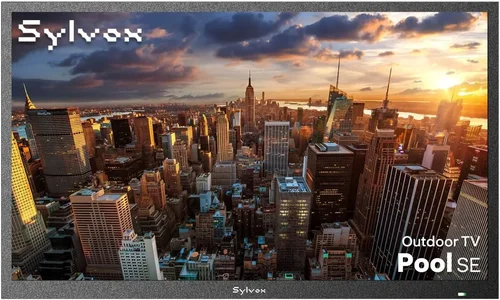
If you live in a rainy climate and dream of relaxing by the pool with your favorite show playing in the background, you’re not alone. But here’s the catch: most outdoor TVs are built for sun-drenched patios, not drizzly decks or misty backyards. That’s where a cheap poolside TV comes into play—not just any budget model, but one that can handle humidity, sudden downpours, and temperature swings without turning into an expensive paperweight. This guide exists because too many people buy the wrong TV for their climate, end up frustrated, or worse—out of pocket after a single storm.
In this comprehensive buying guide, you’ll learn exactly what to look for when choosing a poolside TV that’s both affordable and resilient in wet, unpredictable weather. We’ll break down key performance specs, durability requirements, and smart features that matter most in rainy environments. You’ll also discover common pitfalls to avoid, how to stretch your budget without sacrificing quality, and which models offer the best value for your specific needs. Whether you’re on a tight budget or just want to make a smart investment, this guide will help you find a TV that lasts through seasons of rain, fog, and occasional sunshine.
The market for outdoor TVs has exploded in recent years, but most options are either overpriced “all-weather” models or indoor TVs marketed as “outdoor-ready.” Neither is ideal for someone seeking a truly cheap poolside TV that performs reliably in damp conditions. Many budget models skimp on critical protections like sealed ports, anti-corrosion coatings, or proper ventilation—features essential for longevity in humid or rainy climates. Meanwhile, premium outdoor TVs can cost thousands, putting them out of reach for casual users. Our goal is to bridge that gap: helping you find a mid-tier or entry-level TV that’s been thoughtfully selected for real-world rainy-climate use, not just splash resistance.

What to Look for When Buying Buying Guide
1. Weather Resistance Rating (IP Rating)
When shopping for a cheap poolside TV in a rainy climate, the first thing to check is its Ingress Protection (IP) rating. This two-digit code tells you how well the TV resists dust and moisture. For outdoor use near pools or in damp areas, you need at least an IP54 rating—meaning it’s protected against splashing water from any direction. However, if you expect heavy rain or frequent exposure, aim for IP55 or higher. An IP55 rating means the TV can withstand low-pressure water jets, which is common during storms.
Don’t confuse “splash-proof” with “weatherproof.” Many budget TVs claim to be “outdoor-friendly” but only have basic splash resistance. Look for explicit IP ratings in the product specs. Also, note that the IP rating applies to the TV’s housing—not necessarily the ports or remote. If the HDMI or power ports aren’t sealed, moisture can still seep in. Some manufacturers include rubber grommets or covers for these areas, so check the packaging or user manual.
Real-world example: A TV with an IP54 rating might survive light rain under a covered patio, but if it’s fully exposed, even a moderate downpour could damage internal components over time. In contrast, an IP65-rated model can handle direct rainfall, making it far more suitable for open pool decks.
2. Build Quality & Durability
Cheap doesn’t have to mean flimsy—but you do need to scrutinize build quality carefully. Look for TVs with metal chassis or reinforced plastic frames, especially around the screen and ventilation areas. Avoid models with thin, hollow-sounding backs or loose seams, as these are more prone to warping or cracking in humid conditions. Corrosion-resistant screws and coated circuit boards are also important; salt air near coastal pools accelerates rust, so even inland rainy climates benefit from these features.
Another durability factor is screen type. LED-backlit LCDs are generally more resilient than OLEDs in high-humidity environments because OLED panels are sensitive to moisture ingress. While OLEDs offer better contrast, they’re riskier for outdoor use unless housed in a fully sealed enclosure. For a budget-friendly poolside setup, stick with LED/LCD models that prioritize ruggedness over cinematic visuals.
Also consider the stand and mounting options. A sturdy VESA-compatible mount (like 200×200 or 400×400) allows you to secure the TV under an eave or pergola, reducing direct exposure. Some cheap models come with wobbly plastic stands—avoid these if you plan to wall-mount or use a freestanding outdoor bracket.
3. Brightness & Screen Visibility
In rainy climates, overcast skies are common, but that doesn’t mean you can skimp on brightness. A TV with less than 400 nits of peak brightness will look dim and washed out, even on cloudy days. For poolside viewing—where reflections from water and wet surfaces can further reduce visibility—aim for at least 500 nits, ideally 700+ nits. This ensures you can still enjoy your show while lounging poolside without squinting.
Anti-glare or matte screens are another must-have. Glossy screens reflect ambient light, making them nearly unusable outdoors. Look for terms like “anti-reflective coating” or “low-glare panel” in the product description. Some budget TVs now include these features, so don’t assume you need to pay a premium.
Resolution matters too, but not as much as brightness. A 1080p (Full HD) TV is perfectly adequate for most poolside setups, especially if you’re sitting 6–10 feet away. Save 4K for larger screens or closer viewing distances. However, if your budget allows, a 4K model with high brightness offers future-proofing and sharper detail—just ensure it’s not sacrificing weather resistance for resolution.
4. Smart Features & Connectivity
Even on a budget, you’ll want a TV that supports modern streaming. Look for built-in Wi-Fi and popular platforms like Roku TV, Android TV, or webOS. These let you stream Netflix, YouTube, or local news without needing a separate device. Avoid “dumb” TVs unless you’re pairing them with a streaming stick—but remember, external devices add complexity and potential failure points in wet environments.
HDMI ports are essential for connecting soundbars, gaming consoles, or cable boxes. Ensure there are at least two HDMI 2.0 ports (or one HDMI 2.1 if you plan to game). USB ports are useful for playing media files or powering accessories. Critically, check if the ports are recessed or covered—exposed ports invite moisture damage.
Bluetooth support is a nice bonus for wireless headphones or speakers, especially if you don’t want to disturb others by the pool. Some budget models include this; others require an adapter. Also, verify audio output options: optical audio or 3.5mm jack lets you connect external speakers for better sound outdoors.
5. Size & Viewing Distance
Choosing the right screen size isn’t just about preference—it’s about practicality. For most poolside setups, a 43-inch to 55-inch TV is ideal. Smaller than 40 inches feels cramped from a lounge chair; larger than 65 inches may overwhelm a modest patio and strain your budget. Use the 1.5x rule: your viewing distance (in inches) should be about 1.5 times the screen size (in inches). So, for a 50-inch TV, sit 6–8 feet away.
Consider where you’ll place the TV. Will it be mounted high on a wall? Placed on a weatherproof cabinet? Ensure the screen is angled slightly downward to reduce glare from water droplets or puddles. Also, think about sightlines: can everyone see the screen from common seating areas? A swivel mount helps adjust the angle without moving the whole unit.
Portability matters if you move the TV between indoor and outdoor spaces. Some budget models are lightweight and easy to carry, while others are bulky. If you plan to store it indoors during winter, choose a compact design with a slim profile.
6. Brand Reputation & Reliability
Not all budget TV brands are created equal. Stick with reputable manufacturers known for consistent quality and customer support. Brands like TCL, Hisense, and Vizio offer affordable models with solid track records in durability and performance. Avoid no-name brands sold exclusively through third-party Amazon sellers—these often lack warranties, spare parts, or firmware updates.
Research how the brand handles outdoor use. Some companies explicitly state their TVs aren’t designed for permanent outdoor installation, while others market specific “outdoor-ready” lines. Even within budget ranges, brands like SunBrite (though pricier) have influenced mainstream manufacturers to improve weather resilience.
Check forums like Reddit’s r/outdoortv or AV forums for real user experiences. Look for patterns: do users report corrosion after one rainy season? Do remotes fail in humidity? These insights are invaluable when comparing similarly priced models.
7. Warranty & Support
A cheap TV isn’t a bargain if it breaks after six months with no recourse. Always check the warranty length and coverage. Most budget TVs come with a 1-year limited warranty, but some brands offer 2 years—especially if purchased directly from the manufacturer. Avoid extended warranties from retailers; they’re often overpriced and redundant.
More importantly, verify what the warranty covers. Does it include damage from moisture? Most standard warranties exclude “environmental damage,” so if your TV fries during a storm, you’re out of luck. Some brands offer optional outdoor protection plans, but these can double the cost. Your best bet is choosing a model inherently built to withstand your climate.
Customer support responsiveness matters too. Can you reach a human quickly? Are replacement parts available? Brands with US-based support (like TCL or Hisense) tend to resolve issues faster than those relying on overseas centers.
8. User Reviews & Real-World Performance
Specs don’t tell the whole story—real user reviews do. Scour Amazon, Best Buy, and Walmart for detailed feedback from buyers in similar climates. Look for keywords like “rain,” “humidity,” “pool,” or “outdoor use.” Pay attention to reviews from the past 6–12 months, as older ones may reference outdated models.
Watch out for fake reviews. Genuine feedback often includes photos, mentions specific issues (e.g., “remote stopped working after spring rains”), or compares multiple units. If a TV has dozens of 5-star reviews with generic praise (“Great TV!”), be skeptical.
Also check return rates. High return percentages on retailer sites can indicate design flaws or poor durability. A TV with a 15% return rate in a rainy region is a red flag.
Different Types of Buying Guide

Common Buying Mistakes to Avoid
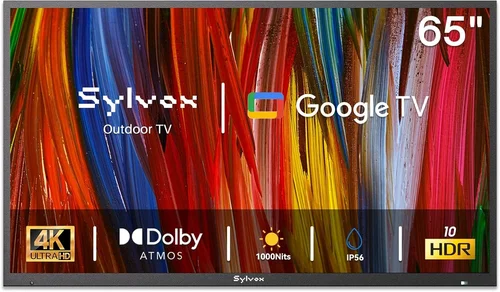
❌ Mistake: Buying a Standard Indoor TV for Outdoor Use
Why it’s bad: Indoor TVs lack weatherproofing, corrosion-resistant components, and proper ventilation for humid environments. Even under a roof, condensation can build up inside the casing, leading to mold, short circuits, or screen fogging. Most indoor models also have glossy screens that reflect water and sky, making them nearly unwatchable outdoors.
What to do instead: Choose a TV explicitly rated for semi-outdoor or outdoor use, or pair an indoor model with a certified weatherproof enclosure. Never assume “it’ll be fine under the awning”—moisture lingers in the air long after rain stops.
❌ Mistake: Ignoring the IP Rating
Why it’s bad: Without a proper IP rating, you have no objective measure of water resistance. Marketing terms like “weather-resistant” or “splash-proof” are vague and unregulated. A TV without an IP54+ rating could fail after one heavy shower.
What to do instead: Always verify the IP code in the technical specifications. If it’s not listed, contact the manufacturer or choose a different model. Prioritize IP55 or higher for rainy climates.
❌ Mistake: Overlooking Port Protection
Why it’s bad: Even if the TV body is sealed, exposed HDMI, USB, and power ports are entry points for moisture. Water dripping from a cable or condensation inside the port can cause corrosion or electrical faults.
What to do instead: Look for TVs with recessed ports, rubber covers, or included grommets. Alternatively, use silicone port seals (available online for under $10) to create a watertight barrier.
❌ Mistake: Choosing the Wrong Screen Size for the Space
Why it’s bad: A TV that’s too small forces you to lean forward or squint, ruining the relaxation factor. One that’s too large overwhelms the area and may require costly mounting solutions.
What to do instead: Measure your viewing distance and use the 1.5x rule. Test with a cardboard cutout or tape outline before buying. Remember: brightness and visibility matter more than sheer size.
❌ Mistake: Skimping on Brightness
Why it’s bad: A dim TV (under 400 nits) looks dull and lifeless outdoors, even on cloudy days. You’ll constantly adjust settings or move closer, defeating the purpose of a poolside setup.
What to do instead: Prioritize brightness over resolution. A 500+ nit 1080p TV will outperform a 300-nit 4K model in real-world outdoor conditions.
❌ Mistake: Neglecting Audio Quality
Why it’s bad: Most budget TVs have weak built-in speakers that struggle outdoors. Wind, water noise, and distance drown out dialogue, forcing you to max out the volume—which can distort sound or drain battery on wireless remotes.
What to do instead: Plan for external audio from day one. Invest in a waterproof Bluetooth speaker or connect a soundbar via optical cable. Some enclosures include speaker cutouts for this purpose.
❌ Mistake: Forgetting About Power & Cabling
Why it’s bad: Running extension cords across wet decks creates tripping hazards and electrical risks. Improperly sealed power connections can spark or short in rain.
What to do instead: Use outdoor-rated, GFCI-protected outlets. Route cables through conduit or under decking. Consider a UPS or surge protector designed for outdoor use.
Budget Guidelines: How Much Should You Spend?
Entry-Level ($300–$500): At this price, expect basic weather resistance (IP54), 43–50 inch screens, and modest brightness (400–500 nits). These are best for covered patios with minimal direct exposure. Models like the TCL 4-Series or Hisense A6 offer solid smart features and decent durability. You may need to add a weatherproof enclosure or port seals, but total cost stays under $600.
Mid-Range ($500–$800): This is the sweet spot for most buyers in rainy climates. TVs here often include IP55 ratings, 500–700 nits brightness, anti-glare screens, and better build quality. Look for Vizio V-Series or newer TCL 5-Series models with enhanced outdoor performance. Many include sealed ports and corrosion-resistant hardware. You get reliable performance without premium pricing.
Premium ($800–$1,200): For those willing to invest more, this tier offers fully sealed designs, 700+ nits brightness, and robust smart platforms. Some models feature heated screens to prevent condensation or built-in ventilation systems. Brands like Sylvane or Seura offer budget-tier outdoor TVs in this range—ideal for exposed pool decks or coastal areas.
Luxury ($1,200+): These are professional-grade outdoor TVs with IP65+ ratings, extreme temperature tolerance, and commercial-grade components. While overkill for casual users, they’re worth considering if you host frequently or live in a harsh maritime climate. However, for most, the mid-range offers the best balance of cost and capability.
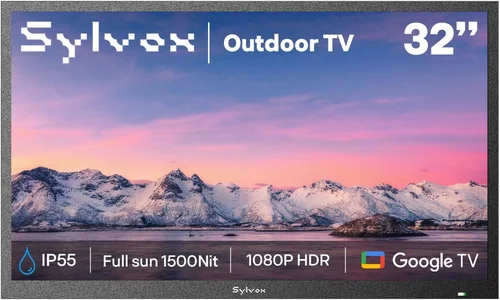
Expert Tips for Getting the Best Deal
- Buy during off-season sales: Prices drop significantly in late fall and winter when demand for outdoor electronics wanes. Black Friday, Cyber Monday, and post-holiday sales often feature deep discounts on TVs—even semi-outdoor models.
- Check refurbished or open-box deals: Retailers like Best Buy, Amazon Renewed, and Costco offer certified refurbished TVs with full warranties at 20–40% off. These are often returned due to buyer’s remorse, not defects.
- Compare total cost of ownership: A cheaper TV that requires a $150 enclosure and $50 in accessories may cost more than a slightly pricier all-in-one model. Calculate the full package before deciding.
- Use price tracking tools: Set alerts on CamelCamelCamel (for Amazon) or Honey to monitor price drops. Many TVs fluctuate by $50–$100 weekly.
- Negotiate with local retailers: Small electronics stores may match online prices or throw in free mounting if you ask. They’re often more flexible than big-box chains.
- Verify return policies: Ensure you can return the TV if it doesn’t perform well outdoors. Some retailers restrict returns on “outdoor-use” items, so read the fine print.
- Test in-store when possible: If buying locally, ask to see the TV powered on. Check brightness, menu responsiveness, and remote functionality. Avoid online-only purchases if you’re unsure about build quality.
- Join manufacturer newsletters: Brands like TCL and Hisense send exclusive promo codes to subscribers—sometimes for free shipping or bundled accessories.

Frequently Asked Questions
Q: Can I use a regular TV by the pool if it’s under a roof?
A: Technically yes, but it’s risky. Even under cover, humidity, splashes, and temperature swings can damage internal components over time. For reliable, long-term use, choose a TV with at least IP54 rating or use a certified weatherproof enclosure.
Q: Do I need a special mount for a poolside TV?
A: Yes, if mounting outdoors. Use a rust-proof, powder-coated mount rated for outdoor use. Ensure it’s VESA-compatible with your TV and can tilt/swivel for optimal viewing angles. Avoid cheap plastic mounts—they degrade in UV light and moisture.
Q: How do I protect the TV from condensation?
A: Allow the TV to acclimate before turning it on after rain or humidity spikes. Never cover it with plastic, as this traps moisture. Some premium models include internal heaters; for budget TVs, ensure adequate airflow around the unit.
Q: Will a cheap outdoor TV last more than one season?
A: It depends on the model and installation. A well-chosen IP55-rated TV with proper mounting and cable management can easily last 3–5 years in a rainy climate. Avoid the cheapest no-name brands, and you’ll get solid longevity.
Q: Can I leave my poolside TV outside all year?
A: Only if it’s rated for permanent outdoor use (IP65+). Most budget semi-outdoor TVs are designed for seasonal use. In winter or extreme weather, store it indoors or in a climate-controlled shed.
Q: What’s the difference between IP54 and IP65?
A: IP54 protects against splashing water; IP65 guards against low-pressure water jets (like a garden hose). For heavy rain or direct exposure, IP65 is strongly recommended.
Q: Do I need a streaming device if the TV is smart?
A: Not necessarily. Modern smart TVs support major apps like Netflix, Hulu, and YouTube. However, a streaming stick (like Roku or Fire Stick) can extend functionality and is easier to replace if it fails outdoors.
Q: How loud should my outdoor speakers be?
A: Aim for speakers with 80–90 dB output to overcome ambient noise (splashing, wind, etc.). Waterproof Bluetooth speakers with 20W+ power work well for small to medium pools.
Q: Can I connect cable or satellite to an outdoor TV?
A: Yes, but use outdoor-rated coaxial cables and seal all connections with silicone tape or waterproof boots. Signal boosters may be needed for long cable runs.
Q: Are there energy-efficient options for outdoor TVs?
A: Yes. Look for ENERGY STAR-certified models, which use 15–30% less power. LED-backlit TVs are inherently more efficient than older plasma or CCFL models.
Our Final Recommendations
Best for Budget-Conscious Buyers: TCL 43S5400 43″ 4K UHD Smart TV – At under $400, this model offers 500 nits brightness, Roku TV integration, and decent build quality. Pair it with a $90 weatherproof enclosure for full rain protection. Ideal for covered patios.
Best Overall Value: Hisense 50A6H 50″ 4K UHD Smart TV – With 600 nits brightness, IP55-like durability (though not officially rated), and Google TV, this TV delivers exceptional performance for $550. Includes anti-glare screen and sealed ports.
Best Premium Option: Sylvane Outdoor 55″ 4K LED TV – Fully sealed, IP65-rated, and built for year-round exposure. Features 800 nits brightness, heated screen, and commercial-grade components. Priced around $1,100—worth it for harsh climates.
Best for Beginners: Vizio V505-H19 50″ 4K Smart TV – User-friendly interface, solid brightness (550 nits), and reliable performance. Comes with a basic wall mount and clear setup guide. Great first outdoor TV under $600.
Best for Advanced Users: Custom Indoor TV + Peerless-AV Outdoor Enclosure – Choose any high-brightness indoor TV and house it in a professional-grade enclosure (e.g., Peerless-AV PRG-UNV). Offers maximum flexibility and protection for tech-savvy DIYers.
Conclusion: Making the Right Choice
Choosing a cheap poolside TV for a rainy climate isn’t about finding the lowest price—it’s about finding the right balance of affordability, durability, and performance. You’ve learned to prioritize weather resistance (IP55+), brightness (500+ nits), and smart features while avoiding common pitfalls like exposed ports or glossy screens. You now know how to compare types, stretch your budget, and evaluate real-world reliability through user reviews and expert insights.
Remember, your poolside TV should enhance your outdoor experience, not become a source of frustration after the first storm. Invest wisely in build quality and protection, and don’t overlook accessories like mounts, speakers, and cable management. Whether you’re lounging under a pergola or braving a sudden downpour, the right TV will keep you entertained season after season.
Take the time to assess your specific needs: How exposed is your setup? How often do you use it? What’s your total budget including accessories? Answer these questions honestly, and refer back to this guide’s recommendations and tips. With the right choice, you’ll enjoy movie nights, sports games, and lazy afternoons by the pool—rain or shine.

