
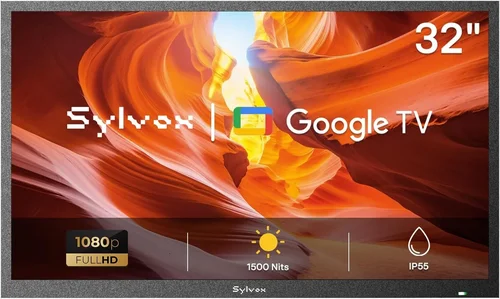
When it comes to hosting unforgettable family gatherings, few things enhance the experience quite like a shared screen under the open sky. Whether you’re watching the big game, streaming a holiday movie, or sharing vacation photos during a backyard barbecue, a weatherproof TV can transform your outdoor space into a true entertainment hub. But with so many options flooding the market—and prices ranging from surprisingly affordable to eye-wateringly expensive—it’s easy to feel overwhelmed. That’s where this guide comes in.
In this comprehensive buying guide, we’ll walk you through everything you need to know to choose the perfect budget-friendly weatherproof TV for your family’s outdoor needs. We’ll break down the key features that matter most, compare different types of outdoor TVs, highlight common pitfalls to avoid, and offer expert-backed advice on how to get the best value for your money. By the end, you’ll have the confidence to make an informed decision—no matter your budget or technical background. Whether you’re setting up a permanent patio installation or just want a portable option for occasional use, this guide is designed to help you find a reliable, high-performing TV that won’t break the bank.
The market for outdoor televisions has evolved dramatically in recent years. What once required custom-built enclosures and professional installations is now accessible to everyday consumers, thanks to advances in display technology and weather-resistant engineering. Today, you can find fully weatherproof TVs starting under $500, with models offering 4K resolution, smart functionality, and robust durability. However, not all “outdoor-ready” TVs are created equal—some are merely indoor TVs in protective cases, while others are purpose-built for year-round exposure to sun, rain, snow, and temperature swings. Our goal is to help you distinguish between marketing hype and real-world performance, so you invest wisely in a TV that delivers both quality and longevity.

What to Look for When Buying Buying Guide
1. Budget & Price Range
Setting a realistic budget is the first and most important step in your search for a weatherproof TV. Unlike indoor models, outdoor TVs come with added engineering costs for weather resistance, brightness enhancement, and thermal management—so they typically cost more than their indoor counterparts of similar size and specs. However, “budget” doesn’t have to mean “low quality.” With smart shopping, you can find excellent options under $800 that perform admirably in most outdoor settings.
Start by determining how much you’re willing to spend based on how often you’ll use the TV and where it will be placed. If you only plan to use it occasionally during summer gatherings, a lower-cost model with moderate weatherproofing may suffice. But if you live in an area with harsh winters or frequent rain, investing a bit more upfront can save you from premature failure and replacement costs. Keep in mind that installation, mounting hardware, and optional accessories (like weatherproof speakers or remote extenders) can add $100–$300 to your total cost.
2. Performance Specifications
Outdoor viewing conditions present unique challenges: glare from sunlight, variable ambient light, and longer viewing distances. Therefore, performance specs matter even more than they do indoors. Start with brightness—measured in nits. For shaded patios or evening use, 400–500 nits may be sufficient, but for direct sunlight exposure, aim for at least 700 nits, with 1000+ nits being ideal. Many budget outdoor TVs now offer “high-brightness” modes specifically tuned for daylight visibility.
Resolution is another critical factor. While 1080p (Full HD) is still common in budget models, 4K UHD is increasingly affordable and provides noticeably sharper detail, especially on larger screens. If your family enjoys streaming high-definition content or gaming, 4K is worth the small premium. Refresh rate (measured in Hz) affects motion smoothness—60Hz is standard and fine for most uses, but if you’re watching fast-paced sports, look for 120Hz support if your budget allows.
Color accuracy and contrast ratio also play roles in outdoor visibility. Look for TVs with wide color gamut support (like DCI-P3) and local dimming if available, though these features are rarer in budget models. Finally, consider input lag if anyone in your family plans to game outdoors—under 20ms is excellent, but many outdoor TVs prioritize durability over gaming performance.
3. Build Quality & Durability
A TV labeled “outdoor” must withstand more than just occasional drizzle. True weatherproofing involves multiple layers of protection: sealed ports, corrosion-resistant materials, UV-resistant screens, and internal cooling/heating systems to manage temperature extremes. Check the Ingress Protection (IP) rating—IP55 means protected against dust and low-pressure water jets, while IP65 offers full dust protection and resistance to powerful water jets. For most residential uses, IP55 is adequate, but IP65 is better for coastal areas or heavy rainfall.
Materials matter too. Aluminum chassis resist rust better than plastic, and tempered glass screens are less prone to scratching and shattering. Internal components should be rated for operation between -22°F and 122°F (-30°C to 50°C), which covers nearly all U.S. climates. Avoid TVs that rely solely on external covers or enclosures—these can trap moisture and reduce airflow, leading to overheating or condensation damage.
Durability also extends to longevity. A well-built outdoor TV should last 5–7 years with proper care, even in challenging environments. Look for brands that disclose expected lifespan or use industrial-grade components. Reading user reviews about long-term reliability can reveal hidden weaknesses not apparent in spec sheets.
4. Features & Functionality
Smart capabilities are almost essential today, especially for family gatherings where everyone wants to stream their favorite shows or music. Most budget outdoor TVs now run Android TV, Roku TV, or webOS, giving you access to Netflix, YouTube, Disney+, and more. Ensure the OS is up-to-date and receives regular security patches—older or abandoned platforms can become security risks.
Connectivity is equally important. Look for multiple HDMI ports (at least two), USB inputs, and Wi-Fi/Bluetooth support. If you plan to connect a soundbar, gaming console, or streaming stick, verify compatibility and port placement—some outdoor TVs hide ports behind sealed panels, making frequent swapping inconvenient. Voice control via Alexa or Google Assistant is a nice bonus for hands-free operation during cookouts.
Additional features like built-in tuners (for over-the-air broadcasts), screen mirroring (Miracast or AirPlay), and ambient light sensors (which auto-adjust brightness) can significantly enhance usability. However, don’t pay extra for gimmicks like 3D support or excessive pre-installed apps—focus on core functionality that aligns with your family’s habits.
5. Brand Reputation
Not all brands are equally committed to outdoor TV innovation. Some well-known names in indoor electronics have entered the outdoor market with rebranded or minimally modified products, while others specialize exclusively in ruggedized displays. Research brands like SunBriteTV, Seura, and Peerless—they’ve built reputations for reliability and customer support in the outdoor segment.
That said, newer entrants like TCL, Hisense, and Vizio now offer surprisingly capable budget outdoor models that compete favorably on price and features. Read professional reviews from trusted sources (like CNET, Wirecutter, or RTINGS.com) and check user forums for real-world feedback. Pay attention to how companies handle warranty claims and whether they provide clear installation guides or customer service for outdoor-specific issues.
Avoid unknown brands with no track record or overly aggressive marketing claims (“indestructible!” “lifetime warranty!”). If a deal seems too good to be true, it usually is. Stick with manufacturers that transparently list certifications, test data, and supported climates.
6. Warranty & Support
Outdoor electronics are inherently riskier investments due to environmental exposure, so a strong warranty is non-negotiable. Most reputable brands offer 1–3 years of coverage, with some extending to 5 years for premium models. Read the fine print: Does the warranty cover damage from condensation? What about power surges during storms? Is labor included, or do you pay for technician visits?
Customer support quality varies widely. Look for companies with U.S.-based support teams, detailed FAQs, and responsive email or phone assistance. Some brands even offer free consultation calls to help with mounting or troubleshooting. Avoid those with only automated chatbots or overseas support centers that can’t assist with local installation codes.
If buying online, check the retailer’s return policy. Many outdoor TVs are large and heavy, making returns costly. Aim for at least a 30-day return window with free return shipping. Extended warranty options (like SquareTrade) can provide peace of mind but weigh the cost against the TV’s expected lifespan.
7. Size & Portability
Screen size should match your viewing distance and seating arrangement. For a typical backyard setup with 8–10 feet between the TV and seating, a 50–55 inch screen is ideal. Go larger (65+ inches) if you have a spacious deck or plan to host large groups. Smaller screens (40–43 inches) work well for intimate patios or covered porches.
Consider weight and mounting requirements. Most outdoor TVs weigh 20–40 lbs, requiring sturdy wall mounts or freestanding stands rated for outdoor use. If you want flexibility, look for models with VESA-compatible backs and optional portable carts. Some brands sell all-in-one kits with weatherproof enclosures and wheels—great for renters or those who move the TV seasonally.
Portability also affects power needs. Hardwired installations are safest and most reliable, but if you lack outdoor outlets, ensure the TV works with standard 120V circuits and doesn’t draw excessive power. Battery-powered options don’t exist yet for full-size TVs, so plan your electrical setup early.
8. User Reviews & Ratings
Spec sheets tell part of the story—real users tell the rest. Scour Amazon, Best Buy, and specialty outdoor electronics sites for detailed reviews. Look for patterns: Do multiple users report screen fogging after rain? Does the remote fail in humid conditions? Are smart features buggy or slow?
Pay special attention to reviews from people in similar climates. A TV that performs well in Arizona may struggle in Florida’s humidity. Also, note how long reviewers have owned the TV—short-term impressions don’t reveal durability issues that emerge after months of exposure.
Use aggregate ratings wisely. A 4.5-star average with 500+ reviews is more trustworthy than a 5-star rating from five users. Cross-reference with professional benchmarks when available. And remember: even the best TVs have outliers—focus on consistent feedback, not isolated complaints.
Different Types of Buying Guide

Common Buying Mistakes to Avoid
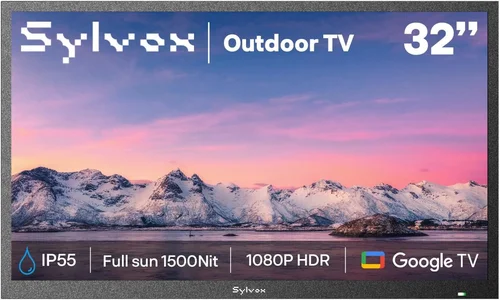
❌ Mistake: Assuming All “Outdoor” TVs Are Equal
Why it’s bad: Many retailers label any TV sold with a weatherproof cover as “outdoor,” but these setups often lack proper ventilation, leading to overheating or moisture buildup. True outdoor TVs are engineered from the ground up for environmental stress.
What to do instead: Verify the IP rating, temperature operating range, and whether the TV is designed for direct exposure. If it requires an add-on case, treat it as a semi-outdoor solution—not fully weatherproof.
❌ Mistake: Ignoring Brightness Requirements
Why it’s bad: An indoor TV placed outside will appear washed out in daylight, even under shade. Low brightness ruins the viewing experience and makes content hard to enjoy during family gatherings.
What to do instead: Aim for at least 700 nits for partial shade and 1000+ nits for direct sun. Check reviews that mention daytime visibility—not just spec sheets.
❌ Mistake: Overlooking Installation Costs
Why it’s bad: A $600 TV can easily become a $1,000 project once you factor in mounting hardware, wiring, permits, and professional installation—especially if electrical work is needed.
What to do instead: Get quotes from local installers early. Consider DIY-friendly kits with pre-drilled mounts and cable management. Rent tools if necessary to save money.
❌ Mistake: Buying Based Solely on Price
Why it’s bad: The cheapest option often cuts corners on durability, brightness, or warranty—leading to premature failure and higher long-term costs.
What to do instead: Prioritize value over absolute low price. A $700 TV that lasts 6 years is better than a $400 model that fails in 2.
❌ Mistake: Neglecting Audio Quality
Why it’s bad: Most budget outdoor TVs have weak built-in speakers that struggle outdoors due to open space and ambient noise. Poor audio ruins movie nights and game watches.
What to do instead: Budget for weatherproof Bluetooth speakers or a soundbar. Many outdoor TVs support optical audio out for easy external audio connections.
❌ Mistake: Forgetting About Future-Proofing
Why it’s bad: Technology evolves quickly. A TV without modern smart features or HDMI 2.1 may become obsolete before its physical lifespan ends.
What to do instead: Choose a model with current-gen ports, regular software updates, and compatibility with popular streaming services. Avoid proprietary ecosystems.
❌ Mistake: Not Testing Return Policies
Why it’s bad: Outdoor TVs are large, heavy, and expensive to return. If the unit arrives damaged or doesn’t perform as expected, a strict return policy can leave you stuck.
What to do instead: Only buy from retailers with generous return windows (30+ days), free return shipping, and clear damage coverage. Read return terms before checkout.
Budget Guidelines: How Much Should You Spend?
- Entry-Level ($300–$500): Best for occasional use in covered areas. Expect 1080p resolution, 400–600 nits brightness, basic smart features, and limited weatherproofing (often requiring an enclosure). Ideal for renters or seasonal setups. Brands like Vizio and Hisense offer decent options here, but check durability reviews carefully.
- Mid-Range ($500–$800): The sweet spot for most families. You’ll find 4K resolution, 700–1000 nits brightness, IP55+ ratings, and reliable smart platforms. Models from TCL, SunBrite (Veranda series), and Seura (Signature line) excel in this tier. These TVs handle partial sun and light rain well and come with solid warranties.
- Premium ($800–$1,200): For enthusiasts who want top-tier performance and longevity. Expect 1000+ nits, IP65 ratings, advanced thermal management, and premium materials. Great for full sun exposure or harsh climates. SunBriteTV’s Pro series and Peerless’ Xtreme line dominate here, with 3–5 year warranties.
- Luxury ($1,200+): Reserved for commercial applications or ultra-dedicated homeowners. These include features like anti-glare coatings, 24/7 operation capability, vandal resistance, and custom calibration. Overkill for typical family gatherings but unmatched in durability and brightness.
Expert Tips for Getting the Best Deal
- Shop During Off-Seasons: Outdoor TV sales peak in spring and summer. Buy in late fall or winter (November–February) for discounts of 20–30%. Retailers clear inventory before new models arrive.
- Compare Online vs. In-Store: Online retailers (Amazon, Crutchfield, Abt) often have better prices and return policies. However, local electronics stores may offer free installation or bundle deals. Use price-matching if available.
- Watch for Refurbished Units: Certified refurbished outdoor TVs from reputable sellers can save you 25–40% with full warranties. Ensure they’re factory-refurbished, not third-party resells.
- Bundle with Accessories: Some brands offer package deals with mounts, cables, or speakers. These can be cheaper than buying separately—but only if you need the items.
- Check for Rebates and Tax Credits: Certain energy-efficient models qualify for local utility rebates. While rare for TVs, it’s worth a quick search.
- Read the Warranty Fine Print: Some warranties void if installed by non-certified technicians. If you DIY, document everything and keep receipts.
- Test Before Finalizing Installation: Once mounted, test all functions—especially Wi-Fi range, remote responsiveness, and audio output—before sealing cables or painting over holes.
- Join Owner Communities: Facebook groups and Reddit forums (like r/outdoortv) share real-time deals, troubleshooting tips, and installation hacks you won’t find elsewhere.
Frequently Asked Questions
Q: Can I use a regular indoor TV outside if I cover it?
A: Technically yes, but it’s risky and not recommended for permanent use. Indoor TVs lack proper sealing, brightness, and thermal regulation for outdoor conditions. Moisture can seep in, screens can overheat, and warranties typically void if used outside. For occasional, covered use (like a screened porch), it might work short-term—but invest in a true outdoor model for reliability.
Q: Do outdoor TVs need special mounting hardware?
A: Yes. Standard indoor mounts aren’t rated for outdoor weight, wind load, or corrosion. Use mounts specifically labeled for outdoor use, preferably with stainless steel hardware and weatherproof coatings. Wall anchors must be appropriate for your siding material (brick, wood, stucco, etc.).
Q: Will an outdoor TV work in winter?
A: It depends on the model. Most budget outdoor TVs operate down to -22°F (-30°C), which covers most U.S. regions. However, extreme cold can temporarily reduce brightness or slow response time. Avoid turning the TV on immediately after bringing it in from freezing temps—let it acclimate first.
Q: How do I protect my outdoor TV from theft?
A: Use locking mounts, install motion-sensor lights, and consider a security cable. Some high-end models include tamper alerts or GPS tracking, but these are rare in budget tiers. For renters, portable models with quick-release mounts are easier to secure or remove.
Q: Can I leave my outdoor TV on during a storm?
A: No. While the TV itself may be weatherproof, lightning strikes can damage electronics through power lines or Wi-Fi signals. Always unplug during severe storms or use a high-quality surge protector with lightning protection.
Q: Do outdoor TVs consume more power?
A: Slightly. Higher brightness and internal cooling systems increase energy use by 10–20% compared to indoor models. Look for ENERGY STAR ratings if efficiency is a concern. The difference is usually negligible on monthly bills unless used extensively.
Q: What’s the difference between “partial shade” and “full sun” outdoor TVs?
A: Partial-shade models are designed for covered areas with indirect light and typically offer 500–700 nits brightness. Full-sun models have 1000+ nits, anti-reflective coatings, and enhanced cooling for direct sunlight exposure. Using a partial-shade TV in full sun will result in a washed-out image.
Q: Can I connect my outdoor TV to a sound system?
A: Absolutely. Most outdoor TVs include optical audio out, HDMI ARC, or Bluetooth for wireless speakers. For best results, use weatherproof outdoor speakers placed strategically around your seating area. Avoid placing speakers too close to the TV to prevent interference.
Q: How often should I clean my outdoor TV?
A: Every 1–2 months, depending on your environment. Use a microfiber cloth and mild soap solution—never abrasive cleaners or ammonia-based products. Gently wipe the screen and vents to prevent dust buildup that can affect cooling.
Q: Are there solar-powered outdoor TV options?
A: Not yet for full-size TVs. Solar panels powerful enough to run a 50-inch display would be prohibitively large and expensive. However, you can use solar generators (like Jackery or EcoFlow) as backup power sources during outages.
Our Final Recommendations
- Best for Budget-Conscious Buyers: TCL 55″ 4-Series Outdoor TV (~$550) – Offers 4K, 700 nits brightness, Roku TV, and IP55 rating. Great for covered patios and occasional use. Lacks extreme temp tolerance but delivers surprising value.
- Best Overall Value: SunBriteTV Veranda 55″ (~$750) – Purpose-built for outdoor use with 1000 nits, IP55, and robust aluminum chassis. Includes 3-year warranty and excellent customer support. Perfect balance of price and performance.
- Best Premium Option: Peerless Xtreme 65″ (~$1,100) – IP65-rated, 1200 nits, and designed for full sun exposure. Ideal for poolside or open decks. Comes with advanced thermal management and 5-year warranty.
- Best for Beginners: Hisense 50″ H4F Outdoor Edition (~$480) – Simple setup, intuitive VIDAA OS, and lightweight design. Includes basic mounting kit and decent brightness for shaded areas. Great first outdoor TV.
- Best for Advanced Users: Seura Signature 60″ (~$950) – Features anti-glare coating, local dimming, and customizable bezel colors. Supports professional calibration and integrates with smart home systems. For tech-savvy families who want both form and function.
Conclusion: Making the Right Choice
Choosing the right budget weatherproof TV for your family gatherings doesn’t have to be daunting—or expensive. By focusing on core needs like brightness, durability, smart features, and proper installation, you can find a model that enhances your outdoor experiences for years to come. Remember, the cheapest option isn’t always the best value, and cutting corners on weatherproofing can lead to costly replacements.
Prioritize your specific use case: Will the TV live under a covered porch, or face the elements daily? How many people typically gather? What kind of content do you watch most? Answering these questions will guide you toward the perfect balance of performance, price, and peace of mind.
Don’t rush the decision. Take advantage of seasonal sales, read real user reviews, and consult with experts if needed. And once you’ve made your choice, invest in quality mounting and accessories to protect your investment. With the right TV, your backyard won’t just be a space—it’ll become the heart of your family’s shared moments, rain or shine.
Now go enjoy those game nights, movie marathons, and holiday feasts under the stars—your perfect outdoor entertainment setup is within reach.

