
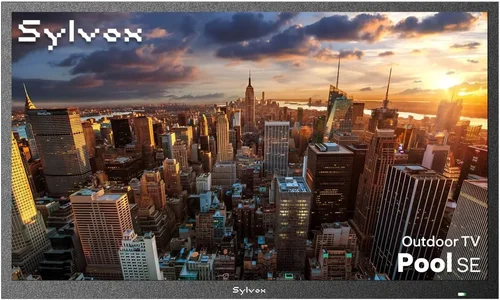
If you’ve ever tried watching your favorite show or a big game on your patio only to squint at a dim, washed-out screen, you know how frustrating it can be. A great outdoor TV experience isn’t just about having a television outside—it’s about enjoying crisp visuals, reliable performance, and peace of mind that your investment will last through rain, humidity, and temperature swings. That’s where this guide comes in. Whether you’re setting up a cozy covered patio for weekend barbecues or creating an outdoor entertainment zone for movie nights under the stars, choosing the right budget-friendly TV requires careful consideration.
In this comprehensive buyer’s guide, we’ll walk you through everything you need to know to pick the perfect patio TV without overspending. You’ll learn how to balance cost with essential features like brightness, weather resistance, and smart functionality. We’ll break down key specs, compare different types of outdoor-ready displays, highlight common pitfalls to avoid, and even share expert tips for scoring the best deals. By the end, you’ll have a clear roadmap to make a confident, informed decision—no matter your budget.
The market for outdoor TVs has evolved significantly in recent years. While fully weatherproof “outdoor TVs” from brands like SunBrite or Seura remain premium options, many indoor TVs now offer sufficient durability and brightness for covered patios—especially when paired with proper mounting and protection. This opens up a wider range of affordable choices from mainstream manufacturers like TCL, Hisense, Samsung, and LG. Our goal is to help you navigate this landscape wisely, so you get maximum value without compromising on quality or longevity.

What to Look for When Buying Buying Guide
1. Brightness & Outdoor Visibility
One of the most critical factors for any patio TV is brightness—specifically, how well the screen performs in ambient light. Even under a covered patio, sunlight reflecting off concrete, water, or nearby surfaces can wash out your picture. Look for TVs with a peak brightness of at least 400 nits, but ideally 500–700 nits or higher. Many budget models advertise “HDR support,” but true HDR performance requires high brightness and local dimming, which are rare in lower-priced sets. Instead, focus on measured luminance (in nits) if available, or read professional reviews that test real-world visibility.
Anti-reflective coatings and matte screen finishes also help reduce glare. Avoid glossy screens unless your patio is fully shaded and enclosed. Some manufacturers offer “outdoor mode” settings that boost brightness temporarily—useful for daytime viewing but not a substitute for inherently bright panels.
2. Weather Resistance & Environmental Durability
Even under a covered patio, your TV will face humidity, temperature fluctuations, dust, and occasional splashes—especially if you’re near a grill, pool, or open side. While fully sealed outdoor TVs are built for direct exposure, most budget buyers opt for indoor models with added protection. In this case, check the TV’s operating temperature range (typically 32°F to 104°F for indoor units) and ensure your patio stays within those limits year-round.
Look for TVs with robust build quality: sealed ports, corrosion-resistant components, and sturdy chassis. Avoid models with exposed ventilation grilles or flimsy plastic backs. If your patio is partially open or prone to moisture, consider using a weatherproof TV enclosure (like those from Peerless or VIVO), which adds another layer of protection while allowing airflow.
3. Smart TV Platform & Connectivity
A smart TV platform lets you stream Netflix, YouTube, or Disney+ directly without extra devices—a major convenience for outdoor setups where running cables is tricky. However, not all smart platforms are created equal. Roku TV (common in TCL and Hisense models) is user-friendly and regularly updated. Google TV (found in Sony and some TCLs) offers excellent voice control and app integration. WebOS (LG) and Tizen (Samsung) are polished but may have fewer budget options.
Check for essential ports: HDMI 2.0 (or higher) for 4K streaming, USB for media playback, and optical audio out if you’re connecting external speakers. Wi-Fi 5 (802.11ac) is standard; Wi-Fi 6 is rare in budget models but future-proof. Avoid TVs with only one HDMI port—you’ll likely want to connect a streaming stick, game console, or soundbar.
4. Screen Size & Viewing Distance
Choosing the right screen size depends on how far you’ll be sitting from the TV. For patios, 50–65 inches is ideal for most setups. At 6–8 feet away, a 55-inch TV provides an immersive experience without overwhelming the space. Go smaller (43–50 inches) if your seating is closer than 6 feet, or larger (65–75 inches) if you have a spacious deck with distant seating.
Avoid the temptation to buy the biggest TV your budget allows—oversized screens can cause eye strain and look awkward in compact outdoor areas. Use online viewing distance calculators (like RTINGS.com’s tool) to find your sweet spot. Also, measure your mounting space: ensure there’s room for the TV plus ventilation clearance (at least 2–3 inches on all sides).
5. Audio Quality & External Sound Options
Most budget TVs have weak built-in speakers—fine for casual listening but inadequate for outdoor environments where wind, conversation, and ambient noise drown out dialogue. If audio matters to you (and it should!), plan to connect external speakers or a soundbar. Look for TVs with optical audio output, ARC (Audio Return Channel) over HDMI, or Bluetooth for wireless audio.
Some patio-friendly soundbars are designed for outdoor use with weather-resistant casings. Alternatively, place indoor speakers under eaves or in protected corners. Remember: good sound enhances the outdoor viewing experience far more than extra pixels.
6. Energy Efficiency & Long-Term Costs
While TVs aren’t major energy hogs compared to AC units, running one all summer can add up. Look for ENERGY STAR-certified models, which use 15–30% less power than standard sets. LED-backlit LCDs (the vast majority of budget TVs) are more efficient than older plasma or CCFL models. Check the annual energy consumption (in kWh) listed on the yellow EnergyGuide label.
Also consider standby power: some smart TVs consume 5–10 watts even when “off” due to always-on microphones or network connectivity. Enable eco modes or use a smart plug to cut power completely when not in use.
7. Mounting Flexibility & Installation Ease
How you mount your TV affects both safety and viewing comfort. Full-motion articulating mounts let you tilt and swivel the screen for optimal angle adjustments—ideal if your patio has shifting sun patterns. Fixed mounts are cheaper but less flexible. Ensure your wall or ceiling can support the weight; most 55-inch TVs weigh 25–40 lbs.
If drilling into stucco, brick, or concrete, use appropriate anchors and consult a professional if unsure. For renters or temporary setups, consider freestanding outdoor TV stands with weighted bases. Always leave space behind the TV for airflow—overheating is a silent killer of electronics.
8. Brand Reliability & Customer Support
Not all budget brands are equal. TCL and Hisense dominate the low-cost segment with solid performance and decent warranties. Samsung and LG offer reliable mid-tier options with better customer service. Avoid obscure brands with no service network—if your TV fails, repair costs may exceed replacement value.
Check warranty terms: most include 1 year of parts/labor, but some extend to 2 years for panel defects. Read user reviews about post-purchase support—slow responses or denied claims can turn a great deal into a headache.
Different Types of Buying Guide

Common Buying Mistakes to Avoid
❌ Mistake: Ignoring Brightness Requirements
Why it’s bad: A dim TV turns your patio into a squint-fest. Even under cover, ambient light ruins contrast and color accuracy, making content hard to enjoy during the day.
What to do instead: Prioritize TVs with 500+ nits brightness. Read professional reviews (like RTINGS or CNET) that measure real-world luminance—not just manufacturer claims.
❌ Mistake: Assuming All “Outdoor” TVs Are Equal
Why it’s bad: Some brands market indoor TVs as “outdoor-ready” with minimal changes. These often lack proper sealing or thermal management.
What to do instead: Verify IP ratings (if any) and look for dedicated outdoor models or use a certified enclosure. Don’t rely on marketing buzzwords.
❌ Mistake: Overlooking Ventilation Needs
Why it’s bad: Trapping heat behind a wall-mounted TV causes premature component failure. Many enclosures block airflow unless specifically designed for it.
What to do instead: Choose enclosures with active cooling (fans) or passive vents. Leave at least 2 inches of clearance around all sides.
❌ Mistake: Skimping on Audio
Why it’s bad: Tinny built-in speakers make dialogue unintelligible outdoors. You’ll end up buying a soundbar anyway, doubling your cost.
What to do instead: Budget for a basic weather-resistant soundbar ($100–$200) from the start. Look for models with outdoor modes or bass enhancement.
❌ Mistake: Buying Based Solely on Price
Why it’s bad: The cheapest TV often has poor brightness, weak smart features, or flimsy construction—leading to frustration or early replacement.
What to do instead: Aim for the mid-budget range ($400–$700) where you get reliable performance, decent brightness, and good smart platforms.
❌ Mistake: Neglecting Return Policies
Why it’s bad: Outdoor conditions vary—what looks good in a store may fail in your specific environment. Without a generous return window, you’re stuck.
What to do instead: Buy from retailers with 30–60 day return policies (Best Buy, Amazon, Costco). Test the TV in your actual patio setup before finalizing.
❌ Mistake: Forgetting About Future Upgrades
Why it’s bad: A TV with only one HDMI port or no ARC support limits your ability to add sound systems or gaming consoles later.
What to do instead: Choose a model with at least 3 HDMI ports, ARC/eARC, and USB 3.0. Think ahead—your needs will evolve.
Budget Guidelines: How Much Should You Spend?
Entry-Level ($250–$400): This tier includes basic 43–50 inch LED TVs from TCL 4-Series or Hisense A6. Expect 300–400 nits brightness, decent Roku or Google TV, and average audio. Suitable only for fully shaded, dry patios used primarily at night. Build quality is functional but not rugged.
Mid-Range ($400–$700): The sweet spot for most patio buyers. Models like the TCL 5-Series (S555) or Hisense U6 offer 500–700 nits brightness, better color accuracy, and improved smart features. These handle daylight viewing well and come with solid warranties. Pair with a basic enclosure for added protection.
Premium ($700–$1,200): For enthusiasts who want longevity and performance. Consider LG NanoCell or Samsung QLED Q60C—brighter panels, better HDR, and superior motion handling. Some include anti-glare coatings. Ideal for patios with partial sun exposure.
Luxury ($1,200+): Reserved for dedicated outdoor TVs like SunBrite Veranda or Seura. These are built from the ground up for outdoor use: sealed cabinets, extreme temperature tolerance, and 1,000+ nits brightness. Overkill for most covered patios but unmatched in durability.
Expert Tips for Getting the Best Deal
1. Shop During Off-Peak Seasons: TV prices drop significantly after the Super Bowl (February–March) and during back-to-school sales (July–August). Avoid holiday rushes when demand inflates prices.
2. Compare Total Cost of Ownership: Factor in enclosure costs, extended warranties, and energy use. A slightly pricier TV with lower operating costs may save money long-term.
3. Use Price Tracking Tools: Set alerts on CamelCamelCamel (for Amazon) or Honey to catch discounts. Many budget TVs fluctuate $50–$100 weekly.
4. Check Refurbished or Open-Box Deals: Retailers like Best Buy and Costco sell certified refurbished TVs with full warranties at 20–30% off. These are often returned due to minor cosmetic flaws.
5. Leverage Store Stacking: Combine manufacturer rebates, store coupons, and credit card rewards. Some retailers allow stacking for extra savings.
6. Test Before Committing: If buying in-store, ask to see the TV in a bright showroom setting. Simulate your patio’s lighting conditions as closely as possible.
7. Negotiate Installation Bundles: Many retailers offer free mounting with TV purchase during promotions. Even if not advertised, it never hurts to ask.
8. Read the Fine Print on Warranties: Some warranties void if used outdoors—even under cover. Confirm coverage terms before purchasing.

Frequently Asked Questions
Q: Can I use a regular indoor TV on my covered patio?
A: Yes, if your patio is fully enclosed and protected from direct rain, snow, and extreme temperatures. However, you must ensure adequate ventilation and consider a weatherproof enclosure for added safety. Avoid placing it near grills, pools, or open sides.
Q: How bright should my patio TV be?
A: Aim for at least 500 nits for comfortable daytime viewing under a covered patio. If your space gets direct sun glare, 700+ nits is ideal. Nighttime viewing works fine with 300+ nits.
Q: Do I need a special outdoor TV mount?
A: Not necessarily—standard full-motion mounts work if rated for your TV’s weight and VESA pattern. However, outdoor-rated mounts use corrosion-resistant coatings and are safer for long-term use.
Q: Will my Wi-Fi reach the patio?
A: It depends on distance and obstacles. Concrete walls and metal roofs block signals. Consider a Wi-Fi extender or mesh system (like Eero or TP-Link Deco) placed near the patio.
Q: How do I protect my TV from humidity?
A: Use a sealed enclosure with silica gel packs to absorb moisture. Ensure the patio has good airflow—stagnant, humid air accelerates corrosion.
Q: Can I leave my patio TV on all the time?
A: Not recommended. Continuous operation generates heat and wears out components faster. Use a smart plug with a timer or voice control to automate power cycles.
Q: Are OLED TVs good for patios?
A: Generally no. OLEDs have lower peak brightness than QLED or high-end LEDs and are more susceptible to burn-in and moisture damage. Stick with LED/LCD for outdoor use.
Q: What’s the lifespan of a patio TV?
A: With proper care, an indoor TV in a covered patio can last 5–7 years. Outdoor-rated models may last 8–10 years due to superior build quality.
Q: Should I get 4K or 1080p?
A: For screens 50 inches and larger, 4K provides noticeably sharper detail—especially for streaming and gaming. However, if your primary use is casual viewing at a distance, 1080p saves money.
Q: Can I connect a soundbar outdoors?
A: Yes, but choose one rated for outdoor or damp locations. Look for IPX4 or higher water resistance and UV-stable materials.
Our Final Recommendations
Best for Budget-Conscious Buyers: TCL 50S555 (50-inch 5-Series) – At around $450, it delivers 600+ nits brightness, Roku TV, and solid build quality. Perfect for shaded patios with occasional daytime use.
Best Overall Value: Hisense 55U6H (55-inch U6) – Priced under $600, this QLED offers vibrant colors, 700 nits brightness, and Google TV. Excellent for mixed indoor/outdoor environments.
Best Premium Option: LG 55NANO75UPA (55-inch NanoCell) – Around $750, it provides superior color accuracy, 800 nits brightness, and WebOS smart platform. Ideal for patios with variable lighting.
Best for Beginners: Samsung UN50AU7000 (50-inch Crystal UHD) – Simple Tizen interface, reliable performance, and good brightness ($500). Great first outdoor TV with minimal setup.
Best for Advanced Users: SunBrite Veranda 55-inch – If budget allows ($1,800), this is the gold standard for covered patios with sun exposure. Fully sealed, 1,000+ nits, and built to last.
Conclusion: Making the Right Choice
Choosing a budget TV for your covered patio doesn’t have to be overwhelming—or expensive. By focusing on brightness, weather resilience, smart features, and long-term value, you can find a display that enhances your outdoor living space without breaking the bank. Remember: the cheapest option isn’t always the best deal, and the most expensive isn’t always necessary. Your ideal TV matches your specific environment, usage patterns, and viewing habits.
Take the time to assess your patio’s conditions: how much sun it gets, how protected it is from moisture, and how you plan to use the TV. Read real user reviews, test models in-store if possible, and don’t skip on audio or mounting essentials. With the insights from this guide, you’re equipped to make a smart, confident purchase that delivers years of enjoyment.
So go ahead—fire up that grill, invite some friends, and enjoy your favorite shows under the open sky. Your perfect patio TV is out there, and now you know exactly how to find it.

