
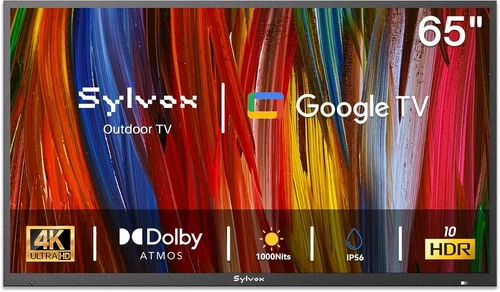
If you’re looking to bring your favorite shows, sports games, or movies outdoors—especially in colder climates—you’ve probably realized that not all TVs are built for the elements. A standard indoor television left on a chilly patio can suffer from screen fogging, component damage, or even complete failure when temperatures drop. That’s why choosing the right budget-friendly patio TV designed (or at least compatible) with cold weather is essential for both performance and longevity.
This guide is crafted specifically for homeowners, renters, and outdoor entertainment enthusiasts who want reliable viewing without breaking the bank. Whether you’re setting up a cozy fire pit area, a screened-in porch, or an open-air deck in a northern climate, we’ll walk you through everything you need to know before making your purchase. You’ll learn how to balance cost, durability, image quality, and climate resilience—so your outdoor TV setup lasts through snow, frost, and freezing nights.
The market for outdoor and semi-outdoor TVs has evolved significantly in recent years. While fully weatherproof outdoor TVs from brands like SunBrite and Samsung Terrace dominate the premium segment, there’s now a growing selection of affordable indoor TVs that—when paired with proper enclosures or installed in protected spaces—can handle cold-weather conditions surprisingly well. This guide focuses on those budget-conscious options: TVs under $800 that deliver solid performance in cold environments when used correctly. We’ll help you avoid costly mistakes, identify hidden gems, and make an informed decision based on real-world use cases.

What to Look for When Buying Buying Guide
1. Budget & Price Range
When shopping for a budget patio TV, it’s crucial to define your spending limit early. Most affordable options suitable for cold-weather outdoor use fall between $300 and $700. While it’s tempting to go as low as possible, remember that cutting too many corners can lead to poor performance, shorter lifespan, or incompatibility with outdoor conditions.
Set a realistic budget that accounts not just for the TV itself, but also for any necessary accessories—like a weatherproof enclosure, mounting hardware, or a power surge protector. A good rule of thumb: allocate 70% of your total budget to the TV and 30% to supporting gear. For example, if you have $600 total, aim to spend around $420 on the TV and $180 on a protective case or mount.
Also consider long-term value. A slightly more expensive model with better build quality or energy efficiency might save you money over time through lower electricity bills and fewer replacements. Avoid ultra-cheap models under $250 unless they’re explicitly rated for extended outdoor use or you’re using them in a fully enclosed, climate-controlled space like a heated sunroom.
2. Performance Specifications
Even on a budget, you shouldn’t sacrifice core performance features. Start with screen size: for most patios, 43 to 55 inches offers the best balance of visibility and space efficiency. Anything smaller may be hard to see from a distance, while larger screens can overwhelm compact outdoor areas and push your budget higher.
Resolution matters too. Aim for at least Full HD (1080p), but if your budget allows, go for 4K UHD. While 4K content isn’t always necessary outdoors, it provides sharper images—especially important when viewing from closer distances or during daytime when glare can reduce perceived clarity.
Brightness is another critical spec for outdoor use. Look for TVs with a minimum brightness of 300 nits, though 400–500 nits is ideal for patios with partial shade or morning/evening viewing. Avoid models below 250 nits—they’ll appear dim and washed out, even in indirect sunlight.
Refresh rate should be at least 60Hz, but 120Hz is preferable if you watch sports or fast-action content. Input lag under 20ms is ideal for gaming, though most casual viewers won’t notice higher latency.
Finally, check connectivity: ensure the TV has multiple HDMI ports (at least two), USB inputs, and ideally Wi-Fi or Ethernet for streaming. Bluetooth support is a nice bonus for wireless audio.
3. Build Quality & Durability
Cold weather poses unique challenges to electronics. Condensation forms when warm, moist air meets cold surfaces—a common issue when bringing an indoor TV outside or turning it on after a frosty night. Over time, this moisture can corrode internal components, damage circuit boards, or cause screen discoloration.
To combat this, prioritize TVs with robust internal sealing and minimal ventilation gaps. Some manufacturers use conformal coating on circuit boards to resist moisture—this isn’t always advertised, so check user reviews for mentions of “no fogging” or “survived winter.”
The chassis material also matters. Plastic casings are lighter and cheaper but can become brittle in extreme cold. Metal-backed models offer better heat dissipation and structural integrity but may conduct cold, potentially affecting touch controls or ports. Look for TVs with reinforced corners and sealed port covers.
Additionally, consider the power supply. Switch-mode power supplies (common in modern TVs) generally handle temperature swings better than older linear designs. If possible, choose a model with an external power adapter—this keeps the main unit cooler and reduces internal heat buildup, which can exacerbate condensation issues.
4. Features & Functionality
Smart functionality is almost standard now, even on budget TVs. Platforms like Roku TV, Google TV, or Fire TV OS allow easy access to Netflix, YouTube, Hulu, and more without needing a separate streaming box. This simplifies setup and reduces clutter on your patio.
Voice control via Alexa or Google Assistant is increasingly common and useful when your hands are full with grilling tools or blankets. Look for models with built-in microphones or compatibility with voice remotes.
Gaming features are worth considering if you plan to connect a console. HDMI 2.1 support, Variable Refresh Rate (VRR), and Auto Low Latency Mode (ALLM) enhance the experience, though these are rare in budget models. At minimum, ensure the TV supports HDMI 2.0 for 4K@60Hz input.
Audio quality is often overlooked but vital outdoors, where ambient noise (wind, traffic, birds) can drown out dialogue. TVs with built-in Dolby Audio or DTS Studio Sound tend to perform better. However, most budget patio setups benefit from external speakers or a soundbar—consider this in your accessory budget.
5. Brand Reputation
Not all budget TV brands are created equal. Stick with manufacturers known for reliability and customer service, even at lower price points. TCL, Hisense, and Vizio consistently rank high in value-for-money categories and offer solid warranties. Samsung and LG also have entry-level lines that perform well in controlled outdoor environments.
Avoid obscure or no-name brands that flood online marketplaces. These often use lower-grade components, lack firmware updates, and provide minimal support. Check third-party review sites like RTINGS.com or Consumer Reports for consistency in performance and durability.
Also, look for brands that openly discuss environmental tolerances. While few budget TVs advertise “outdoor use,” some provide operating temperature ranges in their technical specs. A range of 32°F to 104°F (0°C to 40°C) is typical, but if a TV lists a lower limit of 23°F (-5°C) or below, it’s more likely to survive unexpected cold snaps.
6. Warranty & Support
A strong warranty can be a lifesaver—especially when using a TV in non-standard conditions. Most budget TVs come with a 1-year limited warranty, but some brands offer extended coverage or accidental damage protection for a small fee.
Pay attention to what the warranty covers. Does it include damage from moisture or temperature extremes? Many indoor TV warranties explicitly exclude “outdoor use,” so read the fine print carefully. If you’re installing the TV in a semi-protected area (like under a roof overhang), document your setup in case you need to file a claim.
Customer support responsiveness varies widely. Brands like TCL and Hisense have improved their support networks in recent years, offering live chat and regional service centers. Check forums like Reddit’s r/televisions for real-user experiences with repairs or replacements.
Consider purchasing an extended warranty if you live in an area with harsh winters or frequent temperature fluctuations. While it adds to the upfront cost, it can save hundreds in replacement fees down the line.
7. Size & Portability
Patio spaces vary greatly—from tiny balconies to sprawling backyard decks. Measure your viewing distance and available wall or stand space before buying. A general guideline: for every 1 inch of screen size, sit about 1.5 feet away. So a 50-inch TV is best viewed from 6–8 feet.
Portability matters if you plan to move the TV between indoor and outdoor use (e.g., bringing it inside during blizzards). Lightweight models under 25 lbs are easier to handle, but ensure they’re still sturdy enough to withstand wind or accidental bumps.
If you’re using a TV enclosure, factor in its dimensions. Most enclosures add 2–4 inches to each side, so a 50-inch TV might require a 58-inch mounting space. Wall mounts should be rated for the combined weight of the TV and enclosure.
For renters or those with limited permanent installation options, consider a portable TV cart with locking wheels. These allow you to roll the TV under cover during storms or extreme cold, extending its lifespan significantly.
8. User Reviews & Ratings
Never rely solely on manufacturer specs. Real-world user feedback reveals how a TV performs under actual conditions—including cold weather. Search for reviews that mention “outdoor,” “patio,” “garage,” or “cold climate.”
Look for patterns: if multiple users report screen flickering after winter nights or Wi-Fi dropping in low temperatures, that’s a red flag. Conversely, consistent praise for reliability in chilly environments is a strong endorsement.
Pay attention to long-term reviews (6+ months), as early impressions don’t always reflect durability. Sites like Amazon, Best Buy, and Newegg allow filtering by verified purchase and recent reviews, helping you avoid outdated or fake feedback.
Also check YouTube for hands-on demos. Creators often test TVs in various lighting and weather scenarios, giving you a better sense of real-world performance than static images or specs alone.
Different Types of Buying Guide

Common Buying Mistakes to Avoid
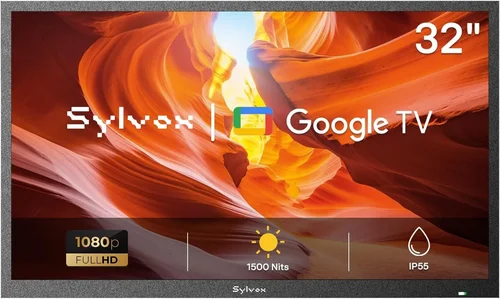
❌ Mistake: Using a Standard Indoor TV Directly Exposed to Elements
Why it’s bad: Most indoor TVs aren’t designed to handle moisture, temperature swings, or direct exposure to snow and rain. Even brief exposure can cause internal corrosion, screen fogging, or electrical shorts. In cold weather, rapid temperature changes when powering on a frozen TV can crack solder joints or damage the LCD panel.
What to do instead: Always use a weatherproof enclosure rated for outdoor use, or install the TV in a fully covered, ventilated space like a gazebo or enclosed porch. If using an enclosure, ensure it has passive ventilation to prevent overheating in summer while blocking wind-driven rain and snow.
❌ Mistake: Ignoring Operating Temperature Ranges
Why it’s bad: TVs have specified operating temperatures—typically 32°F to 104°F for indoor models. Using them below freezing voids warranties and risks permanent damage. Some users assume “it’s just cold, not wet,” but cold alone can cause LCD fluid to thicken, resulting in slow response times or dead pixels.
What to do instead: Check the user manual or spec sheet for the minimum operating temperature. If it’s above your local winter lows, either bring the TV indoors or choose a model with a lower threshold. Consider a heated enclosure if you live in sub-zero climates.
❌ Mistake: Overlooking Power Protection
Why it’s bad: Outdoor electrical setups are prone to surges from lightning, grid fluctuations, or faulty wiring. Without surge protection, a single spike can fry the TV’s power board or mainboard—common and expensive failures.
What to do instead: Use a high-quality outdoor-rated surge protector with at least 2000 joules of protection. Better yet, install a whole-house surge suppressor or use a UPS (uninterruptible power supply) for critical setups. Never plug directly into an outdoor outlet without protection.
❌ Mistake: Choosing the Wrong Screen Finish
Why it’s bad: Glossy screens reflect sunlight and ambient light, making them hard to see on bright days—even in winter when the sun is low. Matte finishes reduce glare but can appear less vibrant indoors.
What to do instead: Opt for a TV with an anti-reflective or matte screen coating if your patio gets direct or indirect sunlight. Many budget models now include this feature. Test the screen in similar lighting conditions if possible, or rely on reviews that mention daytime visibility.
❌ Mistake: Skimping on Mounting Hardware
Why it’s bad: Wind, vibration, and thermal expansion can loosen cheap mounts over time. A falling TV isn’t just a financial loss—it’s a safety hazard, especially in public or family spaces.
What to do instead: Invest in a heavy-duty, weather-resistant mount rated for your TV’s size and weight. Stainless steel or powder-coated aluminum mounts resist rust. For enclosures, use manufacturer-recommended brackets or consult a professional installer.
❌ Mistake: Assuming All “Smart” TVs Are Equal
Why it’s bad: Some budget smart platforms lag, crash, or lack app support. A slow interface ruins the outdoor viewing experience, especially when trying to quickly switch between live TV and streaming.
What to do instead: Stick with proven ecosystems: Roku TV, Google TV, or Fire TV. These receive regular updates and support major apps. Avoid proprietary systems with limited app stores or no voice control.
❌ Mistake: Not Planning for Cable Management
Why it’s bad: Exposed cables are tripping hazards, attract pests, and degrade faster in cold, wet conditions. They also make your setup look messy and unprofessional.
What to do instead: Use conduit, cable raceways, or in-wall channels (if permitted). Choose flat, outdoor-rated HDMI and power cables that resist UV and moisture. Label cables for easy troubleshooting.
Budget Guidelines: How Much Should You Spend?
Entry-Level ($300–$450): This tier includes basic 43–50 inch Full HD or entry-level 4K TVs from brands like Hisense or TCL. Expect modest brightness (300–350 nits), standard smart platforms, and minimal weather resilience. Best for fully covered patios in mild climates or temporary use. Pair with a basic enclosure for added protection.
Mid-Range ($450–$650): The sweet spot for most buyers. You’ll find 50–55 inch 4K TVs with 400+ nits brightness, better processors, and improved audio. Models like the TCL 5-Series or Hisense U6 offer excellent value. These can handle partial exposure when properly sheltered and often include features like Dolby Vision and voice control.
Premium ($650–$800): For enthusiasts who want near-outdoor performance without premium pricing. Look for TVs with enhanced thermal management, wider operating temperature ranges, or compatibility with third-party outdoor enclosures. Some refurbished SunBrite or Samsung Terrace models appear here, offering true weather resistance at a discount.
Luxury ($800+): While outside strict “budget” territory, some buyers stretch into this range for peace of mind. Fully sealed outdoor TVs or custom-built solutions offer IP55 or higher ratings, heated screens, and all-weather speakers. Only necessary for open-air installations in extreme climates.
Expert Tips for Getting the Best Deal
1. Shop During Off-Seasons: Retailers discount TVs heavily in January (post-holiday) and July/August (pre-fall releases). Winter sales often feature leftover inventory at steep discounts—perfect for cold-weather buyers.
2. Compare Total Cost of Ownership: Factor in enclosure, mount, cables, and potential repairs. A $400 TV needing a $200 enclosure costs more than a $550 semi-outdoor model that doesn’t.
3. Buy Refurbished from Reputable Sellers: Certified refurbished TVs from Amazon Renewed, Best Buy Outlet, or manufacturer sites often come with warranties and rigorous testing. Great for outdoor use where minor cosmetic flaws don’t matter.
4. Use Price Tracking Tools: Set alerts on CamelCamelCamel (for Amazon) or Honey to catch drops. Many budget TVs fluctuate $50–$100 weekly.
5. Check Local Classifieds and Facebook Marketplace: People often sell barely-used TVs after moving or upgrading. Inspect thoroughly and verify functionality before buying.
6. Negotiate Extended Warranties: Some retailers waive fees or bundle protection plans during promotions. Ask if they’ll match online prices or include free installation.
7. Test Before Finalizing: If buying in-store, ask to see the TV powered on. Check for dead pixels, audio quality, and remote responsiveness. For online purchases, choose retailers with generous return windows (30+ days).
8. Join Brand Loyalty Programs: TCL Rewards, Hisense Perks, and others offer exclusive discounts, early access to sales, and free shipping—valuable for future accessory purchases.

Frequently Asked Questions
Q: Can I use a regular TV on my covered patio in winter?
A: Yes—but only if it’s fully protected from wind, snow, and direct moisture. A covered patio with walls or screens provides sufficient shelter in most climates. Always use a surge protector and avoid turning the TV on immediately after it’s been in sub-freezing temperatures; let it acclimate indoors first if possible.
Q: What’s the coldest temperature a budget TV can handle?
A: Most indoor TVs operate safely down to 32°F (0°C). Some models tolerate brief exposure to 23°F (-5°C), but prolonged use below freezing risks damage. Check your model’s manual for exact specs.
Q: Do I really need an outdoor enclosure?
A: If your TV is exposed to any moisture—even blowing snow or high humidity—yes. Enclosures prevent condensation, block UV rays, and protect ports. For fully indoor-like spaces (e.g., heated sunrooms), they’re optional.
Q: Will cold weather affect picture quality?
A: Extremely cold temperatures can slow LCD response times, causing motion blur or ghosting. OLEDs handle cold better but are rare in budget ranges. Let the TV warm up gradually before extended use.
Q: Can I leave my patio TV plugged in during winter?
A: Yes, but use a smart plug or timer to cut power during storms or extreme cold. Continuous standby mode generates minimal heat, which can help prevent internal condensation—but only if the TV is properly enclosed.
Q: Are there energy-efficient options for outdoor use?
A: Absolutely. Look for ENERGY STAR-certified models, which use 15–30% less power. LED-backlit LCDs are more efficient than older CCFL types. Lower power consumption also reduces heat output, minimizing condensation risk.
Q: How do I clean a TV used in cold, dusty conditions?
A: Use a microfiber cloth slightly dampened with distilled water. Never spray cleaner directly on the screen. For enclosures, wipe exterior with a mild soap solution and rinse thoroughly to prevent salt or mineral buildup.
Q: What if my TV gets wet?
A: Power it off immediately, unplug it, and move it to a dry, warm area. Do not turn it on until fully dried (24–48 hours). If moisture entered the enclosure, inspect for corrosion and consider professional servicing.
Q: Can I use a projector instead of a TV for cold-weather patios?
A: Projectors struggle in low light and cold temperatures. Most consumer models aren’t rated for outdoor use and suffer from reduced brightness and lamp life in chilly conditions. Stick with TVs for reliability.
Q: Is 4K worth it for outdoor viewing?
A: If you sit within 8 feet of a 50+ inch screen, yes—4K provides noticeably sharper detail. For larger distances or smaller screens, Full HD is sufficient and more budget-friendly.
Our Final Recommendations
Best for Budget-Conscious Buyers: TCL 43S5400 43″ 4K UHD Smart TV with Roku ($349)
A reliable performer with 400 nits brightness, Dolby Vision, and robust build quality. Pair with a $120 weatherproof enclosure for a sub-$500 cold-weather setup.
Best Overall Value: Hisense 50U6HF 50″ U6 Series 4K Smart TV ($499)
Offers 500 nits peak brightness, Google TV, and excellent color accuracy. Users report solid performance in three-season rooms and covered decks down to 28°F.
Best Premium Option (Under $800): Refurbished SunBrite Veranda 55″ 4K Outdoor TV ($749)
Fully weatherproof, heated screen, and IP55 rating. Ideal for open patios in snowy regions. Comes with 2-year warranty from certified refurbishers.
Best for Beginners: Vizio V-Series 50″ V505-H11 ($399)
Simple setup, intuitive SmartCast platform, and good app support. Easy to integrate with existing sound systems and streaming devices.
Best for Advanced Users: Samsung The Frame 50″ (2023 Model) + Outdoor Art Mode Enclosure ($799 bundled)
Doubles as art when off, with anti-reflective matte screen perfect for daylight viewing. Requires custom enclosure but delivers museum-quality aesthetics and performance.
Conclusion: Making the Right Choice
Choosing a budget patio TV for cold weather isn’t just about finding the cheapest screen—it’s about balancing affordability, durability, and smart design. By prioritizing key factors like operating temperature, brightness, build quality, and proper protection, you can enjoy years of outdoor entertainment without constant repairs or replacements.
Remember: your patio TV should enhance your lifestyle, not complicate it. Whether you’re watching the big game under string lights or enjoying a quiet movie night with hot cocoa, the right setup makes all the difference. Use this guide to compare options, avoid common pitfalls, and invest wisely.
Start by assessing your space, climate, and usage habits. Then, select a TV that fits your budget while meeting your performance needs. Don’t hesitate to spend a little more on a quality enclosure or mount—it’s a small price for peace of mind.
Finally, stay flexible. Outdoor technology evolves quickly, and what works today may improve tomorrow. But with the insights from this guide, you’re already ahead of the curve. Now go enjoy your outdoor oasis—rain, snow, or shine.

