
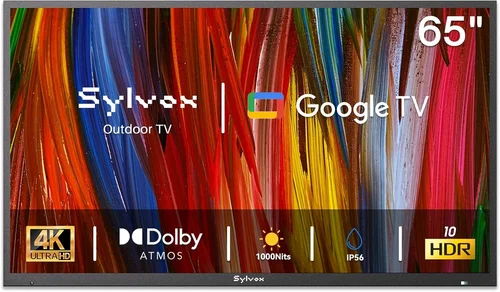
If you’ve ever tried watching your favorite show or a live sports game from your balcony or patio, you know how quickly the experience can go from relaxing to frustrating. Glare off the screen, poor visibility in daylight, or a TV that simply wasn’t built to handle outdoor conditions can ruin even the most perfect evening under the stars. That’s why choosing the right budget-friendly TV for your outdoor space is more than just a smart purchase—it’s an investment in comfort, convenience, and long-term enjoyment.
This comprehensive buying guide is designed to help you navigate the often-confusing world of outdoor TVs without overspending. Whether you’re looking to upgrade your balcony setup for weekend barbecues, create a cozy outdoor movie night zone, or simply want a reliable screen for catching the news while sipping your morning coffee, we’ve got you covered. You’ll learn what features truly matter, how to avoid common pitfalls, and which models offer the best value for your money—all while staying within a realistic budget.
The market for outdoor TVs has evolved significantly in recent years. What used to be a niche category dominated by expensive, weatherproofed models has now opened up to include more affordable options that balance performance, durability, and cost. Brands like Samsung, LG, TCL, and Vizio have introduced models with enhanced brightness, better contrast ratios, and improved durability—many of which can be used in semi-outdoor environments like covered patios or screened-in balconies. At the same time, newer entrants and value-focused manufacturers are offering surprisingly capable TVs at entry-level prices. This guide will cut through the noise and help you make a confident, informed decision.

What to Look for When Buying Buying Guide
1. Budget & Price Range
Setting a clear budget is the first and most important step in your buying journey. For outdoor use, especially on a balcony or covered patio, you don’t need to spend thousands on a fully weatherproof outdoor TV. Instead, focus on models that offer good performance at a reasonable price—typically between $300 and $800 for a quality 43- to 55-inch screen. This range allows you to get a TV with solid brightness, decent color accuracy, and smart features without overextending your finances.
Keep in mind that “budget” doesn’t mean “low quality.” Many mid-tier TVs from reputable brands now include features like HDR support, voice control, and built-in streaming apps—all for under $600. The key is to avoid overspending on unnecessary extras like extreme weather resistance if you’re only using the TV under a roof or awning. Instead, allocate your budget toward core performance metrics like brightness and contrast, which have the biggest impact on outdoor viewing.
2. Performance Specifications
When it comes to outdoor viewing, performance specs are even more critical than they are for indoor use. Sunlight, ambient light, and reflections can wash out your screen, so you need a TV that fights back with strong brightness and contrast. Look for a minimum brightness of 400 nits, though 500 nits or higher is ideal for patios with partial sun exposure. TVs with high dynamic range (HDR) support—especially HDR10 or Dolby Vision—will deliver richer colors and better shadow detail, making daytime viewing far more enjoyable.
Resolution is another key factor. While 1080p TVs are still available and cheaper, we strongly recommend going with at least 4K UHD (3840 x 2160) for any screen 43 inches or larger. The increased pixel density makes a noticeable difference in clarity, especially when sitting close to the screen—a common scenario on small balconies. Refresh rate matters too: a 60Hz panel is sufficient for most content, but if you plan to watch sports or play video games, consider a model with 120Hz support for smoother motion.
Don’t overlook audio quality. Many budget TVs come with underpowered built-in speakers that struggle outdoors due to open space and ambient noise. If possible, choose a model with at least 20W of total audio output or plan to connect external speakers via Bluetooth or an audio output port.
3. Build Quality & Durability
Even if your TV is placed under a covered patio or balcony, it’s still exposed to elements like humidity, temperature swings, dust, and occasional splashes. That means build quality matters—even for budget models. Look for TVs with sturdy frames, sealed ports, and protective coatings on internal components. While fully weatherproof outdoor TVs (often IP55 or higher rated) are overkill for covered areas, a TV with some level of environmental resistance will last longer and perform better over time.
Pay attention to the materials used in the bezel and stand. Plastic is common in budget models, but avoid flimsy constructions that feel cheap or wobble easily. A solid, stable base is essential, especially if your TV will be placed on a railing-mounted shelf or outdoor table. Also, check whether the TV has ventilation slots that could allow dust or moisture to enter—some manufacturers now offer models with sealed cooling systems designed for semi-outdoor use.
Another durability factor is the power supply. Outdoor environments can have less stable electrical connections, so a TV with a robust power adapter and surge protection features is a plus. If you live in an area with frequent power fluctuations, consider using a surge protector or uninterruptible power supply (UPS) to safeguard your investment.
4. Features & Functionality
Smart features are no longer a luxury—they’re a necessity. Most modern budget TVs come with built-in platforms like Roku TV, Google TV, or webOS, giving you access to Netflix, YouTube, Disney+, and hundreds of other apps without needing an external streaming device. This is especially useful outdoors, where you may not want to run extra cables or deal with multiple remotes.
Voice control is another valuable feature. Models with Google Assistant or Alexa built-in let you change channels, adjust volume, or search for content using just your voice—perfect when your hands are full with a drink or grill tongs. Bluetooth connectivity is also handy for pairing wireless headphones or speakers, allowing you to enjoy late-night viewing without disturbing neighbors.
Connectivity options matter too. Ensure the TV has enough HDMI ports (at least two, preferably three) for devices like a streaming stick, gaming console, or soundbar. USB ports are useful for playing media files directly from a flash drive, and an Ethernet port provides a more stable internet connection than Wi-Fi alone—important for streaming 4K content without buffering.
One often-overlooked feature is screen reflection handling. Some budget TVs come with anti-glare coatings or matte finishes that reduce screen glare from sunlight or nearby lights. This can make a huge difference in usability, especially during daytime viewing. If the model you’re considering doesn’t specify this, check user reviews for mentions of glare or visibility issues.
5. Brand Reputation
While it’s tempting to go for the cheapest option available, brand reputation plays a significant role in long-term satisfaction. Established brands like Samsung, LG, TCL, and Vizio have proven track records for reliability, customer support, and software updates. They also tend to offer better warranties and more consistent performance across their product lines.
That said, newer or lesser-known brands can still offer great value—especially in the budget segment. Companies like Hisense, Toshiba (now licensed to Funai), and Onn (Walmart’s brand) have gained traction by delivering solid performance at aggressive price points. The key is to research each model individually, read user reviews, and check for any recurring issues like dead pixels, software bugs, or poor customer service.
Avoid completely unknown brands with no online presence or customer support. These may save you money upfront but can become expensive headaches if the TV fails after a few months. Stick to brands with active customer service channels, accessible repair networks, and a history of honoring warranties.
6. Warranty & Support
A good warranty can be the difference between a minor inconvenience and a major financial loss. Most budget TVs come with a standard one-year limited warranty, but some brands offer extended coverage or accidental damage protection for an additional fee. Check what’s included: Does it cover screen burn-in? Power supply failures? Software issues? And how easy is it to file a claim?
Support quality varies widely. Some brands offer 24/7 phone support, live chat, and extensive online resources, while others leave you waiting on hold for hours. Before buying, visit the manufacturer’s website and look for support options, FAQs, and user forums. You can also search for reviews that mention customer service experiences—positive or negative.
If you’re buying from a third-party seller (like Amazon, Best Buy, or Walmart), check their return and exchange policies. Many retailers offer extended return windows during holidays or special promotions, which can give you extra time to test the TV in your outdoor setup. Some even provide in-home setup or recycling services for old TVs.
7. Size & Portability
Size matters—but not always in the way you think. A larger screen may seem appealing, but on a small balcony or narrow patio, a 65-inch TV can overwhelm the space and make viewing uncomfortable. For most outdoor setups, a 43- to 50-inch screen is the sweet spot: big enough to enjoy from a few feet away, but compact enough to fit on a wall mount or stand without dominating the area.
Portability is another consideration if you plan to move the TV between indoor and outdoor use. Some models are lightweight and easy to carry, while others are bulky and require two people to lift. If you’ll be storing the TV indoors during winter or storms, look for a model under 25 pounds with a slim profile. Wall-mount compatibility is also important—ensure the TV supports VESA mounting standards so you can securely attach it to a bracket.
Don’t forget about viewing distance. A general rule of thumb is to sit at a distance equal to 1.5 to 2.5 times the screen’s diagonal size. So for a 50-inch TV, ideal viewing is between 6 and 10 feet. Measure your space before buying to avoid disappointment.
8. User Reviews & Ratings
Never rely solely on manufacturer specs or marketing claims. Real-world user reviews provide invaluable insights into how a TV performs in actual outdoor conditions. Look for reviews that mention brightness in sunlight, ease of setup, app performance, and durability over time. Pay special attention to comments about glare, sound quality, and connectivity issues.
Check multiple sources: Amazon, Best Buy, Reddit, and specialized tech forums like AVS Forum or r/Television on Reddit. Look for patterns—if several users report the same problem (e.g., “screen gets too dim in daylight” or “Wi-Fi drops frequently”), it’s likely a genuine flaw, not an isolated incident.
Also, consider the rating distribution. A TV with a 4.5-star average but mostly 5-star and 1-star reviews may have polarizing performance—great for some, terrible for others. A model with consistently 4-star reviews across hundreds of users is often a safer bet.
Different Types of Buying Guide

Common Buying Mistakes to Avoid
❌ Mistake: Buying a Standard Indoor TV for Full Sun Exposure
Why it’s bad: Most indoor TVs are designed for controlled lighting and struggle in bright environments. Even a few hours of direct sunlight can make the screen nearly unreadable, leading to frustration and wasted money.
What to do instead: Choose a model with at least 500 nits of brightness and an anti-glare screen. If your patio gets full sun, consider a brightness-enhanced or outdoor-ready TV, or use a canopy or awning to reduce direct light.
❌ Mistake: Ignoring Audio Quality
Why it’s bad: Outdoor spaces lack the sound-reflecting walls of a living room, so built-in TV speakers often sound tinny or quiet. You might end up turning the volume too high, which can distort audio or annoy neighbors.
What to do instead: Look for TVs with at least 20W of audio output or plan to connect a Bluetooth speaker or soundbar. Many budget models support wireless audio, making it easy to enhance sound without extra wiring.
❌ Mistake: Overlooking Connectivity Needs
Why it’s bad: Running long HDMI cables across your patio is messy and unsafe. If your TV lacks enough ports or relies solely on Wi-Fi, you may face buffering, lag, or connection drops—especially during peak usage times.
What to do instead: Choose a TV with multiple HDMI ports, USB inputs, and an Ethernet port. Use a high-quality Wi-Fi extender or mesh network to ensure strong signal coverage outdoors.
❌ Mistake: Choosing the Wrong Screen Size
Why it’s bad: A TV that’s too large can overwhelm a small balcony, while one that’s too small forces you to sit uncomfortably close. Both scenarios ruin the viewing experience.
What to do instead: Measure your space and calculate the ideal screen size based on viewing distance. Use online screen size calculators or the 1.5–2.5x rule to find the perfect fit.
❌ Mistake: Skipping the Warranty Check
Why it’s bad: Outdoor use increases the risk of damage from humidity, power surges, or accidental bumps. Without proper coverage, repairs can cost nearly as much as a new TV.
What to do instead: Always check the warranty terms before buying. Consider purchasing an extended warranty if the TV will be exposed to harsh conditions or used frequently.
❌ Mistake: Buying Based on Price Alone
Why it’s bad: The cheapest TV isn’t always the best value. Models with poor brightness, weak processors, or outdated software may need replacing within a year, costing more in the long run.
What to do instead: Focus on total value—balancing price, performance, durability, and features. A slightly more expensive model with better specs often saves money over time.
❌ Mistake: Not Testing Before Committing
Why it’s bad: You won’t know how a TV performs in your specific outdoor environment until you try it. What looks great in a store may struggle with glare or connectivity at home.
What to do instead: Buy from retailers with generous return policies (30 days or more). Test the TV during different times of day and in various weather conditions before finalizing your decision.
Budget Guidelines: How Much Should You Spend?
Entry-Level ($250 – $400): This tier is ideal for covered patios with minimal sun exposure. Expect 43- to 50-inch 4K TVs from brands like TCL, Hisense, or Onn. These models typically offer 300–400 nits of brightness, basic smart platforms (Roku or Fire TV), and decent color accuracy. While they may lack advanced HDR or high refresh rates, they’re perfect for casual viewing, news, or background entertainment. Just avoid placing them in direct sunlight.
Mid-Range ($400 – $650): This is the sweet spot for most buyers. TVs in this range—like the TCL 5-Series, Vizio V-Series, or Samsung Crystal UHD—deliver 500+ nits of brightness, full HDR support, and smoother performance. You’ll get better contrast, faster processors, and more reliable Wi-Fi. Many include voice control, multiple HDMI 2.0 ports, and improved audio. These models handle partial sun well and are built to last several years with proper care.
Premium ($650 – $900): For those willing to invest a bit more, this tier offers near-outdoor-ready performance. Look for models with 600+ nits, local dimming, and enhanced durability features like sealed ports or dust-resistant designs. Brands like LG and Samsung often include these in their higher-end 4K lines. These TVs excel in bright conditions and offer superior picture quality, making them ideal for uncovered patios or south-facing balconies.
Luxury ($900+): While not strictly “budget,” this tier includes fully weatherproof outdoor TVs from brands like SunBriteTV or Seura. These are overkill for most balcony setups but may be worth considering if you live in a harsh climate or want a permanent, maintenance-free solution. They’re built to withstand rain, snow, and extreme temperatures—but come at a significant premium.
Expert Tips for Getting the Best Deal
- Shop during seasonal sales: Black Friday, Cyber Monday, and Amazon Prime Day offer some of the deepest discounts on TVs. Many retailers also run summer promotions aimed at outdoor living products.
- Compare prices across retailers: Use tools like Google Shopping, PriceGrabber, or CamelCamelCamel to track price history and find the lowest current offer. Don’t forget to check warehouse clubs like Costco or Sam’s Club for member-exclusive deals.
- Consider refurbished or open-box models: Certified refurbished TVs from reputable sellers often come with full warranties and can save you 20–40% off retail. Open-box items from Best Buy or Micro Center are also great options if inspected properly.
- Check for bundle deals: Some retailers offer discounts when you buy a TV with a soundbar, mount, or streaming device. These can add value even if you don’t need all the extras.
- Read the fine print on warranties: Ensure the warranty covers outdoor use if applicable. Some manufacturers void coverage if the TV is used in non-standard environments.
- Test connectivity before finalizing: Make sure your Wi-Fi signal reaches your patio. If not, invest in a weatherproof outdoor Wi-Fi extender or use a powerline adapter.
- Use a surge protector: Outdoor power sources are more prone to voltage spikes. A quality surge protector can prevent costly damage during storms.
- Install a proper mount: A tilting or full-motion wall mount allows you to adjust the screen angle to reduce glare and improve viewing comfort. Ensure the mount is rated for outdoor use if exposed to elements.

Frequently Asked Questions
Q: Can I use a regular indoor TV on my balcony?
A: Yes—but only if it’s fully covered and protected from direct sunlight, rain, and humidity. For best results, choose a model with high brightness (500+ nits) and an anti-glare screen. Avoid placing it in areas with temperature extremes or high moisture.
Q: What’s the minimum brightness needed for outdoor viewing?
A: Aim for at least 400 nits for shaded areas, but 500–600 nits is recommended for patios with partial sun. Anything below 300 nits will likely be too dim during the day.
Q: Do I need a special outdoor TV mount?
A: Not necessarily—most standard VESA-compatible mounts work fine for covered areas. However, if your TV is exposed to wind or weather, choose a mount rated for outdoor use with rust-resistant coatings.
Q: How do I reduce screen glare on my patio TV?
A: Use an anti-glare screen protector, position the TV perpendicular to light sources, or install a canopy or awning. Matte-finish screens also help minimize reflections.
Q: Can I leave my TV outside year-round?
A: Only if it’s specifically designed for outdoor use (IP55 or higher rating). Most indoor TVs should be brought inside during winter or storms to prolong lifespan.
Q: Are smart TVs reliable for outdoor use?
A: Yes, as long as they have a strong Wi-Fi connection and are kept updated. Choose models with popular platforms like Roku or Google TV for better app support and longer software updates.
Q: What size TV is best for a small balcony?
A: A 43- to 50-inch screen is ideal for most small spaces. It provides a cinematic experience without overwhelming the area or forcing you to sit too close.
Q: Can I connect external speakers to a budget TV?
A: Absolutely. Most modern TVs support Bluetooth audio or have a 3.5mm audio output or optical port. This is highly recommended for better sound quality outdoors.
Q: How long do budget outdoor TVs typically last?
A: With proper care—avoiding direct sun, moisture, and power surges—most budget TVs last 5–7 years. Higher-end models may last longer due to better build quality.
Q: Is it worth buying a used TV for outdoor use?
A: Only if it’s in excellent condition and comes with a warranty. Used TVs may have hidden issues like backlight failure or degraded brightness, which are harder to spot before buying.
Our Final Recommendations
Best for Budget-Conscious Buyers: TCL 43S5400 43″ 4K UHD Smart TV (Roku) – At under $300, this model delivers surprising value with 400 nits brightness, Dolby Vision HDR, and a user-friendly Roku interface. Perfect for covered patios with minimal sun exposure.
Best Overall Value: Vizio V505-J01 50″ 4K Smart TV – Priced around $450, it offers 500+ nits brightness, full-array local dimming, and excellent color accuracy. Its robust build and reliable performance make it ideal for most outdoor setups.
Best Premium Option: Samsung QN50Q60C 50″ QLED 4K Smart TV – At $750, this QLED model boasts 600+ nits brightness, quantum dot color, and anti-reflection technology. It’s one of the brightest and most vibrant budget-friendly TVs suitable for partially sunny patios.
Best for Beginners: Hisense 43A6H 43″ 4K UHD Smart TV – Simple setup, intuitive Google TV interface, and solid 400-nit brightness. Great for first-time outdoor TV users who want ease of use without complexity.
Best for Advanced Users: LG 50UR7300PUE 50″ 4K UHD Smart TV – With webOS, AI-enhanced picture processing, and 500+ nits brightness, this model offers premium features at a mid-range price. Ideal for tech-savvy users who want customization and performance.
Conclusion: Making the Right Choice
Choosing the right budget TV for your patio or balcony doesn’t have to be overwhelming. By focusing on key factors like brightness, build quality, smart features, and real-world performance, you can find a model that delivers excellent value without breaking the bank. Remember: the best TV is the one that fits your space, meets your viewing needs, and stands up to your local climate—all while staying within your budget.
Don’t rush the decision. Take time to compare models, read user reviews, and test the TV in your actual outdoor environment if possible. And always prioritize durability and visibility over flashy extras. With the insights from this guide, you’re now equipped to make a smart, confident purchase that will enhance your outdoor living experience for years to come.
So go ahead—set up that cozy corner, invite friends over for a game night, or enjoy a quiet evening under the stars with your favorite show. The perfect budget patio TV is out there, and it’s closer than you think.

