
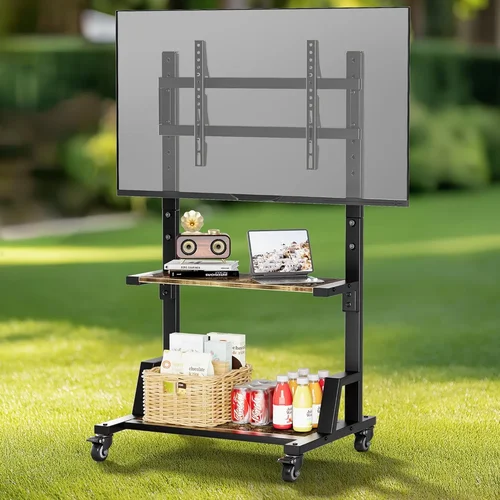
If you live in an apartment, your outdoor space might be limited to a small balcony, a compact patio, or even just a window ledge with a view. Yet, even in these modest settings, the dream of enjoying your favorite shows, movies, or live sports under the open sky isn’t out of reach. A budget patio TV can transform your tiny urban oasis into a cozy entertainment hub—without breaking the bank or violating lease agreements. Whether you’re unwinding after work with a binge-worthy series or hosting a casual movie night with friends, the right outdoor TV setup can elevate your apartment lifestyle.
But here’s the catch: not all TVs are built for outdoor use, and finding one that fits both your budget and your space constraints requires careful consideration. The market is flooded with options, from weather-resistant models to portable smart displays, but many are either overpriced, poorly built, or simply not suited for apartment living. This guide cuts through the noise to help you make an informed, confident decision. You’ll learn what truly matters when choosing a budget-friendly patio TV, how to avoid common pitfalls, and where to find the best value for your money—all while staying within the boundaries of apartment-friendly design and functionality.
By the end of this comprehensive buying guide, you’ll have a clear roadmap to selecting the ideal budget patio TV for your apartment. We’ll cover everything from essential performance specs and durability concerns to smart features, portability, and real-world usability. Whether you’re working with a $200 budget or willing to stretch to $600, we’ll show you how to get the most bang for your buck. Plus, we’ll share expert tips on timing your purchase, comparing brands, and maximizing longevity—so your investment lasts through seasons of sun, rain, and relaxation.

What to Look for When Buying a Budget Patio TV
1. Budget & Price Range
Let’s start with the most obvious factor: how much are you willing to spend? For apartment dwellers, a “budget” patio TV typically falls between $150 and $600. This range offers a sweet spot between affordability and functionality, allowing you to enjoy outdoor viewing without overspending or compromising too much on quality. At the lower end ($150–$300), you’ll find compact smart displays, portable projectors, or basic LED TVs with limited weather resistance. These are great for covered patios or balconies that are shielded from direct rain and harsh sunlight.
As you move into the mid-range ($300–$500), options expand to include more durable builds, better brightness levels, and enhanced smart capabilities. Many TVs in this tier offer partial weatherproofing—ideal for semi-covered spaces like a balcony with an overhang. At the higher end of the budget spectrum ($500–$600), you can access models with improved outdoor visibility, stronger construction, and even built-in streaming platforms like Roku or Android TV. While these may not match the ruggedness of full commercial outdoor TVs (which can cost $1,500+), they’re more than sufficient for apartment use.
2. Performance Specifications
When evaluating performance, several key specs directly impact your outdoor viewing experience. First and foremost is brightness, measured in nits. Indoor TVs typically range from 250 to 400 nits, but for outdoor use—even on a shaded balcony—you’ll want at least 500 nits, with 700+ nits being ideal for areas with ambient light or partial sun exposure. Lower brightness leads to washed-out images, making it hard to see details during daytime viewing.
Next, consider resolution. While 4K is becoming standard even in budget models, 1080p (Full HD) remains a practical choice for smaller screens (under 40 inches) and shorter viewing distances. For a patio TV under 32 inches, 1080p is usually sufficient and helps keep costs down. However, if you plan to sit closer than 6 feet away, 4K offers noticeably sharper visuals.
Refresh rate is another often-overlooked spec. A 60Hz panel is standard and fine for most content, but if you watch fast-paced sports or play video games outdoors, look for 120Hz support. Input lag—the delay between pressing a button and seeing the action on screen—should be under 20ms for gaming, though this is less critical for casual streaming.
Finally, color accuracy and contrast ratio affect how vibrant and lifelike your content appears. While budget TVs may not match premium models in this regard, look for models with HDR10 or HLG support, which can enhance dynamic range even in lower-cost displays.
3. Build Quality & Durability
Outdoor environments are tough on electronics. Even on a covered patio, your TV will face temperature swings, humidity, dust, and occasional splashes. That’s why build quality is non-negotiable—even for budget models. Look for TVs with reinforced frames, sealed ports, and corrosion-resistant components. Some manufacturers advertise “weather-resistant” or “outdoor-ready” designs, but be cautious: these terms aren’t regulated, so always check the IP (Ingress Protection) rating if available.
An IP54 rating, for example, means the TV is protected against limited dust ingress and water splashes from any direction—perfect for a covered balcony. Avoid models with exposed ventilation holes or flimsy plastic backs, as these can allow moisture to seep in over time. Also, consider the mounting system. Many budget patio TVs come with VESA-compatible backs, allowing you to use standard wall or ceiling mounts. For apartment use, a slim, low-profile mount that doesn’t protrude too far from the wall is ideal to avoid tripping hazards or lease violations.
Another durability factor is thermal management. Electronics generate heat, and in enclosed outdoor spaces, poor ventilation can cause overheating. Look for models with passive cooling (no fans) or efficient heat dissipation designs. Avoid placing your TV in direct sunlight, as prolonged exposure can degrade the screen and internal components—even if it’s labeled “outdoor.”
4. Features & Functionality
Modern budget patio TVs pack impressive features, especially in the smart TV category. Most models now come with built-in Wi-Fi, allowing you to stream content directly from Netflix, YouTube, Disney+, and other platforms without needing an external device. Look for models running Roku TV, Android TV, or webOS—these platforms offer intuitive interfaces, regular updates, and broad app support.
Voice control is another valuable feature. Many budget TVs now support Google Assistant or Amazon Alexa, letting you change channels, adjust volume, or search for content hands-free—perfect when you’re grilling or lounging. Bluetooth connectivity is also useful for pairing wireless speakers or headphones, especially if you want to enjoy audio without disturbing neighbors.
Consider the number and type of input ports. HDMI ports are essential for connecting streaming sticks, game consoles, or cable boxes. USB ports allow you to play media from flash drives, while optical audio outputs let you connect external sound systems. For apartment use, having at least two HDMI ports is recommended—one for a streaming device and one for occasional use (like a laptop or gaming console).
Don’t overlook remote control quality. A well-designed remote with backlighting, dedicated app buttons, and ergonomic layout makes a big difference in usability, especially in low-light conditions. Some budget models include simplified remotes or rely heavily on smartphone apps, which can be frustrating if your phone battery dies.
5. Brand Reputation
Not all budget TV brands are created equal. While lesser-known brands may offer tempting prices, they often cut corners on quality control, software support, and customer service. Stick with established names like TCL, Hisense, Samsung, LG, or Vizio—even their budget lines tend to deliver reliable performance and longer lifespans.
TCL, for instance, has gained a strong reputation for offering excellent value in the sub-$500 range, with models like the TCL 4-Series featuring Roku TV integration and solid brightness levels. Hisense is another standout, known for aggressive pricing and decent build quality. Samsung and LG focus more on design and software polish, though their budget models may lack some outdoor-specific features.
Research customer feedback on forums like Reddit, Wirecutter, or Amazon reviews. Pay attention to recurring complaints—such as poor customer support, short lifespans, or software bugs—as these can signal deeper issues. A brand with a history of responsive service and regular firmware updates is more likely to stand behind its product, even if something goes wrong down the line.
6. Warranty & Support
A good warranty can be a lifesaver, especially for electronics exposed to the elements. Most budget TVs come with a standard 1-year limited warranty, but some brands offer extended coverage or accidental damage protection for an extra fee. Check what’s included: does it cover screen burn-in, water damage, or power surges? For outdoor use, surge protection is particularly important, as electrical storms can fry unprotected devices.
Support quality varies widely. Some brands offer 24/7 phone support, while others rely solely on email or chat. Look for companies with clear troubleshooting guides, firmware update logs, and active community forums. If you’re buying online, ensure the retailer honors the manufacturer’s warranty—some third-party sellers void coverage if you don’t register the product immediately.
Also, consider the availability of replacement parts. If your remote breaks or a port fails, can you easily order a replacement? Brands with strong service networks make repairs simpler and cheaper, extending your TV’s usable life.
7. Size & Portability
In an apartment, space is at a premium. A bulky 55-inch TV might look impressive, but it could overwhelm a small balcony or violate building rules about protruding fixtures. Most apartment-friendly patio TVs range from 24 to 43 inches—large enough for comfortable viewing from 6 to 10 feet away, but compact enough to fit on a wall or stand without dominating the space.
Portability is another key consideration. If you move frequently or want to use your TV indoors during colder months, look for lightweight models with easy-to-remove mounts. Some TVs come with built-in handles or optional carrying cases, making them ideal for renters. Others are designed to be semi-permanent, requiring tools to uninstall.
Weight matters too. A 32-inch TV typically weighs 10–15 pounds, while a 43-inch model can exceed 20 pounds. Ensure your mounting surface (wall, railing, or stand) can support the weight safely. For balconies with glass railings, a freestanding stand might be safer than wall mounting.
8. User Reviews & Ratings
Never rely solely on manufacturer specs or marketing claims. Real-world user reviews provide invaluable insights into long-term performance, reliability, and usability. Look for patterns in feedback: do multiple users report the same issue, like poor brightness or flimsy stands? Are there consistent praises for ease of setup or app performance?
Pay special attention to reviews from people in similar living situations—renters, apartment dwellers, or those using the TV on balconies. Their experiences will be most relevant to your needs. Also, check review dates. A TV praised in 2022 might have been updated or discontinued by 2026, so prioritize recent feedback.
Use aggregate rating sites like RTINGS.com or CNET, which conduct hands-on testing and compare models side by side. These resources often highlight strengths and weaknesses that casual reviews miss, such as motion handling or color accuracy under bright light.
Different Types of Budget Patio TVs

Common Buying Mistakes to Avoid
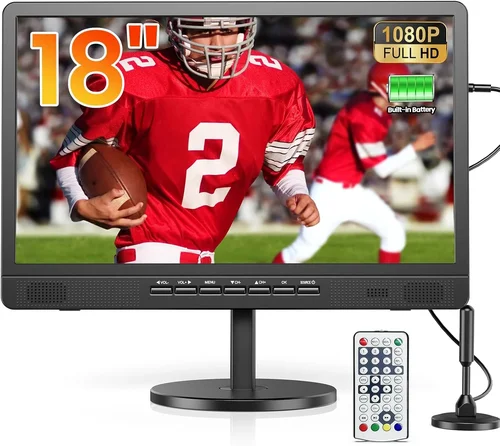
❌ Mistake: Buying an Indoor TV for Full Outdoor Exposure
Why it’s bad: Indoor TVs aren’t designed to handle moisture, temperature changes, or UV exposure. Even brief rain or high humidity can cause internal corrosion, screen fogging, or electrical failure. Many indoor models also lack sufficient brightness for daylight viewing.
What to do instead: Only use indoor TVs in fully covered, enclosed spaces like a screened-in porch. For any exposure to the elements—even partial—opt for a weather-resistant model or keep the TV under a protective awning.
❌ Mistake: Ignoring Brightness Requirements
Why it’s bad: A dim screen turns your outdoor movie night into a squinting contest. Most indoor TVs max out at 400 nits, which is inadequate for anything beyond twilight viewing.
What to do instead: Aim for at least 500 nits, preferably 700+. Check spec sheets carefully—some brands list “peak brightness” which isn’t sustained. Look for reviews that test real-world outdoor visibility.
❌ Mistake: Overlooking Mounting Restrictions
Why it’s bad: Many apartments prohibit wall mounting or limit how far fixtures can protrude. A heavy TV mounted incorrectly can damage walls or violate lease terms.
What to do instead: Check your lease agreement first. Use low-profile mounts or freestanding stands. For railings, consider clamp-style mounts designed for balconies.
❌ Mistake: Skipping Smart Features
Why it’s bad: Without built-in Wi-Fi and apps, you’ll need extra devices (like a Fire Stick or Apple TV), adding clutter, cables, and potential points of failure.
What to do instead: Choose a smart TV with reliable OS (Roku, Android TV). This simplifies setup and reduces the need for external hardware.
❌ Mistake: Neglecting Audio Quality
Why it’s bad: Most budget TVs have weak built-in speakers. Outdoor environments amplify this issue—wind, traffic, and distance drown out quiet dialogue.
What to do instead: Pair your TV with a compact Bluetooth speaker or soundbar. Many budget models support optical audio output for better sound.
❌ Mistake: Buying Based Solely on Price
Why it’s bad: The cheapest option often lacks durability, brightness, or smart features, leading to frustration and early replacement.
What to do instead: Focus on value, not just cost. A $350 TV with better brightness and weather resistance may outperform a $250 model that fails in six months.
❌ Mistake: Not Planning for Power and Cables
Why it’s bad: Running extension cords across a balcony creates tripping hazards and looks messy. Outdoor-rated cables are essential for safety.
What to do instead: Use outdoor-rated extension cords with GFCI protection. Conceal cables with raceways or adhesive clips. Consider battery-powered options if outlets are scarce.
Budget Guidelines: How Much Should You Spend?
- Entry-Level ($150–$250): Ideal for covered balconies with minimal sun exposure. Expect 24–32 inch screens, 1080p resolution, basic smart features, and limited brightness (300–400 nits). Best for occasional evening use. Examples include refurbished TCL 3-Series or portable displays like the Anker Nebula Capsule.
- Mid-Range ($250–$450): The sweet spot for most apartment dwellers. Offers 32–43 inch screens, 4K resolution, 500–700 nits brightness, and robust smart platforms. Many include partial weather resistance and better build quality. Models like the TCL 4-Series or Hisense A6 series shine here.
- Premium ($450–$600): For those who want near-outdoor performance without commercial prices. Features include enhanced brightness (700+ nits), improved durability, voice control, and all-in-one kits. Great for semi-exposed patios or frequent daytime use.
- Luxury ($600+): While beyond strict “budget” territory, some high-end consumer models (like Samsung’s The Terrace Lite) offer full weatherproofing and anti-glare coatings. Only recommended if you have significant exposure and long-term use plans.
Expert Tips for Getting the Best Deal
- Shop during seasonal sales: Black Friday, Prime Day, and back-to-school periods offer deep discounts on TVs. Sign up for retailer newsletters to get early access.
- Compare retailers: Amazon, Best Buy, Walmart, and Costco often price-match. Check return policies—some stores offer longer windows for electronics.
- Consider refurbished or open-box: Certified refurbished models from manufacturers come with warranties and can save 20–30%. Open-box items at Best Buy are tested and discounted.
- Read the fine print on warranties: Some exclude outdoor use. Look for brands that explicitly cover patio or balcony installation.
- Test before finalizing: If buying in-store, check brightness and interface responsiveness. For online purchases, ensure the return window is at least 30 days.
- Bundle accessories: Some retailers offer discounts when you buy a TV with a mount or soundbar. This can be cheaper than buying separately.
- Use price tracking tools: Websites like CamelCamelCamel (for Amazon) or Honey alert you when prices drop.
- Check local regulations: Some cities or buildings restrict outdoor electronics. Confirm your setup is allowed before buying.

Frequently Asked Questions
Q: Can I use a regular indoor TV on my balcony?
A: Only if it’s fully covered and protected from rain, humidity, and direct sunlight. Even then, indoor TVs lack the brightness needed for daytime viewing and may degrade faster due to temperature swings. For any exposure, choose a weather-resistant model.
Q: Do I need a special mount for a patio TV?
A: Not necessarily, but a low-profile, VESA-compatible mount is ideal. For balconies, clamp-style or freestanding mounts are safer than wall mounts. Always ensure the mount is rated for your TV’s weight and size.
Q: How do I protect my TV from rain?
A: Use a weatherproof cover when not in use, or install the TV under an awning or roof overhang. Avoid placing it where water can pool or splash directly onto the screen or ports.
Q: Will a budget patio TV last more than a year?
A: With proper care—avoiding direct sun, using surge protectors, and covering during storms—many budget models last 3–5 years. Brand reliability and build quality play a big role.
Q: Can I connect my phone or laptop to a patio TV?
A: Yes, most smart TVs support screen mirroring via Miracast, AirPlay, or Chromecast. You can also use HDMI cables for direct connection.
Q: Are outdoor projectors a good alternative?
A: They’re great for large-screen experiences and are often cheaper per inch. However, they require a dark environment and a flat surface (wall or screen). Not ideal for daytime use unless you have a high-lumen model (2,000+ ANSI lumens).
Q: Do I need internet for a smart patio TV?
A: Yes, for streaming apps. If you don’t have Wi-Fi on your patio, consider a Wi-Fi extender or powerline adapter to boost signal.
Q: Can I leave my patio TV outside year-round?
A: Only if it’s specifically rated for full outdoor use (IP55 or higher). Most budget models are designed for seasonal or covered use. In winter, store indoors to prevent damage from freezing temperatures.
Q: What’s the best size for a small balcony?
A: A 32-inch TV is ideal for most apartment balconies, offering a good balance of screen real estate and space efficiency. View from 6–8 feet away for optimal comfort.
Q: How do I clean my patio TV screen?
A: Use a microfiber cloth and screen-safe cleaner. Avoid ammonia-based products or paper towels, which can scratch the surface. Power off the TV before cleaning.
Our Final Recommendations
- Best for Budget-Conscious Buyers: TCL 32S350G (32″ Roku TV) – At under $250, it delivers solid 1080p quality, built-in Roku, and decent brightness for covered patios. Great entry point.
- Best Overall Value: Hisense 40H5500G (40″ 4K Android TV) – Packs 4K resolution, 600+ nits brightness, and Google Assistant for under $400. Excellent for semi-covered spaces.
- Best Premium Option: Samsung The Terrace Lite (43″) – While pricier (~$600), it offers true outdoor durability, anti-glare coating, and vibrant colors. Worth it for exposed patios.
- Best for Beginners: Anker Nebula Capsule II – A portable projector with Android TV, perfect for renters who want flexibility. Easy setup, great for movie nights.
- Best for Advanced Users: LG 43LM6300PUA (43″ webOS TV) – Combines smart features, good brightness, and sleek design. Ideal for tech-savvy users who want a seamless experience.
Conclusion: Making the Right Choice
Choosing a budget patio TV for your apartment doesn’t have to be overwhelming. By focusing on key factors like brightness, durability, smart features, and size, you can find a model that fits both your space and your lifestyle. Remember: the goal isn’t to buy the most expensive TV, but the one that delivers the best experience for your specific needs. Whether you’re watching sunset dramas on a 32-inch Roku TV or hosting weekend film festivals with a portable projector, the right setup can turn your tiny outdoor nook into a personal retreat.
Prioritize your must-have features—do you need all-day visibility? Is portability essential? Do you value voice control over raw performance? Answering these questions will guide you toward a purchase you’ll enjoy for years. And don’t forget to protect your investment: use surge protectors, covers, and proper mounting to extend its life.
Finally, take advantage of sales, read real user reviews, and don’t rush the decision. A well-chosen budget patio TV isn’t just a gadget—it’s an invitation to slow down, step outside, and savor moments under the open sky. So go ahead: pick the model that speaks to you, set it up with care, and get ready to enjoy your apartment’s hidden potential. Your perfect outdoor viewing experience is just a purchase away.

