
This guide walks you through how to install an outdoor TV for pergola setups, covering mounting, wiring, weatherproofing, and safety. Whether you’re a DIY enthusiast or hiring a pro, you’ll learn how to create a durable, high-quality outdoor entertainment space that lasts.
Key Takeaways
- Choose a weatherproof outdoor TV: Regular indoor TVs aren’t built for humidity, rain, or temperature swings—invest in a model rated for outdoor use.
- Use a sturdy, weather-resistant mount: Select a full-motion or tilt mount designed for outdoor conditions to ensure stability and adjustability.
- Plan cable routing carefully: Run power and HDMI cables through conduit or weatherproof channels to protect them from the elements.
- Ensure proper ventilation and sun protection: Avoid direct sunlight and allow airflow to prevent overheating, even with outdoor-rated TVs.
- Secure all connections and test before finalizing: Double-check wiring, signal strength, and remote functionality to avoid post-installation issues.
- Consider professional help for electrical work: If you’re not experienced with outdoor wiring, hire a licensed electrician for safety and code compliance.
- Maintain your setup regularly: Clean the screen, check seals, and inspect cables seasonally to extend the life of your outdoor TV.
How to Install Outdoor TV for Pergola: A Complete Step-by-Step Guide
Imagine sipping your morning coffee under the dappled shade of your pergola, watching the sunrise on a crisp flat-screen TV. Or hosting friends for a backyard movie night with crystal-clear picture and sound—rain or shine. Installing an outdoor TV for your pergola isn’t just about convenience; it’s about transforming your outdoor space into a true extension of your home.
But before you grab your drill and start mounting, there’s a lot to consider. Outdoor TVs aren’t just “regular TVs moved outside.” They’re engineered to withstand humidity, rain, dust, and temperature extremes. And your pergola—while beautiful—may not offer full protection from the elements. That’s why proper installation is key.
In this guide, you’ll learn how to install outdoor TV for pergola setups the right way. We’ll cover everything from choosing the right TV and mount to running cables safely, weatherproofing connections, and ensuring long-term durability. Whether you’re a seasoned DIYer or planning to hire a pro, this guide will help you avoid common pitfalls and enjoy your outdoor entertainment space for years to come.
Let’s get started.
Step 1: Choose the Right Outdoor TV
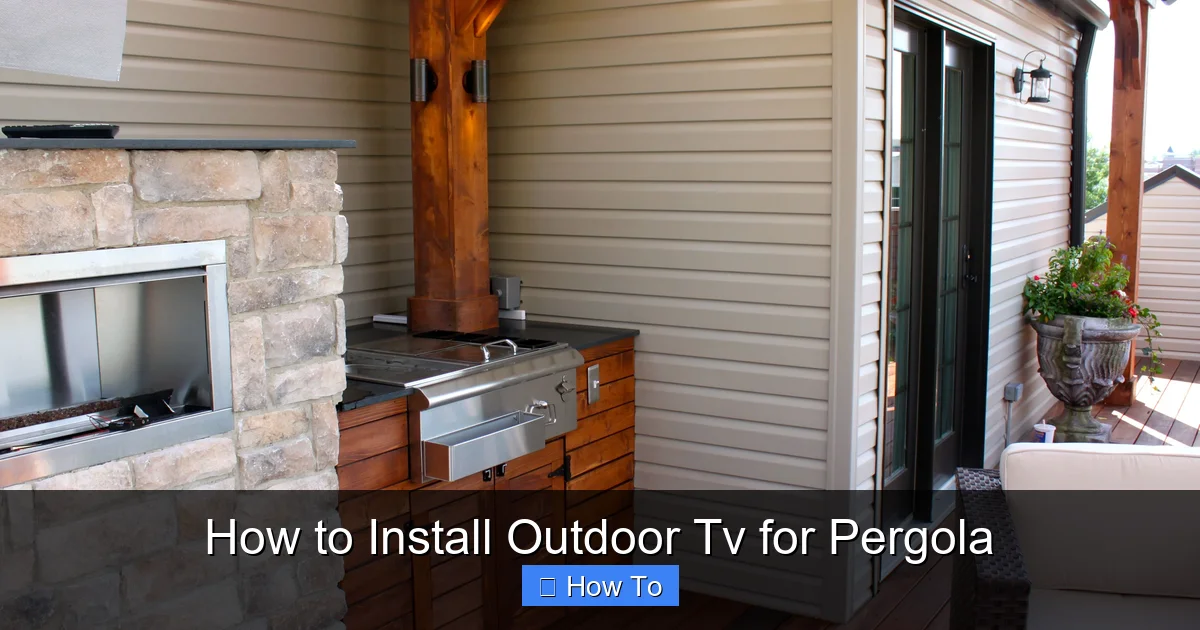
Visual guide about How to Install Outdoor Tv for Pergola
Image source: i.pinimg.com
The foundation of a successful outdoor TV installation is selecting the right television. Not all TVs are created equal—especially when it comes to outdoor use.
Indoor vs. Outdoor TVs: Know the Difference
Indoor TVs are designed for climate-controlled environments. They’re not built to handle moisture, extreme heat, or cold. Even if you install one under a pergola, condensation, rain splash, or high humidity can damage internal components, leading to foggy screens, corrosion, or complete failure.
Outdoor TVs, on the other hand, are specifically engineered for exterior use. They feature:
– Weatherproof casings (often IP54 or higher rated)
– Anti-glare, bright screens (500+ nits for daylight visibility)
– Temperature-regulated internal cooling and heating
– Sealed ports and connectors
– UV-resistant materials
Look for brands like SunBrite, Samsung Terrace, LG Outdoor, or Seura, which specialize in outdoor models.
Size and Placement Considerations
When choosing a TV size, consider viewing distance and pergola dimensions. A general rule: for every 1 inch of screen size, sit about 1.5 feet away. So a 55-inch TV is ideal for 7–8 feet away.
Also, think about where the TV will be mounted. Will it face a seating area? Is there direct sunlight during certain times of day? A larger screen may be harder to see in bright conditions unless it’s a high-brightness outdoor model.
Smart Features and Connectivity
Most outdoor TVs come with smart capabilities—Wi-Fi, apps like Netflix, YouTube, and voice control. Make sure your pergola area has a strong Wi-Fi signal. If not, consider a Wi-Fi extender or mesh network to boost coverage.
Also, check the number and type of ports: HDMI, USB, audio out, etc. You’ll need these for streaming devices, soundbars, or gaming consoles.
Step 2: Select the Right Mounting System
A sturdy, weather-resistant mount is just as important as the TV itself. A flimsy or indoor-rated mount can fail under wind, rain, or temperature changes.
Types of Outdoor TV Mounts
– Fixed mounts: Simple and secure, ideal if you don’t need to adjust the angle. Best for pergolas with a clear, unobstructed view.
– Tilt mounts: Allow you to angle the TV up or down for better viewing, especially if mounted high.
– Full-motion (articulating) mounts: Offer the most flexibility—swivel, tilt, and extend. Great if you want to watch from different areas (e.g., seating and dining zones).
For pergolas, a tilt or full-motion mount is often preferred, as it lets you adjust the screen to avoid glare or improve viewing angles.
Weatherproofing the Mount
Ensure the mount is rated for outdoor use. Look for powder-coated steel or aluminum with rust-resistant hardware. Stainless steel bolts and washers are a must.
Avoid plastic components—they can crack or degrade over time.
Weight and VESA Compatibility
Check your TV’s weight and VESA pattern (the spacing of the mounting holes on the back). The mount must support both. Most outdoor mounts list compatibility with common VESA sizes (e.g., 200×200, 400×400).
Overloading a mount can lead to sagging or failure—especially in windy conditions.
Step 3: Plan the Installation Location
Where you mount the TV affects everything—viewing comfort, cable routing, and protection from the elements.
Assess Pergola Structure
Your pergola must be strong enough to support the TV and mount. Wooden beams should be solid and securely anchored. If your pergola has lattice or thin slats, you may need to reinforce the mounting area with a backing board (like marine-grade plywood) attached to the main beams.
Avoid mounting directly to pergola slats—they’re not designed for heavy loads.
Consider Sun and Weather Exposure
Even with an outdoor TV, prolonged direct sunlight can cause overheating or screen damage. Ideally, mount the TV on a shaded side of the pergola—facing north in the Northern Hemisphere, for example.
If full shade isn’t possible, consider adding a retractable awning, shade sail, or pergola roof panels to reduce sun exposure.
Also, avoid areas where rain can splash upward or where snow might accumulate.
Viewing Height and Angle
Mount the TV at eye level when seated—typically 42 to 48 inches from the ground to the center of the screen. If mounted higher (e.g., on a tall pergola), use a tilt mount to angle the screen downward.
Avoid placing the TV too high, as it can cause neck strain.
Step 4: Run Power and Signal Cables Safely
This is where many DIYers run into trouble. Improper cable management can lead to electrical hazards, signal loss, or water damage.
Power Requirements
Outdoor TVs need a dedicated power source. Most draw 100–200 watts, similar to indoor models. However, you must use outdoor-rated electrical wiring and outlets.
Use a GFCI Outlet
Install a Ground Fault Circuit Interrupter (GFCI) outlet near the pergola. This protects against electrical shock in wet conditions. It should be within 6 feet of the TV for easy access.
If your pergola doesn’t have power, you’ll need to run a line from your home’s electrical panel. This is best done by a licensed electrician to ensure code compliance and safety.
Protect Cables with Conduit
Never run power or HDMI cables exposed along beams or posts. Use weatherproof electrical conduit (PVC or metal) to protect them from moisture, UV rays, and pests.
For HDMI and other signal cables, use outdoor-rated, shielded cables. Standard indoor HDMI cables degrade quickly outdoors.
Route cables through the conduit from the TV down to the outlet or junction box. Leave a little slack for adjustments.
Seal All Connections
Use silicone sealant or waterproof electrical tape to seal cable entry points into the TV, mount, and conduit. This prevents water from seeping in.
Consider using a weatherproof junction box for any splices or connections.
Step 5: Install the Mount and TV
Now it’s time to mount the hardware. Take your time—rushing can lead to mistakes.
Mark and Drill Pilot Holes
Hold the mount against the pergola beam where you want to install it. Use a level to ensure it’s straight. Mark the screw holes with a pencil.
Drill pilot holes slightly smaller than the mounting screws to prevent wood splitting.
Secure the Mount
Attach the mount using stainless steel lag bolts or structural screws. Use at least four bolts for stability. Tighten securely, but don’t over-torque—this can strip the wood.
If mounting to metal beams, use appropriate metal screws or welding (consult a professional).
Attach the TV to the Mount
Most mounts come with brackets that attach to the back of the TV. Secure these first, then lift the TV and hook it onto the wall plate.
Have a helper assist—TVs can be heavy and awkward to handle alone.
Double-check that all screws are tight and the TV is level.
Test the Mount’s Stability
Gently push on the TV to ensure it doesn’t wobble. If it does, recheck the mounting hardware and tighten as needed.
Step 6: Connect and Test the System
With the TV mounted, it’s time to connect everything and make sure it works.
Plug in Power and Devices
Connect the TV to the GFCI outlet. Plug in any streaming devices (e.g., Roku, Apple TV) or sound systems.
Use surge protectors rated for outdoor use to protect your electronics.
Test the Picture and Sound
Turn on the TV and check the picture quality. Adjust brightness and contrast if needed for outdoor viewing.
Test the sound—either through the TV speakers or an external soundbar. Outdoor audio often requires louder, weatherproof speakers.
Check Remote and Smart Features
Make sure the remote works from your seating area. If using voice control, test it in different conditions (e.g., with background noise).
Verify that Wi-Fi is strong and apps load quickly.
Step 7: Weatherproof and Secure the Setup
Even with an outdoor TV, extra protection goes a long way.
Use a Weatherproof Cover (Optional)
When not in use, consider a fitted outdoor TV cover to protect the screen from dust, pollen, and light rain. Choose one with UV protection and ventilation.
Inspect Seals and Cables Monthly
Check that all cable seals are intact, mounts are tight, and no corrosion is present. Clean the screen with a microfiber cloth and mild cleaner.
Winter Care
In cold climates, avoid turning on the TV if it’s been exposed to freezing temperatures. Let it warm up gradually. Some outdoor TVs have built-in heaters—check your model’s specs.
Troubleshooting Common Issues
Even with careful planning, problems can arise. Here’s how to fix the most common ones.
TV Won’t Turn On
– Check the GFCI outlet—press the reset button.
– Ensure the power cable is securely connected.
– Test the outlet with another device.
Poor Picture Quality
– Adjust brightness and contrast settings.
– Check HDMI cable connections—loose or damaged cables cause signal loss.
– Ensure the source device (e.g., streaming box) is working.
Remote Not Working
– Replace batteries.
– Check for obstructions between the remote and TV.
– Some outdoor TVs use RF remotes—ensure the receiver is unobstructed.
Overheating or Shutting Down
– Ensure the TV has proper ventilation—don’t block vents.
– Reduce screen brightness in direct sun.
– Check if the TV’s internal cooling fan is working.
Wi-Fi Signal Weak
– Move the router closer or install a Wi-Fi extender.
– Use a mesh network system for better coverage.
– Consider a wired Ethernet connection if possible (via outdoor-rated cable and conduit).
Conclusion
Installing an outdoor TV for your pergola is a rewarding project that enhances your outdoor living experience. By choosing the right weatherproof TV, using a sturdy mount, running cables safely, and protecting against the elements, you can enjoy high-quality entertainment rain or shine.
Remember: safety first. If you’re unsure about electrical work, hire a professional. And always follow manufacturer guidelines for your TV and mount.
With proper installation and maintenance, your outdoor TV will provide years of enjoyment—whether you’re watching the big game, streaming a movie, or simply enjoying the view.
Now go ahead—mount that TV, grab some popcorn, and make your pergola the ultimate outdoor hangout.

