
Installing an outdoor television in humid areas requires special care to protect your investment from moisture, mold, and corrosion. This guide walks you through choosing the right TV, weatherproofing, secure mounting, and long-term maintenance.
Key Takeaways
- Choose a weatherproof outdoor TV: Standard indoor TVs can fail quickly in humid environments. Opt for models rated for outdoor use with IP55 or higher protection.
- Use a sealed outdoor enclosure: If using an indoor TV, house it in a weatherproof, ventilated enclosure designed for high humidity and temperature swings.
- Mount in a covered, shaded area: Install under a roof, awning, or pergola to reduce direct exposure to rain, sun, and moisture buildup.
- Seal all cable connections: Use waterproof cable glands and silicone sealant to prevent moisture from entering through ports and conduits.
- Ensure proper ventilation and airflow: Avoid enclosed spaces without airflow to prevent condensation and overheating.
- Perform regular maintenance: Clean vents, check seals, and inspect for corrosion every few months to extend TV life.
- Use a surge protector and GFCI outlet: Protect electronics from power surges and electrical hazards common in damp outdoor settings.
How to Install Outdoor Television for Humid Areas
So you’ve decided to bring the living room experience outdoors—great choice! Whether you’re watching the big game by the pool, enjoying a movie night on the patio, or catching up on your favorite shows while grilling, an outdoor TV can transform your backyard into a true entertainment hub. But if you live in a humid climate—think coastal regions, the Southeast U.S., or tropical zones—installing an outdoor television comes with unique challenges. High humidity, salt air, rain, and temperature swings can wreak havoc on electronics not designed for the elements.
This comprehensive guide will walk you through every step of installing an outdoor television in humid areas. You’ll learn how to choose the right TV, pick the best location, mount it securely, protect it from moisture, and maintain it for years of reliable performance. By the end, you’ll have a weather-resistant setup that stands up to the challenges of your environment—without sacrificing picture quality or safety.
Let’s get started!
Why Humidity Matters for Outdoor TVs
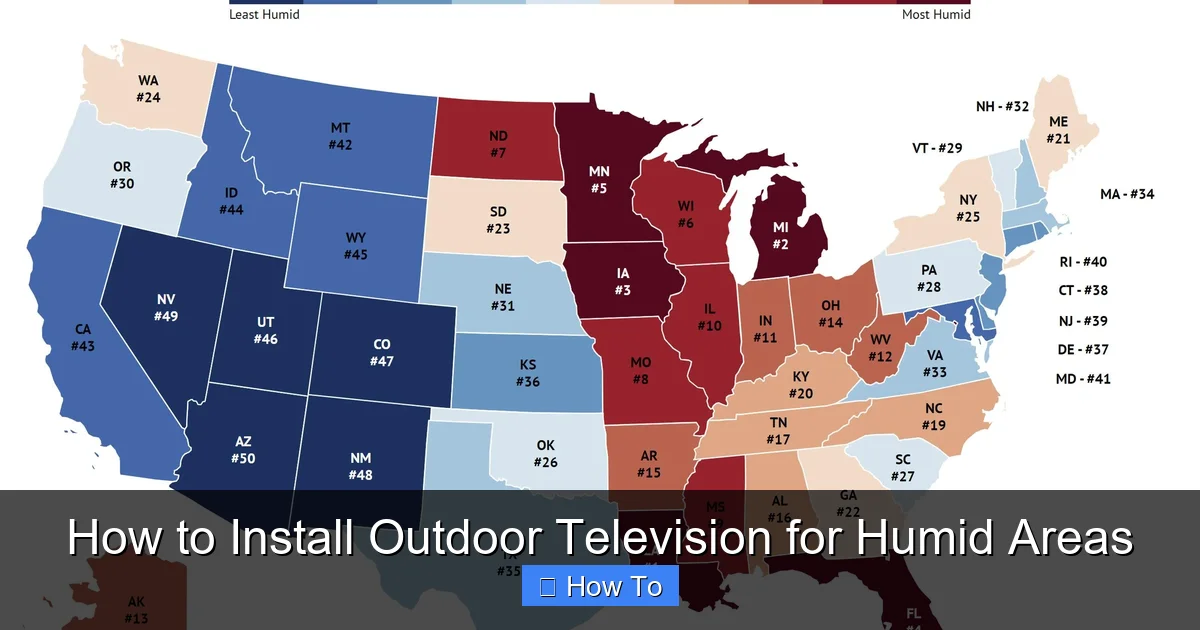
Visual guide about How to Install Outdoor Television for Humid Areas
Image source: homesnacks.com
Before diving into installation, it’s important to understand why humidity is such a big deal for outdoor electronics. Humidity refers to the amount of water vapor in the air. In humid climates, this moisture can condense on cold surfaces—like the inside of a TV or its cables—leading to short circuits, corrosion, and mold growth.
Even if it’s not raining, high humidity can cause:
– Condensation inside the TV or enclosure
– Corrosion of internal components and connectors
– Reduced lifespan of the display and circuitry
– Fogging on the screen
– Electrical shorts or power failures
Indoor TVs are not built to handle these conditions. They lack the sealed components, anti-corrosion coatings, and ventilation systems needed for outdoor use. That’s why using the right equipment and installation techniques is critical.
Step 1: Choose the Right Outdoor Television
The foundation of a successful outdoor TV setup in humid areas is selecting the right television. Not all outdoor TVs are created equal, and your choice will determine how well your system performs over time.
Option 1: True Outdoor TVs
These are purpose-built for outdoor use and come with features designed to withstand humidity, rain, dust, and temperature changes. Look for models with:
– IP55 or higher rating: This means the TV is protected against dust and low-pressure water jets from any direction.
– Anti-glare, high-brightness screens: Outdoor lighting can wash out images, so you need a screen that’s bright enough (at least 700 nits) to be visible in daylight.
– Wide operating temperature range: Choose a TV that works in temperatures from 32°F to 104°F (0°C to 40°C) or wider.
– Corrosion-resistant materials: Aluminum or powder-coated steel housings resist rust and degradation.
Popular brands include Samsung’s The Terrace, SunBriteTV, and Seura. These models are more expensive than indoor TVs but offer superior durability and peace of mind.
Option 2: Indoor TV in a Weatherproof Enclosure
If you already have a high-quality indoor TV or want to save money, you can use it outdoors—but only inside a certified outdoor enclosure. These enclosures are sealed, ventilated, and designed to protect your TV from moisture and heat.
When choosing an enclosure:
– Ensure it’s rated for your climate (look for humidity and temperature specs).
– Check for built-in fans or passive ventilation to prevent overheating.
– Make sure it has a clear, anti-reflective front panel that doesn’t distort the image.
– Confirm it’s compatible with your TV size and VESA mount pattern.
Brands like Peerless, VIVO, and Outdoor Theater Supply offer reliable options. Just remember: this setup requires more maintenance and may not last as long as a true outdoor TV.
Option 3: Commercial-Grade Outdoor Displays
For permanent installations in high-traffic areas (like pool decks or outdoor bars), consider commercial-grade displays. These are built for 24/7 operation and extreme conditions. They’re more expensive but offer the highest level of protection.
Step 2: Select the Best Location
Where you install your outdoor TV is just as important as the TV itself. The right location minimizes exposure to moisture, heat, and physical damage.
Avoid Direct Exposure to Rain and Sun
Even with a weatherproof TV, prolonged exposure to rain and UV rays can shorten its lifespan. Install your TV under a covered area such as:
– A roof overhang
– A pergola with a waterproof cover
– A screened porch or lanai
– A gazebo with side panels
Avoid mounting it in open areas where rain can blow in during storms.
Ensure Good Airflow
Humidity loves stagnant air. Without proper ventilation, moisture can build up around the TV, leading to condensation and mold. Avoid enclosed cabinets or tight spaces unless they have active ventilation (like fans or vents).
If using an enclosure, make sure it has:
– Intake and exhaust vents
– Mesh filters to keep out insects and debris
– A fan system (active or passive)
Consider Viewing Angle and Distance
Place the TV at a comfortable height and angle for your seating area. The center of the screen should be at or slightly below eye level when seated. For most outdoor setups, this is about 42 to 48 inches from the ground.
Also, consider the viewing distance. A 55-inch TV is ideal for 7 to 9 feet away, while a 65-inch TV works best at 8 to 10 feet.
Check for Electrical Access
You’ll need a nearby GFCI (Ground Fault Circuit Interrupter) outlet to power the TV and accessories. GFCI outlets are essential in outdoor areas because they shut off power if they detect a ground fault—critical for safety in damp environments.
If no outlet is nearby, hire a licensed electrician to install one. Never use extension cords permanently outdoors—they’re not rated for continuous outdoor use and can become a fire hazard.
Step 3: Choose the Right Mounting System
A sturdy, weather-resistant mount is essential for safety and performance. The mount must support the weight of your TV and withstand wind, vibration, and temperature changes.
Types of Outdoor TV Mounts
– Fixed Wall Mount: Keeps the TV flush against the wall. Best for permanent viewing angles and areas with little wind.
– Tilt Mount: Allows you to angle the TV up or down for better viewing. Good for mounting high on a wall.
– Full-Motion (Articulating) Mount: Lets you swivel, tilt, and extend the TV. Ideal for flexible seating arrangements but more complex to install.
For humid areas, choose mounts made from:
– Powder-coated aluminum or stainless steel (resists rust)
– With sealed bearings and corrosion-resistant hardware
Avoid cheap plastic or painted steel mounts—they’ll corrode quickly.
Mounting Surface Requirements
The wall or structure must be strong enough to hold the TV and mount. Ideal surfaces include:
– Concrete or masonry walls
– Wood-framed walls with solid backing (like plywood or studs)
– Steel beams or columns
Avoid mounting on:
– Vinyl or aluminum siding (not strong enough)
– Drywall alone (requires reinforcement)
– Fences or thin panels
Use a stud finder to locate wall studs. For concrete, use masonry anchors or expansion bolts. Always follow the manufacturer’s weight and installation guidelines.
Step 4: Install the TV and Mount
Now it’s time to put everything together. Follow these steps carefully to ensure a safe and secure installation.
Step 4.1: Prepare the Mounting Area
1. Turn off power to the outlet at the circuit breaker.
2. Clean the mounting surface and mark the drill points using the mount template.
3. Use a level to ensure the mount will be straight.
Step 4.2: Drill and Secure the Mount
1. Drill pilot holes using the correct bit for your wall type (masonry, wood, etc.).
2. Insert anchors if needed.
3. Attach the mount with stainless steel lag bolts or masonry screws.
4. Double-check that the mount is level and tightly secured.
Step 4.3: Attach the TV to the Mount
1. If using an enclosure, attach it to the mount first, then place the TV inside.
2. Secure the TV to the mount using the provided brackets and screws.
3. Ensure all connections are tight and the TV doesn’t wobble.
Step 4.4: Route and Protect Cables
Exposed cables are a major entry point for moisture. Follow these best practices:
– Use waterproof cable conduits or flexible PVC tubing to run wires from the TV to the outlet.
– Seal all entry points with silicone sealant or waterproof cable glands.
– Bundle cables neatly and secure them with zip ties or clips.
– Avoid sharp bends that can damage wires.
For power, HDMI, and antenna cables, use outdoor-rated versions. These have thicker insulation and UV protection.
Step 5: Protect Against Moisture and Humidity
Even with a weatherproof TV, extra protection is wise in humid climates. Here’s how to keep moisture at bay.
Use Silicone Sealant on All Openings
Apply a bead of outdoor-grade silicone sealant around:
– The edges of the TV bezel (if not fully sealed)
– Cable entry points
– Mounting bracket gaps
This creates a water-resistant barrier that prevents condensation from seeping in.
Install a Surge Protector
Power surges are common in outdoor areas due to lightning and grid fluctuations. Use a heavy-duty outdoor surge protector with:
– At least 2000 joules of protection
– Weatherproof casing
– Multiple outlets for TV, soundbar, and streaming devices
Plug it into the GFCI outlet, then connect your devices.
Consider a Dehumidifier or Ventilation Fan
In extremely humid areas, consider adding a small dehumidifier near the TV or installing a ventilation fan in the enclosure. This helps reduce internal moisture and prevents fogging.
Use a Weatherproof Cover When Not in Use
Even with a sealed TV, a cover adds an extra layer of protection. Choose a breathable, UV-resistant cover that fits snugly. Avoid plastic tarps—they trap moisture and cause condensation.
Step 6: Test and Calibrate the System
Once everything is installed, it’s time to test your setup.
Power On and Check Connections
1. Turn the power back on at the breaker.
2. Plug in the surge protector and TV.
3. Turn on the TV and check that all inputs (HDMI, antenna, etc.) work.
4. Test the remote control and any connected devices (soundbar, streaming stick).
Adjust Picture and Sound Settings
Outdoor lighting affects picture quality. Go into the TV settings and:
– Increase brightness and contrast
– Enable “Outdoor” or “Vivid” mode if available
– Adjust color temperature for natural tones
For sound, consider adding outdoor speakers or a weatherproof soundbar. Built-in TV speakers often sound weak in open spaces.
Check for Condensation or Overheating
After a few hours of use, inspect the TV and enclosure:
– Is there fogging on the screen?
– Are the vents hot to the touch?
– Do you hear unusual noises?
If yes, improve ventilation or reduce usage time until the issue is resolved.
Troubleshooting Common Issues
Even with careful planning, problems can arise. Here’s how to fix the most common ones.
Screen Fogs Up After Rain
This indicates moisture inside the TV or enclosure. Turn off the TV and let it dry completely. Check seals and cables for leaks. Improve ventilation or add a desiccant pack inside the enclosure.
TV Overheats and Shuts Off
Overheating is often due to poor airflow. Ensure vents are clear, fans are working, and the TV isn’t in direct sunlight. Avoid covering the TV with blankets or tarps while in use.
Remote Control Doesn’t Work
Outdoor interference or weak batteries can cause this. Replace batteries, ensure line of sight to the TV, or use an IR extender. Some outdoor TVs come with RF remotes that work through walls and obstacles.
Cables Get Wet or Corroded
Inspect cables regularly. Replace any that show signs of wear. Use dielectric grease on connectors to prevent corrosion.
Picture Looks Washed Out in Sunlight
Increase screen brightness in settings. If that’s not enough, consider installing a shade or awning above the TV to reduce glare.
Maintenance Tips for Long-Term Performance
To keep your outdoor TV running smoothly in humid conditions, follow a regular maintenance routine.
Monthly Checks
– Clean the screen with a microfiber cloth and screen-safe cleaner.
– Wipe down the enclosure and mount with a damp cloth.
– Inspect cables and seals for damage.
Seasonal Maintenance
– Check for corrosion on metal parts and connectors.
– Replace worn seals or gaskets.
– Test the surge protector and GFCI outlet.
After Heavy Rain or Storms
– Inspect for water intrusion.
– Dry any wet components thoroughly.
– Run the TV for a few minutes to evaporate residual moisture.
Conclusion
Installing an outdoor television in a humid area is totally doable—with the right preparation and equipment. By choosing a weatherproof TV or a sealed enclosure, mounting it in a protected location, and sealing all connections, you can enjoy outdoor entertainment without worrying about moisture damage.
Remember: humidity is a silent killer of electronics. But with proper installation, regular maintenance, and smart choices, your outdoor TV can deliver crystal-clear pictures and reliable performance for years to come.
So go ahead—fire up that grill, invite some friends, and enjoy your favorite shows under the stars. Your backyard oasis is ready.

