
Installing an outdoor television in your gazebo lets you enjoy movies, sports, and shows under the open sky. This guide walks you through choosing the right TV, mounting it securely, and protecting it from the elements—all while keeping your setup safe and stylish.
Key Takeaways
- Choose a true outdoor-rated TV: Regular indoor TVs can’t handle rain, humidity, or temperature swings. Look for models specifically designed for outdoor use with weatherproof casings and enhanced cooling.
- Pick the right mounting location: Your TV should be visible from seating areas, protected from direct sunlight and rain, and mounted on a stable surface like a gazebo post or wall.
- Use a weatherproof outdoor mount: Standard indoor mounts aren’t built for outdoor conditions. Invest in a mount rated for outdoor use with rust-resistant materials and secure locking features.
- Protect all electrical connections: Use outdoor-rated extension cords, surge protectors, and weatherproof outlet boxes. Never leave cords exposed to the elements.
- Plan for cable management: Hide and secure cables using conduit, cable raceways, or zip ties to prevent tripping hazards and water damage.
- Test and maintain regularly: After installation, test the TV and check connections monthly. Clean the screen and inspect seals to ensure long-term performance.
- Consider professional help if unsure: If you’re not confident with electrical work or mounting, hire a licensed electrician or AV installer to avoid safety risks.
How to Install Outdoor Television for Gazebo
Imagine sipping your morning coffee or hosting a backyard movie night with the stars above and your favorite show playing on a crisp, clear screen—right in your gazebo. Installing an outdoor television in your gazebo transforms your outdoor space into a true entertainment hub. But unlike setting up a TV indoors, outdoor installations come with unique challenges: weather, power, visibility, and safety.
This comprehensive guide will walk you through every step of installing an outdoor television in your gazebo—from choosing the right TV to mounting it securely and protecting it from the elements. Whether you’re a DIY enthusiast or just looking to understand the process before hiring a pro, this guide has you covered. By the end, you’ll know exactly how to install outdoor television for gazebo use safely, efficiently, and with lasting results.
Step 1: Choose the Right Outdoor Television
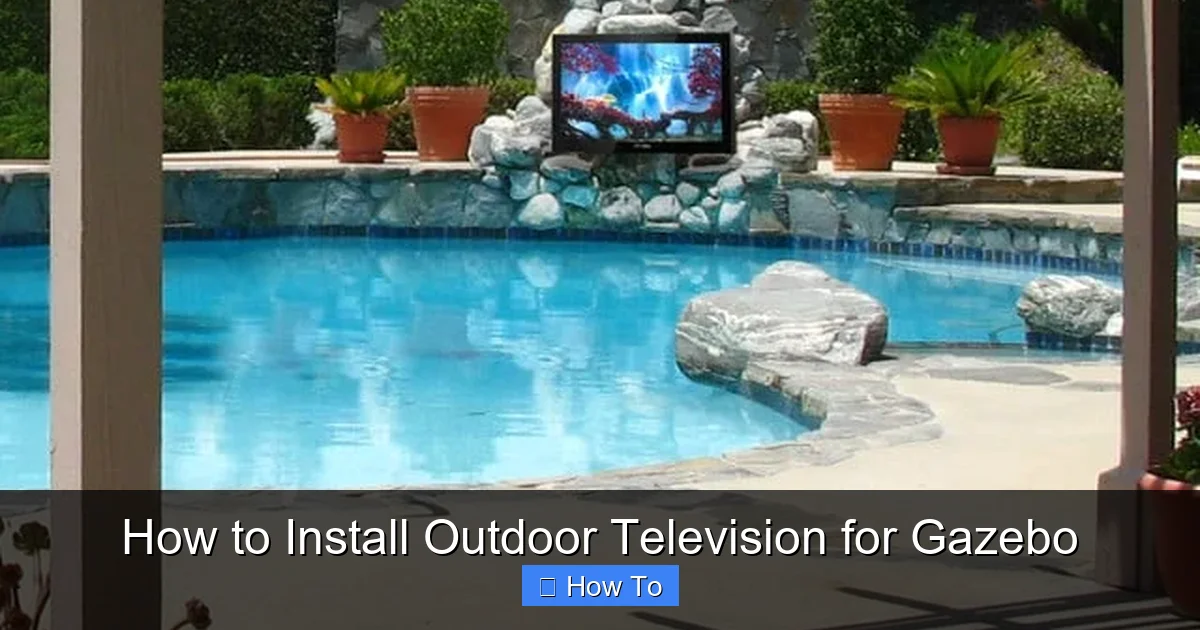
Visual guide about How to Install Outdoor Television for Gazebo
Image source: milaneseremodeling.com
Not all TVs are created equal—especially when it comes to outdoor use. A regular indoor TV might work temporarily in a covered gazebo, but it won’t survive long-term exposure to humidity, temperature changes, or even morning dew. That’s why your first step is selecting a television built for the outdoors.
Look for True Outdoor-Rated TVs
Outdoor TVs are specifically engineered to withstand environmental challenges. They come with sealed casings, anti-glare screens, and internal cooling systems to prevent overheating. Brands like SunBrite, Samsung Terrace, and Seura offer models designed for partial or full outdoor exposure.
When shopping, check the IP (Ingress Protection) rating. A rating of IP55 or higher means the TV is protected against dust and water jets—ideal for gazebo use. Avoid TVs labeled “weather-resistant” unless they’re explicitly rated for outdoor installation.
Consider Screen Size and Viewing Distance
Your gazebo’s size and seating layout will determine the ideal TV size. A general rule: for every 1.5 feet of viewing distance, use 1 inch of screen size. So if your seating is 8 feet away, a 55-inch TV is a great fit.
Also, consider brightness. Outdoor TVs typically have higher nit ratings (2,000+ nits) to combat glare from sunlight. Indoor TVs usually range from 300–500 nits—far too dim for daytime viewing under the open sky.
Decide Between Partial and Full Shade
Most gazebos offer partial shade, which is perfect for “partial sun” outdoor TVs. These models handle indirect sunlight and light rain. If your gazebo is fully covered and shielded from direct weather, a partial sun model will work well.
For fully exposed areas, opt for a “full sun” TV, which can handle direct sunlight and heavier rain. These are more expensive but offer maximum durability.
Step 2: Assess Your Gazebo’s Structure and Location
Before drilling any holes or running wires, take time to evaluate your gazebo’s layout, materials, and exposure.
Check for Stable Mounting Surfaces
Your TV needs a solid, level surface to mount on. Most gazebos have wooden posts, metal frames, or solid walls. Wooden posts are common and work well, but ensure they’re thick enough (at least 4×4 inches) and securely anchored.
Avoid mounting on thin lattice walls or flimsy panels—they won’t support the weight of a TV and mount. If your gazebo lacks a strong surface, consider adding a mounting bracket to a sturdy post or installing a freestanding TV stand designed for outdoor use.
Evaluate Sun and Weather Exposure
Observe your gazebo throughout the day. Note where sunlight hits, how much shade is available, and whether rain or wind could reach the TV. Even under a roof, wind-driven rain can damage electronics.
If your gazebo faces west, afternoon sun glare may be intense. Consider installing the TV on an east or north-facing wall for better visibility. You can also add an awning or retractable shade to reduce glare.
Plan for Seating and Viewing Angles
Position the TV so it’s visible from your primary seating area—whether that’s a lounge chair, dining table, or outdoor sofa. The center of the screen should be at or slightly below eye level when seated (around 42–48 inches from the ground).
Avoid placing the TV too high or at an extreme angle, which can cause neck strain. Use a mock-up (like a cardboard box) to test the viewing angle before mounting.
Step 3: Select the Right Outdoor TV Mount
A sturdy, weatherproof mount is just as important as the TV itself. Standard indoor mounts aren’t built to handle moisture, rust, or wind loads.
Choose an Outdoor-Rated Mount
Look for mounts labeled “outdoor use” or “weatherproof.” These are made from powder-coated aluminum or stainless steel to resist corrosion. Brands like Peerless, Sanus, and Vogel’s offer reliable outdoor mounts.
Check the weight and VESA compatibility. VESA refers to the bolt pattern on the back of your TV (e.g., 200×200, 400×400). Make sure your mount supports your TV’s size and weight.
Decide on Mount Type
There are three main types of outdoor mounts:
- Fixed Mount: Holds the TV flush against the wall. Best for permanent, straight-on viewing. Simple and secure.
- Tilt Mount: Allows you to angle the TV up or down. Useful if the TV is mounted higher than eye level.
- Full-Motion (Articulating) Mount: Lets you swivel and extend the TV. Great for flexible viewing angles but more complex to install and less stable in wind.
For most gazebos, a tilt or fixed mount is ideal. Full-motion mounts are fun but can catch wind and may loosen over time.
Ensure Proper Clearance
Leave at least 2–3 inches of space between the TV and the wall for airflow. Outdoor TVs generate heat and need ventilation to prevent overheating. Don’t block the vents on the back or sides.
Step 4: Prepare for Power and Connectivity
Powering your outdoor TV safely is critical. You’ll need a reliable electrical source, protected wiring, and weatherproof connections.
Locate a GFCI-Protected Outdoor Outlet
Your TV must be plugged into a Ground Fault Circuit Interrupter (GFCI) outlet. These outlets shut off power if they detect a fault, preventing electric shock—especially important in damp environments.
If your gazebo doesn’t have an outdoor outlet, hire a licensed electrician to install one. Never use indoor outlets or extension cords that run through windows or under doors.
Use Outdoor-Rated Extension Cords and Surge Protectors
If the outlet is far from the TV, use a heavy-duty, outdoor-rated extension cord rated for at least 15 amps. Look for cords labeled “SJTW” or “SJTOW” with a bright orange or yellow jacket.
Plug the TV and all devices into a weatherproof surge protector. Choose one with a built-in circuit breaker and a cover that seals when not in use.
Protect All Connections
Use outdoor electrical boxes or weatherproof outlet covers to shield plugs and adapters. Silicone sealant can help waterproof connections, but never rely on it alone—always use proper enclosures.
Step 5: Run and Manage Cables Safely
Exposed cables are not only unsightly—they’re a tripping hazard and vulnerable to water damage.
Use Conduit or Cable Raceways
Run power and HDMI cables through PVC conduit or outdoor cable raceways. These protect wires from moisture, UV rays, and physical damage. Paint the conduit to match your gazebo for a clean look.
For a cleaner installation, consider in-wall wiring if your gazebo has enclosed walls. This requires more work but hides cables completely.
Secure Cables with Zip Ties or Clips
Use UV-resistant zip ties or adhesive cable clips to bundle and secure loose wires along posts or beams. Avoid sharp bends in HDMI cables, which can damage internal wires.
Label Cables for Easy Maintenance
Use labels or colored tape to mark each cable (e.g., “Power,” “HDMI 1,” “Antenna”). This makes troubleshooting and upgrades much easier later.
Step 6: Mount the Television
Now it’s time to install the mount and hang the TV. Take your time—this step requires precision and safety.
Mark and Drill Mounting Holes
Hold the mount against the wall or post at the desired height. Use a level to ensure it’s straight. Mark the screw locations with a pencil.
Drill pilot holes slightly smaller than your screws to prevent splitting wood. For metal frames, use a metal drill bit.
Secure the Mount with Lag Bolts
Use stainless steel lag bolts (at least 3 inches long) to attach the mount. These provide strong hold and resist rust. Tighten with a socket wrench, but don’t over-tighten—this can strip the wood.
If mounting to a metal frame, use appropriate metal screws or bolts. For concrete or brick, use masonry anchors.
Attach the TV to the Mount
With a helper, lift the TV and hook it onto the mount. Double-check that all locking mechanisms are engaged. Give the TV a gentle tug to ensure it’s secure.
Step 7: Connect and Test the System
Once the TV is mounted, it’s time to connect your devices and test everything.
Connect Power and Devices
Plug in the TV and connect your streaming device (like Roku, Apple TV, or Fire Stick), soundbar, or antenna. Use high-speed HDMI cables rated for outdoor use if running long distances.
Test Picture and Sound
Turn on the TV and check for clear picture and sound. Adjust brightness and contrast settings for outdoor viewing. If using a soundbar, position it below or above the TV for optimal audio.
Check Signal Strength
If using an antenna, scan for channels and ensure strong reception. For streaming, test Wi-Fi signal strength. If weak, consider a Wi-Fi extender or mesh network designed for outdoor use.
Step 8: Weatherproof and Maintain Your Setup
Even with an outdoor-rated TV, regular maintenance ensures longevity.
Install a Weatherproof Cover (Optional)
When not in use, cover the TV with a breathable, waterproof cover. This protects against dust, pollen, and light rain. Avoid plastic covers that trap moisture.
Clean the Screen Regularly
Use a microfiber cloth and screen-safe cleaner to wipe the screen. Avoid harsh chemicals or paper towels, which can scratch the surface.
Inspect Monthly
Check mounts, cables, and seals every month. Look for rust, loose screws, or frayed wires. Tighten connections and replace damaged parts promptly.
Troubleshooting Common Issues
TV Won’t Turn On
Check the power source and GFCI outlet. Reset the outlet if it’s tripped. Ensure all cables are securely connected.
Weak or No Signal
Test your internet connection or antenna placement. Move the antenna higher or use a signal booster if needed.
Screen Glare or Poor Visibility
Adjust the TV angle or install a shade. Consider a TV with higher brightness or an anti-reflective screen.
Overheating
Ensure the TV has proper airflow. Don’t block vents. If overheating persists, check for direct sunlight exposure or internal fan issues.
Rust or Corrosion
Replace any rusted screws or mounts with stainless steel alternatives. Apply anti-corrosion spray to metal parts.
Conclusion
Installing an outdoor television in your gazebo is a rewarding project that enhances your outdoor living experience. By choosing the right TV, mounting it securely, and protecting it from the elements, you can enjoy your favorite shows and movies under the open sky for years to come.
Remember: safety comes first. Use outdoor-rated equipment, protect all electrical connections, and don’t hesitate to call a professional if you’re unsure about wiring or structural mounting. With the right preparation and care, your gazebo can become the ultimate outdoor entertainment destination.
So grab your tools, pick a sunny afternoon, and get ready to transform your gazebo into a cozy, high-tech retreat. Your future self—sipping lemonade and watching the big game outdoors—will thank you.

