
Transform your pergola into an outdoor entertainment hub by installing a garden TV safely and stylishly. This guide walks you through choosing the right TV, mounting it securely, managing cables, and ensuring weather protection—all while keeping your setup functional and visually appealing.
Key Takeaways
- Choose a weatherproof outdoor TV: Standard indoor TVs aren’t built for outdoor conditions. Opt for a model specifically designed for outdoor use or use a weatherproof enclosure.
- Plan your layout before drilling: Measure your pergola space, consider sun and rain exposure, and decide on TV placement for optimal viewing and protection.
- Use a sturdy, outdoor-rated mount: Ensure your mounting bracket is rated for outdoor use and can support your TV’s weight and size.
- Protect all electrical connections: Use waterproof conduit, outdoor-rated cables, and GFCI outlets to prevent electrical hazards.
- Manage cables neatly and safely: Hide wires in cable raceways or conduit to prevent tripping hazards and protect them from the elements.
- Test everything before finalizing: Power on the TV, check audio, test streaming, and ensure all connections are secure before sealing components.
- Maintain your setup regularly: Clean the screen, inspect seals, and check mounts seasonally to prolong your garden TV’s lifespan.
How to Install Garden TV for Pergola
Imagine sipping your morning coffee under the dappled shade of your pergola, watching the sunrise on a crisp flat-screen TV. Or hosting a summer barbecue where guests gather around a weatherproof display streaming the big game. Installing a garden TV for your pergola isn’t just about convenience—it’s about creating an immersive outdoor living experience.
But it’s not as simple as mounting a regular TV and calling it a day. Outdoor environments bring unique challenges: rain, humidity, temperature swings, dust, and UV exposure. That’s why a successful garden TV installation requires careful planning, the right equipment, and attention to safety.
In this comprehensive guide, you’ll learn how to install a garden TV for your pergola the right way. We’ll cover everything from selecting the perfect outdoor TV and choosing a secure mount to running power safely and hiding cables. Whether you’re a DIY enthusiast or working with a contractor, this step-by-step walkthrough will help you create a durable, functional, and stylish outdoor entertainment space.
Let’s get started.
Step 1: Assess Your Pergola and Viewing Area
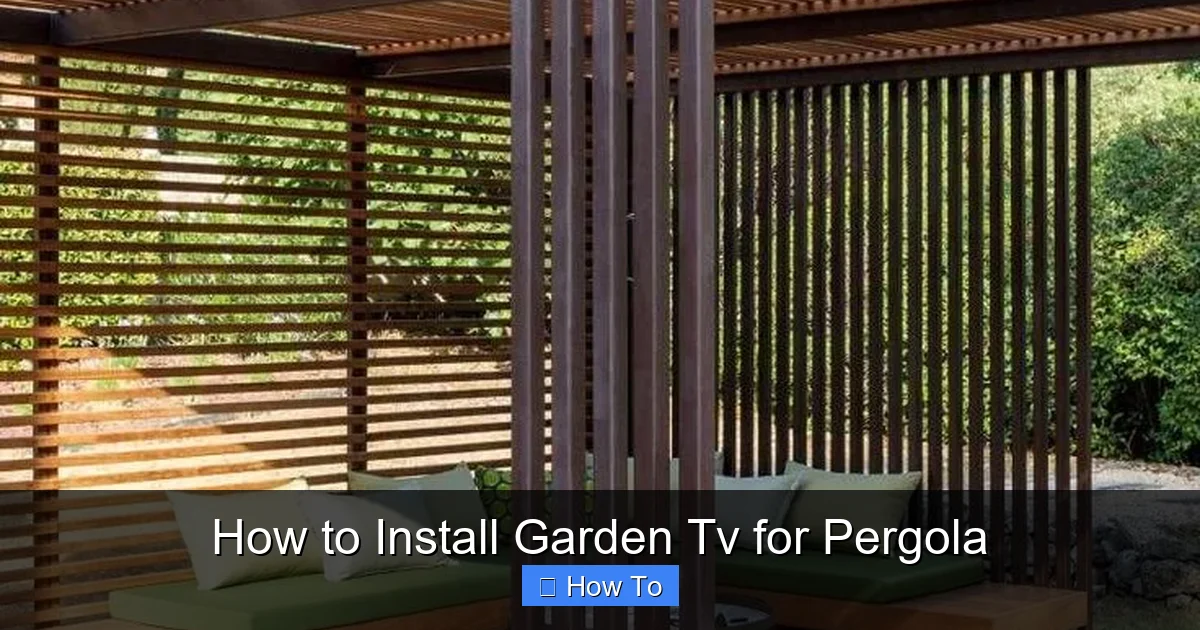
Visual guide about How to Install Garden Tv for Pergola
Image source: balconydecorators.com
Before you buy anything, take a close look at your pergola. This initial assessment will determine what kind of TV you can install, where it should go, and what challenges you might face.
Evaluate Structural Strength
Your pergola must be strong enough to support a TV, mount, and any additional equipment. Most pergolas are built with wooden beams or metal frames. Check that the beam or post you plan to mount the TV on is solid and securely anchored.
– If your pergola has thin or weathered wood, reinforce it with additional supports or consider mounting to a nearby wall instead.
– For metal pergolas, ensure the frame is rust-free and rated for outdoor load-bearing.
Determine Ideal Viewing Height and Angle
The TV should be at eye level when seated. For most people, this is between 42 and 48 inches from the floor to the center of the screen.
– Measure the height of your seating area (e.g., outdoor sofa or chairs).
– Account for the TV’s size—larger screens may need to be mounted slightly higher to avoid neck strain.
– Avoid placing the TV directly in the path of afternoon sun, which can cause glare.
Check for Weather Exposure
Even under a pergola, your TV will be exposed to the elements. Consider:
– Is the pergola covered? A solid roof offers better protection than an open lattice design.
– Does rain blow in during storms? If so, you’ll need extra shielding.
– Is there shade during peak sunlight hours? Direct sun can overheat indoor TVs and fade screens.
If your pergola is partially exposed, you’ll need a fully weatherproof TV or a protective enclosure.
Step 2: Choose the Right Garden TV
Not all TVs are created equal—especially when it comes to outdoor use. Here’s how to pick the best one for your pergola.
Outdoor vs. Indoor TVs
Standard indoor TVs are not designed for outdoor conditions. They lack weatherproofing, can overheat in direct sun, and may suffer from condensation.
Instead, consider these options:
– Outdoor-rated TVs: These are built with sealed casings, UV-resistant screens, and internal cooling systems. Brands like SunBrite, Samsung Terrace, and LG Outdoor are popular choices.
– Weatherproof enclosures: If you already have a high-quality indoor TV, you can protect it with a weatherproof outdoor TV enclosure. These are cost-effective but require proper ventilation.
Screen Size and Resolution
Choose a screen size based on viewing distance:
– For 6–8 feet: 40–50 inches
– For 8–10 feet: 50–65 inches
– For 10+ feet: 65+ inches
Opt for at least 4K resolution for crisp, clear images, especially in bright conditions.
Smart Features and Connectivity
Look for a TV with built-in Wi-Fi, streaming apps (like Netflix, YouTube, or Apple TV), and multiple HDMI ports. This reduces the need for external devices and simplifies setup.
Also, ensure it has audio outputs if you plan to connect external speakers.
Step 3: Select a Sturdy Outdoor TV Mount
A reliable mount is critical for safety and performance. Never use an indoor mount outdoors—it may rust or fail under weather stress.
Types of Outdoor Mounts
– Fixed mounts: Hold the TV flush against the wall or beam. Best for permanent setups with no need to adjust angle.
– Tilt mounts: Allow you to angle the TV up or down to reduce glare or improve viewing from different seating areas.
– Full-motion (articulating) mounts: Let you swivel and extend the TV. Great for flexible viewing but require stronger support.
Mounting Surface Considerations
– For wooden beams: Use lag bolts (not screws) to secure the mount. Pre-drill holes to prevent splitting.
– For metal frames: Use stainless steel bolts and rubber washers to prevent corrosion and vibration.
– Ensure the mount is rated for your TV’s weight and VESA pattern (the spacing of mounting holes on the back of the TV).
Weatherproofing the Mount
Even the best mount can corrode over time. Choose one with a powder-coated or galvanized finish. Apply a silicone sealant around bolt holes to prevent water intrusion.
Step 4: Plan Power and Cable Routing
Running power and cables safely is one of the most important—and often overlooked—steps in installing a garden TV.
Electrical Safety First
Outdoor electrical work must comply with local codes. Always use a licensed electrician if you’re not experienced.
Key safety tips:
– Use a GFCI (Ground Fault Circuit Interrupter) outlet. This shuts off power if it detects a fault, preventing shocks.
– Ensure all outlets are weatherproof and covered when not in use.
– Run power through outdoor-rated conduit to protect wires from moisture, pests, and physical damage.
Power Source Options
– Existing outdoor outlet: If you have one nearby, you’re in luck. Make sure it’s GFCI-protected.
– New circuit from indoor panel: This is the safest and most reliable option. An electrician can run a dedicated line to your pergola.
– Extension cords (not recommended):** Only use heavy-duty, outdoor-rated extension cords temporarily. Never bury them or run them under rugs.
Cable Management
Keep cables organized and protected:
– Use UV-resistant cable raceways or flexible conduit to bundle HDMI, power, and audio cables.
– Route cables along beams or under decking to keep them out of sight.
– Label each cable at both ends for easy troubleshooting.
Step 5: Install the TV Mount
Now it’s time to mount the bracket. Take your time—this step affects everything that follows.
Mark and Drill Pilot Holes
– Hold the mount against the beam or wall at your desired height.
– Use a level to ensure it’s straight.
– Mark the screw locations with a pencil.
– Drill pilot holes slightly smaller than your lag bolts to prevent wood splitting.
Secure the Mount
– Insert stainless steel lag bolts with washers.
– Tighten firmly with a wrench or drill, but don’t over-tighten—this can strip the wood.
Double-Check Stability
Give the mount a firm shake. It shouldn’t wobble. If it does, reinforce the beam or use a larger mount.
Step 6: Connect and Test Components
Before mounting the TV, connect all devices and test the system.
Attach Cables to the TV
– Plug in the power cable.
– Connect HDMI cables to your streaming device, game console, or cable box.
– If using external speakers, connect audio cables.
Power On and Test
– Turn on the TV and verify the picture and sound.
– Test each input (HDMI 1, HDMI 2, etc.).
– Check Wi-Fi connectivity and streaming apps.
– Adjust picture settings for outdoor viewing (e.g., increase brightness, enable anti-glare mode if available).
Secure Loose Cables
Use zip ties or adhesive cable clips to bundle and route cables neatly. Avoid sharp bends in HDMI cables, which can damage internal wires.
Step 7: Mount the TV
With everything tested, it’s time to hang the TV.
Attach Mounting Brackets to the TV
– Follow the manufacturer’s instructions to attach the VESA-compatible brackets to the back of the TV.
– Use the correct screws—too long and you could damage the TV; too short and it won’t hold.
Lift and Hang the TV
This is a two-person job. One person should hold the TV while the other aligns it with the wall mount.
– Carefully lift the TV and hook it onto the mount.
– Ensure it’s fully seated and locked in place (if using a locking mechanism).
Final Adjustments
– Tilt or swivel the TV for the best viewing angle.
– Recheck cable connections and ensure nothing is pinched.
Step 8: Weatherproof and Protect the Setup
Even with an outdoor TV, extra protection goes a long way.
Use a Weatherproof Cover (Optional)
If your TV isn’t fully sealed, consider a fitted outdoor TV cover. Use it during storms or winter months.
Install a Surge Protector
Power surges from lightning or grid fluctuations can damage electronics. Use an outdoor-rated surge protector with multiple outlets.
Create a Small Awning or Shield
If rain blows in, build a small overhang or install a clear polycarbonate shield above the TV. This deflects water without blocking the view.
Step 9: Add Audio and Streaming Devices
A great picture needs great sound.
Outdoor Speakers
– Mount weatherproof speakers on nearby posts or beams.
– Use Bluetooth speakers for wireless convenience (ensure they’re charged or hardwired).
– For a surround sound experience, consider a soundbar designed for outdoor use.
Streaming Devices
– Use a Roku, Apple TV, or Amazon Fire Stick for access to apps.
– Mount the device behind the TV or in a weatherproof box nearby.
– Ensure strong Wi-Fi signal—consider a Wi-Fi extender if needed.
Step 10: Final Touches and Maintenance
Your garden TV is now ready to enjoy—but don’t forget upkeep.
Seasonal Checks
– Inspect mounts and bolts for rust or loosening.
– Clean the screen with a microfiber cloth and mild cleaner.
– Check seals on enclosures or covers.
Cable and Connection Inspection
– Look for frayed wires or loose connections.
– Re-tighten cable ties and conduit fittings.
Software Updates
Keep your TV and streaming devices updated for security and performance.
Troubleshooting Common Issues
Even the best setups can run into problems. Here’s how to fix common issues:
TV Won’t Turn On
– Check the power source: Is the outlet working? Test with another device.
– Verify the GFCI hasn’t tripped. Reset it if needed.
– Ensure the surge protector is on and functional.
Poor Picture Quality
– Adjust brightness and contrast settings for outdoor use.
– Check HDMI connections—loose cables can cause signal loss.
– Move the TV away from direct sunlight if glare is an issue.
Wi-Fi Connectivity Problems
– Move the router closer or install a Wi-Fi extender.
– Use a wired Ethernet connection if possible (run through conduit).
– Restart the router and TV.
Audio Not Working
– Confirm the correct audio output is selected in TV settings.
– Check speaker connections and power.
– Test with headphones to isolate the issue.
Mount Feels Unstable
– Tighten all bolts and lag screws.
– Reinforce the beam with additional supports if necessary.
– Consider switching to a heavier-duty mount.
Conclusion
Installing a garden TV for your pergola is a rewarding project that enhances your outdoor living space. With the right TV, a sturdy mount, safe electrical setup, and proper cable management, you can enjoy movies, sports, and music under the open sky—rain or shine.
Remember, the key to success is planning. Assess your space, choose weather-appropriate gear, and prioritize safety at every step. Whether you’re watching a sunset documentary or the championship game, your garden TV will become the heart of your outdoor entertainment.
Take your time, follow this guide, and soon you’ll be relaxing in your pergola with your favorite show—no living room required.

