
This guide walks you through how to install a garden TV for a large patio, covering everything from choosing the right outdoor TV to mounting, wiring, and protecting it from the elements. You’ll create a durable, high-quality outdoor entertainment space that lasts for years.
Key Takeaways
- Choose a weatherproof outdoor TV: Standard indoor TVs can’t handle rain, humidity, or temperature swings—opt for a certified outdoor model.
- Plan your layout carefully: Consider viewing angles, seating distance, and sun exposure to maximize comfort and picture quality.
- Use proper mounting hardware: A sturdy, rust-resistant wall or ceiling mount is essential for safety and stability in outdoor conditions.
- Protect all cables and connections: Use weatherproof conduits and enclosures to prevent water damage and electrical hazards.
- Ensure reliable power and signal sources: Run dedicated outdoor-rated electrical wiring and use signal boosters if needed for strong reception.
- Test everything before finalizing: Power on the system, check audio/video quality, and adjust settings for optimal outdoor viewing.
- Maintain your setup regularly: Clean the screen, inspect seals, and check connections seasonally to extend the TV’s lifespan.
How to Install Garden TV for Large Patio
Imagine sipping your morning coffee or hosting a summer barbecue with your favorite show playing in the background—right on your large patio. A garden TV turns your outdoor space into a true extension of your living room, offering entertainment, relaxation, and ambiance. But installing a TV outdoors isn’t as simple as plugging in an indoor model and calling it a day. You need to consider weather resistance, power supply, mounting, cable management, and optimal viewing.
In this comprehensive guide, you’ll learn how to install a garden TV for a large patio the right way. Whether you’re setting up a 55-inch screen for movie nights or a 75-inch display for sports events, we’ll walk you through every step—from selecting the perfect TV to final testing and maintenance. By the end, you’ll have a safe, reliable, and stylish outdoor entertainment system that stands up to the elements and delivers a fantastic viewing experience.
Step 1: Choose the Right Outdoor TV
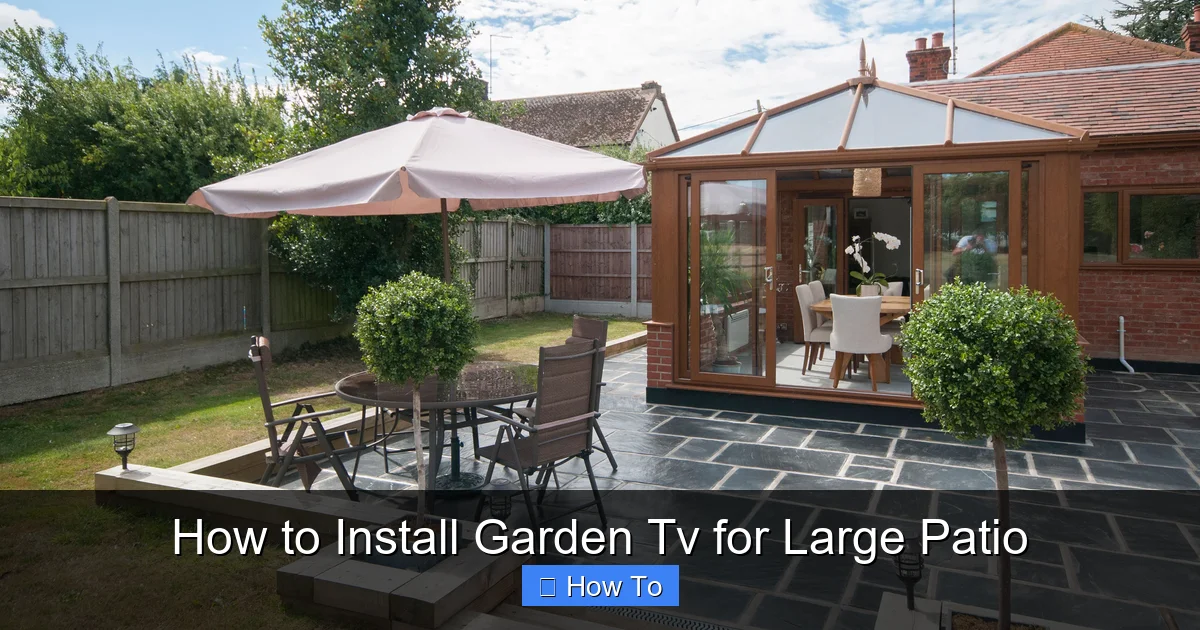
Visual guide about How to Install Garden Tv for Large Patio
Image source: cdn.mos.cms.futurecdn.net
The first and most critical step in installing a garden TV is selecting a television built for outdoor use. Standard indoor TVs are not designed to handle moisture, dust, extreme temperatures, or direct sunlight. Using one outside can lead to overheating, screen damage, or even electrical hazards.
Look for Outdoor-Specific Models
Outdoor TVs are engineered with weatherproof casings, anti-glare screens, and internal temperature control systems. Brands like SunBriteTV, Seura, and Skyvue specialize in outdoor displays that meet IP55 or higher ratings—meaning they’re protected against dust and water jets.
When shopping, check for:
– IP rating: IP55 or higher is ideal for patios.
– Temperature range: Should operate between -22°F and 122°F (-30°C to 50°C).
– Anti-reflective coating: Reduces glare from sunlight.
– Built-in cooling and heating: Prevents overheating in summer and freezing in winter.
Consider Size and Placement
For a large patio, a 55-inch to 75-inch screen is usually ideal. Measure your seating area and use this rule of thumb: the viewing distance should be 1.5 to 2.5 times the screen’s diagonal size. For example, a 65-inch TV is best viewed from 8 to 13 feet away.
Also, think about where the sun hits your patio. Avoid placing the TV where direct sunlight will wash out the picture. A shaded or covered area—like under a pergola or awning—is perfect.
Indoor TVs with Outdoor Enclosures?
Some homeowners consider using an indoor TV inside a weatherproof outdoor enclosure. While this can work, it’s not always recommended. Enclosures can trap heat, reduce sound quality, and may not offer the same level of protection as a dedicated outdoor TV. If you go this route, choose a high-quality enclosure with active ventilation and ensure the TV is never exposed to moisture.
Step 2: Plan Your Layout and Viewing Area
A successful garden TV setup starts with smart planning. You want your guests to enjoy the screen comfortably, whether they’re lounging on a sectional or seated at a dining table.
Determine the Best Location
Look for a spot that’s:
– Protected from rain and direct sun
– Centered for even viewing from multiple seating areas
– Close enough to power and signal sources
– Free from obstructions like trees or railings
If your patio has a wall, that’s often the best mounting surface. For open patios, consider a ceiling mount under a covered area or a freestanding outdoor TV stand.
Check for Power and Signal Access
You’ll need a reliable power source and a way to get TV signals (cable, satellite, or streaming). Measure the distance from your TV location to the nearest outdoor electrical outlet. If it’s more than 10–15 feet, you may need to install a new outlet or use a heavy-duty outdoor extension cord (though permanent wiring is safer).
For signal, decide how you’ll connect your TV:
– Streaming: Use Wi-Fi or a wired Ethernet connection.
– Cable/Satellite: Run a coaxial cable from your service box.
– Antenna: Install an outdoor digital antenna for over-the-air broadcasts.
If your Wi-Fi signal is weak in the patio area, consider installing a weatherproof Wi-Fi extender or mesh node.
Sketch a Simple Diagram
Draw a basic layout of your patio, marking:
– TV location
– Seating areas
– Power source
– Cable paths
– Shade structures
This helps visualize the setup and identify potential challenges before you start drilling.
Step 3: Select the Right Mounting Solution
Mounting your garden TV securely is crucial for safety and performance. A loose or poorly installed mount can lead to accidents, especially in windy conditions.
Choose a Weatherproof Mount
Use a mount specifically rated for outdoor use. Look for:
– Rust-resistant materials (powder-coated aluminum or stainless steel)
– VESA compatibility (matches your TV’s mounting pattern)
– Tilt or full-motion options for adjustable viewing
Popular brands include Sanus, Peerless, and Mounting Dream. For large patios, a full-motion articulating mount lets you angle the TV for different seating zones.
Wall vs. Ceiling vs. Freestanding Mounts
– Wall mounts: Most common and stable. Ideal if you have a sturdy wall or column.
– Ceiling mounts: Great for covered patios with beams or pergolas. Keeps the TV out of the way.
– Freestanding stands: Portable and easy to move, but less secure in high winds. Best for temporary setups.
Check the Structure
Before mounting, inspect the surface. Wood, concrete, and brick are strong enough, but stucco or thin siding may require reinforcement. Use a stud finder for walls, and anchor into solid material—never just drywall or veneer.
For concrete or brick, use masonry anchors and a hammer drill. For wood, lag bolts into studs provide the strongest hold.
Step 4: Run Power and Signal Cables Safely
Exposed wires are not only unsightly—they’re a tripping hazard and vulnerable to weather damage. Proper cable management is essential for a clean, safe installation.
Use Outdoor-Rated Cables
All cables running outdoors must be rated for exterior use:
– Power cords: Use SJTW or SJTOW rated cords with waterproof connectors.
– Coaxial cables: RG6 with UV-resistant jacket for satellite or antenna signals.
– HDMI/ Ethernet: Choose outdoor-rated, shielded cables with weatherproof connectors.
Avoid using indoor extension cords or splicing wires. Instead, run permanent wiring through conduits.
Install Conduit for Protection
PVC or metal conduit shields cables from rain, UV rays, and physical damage. Run conduit from your power source and signal box to the TV location. Use conduit bodies at corners for easy wire pulling.
For in-wall runs (e.g., through a house wall to the patio), drill a hole at a slight downward angle to prevent water from seeping in. Seal the entry point with silicone caulk.
Use Weatherproof Enclosures
All connections—like power outlets, HDMI couplers, and cable splitters—should be housed in weatherproof junction boxes. Look for NEMA 3R or 4X rated enclosures with rubber gaskets.
Install a GFCI (Ground Fault Circuit Interrupter) outlet near the TV to protect against electrical shocks. This is required by code for outdoor installations.
Label and Organize Cables
Use zip ties and labels to keep cables neat. Group power, signal, and data lines separately to reduce interference. Leave a little slack at the TV end for adjustments.
Step 5: Mount the TV
Now it’s time to securely attach your garden TV to the mount. Take your time—this step affects both safety and viewing quality.
Assemble the Mount
Follow the manufacturer’s instructions to assemble the mount. Attach the mounting plate to the back of the TV using the provided screws. Double-check that the VESA pattern matches.
Secure the Mount to the Wall or Ceiling
– Hold the mount in place and mark drill holes.
– Drill pilot holes and insert anchors if needed.
– Bolt the mount to the structure using a level to ensure it’s straight.
– Tighten all bolts securely—don’t overtighten, as this can strip threads.
Attach the TV
With a helper, lift the TV and hook it onto the mount. Lock it in place using the security screws or locking mechanism. Give it a gentle tug to confirm it’s secure.
Adjust the Angle
Tilt the screen slightly downward for optimal viewing from seated positions. Avoid pointing it directly at the sun to reduce glare.
Step 6: Connect and Test the System
Once the TV is mounted, it’s time to connect everything and power it on.
Connect Power and Signal
– Plug the TV into the GFCI outlet.
– Connect HDMI, coaxial, or Ethernet cables to your source devices (cable box, streaming stick, etc.).
– If using a soundbar or outdoor speakers, connect them now.
Power On and Configure
Turn on the TV and follow the on-screen setup. Connect to Wi-Fi, update firmware, and adjust picture settings. Outdoor TVs often have “outdoor mode” or “brightness boost” settings—enable these for better visibility in daylight.
Test Audio and Video
Play a variety of content—sports, movies, news—to check for:
– Clear picture with no flickering
– Strong signal (no pixelation or dropouts)
– Good audio quality
– Responsive remote control
If the signal is weak, consider adding a signal amplifier or repositioning your antenna.
Check Remote Range
Test the remote from different seating areas. If it doesn’t work reliably, consider using a Bluetooth or RF remote, or install an IR repeater system.
Step 7: Enhance Your Outdoor Entertainment Setup
Your garden TV is installed, but why stop there? A few upgrades can take your patio to the next level.
Add Outdoor Speakers
Built-in TV speakers often sound tinny outdoors. Install weatherproof speakers around the patio for rich, immersive sound. Use a Bluetooth receiver or wired connection to sync with your TV.
Install Smart Lighting
String lights, LED path lights, or smart bulbs create ambiance and improve safety. Choose dimmable, weather-resistant options that you can control via app or voice.
Include a Streaming Device
A Roku, Apple TV, or Amazon Fire Stick gives you access to Netflix, Hulu, Disney+, and more. Mount it behind the TV or in a weatherproof box.
Add a Soundbar or Subwoofer
For deeper bass and clearer dialogue, consider an outdoor soundbar. Some models are designed to mount directly below the TV.
Troubleshooting Common Issues
Even with careful planning, problems can arise. Here’s how to fix the most common issues.
TV Won’t Turn On
– Check the GFCI outlet—press the reset button.
– Ensure all cables are securely connected.
– Test the power cord with another device.
Poor Picture Quality
– Adjust brightness and contrast settings.
– Clean the screen with a microfiber cloth.
– Reposition the TV to reduce glare.
Weak Wi-Fi Signal
– Move your router closer or add a mesh extender.
– Use a wired Ethernet connection if possible.
– Switch to a less congested Wi-Fi channel.
Remote Not Working
– Replace the batteries.
– Ensure there’s a clear line of sight to the TV.
– Use an IR extender if the TV is under a cover.
Water in Conduit or Enclosure
– Drain the water immediately.
– Check seals and reapply silicone if needed.
– Ensure all connections are tight and gaskets are intact.
Maintenance Tips for Long-Term Use
To keep your garden TV in top condition, perform regular maintenance.
Clean the Screen Monthly
Use a soft, dry microfiber cloth. For smudges, lightly dampen the cloth with water—never spray liquid directly on the screen.
Inspect Seals and Enclosures
Check weatherproof boxes and conduit seals every season. Replace any cracked or worn gaskets.
Check Mounting Hardware
Tighten bolts and screws annually, especially after winter. Look for signs of rust or loosening.
Protect During Extreme Weather
In areas with heavy snow or storms, consider using a weatherproof TV cover when not in use. Avoid operating the TV in freezing rain or hail.
Update Software
Keep your TV and streaming devices updated for security and performance improvements.
Conclusion
Installing a garden TV for a large patio is a rewarding project that transforms your outdoor space into a true entertainment hub. By choosing a weatherproof TV, planning your layout, using proper mounting and wiring techniques, and maintaining the system, you’ll enjoy years of reliable performance.
Remember, safety and durability come first. Don’t cut corners on weatherproofing or electrical work. When in doubt, consult a licensed electrician or professional installer.
With your new garden TV, you’ll be ready for movie nights, game days, and relaxing evenings under the stars—all from the comfort of your patio. So grab some popcorn, invite your friends, and enjoy the show.

