
Transform your gazebo into an outdoor entertainment hub with a garden TV. This guide walks you through choosing the right TV, mounting it securely, running cables safely, and protecting it from weather—so you can enjoy movies, sports, or music under the stars.
Key Takeaways
- Choose a weatherproof outdoor TV: Standard indoor TVs aren’t built for outdoor conditions. Opt for a model specifically designed for outdoor use with an IP rating of at least IP54.
- Pick the right location in your gazebo: Avoid direct sunlight and ensure the TV is visible from seating areas. Consider roof overhangs or add a shade solution to reduce glare.
- Use a proper outdoor-rated mount: A full-motion or tilt mount gives flexibility, but make sure it’s rated for outdoor use and can support your TV’s weight.
- Run cables safely and discreetly: Use conduit or cable raceways to protect wires from moisture, pests, and UV damage. Bury underground cables at least 18 inches deep if running to a power source.
- Protect against power surges and weather: Install a weatherproof outlet with GFCI protection and use a surge protector designed for outdoor electronics.
- Test everything before finalizing: Power on the TV, check audio, and ensure all connections are secure before sealing cables or mounting permanently.
- Maintain your setup regularly: Clean the screen, check seals, and inspect cables seasonally to ensure long-term performance.
How to Install Garden TV for Gazebo: A Complete Step-by-Step Guide
Imagine relaxing in your backyard gazebo on a warm summer evening, watching your favorite movie or the big game on a crisp, clear screen. With the right setup, your outdoor space can become the ultimate entertainment zone. Installing a garden TV for your gazebo isn’t just about mounting a screen—it’s about creating a safe, durable, and enjoyable outdoor viewing experience.
In this comprehensive guide, you’ll learn everything you need to know to install a garden TV in your gazebo. We’ll cover choosing the right TV, selecting the perfect spot, mounting it securely, running cables safely, protecting against the elements, and maintaining your setup. Whether you’re a DIY enthusiast or working with a professional, this guide will help you do it right the first time.
Let’s get started.
Step 1: Choose the Right Garden TV
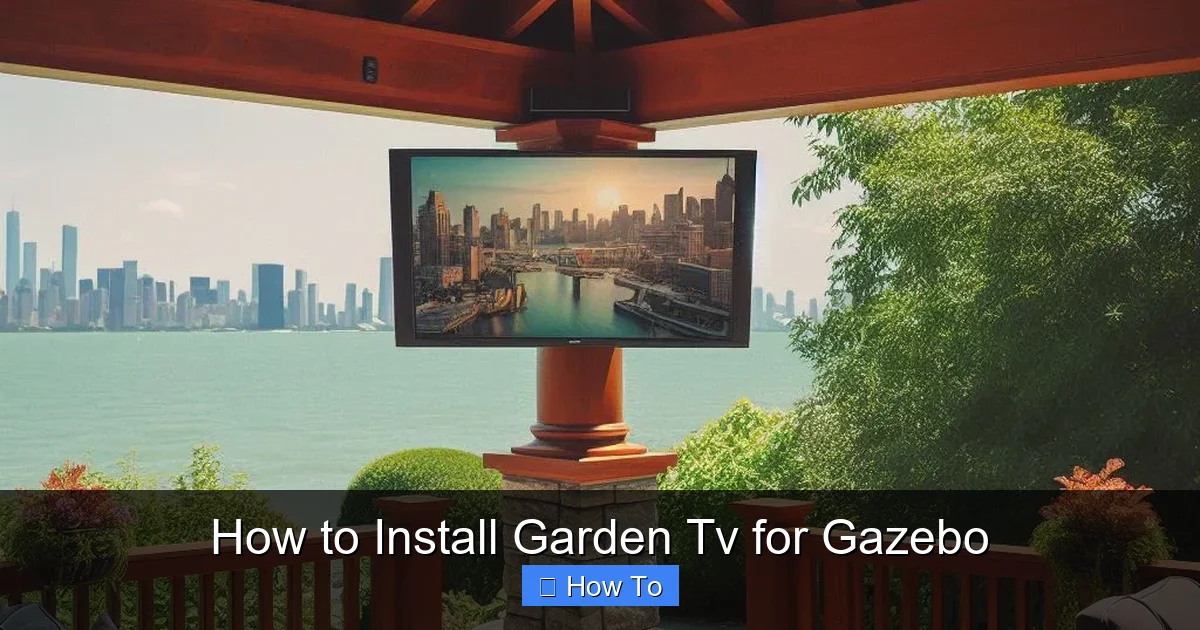
Visual guide about How to Install Garden Tv for Gazebo
Image source: zebozap.com
Not all TVs are created equal—especially when it comes to outdoor use. An indoor TV might work temporarily, but it won’t last long exposed to humidity, temperature swings, dust, and UV rays. That’s why your first step is selecting a TV specifically designed for outdoor environments.
Look for an Outdoor-Rated TV
Outdoor TVs are built with weather-resistant materials and sealed components to prevent moisture and dust from damaging internal electronics. These models typically have an IP (Ingress Protection) rating. For garden use, aim for at least IP54, which means the TV is protected against splashing water and dust.
Popular brands like SunBriteTV, Seura, and Avid Power offer high-quality outdoor models. These TVs often come with anti-glare screens, brighter displays (measured in nits), and built-in heaters or cooling systems to handle extreme temperatures.
Consider Screen Size and Resolution
Choose a screen size based on your gazebo’s dimensions and viewing distance. For most backyard setups, a 43-inch to 65-inch TV works well. If your gazebo is small or seating is close, a 43-inch or 50-inch model is ideal. For larger spaces or group viewing, go up to 65 inches.
Resolution matters too. A 4K Ultra HD display delivers sharp, vibrant images—perfect for movies and sports. Make sure your TV supports HDR (High Dynamic Range) for better contrast and color.
Decide Between Partial and Full Outdoor Use
Some outdoor TVs are rated for “partial outdoor” use—meaning they can handle covered areas like gazebos with roofs. Others are “full outdoor” models built for open-air exposure. Since your gazebo likely has a roof, a partial outdoor TV is usually sufficient. However, if your gazebo is open-sided or exposed to rain, consider a full outdoor model.
Step 2: Select the Ideal Location in Your Gazebo
Where you place your TV can make or break the viewing experience. The goal is to find a spot that’s visible, protected, and convenient for wiring.
Avoid Direct Sunlight
Sunlight can cause glare and overheating, even on bright outdoor TVs. Try to mount the TV on a wall or post that faces north or east, avoiding direct afternoon sun. If that’s not possible, consider adding a shade canopy or awning above the TV.
Ensure Clear Viewing Angles
Position the TV so it’s visible from your main seating area. The center of the screen should be at or slightly below eye level when seated—typically around 42 to 48 inches from the ground. Avoid placing it too high, which can strain necks during long viewing sessions.
Check for Obstructions
Make sure trees, railings, or roof beams won’t block the view. Also, consider how people will move around the gazebo—don’t place the TV where it could be bumped or damaged.
Think About Audio
If you’re using external speakers, plan their placement too. Wall-mounted or weatherproof outdoor speakers can be installed nearby, or you can use a soundbar designed for outdoor use.
Step 3: Choose the Right Mounting Hardware
A sturdy, weatherproof mount is essential for safety and performance. Don’t use an indoor TV mount—it won’t hold up outdoors.
Select an Outdoor-Rated TV Mount
Look for a mount labeled “outdoor use” or “weatherproof.” These are made from rust-resistant materials like powder-coated steel or aluminum. They also include sealed bolts and gaskets to prevent water intrusion.
Choose the Right Type of Mount
There are three main types:
- Fixed Mount: Keeps the TV flush against the wall. Best for permanent, straight-on viewing.
- Tilt Mount: Allows you to angle the TV up or down. Great for reducing glare from overhead sun.
- Full-Motion (Articulating) Mount: Lets you swivel and extend the TV. Ideal if you want to adjust the angle based on seating or sunlight.
For most gazebos, a tilt or full-motion mount offers the most flexibility.
Check Weight and VESA Compatibility
Make sure the mount can support your TV’s weight and matches its VESA pattern (the spacing of the mounting holes on the back). Most outdoor mounts list compatible sizes—double-check before buying.
Step 4: Prepare the Gazebo Structure
Before mounting, ensure your gazebo can support the TV and mount. Most gazebos have wooden posts or walls, but not all are built to hold heavy loads.
Inspect the Mounting Surface
Check the wall or post where you plan to install the TV. It should be solid, level, and free of rot or damage. If mounting to wood, ensure it’s at least 2 inches thick and securely attached to the gazebo frame.
Reinforce if Necessary
If the surface feels weak, reinforce it with a backing board. Use a piece of plywood (at least ¾ inch thick) screwed into the gazebo’s frame. This spreads the weight and prevents the mount from pulling out.
Use the Right Fasteners
Don’t use standard screws. Opt for stainless steel or galvanized lag bolts that resist rust. For wooden posts, use at least 3-inch bolts spaced according to the mount’s instructions.
Step 5: Run Power and Signal Cables Safely
This is one of the most critical steps. Improper wiring can lead to electrical hazards, signal loss, or damage from weather.
Plan Your Cable Route
Map out the path from your TV to the power source and any external devices (like a streaming box or antenna). Keep cables as short as possible to reduce signal loss and clutter.
Use Outdoor-Rated Cables
Standard indoor cables aren’t designed for outdoor conditions. Use:
- Outdoor-rated power cords (look for “SJTW” or “SJTOW” labels)
- Weatherproof HDMI cables (rated for direct burial or outdoor use)
- Coaxial cables with UV-resistant jackets for antennas
Protect Cables with Conduit
Run all cables through PVC or flexible metal conduit. This shields them from moisture, rodents, and physical damage. Use conduit fittings with rubber gaskets to seal entry points.
Bury Underground Cables (If Needed)
If running power from your house to the gazebo, bury the cable at least 18 inches deep. Use UF (Underground Feeder) cable or run NM cable through conduit. Check local electrical codes—you may need a permit.
Install a Weatherproof Outlet
Use a GFCI (Ground Fault Circuit Interrupter) outlet in a weatherproof enclosure. This protects against electrical shocks and trips if water enters the system. Mount the outlet near the TV or along the cable route.
Use a Surge Protector
Outdoor electronics are vulnerable to power surges from lightning or grid fluctuations. Plug your TV and devices into a heavy-duty outdoor surge protector with a high joule rating (at least 2000 joules).
Step 6: Mount the TV
Now it’s time to install the mount and hang the TV. Take your time—this step requires precision and safety.
Mark and Drill Pilot Holes
Hold the mount against the wall or post and use a level to ensure it’s straight. Mark the screw locations with a pencil. Drill pilot holes slightly smaller than your lag bolts to prevent splitting the wood.
Secure the Mount
Attach the mount using stainless steel lag bolts and a socket wrench. Tighten firmly, but don’t over-torque—this can strip the wood.
Attach the TV to the Mount
Most mounts come with brackets that attach to the back of the TV. Secure these first, then lift the TV and hook it onto the wall plate. Double-check that it’s locked in place.
Adjust the Angle
If using a tilt or full-motion mount, adjust the TV to your preferred viewing angle. Tighten any locking screws to hold it in place.
Step 7: Connect and Test the System
With the TV mounted, it’s time to connect everything and make sure it works.
Connect Power and Devices
Plug the TV into the surge protector, then into the GFCI outlet. Connect HDMI cables to your streaming device, cable box, or antenna. Use cable clips to secure wires along the mount or wall.
Power On and Test
Turn on the TV and check the picture quality. Adjust brightness and contrast if needed. Test audio through built-in speakers or external ones.
Check Signal Strength
If using an antenna, scan for channels. For streaming, connect to Wi-Fi and test a few apps. Make sure the signal is strong and stable.
Seal All Connections
Use weatherproof tape or silicone sealant around cable entry points and outlet covers to prevent water ingress.
Step 8: Add Finishing Touches
Make your setup look clean and professional.
Hide Cables
Use cable raceways, paintable cord covers, or run wires through the gazebo’s structure to keep them out of sight.
Add Lighting (Optional)
Install soft LED strip lights around the TV or seating area for ambiance. Choose warm white lights to avoid washing out the screen.
Create a Viewing Zone
Arrange outdoor furniture for comfortable viewing. Add cushions, blankets, and maybe a small side table for snacks and drinks.
Troubleshooting Common Issues
Even with careful planning, problems can arise. Here’s how to fix the most common ones.
TV Won’t Turn On
Check the power source. Is the GFCI outlet tripped? Reset it. Make sure all cables are securely connected. Test the surge protector with another device.
Poor Picture Quality
Adjust the TV’s brightness and contrast settings. If using an antenna, reposition it for better signal. For streaming, check your internet speed—outdoor Wi-Fi extenders can help.
Audio Issues
Ensure volume is up and mute is off. If using external speakers, check connections and power. Try a different audio source to isolate the problem.
Overheating or Shutdowns
Outdoor TVs can overheat in direct sun. Ensure the TV has proper ventilation and isn’t blocked by nearby objects. Consider adding a shade or fan.
Water Damage
If you notice condensation or corrosion, power off the TV immediately. Check all seals and conduit fittings. Replace damaged cables and reseal entry points.
Maintenance Tips for Long-Term Use
To keep your garden TV in top condition, follow these maintenance steps:
- Clean the screen monthly with a microfiber cloth and screen-safe cleaner. Avoid harsh chemicals.
- Inspect cables and seals every season. Look for cracks, fraying, or loose connections.
- Check the mount for rust or looseness. Tighten bolts if needed.
- Cover the TV during off-seasons if you live in an area with harsh winters. Use a breathable, waterproof cover.
- Update firmware regularly to ensure optimal performance and security.
Conclusion
Installing a garden TV for your gazebo is a rewarding project that enhances your outdoor living space. By choosing the right TV, mounting it securely, running cables safely, and protecting against the elements, you can enjoy high-quality entertainment under the open sky.
Remember, safety and durability are key. Don’t cut corners on weatherproofing or electrical work. When in doubt, consult a licensed electrician or professional installer.
With your new garden TV setup, you’ll be ready for movie nights, game days, and relaxing evenings in your backyard oasis. So grab some popcorn, invite your friends, and enjoy the show—right in your gazebo.

