
Transform your small patio into an outdoor entertainment hub with a backyard TV. This guide walks you through choosing the right TV, mounting it securely, managing cables, and optimizing your setup for weather and viewing comfort—all in simple, actionable steps.
Key Takeaways
- Choose an outdoor-rated or weather-resistant TV: Regular indoor TVs aren’t built to withstand humidity, rain, or temperature swings. Opt for models labeled “outdoor,” “weatherproof,” or at minimum, use a high-quality outdoor TV cover.
- Mount your TV at the right height and angle: For a small patio, eye level when seated should be between 42–48 inches from the ground. Tilt the screen slightly downward to reduce glare and improve viewing.
- Use weatherproof mounting hardware and enclosures: Standard indoor mounts can rust or fail outdoors. Invest in stainless steel or powder-coated outdoor mounts and consider a protective enclosure for extra safety.
- Plan your cable management carefully: Run power and HDMI cables through waterproof conduits or use in-wall rated cables if drilling into your house. Keep connections elevated and sealed with silicone or outdoor-rated tape.
- Control glare and ambient light: Position your TV away from direct sunlight and use outdoor curtains, pergolas, or anti-glare screens to enhance picture quality during daytime viewing.
- Ensure reliable power and signal sources: Use GFCI outlets for safety and consider wireless streaming devices like Apple TV or Roku to minimize wired connections.
- Test and maintain your setup regularly: Check seals, clean the screen, and inspect cables seasonally to prevent moisture damage and ensure long-term performance.
How to Install Backyard TV for Small Patio
Imagine sipping your morning coffee or hosting friends for a summer barbecue—all while enjoying your favorite show under the open sky. Installing a backyard TV on your small patio isn’t just a luxury; it’s a practical upgrade that turns your outdoor space into a true extension of your living room. Whether you’re streaming the big game, hosting a movie night, or just unwinding after a long day, a backyard TV adds comfort, convenience, and a touch of modern flair.
In this comprehensive guide, you’ll learn exactly how to install a backyard TV for a small patio—from selecting the right television and mounting hardware to managing cables, reducing glare, and ensuring your setup lasts through the seasons. We’ll keep things simple, safe, and stylish, so even if you’re not a DIY expert, you can tackle this project with confidence. By the end, you’ll have a weather-smart, viewer-friendly outdoor entertainment system that fits perfectly in your compact space.
Step 1: Assess Your Patio and Viewing Needs
Before buying anything, take a good look at your patio. Small patios have unique challenges—limited space, exposure to the elements, and potential glare from sunlight. Start by answering these key questions:
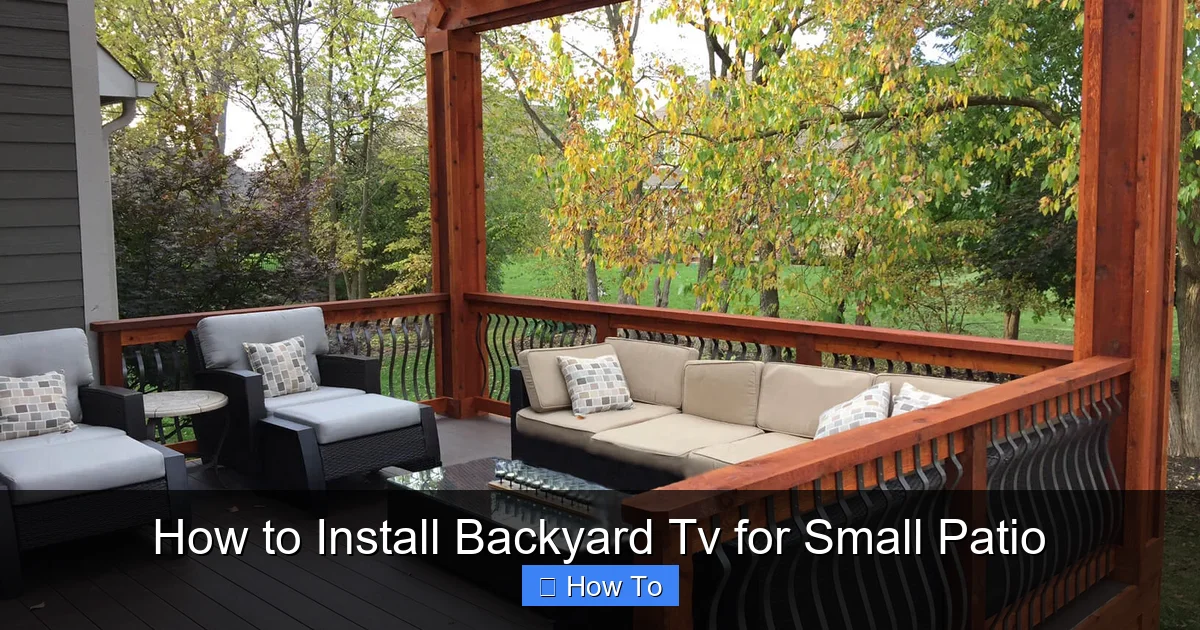
Visual guide about How to Install Backyard Tv for Small Patio
Image source: aspenoutdoordesigns.com
- Where will people typically sit or gather?
- What’s the distance from seating to the TV wall?
- Is the area covered (like under a pergola or awning), or fully exposed?
- How much direct sunlight hits the space throughout the day?
For most small patios, the ideal viewing distance is between 6 and 10 feet. At this range, a 43- to 55-inch TV provides a comfortable, immersive experience without overwhelming the space. If your patio is especially compact (under 8 feet wide), consider a 40- or 43-inch model to avoid visual clutter.
Also, think about usage. Will you watch mostly at night? Then glare may be less of an issue. But if you plan daytime viewing, you’ll need to prioritize brightness and anti-glare features. And if your patio is uncovered, weather protection becomes non-negotiable.
Pro Tip: Sketch a Simple Layout
Grab a notebook or use a free app like SketchUp Free to sketch your patio. Mark seating areas, power outlets, and potential TV locations. This helps visualize cable routes and ensures your TV won’t block walkways or doors.
Step 2: Choose the Right TV for Outdoor Use
Not all TVs are created equal—especially when it comes to outdoor use. While you can use an indoor TV outside with proper protection, it’s smarter and safer to choose a model designed for outdoor conditions.
Option 1: Fully Outdoor-Rated TVs
These are built from the ground up for patios, decks, and backyards. Brands like Samsung, SunBrite, and Seura offer models with sealed casings, corrosion-resistant components, and enhanced brightness (measured in nits). Look for TVs with at least 700 nits of brightness—ideal for daylight viewing.
Outdoor TVs often come with built-in heaters and coolers to regulate internal temperature, preventing damage from extreme heat or cold. They’re also designed to resist dust, moisture, and UV rays. While more expensive (typically $1,500–$4,000), they offer the best longevity and performance.
Option 2: Indoor TV + Outdoor Enclosure
If budget is a concern, you can use a high-quality indoor TV inside a weatherproof outdoor TV enclosure. These protective cases, like those from Peerless or Outdoor TV Enclosures, seal your TV in a climate-controlled chamber with a transparent front panel.
This option is more affordable (enclosures start around $300), but requires more maintenance. You’ll need to ensure proper ventilation, avoid overheating, and replace filters periodically. Also, sound quality may suffer since the enclosure muffles speakers—so consider external outdoor speakers.
Option 3: Indoor TV with Heavy-Duty Cover (Budget-Friendly)
For occasional use or covered patios, a high-quality outdoor TV cover can suffice. Look for covers made from UV-resistant, waterproof materials with secure straps. However, this is the least reliable option—covers can trap moisture, and sudden weather changes may still damage the TV.
Recommendation: For a small patio used regularly, invest in either a dedicated outdoor TV or an indoor TV with a certified outdoor enclosure. Avoid using a standard indoor TV without protection—it’s a recipe for costly repairs.
Step 3: Select the Right Mounting Solution
Mounting your TV securely is critical—especially outdoors, where wind, rain, and temperature changes can stress hardware. Never use indoor mounts outside. Instead, choose mounts specifically rated for outdoor use.
Types of Outdoor TV Mounts
- Fixed Wall Mounts: Simple and affordable. Ideal if you want a permanent, flush-mounted look. Best for covered patios with minimal wind exposure.
- Tilt Wall Mounts: Allow you to angle the TV downward, reducing glare and improving viewing angles. Great for small patios where seating is directly in front.
- Full-Motion (Articulating) Mounts: Let you swivel and extend the TV. Useful if your patio has multiple seating zones or if you want to adjust the angle seasonally. However, they’re more complex to install and may require stronger wall support.
Mounting Height and Angle
For a small patio, mount the TV so the center of the screen is at eye level when seated—typically 42 to 48 inches from the ground. If your seating is low (like floor cushions), go slightly lower. Avoid mounting too high, as it forces neck strain.
Tilt the screen 5–10 degrees downward to minimize reflections from the sun or overhead lights. This also helps rain run off the screen more easily.
Wall Material Matters
Most patios connect to your home’s exterior wall. Check what it’s made of:
- Wood or Metal Studs: Use lag bolts or heavy-duty toggle bolts rated for outdoor use. Ensure the mount is anchored into at least two studs.
- Brick, Concrete, or Stucco: Use masonry anchors or sleeve anchors. A hammer drill and masonry bits are essential for clean holes.
Never mount directly into siding, drywall, or thin veneer—these can’t support the weight of a TV, especially in windy conditions.
Pro Tip: Use a Level and Measure Twice
Use a laser level or smartphone app to ensure your mount is perfectly horizontal. Mark drill points with a pencil, then double-check measurements before drilling. A crooked TV is frustrating and hard to fix once mounted.
Step 4: Plan and Run Your Cables Safely
Exposed cables are not only unsightly—they’re a tripping hazard and vulnerable to weather damage. Proper cable management is essential for safety and longevity.
Power Supply
Always plug your TV into a GFCI (Ground Fault Circuit Interrupter) outlet. These outlets shut off power instantly if they detect a ground fault, preventing electric shock—especially important in damp outdoor areas.
If your patio doesn’t have a GFCI outlet, hire a licensed electrician to install one. Never use extension cords permanently outdoors—they’re not rated for continuous outdoor use and can overheat.
HDMI and Signal Cables
Use outdoor-rated HDMI cables (also called “in-wall” or “plenum-rated” cables). These have thicker insulation and are resistant to moisture and UV damage. Avoid cheap indoor cables—they degrade quickly outside.
For wireless streaming, consider using a device like Apple TV, Roku Ultra, or Amazon Fire Stick. These connect via Wi-Fi and reduce the number of cables you need to run. Just ensure your patio has strong Wi-Fi coverage—use a mesh network or outdoor Wi-Fi extender if needed.
Cable Routing Options
- Conduit Method: Run cables through a waterproof PVC or metal conduit from the outlet to the TV. This protects wires and makes future upgrades easier. Bury the conduit slightly or run it along the wall with clips.
- In-Wall Installation: If drilling into your house, use in-wall rated cables and seal all entry points with silicone caulk to prevent moisture intrusion. This is the cleanest look but requires more effort.
- Cable Clips and Raceways: For a simpler solution, use outdoor-rated cable raceways or adhesive clips to secure cables along the wall. Choose white or paintable clips to blend with your siding.
Seal All Connections
Use outdoor electrical tape or silicone sealant around cable entry points and connectors. For extra protection, use waterproof junction boxes or cable glands where wires enter the TV or enclosure.
Step 5: Install the TV and Mount
Now it’s time to put everything together. Follow these steps carefully to ensure a safe, secure installation.
Gather Your Tools
You’ll need:
- Drill (hammer drill for masonry)
- Level
- Tape measure
- Screwdrivers
- Socket wrench or drill bits for anchors
- Stud finder (if mounting on wood)
- Safety goggles and gloves
Step-by-Step Installation
- Turn off power to the outlet at the circuit breaker for safety.
- Mark the mounting location on the wall using your measurements and level.
- Drill pilot holes for the mount brackets. For wood, drill into studs. For brick or concrete, use a masonry bit slightly smaller than your anchors.
- Insert anchors (if needed) and secure the mount brackets with lag bolts or sleeve anchors. Tighten firmly but don’t over-torque.
- Attach the mounting plate to the back of your TV (or enclosure) using the provided screws.
- Hang the TV on the wall mount. Have a helper assist—TVs can be heavy and awkward to handle alone.
- Secure the TV with locking screws or safety straps if your mount includes them.
- Connect all cables (power, HDMI, etc.) and route them through your chosen cable management system.
- Test the setup by turning the power back on and checking picture and sound.
Pro Tip: Use a Second Person
TVs, even smaller ones, are bulky and slippery. Always have someone help you lift and position the TV during installation to avoid drops or injuries.
Step 6: Optimize Viewing and Reduce Glare
Even the best TV can look washed out in bright sunlight. On a small patio, glare is a common issue—but it’s manageable with a few smart strategies.
Positioning is Key
Mount your TV on a wall that faces north or east if possible. These directions receive less direct afternoon sun. Avoid west-facing walls, which get intense evening light.
If your TV is exposed to direct sun, consider installing a retractable awning, pergola with shade cloth, or outdoor curtains. These not only reduce glare but also protect your TV from UV damage.
Use Anti-Glare Solutions
- Anti-Reflective Screen Protectors: Apply a matte-finish screen protector designed for outdoor use. These reduce reflections without sacrificing clarity.
- Outdoor TV Hoods: Some enclosures come with built-in sun hoods that shade the top and sides of the screen.
- Adjust TV Settings: Increase brightness and contrast in the TV’s picture settings. Enable “Vivid” or “Outdoor” mode if available.
Control Ambient Light
Use outdoor LED string lights or dimmable patio lights to create a cozy atmosphere at night. Avoid bright overhead lights that cause reflections on the screen.
Step 7: Add Audio and Streaming Options
Most outdoor TVs have weak built-in speakers—fine for casual listening, but not for parties or immersive sound. Upgrade your audio for a better experience.
Outdoor Speakers
Install weather-resistant outdoor speakers like those from Polk, Bose, or JBL. Mount them on the wall or place them on speaker stands near seating areas. For a wireless option, use Bluetooth speakers with long-range connectivity.
For a more integrated setup, connect speakers to your TV via HDMI ARC, optical cable, or Bluetooth. Ensure all audio cables are also outdoor-rated and protected.
Streaming Devices
Use a streaming stick or box to access Netflix, Hulu, Disney+, and more. Popular choices include:
- Apple TV 4K (great for AirPlay and integration with Apple devices)
- Roku Ultra (user-friendly with voice control)
- Amazon Fire TV Stick 4K (affordable and packed with apps)
Mount the streaming device behind the TV or in a nearby weatherproof box to keep it dry and accessible.
Step 8: Maintain Your Backyard TV
Regular maintenance keeps your TV running smoothly and extends its lifespan. Set a seasonal reminder to check the following:
- Clean the screen with a microfiber cloth and mild cleaner. Avoid ammonia-based products.
- Inspect seals and enclosures for cracks or wear. Reapply silicone if needed.
- Check cables for fraying, corrosion, or loose connections.
- Clear debris like leaves or dirt from around the TV and vents.
- Test all functions—picture, sound, remote, and streaming apps.
If you live in an area with harsh winters, consider covering the TV or bringing it inside during extreme cold or storms—even outdoor-rated models have limits.
Troubleshooting Common Issues
Even with careful planning, problems can arise. Here’s how to fix the most common backyard TV issues:
TV Won’t Turn On
Check the GFCI outlet—it may have tripped. Press the “Reset” button. Also, verify all power connections are secure. If the outlet itself is dead, consult an electrician.
Poor Picture Quality in Sunlight
Increase brightness in settings. Ensure the screen isn’t smudged. If glare persists, reposition the TV or add a shade structure.
Wi-Fi Signal is Weak
Move your router closer or install an outdoor Wi-Fi extender. Avoid placing the TV behind metal siding or thick walls that block signals.
Audio is Muffled or Distorted
If using an enclosure, the built-in speakers may be blocked. Connect external speakers. Also, check volume settings on both the TV and streaming device.
Mount Feels Loose
Turn off the TV and tighten all bolts. If the wall feels unstable, reinforce with additional anchors or consult a professional.
Conclusion
Installing a backyard TV on your small patio is a rewarding project that enhances your outdoor living experience. With the right TV, secure mounting, smart cable management, and a few glare-reducing tricks, you can enjoy high-quality entertainment under the stars—no matter how compact your space.
Remember: prioritize safety, weather protection, and viewing comfort. Invest in quality outdoor-rated components, plan your layout carefully, and maintain your setup regularly. Whether you’re watching a sunset movie or the championship game, your backyard TV will become the heart of your patio.
So grab your tools, pick a clear day, and get started. Your perfect outdoor entertainment zone is just a few steps away.

