
This guide walks you through how to install a backyard TV for a gazebo, covering weatherproofing, mounting, wiring, and safety. Whether you’re hosting movie nights or watching the game outdoors, you’ll create a durable, high-quality setup that lasts.
Key Takeaways
- Choose a weatherproof outdoor TV: Standard indoor TVs aren’t built for outdoor conditions. Invest in a TV specifically rated for outdoor use to avoid damage from rain, humidity, and temperature swings.
- Use a sturdy, weather-resistant mount: Gazebos experience wind and movement. A heavy-duty, rust-proof mounting bracket ensures your TV stays secure and level.
- Plan your power and signal routing: Run cables through protective conduits and use outdoor-rated extension cords. Keep connections dry with waterproof junction boxes.
- Position for optimal viewing and safety: Mount the TV at eye level when seated, away from direct sunlight glare, and ensure it’s not obstructed by beams or plants.
- Test everything before finalizing: Power on the TV, check signal strength, and verify all connections are secure and weather-sealed before declaring the job done.
- Maintain your setup regularly: Inspect seals, clean the screen, and check for loose hardware every few months to extend the life of your outdoor entertainment system.
- Consider professional help for complex installs: If you’re unsure about electrical work or structural mounting, hiring a licensed technician ensures safety and compliance.
How to Install Backyard TV for Gazebo
Transforming your gazebo into an outdoor entertainment hub is easier than you think. Whether you’re hosting summer barbecues, watching the big game under the stars, or enjoying a cozy movie night with family, adding a backyard TV can elevate your outdoor living experience. But installing a TV in a gazebo isn’t as simple as mounting one on an indoor wall. You need to consider weather protection, power supply, signal strength, and structural support.
In this comprehensive guide, you’ll learn how to install a backyard TV for a gazebo the right way. We’ll walk you through choosing the right TV, selecting the best mounting hardware, running cables safely, and ensuring your setup is both functional and long-lasting. By the end, you’ll have a weather-resistant, high-quality outdoor viewing experience that stands up to the elements.
Let’s get started!
Step 1: Choose the Right Outdoor TV
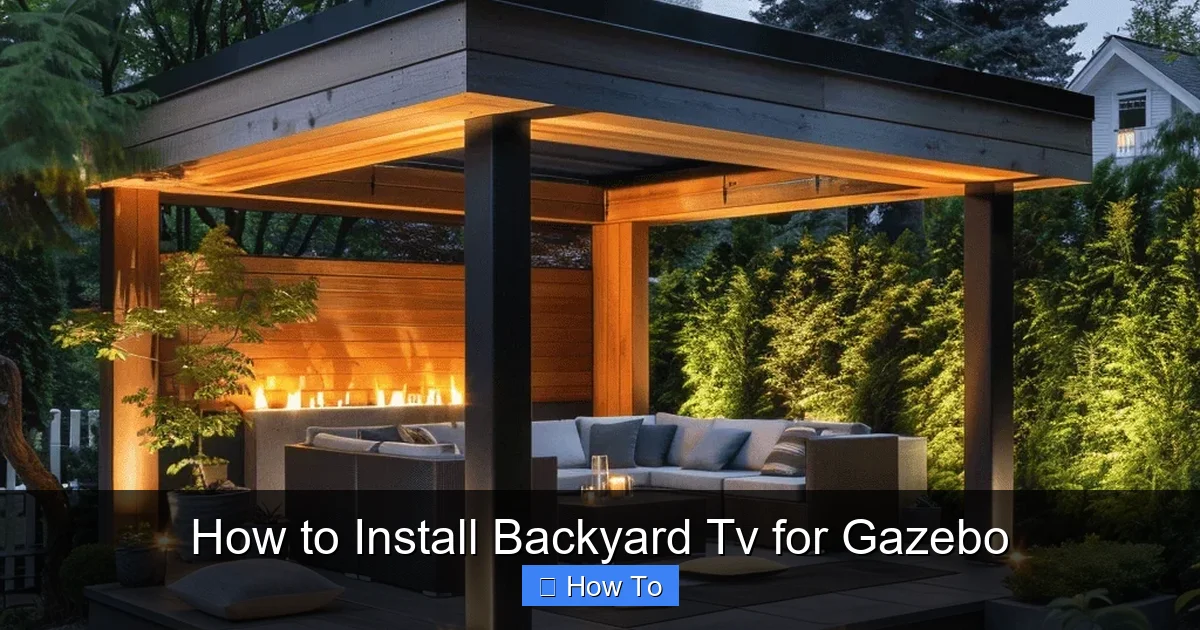
Visual guide about How to Install Backyard Tv for Gazebo
Image source: backyardscape.com
The first and most important step in installing a backyard TV is selecting the right television. Standard indoor TVs are not designed to withstand outdoor conditions like rain, humidity, extreme temperatures, or dust. Using one outdoors can lead to overheating, electrical failure, or permanent damage.
Look for an Outdoor-Rated TV
When shopping, look for TVs labeled as “outdoor,” “weatherproof,” or “all-weather.” These models are built with sealed casings, corrosion-resistant materials, and internal cooling systems to handle temperature fluctuations. Popular brands like Samsung, SunBrite, and Seura offer excellent outdoor TV options.
Consider Screen Brightness and Anti-Glare Features
Outdoor lighting can create glare on your screen, making it hard to see. Choose a TV with high brightness (measured in nits) — ideally 700 nits or higher — and an anti-reflective coating. Some models even have built-in sunshades or come with optional glare-reducing screens.
Decide on Size and Placement
Think about how far viewers will be sitting from the TV. A 43-inch TV works well for small gazebos with seating 6–8 feet away, while larger spaces may need a 55-inch or 65-inch model. Also, consider the TV’s weight — heavier TVs require stronger mounts.
Smart Features and Connectivity
Many outdoor TVs come with built-in Wi-Fi, streaming apps (like Netflix or YouTube), and multiple HDMI ports. If you plan to connect a soundbar, gaming console, or streaming device, make sure the TV has enough inputs and supports the latest HDMI standards.
Step 2: Select the Right Mounting Hardware
Once you’ve chosen your TV, the next step is securing it properly. A standard indoor wall mount won’t cut it for a gazebo. You need a mount designed for outdoor use that can handle wind, vibration, and moisture.
Choose a Weatherproof, Heavy-Duty Mount
Look for mounts made from powder-coated aluminum or stainless steel. These materials resist rust and corrosion. Avoid plastic or thin metal mounts — they can bend or break under stress.
Fixed vs. Tilting vs. Full-Motion Mounts
– Fixed mounts are the simplest and most secure. They hold the TV flush against the gazebo beam or wall. Great for permanent setups.
– Tilting mounts allow you to angle the TV up or down for better viewing. Useful if your seating is at varying heights.
– Full-motion (articulating) mounts let you swivel and extend the TV. Ideal if you want to adjust the screen for different seating areas.
For most gazebos, a tilting or fixed mount is sufficient. Full-motion mounts add flexibility but require more reinforcement.
Check Weight and VESA Compatibility
Make sure the mount supports your TV’s weight and VESA pattern (the screw hole layout on the back of the TV). Most outdoor mounts list compatible TV sizes and weights — double-check before buying.
Step 3: Plan Your Gazebo Layout and TV Placement
Before drilling any holes, take time to plan where the TV will go. A poorly placed TV can lead to neck strain, glare, or signal issues.
Find the Best Viewing Angle
Mount the TV at eye level when seated. For most people, this is about 42–48 inches from the ground to the center of the screen. Avoid placing it too high — you don’t want to crane your neck.
Avoid Direct Sunlight and Glare
Position the TV so it’s not directly facing the sun, especially during peak hours. If possible, install it on the north or east side of the gazebo. Use outdoor curtains or shade sails to reduce glare if needed.
Ensure Structural Support
Gazebos are often made of wood or metal beams. Make sure the mounting surface can support the TV’s weight. Avoid mounting on thin lattice or decorative panels. If your gazebo has a solid beam or post, that’s your best bet.
Keep Cables in Mind
Plan where power and signal cables will run. You’ll want to route them neatly and protect them from the elements. More on that in Step 5.
Step 4: Prepare the Gazebo for Installation
Now that you’ve planned your layout, it’s time to prep the gazebo for the TV installation.
Turn Off Power
If you’re running electrical cables, turn off the power at the breaker box. Safety first!
Mark the Mounting Location
Use a pencil and level to mark where the mount will go. Double-check the height and alignment. It’s easier to adjust now than after drilling.
Check for Obstructions
Look behind the mounting area for electrical wires, plumbing, or structural supports. Use a stud finder if your gazebo has interior walls. For open-beam gazebos, ensure there’s enough clearance behind the beam for the mount.
Drill Pilot Holes
Use a drill bit slightly smaller than your mounting screws to create pilot holes. This prevents wood from splitting and makes screwing easier.
Step 5: Run Power and Signal Cables Safely
Powering your outdoor TV and connecting it to sources like a cable box, streaming device, or sound system requires careful cable management.
Use Outdoor-Rated Cables
Standard indoor extension cords and HDMI cables aren’t built for outdoor use. Invest in:
– Outdoor-rated power cords (look for “SJTW” or “SJTOW” ratings)
– Weatherproof HDMI cables with protective jackets
– Ethernet cables rated for outdoor use if connecting to Wi-Fi
Protect Cables with Conduit
Run cables through PVC or flexible metal conduit to shield them from rain, UV rays, and pests. Secure the conduit to the gazebo frame with zip ties or clamps.
Use a Waterproof Junction Box
If you need to splice wires or connect multiple cables, use a waterproof junction box. Seal all connections with electrical tape and silicone caulk to prevent moisture ingress.
Consider a Surge Protector
Outdoor electronics are vulnerable to power surges from lightning or grid fluctuations. Plug your TV and devices into a heavy-duty outdoor surge protector.
Hide Cables for a Clean Look
Use cable raceways, paintable covers, or run wires along beams to keep things tidy. A clean setup looks better and reduces tripping hazards.
Step 6: Install the TV Mount
With everything prepped, it’s time to mount the bracket.
Attach the Mount to the Gazebo
Secure the mounting bracket to the gazebo beam or wall using the provided lag bolts. Use a drill with a torque setting to avoid over-tightening, which can strip wood.
Use a Level
Place a level on top of the mount to ensure it’s perfectly horizontal. Even a slight tilt can make the TV look crooked.
Double-Check Stability
Give the mount a firm shake. It should feel solid and unmoving. If it wobbles, tighten the bolts or reinforce the mounting area.
Step 7: Mount the TV
Now for the fun part — hanging the TV!
Attach Mounting Brackets to the TV
Most mounts come with brackets that screw into the VESA holes on the back of the TV. Use the correct screws (usually included) and tighten them securely.
Lift and Hang the TV
With a helper, lift the TV and hook it onto the wall mount. Make sure it’s seated properly and locked in place if your mount has a security feature.
Secure with Safety Cables (Optional)
For extra security, especially in windy areas, use safety cables to tether the TV to the gazebo frame. This prevents it from falling if the mount fails.
Step 8: Connect and Test Your Setup
Before you kick back with a cold drink, test everything.
Plug in Power and Devices
Connect the TV to power and any external devices (cable box, streaming stick, etc.). Make sure all cables are plugged in securely.
Turn On the TV
Power on the TV and check the picture quality. Adjust brightness and contrast if needed for outdoor viewing.
Test Signal Strength
If using an antenna or satellite, scan for channels. For streaming, connect to Wi-Fi and test a video. Buffering or weak signals may require a Wi-Fi extender.
Check Audio
If using built-in speakers, test the volume. For better sound, consider outdoor speakers or a weatherproof soundbar.
Step 9: Weatherproof and Maintain Your Setup
Your backyard TV is now installed, but the work isn’t over. Regular maintenance ensures it lasts for years.
Seal All Connections
Apply silicone sealant around cable entry points and junction boxes to keep water out.
Clean the Screen Regularly
Use a microfiber cloth and outdoor-safe screen cleaner to remove dust, pollen, and fingerprints.
Inspect Mounts and Cables
Every few months, check for loose bolts, frayed cables, or signs of rust. Tighten or replace as needed.
Use a TV Cover (Optional)
When not in use, especially in winter, cover the TV with a breathable, weatherproof cover to protect it from snow and debris.
Troubleshooting Common Issues
Even with careful planning, problems can arise. Here’s how to fix the most common ones.
TV Won’t Turn On
– Check the power source: Is the outlet working? Try a different device.
– Inspect the power cord: Look for damage or loose connections.
– Test the surge protector: Reset it or try plugging directly into the outlet.
Poor Picture Quality or No Signal
– Check HDMI cables: Replace if damaged or loose.
– Rescan for channels: Antenna signals can change with weather.
– Boost Wi-Fi: Use a mesh network or outdoor Wi-Fi extender.
Screen Glare or Washed-Out Colors
– Adjust TV settings: Increase brightness and contrast.
– Reposition the TV: Move it out of direct sunlight.
– Add shade: Install an awning or outdoor curtains.
Mount Feels Loose or Wobbly
– Tighten all bolts: Use a wrench to secure lag screws.
– Reinforce the beam: Add a backing plate or support brace.
– Consider a heavier-duty mount: If the current one isn’t rated for your TV’s weight.
Water Damage or Corrosion
– Dry components immediately: Use a fan or dehumidifier.
– Replace damaged parts: Don’t risk electrical hazards.
– Improve sealing: Add more silicone or upgrade to better conduit.
Conclusion
Installing a backyard TV in your gazebo is a rewarding project that brings entertainment and comfort to your outdoor space. By choosing a weatherproof TV, using the right mount, running cables safely, and maintaining your setup, you’ll enjoy years of movie nights, sports games, and family gatherings under the open sky.
Remember, the key to success is planning and preparation. Take your time, follow safety guidelines, and don’t hesitate to consult a professional if you’re unsure about electrical or structural work. With the steps in this guide, you’re well on your way to creating the ultimate outdoor entertainment zone.
So grab your tools, invite some friends, and get ready to enjoy your favorite shows — al fresco style!

