
Transform your outdoor entertainment area by neatly hiding TV cables on your patio or screened porch. This guide covers practical, weather-resistant methods to keep wires out of sight and safe from the elements.
Key Takeaways
- Use weatherproof cable management products: Choose outdoor-rated raceways, conduits, and clips designed to withstand sun, rain, and temperature changes.
- Plan your cable route before installation: Map the shortest, safest path from your TV to the power source and other devices to minimize clutter and tripping hazards.
- Secure cables along structural elements: Run wires behind trim, under decking, or along support beams to keep them hidden and protected.
- Label and organize all cables: Use tags or color-coded sleeves so you can easily identify HDMI, power, and audio cables during setup or troubleshooting.
- Test connections before finalizing: Ensure all devices work properly before securing cables permanently to avoid rework.
- Consider wireless alternatives: Use wireless HDMI kits or streaming devices to reduce the number of physical cables needed.
- Maintain accessibility for future upgrades: Install removable panels or use snap-on raceways so you can easily add or replace cables later.
Introduction: Why Hiding TV Cables on Your Patio Matters
Imagine relaxing on your screened porch with a cold drink, watching your favorite show under the stars—only to be distracted by a tangled mess of cables snaking across the floor. Not exactly the serene outdoor oasis you imagined, right? Whether you’ve mounted a TV on your patio wall or set up a weatherproof outdoor display in your screened-in space, hiding cables isn’t just about aesthetics—it’s about safety, durability, and functionality.
Exposed cables can become tripping hazards, get damaged by weather, or attract pests. Worse, they can shorten the lifespan of your equipment and create a fire risk if frayed or overloaded. The good news? With the right tools and a bit of planning, you can hide TV cables neatly and securely, creating a clean, professional look that enhances your outdoor living experience.
In this guide, we’ll walk you through step-by-step methods to hide TV cables on your patio or screened porch. You’ll learn how to choose the right materials, route cables safely, and maintain a tidy setup that lasts through seasons of use. Whether you’re a DIY beginner or a seasoned home improver, these tips will help you achieve a clutter-free, weather-resistant outdoor entertainment zone.
Step 1: Assess Your Setup and Plan the Cable Route
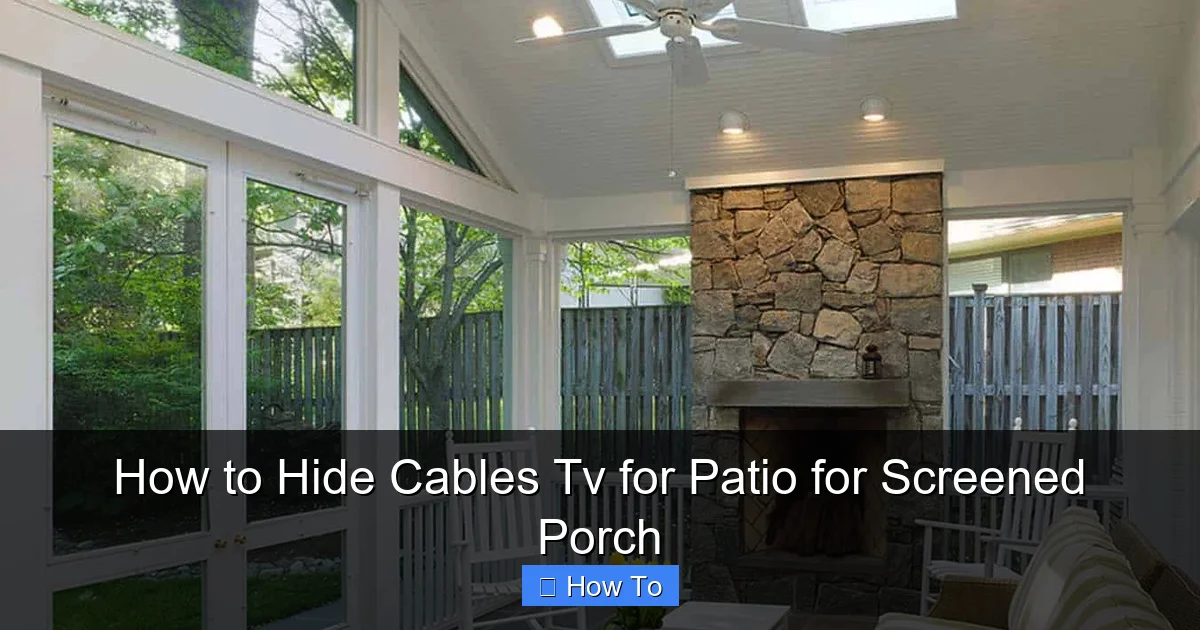
Visual guide about How to Hide Cables Tv for Patio for Screened Porch
Image source: onekindesign.com
Before buying supplies or drilling holes, take time to evaluate your current setup. Knowing where your TV, power source, and other devices (like soundbars, streaming boxes, or gaming consoles) are located will help you plan the most efficient cable path.
Identify All Devices and Connections
Start by listing every device that needs to connect to your outdoor TV. Common items include:
– Power cable for the TV
– HDMI cables (for streaming devices, cable boxes, or gaming consoles)
– Audio cables (if using external speakers)
– Ethernet cable (for wired internet, if needed)
– Antenna or satellite cable
Count how many cables you’ll need to manage. This helps you choose the right size and type of cable management solution.
Map the Shortest, Safest Path
Look for the most direct route from your TV to the nearest power outlet and any other devices. On a screened porch, this might mean running cables along the wall, under the floor, or through the ceiling. On an open patio, you may need to go around the perimeter or use existing structures like railings or support posts.
Avoid high-traffic areas where people walk or sit. Also, stay clear of water sources like sprinklers or gutters. If your porch has a ceiling, consider running cables through it—this keeps them completely out of sight.
Check for Obstructions and Hazards
Look for potential obstacles:
– Electrical outlets (are they GFCI-protected for outdoor use?)
– Windows or doors that open
– Ventilation fans or lighting fixtures
– Pest entry points (like gaps in screens or wood)
Make sure your planned route won’t interfere with daily use or create new hazards. For example, don’t run cables across a doorway threshold unless you use a protective ramp cover.
Step 2: Choose the Right Cable Management Products
Not all cable organizers are created equal—especially when it comes to outdoor use. You need products that can handle sun exposure, moisture, temperature swings, and physical wear.
Outdoor-Rated Cable Raceways
Cable raceways (also called wire ducts or conduit covers) are plastic or metal channels that snap over cables to hide and protect them. For patios and screened porches, choose UV-resistant, weatherproof raceways made from PVC or ABS plastic. These won’t crack in the cold or fade in the sun.
Look for raceways with adhesive backing or mounting holes. Adhesive is quick for smooth surfaces, but screws offer a more secure hold—especially in windy areas. Some raceways come in paintable finishes so you can match your wall or trim color.
Flexible Conduit for Curved or Hidden Runs
If you need to run cables around corners, under decking, or through walls, flexible conduit is your best friend. Made from corrugated plastic, it bends easily and protects wires from crushing or pinching. Use it behind siding, under outdoor flooring, or along support beams.
Choose conduit with a UV inhibitor and waterproof rating. Pair it with weatherproof connectors and seals to keep moisture out.
Cable Clips and Ties for Quick Fixes
For shorter runs or temporary setups, use outdoor-rated cable clips or zip ties. Look for ones made from nylon with UV protection. Avoid cheap plastic clips that become brittle in the sun.
Self-adhesive clips work well on smooth surfaces like painted wood or metal. For rough or porous surfaces (like brick or stucco), use screw-mounted clips.
Weatherproof Junction Boxes
If you need to connect multiple cables or house a power strip outdoors, use a weatherproof junction box. These sealed enclosures protect connections from rain and dust. Choose one with a gasketed lid and mounting holes.
Only use outdoor-rated power strips and surge protectors inside these boxes. Never leave electrical connections exposed.
Step 3: Prepare the Area and Gather Tools
Once you’ve chosen your materials, it’s time to get ready for installation. A little prep goes a long way in ensuring a smooth, professional result.
Tools You’ll Need
– Measuring tape
– Pencil or chalk for marking
– Drill and drill bits (for mounting)
– Screwdriver or impact driver
– Level (to keep raceways straight)
– Utility knife or cable cutter
– Wire strippers (if splicing cables)
– Ladder (if working on high walls or ceilings)
– Safety glasses and gloves
Clean and Dry the Surface
Wipe down the area where you’ll install raceways or clips. Remove dirt, dust, and grease so adhesives stick properly. If using screws, check for rot or weak spots in wood—repair or reinforce as needed.
For screened porches, inspect the screen frames. Make sure they’re sturdy enough to support clips or raceways. If not, consider mounting to the underlying wall or ceiling instead.
Test Fit Your Components
Before securing anything permanently, lay out your raceways, clips, or conduit along the planned route. Make sure everything fits and aligns correctly. Adjust the path if needed.
This is also a good time to label your cables with tape or tags. Write “HDMI 1,” “Power,” or “Soundbar” so you know what’s what during installation and future troubleshooting.
Step 4: Install Cable Raceways or Conduit
Now comes the fun part—hiding those cables! Follow these steps for a clean, secure installation.
Mark and Level the Raceways
Use a pencil and level to mark where each raceway section will go. Start at the TV and work toward the power source. Keep lines straight and evenly spaced.
If your raceway comes in multiple pieces, plan where the seams will be. Try to place them in less visible areas, like behind furniture or in corners.
Attach the Raceways
For adhesive-backed raceways:
– Peel off the backing and press firmly along the marked line.
– Hold for 30 seconds to ensure a strong bond.
– Avoid stretching or bending the raceway during installation.
For screw-mounted raceways:
– Drill pilot holes slightly smaller than the screws.
– Secure with outdoor-rated screws (stainless steel or coated to prevent rust).
– Don’t overtighten—this can crack the plastic.
Run the Cables Through
Open the raceway (most snap open like a clamshell) and lay the cables inside. Keep them flat and avoid sharp bends, especially with HDMI cables, which can lose signal if kinked.
If using conduit:
– Feed the cables through before securing the conduit.
– Use a fish tape or string to pull cables through long runs.
– Seal the ends with waterproof caps or silicone caulk.
Close and Secure
Snap the raceway shut and give it a gentle tug to make sure it’s locked in place. For extra security, add a few cable ties inside the raceway to bundle cables together.
If you’re running cables under a screened porch floor, make sure the conduit is buried slightly or protected from foot traffic. Use a threshold ramp if cables cross a walkway.
Step 5: Secure Loose Cables with Clips and Ties
Not every cable can go inside a raceway. For shorter runs or temporary setups, clips and ties offer a quick, effective solution.
Use Clips for Vertical or Horizontal Runs
Attach cable clips along the wall, under the eaves, or along railings. Space them every 12 to 18 inches to prevent sagging. For heavy cables (like power cords), use heavier-duty clips or double up.
On a screened porch, you can clip cables to the screen frame itself—just avoid blocking airflow or damaging the mesh.
Bundling with Zip Ties
Group related cables together (e.g., all HDMI cables) and secure them with outdoor-rated zip ties. Cut off excess length to keep things neat.
For a cleaner look, use Velcro straps instead of plastic ties. They’re reusable and won’t damage cables if removed.
Avoid Over-Tightening
Don’t cinch cables too tightly—this can crush insulation or interfere with signal quality. Leave a little slack, especially near connectors.
Step 6: Test All Connections Before Finalizing
Before you admire your handiwork, make sure everything works. There’s nothing worse than finishing a project only to find the TV has no signal.
Power On and Check Each Device
Turn on your TV, streaming box, soundbar, and any other connected devices. Verify that:
– The TV receives power
– HDMI inputs show the correct source
– Audio plays through the right speakers
– Internet connects (if using Ethernet or Wi-Fi)
Troubleshoot Common Issues
– No picture? Check HDMI connections and try a different cable.
– Intermittent signal? Look for kinks or loose fittings in the raceway.
– No sound? Ensure audio cables are plugged in and the correct output is selected.
– Power issues? Test the outlet with another device and check for tripped GFCI breakers.
If a cable fails, don’t panic. Most raceways and clips are removable, so you can re-route or replace wires as needed.
Step 7: Maintain and Upgrade Your Setup
Cable management isn’t a one-and-done task. Over time, weather, pests, or new devices may require adjustments.
Inspect Regularly
Check your cables and raceways every few months. Look for:
– Cracks or fading in plastic covers
– Loose clips or screws
– Signs of moisture or pests
– Frayed or damaged cables
Replace any worn components promptly.
Keep Accessibility in Mind
Use snap-on raceways or removable panels so you can easily add cables later. Avoid sealing everything behind drywall or permanent trim unless absolutely necessary.
If you plan to upgrade to a 4K streaming box or add outdoor speakers, leave room for extra cables or wireless options.
Consider Wireless Alternatives
To reduce cable clutter, explore wireless solutions:
– **Wireless HDMI kits:** Transmit video and audio from a source (like a cable box) to your TV without cables. Range is typically 30–100 feet, depending on the model.
– **Streaming devices:** Use Wi-Fi-enabled devices like Roku, Apple TV, or Fire Stick to eliminate the need for HDMI cables from external boxes.
– **Bluetooth speakers:** Pair wireless speakers with your TV to cut audio cables.
While wireless options aren’t perfect (they can lag or drop signal), they’re great for simplifying your setup.
Troubleshooting Common Cable Hiding Problems
Even with the best planning, issues can arise. Here’s how to fix the most common ones.
Cables Are Still Visible
If raceways or clips aren’t hiding cables well, try:
– Painting raceways to match your wall
– Running cables behind furniture or planters
– Using longer raceways to cover more area
– Installing a false wall or decorative panel
Raceways Won’t Stick
Adhesive may fail on rough, dirty, or cold surfaces. Fix it by:
– Cleaning the area with rubbing alcohol
– Using primer for better adhesion
– Switching to screw-mounted raceways
– Applying outdoor construction adhesive as a backup
Cables Get Damaged Over Time
Prevent wear and tear by:
– Using thicker, outdoor-rated cables
– Avoiding sharp bends or pinches
– Protecting cables from direct sunlight with UV-resistant covers
– Keeping them away from heat sources like grills or heaters
Moisture Gets Into Connections
If you notice corrosion or shorts:
– Re-seal conduit ends with silicone
– Use waterproof junction boxes
– Elevate cables off the ground
– Install a drip loop (a downward curve in the cable) before it enters a wall or box
Tripping Hazards Remain
If cables still cross walkways:
– Use a cable ramp with a non-slip surface
– Run cables under outdoor rugs (only if flat and secured)
– Re-route through walls or ceilings
– Install a low-profile floor channel
Conclusion: Enjoy a Clean, Safe Outdoor Entertainment Space
Hiding TV cables on your patio or screened porch doesn’t have to be complicated or expensive. With the right tools, a solid plan, and a little patience, you can create a sleek, organized setup that enhances your outdoor living experience.
By using weatherproof raceways, secure clips, and smart routing, you’ll protect your equipment, reduce tripping risks, and keep your space looking tidy. Plus, labeling cables and leaving room for upgrades ensures your system stays functional for years to come.
Remember, the goal isn’t perfection—it’s practicality. A few well-placed raceways or a length of conduit can make a world of difference. So grab your tools, follow these steps, and get ready to enjoy movie nights, game days, and sunset shows in a space that’s as beautiful as it is functional.
Your patio or screened porch is more than just an extension of your home—it’s a retreat. Keep it clutter-free, safe, and ready for every season.

