
Hiding cables for a poolside TV in hot climates requires smart planning and weather-resistant materials to ensure safety, durability, and a clean look. This guide covers step-by-step methods to conceal wires while protecting them from extreme heat, UV rays, and water exposure.
Key Takeaways
- Use UV-resistant and heat-tolerant cable covers: Standard plastic conduits can warp or degrade in high temperatures—opt for materials rated for outdoor and high-heat use.
- Route cables underground or through walls when possible: This keeps them out of sight and shields them from direct sun and pool chemicals.
- Secure cables with stainless steel or marine-grade fasteners: Regular metal clips can rust; choose corrosion-resistant hardware for long-term reliability.
- Install a weatherproof junction box: Protect connections from moisture and dust with an IP65 or higher-rated enclosure.
- Plan for airflow and heat dissipation: Avoid tightly enclosing cables in sealed spaces where heat can build up and damage insulation.
- Label and organize cables before hiding them: This makes future maintenance or upgrades much easier without disturbing your setup.
- Consider wireless alternatives where feasible: Reduce cable clutter by using wireless HDMI transmitters or Bluetooth audio systems.
How to Hide Cables Poolside TV for Hot Climates
Setting up a poolside TV is a fantastic way to enjoy movies, sports, or music while lounging by the water. But in hot climates—where temperatures soar, UV exposure is intense, and humidity or pool splash is constant—exposed cables can become a safety hazard, an eyesore, and a maintenance nightmare. The sun can melt or crack standard plastic cable covers, saltwater or chlorine can corrode metal clips, and heat buildup can damage sensitive electronics.
The good news? With the right materials, planning, and techniques, you can hide your poolside TV cables safely and stylishly—even in the harshest summer conditions. This guide walks you through every step, from assessing your setup to choosing the best concealment methods and maintaining your system over time.
Whether you’re mounting your TV on a wall, placing it on a weatherproof stand, or integrating it into an outdoor entertainment zone, these tips will help you create a clean, professional look while protecting your investment.
Step 1: Assess Your Poolside TV Setup
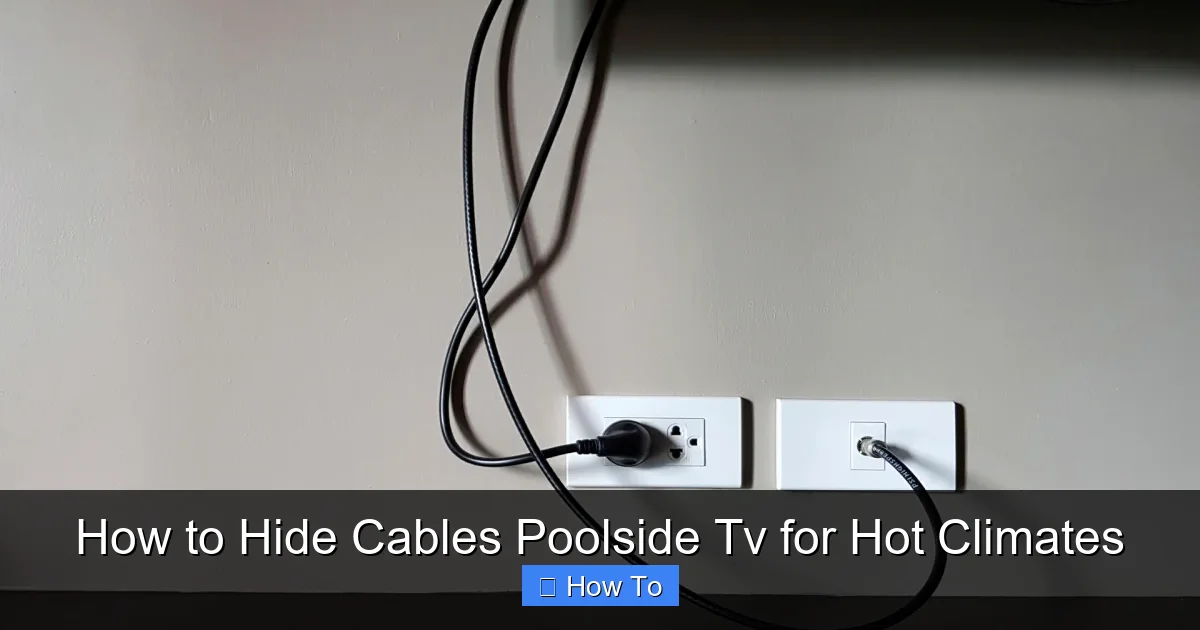
Visual guide about How to Hide Cables Poolside Tv for Hot Climates
Image source: lifehacker.com
Before you start hiding cables, take time to evaluate your current or planned setup. This will help you choose the most effective and durable cable management solution.
Identify Power and Signal Sources
Start by mapping out where your TV, sound system, streaming device (like a Roku or Apple TV), and any other components will be located. Note where each device gets power and how signals are transmitted. For example:
– Does your TV plug into an outdoor-rated GFCI outlet?
– Is your streaming device connected via HDMI?
– Are you using a soundbar or external speakers?
Knowing the number and type of cables you’ll need to manage is crucial. Common cables include:
– Power cords
– HDMI cables
– Ethernet cables (for wired internet)
– Audio cables (if using separate speakers)
– USB cables (for streaming devices or external storage)
Check Local Climate and Environmental Factors
Hot climates bring unique challenges:
– **High UV exposure:** Can degrade plastics and fade colors.
– **Extreme heat:** Can soften adhesives, warp enclosures, and damage cable insulation.
– **Humidity and moisture:** Increases risk of corrosion and electrical shorts.
– **Pool chemicals:** Chlorine and salt can corrode metal and degrade rubber or plastic over time.
If you live in a desert region (like Arizona or Nevada), focus on heat and UV resistance. In tropical or coastal areas (like Florida or Southern California), prioritize moisture and corrosion protection.
Determine TV Mounting Location
Where you mount your TV affects how you’ll route cables:
– **Wall-mounted TVs:** Ideal for clean cable concealment through walls or surface-mounted raceways.
– **Freestanding TVs on a weatherproof stand:** May require under-table or floor-level cable management.
– **TVs in outdoor cabinets or enclosures:** Offer built-in cable routing but must be well-ventilated.
Choose a location that’s shaded when possible—direct sun can overheat your TV and shorten its lifespan.
Step 2: Choose the Right Cable Management Materials
Not all cable covers are created equal—especially for hot, humid, or sunny environments. Using the wrong materials can lead to melted conduits, rusted clips, or electrical hazards.
Use UV-Resistant and Heat-Tolerant Conduits
Standard PVC or plastic cable raceways may seem like an easy fix, but they can become brittle, warp, or discolor under intense sun. Instead, look for:
– **UV-stabilized PVC or polycarbonate raceways:** These are designed to resist sun damage.
– **Metal conduits (aluminum or stainless steel):** Excellent for heat resistance and durability, though they require grounding for safety.
– **Silicone or TPE (thermoplastic elastomer) sleeves:** Flexible and heat-resistant, great for bundling multiple cables.
Avoid cheap plastic clips or zip ties—they’ll degrade quickly in high heat.
Opt for Weatherproof and Corrosion-Resistant Fasteners
Regular steel screws or plastic anchors won’t last long poolside. Use:
– **Stainless steel screws and anchors:** Resist rust and corrosion.
– **Marine-grade hardware:** Designed for saltwater environments.
– **Adhesive mounts with outdoor-rated tape:** Look for 3M VHB tape or similar high-bond, weatherproof adhesives.
For concrete or masonry walls, use concrete anchors rated for outdoor use.
Select Outdoor-Rated Cables
Even if you hide your cables, they should be built for the environment:
– **Outdoor-rated HDMI cables:** Have thicker insulation and UV protection.
– **Burial-rated Ethernet cables:** If running underground, choose direct-burial CAT6 or CAT7 cables.
– **GFCI-protected power cords:** Essential for safety near water.
Never use indoor cables outdoors—even if they’re hidden.
Step 3: Plan Your Cable Route
A well-planned route minimizes exposure, reduces clutter, and makes future maintenance easier.
Route Cables Through Walls (If Possible)
Running cables inside walls is the cleanest option. This works best if your TV is mounted on an exterior wall of your home or a covered patio structure.
Steps:
1. Turn off power to the area.
2. Drill a small hole from the indoor side to the outdoor side of the wall.
3. Feed cables through using a fish tape or flexible rod.
4. Seal the hole with silicone caulk or weatherproof grommet to prevent moisture ingress.
Tip: Use a wall plate with built-in cable passthroughs for a professional look.
Use Surface-Mounted Cable Raceways
If in-wall routing isn’t possible, surface-mounted raceways are a great alternative. Choose ones that are:
– Wide enough to hold all your cables
– Made of UV-resistant material
– Paintable to match your wall or trim
Install them along the baseboard, up the wall, or across the ceiling. Use stainless steel screws or strong adhesive mounts.
Run Cables Under Decking or Along Fencing
For freestanding setups, consider:
– **Under-deck cable trays:** Hide wires beneath composite or wood decking.
– **Fence-mounted raceways:** Attach to the side of a privacy fence.
– **Cable channels in outdoor furniture:** Some weatherproof TV stands have built-in cable management.
Always leave a slight slack in cables to allow for movement and prevent strain.
Bury Cables (For Long Runs)
If your TV is far from the power source, you may need to bury cables underground. Follow these guidelines:
– Use direct-burial-rated cables (not standard indoor cords).
– Bury cables at least 18–24 inches deep (check local codes).
– Use PVC conduit for added protection.
– Install a weatherproof junction box at the surface end for easy access.
Warning: Always call 811 before digging to locate underground utilities.
Step 4: Install Weatherproof Enclosures and Junction Boxes
Where cables connect—like between your TV and streaming device—moisture and dust can cause shorts or corrosion. Protect these points with enclosures.
Use IP65 or Higher-Rated Junction Boxes
Look for enclosures with an Ingress Protection (IP) rating of IP65 or higher. This means they’re dust-tight and protected against water jets.
Place the box:
– In a shaded, accessible location
– Off the ground to avoid pool splash
– With cable glands to seal wire entry points
Example: A small plastic or metal junction box mounted under the TV stand or on the wall behind the TV.
Seal All Entry Points
Use silicone sealant or rubber grommets around every cable entering the box. This prevents water, insects, and dust from getting in.
Tip: Label each cable inside the box with tape or tags for easy identification later.
Step 5: Secure and Organize Cables
Loose cables can snag, tangle, or get damaged. Keep them neat and secure.
Bundled Cables with Heat-Resistant Ties
Use:
– **UV-resistant zip ties:** Made from nylon with UV inhibitors.
– **Velcro straps:** Reusable and gentle on cables.
– **Cable sleeves:** Neoprene or braided sleeves keep wires tidy and protected.
Avoid over-tightening—this can crush insulation and cause signal loss.
Use Cable Clips and Guides
Mount clips along your planned route to guide cables smoothly. Choose:
– Adhesive-backed clips with outdoor-rated tape
– Screw-mounted clips with stainless steel hardware
Space them every 12–18 inches to prevent sagging.
Label Everything
Use waterproof labels or tags to mark each cable at both ends. This saves time during troubleshooting or upgrades.
Example: “HDMI – Apple TV,” “Power – Soundbar,” “Ethernet – Router.”
Step 6: Test and Maintain Your Setup
Once everything is hidden, test your system thoroughly.
Power On and Check Connections
Turn on your TV and all devices. Verify:
– Picture and sound quality
– Internet connectivity (if using streaming)
– Power stability
If something isn’t working, don’t panic—check connections in the junction box first.
Inspect Regularly
Every 3–6 months, inspect your setup for:
– Cracked or faded cable covers
– Loose mounts or clips
– Signs of moisture or corrosion
– Overheating (feel cables—they shouldn’t be hot to the touch)
Clean dust and debris from enclosures and raceways.
Upgrade as Needed
Technology evolves. If you add a new device or switch to wireless audio, update your cable management accordingly.
Troubleshooting Common Issues
Even with the best planning, problems can arise. Here’s how to fix them.
Cables Are Overheating
If cables feel warm or you notice signal issues:
– Ensure they’re not bundled too tightly.
– Avoid enclosing them in sealed, unventilated spaces.
– Use cables with higher temperature ratings (look for 60°C or 75°C ratings).
Water Got Into the Junction Box
Turn off power immediately. Open the box, dry everything thoroughly, and check for damage. Replace any corroded connectors. Improve sealing with better grommets or sealant.
Cable Covers Are Warping or Cracking
This is a sign of UV or heat damage. Replace them with higher-quality, UV-resistant raceways. Consider shading the area with an awning or pergola.
Signal Loss or Interference
Long cable runs can degrade signal quality. Use:
– HDMI extenders or fiber optic HDMI cables for long distances
– Shielded Ethernet cables to reduce interference
– Wireless HDMI kits for video transmission
Animals Are Chewing Cables
Rats, squirrels, and insects love warm, hidden spaces. Protect cables with:
– Metal conduit
– Repellent sprays (non-toxic, pet-safe)
– Regular inspections
Bonus Tips for a Clean, Professional Look
– **Paint raceways to match your wall:** Use outdoor paint for a seamless blend.
– **Use cable channels in outdoor kitchens or bars:** Integrate TV cables into existing structures.
– **Install a remote control extender:** So you don’t need to run IR cables.
– **Add LED strip lighting:** Illuminate your setup at night without extra cables.
Conclusion
Hiding cables for your poolside TV in a hot climate isn’t just about aesthetics—it’s about safety, durability, and performance. By choosing the right materials, planning your cable route carefully, and protecting connections from heat and moisture, you can enjoy a clean, worry-free outdoor entertainment experience all summer long.
Remember: Invest in quality outdoor-rated products, avoid cutting corners with indoor materials, and maintain your system regularly. With these steps, your poolside TV will look sleek, function reliably, and last for years—even under the harshest sun.
Now grab your tools, plan your route, and get ready to enjoy movie nights by the pool with zero cable clutter.

