
Learn how to hide cables for your patio TV during football games with simple, weather-resistant solutions. From cable raceways to in-ground conduits, we’ll show you how to keep your setup safe, clean, and game-day ready.
Key Takeaways
- Plan your cable route first: Map out the path from your TV to the power source and signal devices to avoid last-minute surprises.
- Use weatherproof cable management: Choose outdoor-rated raceways, conduits, and clips to protect cables from rain, sun, and foot traffic.
- Anchor cables securely: Prevent tripping hazards and cable damage by fastening wires tightly to walls, railings, or the ground.
- Label and organize cables: Color-code or tag each wire to make troubleshooting and future upgrades easier.
- Test before game day: Always do a full system check before kickoff to ensure everything works and looks great.
- Consider wireless alternatives: Use Wi-Fi extenders or wireless HDMI kits to reduce the number of visible cables.
- Maintain regularly: Inspect cables and covers after storms or heavy use to keep your setup in top shape.
How to Hide Cables for Your Patio TV During Football Games
There’s nothing quite like gathering friends and family on the patio to cheer on your favorite team during football season. But nothing kills the vibe faster than a tangled mess of cables snaking across your deck or yard. Not only do exposed wires look messy, but they’re also a tripping hazard and can get damaged by weather or foot traffic.
The good news? You can enjoy a clean, safe, and professional-looking outdoor TV setup with the right cable management strategy. In this guide, we’ll walk you through how to hide cables for your patio TV during football games—step by step. Whether you’re mounting your TV on a wall, placing it on a stand, or using a portable setup, we’ve got solutions that are easy, affordable, and built to last.
By the end of this guide, you’ll know exactly how to route, conceal, and protect your power cords, HDMI cables, and signal wires so your outdoor viewing experience is as smooth as your team’s passing game.
Step 1: Assess Your Setup and Plan the Cable Route
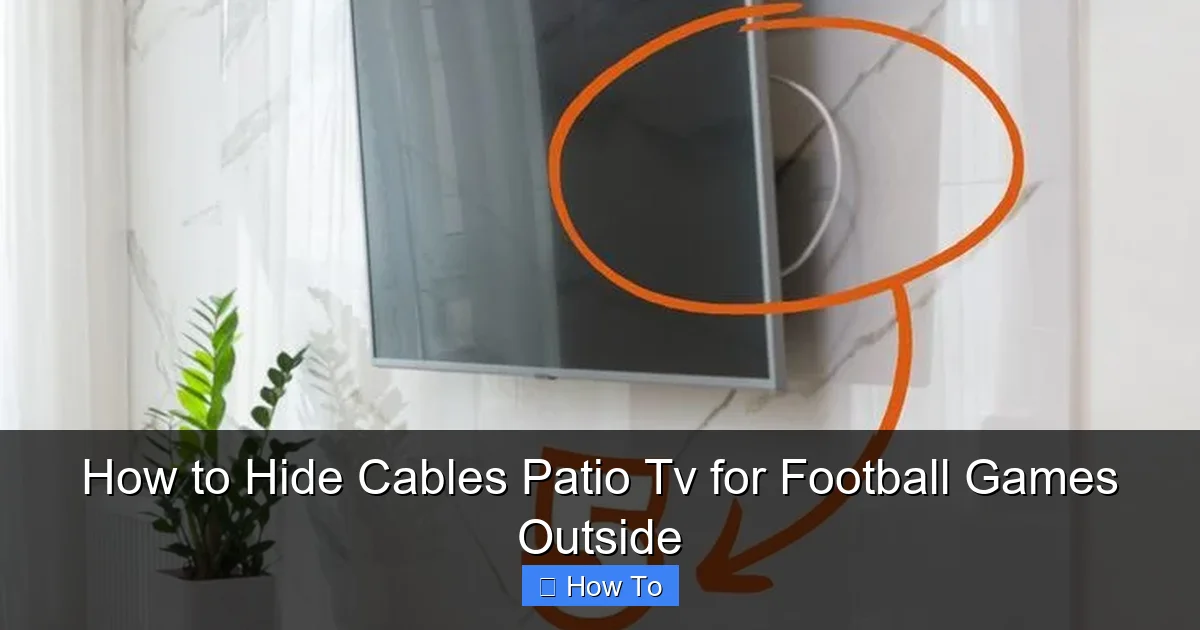
Visual guide about How to Hide Cables Patio Tv for Football Games Outside
Image source: i.pinimg.com
Before you start taping or drilling, take a moment to evaluate your current setup. Ask yourself:
– Where is the TV located?
– Where are the power outlets and signal sources (like your cable box or streaming device)?
– How will people move around the area during game day?
Planning your cable route in advance saves time and prevents messy improvisation. A well-thought-out path ensures cables stay hidden, safe, and out of the way.
Identify Power and Signal Sources
Start by locating your nearest outdoor power outlet. If you don’t have one, consider installing a GFCI (Ground Fault Circuit Interrupter) outlet near your TV area—this is essential for safety outdoors. You’ll also need to know where your cable box, streaming device (like a Roku or Apple TV), or soundbar will be placed. These devices often require their own power and signal connections.
If your signal source is indoors (like a cable box in the living room), you’ll need to run an HDMI cable from inside to your outdoor TV. This is common and totally doable with the right tools.
Map the Shortest, Safest Path
Once you know where everything is, draw a simple sketch of your patio layout. Mark the TV location, power source, and signal origin. Then, trace the shortest route for your cables.
Avoid high-traffic areas like walkways or steps. Instead, route cables along walls, under railings, or along the edge of the deck. If you’re running cables from inside to outside, plan to drill a small hole through the wall or use an existing gap near a window or door.
Pro tip: Use a laser measure or tape measure to get accurate distances. This helps you buy the right length of cable and conduit.
Consider Future Access
Think ahead. Will you need to unplug devices for updates or cleaning? Make sure your cable route allows for easy access. For example, avoid sealing cables behind permanent structures unless you’re using removable covers.
Step 2: Choose the Right Cable Management Tools
Not all cable organizers are created equal—especially when it comes to outdoor use. You need products that can withstand sun, rain, snow, and temperature changes. Here are the best options for hiding patio TV cables.
Outdoor Cable Raceways
Cable raceways are plastic or metal channels that snap over wires to hide and protect them. They’re ideal for running cables along walls, fences, or deck railings.
Look for raceways labeled “weatherproof” or “UV-resistant.” These won’t crack or fade in the sun. Popular brands like D-Line and Legrand offer sleek, low-profile designs that blend with most outdoor décor.
Installation is simple:
1. Clean the surface where you’ll mount the raceway.
2. Peel off the adhesive backing or use screws (for a more permanent hold).
3. Snap the cables into the channel and close the cover.
For extra security, use outdoor-rated zip ties or clips to hold the raceway in place.
In-Ground Conduit (For Permanent Setups)
If you’re serious about a clean look and have a more permanent TV setup, consider burying cables in a conduit underground. This is especially useful if your TV is far from the house or power source.
Here’s how:
1. Dig a shallow trench (6–12 inches deep) from your house to the TV area.
2. Insert a PVC or flexible electrical conduit into the trench.
3. Run your cables through the conduit before burying it.
4. Cover with soil and grass or mulch.
This method keeps cables completely hidden and protected from weather and pests. Just make sure to use outdoor-rated, direct-burial cables and seal the conduit ends to prevent water entry.
Cable Clips and Clamps
For quick, temporary fixes, use outdoor cable clips. These small plastic or metal fasteners attach to walls, posts, or railings and hold individual cables in place.
They’re great for securing power cords along a fence or under a deck. Choose clips with UV protection and strong adhesive or screw mounts.
Cord Covers and Mats
If you have to run cables across a walkway or step, use a cord cover or rubber mat. These flexible covers lie flat on the ground and have a channel to hide wires.
They’re perfect for game day when guests are coming and going. Look for models with anti-slip surfaces and bright edges for visibility at night.
Step 3: Run and Secure the Cables
Now that you’ve planned your route and chosen your tools, it’s time to install.
Start with Power Cables
Power cords are usually the thickest and heaviest, so handle them first. Use a heavy-duty outdoor extension cord if needed—never use indoor cords outside.
Route the power cable along your planned path, securing it with clips or raceways. Avoid sharp bends or kinks, which can damage the wires inside.
If running from inside, drill a small hole (about 1 inch) through the wall near the base. Use a grommet or silicone sealant to waterproof the opening. Feed the cable through and connect it to an outdoor outlet.
Connect Signal Cables (HDMI, Audio, etc.)
Next, run your HDMI cable from the signal source to the TV. Use an outdoor-rated HDMI cable—these are shielded against interference and weather damage.
If the distance is over 25 feet, consider an HDMI extender or fiber optic HDMI cable for better signal quality.
For audio, run speaker wires or optical cables if using a soundbar. Keep these separate from power cables to avoid interference.
Bundle and Label Cables
Once all cables are in place, bundle them together using outdoor zip ties or Velcro straps. This keeps them neat and prevents tangling.
Label each cable with a tag or colored tape. For example:
– Red tape = Power
– Blue tape = HDMI
– Green tape = Audio
This makes troubleshooting much easier if something goes wrong during the big game.
Secure Loose Ends
Make sure no cables dangle or hang loose. Use adhesive hooks or clips to tuck away extra length behind the TV or under furniture.
If you’re using a TV stand, route cables through the back or use a cable management box to hide the mess.
Step 4: Hide Cables Behind or Under Structures
Sometimes, the best way to hide cables is to use your patio’s existing features.
Use Railings and Fences
Run cables along the underside of deck railings or behind fence posts. Secure them with clips or raceways. Paint the raceway to match the railing for a seamless look.
Tuck Under Decking or Planters
If you have a raised deck, route cables underneath. Use a fish tape or flexible rod to guide wires through tight spaces.
You can also hide cables behind large potted plants or outdoor furniture. Just make sure they’re still accessible and not crushed.
Mount the TV Strategically
Choose a TV mount that allows cables to run straight down the wall or pole. Some mounts come with built-in cable channels—use them!
If mounting on a pole, run cables through the center of the pole if possible. Many outdoor TV poles are hollow and designed for this.
Step 5: Test and Troubleshoot Before Game Day
Don’t wait until kickoff to test your setup. Do a full system check a few days before the game.
Power On and Check Connections
Turn on the TV, cable box, and any other devices. Make sure the picture and sound are clear.
If you’re using a streaming device, test the Wi-Fi connection. Weak signals can cause buffering—especially outdoors.
Look for Signal Interference
If the picture flickers or cuts out, check for interference. Keep power cables at least 6 inches away from HDMI and audio cables.
Also, ensure all connections are tight. Loose HDMI plugs are a common cause of signal loss.
Check for Tripping Hazards
Walk around the patio and look for any cables that might trip guests. Use cord covers or re-route if needed.
Make sure all clips and raceways are secure. Wind or heavy rain can loosen poorly installed covers.
Weatherproof Your Setup
Even with hidden cables, protect your devices. Use a weatherproof TV cover when not in use. Keep streaming devices in a waterproof enclosure if exposed.
If rain is expected, consider using a pop-up canopy or permanent pergola to shield your setup.
Bonus Tips for a Pro-Looking Setup
Want to take your cable management to the next level? Try these expert tips.
Use Wireless Alternatives
Reduce cable clutter with wireless tech:
– **Wireless HDMI kits:** Send video and audio from your indoor device to the outdoor TV without wires.
– **Wi-Fi extenders:** Boost your signal so streaming devices work reliably outside.
– **Bluetooth speakers:** Skip audio cables entirely with a weatherproof Bluetooth soundbar.
These options aren’t always perfect (latency can be an issue), but they’re great for simplifying your setup.
Paint or Camouflage Raceways
If raceways are visible, paint them to match your wall, fence, or deck. Use outdoor spray paint for best results.
You can also wrap them in outdoor fabric or use vine-like covers for a natural look.
Create a Dedicated Media Station
Build a small outdoor cabinet or use a weatherproof storage box to house your streaming device, cables, and remotes. Drill holes in the back for cable access.
This keeps everything organized and protected—and makes it easy to grab your gear for game day.
Schedule Regular Maintenance
After storms or heavy use, inspect your cables and covers. Look for cracks, fraying, or loose mounts. Replace damaged parts immediately.
Clean raceways and clips with a damp cloth to remove dirt and debris.
Troubleshooting Common Cable Issues
Even with the best planning, problems can happen. Here’s how to fix the most common issues.
No Picture or Sound
– Check all connections are secure.
– Ensure the correct input is selected on the TV.
– Test the HDMI cable with another device.
Intermittent Signal
– Move power cables away from signal cables.
– Replace long HDMI cables with higher-quality or fiber optic versions.
– Use a signal booster if needed.
Cables Keep Coming Loose
– Use stronger adhesive or screw-mounted clips.
– Add extra support with zip ties or tape.
– Re-route if the path is too exposed to wind or foot traffic.
Water in Conduit or Connections
– Seal all outdoor connections with silicone or waterproof tape.
– Use conduit with end caps or grommets.
– Elevate cable runs slightly to prevent pooling.
Conclusion
Hiding cables for your patio TV doesn’t have to be complicated or expensive. With a little planning and the right tools, you can create a clean, safe, and stylish outdoor viewing area that’s perfect for football games—and every other outdoor gathering.
From weatherproof raceways to in-ground conduits, there are solutions for every setup and budget. The key is to plan your route, use outdoor-rated products, and test everything before game day.
Not only will your patio look better, but you’ll also reduce tripping hazards and protect your equipment from the elements. So grab your favorite jersey, fire up the grill, and enjoy the game without worrying about tangled wires.
Your perfect outdoor TV experience starts with smart cable management. Now go win that tailgate!

