
Transform your backyard into a clutter-free cinema by hiding unsightly TV cables safely and stylishly. This guide walks you through planning, routing, securing, and concealing wires so you can enjoy seamless outdoor movie nights without tripping hazards or tangled cords.
Key Takeaways
- Plan your cable route first: Map out the shortest, safest path from your TV to power and signal sources to minimize exposure and damage risk.
- Use weatherproof cable management solutions: Choose outdoor-rated raceways, conduits, and clips designed to withstand sun, rain, and temperature changes.
- Secure cables at regular intervals: Prevent sagging and wear by fastening wires every 12–18 inches with UV-resistant zip ties or adhesive clips.
- Conceal cables behind furniture or along structures: Hide wires behind outdoor sofas, planters, or along railings and walls for a clean, natural look.
- Test all connections before finalizing: Ensure audio, video, and power work properly after installation to avoid last-minute fixes during movie night.
- Prioritize safety and code compliance: Never run cords across walkways uncovered, and use GFCI outlets to prevent electrical hazards.
- Maintain accessibility for future upgrades: Use removable raceways or conduit systems so you can easily swap or add cables later.
How to Hide Cables Patio TV for Backyard Movie Night
Imagine this: You’ve set up your patio TV, arranged cozy seating, popped the popcorn, and dimmed the string lights. The movie starts… and then you notice it—the tangled mess of cables snaking across your deck, threatening to trip guests or get damaged by rain. Don’t let exposed wires ruin your backyard cinema experience!
Hiding cables for your patio TV isn’t just about aesthetics—it’s about safety, durability, and creating a truly immersive outdoor entertainment space. Whether you’re hosting a family movie night or a summer blockbuster party, a clean cable setup ensures your focus stays on the film, not the clutter.
In this complete guide, you’ll learn how to hide cables for your patio TV step by step. We’ll cover planning your layout, choosing the right tools and materials, routing and securing wires, concealing them from view, and maintaining your setup over time. By the end, you’ll have a sleek, professional-looking outdoor entertainment system that’s safe, functional, and ready for any movie under the stars.
Let’s get started!
Step 1: Plan Your Cable Layout
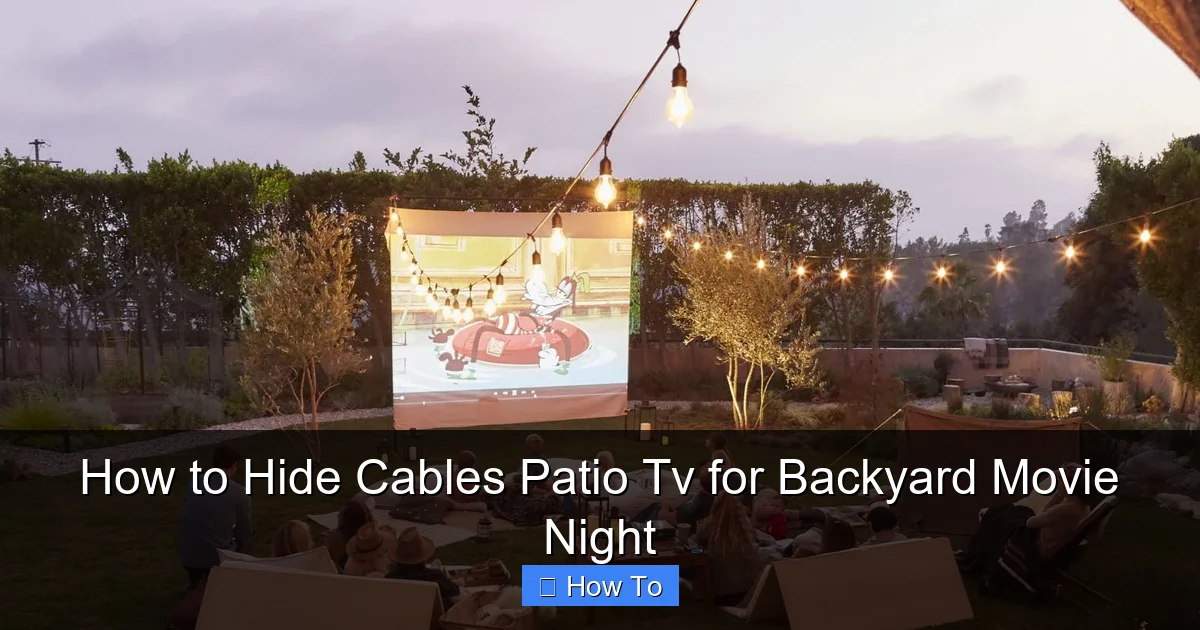
Visual guide about How to Hide Cables Patio Tv for Backyard Movie Night
Image source: i.pinimg.com
Before you touch a single cable, take time to plan your setup. A well-thought-out layout saves time, reduces material waste, and prevents frustrating rework.
Assess Your Space
Walk around your patio and identify key elements:
– Where is the TV mounted?
– Where are the power outlets?
– Where will your streaming device (like a Roku or Apple TV), soundbar, or speakers go?
– Are there any obstacles like railings, planters, or furniture?
Sketch a simple diagram on paper or use a notes app on your phone. Mark the TV location, power source, and all connected devices. This visual map will guide your cable routing decisions.
Determine Cable Types and Lengths
Most patio TVs require at least three types of cables:
– **Power cable** for the TV
– **HDMI cable** for video and audio (from streaming device or receiver)
– **Power cables** for additional devices (soundbar, streaming box, etc.)
Measure the distance from your TV to each power outlet and signal source. Add 10–15% extra length for slack and routing flexibility. For example, if your TV is 6 feet from the outlet, get an 8-foot power cable.
Pro tip: Use a laser distance measurer or a long tape measure for accuracy. Avoid guessing—too short, and you’ll strain connections; too long, and you’ll have messy loops.
Choose the Safest Route
The ideal cable path is:
– Short and direct
– Away from foot traffic
– Protected from weather and UV exposure
– Easy to access for future maintenance
Avoid running cables across walkways, under rugs, or through doorways. These areas increase tripping risks and wear. Instead, route cables along walls, under decking, or behind furniture.
If your TV is mounted on a wall, consider running cables inside the wall (if permitted and safe) or along the exterior using raceways. For freestanding TVs on a stand, route cables down the back and along the ground or under a console.
Step 2: Gather the Right Tools and Materials
Using the correct tools ensures a clean, durable installation. Here’s what you’ll need:
Essential Tools
– Measuring tape
– Drill (with masonry bits if mounting on brick or concrete)
– Screwdriver
– Wire strippers (if splicing cables)
– Level (for straight raceway installation)
– Utility knife or scissors
Cable Management Materials
– **Outdoor cable raceways** (PVC or aluminum, weatherproof)
– **Flexible conduit** (for running wires under decking or along uneven surfaces)
– **UV-resistant zip ties** (avoid regular plastic ties—they crack in sunlight)
– **Adhesive cable clips** (for temporary or lightweight routing)
– **Cable sleeves or loom** (to bundle multiple wires together)
– **GFCI outlet cover** (if installing a new outdoor outlet)
– **Weatherproof outlet box** (if extending power)
Optional but Helpful Items
– Cable labels (to identify each wire)
– Cable pull string (for threading through conduit)
– Silicone sealant (to waterproof entry points)
– Outdoor extension cord with built-in cord reel (for temporary setups)
Always choose products rated for outdoor use. Look for labels like “UV-resistant,” “weatherproof,” or “IP65” (dust and water resistant). Indoor cable covers will degrade quickly in sun and rain.
Step 3: Route and Secure the Cables
Now it’s time to run your cables safely and neatly.
Start with Power Cables
Power cables are the most critical—and potentially hazardous—if mishandled. Always turn off the power at the breaker before working near outlets.
If your TV and devices are close to an existing outdoor GFCI outlet, plug them in directly. If not, consider hiring a licensed electrician to install a new outdoor outlet near your TV. This is safer and more reliable than long extension cords.
For temporary setups, use a heavy-duty outdoor extension cord rated for your TV’s wattage. Coil excess cord neatly and secure it with a zip tie to prevent tripping.
Run HDMI and Signal Cables
HDMI cables are sensitive to bending and interference. Avoid sharp kinks and keep them away from power cables when possible (to reduce signal noise).
If running HDMI over 25 feet, use an active HDMI cable or an HDMI extender with Ethernet. Passive cables can lose signal over long distances.
Route HDMI cables along the same path as power cables, but separate them slightly if crossing. Use cable clips or raceways to keep them tidy.
Use Conduit for Under-Deck or In-Ground Routing
If your TV is on a deck and your power source is below, consider running cables through flexible conduit under the decking. This protects wires from moisture, pests, and physical damage.
To do this:
1. Drill a small hole through the deck joist near the TV.
2. Feed the conduit through the hole.
3. Thread your cables through the conduit using a pull string.
4. Seal the entry point with silicone to prevent water ingress.
For ground-level routing (e.g., from a basement to a patio), bury conduit 6–12 inches deep and use waterproof connectors.
Secure Cables Every 12–18 Inches
Loose cables sag, snag, and wear out faster. Use UV-resistant zip ties or adhesive clips to fasten wires to walls, railings, or under furniture.
Avoid over-tightening zip ties—this can crush insulation and cause shorts. Leave a little slack for movement and thermal expansion.
For a cleaner look, bundle multiple cables together using a spiral cable wrap or fabric sleeve. This reduces clutter and makes future troubleshooting easier.
Step 4: Conceal Cables from View
Now that your cables are routed and secured, it’s time to hide them.
Use Outdoor Cable Raceways
Cable raceways are plastic or metal channels that snap over wires, hiding them from sight. They’re perfect for running cables along walls, fences, or deck railings.
To install:
1. Clean the surface with rubbing alcohol.
2. Mark the raceway position with a pencil.
3. Drill pilot holes and secure with screws (or use heavy-duty adhesive for smooth surfaces).
4. Open the raceway, lay in the cables, and snap it shut.
Choose raceways that match your patio’s color (white, black, or brown) or paint them to blend in. Some models come with removable covers for easy access.
Hide Cables Behind Furniture
Strategic furniture placement can do double duty—providing seating and concealing wires.
Place an outdoor console, bench, or storage ottoman behind your TV stand. Route cables behind these pieces so they’re out of sight but still accessible.
Use tall planters or outdoor bookshelves to block the view of cables running along walls. Just ensure plants don’t block ventilation or create fire hazards near electronics.
Run Cables Along Natural Features
Blend cables into your landscape by routing them:
– Along fence lines
– Under deck skirting
– Behind outdoor curtains or privacy screens
– Through hollow patio posts (if safe and dry)
For a rustic look, wrap cables in jute rope or use vine-style cable covers that mimic climbing plants.
Use Paint or Camouflage Covers
If raceways stand out, paint them to match your wall or trim. Use outdoor-grade spray paint for durability.
Alternatively, use decorative cable covers shaped like stones, logs, or garden edging. These add charm while hiding wires.
Step 5: Test and Finalize the Setup
Before declaring victory, test everything.
Power On and Check Connections
Turn on the TV, streaming device, and sound system. Verify that:
– The picture is clear and stable
– Audio plays through the correct speakers
– All devices receive power
– No cables are overheating or damaged
If you notice flickering, no signal, or poor sound, double-check HDMI connections and power sources.
Secure Loose Ends
Tuck any excess cable into a raceway, under furniture, or into a weatherproof junction box. Use cable labels to identify each wire (e.g., “HDMI to Fire Stick,” “Soundbar Power”).
This makes future upgrades or troubleshooting much easier.
Weatherproof Entry Points
Seal any holes where cables enter walls, decks, or enclosures with silicone caulk. This prevents water, insects, and debris from getting in.
For outdoor outlets, install a flip-up cover to protect plugs when not in use.
Troubleshooting Common Issues
Even with careful planning, problems can arise. Here’s how to fix them:
Cables Are Still Visible
If raceways or covers don’t fully hide wires, try:
– Adding more furniture or decor to block the view
– Using longer raceways that extend behind the TV
– Painting covers to match the background
– Installing outdoor curtains or lattice panels
Signal Loss Over Long Distances
For HDMI dropouts:
– Replace with an active HDMI cable
– Use an HDMI extender with Ethernet
– Move the streaming device closer to the TV
– Switch to wireless streaming (e.g., Chromecast or AirPlay)
Tripping Hazards Remain
If cables cross walkways:
– Reroute them under decking or along walls
– Use a cable ramp (a rubber cover that sits over wires)
– Install a permanent conduit or raceway
– Relocate seating to avoid high-traffic zones
Cables Get Damaged by Weather
If insulation cracks or connectors corrode:
– Replace with outdoor-rated cables
– Add extra conduit or raceway protection
– Apply dielectric grease to connectors
– Install a weatherproof enclosure for devices
Maintaining Your Cable Setup
A little maintenance goes a long way.
Inspect Every Season
Check cables in spring and fall for:
– Cracks or fraying
– Loose clips or raceways
– Water damage or corrosion
– Pest activity (mice love chewing wires)
Replace damaged components immediately.
Keep It Clean
Wipe down raceways and covers with a damp cloth to remove dirt and mildew. Avoid harsh chemicals that can degrade plastic.
Plan for Upgrades
If you plan to add a projector, surround sound, or smart lighting later, leave extra space in raceways or install larger conduit now. This saves time and money down the road.
Conclusion
Hiding cables for your patio TV doesn’t have to be complicated or expensive. With smart planning, the right tools, and a few clever concealment tricks, you can create a clean, safe, and stylish outdoor entertainment space that’s perfect for backyard movie nights.
Remember: prioritize safety, use weatherproof materials, and test everything before the popcorn starts popping. A little effort upfront ensures countless hours of uninterrupted fun under the stars.
So grab your favorite blanket, cue up the latest blockbuster, and enjoy your clutter-free cinema—no cables in sight!

