
Hiding cables outside your TV on a screened porch improves safety, aesthetics, and durability. This guide covers step-by-step methods using weatherproof raceways, conduits, and smart routing to keep wires secure and out of sight—no professional help needed.
Key Takeaways
- Use weatherproof cable management: Always choose outdoor-rated raceways, conduits, or clips to protect cables from moisture, UV rays, and temperature changes.
- Plan your cable route first: Map the path from your TV to power and devices before installing anything to avoid rework and ensure a clean look.
- Secure cables along structural elements: Run wires along beams, under railings, or behind trim to keep them hidden and reduce tripping hazards.
- Label and organize cables: Use color-coded labels or sleeves so you can easily identify HDMI, power, and audio cables during setup or troubleshooting.
- Test everything before finalizing: Power on your TV and devices after routing but before sealing to confirm all connections work properly.
- Maintain accessibility: Use removable covers or access panels so you can upgrade or repair cables without tearing down your setup.
- Prioritize safety: Keep power cables away from water sources and ensure all outdoor electrical work meets local codes.
How to Hide Cables Outside TV for Screened Porch
So you’ve set up your outdoor TV on the screened porch—great choice! There’s nothing like catching the game or a movie under the stars with the breeze gently blowing through the screens. But now you’re staring at a tangled mess of HDMI, power, and audio cables snaking across the floor or dangling from the wall. Not only does it look messy, but it’s also a tripping hazard and could damage your gear over time.
Don’t worry—you don’t need to be an electrician or a DIY expert to fix this. With a few smart tools and some careful planning, you can hide those cables neatly and safely. This guide will walk you through every step, from choosing the right materials to routing and securing your wires like a pro. Whether you’re using a wall-mounted TV or a freestanding one, these methods work for any screened porch setup.
By the end of this guide, you’ll have a clean, professional-looking outdoor entertainment area that’s safe, functional, and ready for year-round use. Let’s get started!
Why Hiding Cables Matters on a Screened Porch
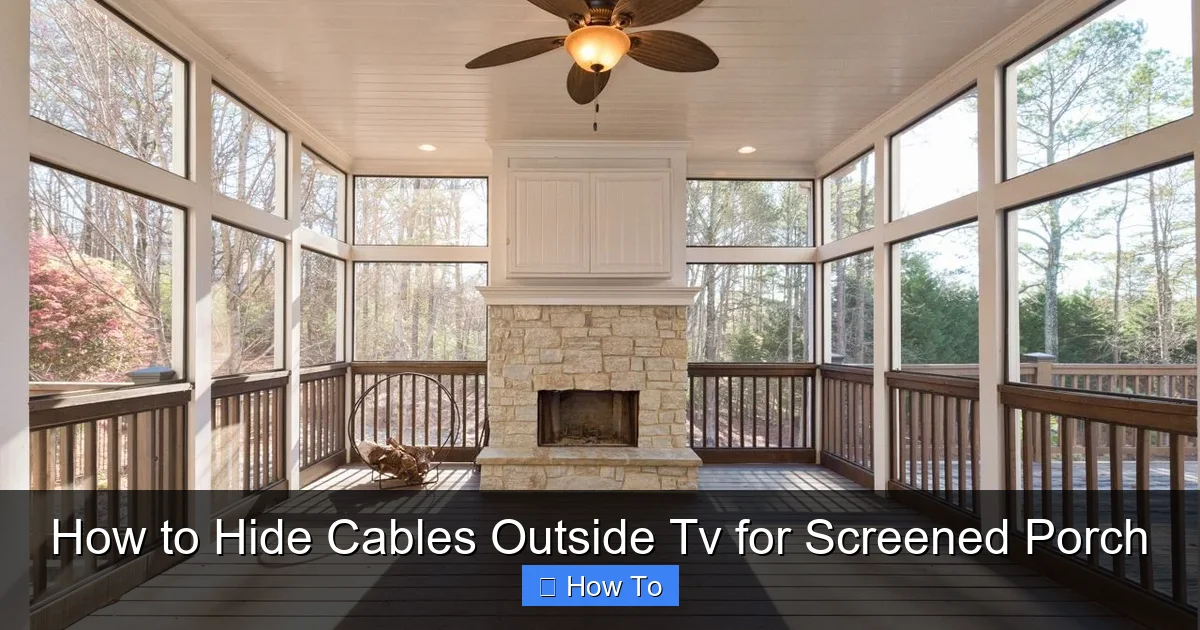
Visual guide about How to Hide Cables Outside Tv for Screened Porch
Image source: i.pinimg.com
Before diving into the how-to, let’s talk about why this matters. A screened porch is a transitional space—part indoor, part outdoor. It’s protected from bugs and light rain, but it’s still exposed to humidity, temperature swings, and UV rays. That means your cables face more stress than they would inside your home.
Here’s why hiding and protecting cables is essential:
- Safety first: Loose cables are tripping hazards, especially in low light or when guests are over. Securing them prevents accidents.
- Weather protection: Outdoor-rated cable management shields wires from moisture, sun damage, and pests like rodents or insects.
- Longer cable life: UV exposure can crack plastic insulation over time. Proper housing keeps cables intact and functional.
- Cleaner look: A tidy setup enhances your outdoor living space and makes it feel more like a true extension of your home.
- Easier maintenance: Organized cables are easier to troubleshoot, upgrade, or replace when needed.
Think of cable management as part of your outdoor TV investment. A little effort now saves you headaches—and potentially costly repairs—later.
Assess Your Setup and Plan the Cable Route
The first step to hiding cables is knowing where they need to go. Take a few minutes to map out your current setup and plan the most efficient path.
Identify All Connected Devices
List every device connected to your TV:
– Streaming box (Roku, Apple TV, etc.)
– Soundbar or outdoor speakers
– Gaming console
– Cable/satellite box
– Power source (outlet or surge protector)
Each of these requires at least one cable (power and/or data). Count them so you know how much space and protection you’ll need.
Determine the Power Source Location
Where is your nearest outdoor-rated electrical outlet? Is it on the wall, under the porch, or inside the house? Most screened porches have at least one GFCI (Ground Fault Circuit Interrupter) outlet for safety. If not, consider hiring an electrician to install one—this is crucial for outdoor electronics.
Tip: Never use indoor extension cords outside. They’re not rated for moisture or UV exposure and can become brittle or dangerous.
Map the Ideal Cable Path
Look for the shortest, most discreet route from your TV to the power source and other devices. Ideal paths include:
– Along the wall, behind trim or baseboards
– Under the porch railing
– Inside or along support beams
– Through existing conduit or raceways
Avoid running cables across walkways or high-traffic areas. If you must cross a path, use a cable ramp or bury the cable in a protective channel (more on that later).
Measure the Distance
Use a tape measure to determine how long your cables need to be. Add a little extra (6–12 inches) for flexibility. This helps avoid tension on connectors, which can cause signal loss or damage.
Sketch a Simple Diagram
Draw a quick sketch of your porch layout. Mark the TV location, power source, and device placements. Draw lines showing where cables will run. This visual guide prevents mistakes and helps you buy the right materials.
Choose the Right Cable Management Products
Not all cable covers are created equal—especially for outdoor use. You need products designed to withstand the elements.
Outdoor Cable Raceways
These are plastic or metal channels that snap or screw onto walls to hide and protect cables. Look for:
– UV-resistant materials (like PVC or polycarbonate)
– Weatherproof seals to keep moisture out
– Paintable surfaces so you can match your porch trim
– Snap-on covers for easy access
Popular brands include D-Line, Legrand, and Wiremold. Choose a raceway wide enough to hold all your cables without overcrowding.
Flexible Conduit
For more rugged protection, use flexible plastic or metal conduit. It’s ideal for running cables along beams or under railings. You’ll need:
– Conduit tubing (1/2″ or 3/4″ diameter)
– Conduit fittings (elbows, couplings)
– A fish tape or pull string to guide cables through
Conduit is great for long runs or areas with high moisture.
Cable Clips and Adhesive Mounts
For shorter runs or temporary fixes, use outdoor-rated cable clips. These stick to walls or wood with strong adhesive or screws. Choose ones with rubber grommets to protect cable insulation.
Weatherproof Junction Boxes
If you’re connecting multiple devices or using a surge protector, mount it inside a weatherproof junction box. This keeps connections dry and secure. Look for NEMA 3R or 4X rated boxes.
Cable Sleeves and Loom
For a cleaner look, bundle cables together with a spiral wrap or braided sleeve. These don’t hide cables but reduce clutter and make routing easier. Use outdoor-rated versions with UV protection.
Gather Your Tools and Materials
Before you start, make sure you have everything you need. Here’s a checklist:
- Measuring tape
- Pencil or marker
- Drill and drill bits (for screws)
- Screwdriver
- Level (to keep raceways straight)
- Utility knife or scissors
- Cable ties or Velcro straps
- Outdoor-rated cable raceway or conduit
- Weatherproof junction box (if needed)
- Cable clips or mounts
- Fish tape (for conduit runs)
- Electrical tape
- Labels or colored tape (for cable identification)
Having the right tools saves time and frustration. If you’re drilling into wood or concrete, use appropriate bits and safety gear (gloves, goggles).
Step-by-Step: Install Cable Raceways
Raceways are the most popular and user-friendly option for hiding cables on a screened porch. Here’s how to install them like a pro.
Step 1: Clean and Prep the Surface
Wipe down the wall or beam where you’ll mount the raceway. Remove dust, grease, or old adhesive. A clean surface ensures strong adhesion if using self-adhesive raceways.
Step 2: Mark the Mounting Line
Use a pencil and level to draw a straight line where the raceway will go. Start at the TV and end at the power source or junction box. Double-check measurements.
Step 3: Cut the Raceways to Size
Measure the distance and cut the raceway using a hacksaw or utility knife. Most raceways snap apart at pre-scored sections. File any rough edges.
Step 4: Install Mounting Brackets or Adhesive
If your raceway uses screws, drill pilot holes and secure it with outdoor-rated screws. For adhesive-backed raceways, peel off the backing and press firmly along the marked line. Hold for 30 seconds to ensure adhesion.
Step 5: Route the Cables
Open the raceway cover and lay in your cables. Start with the power cable, then add HDMI, audio, and others. Avoid sharp bends—keep radius gentle to prevent damage.
Tip: Use cable ties inside the raceway to bundle wires and prevent tangling.
Step 6: Close and Secure the Cover
Snap the cover shut. Make sure it’s flush and secure. If the raceway has end caps, install them to keep moisture out.
Step 7: Test the Setup
Plug in your devices and turn on the TV. Check that all signals are strong and there’s no interference. If something isn’t working, open the raceway and recheck connections.
Alternative: Use Flexible Conduit for Tough Runs
If your cable path is long, curved, or exposed to harsh conditions, conduit is a better choice.
Step 1: Measure and Cut the Conduit
Measure the route and cut the conduit to length. Use a hacksaw for plastic, a tubing cutter for metal.
Step 2: Attach Fittings
Screw on elbows or couplings at corners. Use outdoor-rated sealant on joints to prevent water ingress.
Step 3: Feed the Cables
Attach a fish tape to the end of your cables and pull them through the conduit. Go slowly to avoid snagging.
Step 4: Mount the Conduit
Secure the conduit to beams or walls with conduit straps every 3–4 feet. Use stainless steel or plastic straps rated for outdoor use.
Step 5: Seal the Ends
Use silicone sealant or conduit caps to close open ends. This keeps bugs and water out.
Hide Cables Under Railings or Along Beams
If your porch has railings or exposed beams, use them to your advantage.
Option 1: Run Cables Behind Railings
Tuck cables between the railing and the wall. Use adhesive clips to hold them in place. Paint the clips to match the railing for a seamless look.
Option 2: Use Beam Channels
Some beams have grooves or channels. Run cables inside these spaces. If not, attach a small raceway along the beam edge.
Option 3: Create a False Trim
For a custom look, build a thin wooden or PVC trim piece to cover cables along the wall. Paint it to match your porch.
Power and Safety Considerations
Outdoor electronics need special care when it comes to power.
Use a Weatherproof Surge Protector
Plug all devices into a heavy-duty, outdoor-rated surge protector. Look for one with a waterproof cover and GFCI protection.
Keep Power Cables Elevated
Don’t let power cords lie on the ground where they can get wet. Use cable ramps or mount them above floor level.
Avoid Overloading Circuits
Check your outlet’s amperage. Don’t plug in too many high-wattage devices (like space heaters) on the same circuit as your TV setup.
Follow Local Electrical Codes
If you’re running new wiring or installing outlets, consult a licensed electrician. DIY electrical work can be dangerous and may violate codes.
Troubleshooting Common Issues
Even with careful planning, problems can happen. Here’s how to fix them.
Cables Are Too Short
Use outdoor-rated extension cords or couplers. Never splice cables with electrical tape—use proper connectors.
Raceway Won’t Stick
Clean the surface again or switch to screw-mounted raceways. Adhesive fails on dirty or porous surfaces.
Signal Loss After Routing
Check for sharp bends or kinks in HDMI cables. Replace damaged cables. Use signal boosters for long runs.
Water Getting In
Seal all joints with silicone. Use drip loops—let cables dip down before going up—to prevent water from traveling into devices.
Cables Keep Falling Out
Use more cable ties or switch to a wider raceway. Don’t overcrowd the channel.
Maintenance Tips for Long-Term Success
Once your cables are hidden, keep them that way.
- Inspect every season: Check for cracks, loose mounts, or moisture buildup.
- Clean raceways: Wipe down with a damp cloth to remove dirt and debris.
- Re-tighten mounts: Screws and adhesives can loosen over time.
- Update as needed: When upgrading devices, reroute cables to maintain a clean look.
Final Thoughts
Hiding cables outside your TV on a screened porch isn’t just about looks—it’s about safety, durability, and enjoying your outdoor space to the fullest. With the right tools and a little patience, you can create a clean, professional setup that lasts for years.
Remember: plan your route, use weatherproof materials, and test everything before finalizing. Whether you go with raceways, conduit, or creative routing along beams, the result will be a porch that’s as functional as it is beautiful.
Now sit back, relax, and enjoy your favorite show—without the cable clutter.

